How to Write the Perfect AI Receptionist Script (With Examples)
TL;DR: How to Write the Perfect AI Receptionist Script
Writing a high-performing AI receptionist script comes down to 7 steps:
- 01Map your call flows
- 02Define tone and persona
- 03Write core prompts
- 04Add dynamic variables
- 05Build escalation rules
- 06Test in a sandbox
- 07Iterate based on real call data
Example opening script: “Thanks for calling [Company Name]. I’m [AI Name], your virtual assistant. I can help you book an appointment, answer common questions, or connect you with our team. What can I help you with today?”
CloudTalk offers the most complete AI receptionist scripting toolkit for SMB sales and support teams — combining a no-code drag-and-drop Call Flow Designer and native CRM integrations.
Most AI receptionists underperform not because the underlying technology is weak, but because the scripts powering them were written in five minutes and never touched again. A well-engineered script transforms a generic AI receptionist into a brand-aligned call handler that boosts lead capture, reduces misrouted calls, and delivers consistent customer experiences 24/7.
This guide gives you a practical, step-by-step framework for crafting AI receptionist scripts from scratch — plus real-world prompt examples and a comparison of the top six script customization providers. Whether you are setting up your first AI receptionist or overhauling scripts that are already live, everything you need is here.
Get these simple steps right and your AI receptionist will sound professional, capture more leads, and handle every call consistently — 24 hours a day.
How to Write an AI Receptionist Script Step by Step
The following seven-step framework covers how to write the perfect AI receptionist script from the first planning session to ongoing optimization. Each step builds on the previous one — skipping steps is the most common reason scripts fail in production.
Let’s preview the steps first before diving deep into each one of them.
| Steps | Action | Estimated time |
| Step 1 | Map Your Call Flows and Common Scenarios: List all inbound call types and define the ideal outcome for each. | 30 minutes |
| Step 2 | Define the AI's Role, Tone, and Boundaries: Write your system prompt — persona, brand voice, and escalation rules. | 20 minutes |
| Step 3 | Write Core Prompts for Each Call Type: Draft greeting, routing, FAQ, scheduling, and fallback prompts. | 45 minutes |
| Step 4 | Add Dynamic Variables and Context Triggers: Inject CRM data and build conditional logic into your script. | 20 minutes |
| Step 5 | Build Escalation and Compliance Safeguards: Define urgency triggers, explicit request handling, and compliance language. | 15 minutes |
| Step 6 | Test in a Sandbox Environment: Run every call flow end-to-end and test off-script inputs. | 30 minutes |
| Step 7 | Iterate Based on Call Logs and Feedback: Review misrouting rates, abandonment points, and resolution data monthly. | Ongoing |
Step 1 — Map Your Call Flows and Common Scenarios
Before writing a single line of script, document every call type your business receives. Group them by frequency and outcome: scheduling calls, billing inquiries, support requests, lead qualification calls, after-hours messages, and emergency escalations.
For each call type, answer three questions: What does the caller want? What information do you need from them? What should happen at the end of the call — booking confirmed, transferred to an agent, message taken, or FAQ answered?
- List your top 10 most frequent inbound call types
- For each, document the ideal call outcome
- Identify which calls can be fully automated and which need human fallback
- Note any compliance-sensitive scenarios that need legal review before scripting
Step 2 — Define the AI's Role, Tone, and Boundaries
Your AI receptionist needs a clearly defined persona before you write a single greeting. This is the system prompt layer — the foundational instructions that shape every interaction.
Define the following before writing any call-specific scripts:
- Role and name — 'You are Aria, the virtual receptionist for Acme Legal. You assist callers with appointment scheduling and general inquiries.'
- Tone and communication style — formal, friendly, concise, empathetic. Be specific: 'Always use the caller's name once per conversation. Never use slang.'
- Topics to avoid — clearly list what the AI should not discuss. 'Do not provide legal advice. Do not discuss pending cases. Do not share any information about staff compensation.'
- Escalation conditions — define exactly when to hand off to a human. 'If the caller expresses frustration, asks to speak to a person, or mentions an emergency, transfer immediately.'
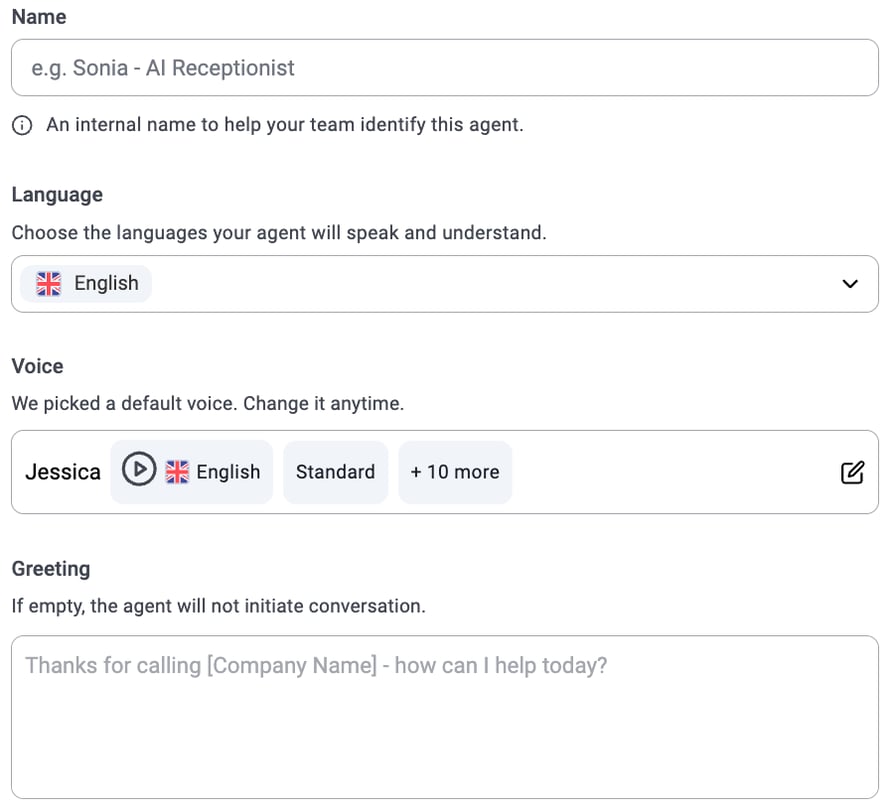
Step 3 — Write Core Prompts for Each Call Type
With your call flow map and persona defined, you are ready to write the actual AI receptionist prompts. An AI receptionist prompt is a specific instruction that tells the AI exactly what to say or do during a particular moment in the call.
Use AI receptionist script customization services like CloudTalk's drag-and-drop Call Flow Designer to build and test each prompt type:
- Greeting prompt: "Thank you for calling [Company Name]. I'm [AI Name], your virtual assistant. I can help you with scheduling, billing questions, or connecting you to our team. What brings you in today?"
- Routing prompt: "Got it — I'll connect you with our [department] team. One moment while I check availability."
- Scheduling prompt: "I'd love to get that booked for you. What day works best — would morning or afternoon suit you better?"
- FAQ prompt: "Great question. Our [service/product] is available [details]. Is there anything else I can help you with today?"
Write each prompt in conversational, natural language. Avoid robotic phrasing. Read each prompt aloud — if it sounds awkward when spoken, rewrite it.
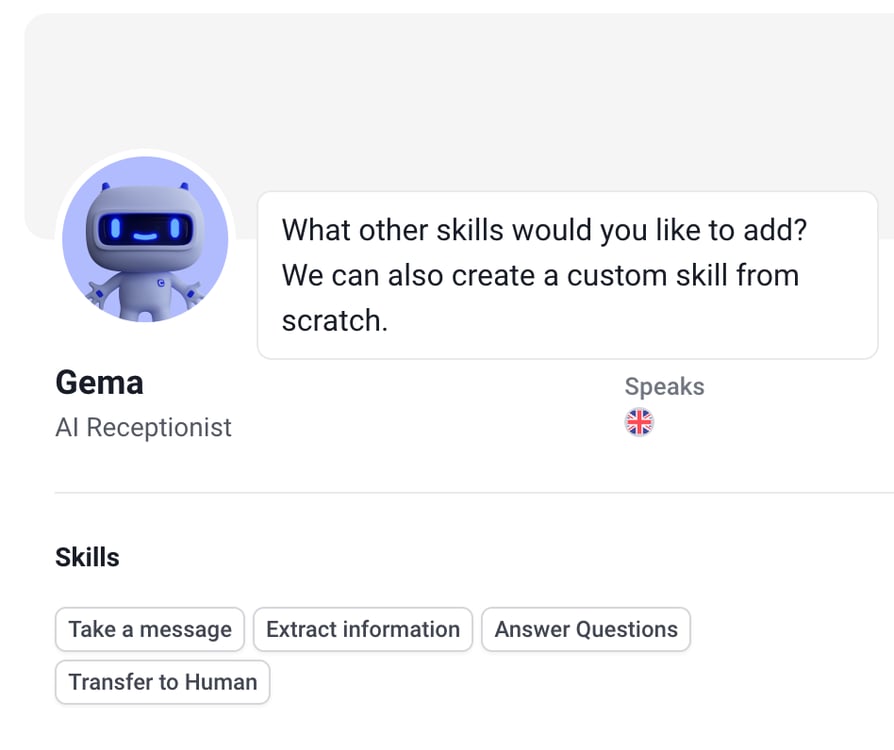
Step 4 — Add Dynamic Variables and Context Triggers
Static scripts feel generic. Dynamic variables transform them into personalized interactions. A context trigger changes what the AI does based on what it just heard — this is what makes AI receptionists feel genuinely intelligent rather than scripted.
Common dynamic variables to add:
- [Caller Name] — pulled from CRM on incoming call recognition
- [Appointment Date/Time] — injected from your scheduling system
- [Account Status] — "I can see your account is currently active..."
- [Last Interaction] — "Welcome back, you last called about..."
Context trigger example: if the caller says "cancel" at any point in the call, override the current script and route to the cancellation flow — regardless of what stage of the conversation they were at.
Step 5 — Build Escalation and Compliance Safeguards
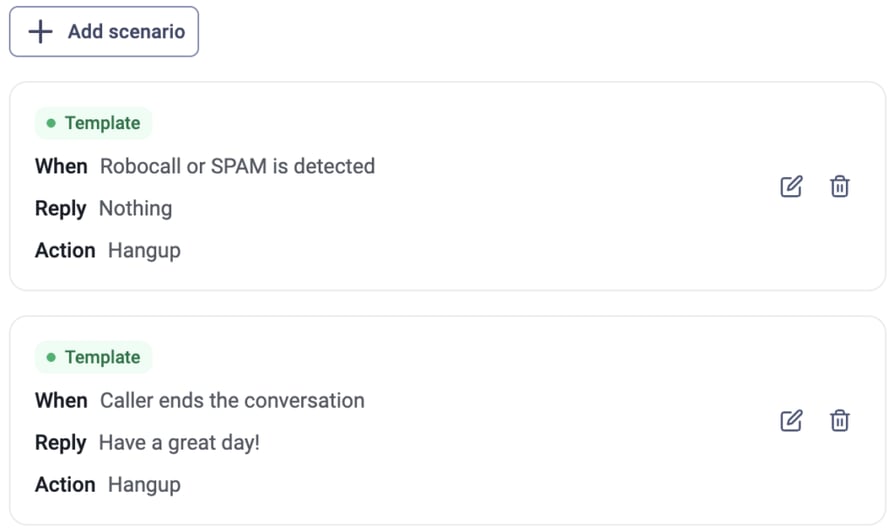
In this step, you’ll teach your agent how to react in specific situations by creating Scenarios. For example, you can set up:
- Spam detection: Automatically block or end calls when a robocall is detected.
- Conversation end: Define how the agent should politely wrap up a call.
- Specific triggers: Create custom rules (e.g., "If the caller asks for a refund, transfer to the Billing Department").
Step 6: Deployment
Every AI receptionist script needs two layers of protection: escalation triggers that hand off to a human when the AI cannot handle a situation, and compliance language that satisfies industry-specific legal requirements.
Escalation triggers to include in every script:
- Frustration detection — "I can hear this is important to you. Let me connect you with a team member who can help right now."
- Explicit request — any variation of "speak to a person", "human", "representative", or "agent" should immediately trigger a live transfer
- Emergency keyword detection — "urgent", "emergency", "injury", "complaint" — route immediately without further prompts
- Three failed attempts — if the AI cannot understand the caller after three attempts, escalate automatically
Compliance language examples by industry:
- Healthcare: "This call may be recorded for quality assurance. Your privacy is protected under HIPAA."
- Legal: "I am an automated assistant. Nothing in this conversation constitutes legal advice."
- Financial services: "This call is recorded and may be monitored for compliance purposes."
Step 7 — Iterate Based on Call Logs and Feedback
The best AI receptionist scripts are never finished. They evolve based on real call data, caller feedback, and business changes. Build a regular review cadence from day one.
What to track after launch:
- Misrouting rate — how often are callers sent to the wrong department?
- Escalation rate — are more calls escalating than expected? This signals script gaps.
- Abandonment rate — are callers hanging up at specific points in the script?
- Call resolution rate — what percentage of calls are fully resolved without human intervention?
- Caller satisfaction scores — are callers rating interactions as positive?
Don't get discouraged after the first few attempts. Even small changes — different opening phrases, different routing prompts — can measurably improve call outcomes. CloudTalk's analytics dashboard surfaces all of these metrics automatically, making iteration a data-driven process rather than guesswork.


What Is an AI Receptionist Script?
An AI receptionist script is a structured set of instructions — prompts, routing logic, and response templates that tell an AI voice agent what to say, when to say it, and what to do next based on what a caller says. Unlike traditional IVR menus that rely on button presses, AI receptionist scripts use natural language processing to understand caller intent and respond conversationally.
AI virtual receptionist script customization services give businesses control over every element of these interactions from the opening greeting and brand voice to escalation rules and data capture prompts. The quality of these scripts directly determines the quality of every call your AI handles.
How Do AI Receptionist Scripts Work?
Every AI receptionist script operates through three core mechanisms:
- System prompts — the foundational instructions that define the AI's role, persona, and boundaries. These run silently in the background and shape every response the AI generates.
- Dynamic variables — real-time data injected into the conversation, such as the caller's name from your CRM, their appointment time, or their account status. These make interactions feel personal rather than generic.
- Context triggers — conditional logic that determines what the AI says next based on what it just heard. If a caller says "cancel my appointment," the context trigger routes to the cancellation script rather than the booking flow.
Why Do Scripts Matter More Than the AI Model?
Even the most advanced large language model will produce inconsistent, off-brand, or legally risky responses if the underlying script is poorly written. The AI model provides the intelligence, and the script provides the guardrails, the brand voice, and the business logic. A mid-tier AI with excellent scripting will consistently outperform a top-tier AI with a vague, generic prompt.
This is particularly important for regulated industries such as healthcare, legal, and financial services. They all have compliance requirements that must be written explicitly into every script so the AI will not add these on its own.
Listen To Our Voice Agents In Action
Signature Capability
See CloudTalk’s AI Voice Agent in Action!
CeTe is an AI that talks like a human: no breaks, no training, no time off. It makes and answers calls, updates CRMs, books meetings, and loops in a human only when needed.
Press play to hear it. Want a wow moment? Get a free test call and try it live.

What Are the Key Elements of an Effective AI Receptionist Script?
Understanding the best script customization for AI virtual receptionists starts with knowing which elements every high-performing script must include. AI receptionist prompting is most effective when these six components work together as a cohesive system rather than as separate, disconnected pieces.
Clear Greeting and Brand Identification
The opening line is the most important moment in any call. It sets caller expectations, establishes brand identity, and determines whether the caller will engage or hang up. An effective greeting includes your company name, the AI's name or role, and an immediate signal of what the AI can help with.
| Strong Greeting | Weak Greeting |
|---|---|
| "Thanks for calling Meridian Dental. I'm your automated assistant — I can help you book an appointment, check your next visit, or connect you with our front desk. Which would you like?" | "Hello, how can I assist you?" |
Intent Detection and Call Routing Logic
Intent detection prompts identify why a caller is reaching out and route them to the correct script branch or department. The routing logic should cover your top call types explicitly and include a catch-all for unrecognized intents.
| Effective Routing Prompt | Ineffective Routing Prompt |
|---|---|
| "Are you calling to schedule an appointment, ask about billing, get information about our services, or something else?" | "How can I help?" |
Offering explicit options dramatically reduces misrouting compared to open-ended prompts.
In short, when you’re building your AI voice agent, you aren't just building a script—you’re deploying a system that grows smarter every time it picks up the phone.
Escalation Triggers and Human Handoff Rules
Every script needs clearly defined conditions that trigger an immediate transfer to a live agent. These should be configured at the system level, not left to individual script branches, so they fire regardless of which script branch the caller is in.
The most important escalation trigger is the explicit request. Any caller who asks for a person should be transferred immediately, without further qualification prompts. Attempting to retain a frustrated caller in an automated flow is one of the most damaging mistakes an AI receptionist can make.
Data Capture and Lead Qualification Prompts
Lead qualification prompts are structured questions that collect the information your team needs before a human takes over a call. Well-designed data capture happens naturally within the conversation rather than feeling like an interrogation.
| Effective Lead Capture Prompt | Ineffective Lead Capture Prompt |
|---|---|
| "Before I connect you, could I get your name? And the best number to reach you if we get disconnected? Great — and just quickly, is this for a new or existing account?" | "Please state your full name, date of birth, account number, billing address, and the reason for your call before I transfer you." |
Fallback Responses and Error Handling
A fallback response fires when the AI cannot understand or fulfill a caller's request. Without a well-designed fallback, callers experience awkward silences, repeated misunderstandings, or dead ends — all of which damage caller trust.
| Effective Fallback Response | Ineffective Fallback Response |
|---|---|
| "I didn't quite catch that — could you say that again? Or if you'd prefer, I can connect you with a team member who can help directly." | "I'm sorry, I don't understand. Please try again." |
Tone and Persona Consistency
Brand voice should be consistent across every script branch. If your company tone is warm and informal, that should be reflected in every prompt — including error messages, compliance disclosures, and after-hours notifications. Inconsistency in tone is one of the most common signs of a script built in pieces rather than designed as a whole.
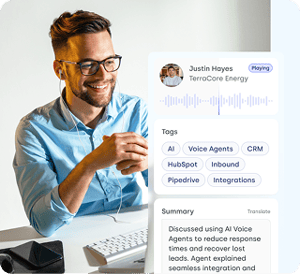
AI Receptionist Script Examples for Business (2026)
The following script templates cover the most common AI receptionist voice-prompting use cases. Each example is ready to adapt for your business. Simply replace the bracketed placeholders with your own details and adjust the tone to match your brand.
Greeting and Call Routing Script
Use case: Inbound calls. The routing options should reflect your three to four most common call types.
| Scenario | Script |
|---|---|
| Standard inbound call | "Thank you for calling [Company Name]. I'm [AI Name], your virtual assistant. I can help you with scheduling an appointment, billing questions, information about our services, or connecting you with our team. Which of those can I help you with today?" |
| Caller intent not recognized | "I want to make sure I direct you to the right place — could you tell me a little more about what you're calling about today?" |
Appointment Scheduling Script
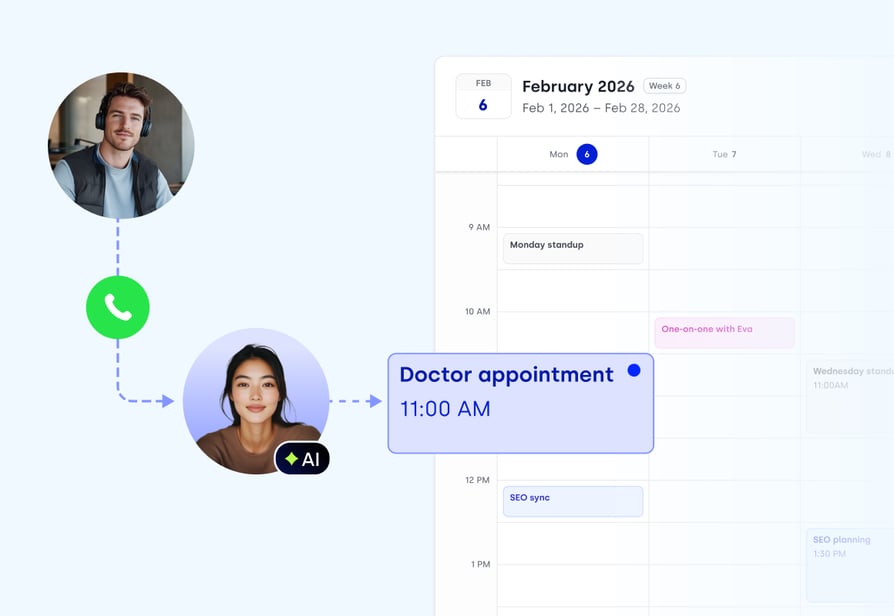
Use case: Need to book an appointment and confirm back to the caller before ending.
| Stage | Script | Purpose |
|---|---|---|
| Preference check | "I'd be happy to get that scheduled for you. Do you have a preference for morning or afternoon?" | Narrows availability options before checking the calendar |
| Day selection | "And which day works best for you this week or next?" | Captures the preferred date without overwhelming the caller with options |
| Slot confirmation | "Perfect — I have [Date] at [Time] available. Shall I confirm that for you?" | Closes the booking loop with a clear yes/no |
| Closing | "Great — you're all set for [Date] at [Time]. You'll receive a confirmation text or email shortly. Is there anything else I can help you with?" | Confirms the booking, sets follow-up expectations, and offers a next step |
Lead Capture Script
Use case: Transferring a new lead to a sales rep. The goal is to collect name, contact details, and qualifying information in under 60 seconds.
| Stage | Script | Purpose |
|---|---|---|
| Opening | "Before I connect you with our team, I'd love to grab a few quick details." | Frames data capture as helpful, not interrogative |
| Name capture | "Could I get your name?" | First and least intrusive question — builds rapport before asking for contact details |
| Contact capture | "And the best number to reach you at?" | Ensures a callback option if the call drops during transfer |
| Qualifying question | "Thanks, [Name]. Just one more question — are you looking for [product/service] for personal or business use?" | Qualifies the lead so the agent receives context before picking up |
| Transfer | "Perfect. I'm connecting you with [Agent Name] now — they'll be with you in just a moment. Your reference number is [Number]." | Confirms the handoff, reduces caller anxiety, and gives a reference number for accountability |
After-Hours and Voicemail Script
Use case: Handling calls outside business hours. It should be warm, informative, and always capture a callback number.
| Stage | Script | Purpose |
|---|---|---|
| Availability notice | "Thanks for calling [Company Name]. Our team is currently unavailable — our office hours are [Hours], [Days]." | Sets clear expectations immediately so the caller knows why no one answered |
| Callback offer | "I'd love to make sure someone gets back to you. Could I take your name and the best number to reach you?" | Frames data capture as a service rather than a formality — keeps the tone warm |
| Confirmation | "Thank you, [Name]. A member of our team will call you back during business hours." | Confirms the callback commitment and personalizes the closing with the caller's name |
| Urgent escalation | "If this is urgent, please press 1 to leave a detailed voicemail, and we'll prioritize your callback." | Gives high-priority callers an actionable path forward rather than leaving them without options |
FAQ Response Script
Use case: High-frequency questions about hours, pricing, location, or services. Keep answers concise and always offer a next step.
| FAQ Type | Script | Next Step Offered |
|---|---|---|
| Hours inquiry | "Our office hours are [Hours] Monday through Friday, and [Hours] on Saturdays. We're closed on Sundays and public holidays." | "Is there anything else I can help you with, or would you like me to connect you with our team?" |
| Pricing inquiry | "Our [service] starts at [price]." | "For a personalized quote based on your specific needs, I can connect you with one of our team members — would that be helpful?" |
Escalation and Live Transfer Script
This script fires when urgency keywords are detected or when the caller explicitly requests a human.
| Trigger | Script | Why This Works |
|---|---|---|
| Caller requests a human | "I completely understand — let me connect you with a team member right away. [Agent Name] will be with you in just a moment. I'll let them know you're calling about [brief summary of caller intent] so you don't need to repeat yourself. Thank you for your patience." | Acknowledges the request immediately, passes context to the agent, and eliminates the frustration of repeating information |
| Emergency keyword detected | "I can hear this is urgent. I'm connecting you immediately — please hold for just one moment." | Skips all qualification steps and transfers instantly — no further prompts, no delays |
Multilingual Greeting Script
Use this as your opening prompt when your customer base speaks more than one language. Language detection should happen in the first five seconds.
| Stage | Script | Notes |
|---|---|---|
| Language selection | "Thank you for calling [Company Name]. For English, please say or press 1. Para español, diga o marque 2. Pour le français, dites ou appuyez sur 3." | Language detection should happen within the first 5 seconds — keep this prompt short and clear |
| After language selection | "[Full greeting in selected language, personalised to that market's communication norms.]" | Adapt tone and phrasing to each market — a direct US English style does not always translate well into Spanish or French communication expectations |
Have your AI Receptionist up and running in less than an hour.
Top 6 AI Receptionist Script Customization Providers
The best AI receptionist script customization providers in 2026 give businesses full control over their call flows, brand voice, escalation logic, and integration with existing CRM and scheduling tools. Here is how the top six compare:
| Provider | Starting Price | G2 Rating | Script Customization | Best For |
|---|---|---|---|---|
| 1.CloudTalk | $19/user/month | 4.4/5/5 | Visual drag-and-drop + AI prompts | SMB sales & support teams wanting full VoIP + customizable AI scripts |
| 2.Retell AI | From $0.07/min | 4.8/5 | API-level branching logic + SDK | Developer teams building custom branching script logic |
| 3.Synthflow | From $0.09/min | 4.5/5 | No-code visual flow designer | Non-technical teams needing no-code script builder |
| 4.Aircall | $30/user/mo | 4.3/5 | AI Voice Agent + CRM-driven scripts | CRM-first SMB teams wanting AI-enhanced call scripts |
| 5.Dialpad | $15/user/mo | 4.4/5 | AI-native coaching + real-time prompts | Teams wanting AI script intelligence with live coaching |
| 6.Smith.AI | From $95/mo | 4.5/5 | Hybrid human-AI script fallback | Businesses needing human escalation scripting |
1. CloudTalk — Best AI Receptionist Script Customization for SMB Sales and Support Teams
What Is CloudTalk?
CloudTalk is a cloud-based call center and AI receptionist platform built for SMB sales and support teams. It combines owned telephony infrastructure across 160+ countries with a visual Call Flow Designer that lets teams build, customize, and deploy AI receptionist scripts without developer support.
Its AI Voice Agent (CeTe) handles inbound calls 24/7, with full CRM integration and real-time analytics built in.
What Are the Pros & Cons of CloudTalk?
In the real world, customers don't always follow a script. They might change their mind mid-sentence or ask a completely unrelated question. A sophisticated AI phone agent must be prepared for these "off-script" moments:
| Pros | Cons |
|---|---|
| Visual drag-and-drop Call Flow Designer — no code required for script customization | Power Dialer and advanced AI features require the Expert plan |
| Low pricing on AI features and no separate API keys or add-on subscriptions | No native video conferencing — requires external tool |
| 100+ native CRM integrations — HubSpot, Salesforce, Pipedrive, with automatic call logging | GoHighLevel integration requires Zapier rather than native connection |
| 1,702+ verified G2 reviews, 4.4/5 rating — the most independently validated platform in this comparison | |
| 14-day free trial, no credit card required | |
| AI Voice Agents (AI Receptionist for basic user queries and AI Specialist for more complex tasks such as outbound communication) |
Who Is CloudTalk Best For?
CloudTalk is best for SMB sales and customer support teams with 5–200 seats that need a complete business phone system with built-in AI Voice Agents (AI Receptionist for basic user query handling, appointment scheduling, or AI Specialist for outbound communication and more complex tasks), CRM integration, and script customization — without requiring developer resources or managing multiple API subscriptions.
How Much Does CloudTalk Cost?
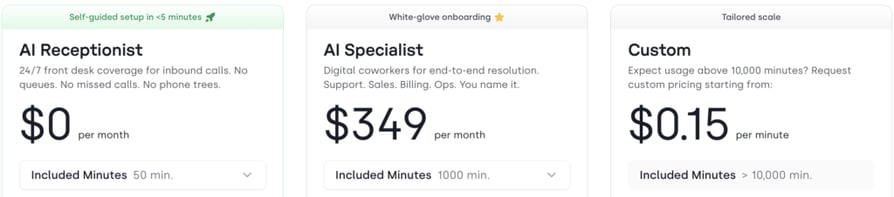
- Lite: $19
- Starter: $25/user/month (annual billing)
- Essential: $29/user/month
- Expert: $49/user/month (includes Power Dialer and full AI suite)
- Custom: On request (10+ seats)
- 14-day free trial, no credit card required
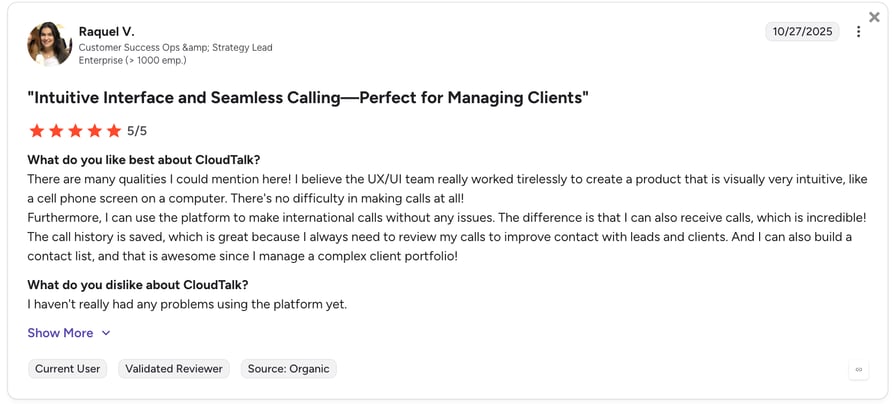
What Are Users Saying About CloudTalk?
Join CloudTalk and create your perfect AI Receptionist
2. Retell AI — Best for Developer Teams Building Custom Branching Script Logic
What Is Retell AI?
Retell AI is a developer-first voice agent platform built for teams that need API-level control over script logic, call flows, and telephony. Its Conversation Flow Builder supports complex, branching scripts with variable extraction and real-time routing — making it the most powerful customization option for engineering-led teams.
What Are the Pros and Cons of Retell AI?
| Pros | Cons |
|---|---|
| Sub-500ms latency — fastest response time in the category | No no-code interface — all customization requires developer resources |
| API-first architecture gives full programmatic control over script logic | Real all-in costs ($0.25–$0.33/min) are significantly higher than the advertised $0.07/min base rate |
| 4.8/5 on G2 across 1,700+ reviews — highest-rated platform in this comparison | Not suitable for non-technical teams or small businesses without engineering support |
| BYOC telephony — use your own Twilio, Telnyx, or Vonage account |
Who Is Retell AI Best For?
Retell AI is best for engineering-led teams building production-grade voice agents where sub-100ms latency and programmatic script control are hard requirements.
How Much Does Retell AI Cost?
- Pay-as-you-go: From $0.07/min base rate
- Real all-in cost: $0.13–$0.31/min depending on voice, LLM, and telephony configuration
- Enterprise: Volume discounts available at $3,000+/month
- Free tier available with limited concurrency
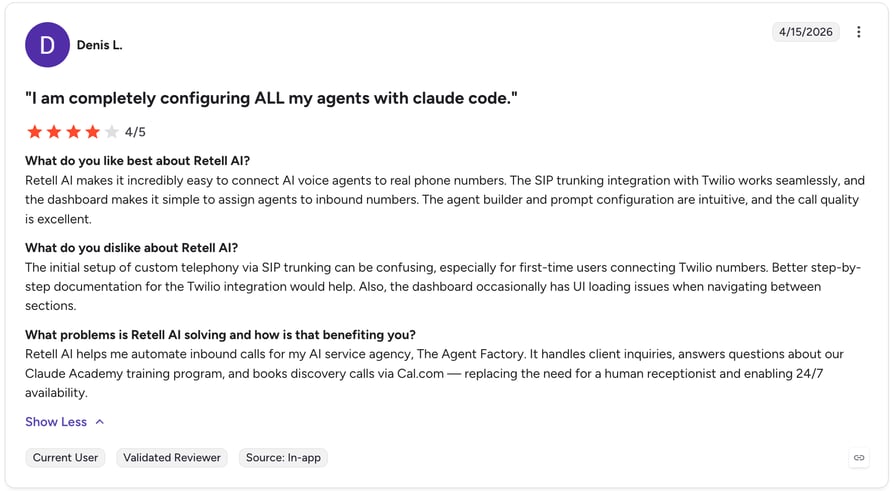
What Are Users Saying About Retell AI?
3. Synthflow — Best No-Code AI Receptionist Script Builder
What Is Synthflow?
Synthflow is a no-code AI voice agent platform with the most polished visual script designer in this comparison. Its drag-and-drop flow builder supports multi-branch conversation logic, variable capture, and webhook calls — all without writing code. It is best suited for agencies and non-technical teams that need to deploy customized AI receptionists quickly.
What Are the Pros and Cons of Synthflow?
| Pros | Cons |
|---|---|
| Easy no-code visual script designer — genuinely drag-and-drop | Might be too expensive for some businesses |
| White-label ready — agencies can rebrand the platform for client deployments | Stability issues reported on lower tiers — off-script handling can loop or fail |
| 4.5/5 on G2, ranked #4 in AI Agents globally — strong independent validation | Real costs are 2–3x advertised platform fees once AI API keys are factored in |
| 200+ integrations including HubSpot, GoHighLevel, Salesforce (not all native) | No priority support below the Scale plan |
Who Is Synthflow Best For?
Synthflow is best for agencies building white-label AI receptionist products for clients, and for non-technical SMB teams that need a polished no-code script builder without developer involvement.
How Much Does Synthflow Cost?
- Pay as you go: Free to start, then usage-based billing — no fixed monthly fee
- Concurrency: 5 concurrent calls included; additional slots at $20/reserved concurrency
- Enterprise: Custom pricing for teams handling 10,000+ minutes/month — includes white label, SIP trunking, unlimited concurrent calls, and 99.99% uptime SLA
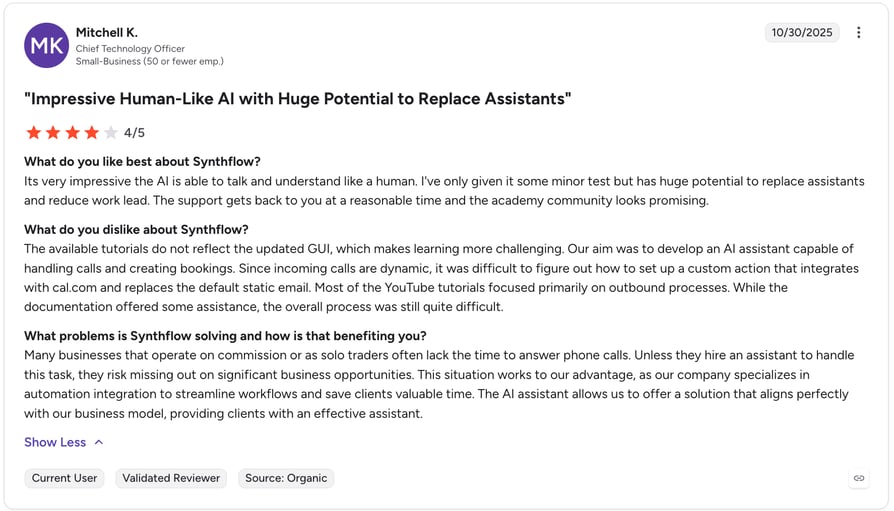
What Are Users Saying About Synthflow?
4. Aircall — Best for CRM-First SMB Teams Wanting AI-Enhanced Call Scripts
What Is Aircall?
Aircall is a cloud-based VoIP platform serving 22,000+ businesses globally. Its AI Voice Agent feature layers AI receptionist capabilities on top of its core phone system — handling inbound calls, qualifying leads, and transferring to human agents with full call context. It is best suited for teams already using Aircall whose primary need is CRM-driven call scripts rather than deep voice AI customization.
What Are the Pros and Cons of Aircall?
| Pros | Cons |
|---|---|
| 250+ native integrations — deepest CRM connectivity in this comparison for HubSpot and Salesforce users | AI Voice Agent is a separate add-on at $9/user/month + $0.49/minute — not included in base plans |
| Multilingual support and fine-tuned voice controls for diverse customer bases | 3-user minimum on all plans — not suitable for solo operators |
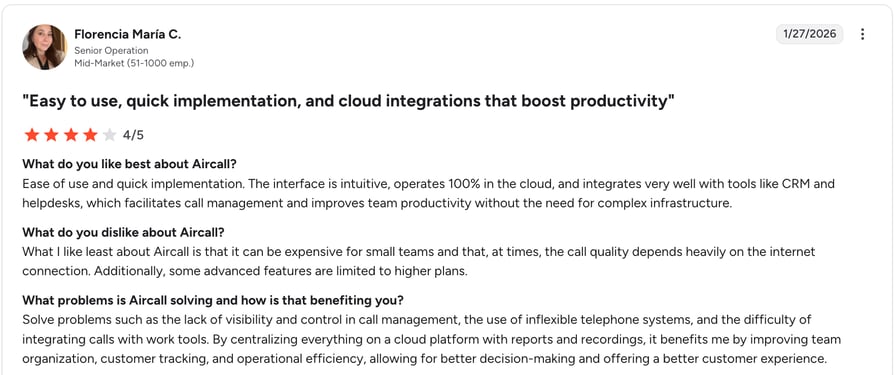
| 4.3/5 on G2 across 1,537 reviews — strong independent review base | Core phone system starts at $30/user/month before AI add-on costs |
| Fast setup — most teams go live in hours without IT support | Advanced analytics locked behind higher-tier plans |
Who Is Aircall Best For?
Aircall is best for mid-market sales and support teams already using Aircall as their phone system who want to add AI receptionist capabilities without switching platforms — particularly teams that depend on HubSpot or Salesforce CRM integration.
How Much Does Aircall Cost?
- Essentials: $30/user/month (3-user minimum, annual billing)
- Professional: $50/user/month (adds Power Dialer and Salesforce integration)
- AI Voice Agent add-on: From $0.19/min
- Custom: On request for 25+ users
What Are Users Saying About Aircall?
5. Dialpad — Best for Teams Wanting AI-Native Script Intelligence With Live Coaching
What Is Dialpad?
Dialpad is an AI-native unified communications platform built around DialpadGPT — a proprietary LLM trained on over 6 billion minutes of business conversations. Its AI receptionist capabilities include real-time transcription, live coaching prompts during calls, and automated post-call summaries. These are available on every plan, not just enterprise tiers.
What Are the Pros and Cons of Dialpad?
| Pros | Cons |
|---|---|
| AI transcription, live coaching, and call summaries included on every plan from $15/user/month | CRM integrations and 24/7 support restricted to Pro plan ($25/user/month) and above |
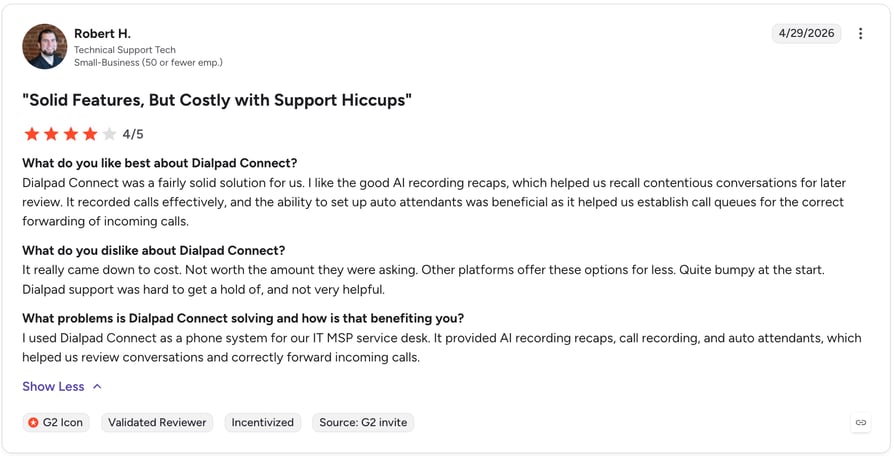
| DialpadGPT trained on 6B+ minutes of business conversations — more contextually tuned than generic LLMs | Call quality issues mentioned in 100+ G2 reviews — verify performance in your region before committing |
| 4.4/5 on G2 across 4,067 reviews — largest review base in this comparison | Contact center features are a separate product (Dialpad Support) starting at $80/user/month |
| Unified voice, video, and messaging in one platform | SMS capped at 250 messages per account with overage charges |
Who Is Dialpad Best For?
Dialpad is best for teams that want AI script intelligence and live coaching built into every call without a separate add-on cost — particularly teams already using Google Workspace who want deep calendar and email integration.
How Much Does Dialpad Cost?
- Standard: $15/user/month (AI transcription, Recaps, IVR — annual billing)
- Pro: $25/user/month (adds CRM integrations and 24/7 support)
- AI Agents: On request
- Enterprise: Custom pricing (100-user minimum)
- 14-day free trial available
What Are Users Saying About Dialpad?
6. Smith.ai — Best for Businesses Needing Hybrid AI + Human Script Fallback
What Is Smith.ai?
Smith.ai is a hybrid virtual receptionist service combining AI-powered call handling with live North American agents. Unlike pure-AI platforms, Smith.ai's human agents step in when the AI cannot handle a complex or sensitive situation — making it the strongest option for businesses where scripted AI fallback is not sufficient and a real human must take over.
What Are the Pros and Cons of Smith.ai?
| Pros | Cons |
|---|---|
| Hybrid model — AI handles routine calls, live agents step in for complex situations | Per-call pricing escalates significantly at volume — a business handling 200 calls/month on the AI plan could pay $455+/month in overages |
| Native integrations with ServiceTitan, Jobber, HubSpot, and Salesforce | No flat-rate unlimited plan — cost is unpredictable for businesses with variable call volumes |
| 4.5/5 on G2 across 200+ reviews — well-validated for its category | $95 setup fee for new clients |
| 10 years in business, 20M+ calls processed — proven reliability | Live agent availability is not guaranteed — queue times vary during peak periods |
Who Is Smith.ai Best For?
Smith.ai is best for professional services firms — legal, healthcare, finance — that handle complex inbound calls requiring genuine human judgment, and for businesses where a fully automated AI script is not sufficient for their caller expectations.
How Much Does Smith.ai Cost?
- AI Receptionist (Do It Yourself): From $95/month (~2 calls/day, $1.90/call)
- AI Receptionist (Done For You): $500/month (~ 10 calls/day, $1.50/call)
- 30-day money-back guarantee on all plans
- $95 one-time setup fee
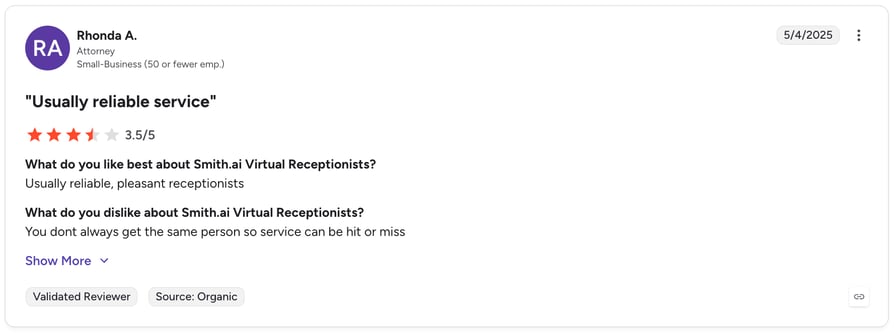
What Are Users Saying About Smith.ai?
How to Choose the Right AI Receptionist Script Customization Provider
1. Define your call goals clearly.
- Are you primarily routing inbound calls, capturing leads, booking appointments, or handling after-hours coverage? Different providers optimize for different outcomes. CloudTalk and Aircall excel at CRM-driven routing and lead capture. Synthflow and Retell AI are stronger for fully automated, complex call flows. Smith.ai is the right choice when human judgment is required.
2. Assess customization depth.
- How much control do you need over script logic? No-code drag-and-drop builders (Synthflow, CloudTalk) work well for most SMB use cases. API-level control (Retell AI) is worth the added complexity only if you have engineering resources and genuinely need it.
3. Check your integration requirements.
- Your AI receptionist must connect to your CRM, scheduling software, and any other tools your team uses. Verify native integrations before committing — a Zapier workaround is not equivalent to a native connection for reliability or data integrity.
4. Review analytics and reporting capabilities.
- You cannot improve scripts you cannot measure. Look for platforms that surface misrouting rates, abandonment points, escalation frequencies, and call resolution rates — not just call volume.
5. Verify uptime, compliance, and support.
- For regulated industries, confirm HIPAA, GDPR, or PCI compliance before signing. For any business, verify what support tier you get at your chosen plan — several platforms gate 24/7 support behind expensive tiers.
CloudTalk can suit all your business needs.
Common AI Receptionist Script Mistakes to Avoid
Most AI receptionist failures trace back to one of these six scripting mistakes. Recognizing them before launch is significantly cheaper than fixing them after.
1. Writing vague or overly complex prompts.
- The AI will interpret ambiguity in unpredictable ways. Every prompt should have one clear purpose and one expected output. If a prompt requires a paragraph of explanation, break it into two separate prompts.
2. Omitting fallback responses.
- Every script branch must have a fallback for unrecognized input. A script with no fallback leaves callers in silence or loops them back to the beginning — both are call-ending experiences.
3. Ignoring brand tone.
- Generic, robotic language undermines caller trust even when the information is accurate. Every prompt should sound like it was written by someone who works at your company.
4. Failing to test against real call scenarios.
- Sandbox testing with scripted inputs is not sufficient. Real callers are unpredictable. Before launch, have people unfamiliar with the script test it as genuine callers would — including deliberately going off-script.
5. Skipping compliance language.
- In regulated industries, missing a single required disclosure can create significant legal exposure. Have your compliance or legal team review all scripts before going live.
6. Neglecting ongoing optimization.
- Scripts written at launch will degrade in performance over time as your business changes, your call mix evolves, and you learn what your callers actually say. Build a monthly review cadence into your process from day one.
Best Practices for Long-Term Script Success
Building the best customizable scripts for AI virtual receptionists is not a one-time project — it is an ongoing practice. These six habits separate businesses that consistently improve their AI receptionist performance from those that set it and forget it.
- Review call logs weekly to identify misrouted or unresolved calls. Look for patterns — if the same intent is misrouted repeatedly, the routing prompt needs to be rewritten, not just the destination.
- A/B test greeting variations to optimize caller engagement. Test one variable at a time — different opening phrases, different routing option formats, different persona names. Measure impact on call duration, escalation rate, and resolution rate.
- Update scripts whenever business hours, services, pricing, or promotions change. Stale scripts that reference outdated information damage caller trust and generate unnecessary escalations.
- Gather feedback from callers and front-line staff to surface improvement opportunities. Your agents who handle escalated calls know exactly where the AI script is failing — ask them regularly.
- Document all script elements and version changes for team alignment. Treat your scripts like code — version control, change logs, and clear ownership prevent conflicting edits and make troubleshooting faster.
- Schedule quarterly audits to ensure compliance and brand consistency. Regulatory requirements change. Brand voice evolves. A quarterly audit catches gaps before they become problems.
Have an AI Receptionist your customers will love.
Conclusion
Writing the perfect AI receptionist script is a craft, not a one-time task. The businesses that get it right share a common approach: they map their call flows before writing a single prompt, they define their AI's persona with precision, they test relentlessly before going live, and they treat every call log as a source of improvement data.
The seven-step framework in this guide gives you everything you need to build scripts that capture more leads, reduce misrouted calls, and deliver consistent caller experiences — 24 hours a day, without increasing headcount.
If you are ready to put it into practice, CloudTalk's Call Flow Designer makes script building, testing, and iteration faster than any other platform on this list — with 100+ native CRM integrations, AI features included in base plans, and 1,702+ verified G2 reviews from teams that have already made the switch.
Let's get you started.
Frequently asked questions
The best AI voice receptionist prompt is specific, conversational, and has a single clear purpose. A strong opening prompt names the company, introduces the AI, and immediately offers two to three routing options — giving callers a clear path forward rather than an open-ended question.
Yes. All six platforms in this comparison offer some level of script customization. CloudTalk offers a drag-and-drop Call Flow Designer, and setting up the AI Receptionist requires no coding. Retell AI offers full API-level customization for developer teams. Synthflow's visual builder sits between the two — no-code but highly configurable.
Start by mapping your call flows and common scenarios, then define your AI's persona and tone. Write core prompts for each call type, add dynamic variables for personalization, build escalation rules, test in a sandbox, and iterate based on call data. CloudTalk's platform supports all seven steps within a single interface.
CloudTalk offers the best script customization for most SMB teams — combining a visual Call Flow Designer with native CRM integration, AI voice agents, and real-time analytics. For developer teams needing API-level control, Retell AI is the strongest option. For agencies needing white-label no-code tools, Synthflow leads the category.
AI receptionists handle complex questions well when scripts are well-designed with comprehensive FAQ prompts and knowledge base ingestion. For genuinely complex or sensitive situations — legal advice, medical decisions, escalated complaints — scripts should always include an escalation trigger that hands off to a live agent immediately.
An AI receptionist responds based on its system prompt (the foundational role, persona definition, and knowledge base), the specific call scripts for each scenario, dynamic variables injected from your CRM or scheduling system, and context triggers that determine which script branch fires based on what the caller just said. The quality of these four elements determines the quality of every response.