The 10 Best Microsoft Dynamics 365 Integrations to Accelerate Sales & Service in 2026
TL;DR:
The right choices improve coordination across sales, support, and fulfillment, building a connected system that scales with your growth.
Here's a list of the best Microsoft Dynamics 365 integrations platforms:
- 01CloudTalk — Native calling, conversational AI, AI Voice Agents, and call transcripts
- 02Salesforce — Sync clean transcripts, log call insights, automate follow-ups
- 03HubSpot — Sync contacts and lead updates to unify your funnel
- 04Microsoft Teams — Log meetings, calls, and notes directly to CRM records
- 05Shopify — Connect orders, customer data, and transactions to CRM
- 06Zoho CRM — Share contact updates and activity between platforms
- 07Monday.com — Track sales tasks and workflows triggered by CRM updates
- 08Google Sheets — Export CRM data for live dashboards, ops reports, or reviews
- 09BigCommerce — Align online sales and inventory with Dynamics 365 financials
- 10ActiveCampaign — Trigger campaigns and sync engagement data with CRM contacts
Your CRM knows everything—except what’s happening in the rest of your tech stack.
Microsoft Dynamics 365 is packed with capabilities, but without the right integrations, even the most powerful CRM turns into a silo. Calls get logged late. Tickets don’t show up. Sales loses sight of support issues. Marketing flies blind.
That’s why Microsoft Dynamics 365 integrations are more than just a convenience—they’re a competitive advantage.
And the payoff is real: McKinsey reports that employees spend 1.8 hours a day—nearly 20% of their time—just searching for information 1.
This guide rounds up the best Microsoft Dynamics 365 integrations for real-world workflows. For each use case—whether it’s syncing CRMs or routing tickets—we’ve picked the one integration that delivers the most impact.


What Is a Microsoft Dynamics 365 Integration?
A Microsoft Dynamics 365 integration connects your CRM or ERP system with the other tools your business relies on—like phone systems, support platforms, ecommerce software, and analytics tools.
Instead of manually copying data between apps or chasing down updates, integrations sync your customer records, conversations, and tasks across systems in real time. That means faster handoffs, fewer mistakes, and better customer experiences.
Here’s what they do:
- Automate workflows: trigger emails, assign tasks, or update records when someone takes action
- Sync data: make sure contact info, deal status, and activity history stay up to date everywhere
- Trigger actions: set off alerts, create follow-ups, or move pipeline stages based on what happens in other tools
One high-impact example is CloudTalk’s Microsoft Dynamics 365 integration. It allows your team to:
- Auto-log inbound and outbound calls to Dynamics 365 CRM
- Create or update tickets when a call is missed or flagged
- See real-time caller context pulled from CRM records during live calls
Most Microsoft Dynamics 365 integrations are powered by APIs, native connectors, or third-party apps like Zapier or Power Automate.
The 10 Best Microsoft Dynamics 365 Integrations for Sales, Support & Automation in 2026
Microsoft Dynamics 365 is built to scale—but only when it’s connected to the tools your team already uses. These 10 Microsoft Dynamics 365 integrations bring together CRM, ecommerce, calling, automation, and marketing data into a single streamlined ecosystem.
Whether you’re routing calls, syncing tickets, or connecting platforms like Shopify or Teams, each of these integrations solves a specific, high-impact use case.
Integration Summary Table
| Software | Category | Why It’s Useful with Microsoft Dynamics 365 |
|---|---|---|
| 1. CloudTalk | Cloud Calling | Native calling, conversational AI, AI Voice Agents and call transcripts |
| Salesforce | CRM | Sync data across CRMs to align sales, marketing, and support teams |
| HubSpot | CRM + Marketing | Sync contacts and lead updates to unify your funnel |
| Microsoft Teams | Communication | Log meetings, calls, and notes directly to CRM records |
| Shopify | Ecommerce | Connect orders, customer data, and transactions to CRM |
| Zoho CRM | CRM | Share contact updates and activity between platforms |
| Monday.com | Project Management | Track sales tasks and workflows triggered by CRM updates |
| Google Sheets | Analytics + Reporting | Export CRM data for live dashboards, ops reports, or reviews |
| BigCommerce | Ecommerce | Align online sales and inventory with Dynamics 365 financials |
| ActiveCampaign | Marketing Automation | Trigger campaigns and sync engagement data with CRM contacts |
1. CloudTalk - Best for AI-Powered Calling & CRM Sync
What Is CloudTalk?
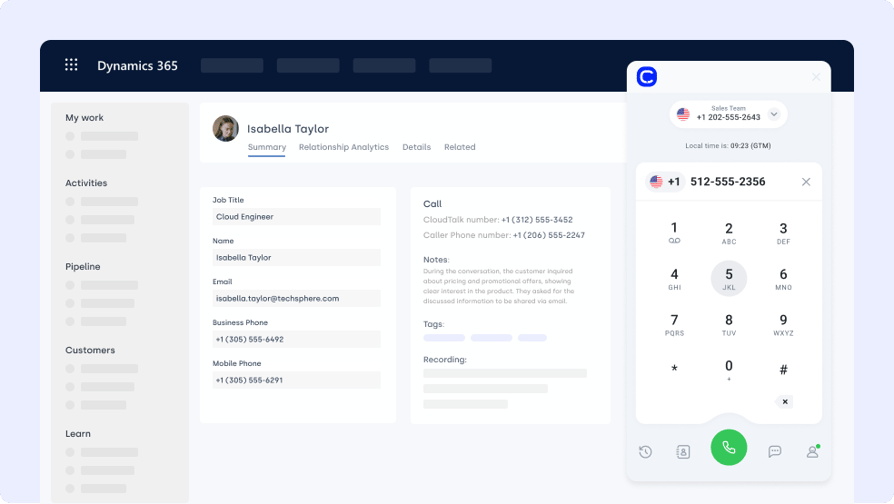
CloudTalk is a cloud-based phone system and an AI voice agent solution built for teams that rely on voice to support customers and close deals. Its Microsoft Dynamics 365 integration connects your call center with CRM workflows—so calls, recordings, and caller insights are automatically logged in the right place.
What Is CloudTalk For?
Log inbound and outbound calls to Microsoft Dynamics 365 CRM, sync contacts automatically, and trigger ticket creation when calls are missed—perfect for sales and support alignment.
What Are CloudTalk's Benefits?
- Improve agent efficiency with synced call and contact data
- Deliver faster support with real-time customer context
- Eliminate manual entry with automatic call logging
What Are CloudTalk's Key Features?
- Real-time call monitoring
- AI-Powered Conversation Intelligence
- Call recording and playback
- Sentiment Analysis
What Is CloudTalk's Pricing?
CloudTalk offers flexible plans tailored to business needs. With each of its plans offering more value than its competitors:
- Starter: $25/user/month
- Essential: $29/user/month
- Expert: $49/user/month
- Custom: Pricing available upon request
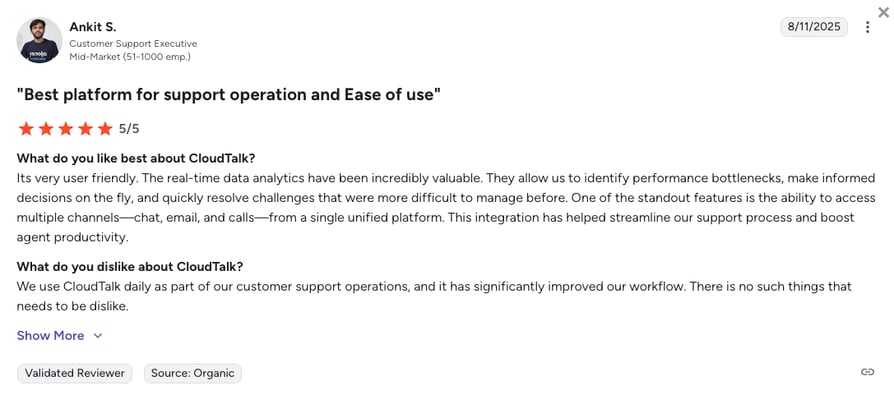
What Do Users Say About CloudTalk?
2. Salesforce (CRM) - Best for Cross-CRM Data Alignment
What Is Salesforce?
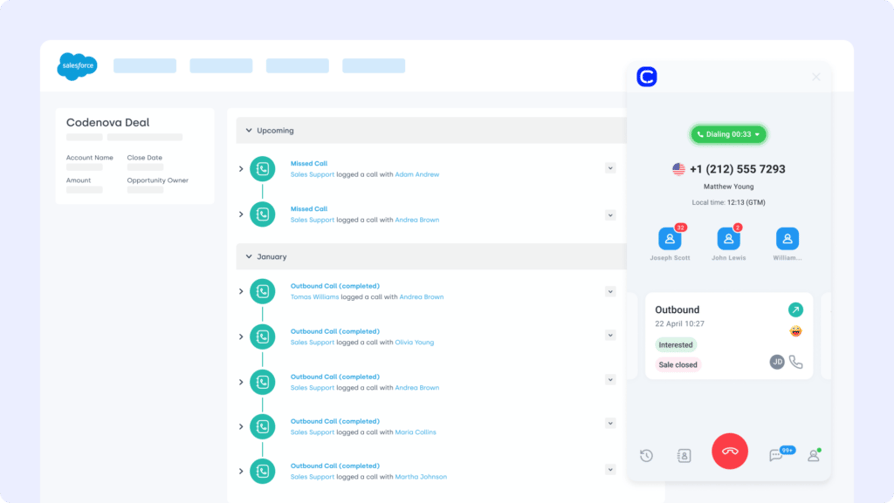
Salesforce is one of the most widely used CRMs globally, known for its scalability and customization. The Microsoft Dynamics 365 Salesforce integration enables teams to sync leads, opportunities, and case activity across platforms without duplicating effort.
What Is Salesforce For?
Automatically push contact and pipeline data from Salesforce to Microsoft Dynamics 365 (and vice versa) to align both platforms and ensure your reps never miss a beat.
What Are Salesforce's Benefits?
- Unify sales data across Salesforce and Microsoft Dynamics 365
- Reduce duplicate entries and sync fields automatically
- Improve reporting with shared deal and contact visibility
What Are Salesforce's Key Features?
- Two-way contact and opportunity sync
- Field mapping for accounts, leads, and custom objects
- Real-time updates across sales and support data
What Is Salesforce's Pricing?
Salesforce offers various pricing tiers:
- Starter Suite: $25 per user/month
- Pro Suite: $100 per user/month
- Enterprise: $175 per user/month
- Unlimited: $350 per user/month
Salesforce dialer pricing guide
3. HubSpot (CRM)
What Is HubSpot?
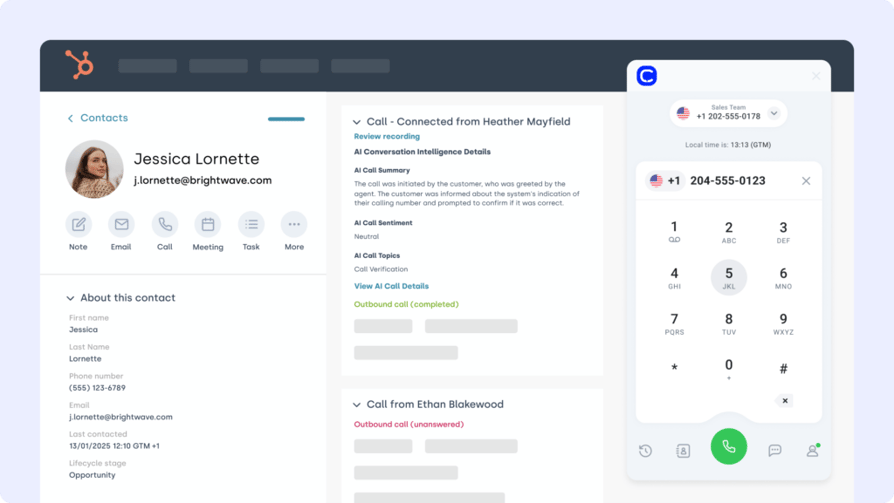
HubSpot is an all-in-one CRM and marketing automation platform. The Microsoft Dynamics HubSpot integration syncs contact records, deal stages, and behavioral data—so both platforms stay aligned without manual work.
What Is HubSpot For?
Send qualified leads from HubSpot to Microsoft Dynamics 365, trigger nurturing workflows based on sales activity, and sync lifecycle stages automatically.
What Are HubSpot's Benefits?
- Align marketing and sales with shared contact records
- Improve campaign targeting with up-to-date CRM data
- Eliminate duplicate records with bi-directional syncing
What Are HubSpot's Key Features?
- Auto-sync contacts and form submissions to Dynamics 365
- Trigger HubSpot workflows based on CRM deal changes
- Track behavior and engagement in both systems
What Is HubSpot's Pricing?
- Free
- Starter: $7/seat/month
- Professional: $792/month
- Enterprise: $3300/month
HubSpot offers a free CRM plan, with paid tiers depending on your team’s size and needs.See HubSpot pricing for details.
4. Microsoft Teams
What Is Microsoft Teams?
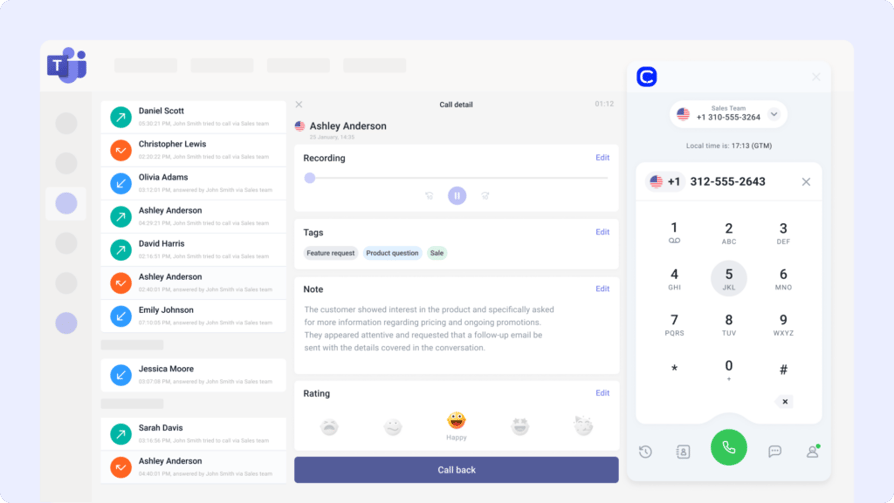
Microsoft Teams is a hub for communication and collaboration across the Microsoft ecosystem. The Microsoft Dynamics 365 Teams integration allows users to initiate chats, log meetings, and collaborate on records directly from within Dynamics.
What Is Microsoft Teams For?
Connect customer records to Teams channels, share meeting notes to Dynamics 365, and launch calls from within CRM views—perfect for cross-functional alignment.
What Are Microsoft Teams' Benefits?
- Launch Teams meetings and calls directly from CRM
- Sync conversations and meeting summaries with Dynamics
- Improve collaboration between sales, service, and operations
What Are Microsoft Teams' Key Features?
- Click-to-call and meeting integration with CRM records
- Teams chat threads embedded in Dynamics 365 dashboards
- Automatic logging of meeting notes to contact timelines
What Is Microsoft Teams' Pricing?
Microsoft Teams offers a free plan, with premium features available in Microsoft 365 bundles:
- Microsoft 365 Business Essentials: $4/user/month
- Microsoft 365 Business Basic: $6/user/month
- Microsoft 365 Business Standard: $12.50/user/month
5. Shopify (E-commerce Platform)
What Is Shopify?
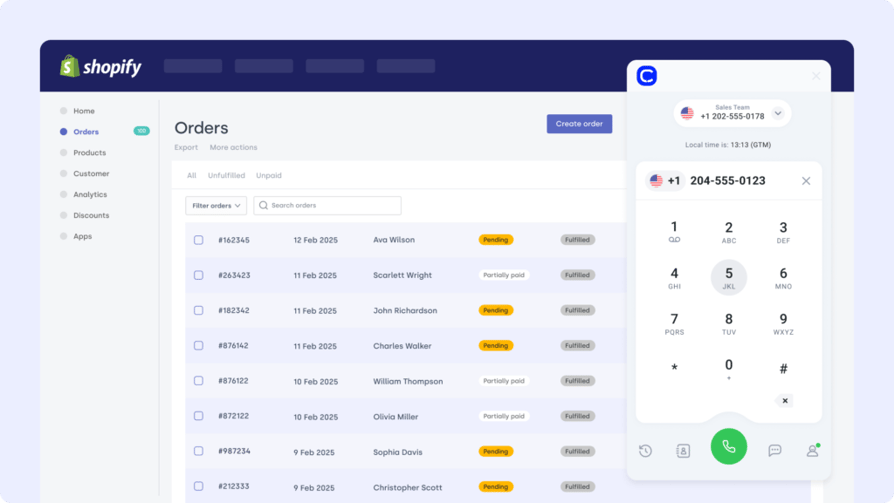
Shopify powers e-commerce for millions of businesses worldwide. The Microsoft Dynamics 365 Shopify integration connects your online store with your CRM—syncing customer data, orders, and payment activity in real time.
What Is Shopify For?
Auto-sync Shopify orders and customer profiles to Microsoft Dynamics 365 to streamline fulfillment, surface key purchase history for agents, and improve inventory tracking.
What Are Shopify's Benefits?
- Unify customer and order data in one system
- Automate fulfillment and financial reporting workflows
- Give agents full context on purchase and support history
What Are Shopify's Key Features?
- Auto-import Shopify orders to Dynamics 365
- Sync customer profiles and payment status
- Trigger workflows based on order tags or returns
What Is Shopify's Pricing?
Shopify offers several plans depending on store size and feature needs:
- Basic: $39/month
- Shopify: $105/month
- Advanced: $399/month
6. Zoho CRM
What Is Zoho CRM?
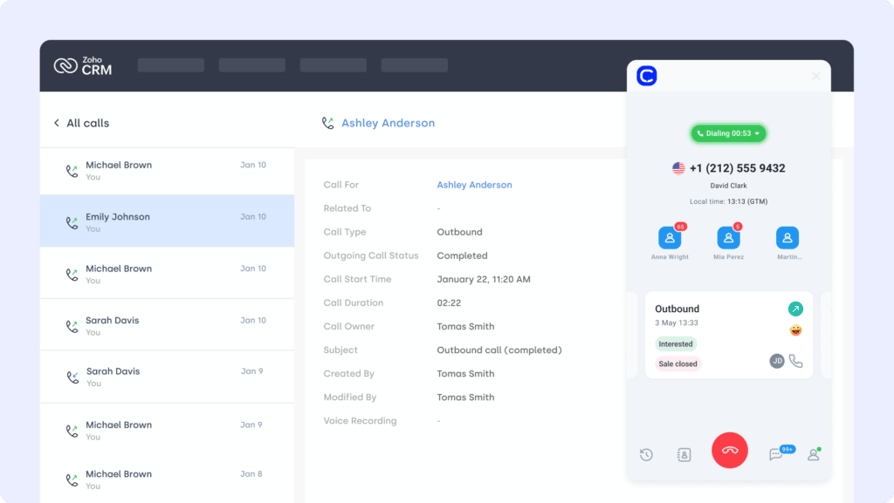
Zoho CRM is a flexible platform used by small and mid-sized teams to manage leads, deals, and customer data. The Microsoft Dynamics 365 Zoho CRM integration bridges CRM workflows so your support and sales data stay aligned.
What Is Zoho CRM For?
Sync contacts, deal updates, and account activity between Zoho and Microsoft Dynamics 365 to keep both systems accurate—ideal for companies using Zoho in one region or department and Dynamics in another.
What Are Zoho CRM's Benefits?
- Eliminate duplicate CRM work across teams
- Keep contacts and pipeline updates in sync
- Improve collaboration between sales and service
What Are Zoho CRM's Key Features?
- Two-way sync for leads and deals
- Auto-update CRM fields based on activity
- Trigger alerts and tasks across both platforms
What Is Zoho CRM's Pricing?
Zoho CRM offers tiered plans for teams of all sizes:
- Standard: $14/user/month
- Professional: $23/user/month
- Enterprise: $40/user/month
- Ultimate: $52/user/month
7. Monday.com (Project Management Tool)
What Is Monday.com?
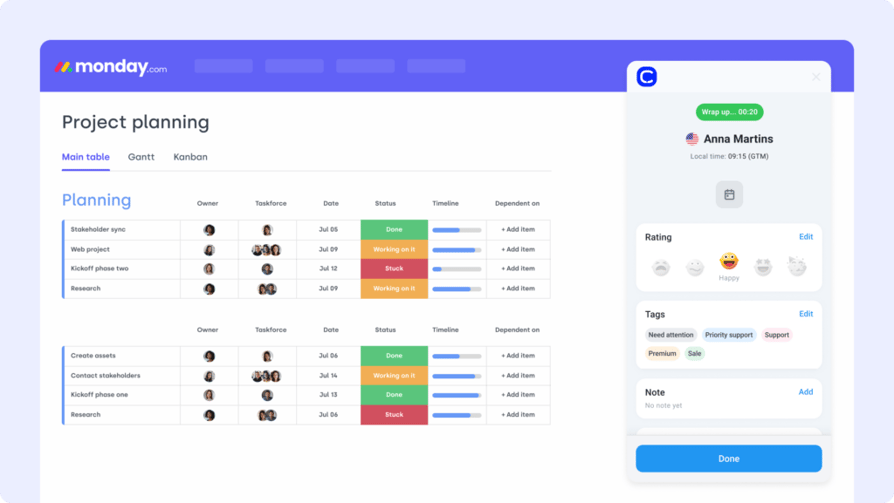
Monday.com is a visual project management platform that helps teams organize sales tasks, onboarding workflows, and cross-functional ops. The Microsoft Dynamics 365 Monday.com integration turns CRM updates into trackable tasks.
What Is Monday.com For?
Auto-create Monday items when deals move stages in Dynamics 365, assign follow-ups after support calls, or trigger project templates when new clients are added.
What Are Monday.com's Benefits?
- Turn CRM updates into action items automatically
- Improve team collaboration and project visibility
- Eliminate handoff delays between sales, support, and ops
What Are Monday.com's Key Features?
- Create tasks from CRM field changes
- Sync deal status with board columns
- Launch custom workflows tied to Dynamics triggers
What Is Monday.com's Pricing?
Monday.com offers:
- Free
- Basic: $9/user/month
- Standard: $12/user/month
- Pro: $19/user/month
- Enterprise: Custom pricing
8. Google Sheets
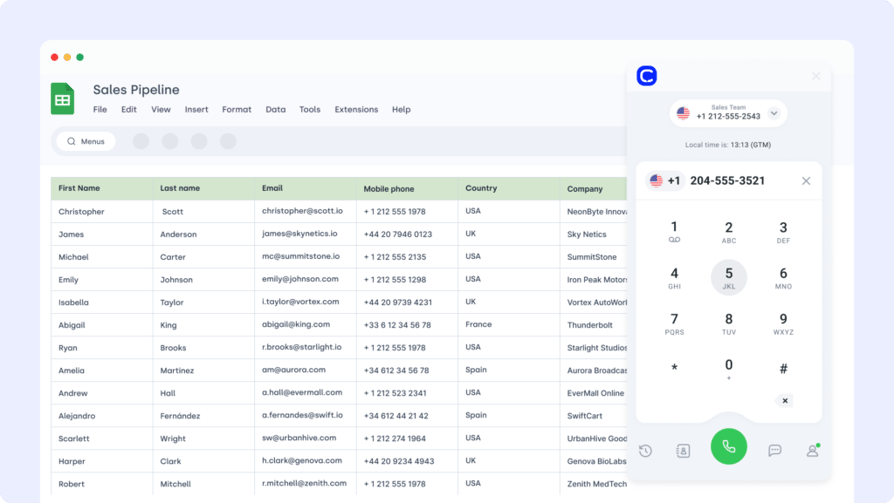
What Is Google Sheets?
Google Sheets remains one of the simplest tools for reporting, tracking, and analysis. The Microsoft Dynamics 365 Google Sheets integration helps teams export CRM data for real-time dashboards and stakeholder sharing.
What Is Google Sheets For?
Automatically push lead data, ticket metrics, or financial summaries from Dynamics 365 into Google Sheets for lightweight, live reporting across departments.
What Are Google Sheets' Benefits?
- Build custom dashboards without manual exports
- Share filtered CRM data with leadership or finance teams
- Simplify reporting across tools and timelines
What Are Google Sheets' Key Features?
- Scheduled syncs between CRM and Sheets
- Filtered data exports (by stage, tag, or owner)
- Access control and sharing built into Google Workspace
What Is Google Sheets' Pricing?
Free with Google Workspace. Advanced features may depend on add-ons.
9. BigCommerce (Ecommerce Platform)
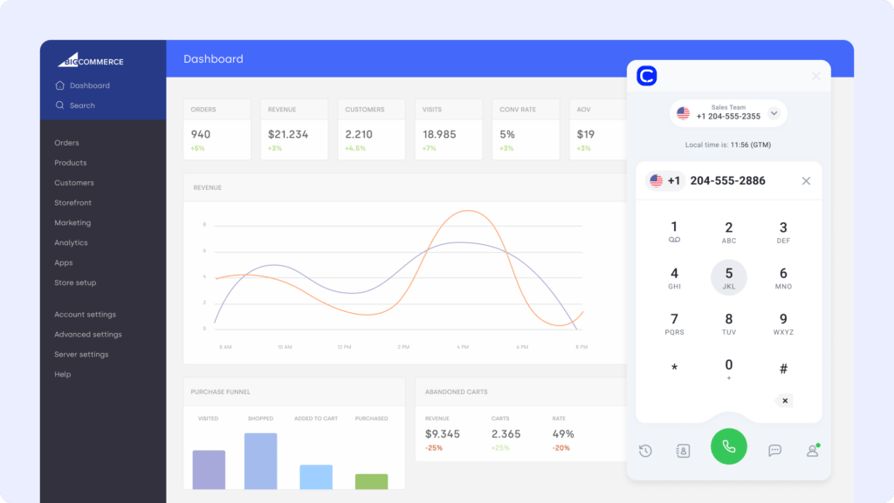
What Is BigCommerce?
BigCommerce is a flexible ecommerce platform used by growing brands to manage catalogs, payments, and fulfillment. The Microsoft Dynamics 365 BigCommerce integration helps unify storefront activity with backend operations.
What Is BigCommerce For?
Sync BigCommerce order data, customer profiles, and inventory changes with Microsoft Dynamics 365 to automate fulfillment and support workflows.
What Are BigCommerce's Benefits?
- Centralize ecommerce and CRM data in one system
- Improve visibility into orders and fulfillment status
- Automate post-purchase support and communication
What Are BigCommerce's Key Features?
- Sync order history and customer records
- Trigger workflows for fulfillment, returns, or tags
- Align financial reporting with CRM and sales data
What Is BigCommerce's Pricing?
BigCommerce offers three core pricing tiers:
- Core: $29/month
- Growth: $79/month
- Scale: $299/month
- Performance: Custom pricing
10. ActiveCampaign (Marketing Automation Platform)
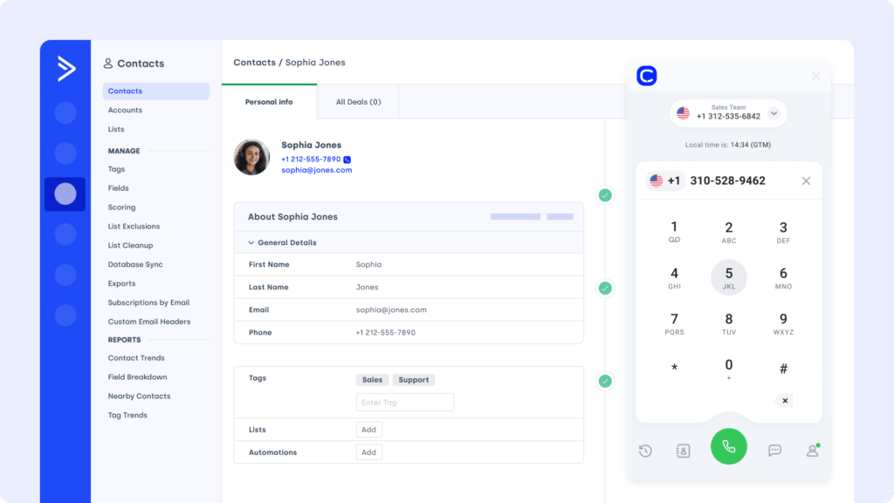
What Is ActiveCampaign?
ActiveCampaign combines email marketing, automation, and CRM functionality in one platform. The Microsoft Dynamics 365 ActiveCampaign integration connects contact records with campaign performance and behavioral triggers.
What Is ActiveCampaign For?
Push CRM contact updates from Dynamics 365 to ActiveCampaign, trigger email sequences after deal stage changes, or segment lists based on customer behavior.
What Are ActiveCampaign's Benefits?
- Align marketing with real-time CRM changes
- Automate personalized email flows from sales events
- Improve targeting with synced tags and custom fields
What Are ActiveCampaign's Key Features?
- Sync contact data and custom fields
- Trigger automations from Dynamics pipeline activity
- Track campaign engagement inside CRM profiles
What Is ActiveCampaign's Pricing?
- Starter: $15/month
- Plus: $49/month
- Pro: $79/month
- Enterprise: $145/month
Benefits of Microsoft Dynamics 365 CRM Integration
Connecting Microsoft Dynamics 365 with the rest of your tech stack isn’t just about syncing data—it’s about unlocking new value across every customer touchpoint. Here’s what smart Microsoft Dynamics 365 CRM integration delivers:
- Faster Sales Cycles
Automatically route leads, log calls, and trigger follow-ups so your reps can focus on closing—not clicking. - Better Customer Visibility
Give support and sales teams a shared view of each customer’s journey—from tickets to transactions to touchpoints. - Improved Data Accuracy
Sync contact, order, and activity data across platforms in real time—no duplicate records or manual exports. - Streamlined Workflows
Trigger tasks, alerts, and campaigns based on real customer behavior using CRM-connected automation. - Stronger Cross-Team Alignment
Keep marketing, sales, and service operating from a single source of truth—no more silos, no more surprises.
How to Choose the Right Microsoft Dynamics 365 Integration for Your Business
With hundreds of apps claiming compatibility, choosing the right Microsoft Dynamics 365 integration comes down to understanding your workflows—and matching them with solutions that scale, sync, and support your growth.
Here’s how to evaluate what’s truly worth connecting:
Identify Your Business Needs
Start with friction points. Are sales missing call context? Is support duplicating data entry? If voice is slowing you down, CloudTalk’s CTI integration for Microsoft Dynamics 365 is built to sync calls, contacts, and tickets automatically.
Prioritize Ease of Setup
A powerful integration that takes months to deploy won’t help your team today. Look for plug-and-play setups or connectors with minimal developer effort—like CloudTalk’s VoIP integration that activates in minutes.
Choose Scalable Integrations
Your current setup might work for 5 reps—but what about 50? Pick tools like CloudTalk’s smart dialer that grow with your team and CRM, with automations that scale as your pipeline does.
Assess Security and Compliance
Your CRM holds sensitive customer and payment data. Choose tools that follow best practices for access control, GDPR compliance, and data encryption—CloudTalk’s security-focused phone integrations are a great example.
Evaluate Total Cost of Ownership
Beyond pricing tiers, consider the hidden cost of training, maintenance, and time-to-value. CloudTalk’s pricing plans are transparent and optimized for fast onboarding—ideal for growing teams.
How to Integrate Microsoft Dynamics 365 CRM with Other Platforms?
Integrating Microsoft Dynamics 365 with other platforms typically happens in three ways: native connectors, third-party tools (like Zapier or Power Automate), or through the Microsoft Dynamics 365 API for custom-built workflows.
For example, you can:
- Use native apps from Microsoft AppSource to connect tools like Teams, Outlook, or SharePoint
- Leverage automation platforms like Zapier or Power Automate to trigger actions between Dynamics and 5,000+ other apps
- Build secure custom workflows using the Microsoft Dynamics 365 integration API for deeper, tailored functionality
Most integrations take just a few minutes to configure, with no code required—especially for plug-and-play options like CloudTalk’s Dynamics 365 integration.
Start Connecting Microsoft Dynamics 365 to What Moves Your Business
Your CRM is only as powerful as the tools it talks to. With the right Microsoft Dynamics 365 integrations, you can eliminate silos, reduce manual work, and unlock real-time visibility across your entire operation.
Whether you're syncing calls, automating ticket creation, or tracking ecommerce orders—smart integrations turn Microsoft Dynamics 365 into your team's single source of truth.
Ready to see it in action? Try CloudTalk’s Microsoft Dynamics 365 integration and automate what matters.
Source:
Frequently asked questions
Yes, the Microsoft Dynamics 365 API integration allows developers to build secure custom workflows between CRMs, ERPs, and external tools.
Some Microsoft Dynamics 365 integration tools are free, but most require a license, app, or platform fee depending on your use case.
Most Dynamics 365 integration setups take minutes with apps like Zapier or Power Automate—others may need custom services or setup time.
Yes, Microsoft Dynamics 365 integration capabilities support multiple apps—like Teams, Shopify, and Google Sheets—working in parallel.
The best Microsoft Dynamics 365 integrations in 2026 include CloudTalk, Salesforce, HubSpot, Microsoft Teams, Shopify, Zoho CRM, Monday.com, Google Sheets, BigCommerce, and ActiveCampaign. Each covers a specific workflow — from cloud calling and CRM syncing to ecommerce automation and marketing.
Yes. Microsoft Dynamics 365 integrates with VoIP platforms like CloudTalk, which auto-logs calls, syncs contacts, and surfaces real-time caller data directly inside Dynamics 365 — no manual entry required.
You can connect Dynamics 365 to your CRM and call center using native connectors, no-code tools like Zapier or Power Automate, or through the Dynamics 365 API. CloudTalk's native integration, for example, activates in minutes and automatically syncs calls, contacts, and tickets.
Call recording integrations vary in depth. CloudTalk stands out by storing recordings directly tied to contact and deal records in Dynamics 365, with AI-generated summaries, transcripts, and sentiment analysis — giving managers full call context without switching tools.
CloudTalk is among the few vendors offering a native Dynamics 365 integration with real-time agent support — including live caller context, AI notes, sentiment analysis, and call transcription delivered during or immediately after each call.
For teams running both Salesforce and Dynamics 365, the best solutions offer two-way contact and pipeline sync with minimal latency. CloudTalk bridges both CRMs through its integrations, keeping call data, contact records, and activity history aligned across platforms in real time.
For scaling Business Central integrations, platforms like CloudTalk, Monday.com, and Google Sheets offer straightforward connectors that grow with your team. CloudTalk is particularly strong for customer-facing operations, automatically syncing call data and contacts as your business expands.
ActiveCampaign and HubSpot lead the way for marketing integrations with Dynamics 365 in 2026. Both offer bi-directional contact sync, CRM-triggered automation, and behavioral segmentation — making it easy to align marketing campaigns with real sales activity happening inside Dynamics 365.