Best AI Call Summarization Solutions for Business: Full Review for 2026
SUMMARY:
We reviewed and tested 25+ AI call summarization platforms and chose the 6 best AI sales call summary for 2026, based on summary accuracy, topic detection sophistication, CRM integrations, workflow automation, and scalability.
6 best AI call summary tools by use case:
- 01CloudTalk – best overall for sales and support teams needing AI call summaries tightly integrated with their CRM workflow
- 02RingCentral – best for businesses needing a unified communications platform with built-in AI summarization
- 03Zoom Phone – best for teams already invested in the Zoom ecosystem wanting integrated calling and AI call insights
- 04Microsoft Teams Phone – best for mid-to-large organizations running on Microsoft 365 that want AI-powered call summaries within a familiar environment
- 058x8 – best for internationally distributed teams needing omnichannel analytics and AI call intelligence
- 06Freshdesk – best for customer support teams managing high ticket volumes who want AI-driven call summarization inside their helpdesk
CloudTalk is the strongest choice for most sales and support teams that need call intelligence directly inside their existing CRM workflow — without enterprise-level complexity.
Larger organizations with deep Microsoft 365 or UCaaS dependencies may prefer Teams Phone or RingCentral for their broader ecosystem fit.
Quick Comparison Table of the Best AI Call Summary Tools
| Platform | Key Features | Best For | G2 Rating |
|---|---|---|---|
| CloudTalk | AI Conversation Intelligence, automatic call summaries, topic tagging, 100+ CRM integrations | Sales and support teams automating call insights and CRM sync | 4.4/5 |
| RingCentral | Automated AI summaries (RingCX), AI Receptionist, VoIP calling, video meetings | Businesses needing an all-in-one communications platform | 4.1/5 |
| Zoom Phone | Unified calling + meetings, call elevation, supervisor coaching tools | Teams already in the Zoom ecosystem wanting integrated calling | 4.6/5 |
| Microsoft Teams Phone | Copilot AI summaries, deep Office 365 integration, secure collaboration | Microsoft 365-heavy organizations needing native AI call notes | 4.4/5 |
| 8x8 | Global reach, omnichannel analytics, 99.99% uptime, compliance certifications | International teams needing scalable UCaaS + CCaaS | 4.1/5 |
| Freshdesk | Freddy AI ticket summarization, omnichannel support, automation | Support teams managing high volumes of help desk tickets | 4.4/5 |
What Are AI Call Summarization Tools and Why They Are Important
AI call summarization tools are software that use artificial intelligence to automatically convert spoken conversations into concise, written summaries. These solutions offer a powerful AI phone call summary capability. But they go a step further than just transcription.
These tools analyze the dialogue to identify and tag the key topics discussed, answering the critical question: can AI capture and organize key call insights? The answer is a definitive yes.
Think of it as having a super-efficient assistant on every call. This assistant doesn't just take notes; it highlights the main points, flags important discussion topics like "pricing question" or "technical support," and delivers a structured report the moment the call ends.
The objective insights from AI call analysis mean teams aren't relying on spotty, after-the-fact notes, but get immediate, objective data.
This is the core value of call intelligence software with topic categorization — it turns every customer interaction into a searchable, analyzable data point. This intelligence can drive coaching, improve customer experience, and reveal larger business trends.
How We Chose the Best AI Call Summary Tools
To ensure this list provides genuine value, we employed a rigorous, multi-phase research methodology focused on identifying solutions that deliver real results for sales and support teams.
Our process began with comprehensive market analysis to identify the most prominent and emerging tools in the conversation intelligence space. We then established a clear set of evaluation criteria centered on the core capabilities of AI-powered call summarization and topic tagging. This included:
- Accuracy and Depth of Summaries: How well does the AI capture key discussion points, action items, and decisions?
- Sophistication of Topic Detection: Does the tool automatically identify and tag relevant themes (e.g., "billing issue," "competitor mention")?
- Integration and Workflow: How seamlessly do the summaries and tags integrate into existing CRM and helpdesk platforms?
- Business Impact: What is the tool's proven impact on agent productivity and operational efficiency?
Why Trust Our Software Reviews?
For nearly a decade, we've helped over 30,000 professionals choose and implement better communication tools. We've reviewed 200+ products, analyzed 5,500+ verified reviews from G2 and Capterra, and drawn insights from real user discussions on platforms like Reddit or Quora.
In the past year alone, we've published 1,000+ articles, all written and reviewed by humans, for humans, to provide reliable, data-backed insights you can trust.
Learn how we keep our content integrity and our software review methodology.
Top 6 Best AI Call Summary Tools for 2026
You're here for one reason: to find software that offers automated call summaries with key topic tagging. We've cut through the hype to bring you a clear breakdown of the top six platforms that deliver exactly this.
1. CloudTalk: Best AI Call Summary Software for Sales & Support Teams
What Is CloudTalk?
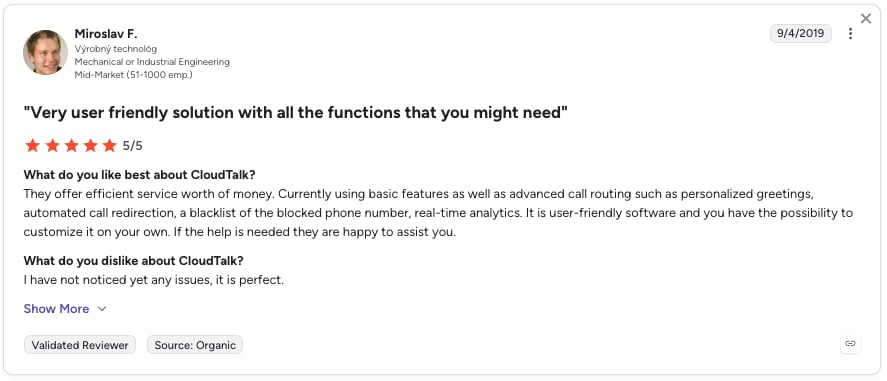
CloudTalk is a cloud-based call center software, business phone system and an AI voice agent platform designed to help sales and support teams make and receive calls efficiently. It includes an AI Conversation Intelligence add-on for advanced call analytics, delivering automatic call summaries and topic tagging directly inside your CRM workflow.
What Is CloudTalk Best For?
It is best for sales and customer service teams that rely heavily on their CRM and need call insights to be seamlessly integrated into their existing workflow.
What Are CloudTalk's Key Features?
- AI Conversation Intelligence Add-On: This is the module that provides automated call summaries and insights.
- Call Handling: Includes call recording, tags, and transfers.
- Call Monitoring & Coaching: Features like live monitoring and agent reporting.
- 100+ Integrations: Deep connections with popular CRM, helpdesk, and other tools.
What Integrations Does CloudTalk Offer?
CloudTalk supports over 100 standard integrations with CRM, Helpdesk, and ATS platforms, including advanced integrations for Salesforce and MS Teams.
What Are CloudTalk Plans & Pricing?
CloudTalk's pricing starts at $25 per user per month. A 14-day free trial is available. Custom pricing is offered for larger teams with specific needs.
What Are CloudTalk's Pros & Cons?
| Pros | Cons |
|---|---|
| Specialized call center tool built for high-volume calling | Advanced AI features are an add-on and not included in base plans |
| Wide array of integrations tailored for sales and support | Primarily a calling tool |

Discover how CloudTalk can streamline your sales process and enhance your team’s productivity

2. RingCentral: Best AI Call Summarization for All-in-One Business Communications
What Is RingCentral?
RingCentral is a leading Unified Communications as a Service (UCaaS) platform that provides a comprehensive suite of tools, including business phone, video meetings, team messaging, and contact center solutions.
What Is RingCentral Best For?
It is best for businesses of all sizes that need a single, scalable platform for all their communication and collaboration needs.
What Are RingCentral's Key Features?
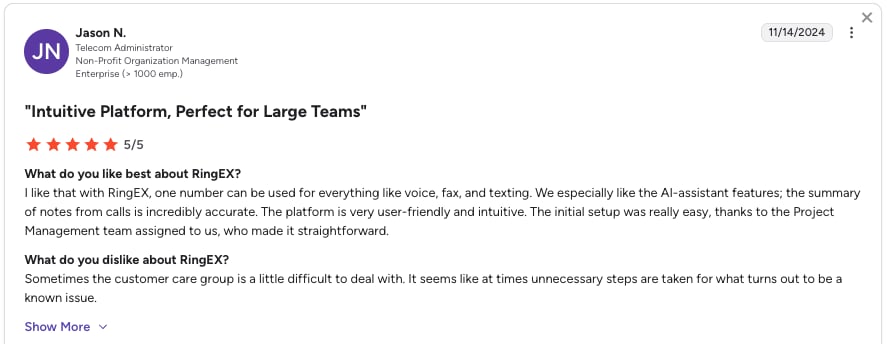
- Automated AI Summaries: A key feature of its RingCX contact center plan.
- AI Receptionist: An add-on that can answer and route calls 24/7.
- VoIP Calling & Advanced Call Management: Includes multi-level auto attendants and call routing.
- Video Meetings: Integrated video conferencing with AI transcription.
What Integrations Does RingCentral Offer?
RingCentral offers extensive compatibility with over 500 third-party apps, including deep integrations with Salesforce, Microsoft Teams, HubSpot, and Google Workspace.
What Are RingCentral Plans & Pricing?
RingCentral pricing starts at $20 per user per month when billed annually. Its contact center plan (RingCX) starts at $65 per agent/month. A free trial is available.
What Are RingCentral's Pros & Cons?
| Pros | Cons |
|---|---|
| A true all-in-one platform for calls, video, and messaging | Many advanced AI features, including the AI Receptionist, incur additional monthly fees |
| Highly reliable with a 99.999% uptime SLA | Limited SMS credits on its business phone plans |
3. Zoom Phone: Best AI Call Summary Tool for Zoom-Ecosystem Teams
What Is Zoom Phone?
Zoom Phone is the cloud-based VoIP component of the Zoom unified communications platform, integrating calling directly with Zoom's familiar meeting and chat environment.
What Is Zoom Phone Best For?
Businesses of all sizes that are already invested in the Zoom ecosystem and want a tightly integrated calling solution that enhances workflow without switching apps.
What Are Zoom Phone's Key Features?
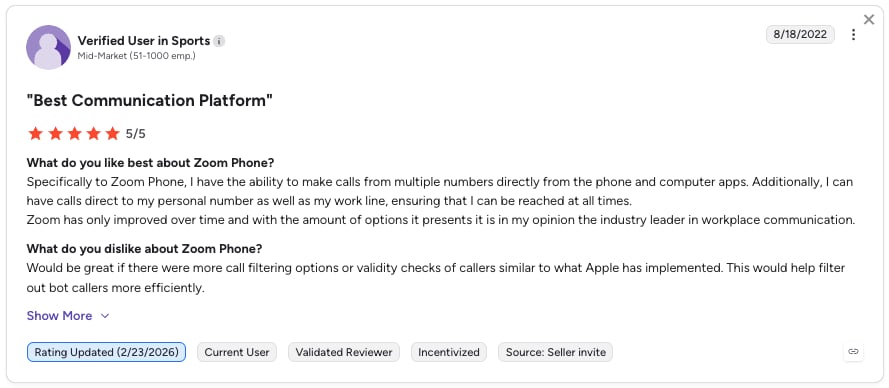
- Unified Platform: A single app for phone calls, team chat, and video meetings.
- Call Elevation: Seamlessly elevate a phone call to a full-featured Zoom Meeting.
- Supervisor Capabilities: Features like Monitor, Whisper, and Barge for coaching and support, enabled by high-quality summarization for call coaching features.
- Global Call Routing: Setup for business hours, call queues, and multi-level auto attendants.
What Integrations Does Zoom Phone Offer?
It offers native integrations for key business tools, including Salesforce and Slack.
What Are Zoom Phone Plans & Pricing?
Zoom Phone pricing starts at $16 per user per month. Other plans with unlimited calling are available at higher price points. A free trial is available via the broader Zoom platform.
What Are Zoom Phone's Pros & Cons?
| Pros | Cons |
|---|---|
| Deep integration with the Zoom Meetings platform | Standalone call center capabilities are less robust than specialized providers; often relies on integrations with partners like Five9 for full functionality |
| Simple, predictable pricing with a low-cost entry point | The core strength is its ecosystem, which may be overkill for teams that only need a phone system |
4. Microsoft Teams Phone: Best AI Call Summary Tool for Microsoft 365 Organizations
What Is Microsoft Teams Phone?
Microsoft Teams Phone is the native calling solution within the Microsoft Teams app, turning the collaboration hub into a full-featured business phone system.
What Is Microsoft Teams Phone Best For?
Medium to large organizations that deeply rely on the Microsoft 365 ecosystem (like Word, Excel, and SharePoint) for daily productivity and collaboration.
What Are Microsoft Teams Phone's Key Features?
- Deep Office 365 Integration: Make calls, collaborate on documents, and chat within a single, centralized platform.
- AI-Powered Capabilities: Copilot in Teams can take notes, create meeting summaries, and suggest next steps.
- Business Continuity: Record meetings and calls, which are automatically saved and accessible to participants.
- Secure Collaboration: Co-author documents securely within Teams with version history and access controls.
What Integrations Does Microsoft Teams Phone Offer?
It is natively built into the Microsoft 365 suite, offering the deepest possible integration with applications like Outlook, OneNote, and OneDrive.
What Are Microsoft Teams Phone Plans & Pricing?
Microsoft Teams Phone pricing: The Teams Phone Standard plan starts at $10.00 per user per month. This is an add-on license requiring a base Microsoft 365 subscription.
What Are Microsoft Teams Phone's Pros & Cons?
| Pros | Cons |
|---|---|
| The ultimate “one-stop shop” for companies living in Microsoft 365, drastically reducing app-switching | Can be complex and expensive, especially when adding the Phone System license on top of a Microsoft 365 subscription |
| AI-powered Copilot features significantly boost meeting and call productivity | Primarily optimized for the Microsoft ecosystem, which can be a limitation for teams using other core software |

5. 8x8: Best AI Call Summarization Tool for International and Omnichannel Teams
What Is 8x8?
8x8 is a unified communications and contact center platform (also known as eXperience Communications as a Service, or XCaaS) that provides voice, video, chat, and analytics in a single solution.
What Is 8x8 Best For?
Businesses with a strong international presence or those needing a scalable, all-in-one solution that grows from basic business phoning to a full contact center.
What Are 8x8's Key Features?
- Global Reach: Offers unlimited voice calling to numerous countries, with phone number support in over 120.
- Omnichannel Analytics: Tracks communication data across channels, providing insights into customer patterns and team performance.
- Robust Uptime: Boasts 99.99% uptime for service reliability.
- Industry-Specific Compliance: Holds certifications like HIPAA for healthcare, making it suitable for regulated industries.
What Integrations Does 8x8 Offer?
Integrates with over 55 applications, including Microsoft Teams, Salesforce, Slack, Zendesk, and Google Workspace.
What Are 8x8 Plans & Pricing?
8x8 pricing is quote-based, offering 4 different plans.
What Are 8x8's Pros & Cons?
| Pros | Cons |
|---|---|
| Highly scalable and cost-effective for international calling | The system, especially at higher tiers, can take time to set up and fully master |
| Strong focus on security and compliance with various industry standards | The wide array of features can be overwhelming for teams with simple needs |

6. Freshdesk: Best AI Call Summary Tool for Customer Support Teams
What Is Freshdesk?
Freshdesk is a cloud-based customer support and helpdesk software that includes AI-powered features to automate and improve support ticket management.
What Is Freshdesk Best For?
Customer support and service teams that need to manage high volumes of support tickets and want to integrate AI-driven insights and automation into their workflow.
What Are Freshdesk's Key Features?
- Freddy AI: Its AI engine offers capabilities like ticket summarization and automated agent assistance.
- Omnichannel Support: Manages customer queries from email, phone, chat, social media, and more.
- Automation: Automates ticket routing, prioritization, and responses to improve efficiency.
- Self-Service Portal: Allows customers to find answers in a knowledge base, deflecting routine tickets.
What Integrations Does Freshdesk Offer?
It integrates with a wide array of business tools, including CRM platforms, collaboration apps, and other software commonly used by support teams.
What Are Freshdesk Plans & Pricing?
Freshdesk pricing starts at $15 per user per month when billed annually. A free plan is available for up to 2 agents.
What Are Freshdesk's Pros & Cons?
| Pros | Cons |
|---|---|
| AI features help agents resolve tickets faster by providing summaries and suggested solutions | Primarily a helpdesk platform — native calling features are not as advanced as dedicated business phone systems |
| Intuitive and user-friendly interface that is easy for support agents to adopt | Advanced AI and automation features are typically available on higher-tier plans |

Recommended Reads
How AI Call Summarization Tools Work
At their core, AI call summarization tools act as intelligent assistants that listen, understand, and distill conversations into actionable insights. The process is both sophisticated and seamless, happening automatically in the background.
1. Capture Audio -> 2. Speech-to-Text -> 3. NLP Analysis -> 4. Summary & Tag Generation -> 5. Delivery & Integration
Here's a brief, step-by-step breakdown of the technology in action:
Step 1: Call Capture & Recording
The process begins the moment a call is answered. The tool captures the raw audio stream, either from VoIP data or through a direct integration with your phone system. This ensures every word is available for analysis.
Step 2: Speech-to-Text Transcription
Next, advanced Automatic Speech Recognition (ASR) technology converts the spoken conversation into accurate, written text. This creates a verbatim transcript, differentiating between speakers.
Step 3: Natural Language Processing (NLP) Analysis
This is where the real magic happens. The transcript is analyzed by Natural Language Processing (NLP) models. This AI doesn't just see words; it understands context, intent, and meaning. It identifies key entities (like names, dates, products), detects sentiment (positive, negative, neutral), and recognizes the overall structure of the conversation.
Step 4: Summary Generation & Topic Tagging
Using the insights from the NLP analysis, the AI then synthesizes the most important information. It extracts the main discussion points, decisions, and action items to create a concise paragraph or bullet-point summary. Simultaneously, it identifies and applies relevant tags based on the key topics discussed, such as "Pricing Question" or "Technical Support."
Step 5: Insight Delivery & Integration
Finally, the finished summary and tags are delivered directly to your team. They can be automatically attached to the call recording in your dashboard, sent via email, or—most powerfully—pushed directly into a corresponding contact record in your CRM. This puts the insights exactly where your team needs them to take action.
In practice, it looks like this:
A 20-minute sales call is automatically transcribed. The AI identifies that the customer asked about "enterprise pricing," mentioned a "competitor," and agreed to a "follow-up demo next week." In seconds, a summary is created highlighting these points, and the call is tagged with "Pricing Inquiry," "Competitor Mention," and "Demo Scheduled." This entire process happens without the agent lifting a finger.
Key Features to Look For in AI Call Summarization Tools
Not all AI call tools are created equal. When evaluating software that offers automated call summaries with key topic tagging, focus on these essential features to ensure you get a solution that delivers real intelligence, not just data.
Accurate, Actionable Call Summaries
The core of any AI tool is its ability to distill a lengthy conversation into a concise, useful summary. Look for technology that goes beyond transcription to capture the true essence of the discussion.
This means highlighting key points, decisions made, and specific next steps. This fundamental capability saves agents hours of manual work and ensures critical details are never forgotten. For teams looking to turn those call insights into polished stakeholder-ready reports, tools like AI executive summary generators can also help structure concise decision summaries and action-oriented recaps.
For a powerful example, explore CloudTalk's Automatic Call Summary feature.
Intelligent Topic & Keyword Tagging
A great summary is even more powerful when paired with smart organization. The best tools automatically detect and tag key discussion topics.
This includes identifying subjects like "billing issue," "competitor mention," or "feature request." This categorization transforms your call log into a searchable database of customer insights.
You can instantly spot trends and understand common customer topics. Learn how this streamlines workflow with CloudTalk's Call Tagging.
Sentiment Analysis
Understanding what was said is important, but understanding how it was said is a game-changer. Sentiment analysis gauges the customer's emotional tone throughout the call.
It identifies moments of frustration, satisfaction, or confusion. This insight is invaluable for quality assurance and coaching.
Managers can quickly identify calls that need review and recognize agents delivering exceptional experiences.
Seamless CRM Integration
An AI insight is only valuable if your team can act on it. The tool must integrate deeply with your CRM, like Salesforce or HubSpot.
It should automatically push call summaries, transcripts, and tags directly into the customer's record to eliminate manual data entry.
This equips your team with a complete business context call summary, giving them an up-to-date view of every interaction right where they already work.
Customizable Tagging & Rules
While AI does the heavy lifting, your business has unique needs. Look for a platform that allows you to create custom tags and set automatic tagging rules.
This flexibility ensures the tool adapts to your processes. You can track the metrics and topics that matter most to your specific business goals.
How to Implement AI Call Summarization Successfully
Phase 1: Preparation and Prerequisites
Before activating the AI features, you need to ensure your CloudTalk account is ready and you have the Conversational Intelligence add-on. This foundational phase involves checking your plan and enabling basic call capture functionalities.
Phase 2: Activate and Configure AI Features
Once the prerequisites are met, you can activate and customize the core AI intelligence for your business.
- Navigate to AI Settings: From your CloudTalk dashboard, go to Account > Settings > AI Conversation Intelligence.
- Enable the Features: Switch the "Notes & Tagging" toggle to "On".
- Configure Smart Notes: Select the key details you want the AI to capture in its summaries. This ensures the AI focuses on what matters to your team, such as action items, decisions made, open questions, and important dates.
- Set Up Auto-Tagging: In the "Tags" section, add existing call tags from your company's list that you want the AI to use automatically. Pro Tip: For greater accuracy, add brief descriptions to your tags in Account > Settings > General > Tags / Call Dispositions. This provides context, helping the AI understand when to apply them.
Phase 3: Integrate and Refine the Workflow
With the AI activated, the next step is to weave it into your team's daily routine and ensure the insights are accessible where they are needed most.
- Leverage CRM Integrations: CloudTalk integrates with popular CRMs like Salesforce, HubSpot, and Pipedrive. This allows call summaries and tags to sync automatically to the relevant contact or deal records, centralizing all customer information.
- Utilize the "Copy to Call Notes" Feature: Agents can easily add the AI-generated summary to a call's notes. In the Call Detail screen, navigate to the AI Conversation Intelligence tab and select the icon to add the summary to the call's notes, appending it to any existing content.
- Train Your Team: Encourage agents to use the Call Details page in Analytics. This provides a comprehensive view of the call summary, tags, full transcription, and recording, enabling quick review and deeper analysis.
Phase 4: Analyze and Optimize Performance
After implementation, use the generated data to drive improvement across your team.
These insights are key when looking for AI call summary tools for training and QA purposes.
- Review AI-Generated Insights: Regularly check the Analytics dashboards to review AI-powered analytics. Monitor tagged calls to identify common customer issues, track sentiment trends, and evaluate the summaries' usefulness.
- Refine Your Configuration: Based on your review, you can return to the settings and fine-tune your Smart Notes preferences or update your auto-tagging list to better capture evolving business needs.
Stop Letting Customer Insights Slip Away
Every customer call is a goldmine of insight. But manual notes let those crucial details, and opportunities vanish.
The question isn't if you need automated call summaries with key topic tagging—it's which platform you choose to unlock that intelligence. It's about choosing a solution that doesn't just give you data, but gives your team their time back, equips them with context, and empowers them to act decisively.
CloudTalk builds this intelligence directly into your team's workflow. It's the difference between passively recording conversations and actively understanding them.
Ready to unlock the value in every conversation?
CloudTalk’s AI call summarization features let you focus on building relationships and boosting conversions.
Frequently asked questions
An AI call summary is an automatically generated, structured overview of a customer or sales conversation produced by artificial intelligence. Instead of relying on manual note-taking, the AI listens to the call, identifies the key topics and decisions, and delivers a concise written summary the moment the call ends—so your team can act immediately without reviewing the full recording.
The best AI call summary tool depends on your team's primary workflow. For sales and support teams that live inside a CRM, CloudTalk's AI Conversation Intelligence consistently ranks at the top—combining automated summaries, topic tagging, and direct CRM sync in a single platform.
In 2026, CloudTalk leads for CRM-integrated sales and support calling.
AI call summarization works through a five-step process: the tool captures the call audio, converts it to text via Automatic Speech Recognition (ASR), analyzes the transcript with Natural Language Processing (NLP) to detect intent, sentiment, and key topics, generates a concise summary and applies relevant tags, and then delivers those insights directly to your CRM or dashboard.
CloudTalk's AI Conversation Intelligence is purpose-built for automated call summaries, with key topic tagging and direct syncing to your CRM.
For sales teams, CloudTalk and Gong are the most recommended platforms for AI call summarization. CloudTalk excels at CRM-integrated call workflows with automated summaries and topic tagging, while Gong is the go-to for conversation intelligence, deal health insights, and AI-driven coaching at scale.
CloudTalk is the best call summary tool as it provides solid AI summaries with CRM sync, Sentiment Analysis, and automatic tagging.
CloudTalk, RingCentral (RingCX), Gong, Chorus.ai, and Microsoft Teams (Copilot) all use AI to automatically summarize customer conversations.
Accuracy depends on your specific use case, but leading solutions like CloudTalk rank high for their advanced natural language processing capabilities that capture conversation nuances effectively.
Yes, most quality AI call summarization tools offer direct integrations with popular CRM platforms like Salesforce, HubSpot, and Zendesk, automatically syncing call summaries and tags to relevant contact records.
Reputable providers implement enterprise-grade security measures including encryption, access controls, and compliance with regulations like GDPR and CCPA. Always review a vendor's security certifications and data processing agreements before implementation.
Sales teams, customer support departments, healthcare providers (with HIPAA-compliant solutions), financial services, and real estate agencies see particularly strong benefits from automated call insights.
Advanced NLP algorithms analyze conversation patterns, sentiment, keywords, and context to identify key discussion points, action items, decisions, and customer concerns while filtering out filler content.
Some tools like Fireflies.ai offer free tiers with limited features, while most enterprise-grade solutions typically provide free trials rather than permanently free versions.
AI summaries are comprehensive, objective, and generated instantly, capturing details humans might miss, while traditional notes are subjective, time-consuming, and often incomplete due to human limitations.
Top AI tools now achieve 85-95% accuracy for clear audio, often outperforming humans in consistency and completeness, though they may occasionally miss subtle contextual nuances.
Absolutely. AI tagging automatically categorizes conversations by topics like "billing issue" or "feature request," enabling businesses to track common pain points and customer intentions at scale.
CRM platforms (Salesforce, HubSpot), help desk software (Zendesk), collaboration tools (Slack, Teams), and calendar applications provide the most value for seamless workflow integration.
Solutions like CloudTalk offer scalable pricing making them accessible for small businesses, while the time savings and insight generation provide ROI for organizations of any size.
Choose vendors with transparent data policies, implement role-based access controls, anonymize sensitive data where possible, and ensure providers don't use your data for model training without explicit consent.
Pricing typically ranges from $15-50 per user/month for small teams to enterprise custom pricing, often with additional fees for advanced features or high call volumes.
Key benefits include: increased agent productivity (saving 5-10 hours weekly per rep), improved customer experience through better follow-ups, enhanced coaching opportunities, and valuable business intelligence from conversation trends.
A business context call summary is a concise, structured overview of a customer interaction that captures essential details like the primary issue, decisions made, and required next steps. Unlike a raw transcript, it highlights customer intent and sentiment, providing agents and managers with the exact background needed to advance a deal or resolve a support ticket effectively.
CloudTalk is best for virtual reception, combining AI summaries with a dedicated AI Receptionist.