5 Best Call Tagging Software for Call Centers in 2026
TL;DR Comparison Table: 5 Best Call Tagging Software Tools
| # | Software | Best For | Starting Price (annual billing) | G2 Rating |
|---|---|---|---|---|
| 1 | CloudTalk | Sales and support teams that need enforced, reportable call tagging from a single seat | $25/user/month | 4.4/5 (1,900+ reviews) |
| 2 | Dialpad | Teams that want unlimited custom tags inside one calling app | $15/user/month | 4.4/5 (4,200+ reviews) |
| 3 | Diabolocom | Large, compliance-led contact centers on multi-year contracts | $60/user/month (150-license, 3-year min) | 4.2/5 (30+ reviews, small base) |
| 4 | Vonage | Teams that need to know which number or queue a call came in on | $13.99/line/month | 4.3/5 (500+ reviews) |
| 5 | Aircall | Support and sales teams that want enforced tagging synced into 250+ apps | $30/user/month (3-license min) | 4.4/5 (1,650+ reviews) |
Five Tools in One Table. One Live Call Shows You the Difference.
Every call your team takes ends with a small admin job nobody enjoys. According to Salesforce's 2026 State of Sales report, the average seller spends just 40% of their time selling, and the newest reps lose around two hours a week to manual data entry.¹
A good chunk of that time goes into notes nobody reads. A rep types “left voicemail, sounded keen” into a free-text box, and the next person on the account has no idea what that meant. Multiply it by 60 calls a day and you can't answer a basic question: what are people calling about, and how did those calls end?
Call tagging software answers it by turning each call into one structured field instead of a paragraph of prose. Some platforms enforce it, some let AI apply it, and one of them means something else entirely by the word “tag”. We compared five: CloudTalk, Dialpad, Diabolocom, Vonage, and Aircall.
How We Evaluated the Best Call Tagging Software in 2026
To rank these five, we read every vendor's own call tagging documentation, support articles, and pricing page line by line, then checked the ratings and recurring review themes on G2. We didn't push live calls through all five platforms, and we won't pretend we did. In this category, what a vendor leaves out of its documentation is usually the finding.
We scored every platform against five criteria:
- What a tag attaches toThe outcome of a finished call, or the route it came in on? One vendor here does the second thing, and it changes what the data can tell you.
- Whether tagging can be enforcedWe only gave credit where a vendor names enforcement against a specific plan, and we name that plan too.
- What the AI is documented to doA generic FAQ line saying AI can tag calls isn't a feature. Naming the setting and the tier it lives on is.
- Pricing published with its termsVendor figures plus the seat minimums and contract lengths attached to them, with no estimates dressed up as confirmed.
- Where the tag data ends upA tag in a report is worth less than one that filters analytics and triggers an automation.
What Is the Best Call Tagging Software in 2026?
CloudTalk is the best call tagging software for teams that want tagging they can rely on rather than hope for. Manual Call Tags come with the entry plan from $25/user/month on a single seat, each tag can be limited to the agent groups that need it, and Mandatory Call Tagging on Expert requires a tag before a call is closed out.
The Conversation Intelligence add-on at $9/user/month then applies tags for you once the call ends, drawn only from the list your admin approved, and marks each AI tag with an icon so a manager can check its work. That's the whole chain, from who defines a tag to what happens after it's applied, and no other tool on this list documents all of it.
The five breakdowns below show how each platform applies a tag, what it enforces, and what it costs, so you can compare them side by side before you commit to one.
5 Best Call Tagging Software Tools: Full Breakdowns
Every capability and price below was read from the vendor's own documentation and pricing page, and where a vendor publishes nothing on a point, we say so instead of guessing. The feature overview shows where call tagging support runs out at a glance, and the five breakdowns that follow explain what each gap means for your team.
Call Tagging Feature Overview: CloudTalk vs. Dialpad, Diabolocom, Vonage, and Aircall
| Feature | CloudTalk | Dialpad | Diabolocom | Vonage | Aircall |
|---|---|---|---|---|---|
| Starting price | $25/user/month (1 seat) | $15/user/month (1 seat) | $60/user/month (150 licenses, 3-year term) | $13.99/line/month (1 line) | $30/user/month (3 licenses) |
| Agent-applied call tagging |  From Starter From Starter | Plan not published | Category-based |  Admin-set source tags only Admin-set source tags only | From Essentials |
| Mandatory tagging | Expert and Custom | Not documented | Not documented | Not applicable, agents don't tag | Professional and up |
| Tags scoped to teams or groups | Per agent group, plus inbound, outbound, or all-calls type | Not documented | Not documented | Tags attach to numbers, Call Groups, and Queues | Not documented |
| AI auto-tagging | Conversation Intelligence add-on, $9/user/month, approved tags only | Claimed in an FAQ, not documented | Categorization, an add-on below Ultimate | No | Not documented |
| AI call summaries | Conversation Intelligence add-on | Ai Recaps on every plan | AI Summary add-on | Not documented | AI Assist add-on, $9/user/month |
| Tags trigger workflow automation | From Essential | Not documented | Not documented | No | Not documented, tags sync to apps instead |
| Tag data in reports | Call logs, agent and group reports | Manager dashboards | Trend analysis and real-time supervision | Call History and per-tag Google Analytics ID | Synced to integrated apps, analytics on Professional |
| CRM and helpdesk integrations | 100+ from Essential, Salesforce on Expert | Pro and up | Salesforce, HubSpot, Zendesk, SAP, and more | Basic on Mobile, full on Premium | 250+ from Essentials |
| AI voice agent | AI Receptionist from $99/month, 50 free minutes | AI Agents on Dialpad Support Advanced and Premium | Intelligent Virtual Agent add-on | AI Virtual Assistant, sold separately | AI Voice Agent, usage-priced on every plan |
| Learn more | CloudTalk review, CloudTalk alternatives | Dialpad review, Dialpad alternatives | Best VoIP systems for small business | Vonage review, Vonage alternatives | Aircall review, Aircall alternatives |
Every Cross in That Table Is a Question You'd Have to Ask a Sales Rep.
1. CloudTalk: Best Call Tagging Software for Sales and Support Teams That Need Enforced, Reportable Call Tagging from a Single Seat
What Is CloudTalk?
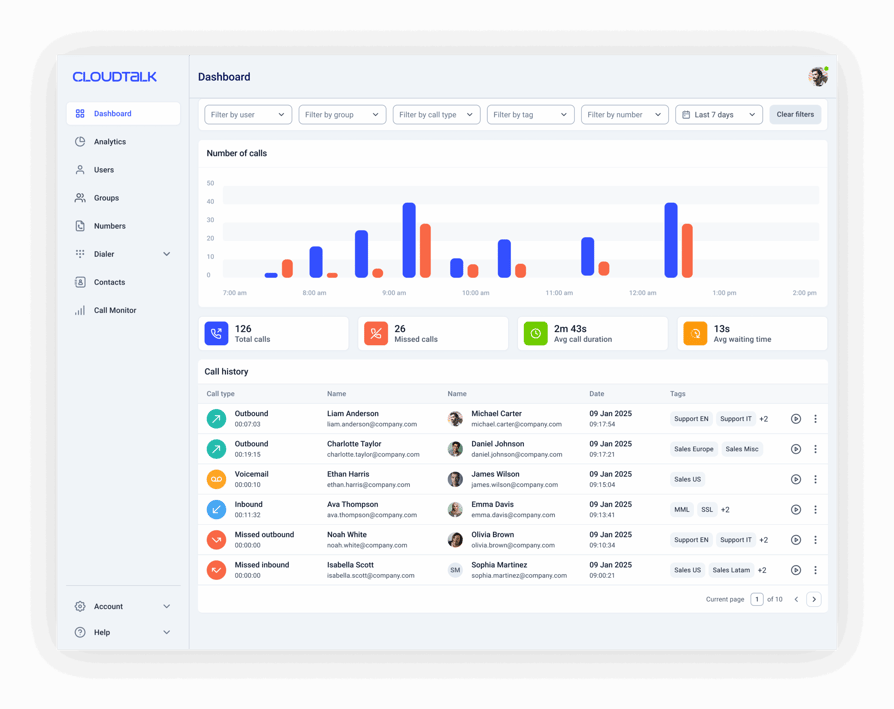
CloudTalk is an AI business calling platform for growing sales and support teams, with call tagging built into the calling app rather than bolted on. Agents pick a tag from an admin-curated list during the call or right after it, and CloudTalk stores the tag with the recording, the call notes, and the contact record.
CloudTalk's difference is governance. Admins decide which tags exist, which teams see them, whether a tag is required, and which tags the AI is allowed to apply. That's a different starting point from tools where anyone can add a label and the list grows into hundreds of near-duplicates.
What Are CloudTalk's Key Call Tagging Features?
- Call Tags from the Starter planAgents apply group-scoped tags during or after the call, and only admins can create or delete them, so the list stays clean.
- Mandatory Call Tagging on Expert and CustomA tag is required before a call can be closed out. Calls placed through the CloudTalk Dialer are the documented exception: they need a mandatory call disposition instead.
- AI auto-tagging via the Conversation Intelligence add-onOnce the call ends, Automatic Summaries and Tags apply tags from your approved list, and each AI tag carries an icon so QA can tell it from a manual one. A 100-character description per tag tells the AI what each one means.
- Tag data that does somethingFilter call logs, agent reports, and group reports by tag, or let Workflow Automation fire the moment a tag is added, so a bad-outcome tag gets a follow-up without anyone chasing it.
- AI and human calls in one logCalls answered by the AI Receptionist (from $99/month, with 50 free minutes on every account) or an AI Specialist land in the same call log and AI Analytics as your agents' calls, and Conversation Intelligence runs on them too.
What Are CloudTalk's Pros and Cons?
| Pros | Cons |
|---|---|
| Tag list, group scoping, enforcement, and AI limited to approved tags, all documented end to end | AI auto-tagging costs the plan price plus the Conversation Intelligence add-on |
| Call tagging included on the entry Starter plan at a one-seat minimum | Mandatory Call Tagging needs Expert, which has a three-seat minimum |
| Tags filter agent and group reports and trigger Workflow Automation | Workflow Automation starts on Essential, so Starter tags filter reports but don't trigger automations |
Who Is CloudTalk Best For?
CloudTalk fits SMB and mid-market sales and support teams that want call tagging enforced and reportable without an enterprise contract. If you have two SDRs today and plan to have twenty, the one-seat Starter entry and the Expert enforcement path mean you don't switch tools when you grow.
How Much Does CloudTalk Cost?
CloudTalk pricing starts at $25/user/month (Starter, billed annually), with the following plans:
CloudTalk Plans and Pricing
| Plan | Price (annual billing) | Key Features |
|---|---|---|
| Starter | $25/user/month | Unlimited inbound & internal calls, 500 outbound minutes (regional calling bundle), call queues, transfers, click-to-call, Call Tags, automatic call recording (1-month retention) |
| Essential | $29/user/month | Everything in Starter + IVR and smart routing, 100+ CRM/helpdesk integrations, Workflow Automation, unlimited recording retention |
| Expert | $49/user/month | Everything in Essential + Mandatory Call Tagging, Power, Smart & Preview Dialers, Salesforce integration, 24/7 phone support (3-seat min) |
| Custom | Contact sales | Quote-based plan for larger teams, with Mandatory Call Tagging included |
| Conversation Intelligence (add-on) | $9/user/month | AI auto-tagging from your approved tag list, call summaries, transcripts, sentiment analysis, and call scoring, on any plan |
| AI voice agents (add-on) | From $99/month (200 min) | AI Receptionist for inbound calls (50 free minutes on every account) and AI Specialist for custom inbound and outbound workflows from $349/month. Calls land in the same call log as human calls |
What Are Real Users Saying About CloudTalk?
CloudTalk reviewers keep landing on two things: setup that doesn't need an IT project, and CRM sync that holds. Ease of use and ease of setup are CloudTalk's highest-scoring categories on G2 and Capterra, and call quality on international routes comes up often from teams calling across borders.
The most common criticism is that deep Salesforce sync needs the Expert plan, a real jump for a small Salesforce shop. Some CloudTalk reviewers also want richer reporting out of the box, which is usually where the Conversation Intelligence add-on enters the picture.
What Is CloudTalk's G2 Rating and Review Count?
CloudTalk holds 4.4/5 on G2 across 1,900+ verified reviews, with ease of use and ease of setup among its highest-scoring categories.
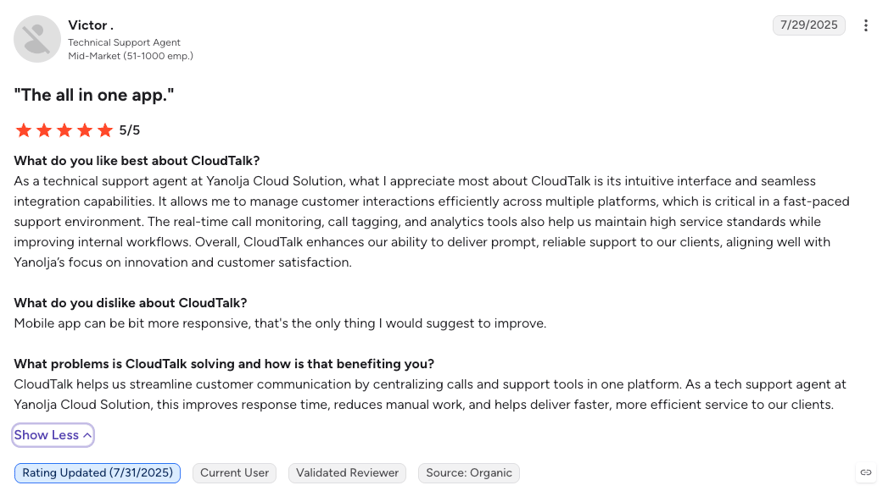
Pipedrive's story isn't as much about tags as it is about the layer underneath them: every call, note, and follow-up logged into the CRM automatically, across four markets, so nobody wonders whether a call happened. Call tagging is what turns that log into something you can count, and in CloudTalk it rides on the same call record.
Pipedrive Logs 100% of Its Calls Automatically. You Just Read How.
2. Dialpad: Best Call Tagging Software for Teams That Want Unlimited Custom Tags Inside One Calling App
What Is Dialpad?
Dialpad is an AI-native communications platform sold as three products: Dialpad Connect for business phone, Dialpad Support for contact centers, and Dialpad Sell for outbound sales. Its call tagging is a post-call step where agents apply preset or custom tags once a call ends, and managers see those tags across every call from their dashboard.
Dialpad's edge is scale without a ceiling. It's the only vendor here that publishes a flat “no limit on the number of tags” statement, and admins configure tags from the online dashboard with no IT involved. What Dialpad doesn't publish is which plan call tagging sits on, or any way to require a tag.
What Are Dialpad's Key Call Tagging Features?
- No published cap on tagsPreset or fully custom labels for outcome, topic, campaign, or next step, with no limit on how many your team creates.
- Tags applied the moment a call endsAgents tag in the post-call step, and Dialpad's AI notes post to the CRM alongside the call record.
- Manager dashboards and CRM syncSupervisors see tags across all calls, with native Salesforce, HubSpot, and Zendesk integrations on the Pro plan and up.
- Live transcription and in-call coachingDialpad's AI works during the call as well as after it, a real strength for coaching-first teams even though it doesn't extend to a documented auto-tagging feature.
What Are Dialpad's Pros and Cons?
| Pros | Cons |
|---|---|
| The only vendor here publishing an explicit no-limit-on-tags statement | No documented mandatory tagging anywhere in its published material |
| Lowest entry price among the per-user tools here, $15/user/month on a single seat | The plan that includes call tagging isn't published, and the pricing page has no tagging row |
| AI notes post to the CRM after every call, the most-cited benefit in recent G2 reviews | AI auto-tagging is a generic FAQ claim, not a documented, configurable feature |
Who Is Dialpad Best For?
Dialpad suits teams that want calls, texts, and video in one app and are happy for tagging to stay optional. If your reps tag reliably on their own and you want the widest possible label set, Dialpad gives you that at the lowest per-user entry price on this list.
How Much Does Dialpad Cost?
Dialpad pricing starts at $15/user/month (Standard, annual billing), and the platform offers the following plans:
Dialpad Connect Plans and Pricing
| Plan | Price (annual billing) | Key Features |
|---|---|---|
| Standard | $15/user/month | Unlimited calling, SMS and MMS, video meetings, AI transcription, call summaries, voicemail transcription |
| Pro | $25/user/month (3-license min) | Everything in Standard + call recording, CRM integrations (HubSpot, Salesforce, Zendesk), local numbers in 50+ countries, 24/7 support |
| Enterprise | Custom quote (100-seat min) | Everything in Pro + SSO, access controls, unlimited offices, 99.9% uptime SLA |
| Dialpad AI Agents (add-on) | Conversation-based credits, talk to sales | Autonomous voice and digital agents on Dialpad Support Advanced and Premium, billed per conversation where the AI answers or takes an action |
Dialpad vs. CloudTalk
Dialpad's AI works during the call: live transcripts and coaching prompts while the rep is still talking. CloudTalk's Conversation Intelligence gives the manager the record after it, with the summary, sentiment, and tags applied from your approved list once the call ends. Those are two different jobs, so pick by the one you need.
On tagging itself, the gap is enforcement. Dialpad documents no way to require a tag, while CloudTalk's Expert plan does, and CloudTalk puts tagging on a one-seat Starter plan at $25/user/month with the tier named on its pricing page.
What Are Real Users Saying About Dialpad?
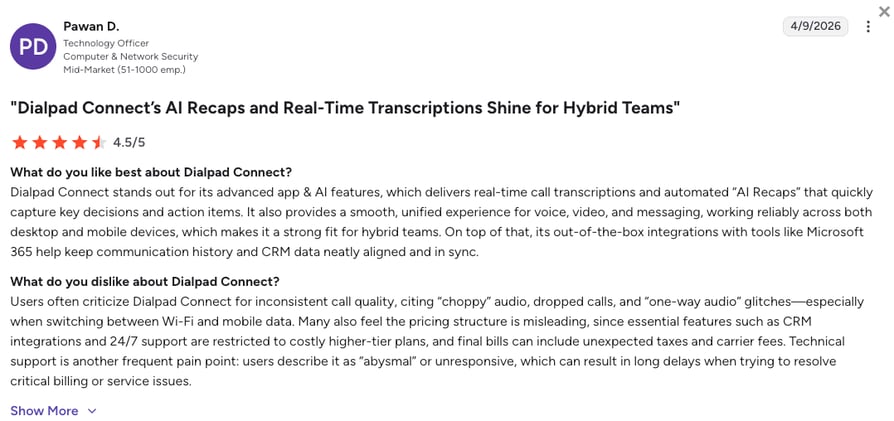
Dialpad reviewers keep coming back to one benefit: AI notes that post themselves to the CRM after every call, so nobody types up a summary. The intuitive interface and having calls, texts, and video in one app follow close behind. The recurring complaints are CRM sync failures on HubSpot and Salesforce, where calls go missing from the account record, dropped calls at peak times, and settings that feel over-built for a small team.
What Is Dialpad's G2 Rating and Review Count?
Dialpad Connect holds a 4.4/5 rating on G2 across 4,200+ reviews, the largest review base on this list. The listing covers the Dialpad platform broadly, not the Connect product alone.
3. Diabolocom: Best Call Tagging Software for Large, Compliance-Led Contact Centers on Multi-Year Contracts
What Is Diabolocom?
Diabolocom is a European cloud contact center platform built for large, compliance-driven service operations. Its call tagging is category-based: agents label calls into named topics like billing, technical support, complaints, or product information, and the categories feed trend analysis and routing decisions.
Diabolocom is the only vendor here that publishes how tagging goes wrong. Its own documentation names inconsistent tagging and tag overload as the two failure modes and recommends standardized protocols to fix them, a useful signal for a QA lead. Its AI Categorization capability sits inside AI Voice Analytics, sold as an add-on on the two lower tiers.
What Are Diabolocom's Key Call Tagging Features?
- Category-based call taggingNamed topics rather than free-form labels, so the data rolls up cleanly for trend analysis and routing.
- AI Voice Analytics with a named Categorization capabilityAn add-on on the Voice and Omnichannel plans, included only on the quote-based Ultimate tier.
- Compliance and QA monitoring as a headline use caseDiabolocom positions tagging as the way to monitor policy and regulatory compliance, the ground call center quality assurance stands on.
- Real-time supervision from the entry planSupervisors watch queues and agents live on Voice, with CRM integrations for Salesforce, HubSpot, Zendesk, Microsoft Teams, and SAP.
What Are Diabolocom's Pros and Cons?
| Pros | Cons |
|---|---|
| Transparent published pricing with a stated no-hidden-fees promise, rare for an enterprise contact center platform | Entry pricing assumes a three-year term and 150 named licenses, which rules out smaller teams |
| Documents the failure modes of tagging and how to avoid them | Categorization is an add-on on both lower tiers and only included on Ultimate |
| Compliance and QA monitoring is a first-class tagging use case, not an afterthought | Its documentation never states that Diabolocom itself applies tags automatically, only that AI-powered systems can |
Who Is Diabolocom Best For?
Diabolocom fits contact centers with 150 or more agents, a compliance team that audits calls, and the appetite for a three-year commitment. A 20-seat sales team isn't its buyer, and its pricing page says so plainly.
How Much Does Diabolocom Cost?
Diabolocom pricing starts at $60/user/month (Voice, per named license, three-year commitment, 150-license minimum), with the following plans available:
Diabolocom Plans and Pricing
| Plan | Price (annual billing) | Key Features |
|---|---|---|
| Voice | $60/user/month (150-license, 3-year min) | Inbound and outbound voice, category-based call tagging, real-time supervision and analytics, CRM integrations. AI Voice Analytics as an add-on |
| Omnichannel | $99/user/month (150-license, 3-year min) | Everything in Voice + email, chat, and messaging channels. AI Voice Analytics as an add-on |
| Ultimate | Custom quote | Everything in Omnichannel + AI Voice Analytics, AI Transcription, AI Summary, AI Agent Assist, and Intelligent Virtual Agent included |
| Intelligent Virtual Agent (add-on) | Not published | Inbound voicebot that answers, self-serves, and transfers to agents, sold as an add-on on Voice and Omnichannel and included on Ultimate |
Diabolocom vs. CloudTalk
Diabolocom's $60 is a different kind of number. It assumes 150 named licenses on a three-year contract, so the realistic entry is around $9,000 a month before usage fees, and that's the right shape for a large regulated service operation with a procurement team.
CloudTalk starts the same tagging chain at one seat on Starter for $25/user/month, adds enforcement on Expert, and lets you add AI tagging per user for $9/user/month, with a 14-day trial instead of a procurement cycle. If you're under 150 seats, that's the comparison that matters.
What Are Real Users Saying About Diabolocom?
Diabolocom reviewers praise how quickly agents take to the interface, a support team that stays close through deployment, and Salesforce CTI that keeps call data in sync. The recurring complaints are an interface built for large structures that feels heavy to smaller teams, reporting data that refreshes on a 15 to 20 minute delay, and pre-built workflows that resist customization. The review base is small, at 30+ reviews against Dialpad's 4,200+, so weigh individual reviews rather than the headline score.
What Is Diabolocom's G2 Rating and Review Count?
Diabolocom holds a 4.2/5 rating on G2 across just 30+ reviews, the smallest review base on this list, with ease of use and responsive support its most-praised strengths.
4. Vonage: Best Call Tagging Software for Teams That Need to Know Which Number or Queue a Call Came in On
What Is Vonage?
Vonage Business Communications is a business phone platform whose Custom Call Tagging does a different job from the other four tools here. An admin attaches a tag to an extension, phone number, Call Group, Call Queue, or Virtual Receptionist. The tag is appended to the Caller ID and announced or displayed when a call arrives.
So a Vonage tag tells the agent where a call came from, not what happened on it. That's closer to call tracking than to outcome coding, and it's useful for multi-brand or multi-campaign inbound teams. If you need post-call outcome tagging, Vonage isn't the tool for that job.
What Are Vonage's Key Call Tagging Features?
- Tags created by admins onlyOnly Super Users and Administrators can create Custom Tags, so agents never tag a call themselves.
- One tag per call, capped at 10 charactersThe first tag on the routing path overrides the rest, and tag names take up to 10 alphanumeric characters, the only hard tag limit any vendor here publishes.
- Announce greeting and per-tag Google Analytics IDA tag can announce its recorded name before the agent answers and carry its own Measurement ID for marketing attribution.
- Tags in Call HistoryTagged calls show in the desktop and mobile apps' call history, so the source of every inbound call stays on record.
What Are Vonage's Pros and Cons?
| Pros | Cons |
|---|---|
| Surfaces call origin before the agent answers by appending the tag to the Caller ID | No post-call outcome tagging, and agents can't apply tags at all |
| Per-tag Google Analytics IDs give marketing inbound attribution without a separate call tracking product | One tag per call, set by routing, so a call can't carry both a source and an outcome |
| Lowest headline price on this list at $13.99/line/month, billed per line rather than per user | Minimum one-year contract for new accounts, with early termination fees that can reach the full contract value |
Who Is Vonage Best For?
Vonage fits small businesses that run several numbers or queues into one team and want agents to know the source before they pick up. It's a routing and attribution tool wearing the word “tag”, so pair it with a separate outcome-tagging habit if you need one.
How Much Does Vonage Cost?
Vonage pricing starts at $13.99/line/month (Mobile, annual billing, one to four lines), with the following tiers available:
Vonage Plans and Pricing
| Plan | Price (annual billing) | Key Features |
|---|---|---|
| Mobile | $13.99/line/month | Unlimited calling and SMS, mobile and desktop apps, basic CRM integrations |
| Premium | $20.99/line/month | Everything in Mobile + video meetings (200 participants), 99.999% SLA, full CRM integrations |
| Advanced | $27.99/line/month | Everything in Premium + on-demand call recording, visual voicemail, Call Groups |
| AI Virtual Assistant (add-on) | Not published, sales-led | Conversational voice AI for inbound self-service, routing, and outbound campaigns, built and managed by Vonage's team |
Vonage vs. Dialpad on Tagging
Vonage and Dialpad sit at opposite ends of this list. Vonage tags the route before the call and never lets an agent touch a tag. Dialpad tags the outcome after the call and lets agents create as many tags as they like. Neither documents a way to require a tag.
If your question is “which number did this call come in on”, Vonage answers it for $13.99/line/month. If it's “how did this call end”, Dialpad does, from $15/user/month. Most teams asking which is better are really asking which of those two jobs they need done first.
What Are Real Users Saying About Vonage?
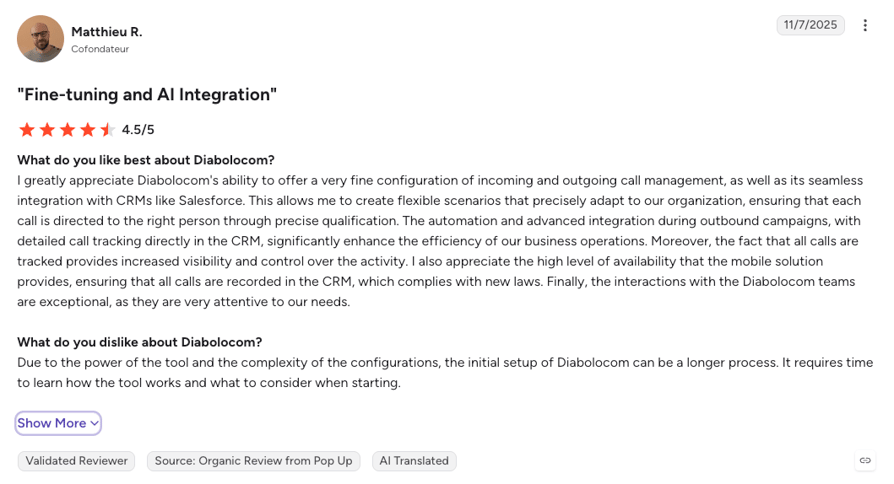
Vonage reviewers praise reliable call quality, a mobile app that doubles as a second business line, and a support team that resolves porting and setup issues quickly. The recurring frustrations are surprise fees and taxes on top of the sticker price, a desktop app some describe as dated, and long contract terms that make leaving complicated.
What Is Vonage's G2 Rating and Review Count?
Vonage Business Communications holds a 4.3/5 rating on G2 across 500+ reviews, with call quality and ease of use its most-praised strengths.
5. Aircall: Best Call Tagging Software for Support and Sales Teams That Want Enforced Tagging Synced into 250+ Apps
What Is Aircall?
Aircall is a cloud phone and contact center platform for sales and support teams that live in a CRM or helpdesk. Its call tagging classifies completed calls with custom tags, and Aircall syncs those tags automatically into connected apps like HubSpot, Zendesk, and Salesforce for reporting.
Aircall's tagging is well packaged and thinly documented. Mandatory call tagging is confirmed on its pricing page from the Professional plan, but the tagging feature page itself runs to a few dozen words and says nothing about tag limits, team scoping, or AI. Ask Aircall those questions directly before you compare it head to head.
What Are Aircall's Key Call Tagging Features?
- Custom call tags from the entry Essentials planTagging doesn't require a tier upgrade, which puts Aircall alongside CloudTalk on entry-plan availability.
- Mandatory call tagging on Professional and upDocumented on Aircall's pricing page in the plan card and the comparison table, though the feature page never mentions it.
- Automatic tag sync across 250+ integrationsTags reach the CRM or helpdesk without an export, which is the reason support teams pick Aircall in the first place.
- Advanced analytics and live monitoring on ProfessionalTagged calls feed Aircall's analytics, with the Analytics+ add-on at $15/user/month for deeper reporting.
What Are Aircall's Pros and Cons?
| Pros | Cons |
|---|---|
| One of only two platforms here with documented mandatory tagging, and tagging sits on the entry plan | Publishes almost nothing on how tagging works: tag limits, team scoping, and who applies a tag are all left undocumented |
| The broadest integration surface on this list, 250+ apps with automatic tag sync | Every plan needs three licenses and Custom needs 25, so enforced tagging starts at $150 a month |
| A 7-day free trial to test tagging on real calls before the three-license bill starts | AI Assist add-ons produce summaries and topics but never mention applying tags |
Who Is Aircall Best For?
Aircall fits support and sales teams of three or more whose day happens inside Zendesk, HubSpot, or Salesforce, and who want tags to show up there without an export. If you're a single seat, or you want to know exactly how tagging behaves before you buy, look at CloudTalk first.
How Much Does Aircall Cost?
Aircall pricing starts at $30/user/month (Essentials, annual billing, three-license minimum), with the following plans to choose from:
Aircall Plans and Pricing
| Plan | Price (annual billing) | Key Features |
|---|---|---|
| Essentials | $30/user/month (3-license min) | Custom call tags, IVR, click-to-dial, call recording (up to 1 year), 250+ integrations and API access |
| Professional | $50/user/month (3-license min) | Everything in Essentials + mandatory call tagging, Salesforce CTI, Power Dialer, voicemail drop, advanced analytics, live monitoring, unlimited recording retention |
| Custom | Custom quote (25-license min) | Everything in Professional + unlimited outbound calls, SLA, SSO |
| AI Voice Agent (usage-based) | 50 free min/month plus 100 at sign-up, then $0.49/min | Inbound and webhook-triggered outbound AI agent on every plan, $0.39/min above 2,500 minutes, prepaid bundles from $175 for 500 minutes, $0.015 origination fee per outbound attempt |
Aircall vs. CloudTalk
Aircall and CloudTalk are the only two tools here that document enforcement, and both put it on a three-seat plan: Aircall's Professional at $50/user/month and CloudTalk's Expert at $49/user/month. The split is everything around enforcement.
CloudTalk documents group scoping, tag descriptions the AI reads, an icon on every AI-applied tag, and Workflow Automation that fires when a tag is added. Aircall's feature page documents none of that, so you're buying on trust. If your team lives in Zendesk and tags are mostly a reporting field, Aircall does the job. If tags need to trigger something, CloudTalk does.
What Are Real Users Saying About Aircall?
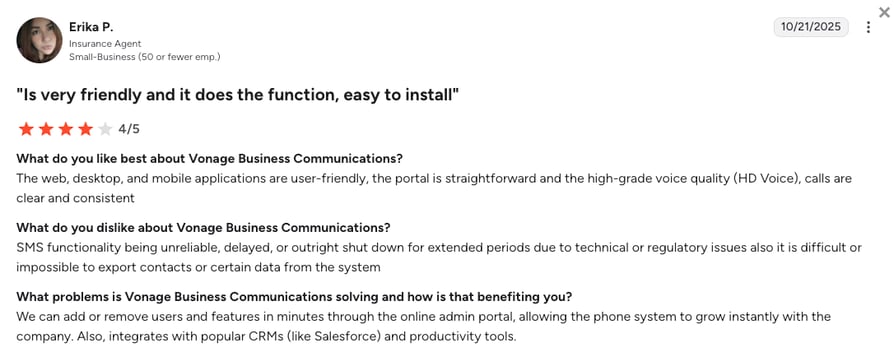
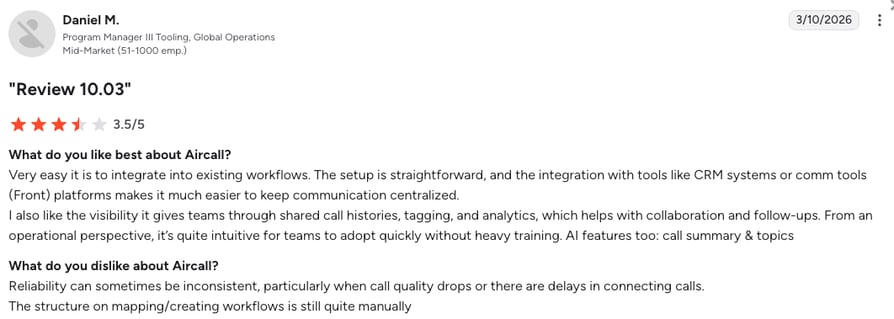
Aircall reviewers praise how quickly a new number and a Zendesk or HubSpot connection go live, and clean call logging into tickets is the single most-cited benefit. The recurring frustrations are call quality dips on weaker Wi-Fi, AI summaries that miss the point of a call, and the three-seat minimum, which small teams describe as paying for a chair nobody sits in.
What Is Aircall's G2 Rating and Review Count?
Aircall holds a 4.4/5 rating on G2 across 1,650+ reviews, with ease of use and ease of setup its highest-scoring categories.
What Is Call Tagging?
Call tagging is the practice of labeling a phone call with a short, predefined category that records what the call was about or how it ended. An agent applies the tag during or right after the call, and the platform stores it with the call record, turning a pile of recordings into data you can filter and count.
Call tagging is not call tracking, though buyers mix the two up. Call tracking assigns phone numbers to campaigns so marketing can attribute an inbound call to an ad. Tagging starts after the phone rings and describes the conversation itself.
Who owns the list decides whether it works. An admin-curated list keeps the data comparable across agents and months. A list anyone can extend turns into hundreds of near-duplicates within a quarter, and agents stop reading it.
Why Call Tagging Matters for Call Centers
A tag is the smallest piece of structured data a call can produce, and the one that makes everything else searchable. In Salesforce's 2026 State of Sales report, 79% of high-performing sales teams prioritize data hygiene, against 54% of underperformers.¹ Tagging is that hygiene applied at the moment the data is created.
Four things get easier once tagging is consistent:
- QA stops guessing from a sample: Filter for the tag you care about instead of listening to a random handful of recordings, and build your quality assurance metrics on every call rather than a sample.
- A spike in a tag becomes an early warning: Thirty calls tagged “billing question” the week after a pricing change is a signal you can act on before it turns into churn.
- Reporting compares like with like: You can't count free-text notes, but you can count a fixed tag list, which is what makes call reporting trustworthy.
- Automation gets something to trigger on: In CloudTalk, workflow automation can fire when a tag is added, so a “bad outcome” tag opens a follow-up without anyone chasing it.
All of it assumes agents apply the same tag to the same situation, and that's exactly where most tagging programs fall apart.
Common Challenges of Call Tagging
Two failure modes account for most broken tagging programs. The first is inconsistent application: agents grab whichever label sits nearest the top of the list, and the call center reporting built on those tags misleads you until a decision goes wrong.
The second is tag sprawl. A list anyone can add to grows into hundreds of near-duplicates, and the data stops meaning anything. Deloitte's Customer Service Excellence 2025 research found just 15% of contact center staff say the information they need is accessible,² and an overgrown tag list is one small reason why.
The fixes aren't glamorous, and they hold up. Keep the list admin-curated, write a one-line description for each tag so agents and any AI reading it know what it's for, scope tags to the teams that use them, and prune the dead ones every quarter.
How AI Is Changing Call Tagging
The pitch is that the AI reads the transcript and applies the tag, so after-call work shrinks. Across these five vendors, the documentation is patchier than the marketing. CloudTalk documents the mechanism end to end, down to the setting and the tier. Diabolocom names Categorization as an AI capability and sells it as an add-on below Ultimate.
Dialpad answers a generic “can AI tag calls?” in its FAQ without naming a configurable feature, and its post-call automation page still lists selecting dispositions as agent work. Aircall's AI add-ons produce call summaries and detect topics, and neither mentions tags. Vonage doesn't attempt it.
Automate a bad taxonomy and you get bad data faster. Deloitte found that although AI adoption in contact centers rose 15% between 2023 and 2025, customer and employee experience ratings fell by an average of half a point over the same period.² The bounded approach holds up better: CloudTalk's add-on applies only tags an admin approved, once the call ends, and marks each one with an icon so a QA lead can check the model against manual entries.
One footnote if you're also adding AI voice agents: none of the five documents an AI agent applying call tags to the calls it handles. CloudTalk comes closest, since AI Receptionist and AI Specialist calls land in the same call log and AI Analytics as your team's, and Conversation Intelligence runs on them too, so approved tags can apply. Aircall logs AI Voice Agent calls with AI Insights but documents no tags on them. Dialpad, Vonage, and Diabolocom document neither.
AI That Only Uses the Tags You Approved. See It on Your Own Calls.
How to Choose Call Tagging Software
To choose call tagging software, check five things in order: what a tag attaches to, whether tagging can be enforced and on which plan, whether the AI is documented or only implied, whether tags can be scoped to a team, and where the tag data ends up. Marketing pages agree on almost everything, so the answers come from the documentation and from what it leaves out.
- Outcome tagging or source tagging?Four of these tools label a finished call. Vonage labels the number or queue it arrived through. Decide which question you're trying to answer before you compare prices.
- Can tagging be enforced, and on which plan?CloudTalk on Expert and Custom, Aircall on Professional and up. Nobody else documents it, and “our agents will remember” is not a plan.
- Is the AI documented or only implied?Ask for the setting name, the tier it lives on, and what happens to a tag the model isn't sure about.
- Can tags be scoped to a team?One list serving support and outbound sales serves neither. Only CloudTalk documents group scoping, and only CloudTalk lets you set a tag to inbound, outbound, or all calls.
- Does the tag data go anywhere?Filtering call center analytics by tag is the minimum. A tag that triggers an automation is worth more than a tag in a report.
Call Tagging Software Compared by Tagging Type, AI, and Enforcement
| Software | Tagging Type | AI Auto-Tagging | Mandatory Enforcement |
|---|---|---|---|
| CloudTalk | Post-call outcome, applied by the agent during or after the call | Yes, after the call, via the Conversation Intelligence add-on, limited to approved tags | Yes, on Expert and Custom (Dialer calls use a mandatory disposition instead) |
| Dialpad | Post-call outcome, topic, or next step | Claimed in an FAQ, not documented as a configurable feature | Not documented |
| Diabolocom | Post-call outcome or topic, by category | AI-suggested, via the AI Voice Analytics add-on or the Ultimate tier | Not documented |
| Vonage | Caller and source identification, set pre-call by an admin | No | Not applicable, agents don't tag |
| Aircall | Post-call classification | Not documented | Yes, on Professional and up |
Why CloudTalk Is the Best Call Tagging Software for Growing Teams
CloudTalk is the only platform on this list that documents the full chain, from who defines a tag to what happens after one is applied, on a plan a single seat can buy. That matters more than any one feature, because a tagging program lives or dies on consistency, and consistency is a governance problem before it's a software problem.
Here's what growing sales and support teams get from CloudTalk that the rest of this list only partly matches:
- Call tagging on the entry planStarter includes group-scoped, typed Call Tags at $25/user/month on a single seat, not as a mid-tier upsell.
- Enforcement that's documented, not impliedMandatory Call Tagging on Expert and Custom requires a tag before close-out, and outbound calls through the Dialer carry a mandatory disposition instead.
- AI that stays inside your taxonomyThe Conversation Intelligence add-on applies only the tags you approved, after the call, and flags every AI tag with an icon for review. The same $9/user/month brings sentiment analysis, summaries, and call scoring.
- Tags that do somethingFilter agent and group reports by tag, and from Essential let Workflow Automation trigger a follow-up the moment a tag lands.
- CRM sync that carries the call recordCalls land in HubSpot, Salesforce, Pipedrive, and Zendesk with the recording and notes attached, on Essential and up (Salesforce on Expert).
Yanolja: Notes That Write Themselves After Every Call
Yanolja's sales and support agents used to write up every call by hand. “Earlier, I had to manually write notes after every call,” says Hamza Loya, Business Development Executive at Yanolja. Now AI notes hand him the summary, and the time goes back into selling. The team onboarded 20+ sales and support agents onto CloudTalk and cut missed calls by 30-40%.
Yanolja's story is about notes, not tags, but the two come from the same place. The Conversation Intelligence add-on that writes the notes is the one that applies your approved tags, so a team that has stopped typing summaries is one setting away from stopping manual tagging too.
Call Tagging Only Works When It's Enforced
Like we said at the start, the average seller spends only 40% of their time selling, and the after-call admin eating the rest doesn't even produce usable data when it's typed into a free-text box.¹ The five platforms above cover a wider spread than the category name suggests, so here's the short version by situation:
- You need every call tagged, and you're growing: CloudTalk. Tagging from one seat, enforcement on Expert, and AI that stays inside your approved list.
- You're fine with optional tagging inside a broader platform: Dialpad for one app that does calls, texts, and video, or Aircall if your day happens in Zendesk or HubSpot and you have three seats to fill.
- You run a large, regulated contact center on a multi-year contract: Diabolocom, with compliance monitoring built around categories and pricing that assumes 150 licenses.
- You need to know where an inbound call came from, not how it ended: Vonage, whose tags label numbers and queues rather than conversations.
If your call reporting depends on agents remembering to tag, your real problem is enforcement, and only two tools here solve it. Bring your current tag list to a demo below and watch CloudTalk enforce it, scope it, and let the AI apply it on a real call.
Join 5,500+ Businesses That Stopped Guessing What Customers Called About
Sources:
- Salesforce, State of Sales Report (2026)
- Deloitte, Customer Service Excellence 2025
Frequently Asked Questions about Call Tagging Software
Quick answers on what call tagging software costs, how AI and mandatory tagging work, and how the five tools above differ.
Call tagging software costs from $25/user/month on CloudTalk's Starter plan, where tagging is included, up to $60/user/month at Diabolocom with a 150-license, three-year minimum. Dialpad starts at $15/user/month but doesn't publish which tier includes tagging, and Aircall's $30/user/month needs three licenses. AI auto-tagging is an add-on wherever it exists, priced at $9/user/month on CloudTalk.
Look for four things in call tagging software: an admin-curated tag list, tags scoped by team, enforcement tied to a named plan, and tag data that reaches your agent reporting rather than sitting in a call log nobody filters. A vendor that documents all four is telling you the feature is real.
No, call tagging tools don't all tag the same thing. Four of the five here label the outcome or topic of a finished call, while Vonage labels the extension or queue a call arrived through, which is closer to inbound call tracking than to outcome coding.
Yes, call tagging can be applied automatically with AI on some platforms. CloudTalk's Conversation Intelligence add-on applies only tags an admin approved once the call ends and marks each AI tag with an icon. Diabolocom sells Categorization as an add-on below its Ultimate tier, and Dialpad claims AI tagging in an FAQ without documenting it as a feature.
Yes, mandatory call tagging can be enforced on CloudTalk's Expert and Custom plans and on Aircall's Professional plan and up. CloudTalk requires a tag before a call is closed out, though calls made through its outbound dialer use a mandatory call disposition instead. Dialpad, Diabolocom, and Vonage don't document enforcement.
Call tagging works for both outbound sales and customer support. In CloudTalk, a tag can be set to inbound, outbound, or all calls and limited to one agent group, so SDRs and support reps pick from different lists while both roll up into the same group reporting.
Yes, more than one tag can be applied to a single call on most tools here. CloudTalk lets agents add several tags to one call from the admin's call tagging list, during the call or after it. Vonage is the exception: exactly one tag applies per call, decided by the routing path, because its tags describe the number a call came in on rather than the conversation.
Call tagging helps with reporting and compliance by turning recordings into filterable data. Pull every call tagged “billing question” after a price rise to spot a spike, or filter for compliance tags to check that required disclosures were made, and feed both into your call center quality assurance program instead of sampling recordings by hand.
No tool on this list documents an AI voice agent applying call tags to its own calls. CloudTalk's AI Receptionist and AI Specialist calls land in the same call log and AI Analytics as human calls, and Conversation Intelligence analyzes them, so approved tags can be applied to an AI-handled call. Aircall's AI Voice Agent calls get AI summaries and topics, while Dialpad, Vonage, and Diabolocom document neither.
The difference between call tagging and call tracking is what gets labeled. Call tracking assigns phone numbers to campaigns so marketing can tell which ad made the phone ring. Call tagging starts after the phone rings and labels what the conversation was about or how it ended. Most call centers need both, usually from two different tools.