Best Softphone Providers in 2026: VoIP Softphone Comparison of 10 Top Picks
SUMMARY:
We reviewed 30+ softphone tools and chose the 10 best softphone providers for SMB sales, support, and CX teams in 2026, based on call quality, international coverage, CRM integrations, AI capabilities, pricing transparency, and scalability.
10 best softphone providers by use case:
- 01CloudTalk – best overall for SMB sales and support teams scaling global outbound with AI-powered voice and CRM integration
- 02RingCentral – best for distributed teams that want UCaaS (voice + video + messaging) in one app
- 03Nextiva – best for SMBs prioritizing unified communications and team collaboration
- 04Zoom Phone – best for teams already standardized on Zoom for video
- 05Dialpad – best for Google Workspace / Microsoft 365 shops wanting AI transcription
- 06Grasshopper – best for solopreneurs and micro-teams in the US and Canada
- 078×8 – best for mid-market and enterprises needing omnichannel + contact center
- 08Vonage – best for SMBs with basic voice + messaging needs and a global footprint
- 09GoTo Connect – best for small teams that want video meetings and social messaging in one stack
- 10Ooma Office – best for budget-conscious small businesses in North America

What Is a VoIP Softphone?
A VoIP softphone is a software application that lets you make and receive business phone calls over the internet using a computer, smartphone, or tablet instead of a desk phone.
VoIP softphones rely on Voice over Internet Protocol (VoIP) technology, which sends voice data via internet connection rather than a traditional landline. In 2026, modern VoIP softphone providers also include AI features, CRM integration, call recording, and international number coverage.
Quick Comparison Table of Best Softphone Providers in 2026
Explore a comprehensive comparison of softphone providers, highlighting pricing and features. Find below all the details you need to make an informed decision tailored to your business needs:
| Property | Cloudtalk | RingCentral | Nextiva | Zoom Phone | Dialpad | Grasshopper | 8x8 | Vonage | Go to Connect | Ooma Office |
|---|---|---|---|---|---|---|---|---|---|---|
| Starting Price (anually) | $19 per user/mo | $20 per user/month | $15 per user /month | $16 per user/month | $15 per user/month | $14 per user/month | Quote-based | Quote-based | Quote-based | $19.95 per user/month |
| Free trial | 14 days | 7 days | 7 days | Not available | 14 days | 7 days | Not available | Not available | Not available | 60 days |
| Advanced Analytics | ||||||||||
| Call Recording | ||||||||||
| Mobile App | ||||||||||
| International Numbers | 160+ | 100+ | Only in the U.S. and some regions in Canada. | 90+ | 70+ | Not available | 100+ | 40+ | 50+ | 60+ |
| Number of Integrations | 100+ | 100+ | 26+ | 5 | 12 | Not available | 70+ | 18+ | 69+ | 13+ |
| Skill-Based Routing | Not available | |||||||||
| IVR | ||||||||||
| Call Flow Designer | ||||||||||
| Toll-Free Numbers | ||||||||||
| Power Dialer | ||||||||||
| Smart Dialer | ||||||||||
| Sentiment Analysis | ||||||||||
| Call Transcription | ||||||||||
| Voicemail Transcription | ||||||||||
| Call Summaries | ||||||||||
| Talk-to-Listen Ratio |
Must-Have Softphone Features
With the wide range of features that softphone providers can offer, it can be hard to know which ones to prioritize. While it’s essential to consider your business's specific needs, we recommend focusing on these six must-have features:
#1 Advanced Call Management
With advanced call management, businesses can ensure no call is missed or mishandled. Team members can juggle multiple calls smoothly, redirect them as needed, and maintain a professional workflow, boosting efficiency and enhancing the customer experience.
Key Features to Look For:
#2 Security and Encryption
Security and encryption are fundamental to protecting sensitive business and customer data. Secure communication protects privacy, builds trust, and ensures regulatory compliance."
Key Features to Look For:
- End-to-end encryption (SRTP and TLS)
- Multi-factor authentication (MFA)
- Protection against VoIP threats like phishing and spoofing
#3 Multi-Device Support
Multi-device support allows teams to stay connected no matter where they are. Employees can take calls on their laptops during meetings or use their mobile devices while traveling, staying connected to customers and colleagues at all times.
Key Features to Look For:
- Compatibility with major operating systems (iOS, Android, Windows, macOS)
- Instant device-to-device synchronization
- Native applications for desktop and mobile platforms
#4 Real-Time Analytics and Reporting
With access to live metrics, businesses can evaluate team productivity, monitor key performance indicators (KPIs), and quickly spot trends or issues. This data-driven approach helps teams make informed decisions that improve both internal processes and customer interactions.
Key Features to Look For:
- Detailed call reports (volume, duration, quality)
- Real-time, Customizable Dashboards
- Call tagging and filtering to categorize and analyze interactions
#5 AI Capabilities
Artificial intelligence is transforming communication tools by automating routine tasks and enhancing decision-making processes. AI-powered features save time, improve customer interactions, and deliver deep insights into call performance and user behavior.
Key Features to Look For:
- Automatic Call Transcription and Analysis.
- Sentiment Analysis
- Talk/Listen Ratio
#6 Scalability
A scalable solution eliminates the need for costly replacements or upgrades as your business grows. It ensures consistent performance and allows you to onboard new team members effortlessly while integrating advanced functionalities as your requirements evolve.
Key Features to Look For:
- Flexible, user-based pricing models
- Seamless onboarding for new accounts and devices
- Continuous updates to meet growing business demands
Top 10 Softphone Service Providers in 2026
To simplify your decision-making process, we’ve curated a list of the Top 10 Softphone Service Providers for 2026. We've highlighted solutions that deliver reliability, advanced features, and value for businesses of all sizes.
#1 CloudTalk: Best VoIP Softphone Provider for AI-Powered Voice for SMBs
What Is CloudTalk?
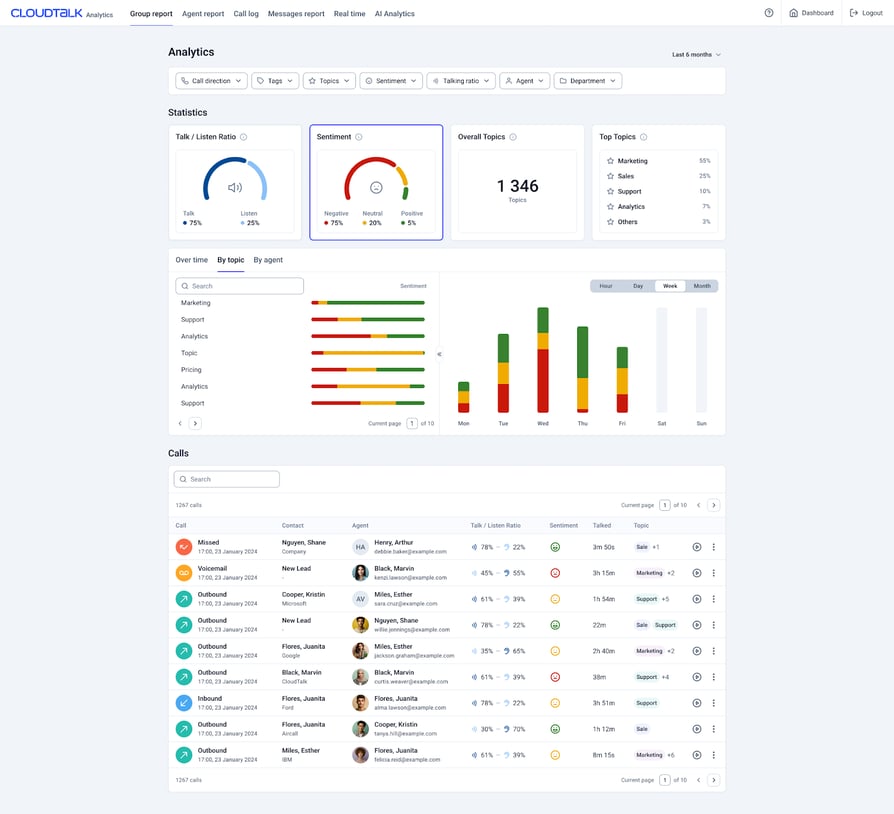
CloudTalk is a feature-rich, softphone provider known for its superior call quality and access to numbers in 160+ countries at an affordable price. Trusted by 5,500+ businesses, it integrates seamlessly with 100+ tools, including HubSpot and Zendesk, making it a top AI-powered solution for SME sales and support teams.
Key Features of CloudTalk's Softphone
- Skill-Based Routing: Direct calls to the most qualified agent based on skills and availability, ensuring faster resolutions and improved customer satisfaction.
- Advanced Analytics: Track real-time performance metrics, customer interactions, and agent productivity with unlimited call history.
- Call Flow Designer: Create tailored call flows to optimize customer experience and agent workflows, enhancing efficiency and personalization.
- Sales Dialers and Campaign Management: Manage sales campaigns efficiently with Power and Smart Dialers, enabling better scheduling and progress tracking.
CloudTalk Softphone Integrations
CloudTalk's Softphone Is Best for:
CloudTalk is ideal for SMBs looking for a cost-effective and scalable business phone system for their customer-facing teams.
CloudTalk's Softphone Pricing
CloudTalk pricing starts at $25/user/month and offers four plans plus a custom tier:
- Lite ($19/user/month, NA and LATAM only): Among the included features, we can highlight unlimited calling within the US and Canada, 24/7 email and chat support, basic analytics, and Call Flow Designer with basic flow options.
- Starter ($25/user/month): This plan includes essential features like Click-to-Call, Voicemail, Call Flow Designer (CFD), and Automatic Call Distribution (ACD).
- Essential ($29/user/month): It offers SMS/MMS, Interactive Voice Response (IVR), Skill-Based Routing, Callback, Integrations + Open API
- Expert ($49/user/month): It includes features like Power Dialer, Smart Dialer, VIP Queues, WhatsApp Inbound & Outbound Messages, and Call Monitoring.
- Custom (Varies): This plan is tailored for businesses with unique needs and includes custom onboarding, unlimited outbound calls with flat rates, enterprise-level security, and developer support.
CloudTalk's Softphone Pros & Cons
| Pros | Cons |
|---|---|
| Fast setup—most teams are live in under a week | No native video conferencing |
| Reliable call quality across regions and devices | No built-in email integration |
#2 RingCentral: Best Softphone for All-in-One UCaaS
What Is RingCentral?
RingCentral is a leading softphone software provider that includes omnichannel communication and seamless collaboration tools. This makes it an ideal choice for businesses seeking a comprehensive Unified Communications as a Service (UCaaS) platform. However, advanced features like AI analytics and unlimited international calls are locked behind higher-tier plans, which may increase overall costs for growing teams.
Key Features of RingCentral's Softphone
- RingSense for Sales: Analyzes interactions between salespeople and prospects, providing insights, follow-ups, and performance scoring to help sales teams close more deals.
- Omnichannel Communication: Supports channels including voice, video calls, SMS, chat, and social media, which enables seamless interaction with customers across various platforms.
- Video Conferencing Tools: Includes robust video conferencing features that support HD video quality, screen sharing, and meeting recording with built-in security measures to empower remote collaboration.
- Advanced Call Management: Includes features like call recording, call flip, visual voicemail, and an interactive voice response (IVR) system to enhance customer interactions.
RingCentral Softphone Top Integrations
- Salesforce
- Microsoft Teams
- Google Workspace
- Zendesk
- Slack
- HubSpot
RingCentral's Softphone Is Best for:
Small businesses looking for scalable solutions and medium-sized and large enterprises that require comprehensive communication tools.
RingCentral's Softphone Pricing
RingCentral pricing starts at $20/user/month and offers three plans:
- Core ($20/user/month): This plan includes unlimited domestic calling, SMS/MMS, IVR, and a Single Sign-On (SSO) solution.
- Advanced ($25/user/month): It adds automatic call recording, advanced call monitoring, multi-site management, and CRM integrations.
- Ultra ($35/user/month):T his plan features customizable analytics, extended storage, device analytics, and AI-powered transcription and summaries.
RingCentral's Softphone Pros & Cons
| Pros | Cons |
|---|---|
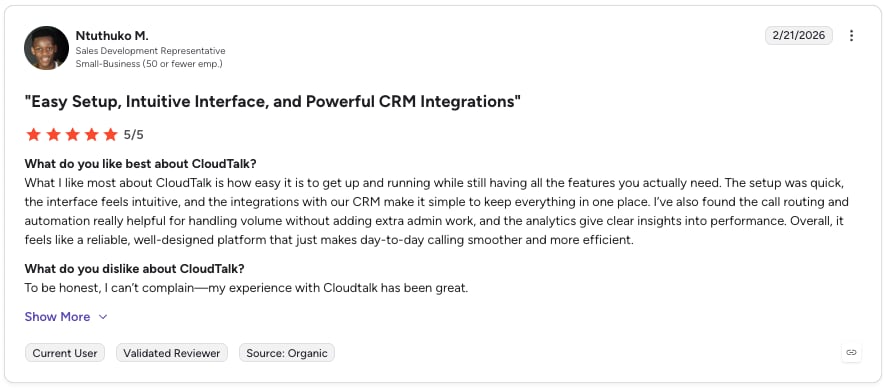
| Strong all-in-one app for voice, video, and messaging | Users report inconsistent call quality |
| Intuitive, easy-to-use and highly efficient platform | Limited flexibility in reporting, customization |
Recommended Reads
#3 Nextiva: Best Softphone for SMBs Unifying Customer Service Channels
What Is Nextiva?
Nextiva is a softphone application serving over 150,000 businesses with a unified solution for voice, video, chat, and collaboration tools. While it excels in multichannel communication and user-friendly design, its advanced voice features and analytics often come as add-ons, increasing costs for growing businesses.
Key Features of Nextiva's Softphone
- Omnichannel Communication: Integrates voice, video, chat, email, and social media into one platform, ensuring seamless customer interactions across channels.
- Advanced IVR: Automates call routing with customizable menus, improving efficiency and directing callers to the right departments.
- AI-Powered Voicemail Transcription: Converts voicemails into text, making it easier to review and respond without listening to the full message.
- Team Collaboration Tools: Offers features like video conference calling, and team chat to enhance productivity and streamline internal communication.
Nextiva Softphone Integrations
- Salesforce
- HubSpot
- Zoho CRM
- Zendesk
- Microsoft Teams
- Google Workspace
Nextiva's Softphone Is Best for:
Small to medium-sized businesses (SMBs) seeking a unified communication platform that integrates voice, video, chat, and collaboration tools.
Nextiva's Softphone Pricing
Nextiva pricing starts at $15/user/month and offers four plans:
- Core ($15/user/month)
- Engage ($25/user/month)
- Scale ($75/user/month)
Nextiva's Softphone Pros & Cons
| Pros | Cons |
|---|---|
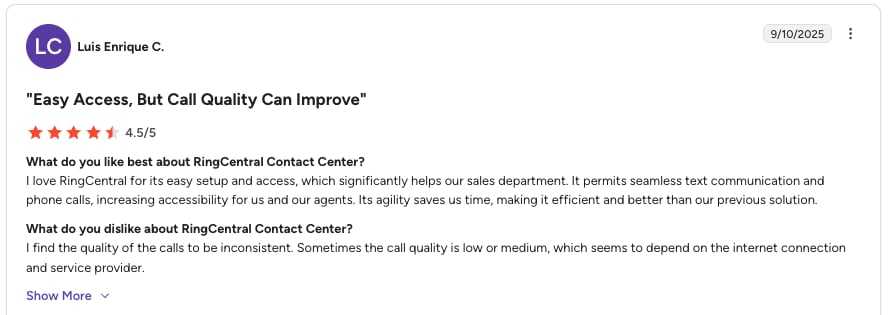
| Unified CX across 8+ channels (voice, video, SMS, chat, social, fax) | Advanced voice features land on higher tiers |
| Easy to use and intuitive interface | Users say the setup takes longer than expected and feels complex |
#4 Zoom Phone: Best Softphone for Teams Already on Zoom
What Is Zoom Phone?
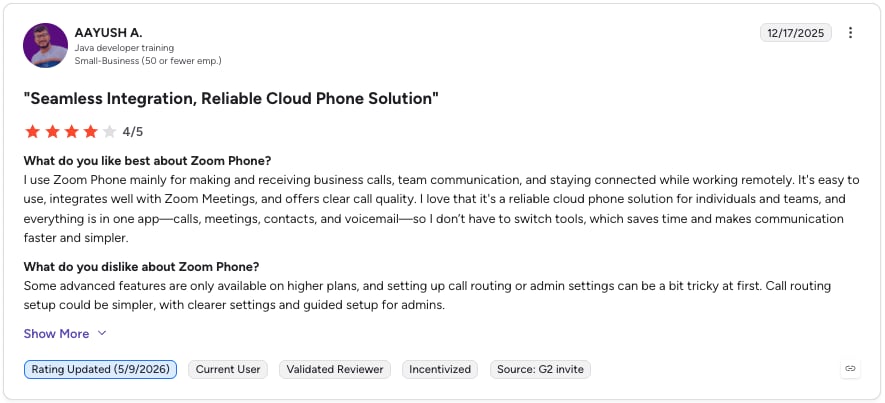
Zoom Phone is a cloud-based VoIP solution designed to enhance business communication with affordable pricing and seamless integration into the Zoom ecosystem. While it offers features like call management and transcription, some advanced functionalities are limited to higher-tier plans or paid add-ons, which might not suit larger, more complex call center operations.
Key Features of Zoom Phone's Softphone
- Bring Your Own Carrier (BYOC): Enables businesses to use their existing carriers, providing flexibility and cost savings.
- Advanced Call Handling: Features like call monitoring, transcription, and voicemail streamline communication and improve analysis.
- Unlimited Domestic Calling: Included in the Global Select plan, perfect for businesses with local operations.
- Video Conference Integration: Seamlessly switch between calls and video meetings within the Zoom ecosystem.
Zoom Phone Integrations
Zoom Phone Is Best for:
Small to medium-sized businesses looking for a cost-effective VoIP solution integrated with Zoom’s collaboration tools.
Zoom Phone's Pricing
Zoom Phone pricing starts at $16/user/month and offers two main plans plus add-ons:
- US & CA Unlimited ($16/user/month)
- Pro Plus ($20.50/user/month)
- Business Plus ($24.50/user/month)
Zoom Phone's Pros & Cons
| Pros | Cons |
|---|---|
| Low entry price | High cost of international calling |
| Clean, familiar UI | Advanced features require add-ons |
#5 Dialpad: Best Softphone for AI Transcription and Google/MS 365 Shops
What Is Dialpad?
Dialpad is a cost-effective softphone app that excels in integrations with platforms like Google Workspace and Office 365. However, advanced features like international calling often require additional fees or upgrades. It best suits businesses prioritizing collaboration and basic communication needs over advanced call center capabilities.
Key Features of Dialpad's Softphone
- Unified Communication: Combines voice calls, video meetings, and messaging into a single platform, allowing users to communicate seamlessly across devices.
- AI-Powered Tools: Leverages AI for features such as real-time transcription, call summaries, sentiment analysis, and coaching tools.
- Voicemail Management: Dialpad offers advanced voicemail features, including voicemail transcription and live screening of voicemails.
- Call Recording: Allows users to record calls manually or automatically (depending on the plan), which is useful for training and quality assurance.
Dialpad Softphone Integrations
- Salesforce
- Zendesk
- Microsoft Teams
- Slack
- Google Workspace
- Zapier
Dialpad Is Best for:
SMBs that need robust communication tools without the complexity of larger enterprise solutions.
Dialpad's Softphone Pricing
Dialpad pricing starts at $15/user/month and offers three plans:
- Standard ($15 per user/month): This plan includes unlimited domestic calling within the US and Canada, local SMS/MMS, AI-powered call and voicemail transcription, and integrations with Google Workspace and Microsoft 365.
- Pro ($25 per user/month): This plan adds global SMS capabilities, multiple phone numbers per account, CRM integrations (Salesforce, HubSpot, Zendesk, and more), and 24/7 live agent support.
- Enterprise (Contact for pricing): It includes Single Sign-on (SSO), unlimited office locations, unlimited ring groups, and priority live agent support.
Dialpad's Pros & Cons
#6 Grasshopper: Best Softphone for Solopreneurs and Micro-Teams
What Is Grasshopper?
Grasshopper is a popular choice for solopreneurs and small teams in the US and Canada. While it’s simple to set up and ideal for basic business needs, it lacks integrations, international reach, and advanced capabilities. Hidden costs for add-ons like extensions and international calling may double the base price, making it less competitive for growing or scaling businesses.
Key Features of Grasshopper's Softphone
- Virtual Phone Numbers: Grasshopper provides users with local and toll-free numbers, allowing businesses to establish a professional presence without needing physical phone lines.
- Call Forwarding: It lets you automatically redirect calls to various devices or users based on business hours or custom settings.
- Simultaneous Call Handling: Route calls to multiple users simultaneously until one answers, ensuring no call goes unanswered.
- Custom Greetings: Users can record personalized greetings for their voicemail, enhancing customer interaction
Grasshopper Softphone Integrations
Not available
Grashopper Is Best for:
Small businesses that prioritize ease of use, affordability, and flexibility in their communication systems.
Grasshopper's Softphone Pricing
Grasshopper pricing starts at $14/month and offers three plans:
- True Solo ($14 per month): This plan includes one local or toll-free number, one extension, and unlimited domestic calling and texting. Features like voicemail transcription, custom greetings, and mobile/desktop apps ensure seamless communication.
- Solo Plus ($25 per month): This plan offers unlimited users, three extensions, and call forwarding across 15 numbers. It includes all True Solo features, simultaneous call handling, and enhanced flexibility for growing businesses.
- Small Business ($80 per month): This plan expands to five business numbers, unlimited users, and unlimited extensions. It also includes all Solo Plus features, making it suitable for teams handling higher call volumes and multiple departments.
Grasshopper's Pros & Cons
| Pros | Cons |
|---|---|
| Easy setup | Limited native integrations |
| Affordable entry tier | Add-ons can double base price |
#7 8x8: Best Softphone for Mid-Market and Contact Centers
What Is 8x8?
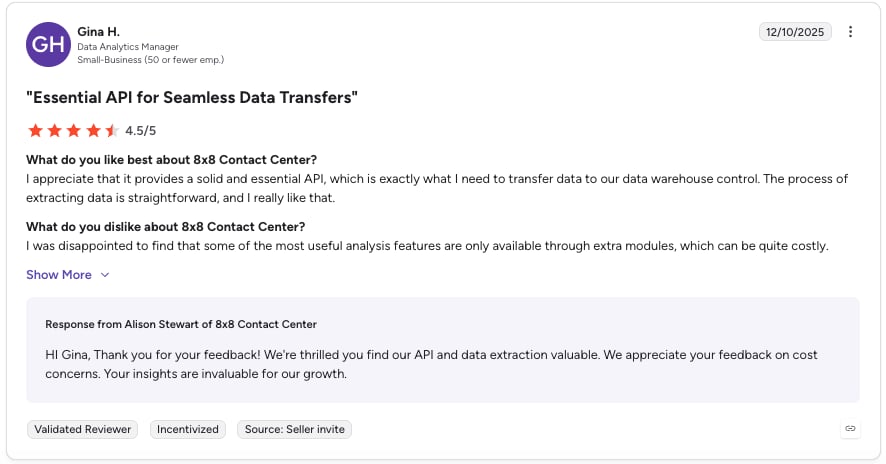
8x8 is a versatile cloud-based phone service with robust collaboration and UCaaS tools. However, advanced call center features such as skill-based routing and auto-dialers are reserved for higher-tier plans or require add-ons. It’s an ideal solution for companies prioritizing omnichannel communication and collaboration, though hidden fees and limited VoIP options may deter cost-sensitive businesses.
Key Features of 8×8's Softphone
- Auto Dialer: Automates dialing with preview, progressive, and predictive modes, boosting connection rates and agent productivity.
- Omnichannel Capabilities: Manages interactions across voice, chat, email, SMS, social media, and video for a seamless customer experience.
- Intelligent IVR: Uses speech recognition and NLP for natural customer interactions, enhancing self-service efficiency.
- Analytics: Advanced analytics deliver detailed insights into call quality, agent efficiency, and overall team performance, enabling data-driven decisions.
8x8 Softphone Integrations
- Salesforce
- Google Workspace
- Microsoft Outlook
- Zendesk
- HubSpot
- Krisp
8x8's Softphone Is Best for:
Midsize to large enterprises that require advanced communication solutions and looking for flexibility and the ability to integrate different communication channels.
8x8's Softphone Pricing
8×8 pricing requires contacting sales for current quotes.
8x8's Pros & Cons
| Pros | Cons |
|---|---|
| Strong omnichannel and contact center features | Best features only on top-tier plans |
| Reliable enterprise-grade infrastructure | Missing admin and API capabilities, |
#8 Vonage: Best Softphone for Global Voice + Messaging Needs
What Is Vonage?
Vonage serves millions globally with voice, messaging, and video solutions. Since its Ericsson acquisition, concerns have risen over hidden costs and add-on fees for features like call recording and CRM integrations. It's best suited for SMBs with basic communication needs rather than those seeking transparent, all-inclusive pricing.
Key Features of Vonage's Softphone
- Virtual Receptionist: Vonage offers an AI-powered that routs calls, conducts outbound surveys, and provides voice-based self-service options.
- Video Conferencing with Vonage Meetings: The Vonage Meetings feature supports video and audio conferencing, which is crucial for remote teams.
- Comprehensive Messaging Integrations: Vonage includes team messaging across all plans, facilitating collaboration among team members.
- Customizable Agent Dashboard: It integrates with CRM systems, enabling agents to access client information quickly and manage calls efficiently.
Vonage Softphone Integrations
- Microsoft Teams
- Salesforce Integration
- Hubspot
- Slack
- Microsoft Dynamics
- Zoho
Vonage's Softphone Is Best for:
Small to medium-sized businesses, especially those looking to expand or manage high call volumes while benefiting from remote collaboration tools.
Vonage's Softphone Pricing
Vonage pricing is quote-based.
Vonage's Softphone Pros & Cons
| Pros | Cons |
|---|---|
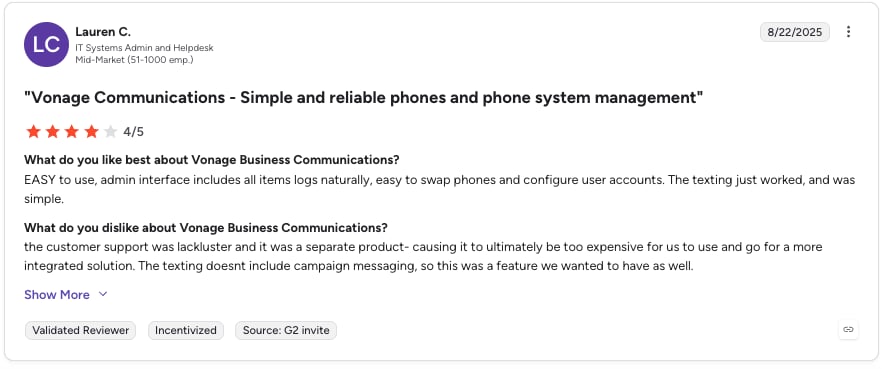
| Reliable global voice infrastructure | Limited texting features |
| Solid mobile and desktop apps | Mixed reviews about customer support |
#9 Go to Connect: Best Softphone for Voice + Video + Social in One Stack
What Is Go to Connect?
GoTo Connect serves over one million users worldwide, offering solutions ranging from basic phone systems to advanced contact center tools. While it stands out for its flexibility and integration options, its pricing and additional costs for advanced features can be a challenge for businesses with tight budgets.
Key Features of GoTo Connect's Softphone
- Video Meetings: GoTo Connect supports video conferencing for up to 250 participants, making it a solid choice for virtual team meetings.
- Social Media Messaging: Integrated messaging for platforms like Facebook and Instagram enables centralized customer communication.
- Call Recording: All plans include call recording, ensuring businesses can capture and review calls seamlessly.
- WhatsApp Integration: Starting from the Connect CX plan, businesses can connect WhatsApp for customer interactions.
GoTo Connect Softphone Integrations
- Microsoft Teams
- Salesforce
- HubSpot
- Zoho CRM
- Zendesk
GoTo Connect's Softphone Is Best For:
Small to medium-sized businesses that require essential communication tools, including video meetings and social media messaging integrations, but can afford to pay extra for advanced contact center features.
GoTo Connect's Softphone Pricing
GoTo Connect pricing is quote-based.
GoTo Connect's Softphone Pros & Cons
| Pros | Cons |
|---|---|
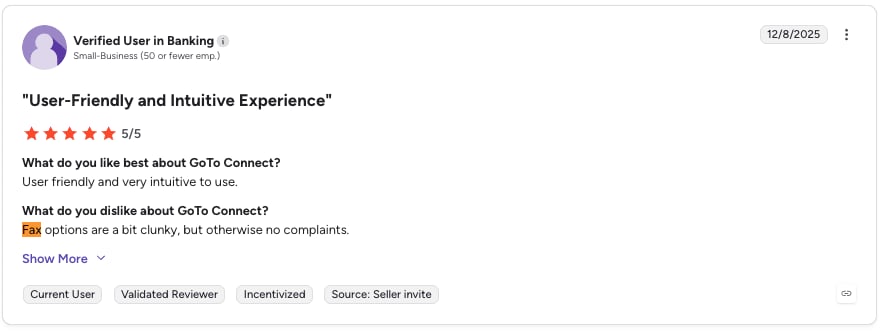
| Ease of use and setup | Overwhelming options and fax viewing limitations |
| Seamless integrations | Lacks some advanced features and workflow flexibility |
#10 Ooma Office: Best Budget Softphone for North American Small Businesses
What Is Ooma Office?
Celebrating over 20 years in the VoIP market, Ooma has become a go-to option for businesses seeking reliable and affordable communication solutions. It offers a range of plans packed with essential features like unlimited calls and voicemail transcription. However, while its affordability stands out, the platform’s higher-tier plans are necessary to unlock advanced tools like integrations, auto-dialers, and call queues.
Key Features of Ooma Office's Softphone
- Unlimited Calling: All plans offer unlimited calling within the U.S., Canada, Mexico, and Puerto Rico, helping businesses maintain seamless communication.
- Video Conferencing: Available in the Pro and Pro Plus plans, Ooma supports virtual meetings for up to 100 participants.
- Call Recording: Starting from the Pro plan, businesses can capture and review calls for training or compliance purposes.
- Advanced Virtual Receptionist: Included in the Pro Plus plan, this feature automates call routing and enhances caller experience.
Ooma Office Softphone Integrations
- Salesforce
- Microsoft Dynamics 365
- Google Workspace
- Zoho CRM
Ooma Office's Softphone Is Best For:
Small to medium-sized businesses, startups, and solopreneurs looking for affordable communication solutions. The Pro Plus plan caters to growing companies needing advanced features like call queuing, integrations, and auto dialers.
Ooma Office's Softphone Pricing
Ooma Office pricing starts at $19.95/user/month and offers three plans:
- Essentials ($19.95 per user/month): Includes unlimited calling, a virtual receptionist, and basic voicemail. Best for small businesses with basic communication needs.
- Pro ($24.95 per user/month): Adds video conferencing (up to 25 participants), SMS (250 messages/month), and call recording, making it ideal for SMBs requiring advanced communication features.
- Pro Plus ($29.95 per user/month): Offers call queuing, CRM integrations, an auto dialer, and video conferencing for up to 100 participants, making it suitable for growing businesses with multiple teams or departments.
Recommended Reads
Make the Right Call With A Softphone Built for Your Growth
With so many options, selecting the best softphone service provider for your business requires careful consideration. While price is essential, the true value lies in choosing a solution that aligns with your goals, scales with your growth, and offers the advanced features your team needs to succeed.
Among all the softphone service providers, CloudTalk truly stands out. With flexible pricing plans tailored to your team size, international numbers available in over 160 countries, and advanced AI-powered features, CloudTalk empowers your business to scale effortlessly. Book a demo today to experience the difference.
Sources:
Häufig gestellte Fragen
A softphone converts your voice into digital data, transmits it over the internet, and reassembles it into audible sound on the recipient's device.
To evaluate softphone providers, assess call quality, user interface, integration capabilities, softphone pricing, customer support, and security features.
Types of softphones include desktop, mobile, open-source, residential VoIP, white-label, simple VoIP dialers, and mobile-first apps for various needs.
No, they aren't the same. A softphone is software for making calls, while VoIP is the technology that enables internet-based voice communication.
The best VoIP softphone depends on your team's needs. For global SMB sales and support teams, CloudTalk is the strongest pick — 160+ international numbers, 100+ integrations, and AI productivity tools at $25/user/month. Zoom Phone has the lowest entry price ($8/user/mo) and fits teams already using Zoom for video. RingCentral is a strong all-in-one UCaaS choice if you also need video conferencing and messaging in the same app.
VoIP softphone pricing in 2026 ranges from $8 to $26 per user per month based on the comparison table above. Lowest entries: Zoom Phone ($8), Grasshopper ($14), Dialpad ($15). Mid-tier: Vonage ($19), Ooma Office ($19.95), RingCentral ($20), Nextiva ($20). Higher entries: 8×8 ($24), CloudTalk ($25), GoTo Connect ($26).