


Remote Office Phone System: One Business Phone for Every Remote Team Member
CloudTalk is a cloud phone system for remote teams. Everyone calls from a laptop, browser, or mobile app on your business numbers, and managers follow every call from one dashboard.
- Plans from $25 per user/month, with no hardware to buy
- Take calls on a laptop, in a browser, or on a mobile app
- Local, national, mobile, and toll-free numbers by country
- Call recording, a real-time report, and call history in one place
Trusted by 50,000+ sales & support professionals worldwide















A Phone System for Remote Teams
That Keeps Everyone Connected
Hire anywhere, call from anywhere, and keep one view of every call.
Onboard Remote Hires
From a Browser Tab
No desk phones, shipping, or IT visit: add or remove a user from the dashboard, whether they are employees, freelancers, or contractors.
Keep Oversight Without
Looking Over Shoulders
A real-time report shows live calls, you record and choose what agents see, and coach with transcripts, summaries, and call scoring.
Sound Local From
Wherever Your Team Sits
Numbers by country, from local to toll-free, with caller ID matched where you have numbers: one number your customers recognize.
KEY FEATURES
Phone Systems for Remote Workers, Built Around How They Work
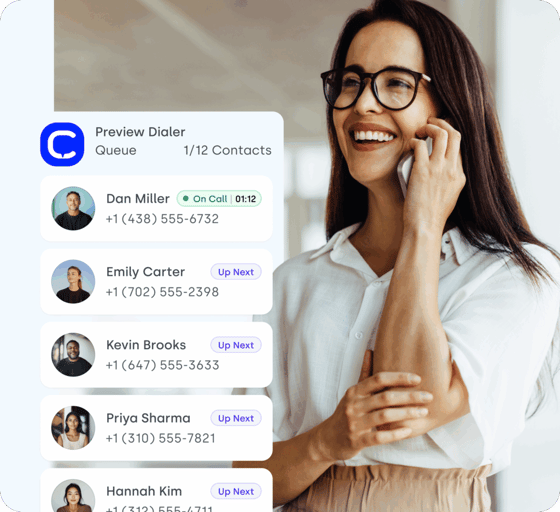
One Business Number on Every Device
The desktop app, the web app, or CloudTalk Go on iOS and Android.
- Every device: Desktop app, web app, and mobile app for iOS and Android.
- Your number: Customers see your business number, not a personal cell.
- SIP desk phones: For hybrid teams, activated by Support on request.
- One app: Calls and call history in the same place.
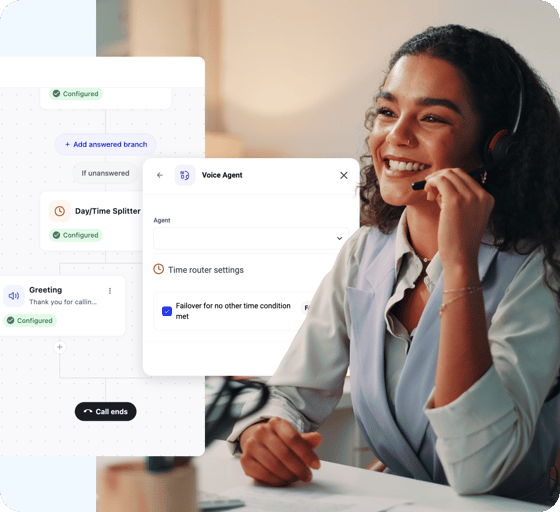
Route and Run Calls Across Time Zones
Your own team edits the call flows, and the real-time report shows the result.
- Call flows: Drag-and-drop menus with no coding, on Essential and Expert.
- Ring groups and queues: Busy periods shared across the team.
- Skill-based routing: Route callers by skill or language.
- Opening hours: Hours and holidays for each number.
- Real-time report: Active and queued calls by agent and group.
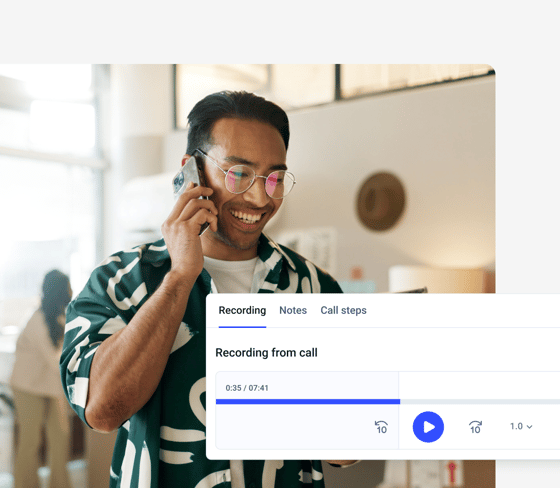
Keep Every Remote Call Under Control
Roles, access rules, and a log of who did what on your account.
- Roles: Admin, supervisor, analyst, and agent.
- Single sign-on: Google, Azure, Okta, or OneLogin, as an Expert add-on.
- Recording access: Choose which calls and recordings agents see.
- Country limits: Allow calling only to the countries you work with.
- Monitor log: Tracks user actions on your account.
PRODUCT TOUR
See How a Remote Team
Works in CloudTalk
Take a whistle-stop tour of CloudTalk:
the calling app and the dashboard, in a few minutes.
CORE FEATURES
Built for Teams That
Never Share an Office
Onboarding, routing, oversight, and numbers in one remote office phone system.
REMOTE ONBOARDING
Get a New Remote Hire
Calling in a Browser Tab
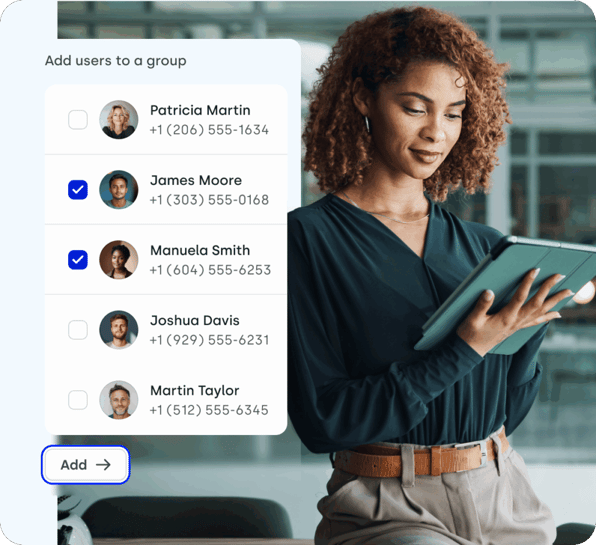
- Add users: Create the user, set their role and numbers.
- Any device: They install the app, or open the web app.
- No hardware: Nothing to ship, and no IT visit.
- Offboarding: Remove the user, and adjust seats in Billing.
"CloudTalk has grown on us from the very first moment. It's a part of our daily workflow."

CALL ROUTING
Send Every Call to the Right Person,
Wherever They Sit
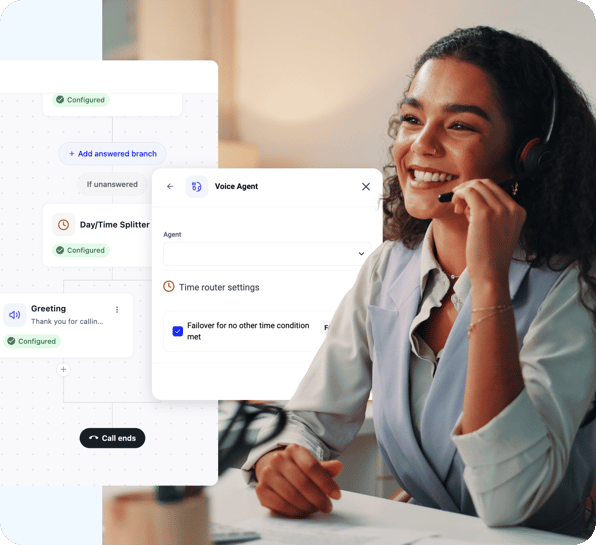
- Call flows: Ring groups and queues, drag-and-drop.
- Call menus: With caller-data routing, on Essential and Expert.
- Skill-based routing: Route by skill or language.
- Opening hours: Hours and holidays for each number.
- Voicemail: An email per message, with the recording attached.
TEAM OVERSIGHT
See What Every
Remote Agent Is Doing
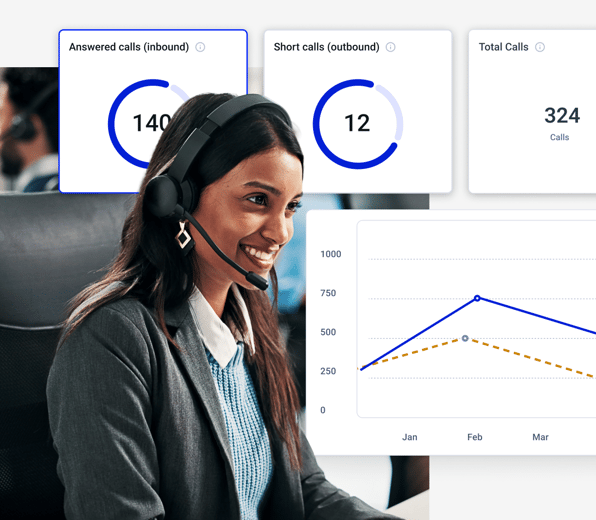
- Real-time report: Active and queued calls by agent and group.
- Live monitoring: Listen, whisper, or join calls, on Expert.
- Call recording: Choose which recordings agents can see.
- Analytics: Volume, waits, and outcomes by agent.
BUSINESS NUMBERS
Give Customers One Number,
Whatever Country Your Agents Are In
- Number types: Local, national, mobile, and toll-free.
- Instant numbers: US and Canada activate in the dashboard.
- Automatic caller ID: Matched to the country you call.
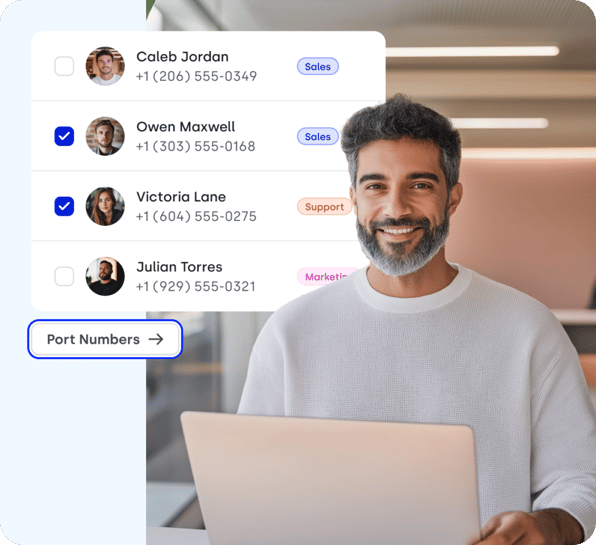
- Number porting: Bring your numbers, with fees by country.
CUSTOMER STORIES
Remote and Distributed
Teams on CloudTalk
Splitty Travel
A support team scaled 3x, stood up remotely on short notice, with supervisors listening in and joining calls live.
Boataround
Annual call volume grew from around 7,000 to nearly 120,000 calls, with local numbers backing an international presence.
Texada Software
20+ phone numbers across Australia, North America, and Europe consolidated into a single CloudTalk call flow.
Luxury Flooring
An after-hours AI voice agent captures the sales calls the store used to lose, and turns each caller into a ticket.
AI FOR REMOTE TEAMS
AI-Powered Phone System
for Remote Teams
Cover the hours nobody is online with AI, and coach every agent without sitting next to them.
AI VOICE AGENT
An AI Receptionist That Covers
the Hours Nobody Is Online
AI Voice Agents answer calls on your numbers 24/7, so customers get an answer even when every time zone has logged off.
- 70+ languages: Speaks what you choose, detects the caller's.
- Knowledge base: Answers questions from your own documents.
- Messages: Takes the caller's name and request.
- Transfers: Hands callers to a human agent or group.
- Calendar: Books appointments into your connected calendar.
- Try it free: 50 free minutes before you pay.

Signature Capability
See CloudTalk’s AI Voice Agent in Action!
CeTe is an AI that talks like a human: no breaks, no training, no time off. It makes and answers calls, updates CRMs, books meetings, and loops in a human only when needed.
Press play to hear it. Want a wow moment? Get a free test call and try it live.

CONVERSATION INTELLIGENCE
Coach Your Remote Team
From Real Calls
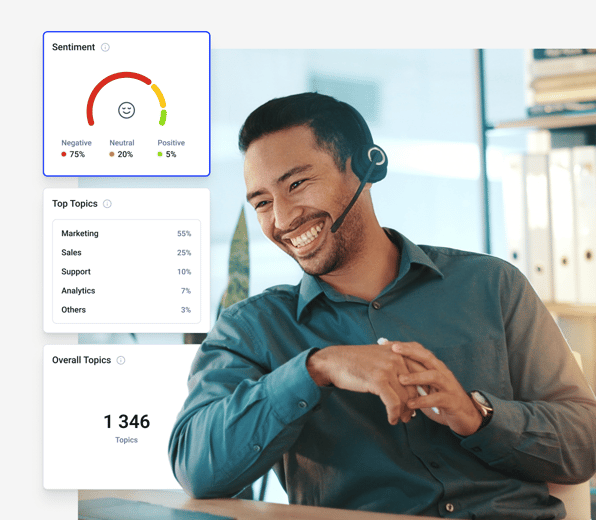
- Searchable transcripts: Every recorded call, findable in seconds.
- Instant summaries: No one replays a full call.
- Topics and sentiment: Flags the calls worth reviewing first.
- Call scoring: Rate calls against your own template.
- CRM sync: Data syncs to Pipedrive, HubSpot, and Zoho.
NO SURPRISES
Move Your Team Remote
Without Losing Control
The four questions remote teams ask before they switch, answered up front:
Every Remote Call on a Secure,
Controlled Business Line
Remote calls carry customer names and account details, so CloudTalk keeps them on certified infrastructure with 99.999% uptime, with roles and access rules deciding who hears what.



Business Numbers Only
Calls and texts run on company numbers, so customer history stays when agents move on.
Encrypted by Default
Calls and recordings travel encrypted, and you decide who can listen, and for how long.
Certified Infrastructure
Our SOC 2 report and ISO 27001 certificate are available in our Trust Center.
Keep Your Lines Running
Multi-carrier calling backed by 99.999% uptime, wherever your team logs in.
COMPARE
Traditional Office Phone System vs.
CloudTalk Remote Phone System
What actually changes when your team's calls move to the cloud:
CLOUDTALK'S PRICING
Remote Phone System Pricing
That Scales With Your Team
Pay per user, with no hardware. Prices shown are per user per month, billed annually.
Set Up Your Remote Team's Phone System in 5 Steps
Book a 30-minute onboarding session, or follow the setup videos in our Onboarding Portal.
Create Your Account
Sign up, choose your plan, and start your free trial within minutes.
Get Your Numbers
Buy US and Canadian numbers instantly, request other countries, or port your own.
Invite Your Team
Add users in the dashboard, and they install the app or open the web app.
Build Your Call Flow
Set ring groups, call menus on Essential and Expert, and opening hours per number.
Set Your Oversight Rules
Choose roles and recording access, open the real-time report, and connect your CRM.
Everything You Need to Know
New to remote phone systems, or replacing an office PBX?
Start with the questions remote teams ask most.
A remote office phone system is a cloud business phone service that lets a team take and make calls from home, a co-working space, or another country. Calls run over the internet to a laptop, browser, or mobile app, and routing, recording, and reporting are managed from one dashboard.
Each team member gets a user and takes calls in an app or browser instead of on a desk phone. The provider manages the servers, call flows, and voicemail, and managers follow calls in the dashboard.
Look for apps on laptop, browser, and mobile, routing your team can edit, call recording and oversight, role-based access, CRM integrations, and numbers in the countries you call. CloudTalk covers these on one platform, with some features depending on your plan.
In practice, yes. Both are cloud phone systems that work wherever your team does, with no physical office required. CloudTalk covers remote, hybrid, and fully virtual teams on one platform.
Remote office phone systems are priced per user per month, with no hardware to buy. CloudTalk plans start at $25 per user per month with annual billing, or $34 with monthly billing, and every plan includes a calling package.
INTEGRATIONS
Connect Your Remote Office Phone System
to the Tools Your Team Already Uses
Every remote agent sees the same customer record, wherever they sit. Direct integrations cover HubSpot, Pipedrive, Zoho CRM, Zendesk, Intercom, and more, with Salesforce on the Expert plan, and you can call directly from Microsoft Teams on Essential and above. Recordings, notes, and outcomes land on the contact, the full library of 95+ integrations is on Expert, and you can automate with Workflow Automation, Zapier, and Make, or build your own with the CloudTalk API on Essential and above.



Put Your Whole Team on One Phone System,
Wherever They Work
Try CloudTalk with your remote team: plans from $25 per user/month.
Remote Office Phone System FAQs
Look for apps on every device, routing your team can edit, oversight tools, secure access, CRM integrations, and clear per-user pricing. CloudTalk offers all of these, starting at $25 per user per month, with no hardware to buy.
CloudTalk gives each team member a user, and they call from a laptop, browser, or mobile app. Managers build call flows, set access rules, and follow a real-time report, and calls sync to your CRM through its integrations.
No. Agents take calls in the desktop, web, or mobile app. If your hybrid team has SIP phones, CloudTalk Support activates SIP on your account at least 24 hours before setup, and some phone features are configured on the phone itself.
Yes, through the CloudTalk mobile app on iOS and Android, with their own user license. Customers see your business number. Forwarding a call to a personal number is billed from credit at outbound rates, and it doesn't replace a user license.
Yes. Agents can work from anywhere, you can get numbers by country, and opening hours are set for each number in your account's time zone. An AI receptionist can answer when nobody is online.
A real-time report shows active and queued calls by agent and group. On the Expert plan, admins and supervisors can listen to live calls, talk to the agent, or join the call. With Conversation Intelligence, you also get transcripts, summaries, sentiment, and call scoring.
CloudTalk publishes its security and compliance documentation, including its Data Processing Agreement. You assign admin, supervisor, analyst, and agent roles, add single sign-on as an Expert add-on, limit which countries your team can call, and track user actions in a monitor log.
A stable connection and a wired headset give the best call quality. Unstable Wi-Fi, VPN or firewall interference, and a faulty or Bluetooth headset are the most common causes of poor audio, and the app's network diagnostics show the status of your microphone and speaker.
Yes. CloudTalk ports numbers from your current provider. How long a port takes depends on the country, and the confirmation email shows the expected time. Porting has a fee, so check the pricing for your country.
You create an account, add users in the dashboard, get numbers, and build your call flow. US and Canadian numbers activate instantly, and other countries are requested in the dashboard. You can book a 30-minute onboarding session, or use the Onboarding Portal.
Yes. CloudTalk has direct integrations with HubSpot, Pipedrive, Zoho CRM, Zendesk, Intercom, and more, and Salesforce on the Expert plan. The full library of 95+ integrations is on Expert, so every remote agent sees the same customer record.


Hello 👋 My name is Emma. Still have questions?
Can’t find the answer you’re looking for? Please chat to our friendly team.