
10 Best Adobe Commerce Integrations for Business in 2026

Ever tried fixing a failed order while juggling five browser tabs, three platforms, and zero synced data? That’s not service—it’s digital gymnastics.
Adobe Commerce gives you a robust ecommerce foundation, but it’s the right integrations that actually make your stack work. When your CRM knows what just got purchased, your phone system logs the call, and your inventory updates itself—your whole operation runs cleaner, faster, and more profitably.
And it works: teams using integration-powered automation see up to 30% lower operational costs and as much as 80% higher productivity 1.
That’s why we’ve pulled together the 12 best Adobe Commerce integrations for 2026—not just by popularity, but by what actually solves problems. From sales to support to fulfillment, these tools turn disconnected touchpoints into smooth, end-to-end experiences.
Key Takeaways:
- The best Adobe Commerce integrations unify your storefront, CRM, and support workflows—so teams stay aligned and customers stay satisfied.
- Each integration solves a real problem—whether it’s syncing orders, automating outreach, or triggering fulfillment workflows.
- Fast setup matters. The most effective Adobe Commerce integrations launch quickly and scale as you grow.
- Integrated platforms boost efficiency, helping your team respond faster and reduce data errors.
- It’s not about stacking more tools—it’s about creating a seamless, automated ecommerce engine that works in the background.

No more tab-switching. Just seamless workflows.
What Is an Adobe Commerce Integration?
An Adobe Commerce integration connects your store with other essential platforms—like CRMs, ERPs, email tools, and support software—to create seamless workflows and eliminate the busywork of switching tabs or re-entering order data.
Instead of manually syncing inventory, customer info, or shipping updates, Adobe Commerce integrations use APIs, extensions, or connectors to share data in real time between tools.
Here’s what they enable:
- Automate workflows by creating tickets, tasks, or updates when a new message comes in
- Sync data like customer records, call logs, and deal status across tools
- Trigger actions across platforms—like tagging a lead, assigning an agent, or logging a call
One high-impact example is CloudTalk’s Adobe Commerce integration. It allows your team to:
- Route inbound calls to the right agent with full order context
- Auto-create support tickets tied to purchases or delivery issues
- Centralize customer data across phone, order, and support channels
Most Adobe Commerce integrations are available as native apps, via API, or through third-party tools in the Adobe Commerce Marketplace.wers your customer experience.

Want Adobe Commerce to talk to your dialer, VoIP, and helpdesk?
The 10 Best Adobe Commerce Integrations for Business Success in 2026
Adobe Commerce is built to scale—but only if your ecosystem scales with it. From CRMs to automation platforms, the right integrations eliminate silos, reduce support lag, and improve both your customer journey and operational ROI.
Below are the top 10 Adobe Commerce integrations to consider in 2026—each selected to solve a high-impact use case in support, sales, or fulfillment.
Preview Table: Top Adobe Commerce Integrations
Software
Category
Key Benefit
CloudTalk
VoIP / Calling
Sync calls with orders and streamline support workflows
Zendesk
Support Platform
Manage tickets tied to Adobe Commerce purchase events
Pipedrive
CRM
Automate follow-ups and deal updates from store actions
Intercom
Messaging
Automate chats and connect conversations to transactions
HubSpot
CRM
Align marketing, sales, and ecommerce data
Front
Shared Inbox
Centralize customer comms tied to order context
Freshdesk
Support Platform
Link tickets with orders and product-specific issues
Zoho CRM
CRM
Keep lead and order data unified for better engagement
Zapier
Automation
Connect Adobe Commerce with 5,000+ apps easily
Salesforce
CRM
Centralize pipeline, contacts, and Adobe order activity
1. CloudTalk
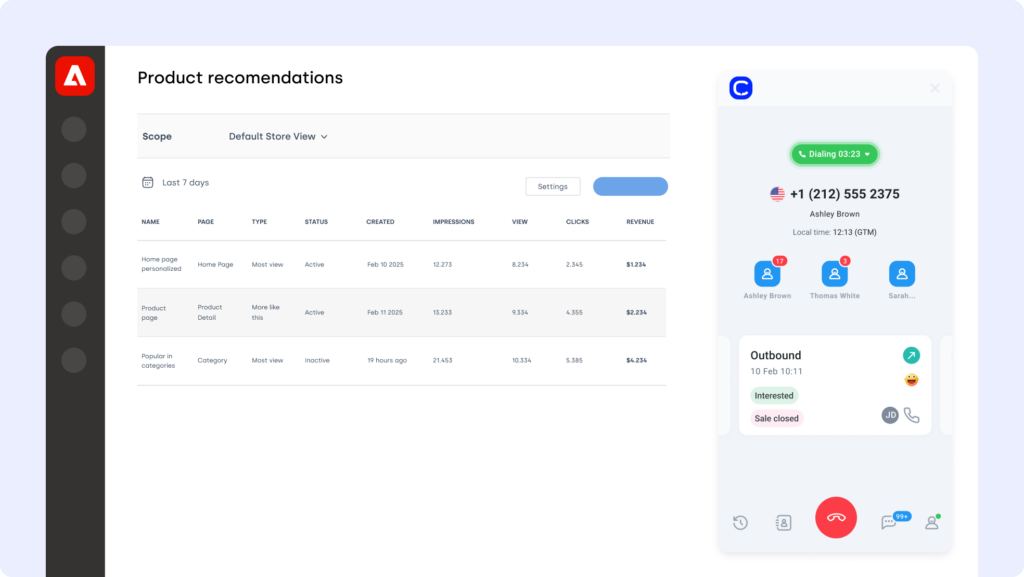
CloudTalk is a modern cloud-based phone system designed for ecommerce and support teams. The Adobe Commerce CloudTalk integration brings voice, customer context, and order data together—so your team can resolve issues faster without hopping between tabs.
Use Case
Connect CloudTalk with Adobe Commerce to auto-log calls, match customer numbers with order details, and route inquiries to the right agent based on purchase history or issue type.
Benefits
- Improved agent productivity with automated call workflows
- Better customer experience through real-time access to caller data
- Eliminate tab-switching between phone and support tools
Key Features:
- Real-time call monitoring
- AI-Powered Conversation Intelligence
- Call recording and playback
- Sentiment Analysis
Pricing:
CloudTalk offers flexible plans tailored to business needs. With each of its plans offering more value than its competitors:
- Lite: $19/user/month (Americas)
- Starter: $25/user/month
- Essential: $29/user/month
- Expert: $49/user/month
- Custom: Pricing available upon request
2. Zendesk (Support Platform)
Zendesk is a leading support platform trusted by global brands to manage multichannel service at scale. The Adobe Commerce Zendesk integration helps your team connect order data with support tickets—so agents have everything they need, right when they need it.
Use Case
Integrate Zendesk with Adobe Commerce to automatically create tickets from order actions, sync customer updates across systems, and resolve post-purchase issues with full purchase context.
Benefits
- Centralize support workflows across chat, email, and voice
- Speed up resolution with real-time access to order history
- Reduce friction across returns, replacements, and escalations
Key Features
- Auto-create Zendesk tickets from Adobe Commerce events
- Sync customer profiles and order status between platforms
- Give agents visibility into purchase history within every ticket
Pricing:
Zendesk pricing tiers include:
- Support Team: $19 per agent/month
- Support Professional: $55 per agent/month
- Support Enterprise: $115 per agent/month

3. Pipedrive (CRM)
Pipedrive is a visual CRM built to help sales teams close deals faster. The Adobe Commerce Pipedrive integration links your store’s purchase activity with your sales pipeline—giving reps the full context behind every customer interaction.
Use Case
Connect Adobe Commerce with Pipedrive to sync customer info, log order events, and trigger follow-ups automatically—so sales never misses a chance to re-engage, upsell, or respond.
Benefits
- Reduce manual CRM updates with automated contact syncing
- Align sales and support teams with shared commerce insights
- Trigger pipeline movements based on real-time order activity
Key Features
- Sync Adobe Commerce orders and contacts to Pipedrive deals
- Auto-update lead stages from product purchases or returns
- Log ecommerce actions into contact timelines for context
Pricing:
Pipedrive offers flexible plans based on team size and needs:
- Essential: $14.90/user/month
- Advanced: $27.90/user/month
- Professional: $49.90/user/month
- Power & Enterprise: Custom pricing

4. Intercom (Customer Messaging Platform)
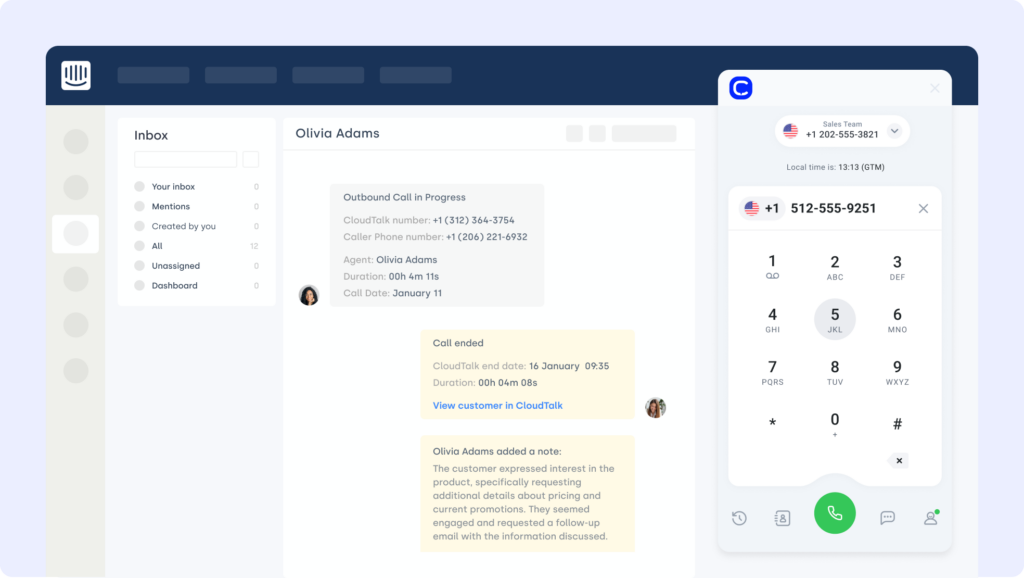
Intercom is a customer messaging platform built for live chat, automation, and personalized support. The Adobe Commerce Intercom integration lets your team chat with shoppers in real time, resolve questions faster, and trigger workflows based on store behavior.
Use Case
Connect Intercom to Adobe Commerce to greet returning visitors with automated messages, escalate priority issues, and sync chats with customer orders and CRM records.
Benefits
- Increase conversions with real-time support at key buying moments
- Speed up issue resolution by linking chats to order data
- Keep sales and support teams aligned through shared conversation context
Key Features
- Trigger chats based on cart abandonment or browsing behavior
- Route messages based on order size or urgency
- Sync chat history with Adobe Commerce and connected CRMs
Pricing:
Intercom offers pricing based on solution needs:
- Starter: $74/month
- Pro: Custom pricing
- Premium: Custom pricing
5. HubSpot (CRM Platform)
HubSpot is a leading CRM platform built for growing marketing, sales, and service teams. The Adobe Commerce HubSpot integration connects your storefront to HubSpot’s automation tools—so every purchase, cart, and contact action can power smarter campaigns.
Use Case
Sync Adobe Commerce with HubSpot to trigger automated emails based on purchase behavior, align customer records across platforms, and create targeted workflows without manual data entry.
Benefits
- Unify ecommerce and CRM data for smarter segmentation
- Trigger marketing and support automations from store activity
- Eliminate syncing delays with real-time contact updates
Key Features
- Auto-sync customer and order data to HubSpot CRM
- Launch workflows based on purchases, returns, or abandoned carts
- Track LTV, engagement, and purchase history in contact timelines
Pricing:
HubSpot offers a free CRM plan, with paid tiers depending on your team’s size and needs. See HubSpot pricing for details.

6. Front (Shared Inbox Platform)
Front is a collaborative inbox that brings email, chat, and SMS into one unified workspace. The Adobe Commerce Front integration links your store’s customer conversations with orders and support workflows—so no message gets missed, and every reply is informed.
Use Case
Connect Front to Adobe Commerce to auto-tag messages by order status, generate tasks from inquiries, and route conversations based on urgency or customer value—all without switching tools.
Benefits
- Centralize all customer communications in one view
- Respond faster with real-time access to order and account data
- Align fulfillment, sales, and support in a shared inbox
Key Features
- Auto-create tickets or tasks from Front messages
- Route inquiries using tags, SLAs, or purchase size
- Link message history to Adobe Commerce customer records
Pricing:
- Starter: $19/user/month
- Growth: $59/user/month
- Scale: $99/user/month

7. Freshdesk (Customer Support Platform)
Freshdesk is a support platform built to streamline ticketing, automate responses, and organize customer conversations. The Adobe Commerce Freshdesk integration connects your store with your help desk—so support teams can resolve order issues with full purchase context.
Use Case
Connect Freshdesk with Adobe Commerce to automatically generate tickets from failed payments, order returns, or delivery issues—while syncing customer info and order history for faster handling.
Benefits
- Eliminate manual ticket creation with real-time order sync
- Improve first response time with automated triage workflows
- Equip agents with full visibility into customer history and transactions
Key Features
- Auto-generate tickets from Adobe Commerce order events
- Sync customer profiles and past orders into Freshdesk
- Attach CloudTalk call recordings and notes to support tickets
Pricing:
Freshdesk offers multiple plans for growing support teams:
- Growth: $15/agent/month
- Pro: $49/agent/month
- Enterprise: $79/agent/month

8. Zoho CRM
Zoho CRM is a flexible platform for managing sales, marketing, and support in one place. The Adobe Commerce Zoho CRM integration connects your store to Zoho’s customer database—keeping every order, lead, and follow-up in sync automatically.
Use Case
Integrate Zoho CRM with Adobe Commerce to log purchase behavior, update lead records in real time, and trigger personalized outreach or support actions based on order activity.
Benefits
- Capture ecommerce activity directly in CRM timelines
- Align support and sales around unified customer profiles
- Automate follow-ups and workflows based on purchases
Key Features
- Sync Adobe Commerce customer and order data to Zoho CRM
- Auto-update deal stages from fulfillment or return events
- Trigger CRM workflows tied to post-purchase milestones
Pricing:
Zoho CRM offers tiered plans for teams of all sizes:
- Standard: $14/user/month
- Professional: $23/user/month
- Enterprise: $40/user/month
- Ultimate: $52/user/month

9. Zapier (Automation Platform)
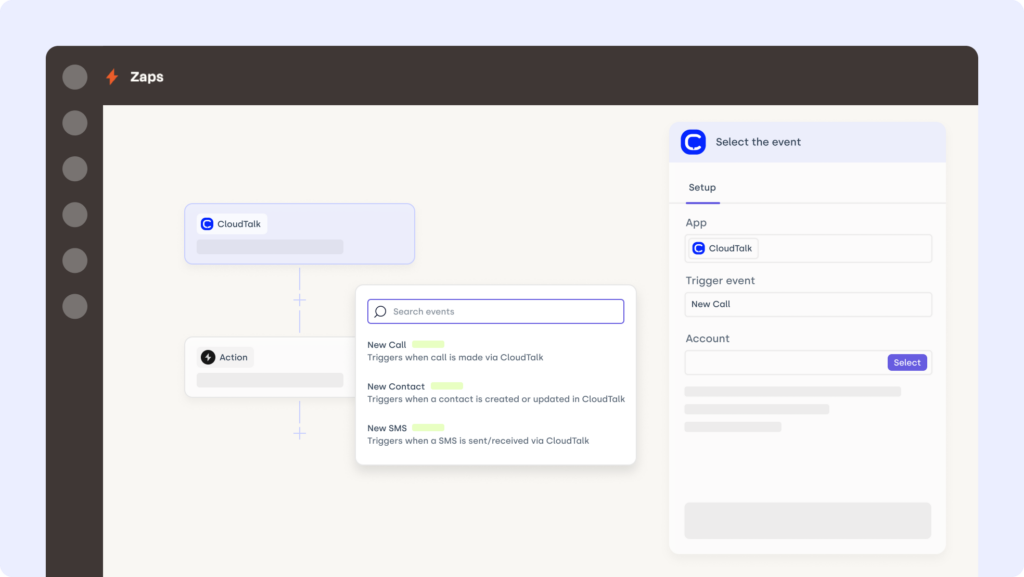
Zapier is a no-code automation platform that connects Adobe Commerce with over 5,000 other tools—without writing a single line of code. The Adobe Commerce Zapier integration helps ecommerce teams automate repetitive tasks like syncing contacts, updating orders, and triggering workflows.
Use Case
Use Zapier to trigger abandoned cart emails, sync new Adobe Commerce customers to your CRM, or auto-create tickets when refund requests come in—no manual steps required.
Benefits
- Automate ecommerce workflows and save hours per week
- Reduce errors by syncing tools without human input
- Free up your team to focus on revenue-driving tasks
Key Features
- Connect Adobe Commerce with CRMs, email tools, and more
- Build multi-step automations from order or customer events
- Customize triggers and filters to match your store setup
Pricing:
Zapier offers various pricing tiers:
- Free: $0/month
- Starter: $19.99/month (billed annually)
10. Salesforce (CRM)
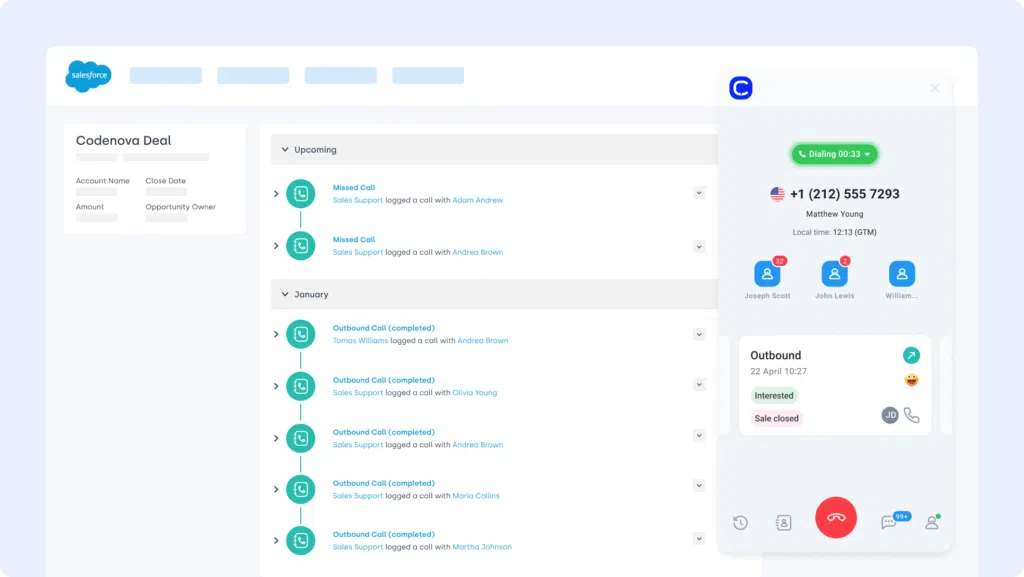
Salesforce is one of the most advanced CRM platforms on the market—trusted for handling complex B2B sales, support, and ecommerce workflows. The Adobe Commerce Salesforce integration keeps your storefront and CRM tightly connected, ensuring customer and order data flows in both directions.
Use Case
Integrate Salesforce with Adobe Commerce to sync contacts, order history, and fulfillment data—giving sales and service teams a 360° view of each customer journey.
Benefits
- Connect sales pipelines with live ecommerce activity
- Automate contact and order syncing to eliminate manual tasks
- Provide reps with complete context during outreach or support
Key Features
- Two-way sync between Adobe Commerce and Salesforce CRM
- Auto-update contacts, products, and orders across systems
- Map custom fields for detailed reporting and segmentation
Pricing:
Salesforce offers various pricing tiers:
- Sales Cloud Essentials: $25 per user/month
- Sales Cloud Professional: $75 per user/month
- Sales Cloud Enterprise: $150 per user/month
- Sales Cloud Unlimited: $300 per user/month
Salesforce dialer pricing guide
Benefits of Adobe Commerce Integration
Connecting Adobe Commerce with your wider tool stack isn’t just smart—it’s how ecommerce brands stay agile, efficient, and scalable. Here’s why integrations matter:
- Real-Time Sync Between Sales and Operations
Automatically connect order, inventory, and fulfillment data across platforms—so every update reflects instantly, everywhere. - Automated Workflows That Scale With Growth
Trigger emails, alerts, or support actions based on inventory levels, cart behavior, or order milestones—no manual follow-up needed. - One Customer View Across Every Channel
Merge CRM, support, and marketing data with Adobe Commerce to give every team a complete view of the customer journey. - Fewer Errors, Faster Resolutions
Integrated systems reduce duplicate entries, missed updates, and costly support delays—making post-purchase smoother. - More Sales, Less Busywork
Automations keep carts moving and teams focused—so you convert more, while doing less admin.

Workflows aren’t broken—they’re just disconnected. Reconnect them!
How to Choose the Right Adobe Commerce Integration for Your Business
Tailored for real-world Adobe Commerce users.
Start With Your Operational Friction Points
Don’t shop for features—start with your headaches. Are your teams duplicating order data? Are support agents missing context? A smart Adobe Commerce integration fills those workflow gaps automatically. For example, CloudTalk’s Adobe Commerce integration logs calls, syncs notes, and connects to order records in real time—so teams don’t waste time piecing the story together.
Choose Tools That Actually Launch
If it takes weeks of dev work to get live, it’s not an integration—it’s a delay. Prioritize native Adobe Commerce apps, low-code options, or plug-and-play API solutions. CloudTalk’s VoIP for Adobe Commerce goes live in minutes—no developer bottlenecks, just results.
Think Past Today’s Order Volume
Will your integration scale as your business grows? Ask whether the tool can handle new SKUs, markets, or support workflows. CloudTalk’s ecommerce call center software is designed to grow with you—so order surges don’t mean service slowdowns.
Make Security Non-Negotiable
Every integration adds a new access point. Choose partners that support secure data handling, user access control, and audit logs from day one. CloudTalk’s VoIP integration helps ensure your ecommerce stack is both efficient and compliant.
Look for Real Support, Not Just Documentation
When something breaks on Black Friday, will your vendor show up? If you’re stuck in chatbot hell, you’re gambling with your revenue. CloudTalk’s support team delivers real help, fast—no canned responses or hold music.
How to Set Up Adobe Commerce Integration
Integrating Adobe Commerce with other platforms typically involves using pre-built connectors, APIs, or third-party integration tools. The process depends on what you’re connecting—whether it’s a CRM, ERP, marketing automation system, or helpdesk.
Here’s a simplified overview:
- Choose Your Integration Method
Start by identifying whether you’ll use a native extension from the Adobe Marketplace, a custom Adobe Commerce API integration, or a third-party tool like Zapier or Mulesoft. - Authenticate and Connect
Use secure API keys or OAuth credentials to connect Adobe Commerce with your external platform. Most integrations require mapping fields like order IDs, customer profiles, or product data. - Configure Workflows
Set rules for how data flows—e.g., auto-create a support ticket when a return is requested, or sync customer info with your CRM after a purchase. - Test Before You Go Live
Run test orders, syncs, or actions to ensure data is transferring correctly and that automations behave as expected.
Most Adobe Commerce integrations can be set up in under an hour using extensions or integration platforms. For more complex needs (like ERP or call center integration), it’s worth partnering with experienced Adobe Commerce integrators or developers.ly—no engineering needed.
Ready to Make Adobe Commerce Work Harder for You?
Adobe Commerce alone is powerful—but when integrated, it becomes unstoppable. The right tools don’t just sync data—they unlock better service, faster operations, and smarter decisions.
From CRMs to support platforms to automation tools, integrations let your business run smoother—automatically. No more manual workarounds. No more lost data. Just clean, connected commerce.
Start with the integration that gives you visibility, speed, and control—right where your team needs it most.
Connect CloudTalk to Adobe Commerce today and turn disconnected workflows into conversions.

Setup shouldn’t be a separate project. We can help you!
Sources:







