Freshservice Integrations: 10 Best Tools to Automate Tickets and Save Time in 2026
SUMMARY:
We reviewed and tested 30+ tools in the Freshworks Marketplace and chose the 10 best Freshservice integrations for 2026, based on setup speed, data sync, automation, CRM and helpdesk connections, security, and scalability.
10 best Freshservice integrations by use case:
- 01CloudTalk – best Freshservice VoIP and phone system integration for call-to-ticket logging
- 02Jira Software – best for dev-IT collaboration and turning incidents into developer issues
- 03Slack – best for real-time ticket alerts and team collaboration
- 04Microsoft Teams – best Freshservice Office 365 integration for in-chat ticketing
- 05Salesforce – best for unifying CRM records with support tickets
- 06Okta – best for identity, SSO, and automated user provisioning
- 07Asana – best for tracking IT tickets alongside project work
- 08Monday.com – best for aligning support and ops in one workspace
- 09Zendesk – best for unifying internal IT and external customer support
- 10Google Sheets – best for lightweight reporting and exporting ticket data


Freshservice is built to manage service delivery—but service doesn't live in isolation. It stretches across chat threads, call logs, HR records, and onboarding flows. The right integrations turn that single node into a nerve center, removing dashboards instead of adding them.
The math checks out: automation backed by smart integrations reduces ops costs by up to 30%1, and more than 8 out of 10 employees say it makes them better at their jobs2.
Quick Comparison Table of the Best Freshservice Integrations
| Platform | Key Features | Best For | G2 Rating |
|---|---|---|---|
| CloudTalk | Call logging to tickets, real-time call monitoring, conversation intelligence, sentiment analysis, CRM integrations | Sales and support teams needing call-based Freshservice insights | 4.4/5 |
| Jira Software | Bi-directional ticket sync, custom workflow triggers, real-time status updates | Dev-IT collaboration and bug tracking | 4.3/5 |
| Slack | Custom notifications, ticket creation from Slack, multi-channel routing | Real-time ticket alerts and collaboration | 4.5/5 |
| Microsoft Teams | Adaptive cards, bot-driven ticket creation, Teams channel integration | In-chat ticketing for Office 365 teams | 4.4/5 |
| Salesforce | Real-time data sync, custom field mapping, ticket creation from cases | Unifying CRM records with support tickets | 4.4/5 |
| Okta | Single sign-on, automated provisioning, multi-factor authentication | Identity, SSO, and user provisioning | 4.5/5 |
| Asana | Two-way ticket-task sync, custom workflow rules, real-time updates | Tracking IT tickets alongside project work | 4.4/5 |
| Monday.com | Two-way sync, rule-based ticket-to-task automation, centralized dashboards | Aligning support and ops in one workspace | 4.7/5 |
| Zendesk | Cross-platform ticket linking, internal notes sync, unified reporting | Unifying internal IT and external support | 4.3/5 |
| Google Sheets | Scheduled auto-syncs, filtered exports, collaborative sharing | Lightweight reporting and data exports | 4.7/5 |
How We Chose the Best Freshservice Integrations
To build this guide, we evaluated 30+ leading tools that integrate with Freshservice, using verified user reviews, product documentation, feature comparisons, and independent market research.
Our evaluation criteria covered: depth of two-way data sync, real-time automation, integration with CRMs and helpdesks, ease of setup, pricing transparency, security and access control, scalability, and customer support quality.
We drew on verified reviews from G2, Capterra, and TrustRadius, as well as real user discussions on Reddit and Quora, to surface honest assessments of each integration's strengths and limitations — not just vendor claims.
Why Trust Our Software Reviews?
For nearly a decade, we've helped over 30,000 professionals choose and implement better communication tools. We've reviewed 200+ products, analyzed 5,500+ verified reviews from G2 and Capterra, and drawn insights from real user discussions on platforms like Reddit or Quora.
In the past year alone, we've published 1,000+ articles, all written and reviewed by humans, for humans, to provide reliable, data-backed insights you can trust.
Learn how we keep our content integrity and our software review methodology.
What Is a Freshservice Integration?
A Freshservice integration is a connection between Freshservice and another tool—like a phone system, CRM, or chat app—that lets them share data and trigger actions automatically. Instead of switching tabs or re-entering information by hand, the integration moves it for you in the background.
What a Freshservice integration does:
- Automates workflows between Freshservice and the rest of your tech stack.
- Syncs data like contact records, ticket activity, or user updates in real time.
- Triggers actions across platforms—alerts, escalations, or provisioning tasks.
How it works: most integrations run through APIs or pre-built connectors in the Freshworks Marketplace. You install the app, authenticate both tools, and set the rules that decide what syncs and when.
Top 10 Freshservice Integrations to Maximize Productivity in 2026
With so many tools competing for your stack, choosing can be overwhelming. Below, we break down each integration's use case, features, pricing, and what real users say.
1. CloudTalk: Best Freshservice VoIP Integration for Sales & Support Teams
What Is CloudTalk?
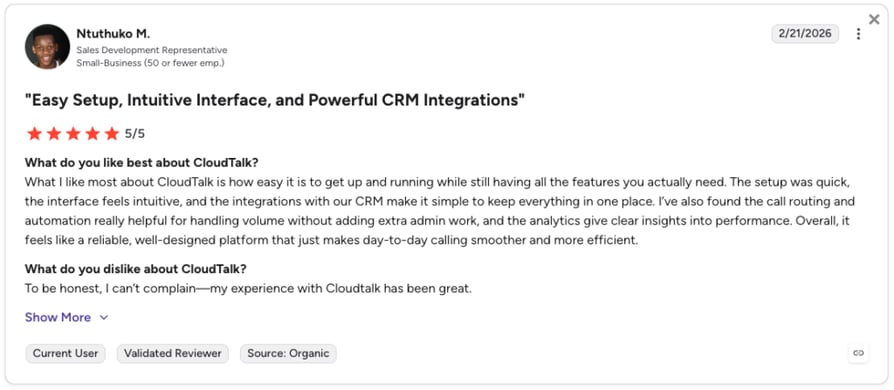
CloudTalk is a cloud-based phone system built for sales and support teams. Integrated with Freshservice, it logs calls and voicemails straight into tickets, matches inbound calls to existing records, and gives agents full context without leaving the helpdesk—making it the standout Freshservice phone system integration.
What Are CloudTalk's Key Features?
- Real-time call monitoring: Track calls and ticket activity as it happens.
- Conversation Intelligence: Transcribe and analyze calls automatically.
- Call recording: Attach recordings to the right ticket for QA.
- Sentiment analysis: Flag at-risk conversations in real time.
- CRM integrations: Connect natively with 100+ CRMs and helpdesks.
How to Make the Most of CloudTalk
Set CloudTalk to automatically create and update Freshservice tickets based on call activity, so no customer interaction goes unrecorded. Pair it with workflow automation to trigger follow-ups after missed calls, and use call analytics to spot recurring issues before they spread.
Why We Like CloudTalk
CloudTalk turns every call into context. It installs from the marketplace in minutes, logs interactions without manual work, and gives agents a full customer history inside Freshservice—so they resolve tickets faster and miss fewer follow-ups.
What Are CloudTalk Plans & Pricing?
CloudTalk pricing starts at $25 per user/month and includes a 14-day free trial. Plans scale from small teams to large contact centers.
- Starter: $25 per user/month (billed annually)
- Essential: $29 per user/month (billed annually)
- Expert: $49 per user/month (billed annually)
- Custom: Contact CloudTalk for a tailored plan (billed annually)
What Are CloudTalk's Pros & Cons?
| Pros | Cons |
|---|---|
| Native two-way sync with Freshservice and 100+ CRMs and helpdesks | No support for on-premises landline phones |
| Installs from the marketplace in minutes with no heavy IT work | Built around voice, so it's not a full ITSM replacement |
2. Jira Software: Best Jira Freshservice Integration for Dev-IT Teams
What Is Jira Software?
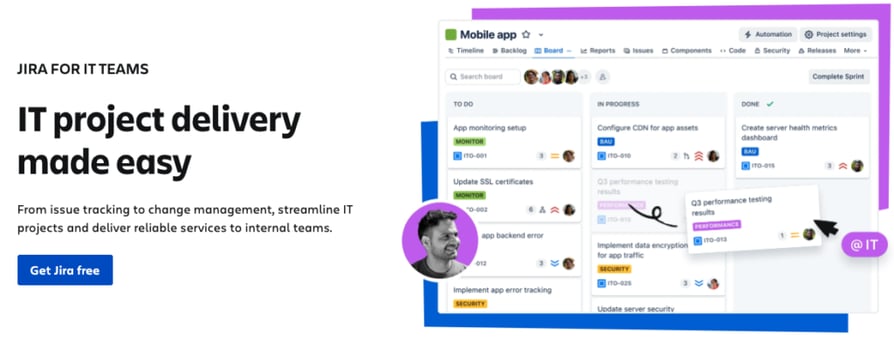
Jira Software is a leading project management tool for agile teams. The Jira Freshservice integration bridges IT service management and development workflows, linking Freshservice incidents to Jira issues with two-way sync.
What Are Jira's Key Features?
- Bi-directional ticket synchronization between Freshservice and Jira.
- Customizable workflow triggers for incident-to-issue handoffs.
- Real-time status updates shared between IT and developers.
How to Make the Most of Jira
Automatically convert Freshservice incidents into Jira issues so bugs reach developers with full context. Status changes sync back to the original ticket, keeping IT and requesters informed without manual updates.
Why We Like Jira
Jira closes the gap between support and engineering. Incidents that need a code fix move straight into the dev backlog, and both teams see progress in real time—speeding up resolution on technical issues.
What Are Jira Plans & Pricing?
Jira offers a free plan for up to 10 users. Paid plans start at the Standard tier (around $7.53 per user/month), with a 14-day free trial.
What Are Jira's Pros & Cons?
| Pros | Cons |
|---|---|
| Highly flexible agile workflows and boards for dev teams | Setup and administration can be complex for non-technical users |
| Strong traceability between incidents, bugs, and releases | New users often need onboarding to get productive |
3. Slack: Best for Real-Time Freshservice Ticket Alerts
What Is Slack?
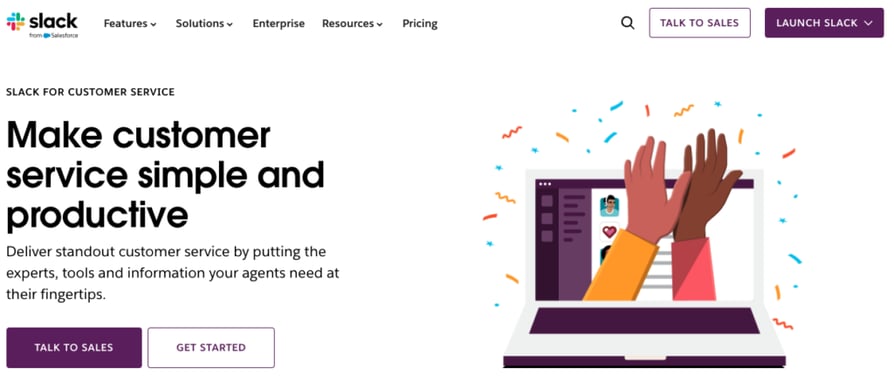
Slack is a collaboration hub that connects teams with the apps they use daily. Integrated with Freshservice, it pushes ticket activity into channels and lets agents create or update tickets without leaving chat.
What Are Slack's Key Features?
- Customizable notification settings for ticket events.
- Direct ticket creation from a Slack message.
- Multi-channel routing so the right team sees the right alerts.
How to Make the Most of Slack
Route new and updated Freshservice tickets to dedicated Slack channels so IT acts within minutes. Let employees raise tickets with a slash command, cutting email back-and-forth and speeding up response times.
Why We Like Slack
Slack keeps ticket visibility where teams already work. Instead of monitoring a separate queue, IT gets real-time alerts and can collaborate on resolution in-thread—reducing missed and stale tickets.
What Are Slack Plans & Pricing?
Slack offers a free plan. Paid plans start with Pro at $7.25 per user/month (billed annually), and a free trial is available.
What Are Slack's Pros & Cons?
| Pros | Cons |
|---|---|
| Clean, intuitive interface teams adopt quickly | Alerts can pile up without careful channel setup |
| Integrates with thousands of tools, including Freshservice | Free and lower tiers cap message history |
4. Microsoft Teams: Best Freshservice Office 365 Integration

What Is Microsoft Teams?
Microsoft Teams combines workplace chat, meetings, and file sharing. Its Freshservice integration brings IT service management into the daily Office 365 workflow, letting employees raise and manage tickets inside Teams.
What Are Microsoft Teams' Key Features?
- Adaptive cards for ticket updates inside chat.
- Bot-driven ticket creation without leaving Teams.
- Integration with Teams channels and chats for self-service IT.
How to Make the Most of Microsoft Teams
Deploy the Freshservice bot in your IT support channel so employees submit and track tickets in Teams. Adaptive cards surface status changes inline, cutting the steps between a problem and a resolved ticket.
Why We Like Microsoft Teams
For Microsoft 365 shops, Teams meets employees where they already are. Self-service ticketing inside chat drives adoption of IT support channels and reduces email volume.
What Are Microsoft Teams Plans & Pricing?
A free version of Teams is available. Paid access comes with Microsoft 365 Business Basic, starting at $5.28 per user/month (annual commitment), with a one-month free trial.
What Are Microsoft Teams' Pros & Cons?
| Pros | Cons |
|---|---|
| Deep integration with Outlook, SharePoint, and the M365 suite | Can feel resource-heavy on older machines |
| Chat, meetings, and files in a single workspace | Permissions and governance take effort to manage |
5. Salesforce: Best for Unifying CRM Records With Tickets
What Is Salesforce?
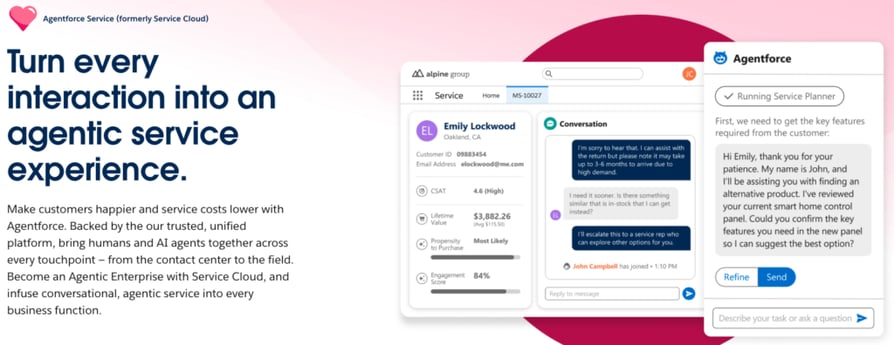
Salesforce is a leading CRM platform. Integrated with Freshservice, it links tickets to customer records so sales and support see the full history in one place.
What Are Salesforce's Key Features?
- Real-time data synchronization between tickets and records.
- Custom field mapping to match your data model.
- Automated ticket creation from Salesforce cases.
How to Make the Most of Salesforce
Link every Freshservice ticket to its Salesforce account so agents open a call already knowing the customer's plan, history, and open cases. Map custom fields to keep both systems aligned without manual entry.
Why We Like Salesforce
It removes the wall between support and revenue. With tickets tied to CRM records, teams stop re-asking for context and collaborate from a single source of truth.
What Are Salesforce Plans & Pricing?
Salesforce has no free plan. Its lowest CRM tier, Starter Suite, begins at $25 per user/month, with a 30-day free trial.
What Are Salesforce's Pros & Cons?
| Pros | Cons |
|---|---|
| Adapts to almost any sales or support process | One of the pricier CRMs once add-ons stack up |
| Powerful dashboards and reporting | Often needs an admin or consultant to configure well |
6. Okta: Best for Identity and User Provisioning
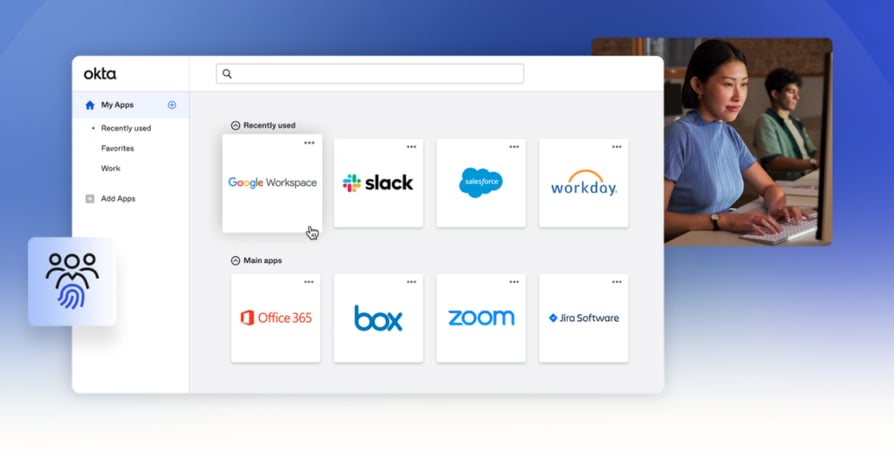
What Is Okta?
Okta is an identity and access management service. Integrated with Freshservice, it automatically creates, updates, and deactivates user accounts based on changes in your Okta directory.
What Are Okta's Key Features?
- Single sign-on (SSO) for Freshservice access.
- Automated user provisioning and deactivation.
- Multi-factor authentication support.
How to Make the Most of Okta
Tie Freshservice accounts to your Okta directory so new hires get access on day one and departing employees lose it instantly. This keeps onboarding fast and access clean—no dangling permissions or shadow users.
Why We Like Okta
It makes access control automatic. Provisioning rules run in the background, cutting manual IT tasks and strengthening your compliance and security posture.
What Are Okta Plans & Pricing?
Okta uses suite-based pricing; the entry Starter Suite begins at $6 per user/month (billed annually), with a free trial available.
What Are Okta's Pros & Cons?
| Pros | Cons |
|---|---|
| Smooth single sign-on across a large app catalog | Costs add up as you layer on suites and MFA |
| Strong MFA and provisioning controls | Initial directory and policy configuration takes planning |
7. Asana: Best for Project Task Tracking
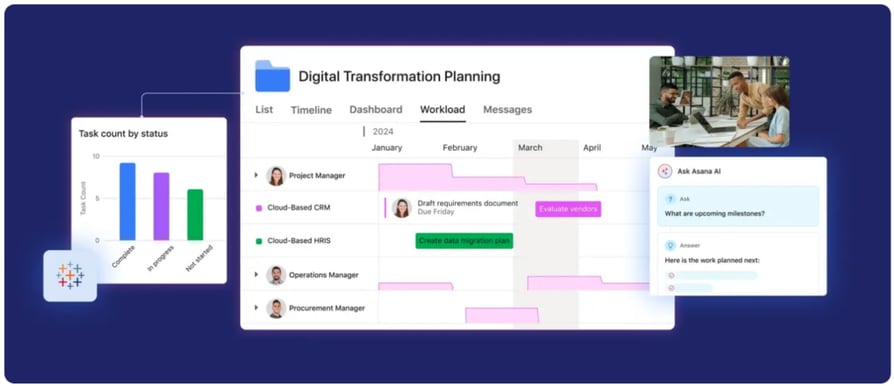
What Is Asana?
Asana is a work management platform that helps teams organize tasks. The Freshservice Asana integration turns tickets into Asana tasks with two-way sync, so IT work is tracked alongside project work.
What Are Asana's Key Features?
- Two-way ticket-task synchronization.
- Customizable workflow rules for assignment and routing.
- Real-time status updates across both tools.
How to Make the Most of Asana
Convert Freshservice tickets into Asana tasks so IT issues sit in the same boards as the projects they affect. Use workflow rules to auto-assign by category, keeping cross-functional work visible in one place.
Why We Like Asana
It gives project teams visibility into IT work without a second tool. Tasks and tickets stay in sync, so nothing slips between the helpdesk and the project board.
What Are Asana Plans & Pricing?
Asana offers a free Personal plan. Paid plans start with Starter at $5.99 per user/month (billed annually), with a free trial available.
What Are Asana's Pros & Cons?
| Pros | Cons |
|---|---|
| Intuitive boards, lists, and timelines | Advanced rules and reporting are on paid tiers |
| Adapts to many team and project types | Notifications can become noisy on busy projects |
8. Monday.com: Best for Support and Ops Alignment
What Is Monday.com?
Monday.com is a flexible project management and collaboration platform. Integrated with Freshservice, it auto-converts tickets into Monday tasks and assigns them by category or urgency.
What Are Monday.com's Key Features?
- Two-way data sync between Freshservice and Monday.
- Rule-based ticket-to-task automation.
- Centralized dashboards for status tracking.
How to Make the Most of Monday.com
Auto-convert tickets into Monday tasks for onboarding, change requests, or asset deployments, then route them by urgency. Dashboards keep support and ops looking at the same status in one workspace.
Why We Like Monday.com
Its visual boards make IT-linked projects easy to read at a glance, reducing back-and-forth between platforms and keeping cross-team work aligned.
What Are Monday.com Plans & Pricing?
Monday.com offers a free plan for up to 2 seats. Paid plans start with Basic at $9 per seat/month (billed annually, 3-seat minimum), with a 14-day free trial.
What Are Monday.com's Pros & Cons?
| Pros | Cons |
|---|---|
| Colorful, customizable boards are easy to read | Seat-bucket pricing can feel rigid for small teams |
| Strong rule-based automations out of the box | Some essentials sit on higher tiers |
9. Zendesk: Best for Unified IT and Customer Support
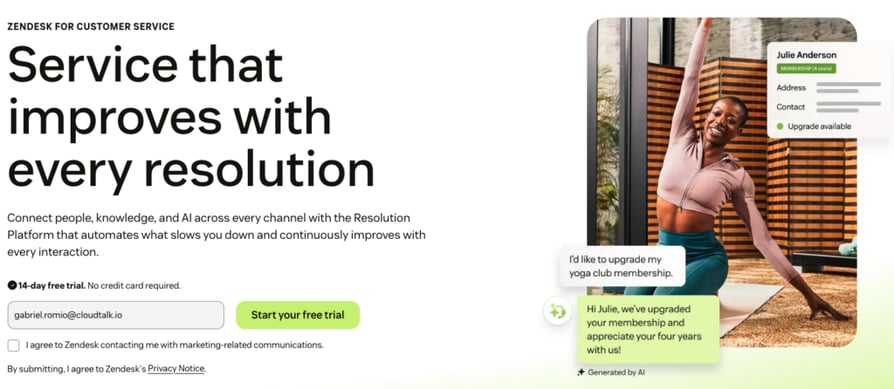
What Is Zendesk?
Zendesk is a well-known customer support platform. Integrated with Freshservice, it links incidents with Zendesk tickets so internal and external requests stay visible across both systems.
What Are Zendesk's Key Features?
- Cross-platform ticket linking between Freshservice and Zendesk.
- Internal notes and status sync.
- Unified reporting across support channels.
How to Make the Most of Zendesk
Link Freshservice incidents to Zendesk tickets so a customer-facing issue that needs internal IT gets escalated with full context. Unified reporting then shows resolution across both teams in one view.
Why We Like Zendesk
It connects internal IT and external support without merging them. Escalations track cleanly, and both teams keep their own workflows while sharing visibility.
What Are Zendesk Plans & Pricing?
Zendesk has no permanent free plan. Plans start with Support Team at $19 per agent/month (billed annually), with a 14-day free trial.
What Are Zendesk's Pros & Cons?
| Pros | Cons |
|---|---|
| Unifies email, chat, and voice ticketing | Per-agent pricing climbs on advanced suites |
| Solid analytics and dashboards | Advanced configuration can require admin time |
Recommended Reads
10. Google Sheets: Best for Lightweight Reporting
What Is Google Sheets?
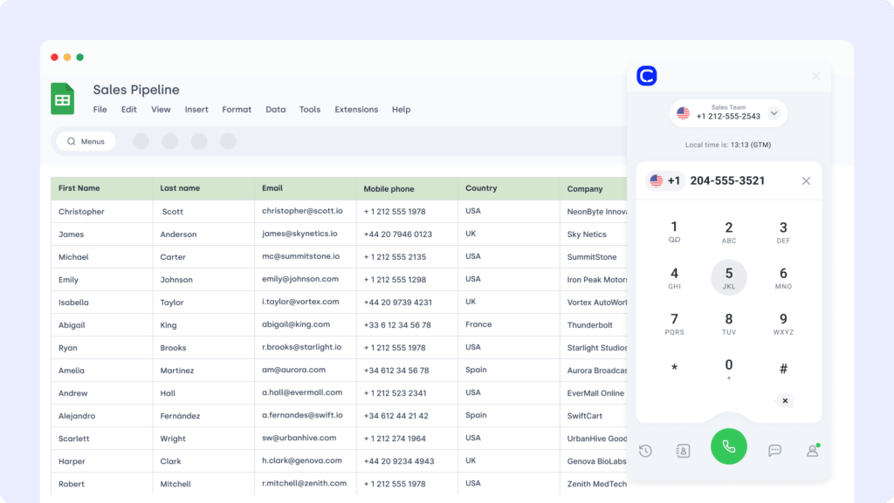
Google Sheets is a favorite for lightweight reporting and collaborative data tracking. Integrated with Freshservice, it exports ticket and asset data automatically into a live spreadsheet.
What Are Google Sheets' Key Features?
- Scheduled auto-syncs to Sheets.
- Filtered data exports by tag, status, or team.
- Collaborative permissions and sharing.
How to Make the Most of Google Sheets
Push Freshservice data—like resolution times or SLA compliance—into a live spreadsheet on a schedule. Build custom dashboards for stakeholders without buying a dedicated BI tool.
Why We Like Google Sheets
It's free, familiar, and collaborative. For teams that want quick, shareable reporting on ticket data, it removes manual export work with almost no learning curve.
What Are Google Sheets Plans & Pricing?
Google Sheets is free with a personal Google account. For business use it comes with Google Workspace, which starts at the Business Starter tier and includes a 14-day free trial.
What Are Google Sheets' Pros & Cons?
| Pros | Cons |
|---|---|
| Free for personal use with a near-zero learning curve | Slows down with very large datasets |
| Real-time collaboration and easy sharing | Limited advanced analytics versus dedicated BI tools |
Benefits of Freshservice Integrations
Integrating Freshservice with your broader tech stack doesn't just save time—it changes how IT and support teams operate:
- Fewer tabs, faster tickets: Call logs and device data show up in Freshservice automatically.
- Automated responses at scale: Notifications, assignments, and onboarding run the moment a ticket is created.
- Centralized insights: See every user interaction—from first contact to resolution—in one place.
- Fewer manual errors: Data flows directly between systems instead of by copy-paste.
- Stronger access control: Tools like Okta keep provisioning clean across systems.
- Scale without hiring: Automations grow your workload capacity without growing headcount.
How to Choose the Best Freshservice Integration
Five practical checks for real-world Freshservice users:
- Cut setup time, not corners: Prioritize native marketplace apps with built-in auth—CloudTalk's Freshservice integration installs in minutes.
- Solve the right bottlenecks: Install tools because your team wastes hours logging calls or pulling context—not because competitors use them.
- Scale without breaking things: Make sure it still works at 50+ agents and multiple locations. CloudTalk's AI dialer scales from startups to large teams.
- Secure data flows: Look for secure provisioning, role-based access, and audit logs—especially with sensitive support or HR data.
- Look at support: Confirm you can reach a real person when a sync breaks. CloudTalk's support answers when it counts.
Stop Managing Tickets. Start Orchestrating Service.
Freshservice alone is powerful. But pair it with the right integrations, and it becomes a control tower—where every update, escalation, and response moves automatically, without the swivel-chair circus. No more manual logging. No more chasing context. The difference isn't the software. It's how well it connects.
Sources
Frequently asked questions
Most Freshservice integrations are plug-and-play—just connect apps like CloudTalk, Slack, or Jira from the Freshworks Marketplace to get started.
Some Freshservice integrations are free, while others—like Salesforce or Okta—may require a paid plan or premium Freshservice features.
Yes. Freshservice integrates with VoIP and phone systems like CloudTalk, which logs calls and voicemails into tickets and matches inbound calls to existing records—turning your phone system into part of your service workflow.
Basic integrations like Slack or Microsoft Teams take minutes. Complex ones like a Freshservice Salesforce integration may take longer to configure.
Freshservice integrates with ITSM-adjacent tools like Jira, ServiceNow connectors, Zendesk, and the Freshdesk Freshservice integration for unified support, plus identity tools like Okta. The right mix depends on whether you prioritize dev handoffs, customer support, or access management.
Yes—Freshservice supports multiple integrations at once, including a Jira Freshservice integration and a Freshservice Office 365 integration.