How to Reduce Agent Burnout Using AI Voice Tools in 2026
Call center burnout can become a billion-dollar problem for companies worldwide. According to research conducted by Toister Performance Solutions, 74% of agents are at high risk of burnout, and turnover costs the industry between $10,000 and $20,000 per replacement.
TL;DR
AI voice tools reduce agent burnout and churn by automating the work agents hate, supporting them in real time during difficult calls, and detecting stress signals before they snowball.
The most effective categories include:
- 01AI call summarization tools that wipe out after-call work
- 02Real-time agent assist AI that surfaces knowledge and suggests next-best actions mid-call
- 03Sentiment analysis that detects frustration in both customers and agents
- 04Intelligent call routing AI that matches the right call to the right agent
- 05AI-powered scheduling that protects agents from overload
When implemented well, these tools cut handle times, improve CSAT, and - most importantly - give agents their energy back.
Call center agent stress is no longer just an HR concern - it's a business-critical metric. Agents are quitting in record numbers, sick days are climbing, and the cost of replacing a single agent can wipe out months of contact center savings.
The good news? The same technology that's reshaping customer experience is also reshaping the agent experience. AI voice tools reduce agent burnout and churn by removing the most draining parts of the job: repetitive data entry, frantic searches for the right answer, emotionally heavy back-to-back calls, and shifts that ignore human limits.
In this guide, we'll break down exactly how AI for call center agents combats burnout through automation, real-time assistance, sentiment analysis, and intelligent workload management - and why reducing burnout directly translates to higher CSAT, lower attrition, and stronger contact center performance.
Understanding Agent Burnout in Call Centers
Agent burnout is chronic workplace stress that results in physical and emotional exhaustion, cynicism toward the job, and a measurable drop in performance. It's not a bad week or a tough Monday - it's a sustained state where agents check out long before they actually quit.
In contact centers, burnout has unusually fertile ground. Agents handle dozens of emotionally charged interactions per day while juggling multiple systems and being measured on every second they spend on a call.
Main causes of agent burnout
- Repetitive manual tasks, like logging notes, tagging calls, and updating CRM fields after every interaction
- High call volumes with little recovery time between conversations
- Fragmented customer data that forces agents to swivel-chair between five tools to answer one question
- Emotional labor, including absorbing angry, distressed, or abusive customers shift after shift
- Inadequate tools and outdated tech stacks that turn simple tasks into 10-step workflows
The emotional toll is the most underestimated factor. Constantly performing empathy depletes agents' capacity to actually feel it, which then drags down service quality - a vicious cycle that fuels even more stress.
The scale of the problem
Industry research consistently shows agent turnover hovering between 30% and 45% annually, with some contact centers exceeding 60%. According to multiple workforce studies, roughly 3 in 4 agents report symptoms of burnout, and nearly half say they're considering leaving the industry entirely within the next two years.
That makes burnout reduction not a wellness perk - but a survival strategy.
Ready to see how AI can ease the load on your team?
How AI Voice Tools Reduce Agent Burnout
AI voice tools attack burnout from three directions at once: they remove tasks agents shouldn't be doing, support agents during the tasks they should, and intelligently manage workloads so no single agent gets buried.
Automating Repetitive Tasks
The fastest burnout reduction win is taking grunt work off agents' plates. AI handles data entry, call logging, and routine interactions so agents focus their energy on the calls that actually need a human.
- Reduced after-call work, because AI smart notes capture key details automatically
- Fewer errors, since AI doesn't get distracted or fatigued at the end of a shift
- Consistent documentation, with automatic call summary tags applied uniformly across every interaction
- Lower cognitive load, freeing agents from holding context in their heads while typing notes
Real-Time Agent Assist AI
Real-time agent assist AI is essentially a co-pilot whispering in the agent's ear. It transcribes the conversation as it happens, surfaces relevant knowledge base articles, and suggests next-best actions - all without the agent having to ask.
- Live coaching tips, like "the customer just mentioned a competitor - here's how to handle it"
- Knowledge surfacing that pulls up product information, policy details, or troubleshooting steps the second they're needed
- Compliance reminders for regulated industries, so agents don't carry the mental weight of remembering every disclosure
- Confidence boost for newer agents who would otherwise feel lost on complex calls
Tools like CloudTalk's AI agent assist make this real-time support feel natural rather than intrusive.
Minimizing After-Call Work with Automated Summaries
After-call work (ACW) is one of the most universally hated parts of the agent's day. AI call summarization tools generate concise, accurate summaries of every conversation the second the call ends, eliminating 5–10 minutes of manual reporting per call.
Multiply that across 50+ calls per agent per day, and you've handed every agent back over an hour of their life - every shift.
Best AI Voice Tools To Reduce Agent Burnout and Churn 2026
Here are seven AI voice tools worth evaluating in 2026, starting with the most well-rounded option for mid-market and growth-stage contact centers.
| Tool | Best For | Starting Price | Key Features |
|---|---|---|---|
| CloudTalk | Mid-market contact centers needing all-in-one AI voice | $19/user/mo | AI agent assist, smart notes, sentiment analysis, smart routing |
| Talkdesk | Enterprise CX organizations | $85/user/mo | Copilot, autopilot, AI workforce engagement |
| Five9 | Large outbound and blended centers | $175/user/mo | Agent assist, AI summaries, predictive dialer |
| Genesys Cloud CX | Global enterprises | $90/user/mo | AI experience orchestration, agent copilot |
NICE CXone | Enterprise WFM-heavy operations | $94/user/mo | Enlighten AI, real-time interaction guidance |
| Dialpad AI | SMB and tech-forward teams | $80/user/mo | Real-time transcription, sentiment, coaching |
| Observe.AI | QA-focused contact centers | Custom pricing | Conversation intelligence, agent coaching |
CloudTalk: Best for AI-Powered Voice in Mid-Market Contact Centers
What is CloudTalk?
CloudTalk is an AI-powered business calling platform built for sales and customer support teams that want enterprise-grade voice capabilities without the enterprise-grade complexity.
It combines a global phone system with a deep AI layer - covering AI voice agents, agent assist, smart notes, and sentiment analysis - into a single workspace.
What are the Key Features of CloudTalk?
- AI agent assist with live transcription and prompts
- AI smart notes for fully automated call documentation
- Automatic call summary tags that classify and organize calls without manual input
- Sentiment analysis on every call to flag stress and frustration
- Skill-based routing that matches customers to the best-suited agent
- AI voice agents that handle routine inbound and outbound calls autonomously
- 160+ international numbers and 35+ integrations (HubSpot, Salesforce, Pipedrive, Zendesk, and more)
What are the Pros and Cons of CloudTalk?
| Pros | Cons |
|---|---|
| Fast setup - most teams are live in under a week | Not ideal for centers with extremely complex WFM needs at the very largest enterprise scale |
| AI features included in mid-tier plans, not locked behind enterprise contracts | Some advanced reporting requires higher-tier plans |
| Clean, modern UI that agents actually enjoy using | |
| Strong call quality across 160 global numbers |
How Much Does CloudTalk Cost?
Plans start at $19/user/month, with AI features available on Expert and AI-tier plans. Annual billing reduces the per-user cost further.
Who is CloudTalk Best for?
Sales and customer support teams of 10–500 agents looking to reduce agent burnout, improve CSAT, and modernize their contact center without ripping out their existing CRM stack.
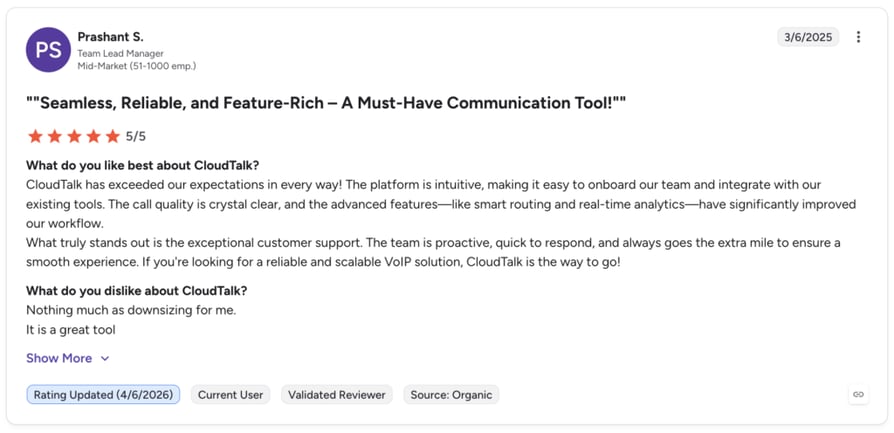
What Are G2 Rating CloudTalk?
CloudTalk is rated 4.4 / 5 across 1,700+ reviews on G2. Reviewers consistently highlight the platform's ease of use, the quality of AI-generated call summaries, and responsive support.
Talkdesk
What is Talkdesk?
Talkdesk is an enterprise CCaaS platform designed for large customer experience organizations that need deep customization across voice, digital, and AI channels. Its AI suite, branded as Talkdesk Ascend AI, combines real-time agent assist, conversational self-service, and workforce engagement into one ecosystem.
What are the Key Features of Talkdesk?
- Copilot for real-time agent assist with prompts and knowledge surfacing
- Autopilot for conversational AI handling routine inbound calls
- AI-powered workforce management and forecasting
- Industry-specific Experience Clouds (healthcare, retail, financial services)
- 70+ integrations and an open API
- Speech and text analytics across 100% of interactions
What are the Pros and Cons of Talkdesk?
| Pros | Cons |
|---|---|
| Deep customization options for complex enterprise workflows | Setup and onboarding take significantly longer than mid-market platforms |
| Strong industry-specific functionality out of the box | Higher total cost of ownership once add-ons are factored in |
| Robust reporting and analytics | Steeper learning curve for new admins |
How Much Does Talkdesk Cost?
Plans start at $85/user/month for the CX Cloud Essentials tier, with AI features generally locked behind higher-tier plans. Enterprise pricing is custom.
Who is Talkdesk Best for?
Large CX organizations (300+ agents) with dedicated operations teams who want a deeply customizable platform and can absorb a longer implementation timeline.
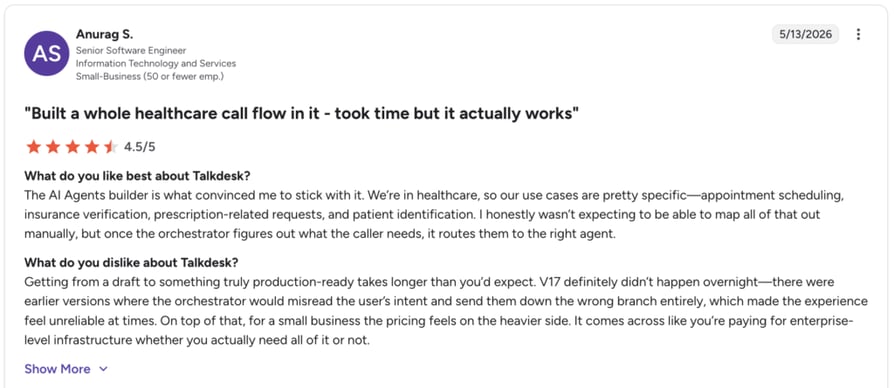
What Are G2 Users Rating Talkdesk?
Talkdesk is rated 4.4 / 5 across 2,300+ reviews on G2. Reviewers praise the platform's flexibility and analytics, but frequently mention implementation complexity and support response times.
Five9
What is Five9?
Five9 is a CCaaS platform built primarily for large outbound and blended contact centers in industries like financial services, collections, healthcare, and insurance. Its AI layer, Five9 Genius AI, focuses on agent assist, automated summaries, and intelligent dialing across high-volume operations.
What are the Key Features of Five9?
- Agent Assist with real-time transcription and next-best-action prompts
- AI Summary for post-call documentation
- Predictive, power, and progressive dialer modes
- Intelligent Virtual Agent (IVA) for self-service
- Workforce optimization suite with quality management
- 100+ pre-built CRM and UCaaS integrations
What are the Pros and Cons of Five9?
| Pros | Cons |
|---|---|
| Industry-leading outbound dialing capabilities | Pricing scales aggressively as you add AI and WFM modules |
| Strong compliance support for regulated industries | UI feels dated compared to newer platforms |
| Mature WFM and quality management tools | Less optimized for support-first or omnichannel-first use cases |
How Much Does Five9 Cost?
Plans start at around $175/user/month for the Core tier, with AI and WFM features bundled into higher tiers. Most deployments end up custom-quoted.
Who is Five9 Best for?
Large outbound or blended contact centers (typically 200+ agents) in regulated industries that prioritize dialing performance and compliance over modern UX.
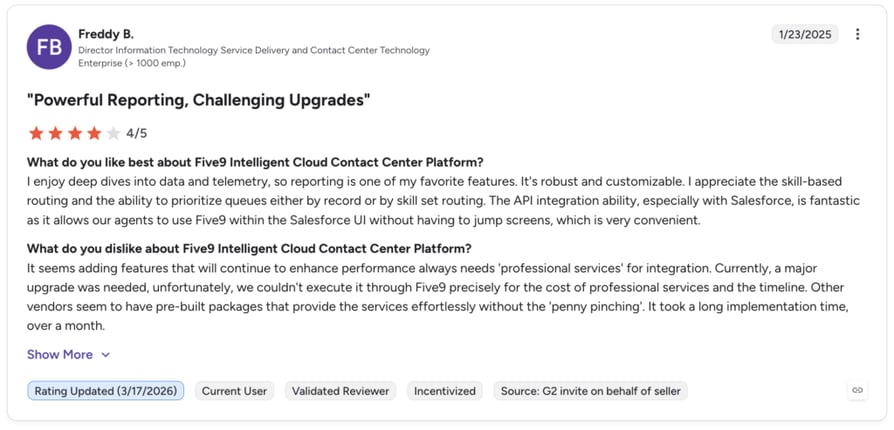
What Are G2 Users Rating Five9?
Five9 is rated 4.1 / 5 across 500+ reviews on G2. Reviewers consistently highlight call quality and outbound performance, though some flag UI complexity and reporting limitations.
Genesys Cloud CX
What is Genesys Cloud CX?
Genesys Cloud CX is one of the most established enterprise CCaaS platforms on the market, built for global organizations running complex, multi-region contact center operations. Its AI layer ties together voice, digital, workforce engagement, and journey orchestration at scale.
What are the Key Features of Genesys Cloud CX?
- AI Experience Orchestration across voice and digital channels
- Agent Copilot with real-time guidance and knowledge surfacing
- Predictive routing and predictive engagement
- Full workforce engagement management suite
- 350+ integrations via Genesys AppFoundry
- Native support for 20+ languages and global compliance frameworks
What are the Pros and Cons of Genesys Cloud CX?
| Pros | Cons |
|---|---|
| Genuinely global infrastructure with strong multi-region support | Implementation timelines often run 3–6 months for full deployment |
| Mature workforce engagement and analytics capabilities | Higher learning curve for both admins and agents |
| Wide partner and integration ecosystem | Pricing tends to be opaque until you're deep in a sales cycle |
How Much Does Genesys Cloud CX Cost?
Plans start at $90/user/month for the Cloud CX 1 tier (voice only), with AI and workforce engagement requiring higher tiers. Most enterprise deals are custom-quoted.
Who is Genesys Cloud CX Best for?
Global enterprises (typically 500+ agents) operating across multiple countries with complex compliance, language, and workforce management needs.
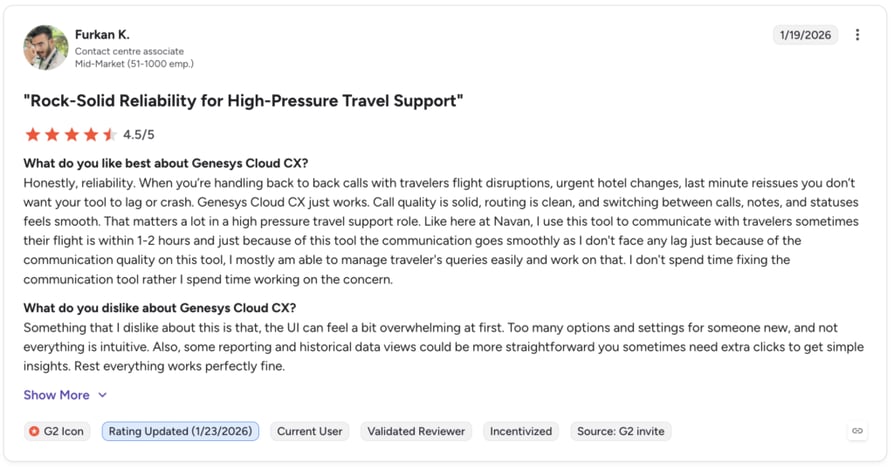
What Are G2 Users Rating Genesys Cloud CX?
Genesys Cloud CX 4.3 / 5 across 1,200+ reviews on G2. Reviewers value the platform's depth and global reliability, but note that getting the most out of it requires significant internal expertise.
NICE CXone
What is NICE CXone?
NICE CXone is an enterprise-grade CCaaS platform that's built around one of the most mature workforce management engines on the market. Its AI layer, Enlighten AI, focuses on real-time interaction guidance, post-call analytics, and predictive workforce optimization.
What are the Key Features of NICE CXone?
- Enlighten AI for real-time agent guidance and behavioral coaching
- Industry-leading workforce management and forecasting
- Quality management with AI-driven scoring on 100% of calls
- Omnichannel routing across voice, chat, email, and social
- 90+ pre-built integrations
- Advanced analytics and customer journey mapping
What are the Pros and Cons of NICE CXone?
| Pros | Cons |
|---|---|
| Best-in-class workforce management capabilities | WFM-first architecture means longer onboarding for voice-focused teams |
| Mature AI coaching and quality assurance tools | Interface can feel busy and overwhelming for new agents |
| Strong reporting depth for operations-driven teams | Pricing climbs quickly once AI modules are added |
How Much Does NICE CXone Cost?
Plans start at around $94/user/month for the Digital Agent tier, with voice, AI, and WFM features bundled into higher tiers. Most deals are custom-quoted at scale.
Who is NICE CXone Best for?
Mid-to-large enterprise contact centers (typically 250+ agents) where workforce management, quality assurance, and operational reporting are top priorities.
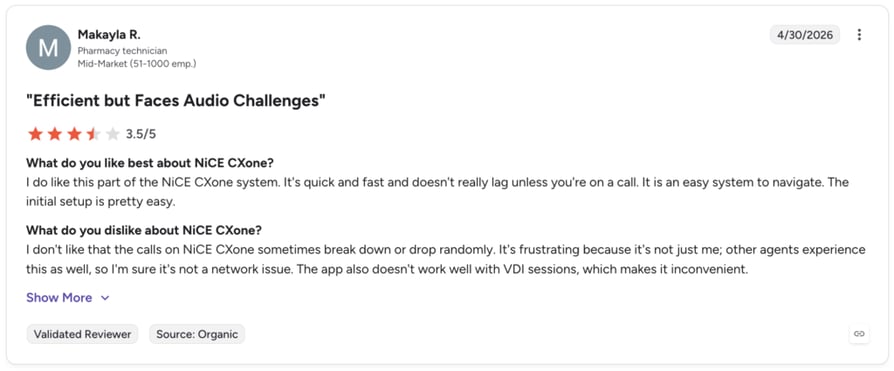
What Are G2 Users Rating NICE CXone?
NICE CXone is rated 4.3 / 5 across 1,700+ reviews. Reviewers highlight the WFM and QA depth, but note that the platform's breadth can be a double-edged sword for smaller teams.
Dialpad AI
What is Dialpad Ai?
Dialpad AI is a unified communications platform that blends business calling, meetings, and contact center functionality under one AI layer. It's positioned as an AI-native alternative to legacy UCaaS and CCaaS tools, with real-time transcription and sentiment baked in as core features rather than add-ons.
What are the Key Features of Dialpad Ai?
- Real-time transcription on every call
- Live sentiment analysis and AI coaching
- Ai Recap for automated post-call summaries
- AI-powered playbooks and live coaching tips
- Unified UCaaS + CCaaS in a single workspace
- 70+ native integrations including HubSpot, Salesforce, and Zendesk
What are the Pros and Cons of Dialpad Ai?
| Pros | Cons |
|---|---|
| AI features included across most plans, not gated to enterprise tiers | Contact center–specific routing less mature than dedicated CCaaS platforms |
| Clean, modern interface that ramps quickly for new users | Reporting depth lags behind enterprise-focused competitors |
| Unified communications and contact center in one tool | International number coverage is more limited than legacy carriers |
How Much Does Dialpad Ai Cost?
Plans start at around $80/user/month for the Ai Contact Center Essentials tier, with AI features included rather than priced separately. Annual billing reduces the per-user cost.
Who is Dialpad Ai Best for?
SMB and mid-market teams (typically 10–200 agents) that want UCaaS and contact center capabilities in one platform, with AI included by default.
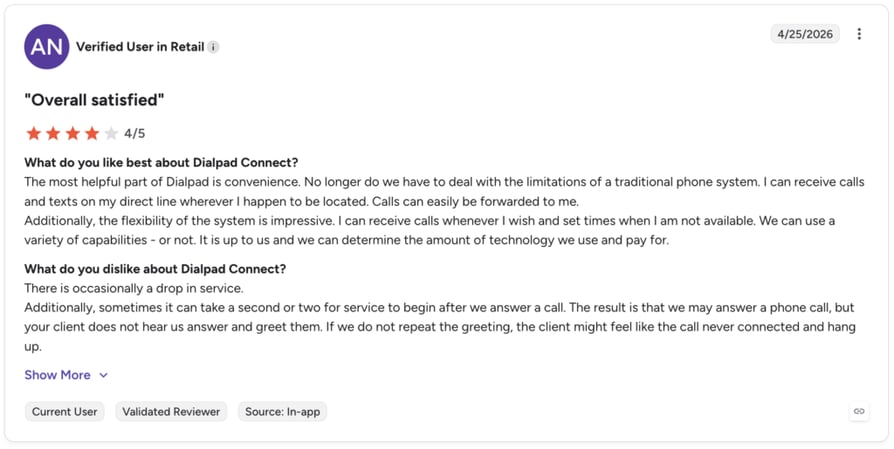
What Are G2 Users Rating Dialpad AI?
Dialpad is rated 4.4 / 5 across 2,000+ reviews. Reviewers consistently highlight the AI transcription quality and ease of use, while some note that complex contact center workflows can outgrow the platform.
Observe.AI
What is Observe.AI?
Observe.AI is a conversation intelligence and agent coaching platform that layers on top of your existing phone system. Rather than running the calls themselves, it analyzes 100% of interactions and surfaces coaching opportunities, compliance issues, and performance trends.
What are the Key Features of Observe.AI?
- AI-driven quality assurance on 100% of calls
- Real-time agent assist with prompts and knowledge surfacing
- Automated post-call summaries and CRM updates
- Coaching workflows tied directly to call evidence
- Sentiment, intent, and topic analysis across every conversation
- Integrates with leading CCaaS platforms including Genesys, Five9, and NICE
What are the Pros and Cons of Observe.AI?
| Pros | Cons |
|---|---|
| Deep conversation intelligence and QA capabilities | Not a standalone contact center—you still need a phone system underneath |
| Works as an overlay—no need to replace your existing voice platform | Pricing is custom and tends to be enterprise-oriented |
| Strong evidence-based coaching workflows | Setup requires close integration with your existing CCaaS stack |
How Much Does Observe.AI Cost?
Pricing is custom and based on call volume, number of agents, and modules selected. Most deals are quoted directly through sales.
Who is Observe.AI Best for?
QA-heavy mid-market and enterprise contact centers (typically 100+ agents) that want to layer conversation intelligence and coaching on top of an existing voice platform.
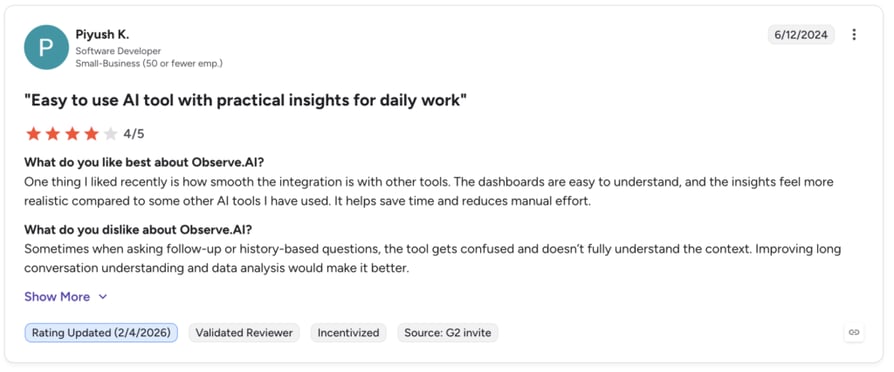
What Are G2 Users Rating Observe.AI?
Observe.AI is rated 4.6 / 5 across 300+ reviews on G2. Reviewers highlight the depth of QA automation and the impact on coaching workflows, while noting that the platform is most valuable when paired with strong CX leadership.
Want to test-drive AI agent assist with your real workflows?
How to Implement AI Voice Tools for Burnout Reduction
Buying the right tool is only half the battle. Implementation is where most burnout-reduction initiatives quietly die. Here's how to roll out AI for call center agents without creating more stress in the process.
Assess Your Current Burnout Indicators
Before you implement anything, get a baseline. Pull your numbers on:
- Agent turnover rate (rolling 12-month)
- Absenteeism and unplanned PTO usage
- Average handle time (AHT) and after-call work (ACW) time
- Agent NPS or eNPS survey results
- Trends in CSAT and customer escalations
You can't prove a tool reduced burnout if you never measured burnout to begin with.
Prioritize Key AI Features
Not all AI features are created equal when it comes to reducing burnout. These five are where you'll see the biggest impact:
- Real-time agent assist AI to reduce cognitive load during calls
- Sentiment analysis to flag emotional escalation early
- Automated call summaries to eliminate after-call work
- Intelligent call routing AI to prevent skill mismatches
- Wellness-aware scheduling to balance workloads humanely
Build your shortlist around the features that target your specific pain points - not the longest spec sheet.
Roll Out with Agent Training and Feedback Loops
The fastest way to torpedo an AI rollout is to drop it on agents without context. Position AI as a support tool, not a surveillance tool. That means:
- Involve agents in the selection process
- Run a small pilot group (5–10 agents) before company-wide rollout
- Hold weekly feedback sessions in the first month
- Adjust prompts, workflows, and escalations based on agent input
- Share the wins publicly - "AI saved the team 200 hours this month"
Measure and Optimize Over Time
Track the metrics you baselined every 30, 60, and 90 days. Look for trends in:
- Reduced ACW and AHT
- Improved agent satisfaction scores
- Lower attrition in the months following rollout
- Higher first-call resolution and CSAT
If a metric isn't moving, dig into why before adding more tools. Sometimes the fix is a prompt tweak; sometimes it's a predictive analytics review of your routing logic.
AI-Powered Sentiment Analysis and Emotion Recognition
Sentiment analysis is arguably the most underrated burnout-fighting feature in modern voice AI. It listens to how something is being said, not just what's being said - and it does this for every call, in real time, without ever getting tired.
How Sentiment Analysis Works in Voice AI
Voice AI analyzes vocal patterns - tone, pitch, pace, volume, and pause structure - alongside the actual transcript to detect emotional states. Modern models can distinguish between frustration, confusion, satisfaction, hesitation, and anger with surprising accuracy. The technology runs continuously throughout the call, updating its assessment second by second.
Tools like CloudTalk's sentiment analysis integrate this directly into the agent's interface, so signals turn into action.
Guiding Agents Toward Empathetic Responses
When sentiment analysis detects rising customer frustration, it nudges the agent with empathy prompts or de-escalation suggestions - before the call goes sideways.
- De-escalation support that gives agents a script when their own emotional bandwidth is low
- Reduced emotional labor, because the AI shoulders some of the "reading the room" work
- Improved CSAT through more consistent empathetic handling of difficult calls
Detecting Agent Stress Early
The most powerful use of sentiment AI isn't watching customers - it's watching agents. By monitoring vocal stress patterns across an agent's shift, AI can flag when someone is showing early signs of fatigue or emotional overload.
Industry surveys consistently show that around 3 in 4 agents say AI tools have helped reduce their daily stress levels - and early-warning sentiment detection is one of the biggest reasons why. Supervisors can offer a break, reroute the next difficult call, or check in privately - before burnout becomes a resignation letter.
Intelligent Call Routing and Workload Management
Even the best agent will burn out if they keep getting calls outside their skill set or get hit with a queue spike no human could handle. Intelligent call routing AI fixes this by treating every call as a matching problem - not a queue problem.
Smart Call Routing with AI
AI-powered routing pairs each customer with the best-suited agent based on skill, availability, historical performance, and even predicted emotional state. The goal isn't just speed - it's the right pairing.
- Reduced mismatch stress, because agents get calls they're actually trained for
- Faster resolutions when the first agent has the right context and tools
- Balanced queues, since AI redistributes load instead of letting one team drown
Skill-based routing is the foundation of this - and modern AI takes it several steps further by learning from past performance.
Proactive Workload Balancing
Modern AI doesn't wait for a queue to back up. It monitors call volume, agent state, and predicted demand in real time, and shifts agents between high-stress and lighter task pools before anyone gets overwhelmed. An agent who just handled three escalations in a row gets routed lower-stakes calls for the next 15 minutes.
Predictive Analytics for Staffing
AI forecasts call volumes hours, days, or weeks in advance - factoring in seasonality, marketing campaigns, and historical patterns. Managers get accurate staffing recommendations, which means fewer understaffed shifts and fewer "all hands on deck" emergencies that fry the team. A solid call center workforce management solution makes these predictions actionable.
Automated Wellness and Scheduling for Agents
Workload management doesn't stop at routing. The most forward-thinking contact centers are using AI to actively schedule wellness into the day.
Automatic Break Scheduling
AI monitors workload, sentiment trends, and physical strain indicators (call duration, back-to-back call count, stress signals) to schedule wellness breaks proactively. Instead of agents waiting until they're fried to take a breath, the system protects them in advance - without compromising service levels.
Self-Scheduled Wellness Breaks
The next evolution is empowering agents to schedule their own micro-breaks within AI-defined safe windows. Need three minutes between difficult calls? The system reroutes traffic and gives you the breather - no manager approval, no awkward conversation.
- Reduced fatigue, because recovery happens in real time
- Improved morale, since agents feel trusted instead of policed
- Sustained productivity, because breaks prevent the late-shift collapse
Shift Adjustments Based on Performance Data
AI analyzes individual stress and performance patterns over time and recommends shift changes - pulling someone off the late shift if their evening calls show declining sentiment scores, or pairing high-stress shifts with lighter follow-ups. Smart call center scheduling software treats agents as people, not slots on a spreadsheet.
The Business Impact of Reducing Agent Burnout
Reducing burnout isn't a soft metric. It moves the numbers that CFOs care about.
Improved Customer Satisfaction
Well-rested, supported agents deliver dramatically better service. They listen more carefully, solve problems more creatively, and absorb difficult customers without snapping. Contact centers that implement AI-supported burnout reduction routinely report CSAT lifts of 10–25% - not because the AI is talking to customers, but because the humans are doing it better.
Reduced Agent Turnover
Replacing an agent costs between $10,000 and $20,000 once you account for recruiting, onboarding, training, and lost productivity during ramp-up. For a 100-agent center with 40% annual turnover, that's $400,000–$800,000 a year in churn cost alone.
- Direct cost savings from lower hiring and onboarding expenses
- Institutional knowledge retention as tenured agents stay longer
- Team stability, which improves both morale and customer experience
Boosted Agent Productivity
When you free agents from after-call work, give them real-time assist, and route calls intelligently, they don't just work faster - they work better on the calls that matter most. The result is improved agent productivity with AI handling the volume, while agents handle the complexity. Many teams see 20–30% gains in calls-per-shift without any increase in stress.
Conclusion
Agent burnout used to be the cost of doing business in a contact center. It isn't anymore. AI voice tools have reached the point where they can take the worst parts of the agent's day off their plate - and give back time, energy, and emotional bandwidth in the process.
The contact centers that figure this out first will quietly outpace everyone else: lower attrition, higher CSAT, happier agents, healthier margins.
CloudTalk brings all the AI tools mentioned in this guide - AI agent assist, smart notes, sentiment analysis, skill-based routing, and AI voice agents - into one platform that's actually easy to roll out.
Give your agents the support they deserve.

Frequently Asked Questions
Yes. AI cuts after-call work, eases live calls with prompts, and flags stress early - so agents have more energy left at the end of every shift. See it in action with CloudTalk's AI agent assist.
AI handles repetitive tasks like note-taking and tagging, while agents focus on empathy, judgment, and resolution. It's a co-pilot, not a replacement. Explore CloudTalk's AI smart notes to see the balance.
Start with after-call work, call summaries, and tagging - these eat the most time with the least value. Tools like automatic call summary tags deliver quick wins agents feel from day one.
CloudTalk offers 35+ native integrations including HubSpot, Salesforce, Pipedrive, and Zendesk, plus an open API. Learn more about how to implement AI voice agents in your business.
Track attrition, ACW time, agent eNPS, absenteeism, and CSAT before and after rollout. Most teams see movement within 60–90 days. Predictive analytics help you spot trends faster.
AI flags vocal stress patterns, rising negative sentiment, longer pauses, and declining call quality across a shift - often before the agent notices it themselves. Sentiment analysis catches these signals in real time.
No. Modern AI voice tools start around $20/user/month, and most teams recoup the cost within 90 days through saved ACW and lower attrition. Try CloudTalk's AI voice agents on a free trial to see the ROI.