AI Call Center Automation: TL;DR
Call center automation uses AI to handle repetitive contact center work: deflecting routine calls, shortening live ones, scoring every interaction, and writing wrap-up notes, so teams resolve more contacts at a lower cost per call.
- 01CloudTalk: Best overall for affordable AI call center automation
- 02NICE CXone Mpower: Best for large, complex omnichannel enterprises
- 03Five9: Best for high-volume outbound and blended centers
- 04Talkdesk: Best for mid-market CCaaS in regulated industries
- 05Dialpad: Best for AI-native unified communications
Psst! Hey you! Stop your scroll—You could read all 3,500 words that Claude may or may not have helped write, or answer five questions and get the short version with your savings attached:
Which AI tool will cut your call center costs?
Five quick questions. Get a data-backed pick from the five leading AI contact center platforms, plus your estimated savings.


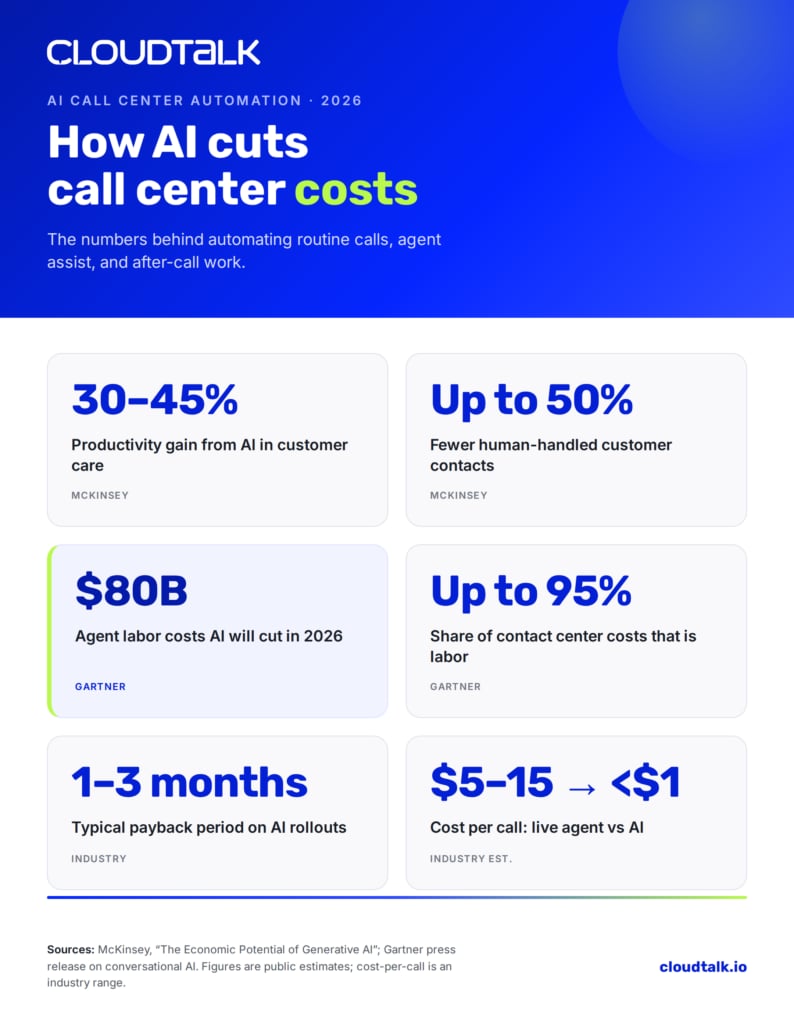
McKinsey estimates AI can lift customer-care productivity by 30 to 45% of current function costs and cut the volume of human-handled contacts by up to 50%, with most implementations paying for themselves in roughly one to three months.
Most teams shopping for AI solutions to reduce call center operational costs start from the wrong place: a feature wishlist. The better starting point is the cost structure itself.
Once you know where the money actually goes, the case for AI stops being a buzzword and becomes a line item. This guide shows you how AI technologies like conversational AI, agent assist, intelligent routing, and automated QA reduce contact center cost with AI, and how to prove the ROI before you sign anything.
Why Call Center Costs Keep Rising (And Why AI Is the Answer)
Traditional call centers have a math problem: their costs scale almost linearly with volume. More calls mean more agents, more seats, more overhead, and no break on price for the thousandth password reset you handle this month. Call center automation breaks that link by absorbing the volume that never needed a human in the first place.
The Four Cost Components of Phone Interactions
Every phone interaction carries four costs, and AI touches all of them:
- Handle time: the minutes an agent spends on the call, plus after-call wrap-up.
- Staffing overhead: salaries, benefits, recruiting, training, and management layers.
- Infrastructure: telephony, software licenses, seats, and IT support.
- Opportunity cost: the revenue lost when agents are stuck on routine calls instead of high-value ones.
The numbers add up fast. A live-agent call in a traditional center typically costs somewhere between $5 and $15 once you account for all four components, while a fully automated interaction often lands under $1. When you are running thousands of calls a month, that gap is the whole business case.
The Direct Cost Problem
Labor is the elephant in the budget. Across most contact centers, staffing consumes 60 to 70% of operating costs, and Gartner estimates labor can run as high as 95%. That concentration is exactly why automation has such leverage: shave even a fraction off agent workload and you are pulling on the single largest cost lever you have.
Gartner projects conversational AI will cut contact center agent labor costs by $80 billion in 2026. This is the core of any serious call center cost reduction strategy; you do not nibble at infrastructure, you reduce the human hours spent on work that does not need a human.
The Capacity Problem
There is a hidden tax beyond the direct spend. When agents spend their day on order-status checks and balance inquiries, they are not available for the complex escalations that actually need judgment, empathy, and product depth.
Routine calls do not just cost money; they crowd out the work that retains customers and closes deals. AI-driven call deflection frees that capacity, letting your best people work on the calls where they earn their salary.
How AI Call Center Automation Reduces Costs: A Detailed Breakdown
Five AI technologies are worth your attention. Each attacks a specific cost component, and each comes with a measurable savings range. Here's a quick look:
| AI Solution | Primary Cost Impact | Typical Savings Range |
|---|---|---|
| Conversational AI & Virtual Agents | Deflects routine call volume | 40–70% of contacts handled without an agent |
| Real-Time Agent Assist | Cuts average handle time | 15–25% shorter calls |
| Intelligent Routing & Triage | Reduces transfers and repeat contacts | Fewer misroutes, higher first-contact resolution |
| Automated Quality Assurance | Replaces manual call sampling | 100% of calls scored vs 2–5% |
| Post-Call Automation & Summaries | Removes after-call wrap-up | 1.5–3 min saved per call |
Conversational AI and Virtual Agents
An AI voice agent answers, understands, and resolves routine calls end to end, no human required. In practice, conversational AI handles 40 to 70% of contact volume: the order statuses, the password resets, the "what are your hours" calls that make up the bulk of most queues. The cost comparison is stark. Where a live-agent interaction runs several dollars, an AI-handled one typically costs cents. That is the difference between paying per minute of human attention and paying per query resolved by software.
Real-Time Agent Assist
Agent assist works the calls that do reach a human. It surfaces the right knowledge-base article, suggests the next best response, and pulls customer context onto the screen before the agent has to dig for it. The result is a 15 to 25% reduction in average handle time. Shorter calls mean each agent handles more contacts per shift, which is staffing cost savings without cutting a single role.
Intelligent Routing and Triage
Misrouted calls are pure waste: the customer repeats themselves, the agent transfers them, and the clock runs the whole time. AI-powered caller-based routing matches each customer to the best-suited agent on the first try, using intent, history, and skill. Fewer transfers and fewer repeat contacts translate directly into lower handle time and higher first-call resolution.
Automated Quality Assurance
Traditional QA reviews a sample: 2 to 5% of calls, chosen more or less at random, scored by a supervisor with a clipboard. AI-driven quality monitoring scores 100% of interactions automatically, flagging compliance gaps, coaching opportunities, and recurring friction points you would never catch in a 3% sample. You spend less supervisor time on manual scoring and catch training gaps before they cost you customers.
Post-Call Automation and Summarization
Wrap-up is the cost nobody talks about. After every call, agents spend 1.5 to 3 minutes typing notes and tagging the interaction. Automatic call summaries and tags do that work instantly and more accurately. Multiply a couple of saved minutes across every call, every agent, every day, and you have recovered a meaningful slice of capacity for free.
Automate the busywork, keep the human touch
6 ROI Metrics You Need Before AI Implementation
Leadership does not approve "AI." It approves numbers. These six metrics turn call center automation from a nice idea into a defensible investment, and they give you the baseline you will measure against after launch.
1. Cost per Interaction
This is the foundational metric. Calculate it as: (agent salary + management overhead + equipment + training) divided by monthly call volume. Say your fully loaded cost lands at $8 per interaction. If AI deflects 50% of volume to a sub-$1 channel and shortens the rest, your blended cost per interaction falls hard; McKinsey pegs the productivity value of AI in customer care at 30 to 45% of current function costs. That single figure is usually enough to start the conversation with finance.
2. Agent Time Savings
Time savings come from three places: automated deflection (calls that never reach an agent), pre-call information gathering (context delivered before the agent picks up), and automated summaries (no manual wrap-up). Track minutes saved per agent per day, then convert to fully loaded hourly cost. This is where the staffing math gets concrete.
3. First-Call Resolution Rate Improvement
Every unresolved call becomes a second call, and the second call costs you twice. AI improves first-call resolution by giving agents real-time data access and standardizing response quality, so the right answer comes out the first time. Higher FCR means lower repeat volume, which means lower total cost.
4. Customer Satisfaction Impact
Cost cutting that tanks CSAT is not a win; it is a deferred bill. Measure CSAT before and after deployment so you can prove automation is reducing cost without degrading experience. Faster resolutions and shorter waits usually push satisfaction up, and satisfied customers churn less, which carries real revenue value.
5. Scalability Cost Curve
This is where automation separates from headcount. Human capacity scales in steps: every spike means hiring, training, and onboarding. AI capacity scales smoothly. Plot your cost per interaction at 1,000, 5,000, and 20,000 monthly calls, and the savings widen as volume grows. The bigger you get, the more automation pays.
6. Implementation and Maintenance TCO
Honest ROI accounts for the full bill, not just the sticker price. Total cost of ownership has four parts: implementation costs (setup and integration), platform fees (per-seat or per-usage), variable costs (per-minute or per-session charges), and ongoing maintenance (tuning, content updates, and management). For a closer look at the platform-fee side, see our guide to how much voice AI costs.
Want the math done for you? Plug your numbers into the AI voice agent ROI calculator and see your projected savings in a few clicks.
Calculating Your Payback Period
Payback period is the cleanest one-line answer to "when does this pay for itself?" The formula:
Payback period = Implementation cost / (Monthly savings − Monthly maintenance cost)
A worked example: suppose implementation runs $6,000, automation saves you $4,500 a month in handled volume and recovered agent time, and monthly maintenance is $500. Your payback period is $6,000 / ($4,500 − $500) = 1.5 months. For typical implementations, payback lands in the one-to-three-month range, which is why call center automation tends to clear internal investment thresholds so easily.
Three factors move that number. Higher call volume accelerates payback, because every deflected call compounds. Greater call complexity slows it, since complex calls automate less cleanly. And integration requirements matter: a platform that plugs into your existing CRM and helpdesk pays off faster than one that needs months of custom work.
Start saving in weeks, not quarters
Five Levers That Actually Reduce Call Center Costs
Strategy is fine, but at some point you have to pull levers. These five are the highest-impact tactical moves, ordered by how quickly they pay off.
1. Deflect Routine Calls to AI Chatbots and Voice Agents
Start here, because this is where the volume is. Password resets, order status, FAQs, and appointment confirmations are high-frequency and low-complexity: the perfect automation candidates. Handling them with AI costs a fraction of a live agent and runs 24/7 without overtime.
2. Use IVR and AI to Route Calls Intelligently
An AI-enhanced IVR understands what the caller actually needs instead of forcing them through a menu maze. It reduces misrouted calls, cuts transfers, and improves first-contact resolution: three wins from one fix.
3. Reduce Handle Time with an AI Copilot for Agents
Give agents an AI copilot that delivers instant knowledge-base access and suggested responses mid-call. Less time hunting for answers means shorter calls and more contacts handled per shift, all without adding headcount.
4. Build Self-Service That Eliminates Calls Entirely
The cheapest call is the one that never happens. Proactive self-service, such as status notifications, smart help centers, and in-app resolution, addresses issues before the customer reaches for the phone. This is call deflection at the source.
5. Measure Cost per Call, Not Just Volume
Volume tells you how busy you are; it does not tell you how efficient you are. Tracking call center cost per call, and ideally cost per resolution, shows whether automation is actually working. Use call center analytics and reporting to watch the metric that matters and catch cost creep early.
Top 5 AI Call Center Solutions Compared
Plenty of platforms promise AI; fewer make it affordable or simple to deploy. Here are five leading AI call center solutions compared on capability, ideal use case, price, and verified G2 rating, so you can match a platform to your size and budget. Pricing and ratings below were checked for 2026; competitor numbers are list prices and can shift with contract terms.
| Provider | Core AI Capabilities | Best For | Starting Price | G2 Rating |
|---|---|---|---|---|
| CloudTalk | AI Voice Agent, Agent Assist, auto summaries, smart routing | SMBs & scaling teams | From $25/user/mo | 4.4/5 |
| NICE CXone Mpower | Enlighten AI, omnichannel, WFM, autopilot | Large enterprises | From $71/agent/mo | 4.3/5 |
| Five9 | IVA, Agent Assist, AI summaries, predictive dialer | Outbound & blended centers | From $119/user/mo | 4.1/5 |
| Talkdesk | Autopilot virtual agent, Copilot assist, AI routing | Mid-market CCaaS | From $85/user/mo | 4.4/5 |
| Dialpad | Real-time transcription, AI assist, AI Agents | AI-native UCaaS & CC | From $80/agent/mo | 4.4/5 |
1. CloudTalk: Best for Affordable AI Call Center Automation
What Is CloudTalk?
CloudTalk is an AI-powered business phone system built for sales and support teams that want enterprise-grade automation without enterprise pricing. Used by 5,500+ teams worldwide, it bundles the full automation stack, voice agents, agent assist, smart routing, and automated QA, into one platform that integrates with the CRMs and helpdesks you already run.
Key Features of CloudTalk
- AI Voice Agent: resolves routine calls end to end, no agent required
- AI Agent Assist: real-time suggestions and knowledge surfacing mid-call
- Caller-based routing: matches each caller to the right agent on the first try
- Automatic call summaries & tags: instant, accurate after-call wrap-up
- Quality monitoring: AI scoring across 100% of interactions
- 100+ integrations: native CRM and helpdesk connections for faster payback
What Is CloudTalk's Pricing?
CloudTalk starts at $25/user/month with a 14-day free trial and no credit card required. AI features are available as an add-on from $9/user/month, so you only pay for automation where you use it. For a wider view of platform costs, see our call center software cost guide.
- Starter: $25/user/month
- Essential: $29/user/month
- Expert: $49/user/month
- AI add-on: from $9/user/month
CloudTalk G2 Reviews
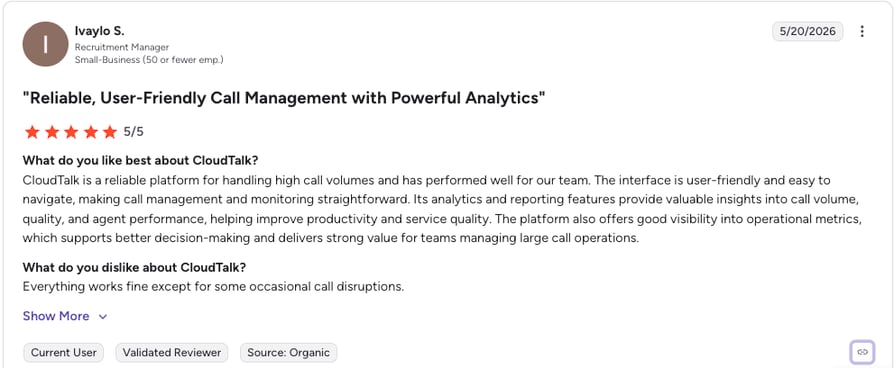
G2 reviewers give CloudTalk 4.4/5.
| Pros | Cons |
|---|---|
| Affordable AI: automation at SMB pricing | Voice-first: purpose-built for calling, not full omnichannel suites |
| Fast deployment: live in days, not months | Not a standalone CRM — designed to integrate with your CRM rather than replace it |
| 100+ integrations: plugs into existing stack | Requires a stable internet connection, as with any cloud-based calling platform |
See CloudTalk's AI automation in action
2. NICE CXone Mpower: Best for Large Omnichannel Enterprises
What Is NICE CXone Mpower?
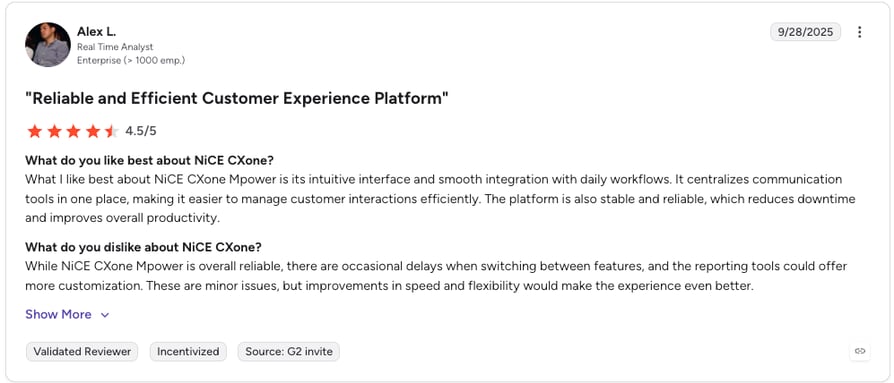
NICE CXone Mpower is an enterprise CCaaS platform that unifies its CXone contact center with the Enlighten AI ecosystem under one suite. It is built for large operations running complex omnichannel workflows across voice, digital, workforce management, and quality management.
What Is NICE CXone's Pricing?
Pricing starts around $71/agent/month for the digital tier and climbs to $249/agent/month plus a $0.25 per-session fee for the top Ultimate suite, with per-session AI charges layered on usage. See the full breakdown in our NICE CXone pricing guide.
NICE CXone G2 Reviews
G2 reviewers give NICE CXone Mpower 4.3/5.
| Pros | Cons |
|---|---|
| Deep AI suite: Enlighten AI across the platform | Expensive: among the priciest options, plus per-session fees |
| Enterprise scale: handles complex, high-volume operations | Steep learning curve: heavy implementation and admin |
| Strong WFM & reporting: robust analytics | Add-on dependent: advanced features raise the bill |
3. Five9: Best for Outbound and Blended Centers
What Is Five9?
Five9 is a long-established intelligent cloud contact center platform, particularly strong for organizations with significant outbound calling. It combines voice and digital channels with AI-driven automation, including an intelligent virtual agent, agent assist, and a competitive predictive dialer.
What Is Five9's Pricing?
Five9 starts at $119/user/month for the Digital plan and $159/user/month for Core, with a 50-seat minimum and higher tiers priced by custom quote. Advanced AI typically pushes past $200/user/month. See our Five9 pricing guide for the full picture.
Five9 G2 Reviews
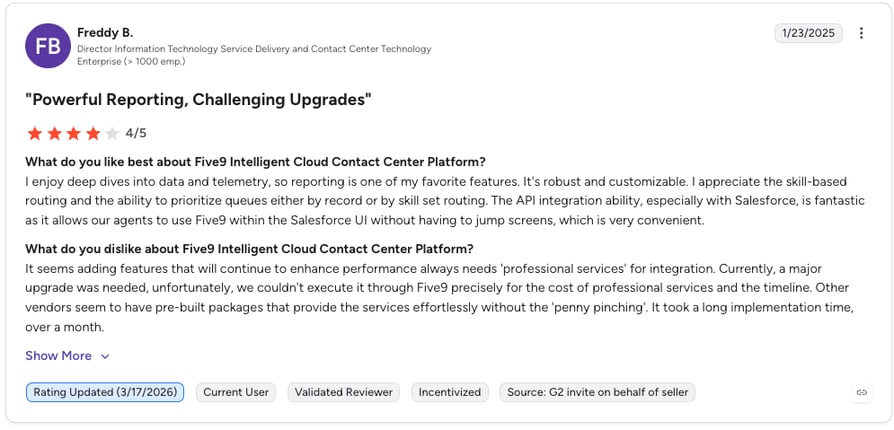
G2 reviewers give Five9 4.1/5.
| Pros | Cons |
|---|---|
| Strong outbound dialer: predictive, power, and preview modes | 50-seat minimum: cost-prohibitive for small teams |
| Heavy AI investment: IVA, agent assist, transcription | Add-on culture: CRM connectors and features cost extra |
| Enterprise stability: proven at large scale | Limited transparency: only two of five tiers publish prices |
4. Talkdesk: Best for Mid-Market CCaaS in Regulated Industries
What Is Talkdesk?
Talkdesk is a mid-market CCaaS platform known for being easier to deploy than most enterprise rivals. Its AI layer includes Autopilot (virtual agent), Copilot (agent assist), and AI routing, and it has earned FedRAMP authorization plus deep healthcare integrations, giving it an edge in regulated verticals.
What Is Talkdesk's Pricing?
Talkdesk starts at $85/user/month for Essentials, with Elite (true omnichannel) at $165/user/month, all on a three-year commitment. Note that key AI tools like Autopilot and Copilot are paid add-ons even on Elite. See our Talkdesk pricing guide for the details.
Talkdesk G2 Reviews
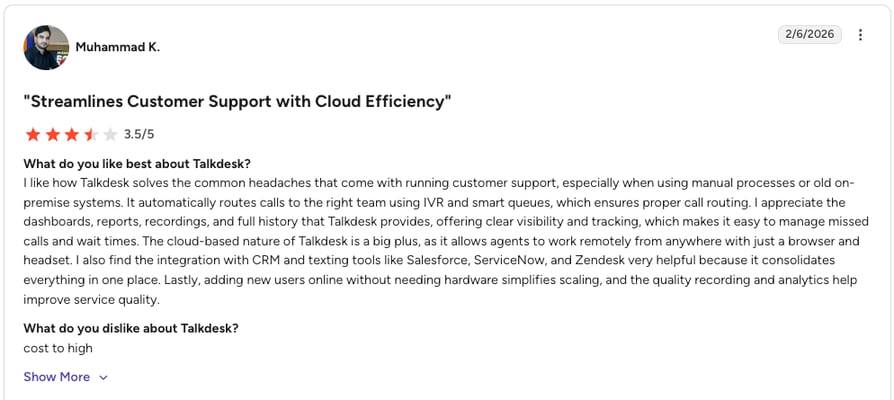
G2 reviewers give Talkdesk 4.4/5.
| Pros | Cons |
|---|---|
| Easy to deploy: lighter implementation than peers | AI costs extra: Autopilot and Copilot are add-ons |
| Compliance ready: FedRAMP and healthcare integrations | 3-year contract: list prices assume a long commitment |
| Strong G2 standing: praised for ease of use | Separate telecom fees: usage billed on top |
5. Dialpad: Best for AI-Native Unified Communications
What Is Dialpad?
Dialpad is an AI-native communications platform built on its own conversational AI model. Dialpad Support brings AI agents, real-time transcription, agent assist, and automated quality management to inbound contact centers, with the contact center sold as a separate product from its core phone system.
What Is Dialpad's Pricing?
Dialpad Support (the contact center product) starts at $80/agent/month for Essentials, with Advanced at $115 and Premium at $150. Note that the contact center is priced separately from Dialpad's business phone plans. See our Dialpad pricing guide for the breakdown.
Dialpad G2 Reviews
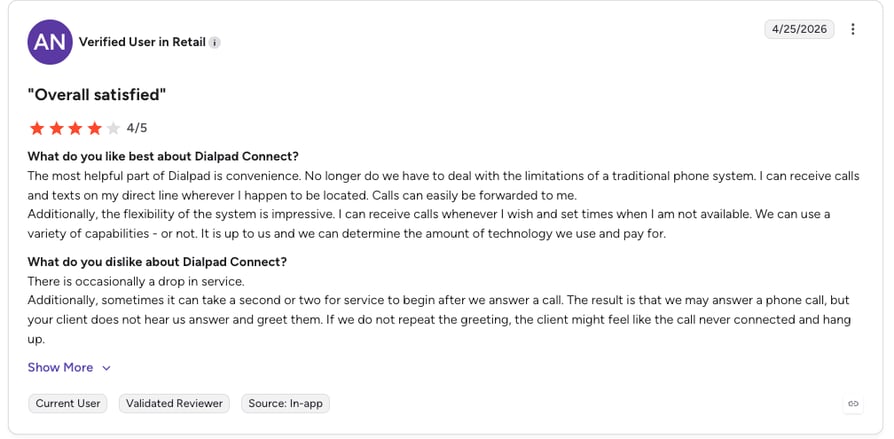
G2 reviewers give Dialpad Support 4.4/5.
| Pros | Cons |
|---|---|
| Native AI model: strong real-time transcription and summaries | Fragmented products: phone system and contact center sold separately |
| Real-time assist: live coaching and guidance | Top AI gated: best features on higher tiers |
| Easy onboarding: quick to set up | Call-quality variance: some reviewers note latency |
How to Choose the Right AI Solution for Your Call Center
The right platform depends on your size, volume, and existing stack. Run any shortlist through these five criteria before you commit:
- Integration capabilities: does it connect natively to your CRM and helpdesk, or will you pay for custom work?
- Scalability: does pricing and capacity grow smoothly with you, or in expensive steps?
- Customization: can you tune AI workflows to your call types without engineering help?
- Vendor support: what does implementation and ongoing help actually include?
- Security and compliance: does it meet your industry's requirements out of the box?
Match the tool to the operation. Small and mid-sized teams usually want affordable, fast-deploying call center automation software like CloudTalk. Large enterprises with complex omnichannel needs lean toward heavier suites. And whatever the size, ask vendors the uncomfortable questions up front: what is the true total cost with add-ons, how long is the contract, and how is AI usage billed?
Step-by-Step AI Implementation for Call Center Cost Reduction
A clean rollout beats a clever one. Follow this sequence to capture savings fast without disrupting the floor. For a deeper walkthrough, see our guide on how to implement an AI voice agent in your business.
Step 1: Analyze Call Volume and Identify High-Impact Opportunities
Audit your call types. Find the high-frequency, low-complexity calls that eat the most agent hours, and rank them as your first automation candidates. You are looking for volume, not edge cases.
Step 2: Deflect First, Optimize Later
Start with high-volume, low-complexity calls. Deflecting them to AI delivers the fastest, most visible savings and builds internal confidence for the next phase. Resist the urge to automate the hard stuff first.
Step 3: Fix Routing Before Adding More Automation
Bad routing undermines everything downstream. Get intelligent routing working so the calls that do reach humans land with the right agent first time. Optimize the pipes before you pump more through them.
Step 4: Equip Agents with AI Tools
Roll out agent assist and automated summaries gradually, with training, so the tools feel like help rather than surveillance. Adoption is the difference between a feature you bought and a feature that pays off.
Step 5: Build Self-Service That Actually Works
Design self-service around the questions customers actually ask, then make it genuinely faster than calling. Self-service nobody uses is just a cost with extra steps.
Step 6: Monitor, Measure, and Iterate
Automation is not a set-and-forget project. Track cost per call, FCR, CSAT, and deflection rate continuously, and feed what you learn back into your AI workflows. The centers that win are the ones that keep tuning.
Roll out call center automation the right way
Common Misconceptions About AI in Call Centers
Misconception: AI Will Replace Human Agents
It will not, and the best-run centers do not try. AI handles the routine, repetitive work; humans handle the complex, emotional, and high-value conversations. The point is to redeploy your people, not remove them.
Misconception: AI Implementation Is a One-Time Project
Automation needs ongoing management: tuning models, updating knowledge content, and adjusting workflows as your business changes. Treat it as a living system, not a box you check once.
Misconception: AI Works Immediately Without Training
Quality output requires quality training data. Expect an iterative ramp where the AI improves as it learns from your real interactions. The early weeks are an investment that compounds.
Real-World Cost Reduction Results
The patterns below are representative of what teams across different industries report after deploying AI call center automation. Your mileage depends on volume and call mix, but the shape of the savings is consistent.
Financial Services: Higher Conversion, Lower Cost
Financial services teams that route qualified callers to the right specialist with AI, and hand agents real-time context, commonly lift conversion on revenue calls while cutting the cost of the routine inquiries that used to clog the queue. Better routing plus deflection is the combination doing the work.
Retail: Roughly 30% Workload Reduction Through Automation
Retail and e-commerce brands deflect order-status and returns questions to AI, which typically removes around 30% of agent workload during peak season. Human agents are freed for complex cases, and seasonal hiring pressure eases.
Healthcare: Lower No-Show and Scheduling Costs
Healthcare providers use AI appointment reminders and automated scheduling to cut no-show rates and the administrative burden of rebooking. Fewer empty slots and less manual scheduling translate into measurable operational savings.
Why CloudTalk Is the Smart Choice for AI Call Center Automation
The cost case for AI is no longer in doubt: deflect the routine volume, shorten the calls that remain, score everything, and kill the wrap-up tax, and the productivity gains land at 30 to 45% of current function costs (per McKinsey) with payback in one to three months. The only real question is which platform gets you there without an enterprise budget or a six-month implementation. CloudTalk delivers the full automation stack at SMB pricing, integrates with the tools you already run, and goes live in days. Compare it for yourself on our pricing page.
Sources:
FAQs: Call Center Automation and AI Cost Reduction
Most teams see payback in one to three months. The exact timeline depends on call volume, call complexity, and how cleanly the platform integrates with your existing stack: higher volume and faster integration both shorten the payback period.
Start with high-volume, low-complexity calls: password resets, order status, FAQs, and appointment confirmations. These deliver the fastest call center cost savings and free agents for complex work, which is the core of any call center cost reduction plan.
Yes. Affordable call center automation software like CloudTalk brings AI deflection, agent assist, and automated summaries to SMBs without enterprise pricing or 50-seat minimums, so even smaller teams hit positive ROI quickly.
Labor is by far the largest, consuming 60 to 70% of operating budgets and, by Gartner's estimate, as much as 95%. The other drivers are handle time, infrastructure, and the opportunity cost of agents stuck on routine calls instead of high-value ones.
A live-agent call typically costs $5 to $15 fully loaded, while an AI-handled interaction often costs under $1. Because AI capacity scales smoothly instead of in hiring steps, the staffing cost savings widen as volume grows.
Watch for implementation and integration fees, per-session or per-minute AI usage charges, add-on pricing for features marketed as included, long contract commitments, and ongoing maintenance like model tuning and content updates. Total cost of ownership is the number that matters, not the sticker price.
AI is usually cost-effective once you have a steady stream of repetitive, automatable calls, which is true for most centers above a modest volume. The more routine contacts you handle each month, the faster automation pays for itself.