Dialpad does something most phone systems still can't: it helps your reps while the call is live. That's rarely why teams start looking at Dialpad alternatives. They hire in a second country, add an outbound rep who isn't on Salesforce, or learn their CRM only connects on a three-seat plan.
So we looked at seven Dialpad competitors the way a buyer would: what each feature does and how it works, demo videos, help docs, pricing pages and real reviews, all held up against what Dialpad gives you. They're grouped by who they fit, not ranked, and four questions settle it: how many countries you call, whether your dialer has to work without Salesforce, which plan connects your CRM, and how many seats you'll pay for.
What Is the Best Alternative to Dialpad?
It depends on what you need Dialpad to do better. These five alternatives to Dialpad cover most teams:
- Global SMB sales and support: CloudTalk, from $25/user/month
- Support on a helpdesk or CRM: Aircall, from $30/user/month
- One suite for a larger company: RingCentral, from $20/user/month
- Outbound sales with heavy SMS: JustCall, from $29/user/month
- A small team sharing numbers: Quo, from $15/user/month
Need real-time AI coaching above all? Dialpad is still the one to beat. For every tool side by side, jump to the full comparison table.
A Quick Overview of 7 Best Alternatives to Dialpad
| # | Tool | Best For | Starting Price | G2 Rating |
|---|---|---|---|---|
| 0 | Dialpad (baseline) | AI-first teams that want real-time transcription and live coaching | From $15/user/month | 4.4/5 |
| 1 | Aircall | Support teams that live in a helpdesk or CRM | $30/user/month (3-licence min) | 4.4/5 |
| 2 | CloudTalk | SMB sales and support teams calling across countries | $25/user/month | 4.4/5 |
| 3 | RingCentral | Larger companies that want phone, video, and chat in one suite | $20/user/month | 4.2/5 |
| 4 | Nextiva | Small businesses that want voice, video, and chat on one bill | $15/user/month | 4.5/5 |
| 5 | JustCall | Outbound sales teams that text as much as they call | $29/user/month (2-user min) | 4.3/5 |
| 6 | Quo | Startups and small teams sharing numbers and a text inbox | $15/user/month | 4.7/5 |
| 7 | Grasshopper | Solo owners and very small businesses in the US or Canada | $14/month (flat) | 3.9/5 (150+ reviews) |
Why Are Teams Searching for a Dialpad Alternative?
Dialpad earned its reputation on the call itself. Every call gets a live transcript and a recap, and reps see coaching cards while the customer is still talking. The teams that look elsewhere grew in a direction Dialpad doesn't follow: more countries, a dialer without Salesforce, or a CRM that has to connect from the first seat.
Dialpad is an AI-first UCaaS (Unified Communications as a Service) platform and contact center. It sells Dialpad Connect for calls, meetings, and messaging, Dialpad Sell for outbound sales, and Dialpad Support for contact centers, with real-time transcription and AI recaps across all three. Want the full picture? Then read our in-depth review.
Dialpad pricing starts at $15/user/month on Connect Standard, billed annually. Pro costs $25/user/month, adds CRM integrations and 24/7 support, and carries a 3-user minimum. The outbound dialer lives in Dialpad Sell, a separate product from $39/user/month, and every Connect plan gets a 14-day trial.
On G2, Dialpad holds 4.4/5 from 4,250+ reviews, and on Trustpilot it sits at 4/5 from 3,200+. Reviewers praise the transcripts and the app, while the one-star reviews cluster around billing disputes and support after onboarding. Next to Dialpad's own pricing and help pages, the reasons to leave come down to five:
5 Main Cons of Dialpad That Make Teams Look for an Alternative
- Local numbers in fewer countriesDialpad's own pages put local numbers at 50+ countries, so a team opening a market outside that list buys its number elsewhere.
- SMS only in the US, Canada, the UK, and AustraliaDialpad's help center lists those four countries for texting, with no SMS in continental Europe, and a US number can't text customers abroad.
- No dialer without SalesforceThe Powerdialer runs only inside the Salesforce Lightning CTI, dials records one by one, and Dialpad's help pages tie it to Dialpad Sell on Pro or Enterprise.
- CRM sync starts on Pro, with a 3-user minimumConnect Standard at $15 doesn't connect HubSpot or Salesforce. Pro at $25 does, sold three seats at a time, so a two-person team pays for a third seat.
- International calling runs on credits and add-onsCalls outside the US, Canada, and your office's country are billed per minute from prepaid credit, with unlimited international calling a separate add-on.
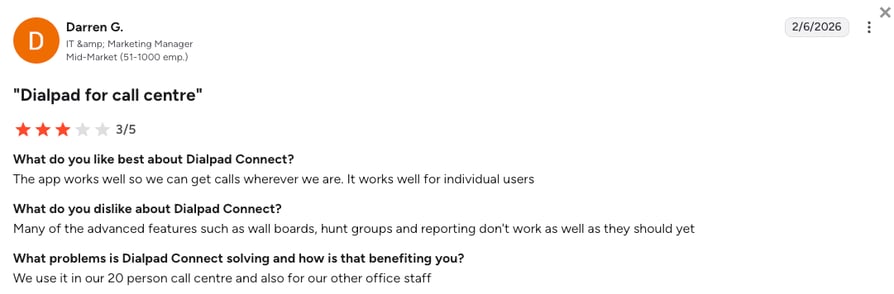
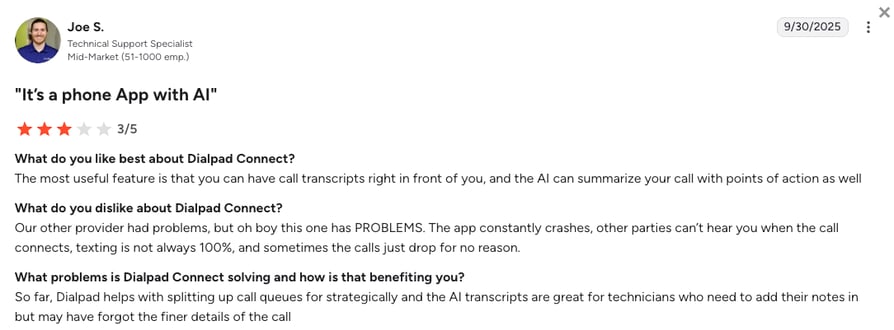
Dialpad earns its place for AI-first teams that coach reps while the call is live: real-time transcription, coaching cards, AI agents, and native workforce management on the contact center product, plus Microsoft Teams Direct Routing, flat US and Canada calling, and a low published entry price. For many other use cases, though, you should consider choosing a better VoIP alternative.
How We Evaluated the Best Dialpad Competitors
We didn't take anyone's word for a feature. For each Dialpad competitor we went through the product pages, videos, and help docs, then its live pricing page and reviews, and weighed it all against Dialpad on six things:
- AI on the call and after itLive transcription and coaching, post-call summaries and scoring, AI agents.
- Dialer and outboundWhich dialer modes exist, which CRM they need, and on which plan.
- Local numbers and countriesWhere you can buy a local number and text from it.
- CRM sync and the plan it starts onNative two-way sync, and the first tier that includes it.
- Total cost for a 5 to 50 person teamSeat minimums, the tier your must-haves sit on, and international usage.
- SupportHours, channels, and what reviewers say about it.
The Top 7 Dialpad Alternatives for 2026
At a glance, this is how Dialpad stacks up against Aircall, CloudTalk, RingCentral, and JustCall, the four tools buyers weigh against it most.
| Feature | Dialpad | Aircall | CloudTalk | RingCentral | JustCall |
|---|---|---|---|---|---|
| Starting price | $15/user/mo | $30/user/mo | $25/user/mo | $20/user/mo | $29/user/mo |
| Seat minimum | 1 (3 on Pro) | 3 licences | 1 (3 on Expert) | 1 | 2 |
| CRM integrations from | Pro ($25) | Essentials ($30) | Essential ($29) | Advanced ($25) | Team ($29) |
| Dialer | Salesforce-only, one line, via Dialpad Sell | Power Dialer on Professional, one line | Power on Expert or $15 add-on, Parallel (five lines) $39 add-on | None in RingEX (RingCX separate) | Power Dialer on Pro, predictive on SalesPro |
| Local numbers | 50+ countries | 100+ countries | 160+ countries | 100+ countries (inbound) | 70 countries |
| SMS-capable numbers | 4 countries (US, CA, UK, AU) | 13 countries | 30+ countries | US and Canada | 30+ countries, some on request |
| AI voice agent | Dialpad Resolve, $1.99 per voice conversation | 50 free min/mo, then from $99/mo | AI Receptionist from $99/mo, 50 free min, 70+ languages | AI Receptionist add-on from $39/mo | Add-on at $0.99/min |
| Real-time AI coaching |  | |  | | |
| Parallel dialing | | | | | |
| Free trial | 14 days | no length published | 14 days | 14 days | 14 days |
| G2 rating | 4.4/5 (4,250+) | 4.4/5 (1,650+) | 4.4/5 (1,950+) | 4.2/5 (1,500+) | 4.3/5 (2,350+) |
A tick means the tool offers the feature, on some plan or as an add-on, and a plan name in a text row is the first tier that includes it. Two rows decide most switches: the dialer row, because Dialpad's needs Salesforce, and the local-numbers row if you sell outside the US. Real-time coaching stays a Dialpad strength, so weigh it honestly.
1. Aircall vs Dialpad: Best for Support Teams Working in a Helpdesk
What Is Aircall?
Aircall is a cloud call center for sales and support teams that spend the day inside a helpdesk or CRM. Calls, recordings, tags, and AI summaries land on the Zendesk ticket or the HubSpot record on their own, through 250+ integrations on the entry plan.
Against Dialpad, Aircall sells the same idea the other way round: the phone disappears into the tools your team already has open. It costs twice Dialpad's entry price and asks for three licences.
Who Should Pick Aircall Over Dialpad?
- Support teams on Zendesk, Intercom, or HubSpot: The Zendesk and HubSpot apps log every call with its recording from the $30 plan, where Dialpad waits for Pro.
- Teams that outgrew Dialpad's integration list: 250+ apps and API access on Essentials.
- Managers who coach from the queue: Live monitoring and the Power Dialer come on Professional, with live coaching cards a $49 add-on.
Where Aircall Beats Dialpad, and Where It Doesn't
Aircall wins on integration depth and on a dialer that doesn't need Salesforce: the Power Dialer on Professional works from any list, with voicemail drop. Dialpad wins on price, on the AI that ships with the $15 plan, and on video meetings. Neither dials several lines at once.
How to decide: If your support team lives in a helpdesk and wants the phone to disappear into it, Aircall is the natural fit. If live transcription and meetings matter more than the integration, Dialpad still serves you better.
Aircall logs the call on the ticket from its first plan, and Dialpad transcribes it live from its first plan. Our side-by-side puts plans, integrations, and ratings on one page.
What Are the Pros & Cons of Aircall?
| Pros | Cons |
|---|---|
| 250+ integrations and API access on the $30 Essentials plan | 3-licence minimum, so the real floor is $90 a month |
| Power Dialer, voicemail drop, live monitoring, and Salesforce on Professional | No parallel dialing on any plan |
| AI summaries and scoring in Professional, live coaching as a $49 add-on | No video meetings, and no published trial length |
What Are Aircall's Plans & Pricing?
Aircall pricing starts at $30/user/month (Essentials, annual billing, 3-licence minimum), with these plans available:
| Plan | Price (annual billing) | Key Features |
|---|---|---|
| Essentials | $30/user/mo | Unlimited inbound calls, IVR, call recording, click-to-dial, 250+ integrations and API, AI Voice Agents with 50 free minutes a month (3-licence min) |
| Professional | $50/user/mo | Everything in Essentials + Power Dialer and voicemail drop, Salesforce Sales and Service Cloud, call summaries and scoring, live monitoring, advanced analytics (3-licence min) |
| Enterprise | Custom quote | Everything in Professional + unlimited outbound calls, SSO and SCIM, SLA, premium onboarding (25-licence min) |
How Do Reviewers Rate Aircall?
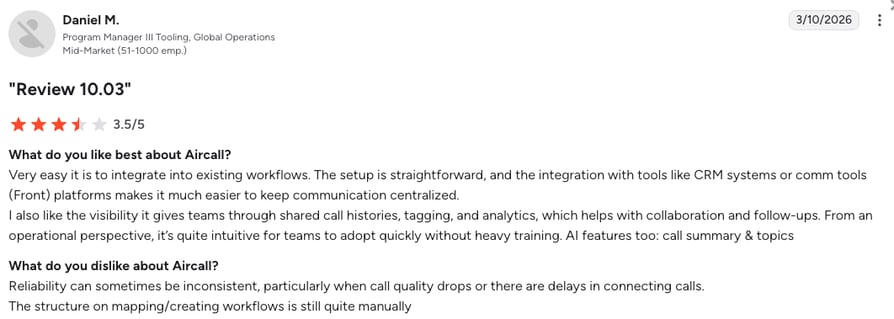
Aircall holds 4.4/5 on G2 across 1,650+ reviews. Reviewers praise how easy it is to pick up and how cleanly calls log into the CRM. The complaints are call quality on weak connections and the three-seat bill.
2. CloudTalk vs Dialpad: Best for Global SMB Sales and Support Teams
What Is CloudTalk?
CloudTalk is an AI-powered, voice-first business phone system for small-business to mid-market sales and support teams, with local numbers in 160+ countries, two-way CRM sync, the AI Sales Dialer, and AI voice agents on one platform.
Where Dialpad is a US-first communications suite with AI on the call, CloudTalk is a calling platform for teams that work across borders: the number, the dialer, the CRM record, and the AI agent live in one account.
Who Should Pick CloudTalk Over Dialpad?
- Teams selling or supporting in more than one country: Buy local numbers in 160+ countries and text from SMS-capable numbers in 30+ of them.
- Outbound teams on HubSpot, Pipedrive, or Zoho: The AI Sales Dialer builds campaigns from those CRM lists and runs them as the Power Dialer or the Parallel Dialer on up to five lines, with no Salesforce licence in sight.
- Small teams that want CRM sync on the first seat: HubSpot, Pipedrive, Zoho, and Zendesk log calls from Essential with no seat minimum, and Salesforce on Expert.
Where CloudTalk Beats Dialpad, and Where It Doesn't
CloudTalk wins on local numbers (160+ countries against Dialpad's 50+), on a dialer that pulls lists from HubSpot, Salesforce, Pipedrive or Zoho and dials up to five lines at once, and on CRM sync without a seat minimum.
Dialpad wins on real-time AI, with live transcription and coaching cards CloudTalk doesn't do, plus native workforce management and Microsoft Teams Direct Routing. CloudTalk's AI Conversation Intelligence works after the call, from $9/user/month.
How to decide: If you sell and support across countries and want a parallel dialer and CRM sync from day one, CloudTalk is the better fit. If your reps need coaching while the call is live and you call mostly inside the US and Canada, Dialpad still is.
Dialpad's Powerdialer runs inside Salesforce Lightning and dials one record at a time. CloudTalk's AI Sales Dialer pulls lists from HubSpot, Salesforce, Pipedrive or Zoho and dials up to five lines in Parallel mode, with voicemail detection and automatic voicemail drop.
What Are the Pros & Cons of CloudTalk?
| Pros | Cons |
|---|---|
| Local numbers in 160+ countries, with SMS and WhatsApp on eligible numbers | No live transcription or real-time coaching: the AI works after the call |
| Power Dialer included on Expert or a $15/user/month add-on, Parallel Dialer at $39/user/month on any plan | Expert, the plan with Salesforce, has a 3-seat minimum |
| 100+ CRM and helpdesk integrations from Essential, plus AI voice agents on the same account | SMS and WhatsApp are pay-as-you-go rather than included in the plan |
What Are CloudTalk's Plans & Pricing?
CloudTalk pricing starts at $25/user/month (Starter, billed annually), with the following plans:
| Plan | Price (annual billing) | Key Features |
|---|---|---|
| Starter | $25/user/month | Unlimited US and Canada calls (fair use), 500 EU and UK outbound minutes, call queues, click-to-call, call recording with 1-month retention |
| Essential | $29/user/month | Everything in Starter + IVR and smart routing in the Call Flow Designer, 100+ CRM and helpdesk integrations, workflow automation, unlimited recording retention |
| Expert | $49/user/month | Everything in Essential + AI Sales Dialer with the Power Dialer, Smart Dialer, Salesforce integration, 24/7 phone support (3-seat min) |
| AI Conversation Intelligence (add-on) | $9/user/month | AI transcripts, call summaries, call scoring, sentiment analysis, and agent coaching insights |
| AI Conversation Intelligence Plus (add-on) | $19/user/month | Everything in AI Conversation Intelligence + call scoring templates auto-assigned by team, custom summary templates, custom topics, AI-drafted follow-up emails |
| AI Receptionist (add-on) | From $99/mo (200 min) | Inbound AI call answering, routing, logging; 50 free minutes on every account; tiers up to $699/mo (2,500 min) |
| AI Specialist (add-on) | From $349/mo (1,000 min) | Sales-led custom AI voice agents for inbound and outbound workflows; plans scale up to $1,249/mo (5,000 min) |
| Virtual Phone Numbers | From $6/number/mo | Local, toll-free, national, and mobile numbers in 160+ countries, instant self-serve in the US and Canada, SMS and WhatsApp on eligible numbers |
How Do Reviewers Rate CloudTalk?
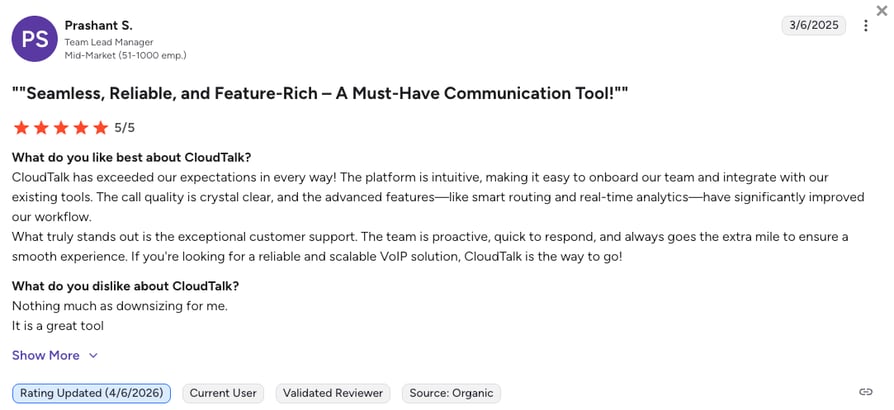
CloudTalk holds 4.4/5 on G2 across 1,950+ reviews. Reviewers single out call quality, the speed of getting a team live, and CRM logging that keeps records current. The common gripes are Salesforce waiting for Expert and texts billed per message.
CloudTalk Global Calling in Action: Pactum's Story
The video above is Pactum's story in its own words. Its AI agents renegotiate supplier contracts, and the team ran Dialpad and CloudTalk side by side until data processing rules in Europe meant Dialpad couldn't cover all of its regions. That gap is why CloudTalk sits on this list: one system for every country a team works in. Suzann Blankenburg, who leads Global Operations and Support, puts it plainly:
“CloudTalk can cover it all and also the quality is better.”
Global Operations and Support Lead, Pactum

3. RingCentral vs Dialpad: Best for Larger Companies on One UCaaS Suite
What Is RingCentral?
RingCentral sells RingEX, a UCaaS suite that puts phone, video meetings for up to 300 people, team messaging, and an AI assistant into one app, with RingCX as its separate contact center. It's built for companies with several sites and an IT team.
Compared to Dialpad, RingCentral is the heavier suite: more admin depth, more routing options, and 300+ integrations from Advanced, while Dialpad keeps the setup lighter.
Who Should Pick RingCentral Over Dialpad?
- Companies standardizing one vendor across offices: Multi-site management, SSO, and IVR trees per site come on Advanced.
- Teams that meet as much as they call: HD meetings for 300 participants and team messaging sit on the $20 Core plan.
- Buyers who want the procurement boxes ticked: Published uptime commitments and an App Gallery that covers legacy IT stacks.
Where RingCentral Beats Dialpad, and Where It Doesn't
RingCentral wins on scale: routing depth, multi-site admin, and an integration catalog that covers the tools a larger company already runs. Dialpad wins on AI that ships with the entry plan, where RingCentral sells Conversational Intelligence as a $60 add-on, and on a lighter setup. No RingEX plan includes a sales dialer.
How to decide: If you're consolidating phone, video, and messaging for a larger company, RingCentral is the safer bet. If your team is under 50 people and the AI on the call is the point, Dialpad suits you better.
RingCentral charges for admin and routing depth, Dialpad charges less and bundles the AI. Our side-by-side shows which rows each one wins.
What Are the Pros & Cons of RingCentral?
| Pros | Cons |
|---|---|
| Phone, 300-person meetings, and team messaging on the $20 Core plan | CRM integrations and automatic call recording wait for Advanced at $25 |
| 300+ integrations and multi-site admin for larger companies | No sales dialer in any RingEX plan, outbound campaigns need RingCX |
| 14-day trial and no seat minimum | Conversational Intelligence and the AI Receptionist are paid add-ons, from $60 and $39 |
What Are RingCentral's Plans & Pricing?
RingCentral pricing starts at $20/user/month (RingEX Core, annual billing), and you can choose from these plans:
| Plan | Price (annual billing) | Key Features |
|---|---|---|
| Core | $20/user/mo | Unlimited domestic calling, HD meetings for 300 participants, team messaging, on-demand recording, 25 SMS per user, AI assistant |
| Advanced | $25/user/mo | Everything in Core + CRM integrations, automatic call recording, multi-site management, core reporting, 100 SMS per user |
| Ultra | $35/user/mo | Everything in Advanced + historical and real-time insights, device analytics, unlimited storage, 200 SMS per user, RingCentral Webinar |
How Do Reviewers Rate RingCentral?
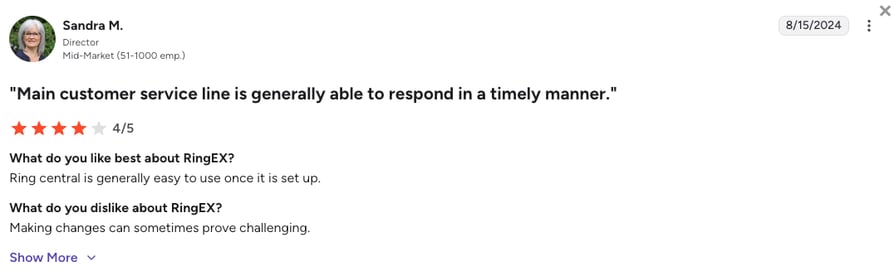
RingCentral's RingEX holds 4.2/5 on G2 across 1,500+ reviews. Reviewers trust the uptime and like having calls and meetings in one app. The recurring frustrations are an admin console that takes time to learn and slow support for smaller accounts.
4. Nextiva vs Dialpad: Best for All-in-One Voice, Video and Chat
What Is Nextiva?
Nextiva is a US business communications platform that bundles unlimited calling, video meetings, team chat, and business texting on one bill, with a contact center suite above it. It's aimed at small businesses that want one vendor.
Nextiva is the friendlier all-in-one for a US small business than Dialpad, because it leads with the bundle and the support line rather than AI, at the same $15 entry price.
Who Should Pick Nextiva Over Dialpad?
- Small businesses that want everything on one invoice: Voice, video, chat, and 100 texts per user start on Core.
- Teams that want to call support, not chat with it: Nextiva's support is a selling point in its reviews, and Dialpad's 24/7 support starts on Pro.
- Offices that will grow into a contact center: The Scale plan adds blended calling and skills-based routing without a second product.
Where Nextiva Beats Dialpad, and Where It Doesn't
Nextiva wins on the bundle at the entry price and on a support reputation Dialpad's reviews don't match. Dialpad wins on AI depth, since Nextiva limits AI transcriptions to 50 monthly on Core, and on international reach. Outbound dialing only arrives on Nextiva's $75 Scale plan.
How to decide: If a US small business wants voice, video, and chat on one bill with a support line that answers, Nextiva fits well. If live AI and multi-office management matter more than the bundle, Dialpad is the better choice.
Both start at $15 a seat. Dialpad spends that on AI around the call, Nextiva spends it on channels and support. Our side-by-side lays out both plan ladders.
What Are the Pros & Cons of Nextiva?
| Pros | Cons |
|---|---|
| Voice, video, team chat, and 100 texts per user on the $15 Core plan | Outbound and blended calling only on Scale at $75/user/month |
| Support reviewers rate well, with phone, chat, and email | AI transcriptions and summaries limited to 50 monthly on Core and 200 on Engage |
| One platform from a small office to a contact center | US-centric numbers and no published international number coverage |
What Are Nextiva's Plans & Pricing?
Nextiva pricing starts at $15/user/month (Core, annual billing), with the following plans to choose from:
| Plan | Price (annual billing) | Key Features |
|---|---|---|
| Core | $15/user/mo | Unlimited voice and video, team chat, 100 texts per user, call routing, mobile app, 50 AI transcriptions and summaries a month |
| Engage | $25/user/mo | Everything in Core + live chat and chatbot, 500 texts per user, toll-free number and inbound minutes, advanced reporting, SSO |
| Scale | $75/user/mo | Everything in Engage + blended inbound and outbound calling, skills-based routing, unlimited texts and AI usage, supervisor monitoring |
How Do Reviewers Rate Nextiva?
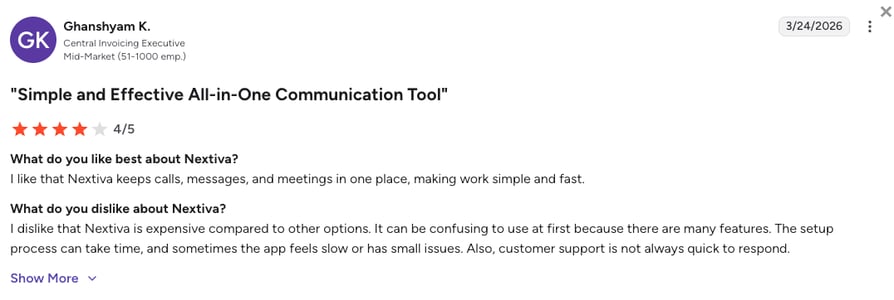
Nextiva holds 4.5/5 on G2 across 3,700+ reviews. Reviewers praise the reliability and the people who answer when something breaks. The complaints are an admin interface that takes time to learn and the price jump to the outbound plan.
5. JustCall vs Dialpad: Best for Outbound Sales Teams Heavy on SMS
What Is JustCall?
JustCall is an outbound-first phone system for sales and support teams that run calls, SMS, and WhatsApp from one inbox, with numbers in 70 countries, 100+ integrations from the first plan, and a dialer ladder up to predictive dialing on 10 lines.
JustCall wins over Dialpad when the day is outbound: the dialer doesn't need Salesforce, texting is part of the plan, and the team starts at two seats instead of three.
Who Should Pick JustCall Over Dialpad?
- Reps who text as much as they call: SMS segments are bundled into every plan, and WhatsApp runs in the same inbox.
- Outbound teams without Salesforce: The Power Dialer on Pro works from JustCall's own lists and integrations, and SalesPro dials up to 10 lines.
- Managers who want AI on the call: Real-time agent assist and AI call scoring sit on Pro Plus.
Where JustCall Beats Dialpad, and Where It Doesn't
JustCall wins on outbound tooling and texting: a dialer on Pro, predictive dialing on SalesPro, and SMS across far more countries than Dialpad's four. Dialpad wins on the entry price and on meetings and internal messaging, which JustCall doesn't do. Both put real-time coaching on their higher tiers.
How to decide: If your reps text as much as they call and you want a dialer that doesn't need Salesforce, JustCall makes sense. If meetings and messaging for the whole company matter as much as the sales floor, Dialpad is the better fit.
JustCall and CloudTalk are the two tools here that dial without Salesforce on several lines at once. JustCall leads on bundled SMS and predictive dialing, CloudTalk on numbers in 160+ countries and AI voice agents.
What Are the Pros & Cons of JustCall?
| Pros | Cons |
|---|---|
| Power Dialer on Pro, predictive dialing on up to 10 lines on SalesPro | 2-user minimum, and the dialer starts one tier above the entry plan |
| SMS segments bundled into every plan, with bulk campaigns and WhatsApp | AI voice agent is a per-minute add-on at $0.99 a minute |
| 100+ integrations from Team, numbers in 70 countries, 14-day trial | No video meetings, and the mobile app draws complaints |
What Are JustCall's Plans & Pricing?
JustCall pricing starts at $29/user/month (Team, annual billing, 2-user minimum), with the following tiers available:
| Plan | Price (annual billing) | Key Features |
|---|---|---|
| Team | $29/user/mo | Unlimited AI transcription minutes, 500 SMS segments, 100+ CRM and data integrations, messaging suite (2-user min) |
| Pro | $49/user/mo | Everything in Team + Power Dialer, Salesforce CTI, 1,000 SMS segments, bulk SMS campaigns |
| Pro Plus | $89/user/mo | Everything in Pro + real-time agent assist, AI call scoring, sentiment analysis, multi-channel AI notetaker |
| SalesPro | Custom quote | Sales dialer with predictive dialing on up to 10 lines, AI coaching, live transcription, Salesforce, HubSpot, Outreach, and Salesloft |
How Do Reviewers Rate JustCall?
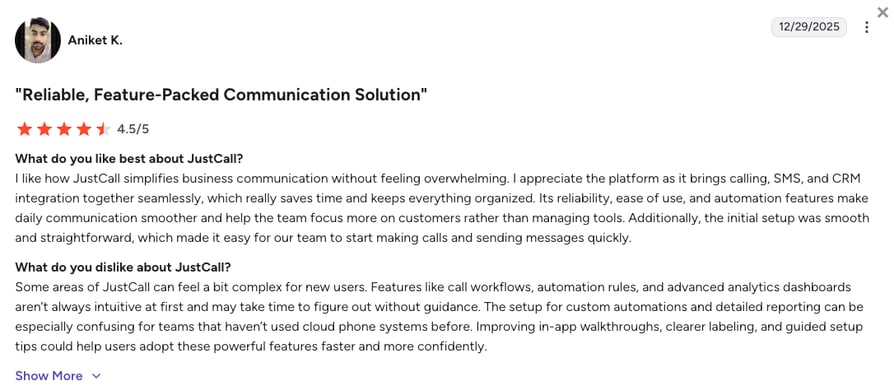
JustCall holds 4.3/5 on G2 across 2,350+ reviews. Reviewers like calls and texts logged on the same CRM timeline and how fast an outbound team gets going. The gripes are a mobile app that lags under volume and features that move one tier up.
6. Quo vs Dialpad: Best for Small Teams Sharing Numbers and a Text Inbox
What Is Quo?
Quo (formerly OpenPhone) is a virtual phone number app for startups and small teams: a shared number, a text inbox the whole team can see, calls, and an AI agent called Sona, designed to feel like a messaging app.
Where Dialpad gives a small team a slice of an enterprise platform, Quo gives it the whole of a small one: the same $15 entry price, no seat minimum, and almost nothing to administer.
Who Should Pick Quo Over Dialpad?
- Two to ten people sharing one number: Up to ten users share a Starter number, and texts land in one inbox.
- Teams that found Dialpad too much platform: Dialpad's departments, call centers, and admin portal are more than a two-person shop needs.
- Businesses that want an AI receptionist at the entry price: Sona answers calls 24/7 on every plan, with 1,000 free credits a month and packs from $25.
Where Quo Beats Dialpad, and Where It Doesn't
Quo wins on simplicity, on a shared inbox Dialpad doesn't match, and on seat flexibility, with no minimum on any plan. Dialpad wins on everything a growing team eventually needs: meetings, call queues, a dialer, and real-time AI. Quo bills international calls and texts per use and only sells US and Canadian numbers.
How to decide: If a few people share numbers and an inbox and you want nothing to administer, Quo is enough. If you need departments, meetings, and AI on the call, or expect to add a sales team, Dialpad is the better fit.
What Are the Pros & Cons of Quo?
| Pros | Cons |
|---|---|
| Shared numbers and a team text inbox from $15, with no seat minimum | US and Canadian numbers only, with international calls and texts billed per use |
| Sona AI agent on every plan, with 1,000 free credits a month | No dialer on any plan, and manual-only call recording on Starter |
| 7-day trial and a setup most teams finish in an afternoon | HubSpot and Salesforce integrations start on Business at $23 |
What Are Quo's Plans & Pricing?
Quo pricing starts at $15/user/month (Starter, annual billing), and it lets you choose from the following plans:
| Plan | Price (annual billing) | Key Features |
|---|---|---|
| Starter | $15/user/mo | Calling and texting on US and Canadian numbers, shared numbers for up to 10 users, manual call recording, Sona AI agent with 1,000 free credits |
| Business | $23/user/mo | Everything in Starter + HubSpot and Salesforce integrations, automatic call recording, AI summaries and transcripts on all calls, unlimited users per number |
| Scale | $35/user/mo | Everything in Business + AI call tags, priority support with inbound phone support on weekdays |
How Do Reviewers Rate Quo?
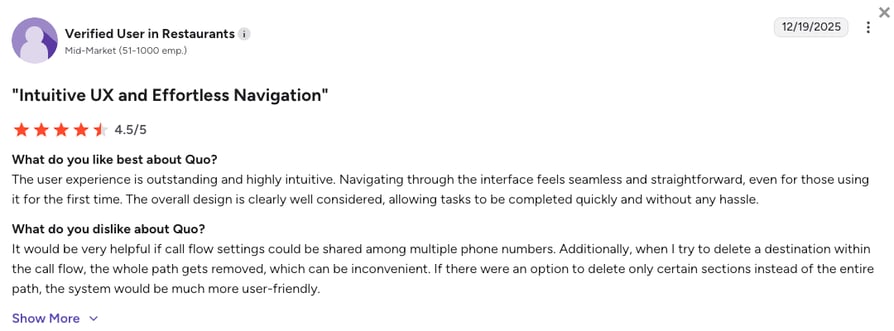
Quo holds 4.7/5 on G2 across 3,400+ reviews, the highest score on this list. Reviewers praise how easy it is to use and how responsive support is. The complaints are calls that don't ring through on some devices and a bill that climbs with extra numbers.
7. Grasshopper vs Dialpad: Best for Solo Owners in the US and Canada
What Is Grasshopper?
Grasshopper is a virtual phone system for solo owners and very small businesses in the US and Canada: a business number, extensions, call forwarding to your own mobile, and texting, billed as a flat monthly rate instead of per user.
Grasshopper is the opposite end of the market from Dialpad: it skips AI, dialers, CRM depth, and meetings for a $14 bill that doesn't grow with a second person.
Who Should Pick Grasshopper Over Dialpad?
- One owner with one business number: True Solo at $14 a month gives you a number, an extension, calling, and SMS.
- A handful of people on one flat bill: Solo Plus and Small Business include unlimited users, so a four-person shop pays $25 or $55 a month.
- Businesses that will never leave North America: Grasshopper only serves the US and Canada, fine for a local trade.
Where Grasshopper Beats Dialpad, and Where It Doesn't
Grasshopper wins on price for a very small team and on a setup you finish in minutes. Dialpad wins on everything else: AI transcripts, meetings, departments, CRM integrations on Pro, and numbers outside North America. Grasshopper's international calling needs a deposit and an account at least 60 days old.
How to decide: If it's just you and one business number in the US or Canada, Grasshopper covers it. Once a second person needs a queue, a CRM, or a transcript, Dialpad is the better fit.
Grasshopper is the cheapest way to look like a business on the phone, and Dialpad is the cheapest way to get AI on the call. Our side-by-side shows where the flat rate stops paying off.
What Are the Pros & Cons of Grasshopper?
| Pros | Cons |
|---|---|
| Flat monthly pricing from $14, with unlimited users on Solo Plus and above | US and Canada only, with international calling behind a deposit |
| Setup in minutes on the phone you already carry, 7-day trial | Skips AI, dialers, and native CRM integrations |
| Call forwarding, extensions, and texting that cover a solo owner's day | Call recording only on Solo Plus and Small Business, kept 30 days |
What Are Grasshopper's Plans & Pricing?
Grasshopper pricing starts at $14/month (True Solo, flat rate, annual billing), with these plans:
| Plan | Price (annual billing) | Key Features |
|---|---|---|
| True Solo | $14/mo | 1 user, 1 number, 1 extension, calling, texting, instant response texts |
| Solo Plus | $25/mo | Unlimited users, 1 number, 3 extensions, call recording, everything in True Solo |
| Small Business | $55/mo | Unlimited users, 4 numbers, unlimited extensions, everything in Solo Plus |
How Do Reviewers Rate Grasshopper?
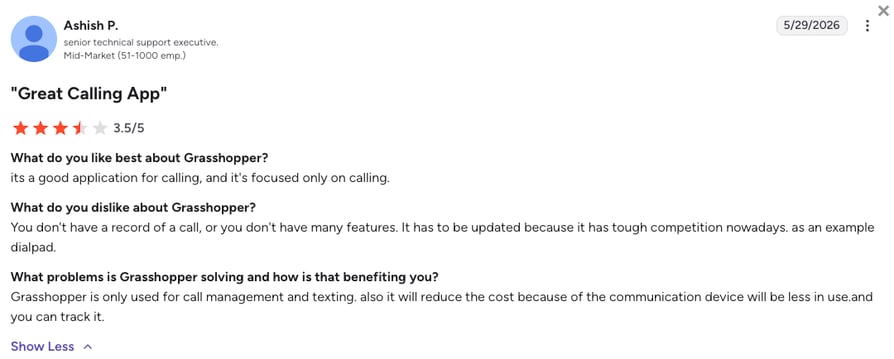
Grasshopper holds 3.9/5 on G2 from 150+ reviews, a thinner base than the rest of this list. Reviewers like the price and the forwarding, and the three-star reviews ask for the features a growing business expects.
What Users Are Really Saying About Dialpad's Alternatives and Competitors
Pricing pages tell you what a tool includes, and reviews tell you what happened after the switch. Here's how G2 scores Dialpad against the three alternatives buyers check first, and what reviewers say once they've moved.
How Do the Best Dialpad Alternatives Compare on G2?
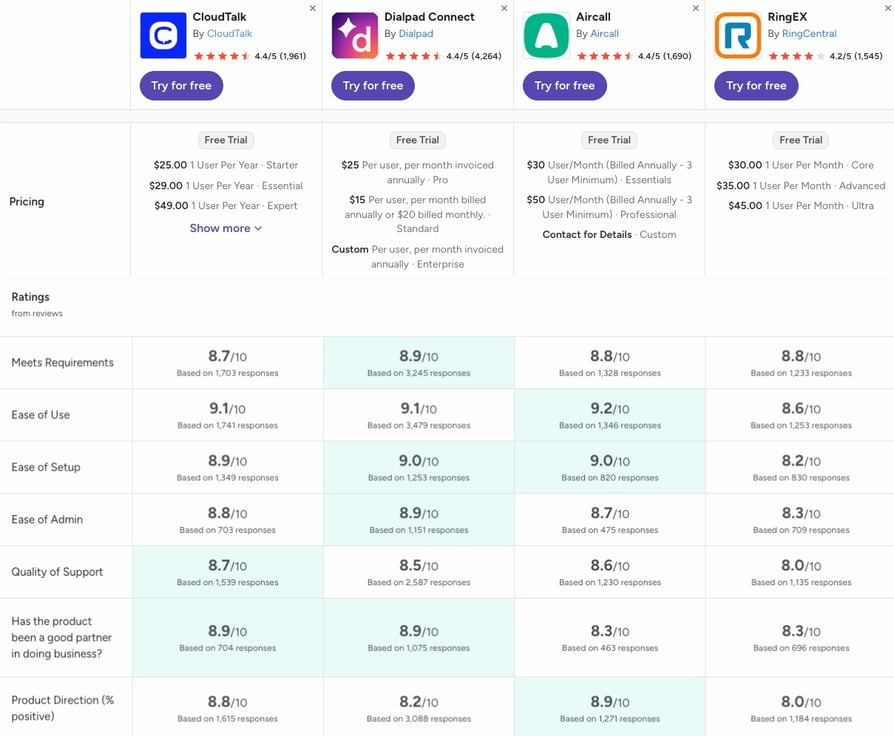
The best Dialpad alternatives compare closely on G2, with Dialpad as the baseline every column is read against. Dialpad holds 4.4/5 from 4,250+ reviews, CloudTalk 4.4/5 from 1,950+, Aircall 4.4/5 from 1,650+, and RingEX 4.2/5 from 1,500+.
- Where Dialpad leads: Meets requirements (8.9 against CloudTalk's 8.7), ease of setup (9.0 to 8.9), and ease of admin (8.9 to 8.8).
- Where CloudTalk leads: Quality of support (8.7 to Dialpad's 8.5) and product direction (8.8 to 8.2), the widest gap of the set. The two tie on ease of use at 9.1.
- Where Aircall and RingCentral land: Aircall posts the highest ease of use (9.2) and product direction (8.9) of the four. RingEX matches Aircall on meets requirements (8.8) but trails on the rest, lowest on support and product direction (8.0 each).
What Verified Reviewers Say About Switching From Dialpad
The switcher reviews come down to two things: who picks up when something breaks, and whether leaving is simple.
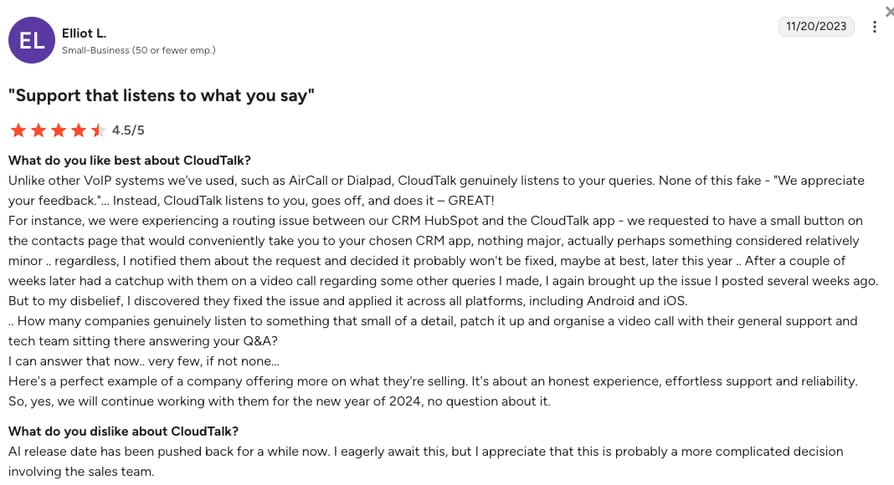
- Dialpad to CloudTalk: A reviewer who used Aircall and Dialpad before CloudTalk praises support that listens and a CRM integration that keeps records current.
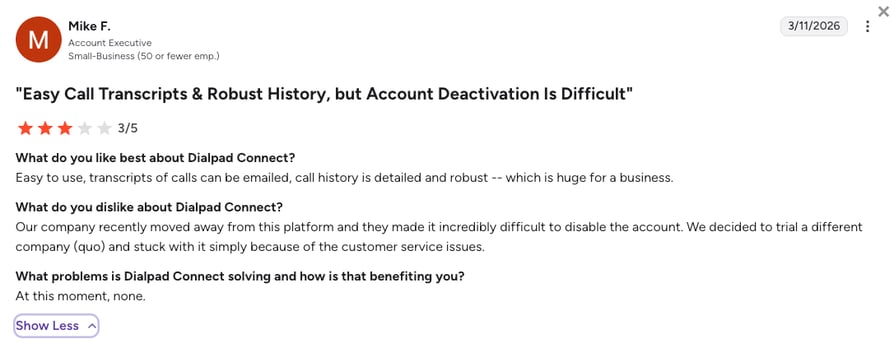
- Dialpad to Quo: A reviewer who left Dialpad for Quo rates Dialpad's transcripts highly but gives it three stars, because closing the account took far more effort than opening it.
Both reviews are below. Just keep in mind that the CloudTalk one is a few years old, and both platforms have moved on since. CloudTalk now runs AI voice agents in 70+ languages on the same phone system as your reps, plus the AI Sales Dialer, and Dialpad has added AI agents and native workforce management too.
CloudTalk vs. Dialpad: A Detailed Feature Comparison
Dialpad is an AI-first communications suite built around the live call, and CloudTalk is a call center platform built around the countries you call and the CRM you log into. The video above walks through CloudTalk end to end, from numbers to the dialer and the AI, and the table shows where each one wins.
| Category | CloudTalk | Dialpad | Winner |
|---|---|---|---|
| Starting price | $25/user/mo | $15/user/mo | Dialpad |
| Seat minimum | 1 on Starter and Essential, 3 on Expert | 1 on Standard, 3 on Pro | Tie |
| CRM integrations from | Essential ($29/user/mo), no seat minimum | Pro ($25/user/mo), 3-user minimum | CloudTalk |
| Dialer | AI Sales Dialer: Power or Parallel (up to five lines), HubSpot, Salesforce, Pipedrive, Zoho | Salesforce-only Powerdialer, one record at a time | CloudTalk |
| Local numbers | 160+ countries | 50+ countries | CloudTalk |
| SMS-capable numbers | 30+ countries, pay-as-you-go | US, Canada, UK, and Australia | CloudTalk |
| Real-time AI coaching | Not offered, AI works after the call | Live transcripts, recaps, and coaching cards | Dialpad |
| AI voice agent | AI Receptionist from $99/mo, 70+ languages | Dialpad Resolve, $1.99 per voice conversation | CloudTalk |
| Workforce management | Not offered | Native on Dialpad Support Premium | Dialpad |
| Microsoft Teams | CTI app on AppSource | Direct Routing | Dialpad |
| G2 rating | 4.4/5 (1,950+ reviews) | 4.4/5 (4,250+ reviews) | Tie |
Dialpad is the stronger phone system for the call itself, and CloudTalk is the stronger one for everything around it. If your reps need a coach on screen, Dialpad. If they need a local number in the next market and a dialer on the CRM you already pay for, CloudTalk.
How to Choose the Right Dialpad Alternative
The right Dialpad alternative depends on four things, and each answer below names a pick:
- how many countries you call and text,
- whether your reps need a dialer, and which CRM it has to work with,
- which plan connects your CRM, and how many seats it makes you buy,
- and whether live AI coaching is a must-have.
What Is the Best Dialpad Alternative for Predictable Billing?
CloudTalk is the best Dialpad alternative for predictable billing, with Nextiva the runner-up for a US-only team. Dialpad's entry price is honest, and the surprises come later: the 3-user minimum on Pro, the separate Sell product for the dialer, and international calls billed from credit. CloudTalk prices seats, dialer add-ons, and AI on its pricing page. Price a 5-seat and a 50-seat bill on each shortlist tool first.
Which Dialpad Alternative Provides the Best CRM Synchronization?
CloudTalk provides the best CRM synchronization among Dialpad alternatives, and Aircall is the runner-up for a helpdesk-first team. Both connect HubSpot and Zendesk from the first plan, where Dialpad waits for Pro. CloudTalk adds Pipedrive and Zoho from Essential, which is where Pipedrive-centric teams moving off Dialpad tend to land. Check which plan your CRM connects on, not whether it connects.
Pipedrive's own sales team runs on CloudTalk. Its top SDRs make 270+ calls a month with 100% of call activity logged.
What Is the Best Dialpad Alternative for International Reach?
CloudTalk is the best Dialpad alternative for international reach. Dialpad sells local numbers in 50+ countries and SMS in four. CloudTalk sells local, mobile, and toll-free international numbers in 160+ countries and texts from SMS-capable numbers in 30+. Buy one number in your next market on a trial first.
Revolut scaled from zero to 500+ SDRs on CloudTalk with 193+ local numbers, saving 40+ hours a month on setup and admin.
Are There Dialpad Alternatives Without Strict Seat Minimums?
Yes, CloudTalk, Quo, RingCentral, and Nextiva are Dialpad alternatives without strict seat minimums. Dialpad itself starts at one seat on Standard, so the minimum only bites on Pro. On CloudTalk, Starter and Essential have no seat minimum and Expert starts at three. Aircall asks for three licences and JustCall for two. Count the seats you'll fill in six months, not today.
Which Dialpad Alternative Comes Closest on Real-Time AI and Coaching?
Aircall comes closest to Dialpad on real-time AI and coaching, and Dialpad still leads. Aircall adds live coaching for $49 a licence, and JustCall puts real-time agent assist on Pro Plus. CloudTalk works after the call: AI Conversation Intelligence writes transcripts, summaries, sentiment, and call scores from $9/user/month. If a rep needs help mid-call, shortlist Dialpad and Aircall. If the manager needs the review afterwards, any of the three works.
What Is the Best Dialpad Alternative for Outbound Sales Teams?
CloudTalk is the best Dialpad alternative for outbound sales teams, and JustCall is the runner-up for a team that wants predictive dialing. Dialpad’s Powerdialer runs only inside Salesforce Lightning, one record at a time. CloudTalk’s AI Sales Dialer builds campaigns from HubSpot, Salesforce, Pipedrive or Zoho lists and runs them in Power mode, or in Parallel mode on up to five lines with voicemail detection and automatic voicemail drop. The Power Dialer comes with Expert or as a $15 add-on, and the Parallel Dialer is a $39 add-on on any plan. JustCall’s predictive dialer reaches 10 lines on SalesPro. Run one real list through the dialer on a trial and count the connects.
What Is the Best Dialpad Alternative for Growing Teams?
CloudTalk is the best Dialpad alternative for growing teams. SMB teams outgrow a US-first suite the day they hire abroad or add an outbound rep who isn't on Salesforce. CloudTalk starts on one Starter seat and scales to a mid-market phone system with local numbers, call queues, the Parallel Dialer, and AI on the same account. Pick the platform that still fits at 10, 25, and 50 people.
Which Dialpad Alternative Should You Pick?
Decide the countries, the dialer, the CRM tier, and the seat count first, and the pick makes itself clear right away. But if you need a bit of help, here are the best Dialpad alternatives for the most important sales & support use cases:
- Aircall if your support team lives in a helpdesk and needs deep integrations.
- CloudTalk if your team sells and supports across countries and wants a parallel dialer that doesn’t need Salesforce, plus CRM sync from the first seat.
- RingCentral if you want one suite for phone, video, and messaging across a larger company.
- Nextiva if a small business wants voice, video, and chat on one bill.
- JustCall if your reps text as much as they call.
- Quo if a few people share numbers and an inbox.
- Grasshopper if it's you and a business number in the US or Canada.
And if real-time transcription and live AI coaching are what your team relies on every day, staying with Dialpad is the right call.
For most growing sales and support teams, CloudTalk is the best overall Dialpad alternative: local numbers across countries, a dialer that doesn't need Salesforce, and CRM sync from the first seat, on one account.
Frequently Asked Questions about Dialpad Alternatives
Quick answers on how Dialpad's competitors compare and when it's worth staying put.
The best overall alternative to Dialpad in 2026 is CloudTalk for SMB sales and support teams that call across countries, with Aircall for support teams on a helpdesk. In a direct CloudTalk vs Dialpad comparison, CloudTalk wins on numbers, dialer, and CRM sync, and Dialpad on real-time AI.
Dialpad's AI is better than most competitors' on the live call, where real-time transcription and coaching cards are its strongest features. After the call it's a closer race: CloudTalk's call transcription, summaries, and scoring cost $9/user/month.
Yes, you can keep your current business numbers if you leave Dialpad. Moving them is called number porting: you submit a signed authorization and a recent invoice, and the number goes live on the new system on the port date. Keep Dialpad open until then.
CloudTalk is the Dialpad alternative best for multi-region teams: it sells local numbers in 160+ countries and texts from SMS-capable numbers in 30+, where Dialpad's SMS stops at four. Remote teams get a local caller ID per market on one account.
The best platforms like Dialpad for support teams that need reliable routing are CloudTalk and Aircall. CloudTalk builds queues, IVR menus, and skill-based routing in a visual call flow designer from Essential, and Aircall routes inside the helpdesk.
Free Dialpad alternatives exist, but they cover a solo user rather than a team: CallHippo has a free Basic tier where you pay only for numbers and usage. A team gets further on CloudTalk's 14-day trial, and every account also gets 50 free AI Receptionist minutes.
The best alternatives to Dialpad for enterprise contact centers are Five9 and Talkdesk, which add workforce management and omnichannel routing at scale. A contact center under 50 seats gets routing, AI agents, and a parallel dialer on CloudTalk's contact center software.
The cheapest Dialpad alternative for a small team is Grasshopper at $14 a month flat, followed by Quo and Nextiva at $15/user/month with no seat minimum. Compare the plan that connects your CRM: on Dialpad that's Pro at $25 with three seats, on CloudTalk it's Essential at $29/user/month with 100+ integrations on one seat.
Dialpad's main competitors are Aircall for helpdesk-first support teams, CloudTalk for global SMB teams, RingCentral for larger companies, Nextiva for small-business bundles, JustCall for SMS-heavy outbound teams, Quo for small teams sharing numbers, and Grasshopper for solo owners. Our alternatives hub covers the wider field.
Dialpad is worth it in 2026 for AI-first teams in the US and Canada that want live transcription and coaching from $15 a seat. It's a poorer fit once you need numbers in more countries, a dialer outside Salesforce, or CRM sync without a 3-user minimum, as our Dialpad review explains.