


Call Center Software for Small Businesses
Most call platforms are built for companies with an IT department and hundreds of seats. CloudTalk isn't. You get the same platform teams at Revolut and Pipedrive run. Every feature is available to you whether you have 3 seats or 300. We don't make distinctions. You'll get:
- Setup in under an hour — no hardware, no IT person
- Queues and callbacks — never miss a customer call
- AI on every call — notes, summaries, CRM sync
- One predictable price — from $25/user per month
Trusted by 30,000+ sales & support professionals to power more & better conversations















The Basics
What Is Call Center Software
for Small Business?
Call center software for small business is a cloud platform that helps companies with fewer than 100 employees handle inbound and outbound calls professionally — routing callers to the right person, queuing peak-time volume, and logging every conversation automatically. It replaces the shared line, the personal cell phones, and the voicemail box nobody checks with one call management system the whole team works from.
Because it runs in the cloud, there is nothing to install and no per-line contract: agents sign in from a browser or app, numbers provision instantly, and the system scales one user at a time. CloudTalk adds AI on top — automatic notes, summaries, and coaching insights — so small teams get the tooling of a large call center at a small business price.
CloudTalk's Platform
See How It Works in Under 2 Minutes
Explore the platform hands-on — routing, dialer, and the live dashboard. No sign-up required.
Compare
A Basic Phone Setup vs.
Call Center Software
Most small teams start with a shared line and personal cells. Here is what changes:
TEAMS WE HELP
One Platform for Sales, Support, and Everything Between
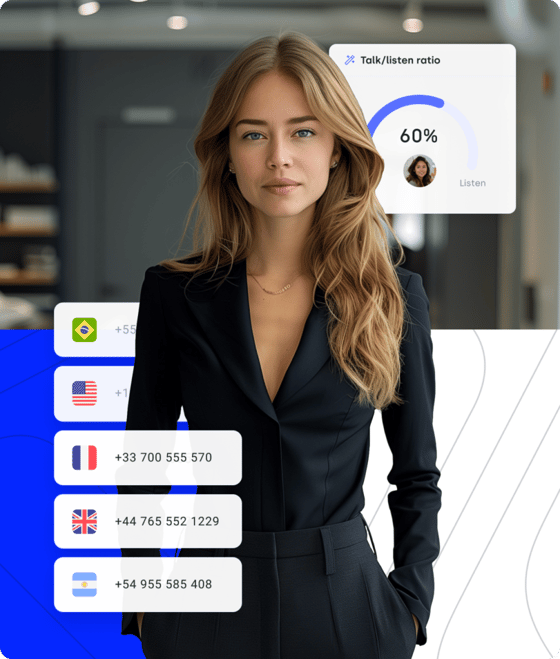
Have More Live Conversations, Without the Chaos
- Automated Dialer: Spend less time dialing and more time talking — power and parallel modes with answering machine detection.
- Call Recording & AI Coaching: Review real calls and transcripts together to sharpen skills and close faster.
- AI-Powered Admin: Notes, summaries, and CRM sync happen automatically — manual admin is a waste of selling time.
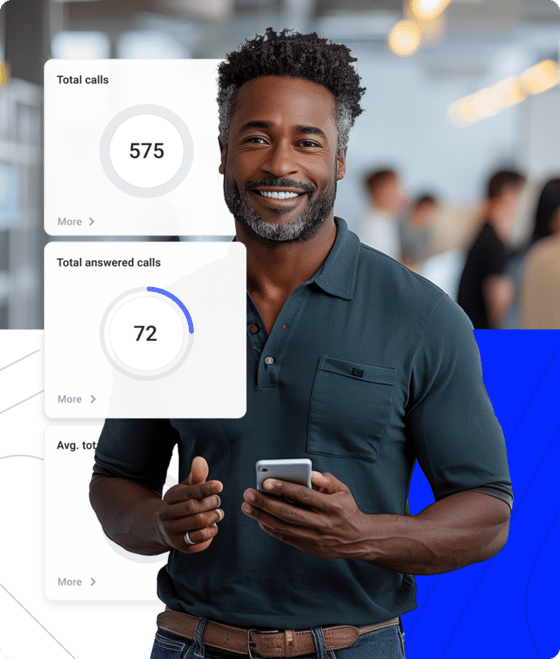
Fast, Reliable Support That Builds Trust
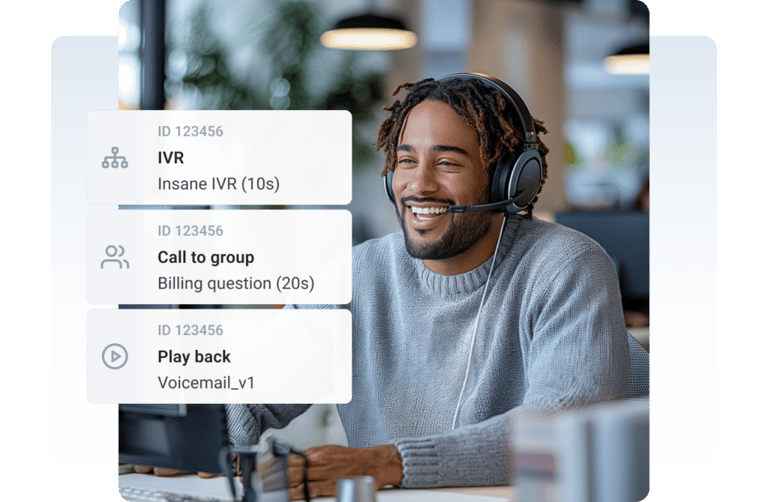
- Visual Call Flow Designer: Build flows that get customers where they need to go — decision trees, failovers, no code.
- Callbacks & Missed-Call Detection: Automatically call customers back and smart-detect resolved missed calls, so nobody slips through.
- Real-Time Analytics: Track resolution times and agent performance to spot problems before they grow.
Effortless to Run — Even Without an IT Team
- Always-On Reliability: 99.999% uptime on multi-carrier infrastructure with automatic failovers.
- CRM & Helpdesk Integrations: Sync call data with the tools you already use — HubSpot, Pipedrive, Zendesk, and 100+ more.
- Role-Based Permissions: Assign roles in clicks — security and clarity without micromanaging.

Why Small Businesses Choose CloudTalk
Zero Tech Hassle
Start making calls in minutes, even without IT support — all you need is a headset, a device, and internet. The onboarding portal walks you through the rest.
Keep Your Number
Bring your current phone number with you — no service interruptions, no missed opportunities, no confusing your customers with a new number. Just on a better platform.
Plans That Scale With You
Add users and features when you need them, from $25 per user/month on transparent plans — no seat minimums, no surprise fees, no annual lock-in required.
The Call Center Software Small Teams Grow Into
From two seats to five hundred — here is why growing businesses run their calls on CloudTalk.
More Live Conversations, Less Busywork
The AI Sales Dialer handles every mode from preview to parallel, and AI takes care of the admin — notes, summaries, and call logs sync to your CRM automatically. Reps spend their day talking to people, not typing about them.
Thanks to CloudTalk's reliability, we could improve sales teams' performance and close more deals than we could have ever imagined.

Never Lose Another Customer Call
For a small business, every missed call is a missed customer. IVR menus, queues, and automatic callbacks catch what your team can't answer live — and missed-call detection flags what still needs a response. Bit2Me cut missed calls by 80% and responded 4× faster after switching to CloudTalk.
Customers used to wait over 20 minutes just to speak to an agent. Now, they get through in 3 to 4 minutes. We also went from missing 80% of calls to just 16%.


Coaching Insights — Without a QA Team
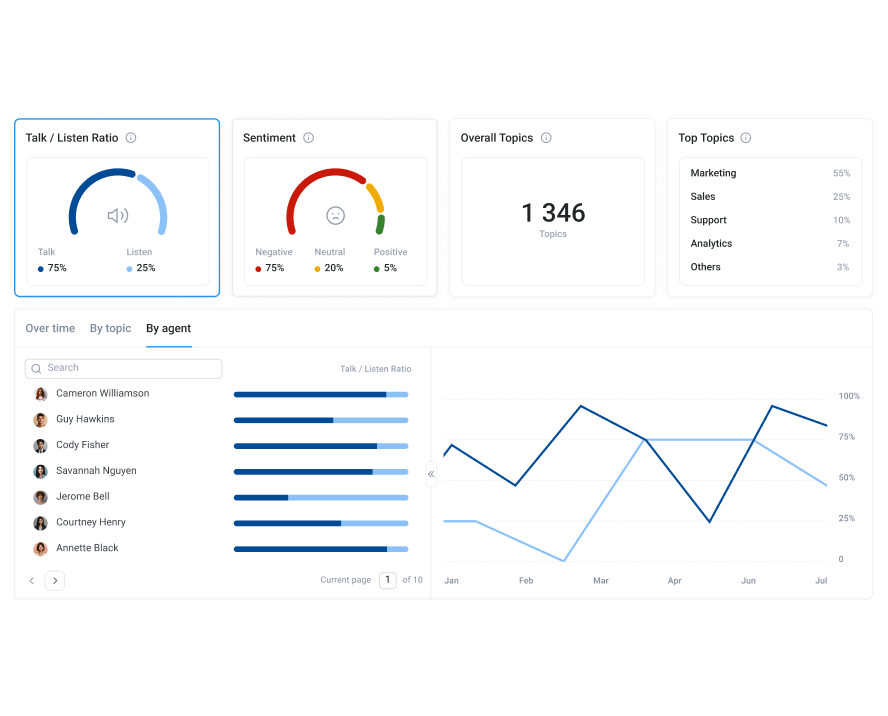
You can't listen to every call as you grow, and you shouldn't have to. AI Conversation Intelligence analyzes every conversation automatically — searchable transcripts, talk/listen ratios, sentiment, and call scoring surface coaching moments while they still matter.
CloudTalk's AI transcripts and analytics make it easier to track talk ratios, discovery depth, and regional performance — all without requiring formal training to get started.
Small Business Call Centers:
Everything You Need to Know
Outgrowing a shared phone line or just choosing your first call platform?
Here are the answers to the questions small teams ask most.
A call management system organizes how calls move through your business: who they route to, what happens when nobody answers, and how every conversation gets logged. For a small business, that means IVR menus greeting callers, routing rules matching them to the right person, queues and callbacks catching overflow, and automatic logging into your CRM.
Call management is the core of call center software — the difference is packaging. Modern platforms like CloudTalk bundle call management with dialers, analytics, and AI in one per-user subscription instead of separate tools.
Cloud platforms price per user per month with no hardware or installation — CloudTalk’s plans start at $25 per user/month, and a five-person team can be fully equipped for less than the cost of a single legacy phone line contract.
Watch for the pricing traps common in this market: seat minimums that exclude small teams, per-minute overages on "unlimited" plans, and essential features gated behind enterprise tiers. CloudTalk’s plans are public with no seat minimums — what you see is what you pay.
Prioritize the features that change daily operations at small-team scale:
- IVR and smart routing — callers reach the right person without a receptionist.
- Queues and callbacks — peak-time calls wait or get called back instead of hitting voicemail.
- CRM integration — two-way sync with HubSpot, Pipedrive, or your stack, so nothing is typed twice.
- A dialer — if you do outbound, automated dialing is the single biggest productivity gain.
- AI notes and transcripts — documentation and coaching without extra headcount.
- Real-time dashboards — see missed calls and wait times while you can still act on them.
It depends on what your calls do. A business phone system covers professional calling — numbers, extensions, voicemail. Call center software adds volume tooling on top: routing, queues, dialers, analytics, and AI. If customers wait, calls get missed, or reps dial lists, you need the latter.
The line has blurred: platforms like CloudTalk are both in one subscription, so a small business can start with phone-system basics and switch on call center features as volume grows — without migrating. Larger operations comparing platforms should start from cloud call center software.
Yes — and small teams arguably gain the most, because AI covers the roles they can’t hire for. AI Conversation Intelligence writes the notes, summaries, and call tags a small team never has time for, and surfaces coaching insights without a QA function.
Beyond that, an AI receptionist or AI voice agents can answer common questions, qualify callers, and take messages around the clock — so a five-person business answers like a fifty-person one.
More CloudTalk Features
And Then, There's AI…
Sales agents save 3 hours a week on manual data entry and handle 20 more calls. Supervisors gain back 25 hours weekly with automated call reviews, transcripts, and AI analytics.
Here's a taste of what our AI Conversation Intelligence offers:
- Structured recaps land in your CRM the moment a conversation ends — zero post-call admin, searchable history of every deal and ticket.
- AI Voice Agents for routine callsScheduling, FAQ resolution, and after-hours coverage handled end-to-end — escalating to a human only when needed.
Signature Capability
See CloudTalk’s AI Voice Agent in Action!
CeTe is an AI that talks like a human: no breaks, no training, no time off. It makes and answers calls, updates CRMs, books meetings, and loops in a human only when needed.
Press play to hear it. Want a wow moment? Get a free test call and try it live.

CloudTalk's Pricing
How Much Does CloudTalk Cost?
Our pricing is transparent, so you always know what you're paying for.
No hidden fees, no additional costs.
Compare Providers
Small Business Call Center Software
Head-to-Head Comparison
A lot of platforms don't really think of small business customers — the pricing is quote-based, the good features sit in enterprise tiers, and you can't even learn the price without a sales call. We do it differently: our pricing is public, you know exactly what you're getting into, and you only pay for what you actually need

CloudTalk is built to simplify calling operations with reliable AI business calling
Schedule a demo today to see how CloudTalk can support your team.
Call Center Software for Small Business FAQs
One that combines quick setup, per-user pricing, and the integrations you already use — without seat minimums. CloudTalk pairs those with AI on every call; see how it compares in our small business call center guide.
There’s no minimum — many CloudTalk customers start with 2–5 people sharing routing, queues, and one dashboard. AI voice agents can cover after-hours and overflow, so a small team answers like a much bigger one.
Most small teams are live in under an hour: sign up, add users, pick numbers, and set a simple call flow. No hardware, no installation — a headset, a device, and internet is all you need.
Yes. Number porting moves your current numbers over without interruption in a few days — customers keep calling the number they know, and you can add new local numbers instantly.
From $25 per user/month on public plans with no seat minimums — no hardware, no installation fees, and a 14-day free trial to test everything before you commit.
Nearly — a contact center adds channels like email and chat. CloudTalk is calls-first with SMS and WhatsApp built in, and 100+ app integrations connect the rest of your stack.
Yes — every plan starts with a 14-day free trial, no card required, plus an interactive demo on this page. You can also book a walkthrough with our team for your specific setup.


Hello 👋 My name is Emma. Still have questions?
Can’t find the answer you’re looking for? Please chat to our friendly team.