
DIY vs Paid AI Voice Agents: What Actually Makes Sense for SMBs in 2026?
TL;DR:
Here’s what you’ll get from this guide on DIY vs Paid Voice AI:
-
What each option really takes to build, run, and maintain
-
The hidden costs behind DIY tools—and why they often stack up fast
-
How paid Voice AI platforms remove setup, hosting, and compliance work
-
Why DIY gives full control—but demands technical skills, tuning, and ongoing maintenance
-
Why paid Voice AI offers faster, more reliable performance for teams that need to scale
-
Which path scales better for SMBs, sales teams, and support teams
-
Clear guidance on when DIY makes sense and when paid solutions win
If you’re a growing business deciding whether to build or buy, this breakdown makes the choice faster, easier, and far more predictable.
Most DIY Voice AI projects don’t fail because of bad code—they fail because of everything else around them.
According to Verified Market Reports, voice AI is a fast-maturing market, projected to reach $19.6 billion by the end of 2025¹. This growth is driven by virtual assistants, contact center automation, and real-time personalization.
With open-source tools like Whisper and Bark now widely available, building your own Voice AI feels more reachable than ever.
But while getting started is easy, running and maintaining a system that handles real customer calls is a very different challenge—especially for sales teams, support teams, and growing SMBs that need reliable results without extra engineering work.
So what’s the better path—build Voice AI locally or use a paid service?
In this guide, we’ll break down the pros and cons of both. Whether you’re an AI enthusiast testing ideas or part of a scaling business looking to automate calls and save time, you’ll find the clarity you need to choose the right approach for your team.
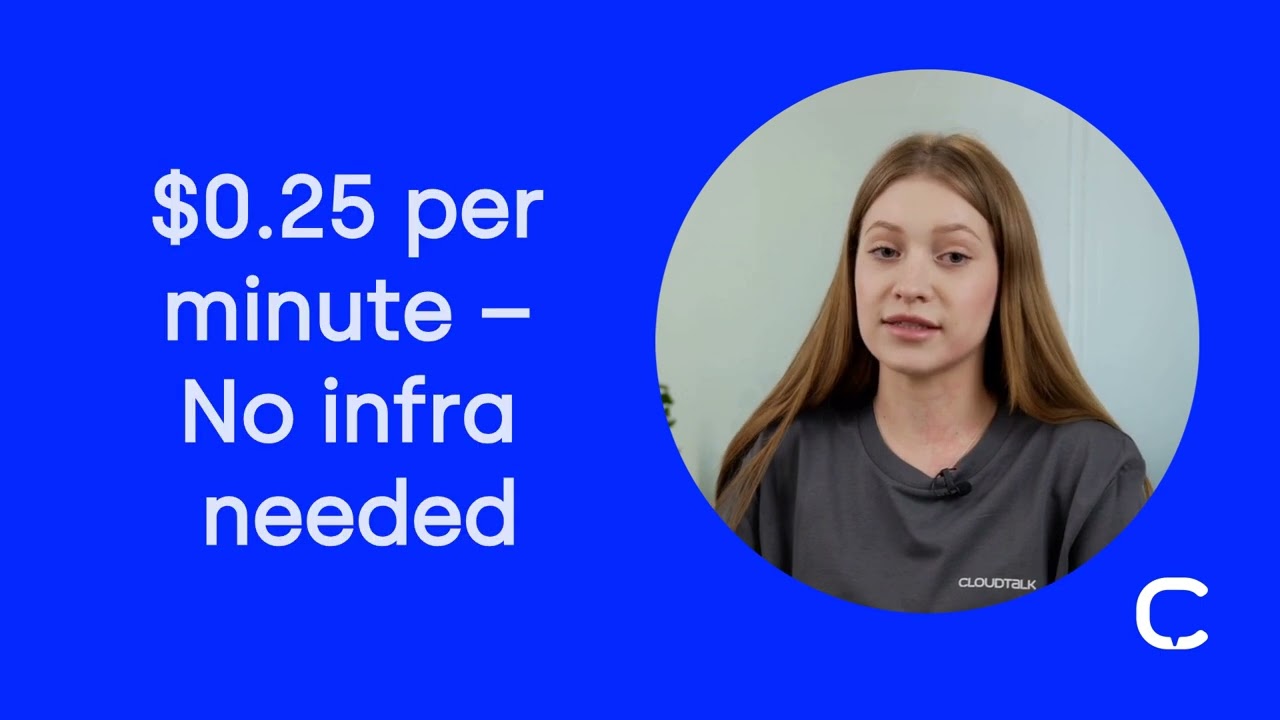
Learn what business-ready AI Voice Agents sound like—and why DIY can’t compete.
Build or Buy? How to Choose the Right Voice AI Path for Your Team
TL;DR:
Before we dive in, here’s a quick heads-up on what really matters when choosing between DIY and paid Voice AI. We’re not just comparing how each approach works—this section focuses on the day-to-day impact on your team, your time, and your bottom line.
Think about:
-
How much time each option actually saves (or costs)
-
How it affects daily workflows and call handling
-
Where teams typically see the strongest ROI (return on investment)
According to Grand View Research, the Voice AI market is projected to hit $53 billion by 2030 (up from just $12 billion in 2022).²
Which raises the key question for most businesses today: Should we build our own AI voice agent, or use a platform that’s ready to go?
Building your own Voice AI gives you full control. You choose the tools and manage everything yourself, which can be exciting for technical teams. But for most growing businesses, that freedom comes with a cost—slow setup, ongoing maintenance, and a longer wait before your team can actually use it.
A managed AI Voice Agent platform is the complete opposite. Instead of weeks of wiring things together, you get an agent that can make and answer calls right away. Real-time responses, CRM integrations, compliance, and reliability are already built in.
That’s why many sales and support teams choose paid solutions: they want predictable results, not another technical project.
Before diving deeper into how to build a custom voice AI or set up a paid voice agent, check out how AI Voice Agents usually work.

Make the Right Voice AI Choice
Choosing Between DIY and Paid Voice AI: Pros & Cons for SMBs and Growing Teams
TL;DR:
Want to know how DIY and paid Voice AI really compare? This section breaks down the core trade-offs—cost, setup time, flexibility, maintenance, and long-term reliability—so you can see which path fits your team, your workload, and your goals.
Once you understand how each option works, the next step is weighing the trade-offs.
From budget and flexibility to long-term maintenance, here’s how DIY and paid Voice AI stack up side by side.
Advantages and Disadvantages of DIY Voice AI
Going the DIY route means full control—but also full responsibility. It’s a hands-on approach that’s great for learning and experimentation, as long as you’re ready for the upkeep.
DIY Voice AI
| Pros | Cons |
|---|---|
| Full control over stack and data | Requires deep technical expertise |
| No vendor lock-in or licensing fees | High dev/infra maintenance |
| Ideal for internal tools or research | Limited support or SLAs (Service Level Agreements) |
| Flexible for custom research projects | Not production-ready out of the box |
| Great learning experience for engineers | Ongoing tuning and debugging required |
Advantages and Disadvantages of Paid Voice AI
Paid, business-ready Voice AI platforms bring benefits such as speed, simplicity, reliability, and more. They’re less hands-on, but come with built-in tools and dedicated support to help you scale fast.
Paid Voice AI
| Pros | Cons |
|---|---|
| Plug-and-play with instant deployment | Monthly or per-minute costs |
| Scalable infrastructure with no maintenance overhead | Some platforms lack niche or emerging features (e.g., custom on-call logic) |
| Faster time-to-value with minimal setup | Limited access to underlying model behavior |
| Built-in compliance (e.g., GDPR, HIPAA) | Less customizable logic flow |
| Native integrations with CRM and CX tools | May require upfront configuration |
| Guaranteed 24/7 service (backed by SLAs) | Potential vendor dependency |
| Backed by dedicated support teams | Custom TTS voices may be limited |
Bottom line?
DIY gives you freedom and flexibility—but you’ll trade off speed, reliability, and ease of use. If you run a scaling SMB or simply need stability, support, and performance out of the box, paid Voice AI wins.
Make the Smart Choice
How to Build Your Own AI Voice Agent Locally?
With so many open-source tools available, launching a basic AI prototype is easier than ever. But even simple projects require a few moving parts working together.
To build it locally, you’ll need to combine:
-
Transcription (e.g., Whisper for turning speech into text)
-
Text generation (e.g., LLaMA or LLaVA to create responses)
-
Speech synthesis (e.g., Bark or Tortoise to turn text back into voice)
-
Logic orchestration (e.g., custom scripts or decision trees to guide the flow)
Not sure how it all comes together? The visual below shows what a typical DIY Voice AI build looks like—from picking open-source voice AI tools to training and optimizing your agent.

Many Reddit users experimenting with local setups love the appeal of “one-click deploys on macOS” using tools like Whisper.cpp or Local LLaMA³. That early speed makes DIY great for learning, testing ideas, or getting hands-on with Voice AI.
But turning a small local project (in other words, an MVP) into something reliable enough for real customer calls is where things get challenging.
To reach production readiness, you’ll need to:
-
Train and fine-tune AI voice models (or settle for defaults)
-
Host those models on servers with GPUs or strong CPUs
-
Build and maintain a real-time pipeline between ASR (Automatic Speech Recognition), NLU (Natural Language Understanding), TTS (Text-to-Speech), and logic
-
Secure every endpoint and meet standards like GDPR, HIPAA, or SOC2 if needed
-
Troubleshoot outages, latency spikes, and bugs manually
And this is all before connecting the system to your CRM or helpdesk tools—an extra step many small teams struggle to maintain long term.
Pro Tip:
If you’re building locally, start small. Use tools like Whisper.cpp for ASR and Bark for TTS on sample audio before scaling to live traffic. You’ll surface latency, CPU, and UX issues early—before they snowball.
How to Set Up a Paid AI Voice Agent (Step by Step Guide)
TL;DR:
Here’s a quick overview of the steps for setting up a CloudTalk Voice Agent.
-
01
Open the Voice Agents page and create a new agent
-
02
Set the basics: name, call direction, and language
-
03
Write the system prompt to guide tone and behavior
-
04
Add rules for escalation or ending the call
-
05
Define what data the agent should capture after each call
-
06
Choose your preferred model and voice settings
-
07
(Optional) Attach a knowledge base for added context
-
08
Enable any real-time tools your workflow requires
-
09
Go live and start using the agent
While DIY can be great for testing, paid solutions often win when it’s time to scale. You skip the infrastructure, get enterprise-grade reliability, and go live in minutes—not months.
Let’s take CloudTalk’s AI Voice Agent as an example and walk through how to set one up—step by step:
1. Access Voice Agent Setup
In the CloudTalk dashboard, go to VoiceAgents > Agents, and click the ➕ icon to create a new agent.

2. Define Agent Basics
Give your agent a name, choose call direction—inbound or outbound—and select the desired agent language (currently only English, but more languages are coming soon).
3. Write the Prompt
Create a system prompt to define tone, personality, and agent behavior. Prompts support variable injection (e.g. {{name}}) and guide how the agent handles conversations.

4. Enable Escalation or Exit Logic
Configure rules for transferring calls to human agents or ending the call if certain conditions are met. This is managed via conversation flow and function call triggers.

5. Set up Output Mapping
Define what information the AI should extract post-call (e.g. CRM name, demo interest) using the Call Analysis Prompt, which outputs structured JSON to your CRM or database via webhook.

6. Pick Your Model and Voice
Choose from providers like ElevenLabs or Deepgram, and models like OpenAI or Claude. Adjust latency, tone, or expressiveness with built-in sliders for stability, similarity, and temperature.
7. Attach Knowledge Base (Optional)
You can assign documents or structured data sources as context for the agent to reference mid-call. This is super-useful, especially for product FAQs, policy scripts, or support flows.
8. Enable Real-Time Tools
For advanced workflows, add function calls to let your agent schedule meetings, update help desk systems live during the call, or carry out other tasks related to industry-specific use cases.
9. Go Live
And that’s it—your AI Voice Agent is implemented and ready to hit the ground running, with zero heavy lifting on your side.
And once you’re done, CeTe, the voice AI you’ve just set up, will take care of the rest. Just check out how it works for different use cases below.

AI Voice Agents

Nudge expiring offer
Riley, Sales Reminder Agent

Qualify a student lead
Avery, Course Inquiry Agent

Get a payment reminder
Casey, Payment Reminder Agent

Qualify a patient lead
Jordan, Healthcare Intake Agent

Qualify insurance lead
Taylor, Insurance Intake Agent

Accept updated terms
Quinn, T&C Acceptance Agent

Qualify legal inquiry
Drew, Legal Intake Agent

Get post-interview feedback
Jamie, Candidate Feedback Agent

Pre-screen a candidate
Skyler, Applicant Pre-screen Agent

Confirm account action
Morgan, Action Reminder Agent

Get a renewal reminder
Logan, Subscription Renewal Agent

Get CSAT after support
Morgan, CX Feedback Agent

Get NPS or demo feedback
Parker, Post-Sales Feedback Agent

Qualify a trial lead
Blake, Trial Signup Qualifier
Sales Reminder
Agent
Client
Sales / Marketing
Course Inquiry
Agent
Client
Education / EdTech
Payment Reminder
Agent
Client
Financial Services
Healthcare Intake
Agent
Client
Healthcare
Insurance Intake
Agent
Client
Insurance
T&C Acceptance
Agent
Client
Legal Services
Legal Intake
Agent
Client
Legal Services
Candidate Feedback
Agent
Client
Recruitment / HR
Applicant Pre-screen
Agent
Client
Recruitment / HR
Action Reminder
Agent
Client
SaaS / Software & Apps
Subscription Renewal
Agent
Client
SaaS / Software & Apps
CX Feedback
Agent
Client
SaaS / Software & Apps
Post-Sales Feedback
Agent
Client
SaaS / Software & Apps
Trial Signup
Qualifier
Client
SaaS / Software & Apps
Pro Tip:
Use separate agents for different workflows and AI Voice Agent use cases (e.g., sales vs. support) to optimize tone, scripting, and data capture per use case. It’ll keep performance sharp and outcomes aligned with your goals.
Meet CeTe
When DIY Voice Agents Work and When Paid Voice AI Wins
TL;DR:
Curious when DIY Voice AI makes sense and when a paid platform is the better move? This section shows the sweet spot for each—DIY for learning and experimentation, paid solutions for fast launches, real customer calls, and teams that want results without managing infrastructure.
There’s no one-size-fits-all answer—because the right Voice AI solution depends on what you’re building, how fast you need it to work, and what level of support you need.
Let’s break down where each path really shines:
Build Your Own AI to Learn and Prototype
If your main goal is learning, testing, or innovating with minimal cost, DIY Voice AI gives you full creative control. It’s especially useful when you don’t need to go live immediately or support real customers.
Some of the best custom Voice AI use cases are:
-
Building prototypes or internal toolsRapidly test workflows, explore ideas, or build proof-of-concept agents without needing full production reliability.
For example, you might set up a simple AI receptionist for internal call routing, or create an onboarding assistant that walks new users through a product demo script. -
Running technical experimentsTweak models, tune prompts, or test custom logic flows—ideal for teams with ML (Machine Learning) or infra engineers looking to experiment hands-on.
This could include evaluating different LLMs (Large Language Models) for response speed, or testing Bark vs. Tortoise to compare voice output quality. -
Exploring AI researchUse locally built AI voice agents to measure response quality, study voice synthesis, or develop new interaction types in a sandboxed setting.
For instance, you might analyze how ASR (Automatic Speech Recognition) or speech-to-text engines handle different accents.
Use a Paid AI Platform to Launch Fast and Scale Smart
When uptime, user experience, and business impact matter, a paid AI platform removes complexity and speeds up results. This is where business-ready AI Voice Agent services shine.
Some of the best use cases for paid Voice AI include:
-
Launch production-ready agents fastGo from concept to live AI calls in minutes instead of months—with zero infrastructure management or deployment headaches. For example, you might spin up a demo-booking agent in the morning and have it handling real calls by the afternoon—without writing a single line of backend code.
-
Handle real customer interactionsUse AI for sales, support, or onboarding in industries like SaaS, ecommerce, or healthcare—where accuracy, tone, and reliability are non-negotiable. For instance, you could launch a post-purchase follow-up agent that confirms delivery details and offers upsells.
-
Integrate into your existing tech stackSeamlessly connect with tools like Salesforce, HubSpot, Intercom, or Zendesk using native integrations and automated workflows. An example? An AI voice agent that logs qualified leads directly into your CRM after each call, tagging them based on buyer intent.
-
Scale across languages and regionsServe global markets with localized, brand-aligned voices—no need to train or manage custom models per locale. Like using multilingual agents to handle both Spanish and English calls for your LATAM support line.
-
Operate without in-house AI expertiseLet the platform handle updates, tuning, and reliability—freeing your team to focus on outcomes, not infrastructure. This allows even the smallest of teams launch a support agent that runs 24/7—even without any dedicated AI engineers.
Pro Tip:
Many teams hybridize: they build internal prototypes with open-source tools, then switch to paid platforms like CloudTalk for production. Use that path to validate ideas without committing infrastructure too early.
What Are the Real Costs of DIY vs Paid Voice AI?
TL;DR:
DIY Voice AI may look cheap at first, but the real costs add up fast—40–60+ hours of development, $300–800/month in infrastructure, and MVP builds that often reach $10K–$25K (or $40K–$70K for complex setups).
Paid platforms flip the equation. With CloudTalk, you pay simple usage rates $350/team/month plus your plan, with no engineering, hosting, or compliance burden on your team.
At first glance, DIY Voice AI seems budget-friendly—just open-source tools and your time. But the real cost shows up later, in the technical work and ongoing operations needed to keep it running.
What You’re Really Paying for With DIY Voice AI
-
Development timeBuilding a production-ready system with tools like Whisper or Bark/LLaMA takes at least 40–60 developer hours, often spread across weeks or months.
-
InfrastructureHosting the models on GPU-based servers costs around $300–800 a month and can climb much higher as usage grows.
-
Maintenance and downtimeYou’re responsible for debugging issues, applying fixes, and dealing with latency or outages—tasks that take time and create stress for the team.
-
Compliance overheadMeeting standards like GDPR, HIPAA, or SOC2 requires custom audit logs, encryption, secure APIs, and policy workflows built from scratch.
-
Opportunity costWhile engineers troubleshoot pipelines or fix latency issues, core work—like improving your product or serving customers—slows down.
Credible sources like Biz4Group estimate that even a basic voice agent MVP can cost $10,000–$25,000, while more advanced setups often reach $40,000–$70,000+.⁴
Why Paid Voice AI Is More Predictable—and Surprisingly Affordable
Most teams don’t have the time or resources for that level of investment. That’s where platforms like CloudTalk come in. Their plug-and-play AI agents remove the complexity and eliminate hidden costs.
-
No development hours: Deployment is instant—no coding or setup required.
-
Infrastructure included: No hosting or GPU expenses.
-
Compliance built in: GDPR, SOC2, and HIPAA support come standard.
-
Support included: Your team can focus on outcomes, not maintenance.
But let’s put it into a real dollar perspective.
For example, CloudTalk’s AI Voice Agents cost just $350/team/month (with volume discounts down to $0.10/min). They are available in all tiers—including the entry-level Lite (for LATAM only) and Starter plans, which come at $19 and $25 per user/month, respectively. And the best part? You can try everything out as part of your free 14-day trial.
That means all you have to pay for is a simple monthly subscription plus usage. The pay-off? You get enterprise-grade voice automation at a fraction of the $10K—$70K it takes to build it yourself—no engineers, no infrastructure, no headaches.
Why CloudTalk AI Voice Agent Is the Right Choice for Growing Businesses
TL;DR:
This section shows why many teams start with DIY experiments but choose CloudTalk when they need something reliable, fast to launch, and ready for real customer calls. CloudTalk’s AI Voice Agent delivers personalized conversations, smart automation, and enterprise-level performance—without engineering work, hosting, or complex setup.
Many teams start with DIY to test ideas, but they choose CloudTalk when they need real performance. Moving from prototype to production requires reliability, compliance, and a fast return on investment—and that’s exactly what CloudTalk’s Voice Agent is built for.
CloudTalk’s AI Voice Agent was built for teams who want to:
-
Launch fast—without hiring AI engineers
-
Handle real calls with real personalization
-
Automate sales and support without sacrificing tone or trust
It goes beyond simple voice bots. CloudTalk’s AI agents:
-
Greet customers by name, pulling context from your CRM to make every interaction feel familiar.
-
Adapt to your brand voice, so conversations sound natural—not robotic or generic.
-
Escalate smartly, detecting sentiment or confusion and routing the call to the best live agent before it goes south.
-
Nudge mid-call, recommend products, confirm deliveries, run post-call surveys, or flag expiring offers in a helpful, not scripted way.
Whether you’re handling post-purchase support, sales qualification, appointment routing, or any other use case, our Voice Agent handles it—without breaks, delays, or code.
And what about the setup?
-
Live workflows: Summarize calls, tag CRM data, and trigger follow-ups while the call’s still active.
-
Native integrations: Instantly sync with 100+ the best CRM tools, such as Salesforce, HubSpot, Intercom, and many more.
-
Simple, scalable pricing: Start at just $350/team/month.
Our agents are already active in e-commerce, SaaS, healthcare, finance, and more. They help teams turn voice conversations into outcomes and scale like crazy at a very reasonable price.
Test Drive the Best Paid Voice AI
Final Verdict: Should SMBs Build Voice AI or Use a Paid Platform?
Still on the fence? Think of it like fixing your car.
Sure, you could do it yourself—watch a few tutorials, buy the tools, figure it out. But even if you get it running, it’ll cost you more time, stress, and risk than calling someone who does it for a living.
Voice AI works the same way.
DIY is a good fit when you’re learning, testing ideas, or exploring what’s possible. But once real customers, real conversations, and real scale come into play, you need voice automation that’s stable, fast, and ready for production.
That’s where CloudTalk’s AI Voice Agents shine.
They cost just $350/team/month, but more importantly, they are:
-
Smart enough to detect frustration early and escalate before churn
-
Natural enough to sound like your brand—not a script
-
Connected enough to pull CRM or e-commerce data in real time
-
Efficient enough to run 24/7 with no breaks or burnout
-
Fast enough to go live in minutes, with zero infrastructure or engineering work
When your team needs results—not experiments—CloudTalk gives you Voice AI that performs, scales, and supports your business from day one.
Don’t waste months building what you can launch today in minutes. Connect & see how easy it is.
Sources:
-
01
Verified Market Reports
-
02
Grand View Research
-
03
Reddit
-
04
Biz4Group






















