CallFire makes one-way outreach about as simple as it gets. You upload a list, record a message or type it for text-to-speech, and thousands of contacts get the call or the text, with a live transfer for anyone who presses a key. Teams start looking at CallFire alternatives when those broadcasts turn into callbacks, inbound calls and text replies that someone has to answer.
We went through ten alternatives to CallFire software the same way we'd build a shortlist for our own team: each tool's features and how they work (product pages, demo and review videos, help docs), then its pricing page and real reviews, all weighed against CallFire. The order follows fit for someone leaving CallFire, not a ranking, and one question settles most of it: do you send messages, or have conversations?
What Is the Best Alternative to CallFire?
The best alternative to CallFire is the one that handles what happens after your message goes out. For most teams, it's one of these five:
- Lead follow-up by call and text: Ricochet360, from $20/user/month
- SMS-heavy sales with a predictive dialer: JustCall, from $29/user/month
- A growing sales and support team on one phone system: CloudTalk, from $25/user/month
- Power dialing a call list: PhoneBurner, from $140/user/month
- A high-volume contact center: Five9, from $159/user/month for voice
Only sending one-way broadcasts or bulk texts? CallFire is still the simpler buy, and so are DialMyCalls and Text-Em-All. To see every tool side by side, jump to the comparison table.
| # | Tool | Best For | Starting Price | G2 Rating |
|---|---|---|---|---|
| 0 | CallFire (baseline) | Teams that send one-way voice broadcasts and mass texts on a pay-as-you-go budget | Pay as you go, 6¢ per minute or text | 4.4/5 (80+ reviews) |
| 1 | Ricochet360 | Lead-driven teams in insurance, mortgage or solar that call and text every new lead | $20/user/month (Shuttle) | 4.4/5 (20+ reviews) |
| 2 | JustCall | SMB sales teams that text as much as they call and want predictive dialing | $29/user/month (2-user min) | 4.3/5 (2,300+ reviews) |
| 3 | CloudTalk | Growing SMB to mid-market sales and support teams that need dialers, texting, routing and CRM sync on one AI-powered phone system | $25/user/month | 4.4/5 (1,950+ reviews) |
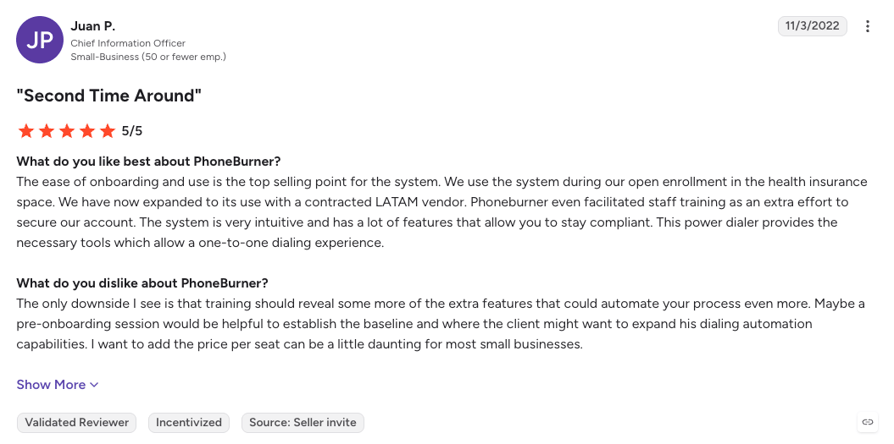
| 4 | PhoneBurner | Outbound reps who power dial US and Canadian call lists one line at a time | $140/user/month (Standard) | 4.7/5 (280+ reviews) |
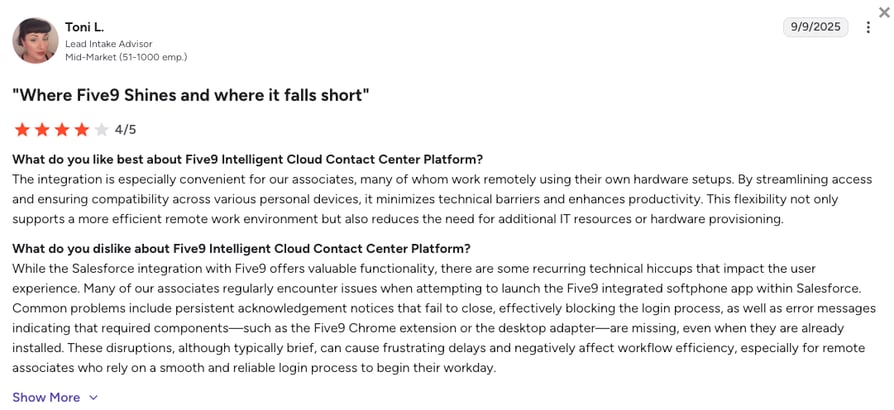
| 5 | Five9 | Contact centers with 50+ seats running high-volume outbound or blended calling | $119/user/month (Digital, 50-seat min) | 4.1/5 (600+ reviews) |
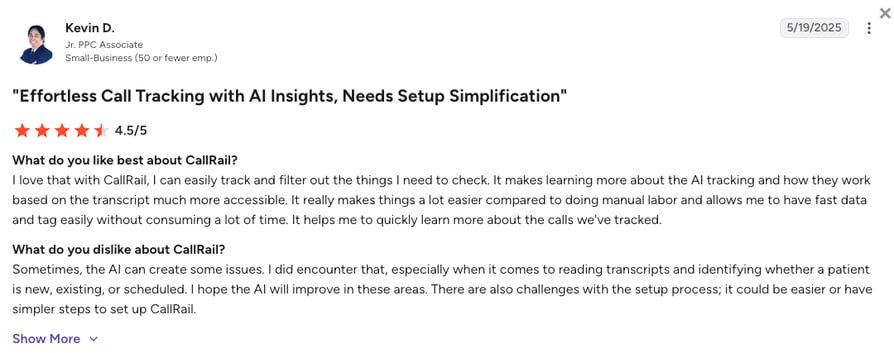
| 6 | CallRail | Marketing teams that need call tracking and ad attribution | $50/month (flat plans) | 4.5/5 (1,950+ reviews) |
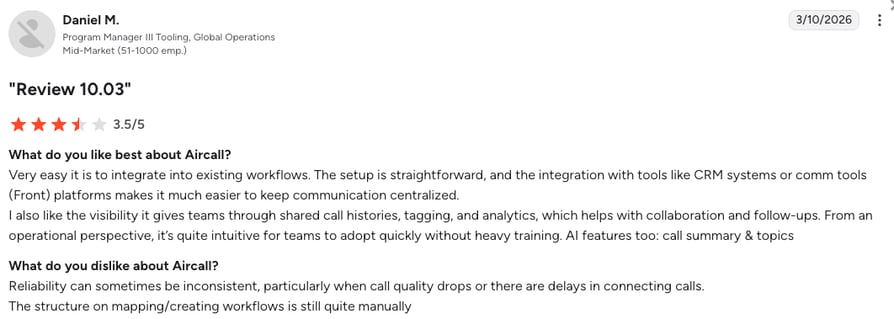
| 7 | Aircall | Sales and support teams that work inside their CRM or helpdesk | $30/user/month (3-license min) | 4.4/5 (1,650+ reviews) |
| 8 | Dialpad | Sales teams that want live AI coaching on every call | $15/user/month | 4.4/5 (4,250+ reviews) |
| 9 | RingCentral | Larger and multi-site companies that want calls, video and chat in one suite | $20/user/month | 4.2/5 (1,400+ reviews) |
| 10 | Nextiva | Small businesses that want a managed phone system with business texting | $15/user/month | 4.5/5 (3,600+ reviews) |
Why Are Teams Searching for a CallFire Alternative?
CallFire earned its place by keeping mass outreach cheap and quick. A small business can send its first voice broadcast or text blast the day it signs up, with no seat licenses and no contract. The teams that move on still like the sending. What they need now is a way to handle everyone who calls and texts back.
CallFire is a cloud platform for small and mid-size US businesses that send high-volume voice broadcasts (pre-recorded or text-to-speech), mass texts with keywords and autoresponders, and tracked calls on virtual numbers, plus IVR. It connects to Salesforce, Zoho, NetSuite, NationBuilder and Mailchimp, with a REST API and webhooks, and it's run by the same company as EZ Texting. Want the full picture? Then read our in-depth CallFire review.
CallFire pricing is credit based. Pay as you go costs 6¢ per minute or text, and monthly plans run from Lite at $99 (2,500 minutes or texts) to Pro at $599 (20,000), with 20% off for annual billing. Each allowance expires at the end of the cycle, and calls and texts stop when credits hit zero.
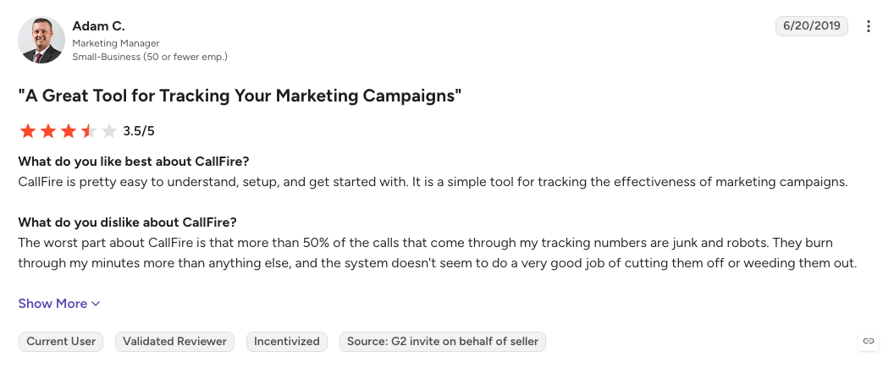
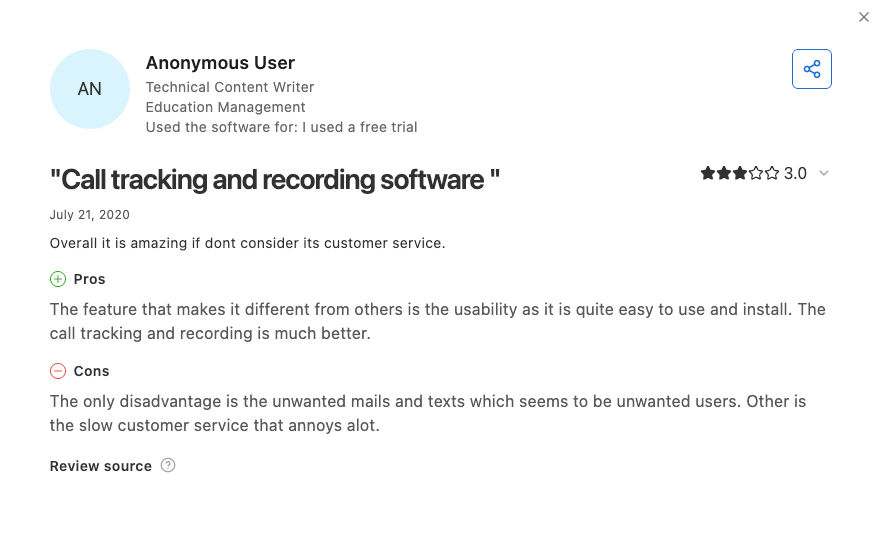
On G2, CallFire holds 4.4/5 from just over 80 reviews, most of them from 2019 to 2021, and on Capterra it sits at 4.3/5 from just 26, most of them written between 2018 and 2023. Reviewers like how fast campaigns go out, and the low-star reviews point to support and billing. With CallFire's own pricing and help pages, they add up to five reasons teams leave:
5 Main Cons of CallFire That Make Teams Look for an Alternative
- Credit billing that's hard to forecastEach plan's pool (2,500 minutes or texts on Lite up to 20,000 on Pro) is shared by calls and texts and expires every cycle. Numbers and keywords cost extra, from $2.50 per number and $20 per keyword on Lite to $1.75 and $10 on Pro, and campaigns stop when credits run out.
- Support that's hard to reachSome reviewers on Capterra report unanswered tickets and locked accounts in 2022 and 2023, and Capterra's own review summary calls responses slow and inconsistent.
- Built for one-way blasts, thin for inboundCapterra's feature list shows no automatic call distribution, so inbound calls can't queue and spread across agents, and reviewers describe the product as simple.
- Text replies are hard to workSome reviewers report an inbox that's hard to follow once replies stack up (2018) and settings that can't be customized much (2021).
- US and Canada onlyCallFire's pricing page lists international dialing as legacy-platform only and says international texting isn't supported, so a team with customers abroad needs a second tool.
CallFire suits nonprofits, churches, local government and small businesses that send reminders and alerts: setup takes minutes, voice broadcasts come with text-to-speech and live transfer, mass texts with keywords, call tracking, a DNC list and STOP opt-outs, and pay as you go costs 6¢ a minute or text with no setup fee. Once those messages start getting replies and callbacks, though, a VoIP alternative built for conversations fits better.
How We Chose the Best CallFire Alternatives and Competitors
Every tool here had to earn its spot on paper first. For each CallFire competitor we went through its features and how they work (product pages, demo and review videos, help docs), then its live pricing page and real reviews, and weighed it against CallFire on six points:
- Billing clarityCredits and allowances versus per-user plans, and what a busy month costs.
- Dialers and campaign toolsWhich dialing modes exist, on which plan, and how a list gets worked.
- Texting and compliance toolsOne-to-one and bulk texting, opt-outs, DNC lists and US registration.
- CRM and helpdesk integrationsNative two-way sync, and the plan it starts on.
- Support accessChannels, hours, and what reviewers say about reaching a person.
- Reporting and reliabilityCall analytics, caller ID reputation and uptime.
The Top 10 CallFire Alternatives for 2026
At a glance, here's how CallFire compares with CloudTalk, Ricochet360, JustCall, PhoneBurner and Five9, the five tools a CallFire user is most likely to shortlist.
| Feature | CallFire | CloudTalk | Ricochet360 | JustCall | PhoneBurner | Five9 |
|---|---|---|---|---|---|---|
| Starting price | Pay as you go at 6¢ a minute or text; plans from $99/mo | $25/user/mo | $20/user/mo | $29/user/mo | $140/user/mo | $119/user/mo (Digital, no voice) |
| Seat minimum | None | None on Starter and Essential; 3 on Expert | None listed | 2 users | Not stated | 50 seats |
| Number coverage | US and Canada | 160+ countries | Not listed | 70+ countries | US and Canada | Not published |
| Voice broadcast | Yes, with text-to-speech and live transfer | No | Not listed on its plans | Not listed on its plans | No | Not listed on its plans |
| Bulk SMS campaigns | Yes, with keywords and autoresponders | No; one-to-one and automated texts | Text automation from Explorer | From Pro | No; texting on Premium only (1,000 a month) | Not listed on its plans |
| Dialer types | Not listed on CallFire's current site | Power and Parallel (up to five lines) | Progressive and predictive | Power from Pro; predictive on SalesPro | Power dialer, one line at a time | Predictive, progressive and preview |
| Voicemail drop | Not listed | From Essential; automatic in Parallel | Perfect Voicemail on every plan | Yes, in the Sales Dialer | One click, every plan | Not listed on its plans |
| ACD and inbound routing | IVR, no ACD | Queues, smart routing and IVR | Inbound routing in the phone system | IVR and routing | Inbound routing on Premium | Full ACD, IVR and virtual agents |
| CRM integrations | Salesforce, Zoho, NetSuite, NationBuilder, Mailchimp, API and webhooks | 100+ from Essential | Built-in CRM; integrations on Explorer | 100+ from Team | 100+, Open API from Professional | 127 marketplace apps |
| Free trial | Free signup, length not stated | 14 days | Not stated | 14 days | Free minutes, length not stated | No |
| G2 rating | 4.4/5 (80+) | 4.4/5 (1,950+) | 4.4/5 (20+) | 4.3/5 (2,300+) | 4.7/5 (280+) | 4.1/5 (600+) |
CallFire's Startup plan costs $199 a month for 5,500 minutes or texts, shared by the whole account. Five CloudTalk Essential seats cost five times $29 a month, with US and Canada calls unlimited under fair use and texts pay-as-you-go. Pay as you go wins for a few campaigns a month. Per-user plans win once reps call all day.
1. Ricochet360: Best CallFire Alternative for Lead Follow-Up by Call and Text
What Is Ricochet360?
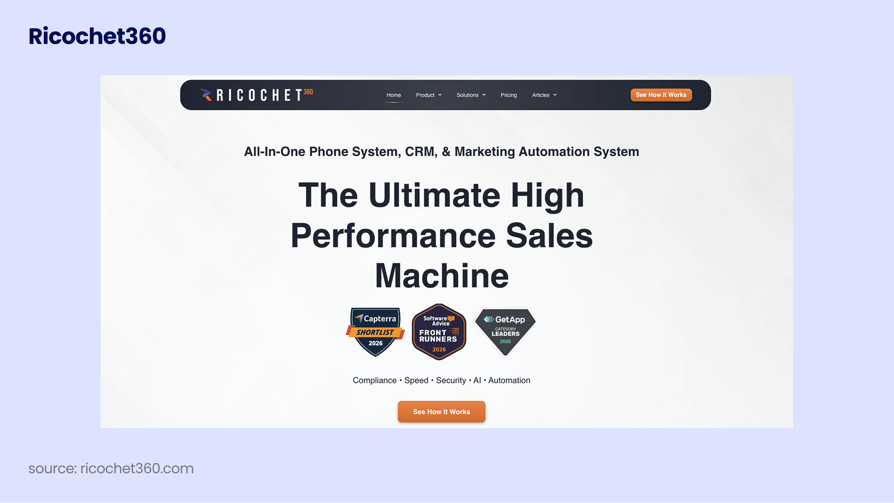
Ricochet360 is a phone system, lead CRM and marketing automation tool in one. Built in Sarasota, Florida, Rico (as users commonly call it) is an ideal CallFire replacement for lead-driven teams in insurance, mortgage and solar. New leads land in the CRM, reps call and text them from the same screen, and every touch is logged on the record.
Of everything on this list, Ricochet360 sits closest to what a CallFire user already does: working a list of leads by phone and text. The difference is that it's built for two-way follow-up rather than one recording sent to thousands, and its pricing page lists no voice broadcasting.
Why Is Ricochet360 a Strong CallFire Alternative?
- The lead and the conversation on one record: Calls, texts and emails sit on the lead in Ricochet360's own CRM, so nobody copies replies from a broadcast tool into a spreadsheet.
- Dialing built for speed to lead: Ricochet360 lists progressive and predictive dialing with answering machine detection, plus local presence and its Spam Guru caller reputation tools from the Booster plan.
- Compliance tools inside the product: It includes a DNC scrubber and describes its A2P texting as TCPA-compliant, though CallFire is still quicker and cheaper for one recorded message to thousands of numbers.
What Are the Pros & Cons of Ricochet360?
| Pros | Cons |
|---|---|
| Phone system, lead CRM and texting in one tool from $35/user/month (Cruiser) | Dialing, email and automation start on Booster at $85/user/month |
| At least 500 minutes per seat and Perfect Voicemail on every plan | 300 calls a day per seat on every plan |
| Spam Guru caller reputation and local presence from Booster | A sales tool first, so support teams that need queues and helpdesk sync have better fits here |
What Are Ricochet360's Plans & Pricing?
Ricochet360 pricing starts at $20/user/month on Shuttle, billed annually, with five plans to choose from:
| Plan | Price (annual billing) | Key Features |
|---|---|---|
| Shuttle | $20/user/mo | 500 minutes, phone system, lead CRM, reporting, Perfect Voicemail |
| Cruiser | $35/user/mo | 1,000 minutes, everything in Shuttle + SMS |
| Booster | $85/user/mo | 1,500 minutes, everything in Cruiser + email, automation, dialing, local presence, Spam Guru |
| Explorer | $125/user/mo | 2,000 minutes, everything in Booster + dialer, marketing automation, integrations, SMS at $0.02 a message |
| Galaxy | $165/user/mo | Unlimited minutes, everything in Explorer + premium support |
How Do Reviewers Rate Ricochet360?
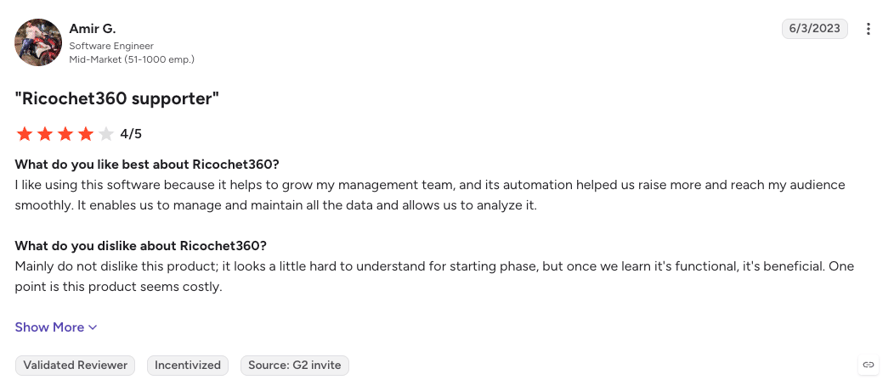
Ricochet360 holds 4.4/5 on G2, but from just over 20 reviews, so its 4.8/5 on Capterra across 80+ reviews gives a fuller picture. Reviewers praise how easy Rico is to use, the patient support and training, and having the CRM, dialer and texting in one place. The critical reviews mention a learning curve during setup and a price some find high.
2. JustCall: Best CallFire Alternative for SMS-Heavy Sales Teams
What Is JustCall?
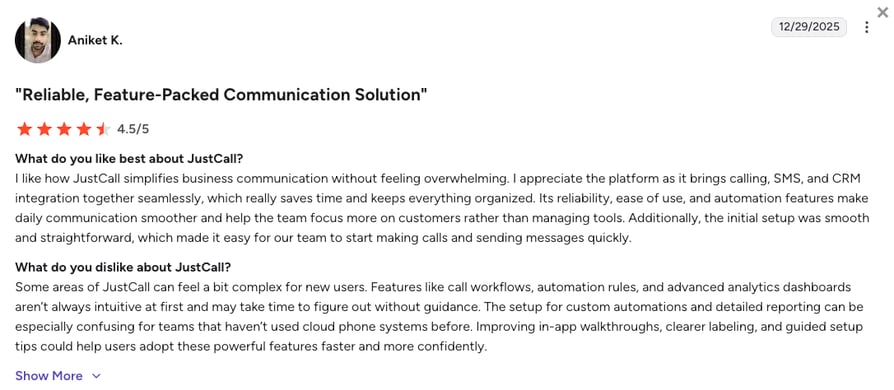
JustCall is a cloud phone system from SaaS Labs for SMB sales and support teams, with calling, business texting, a Sales Dialer and AI tools in one app, and local numbers in 70+ countries.
Where CallFire sends a text to a list, JustCall treats every text as the start of a thread: replies land in a shared inbox next to the call history, and reps can dial the same contacts from a campaign without switching tools.
Why Is JustCall a Strong CallFire Competitor?
- Texting that a whole team can work: One inbox holds the texts and calls for each contact, and bulk SMS campaigns start on Pro, so you can send to a list and answer the replies in the same place.
- A real outbound dialer: Power dialing comes with Pro, and predictive dialing across up to 10 lines sits on the custom SalesPro plan, for teams whose lists are big enough to need it.
- CRM reach from the first plan: 100+ integrations, HubSpot, Salesforce and GoHighLevel among them, start on Team, while CallFire's pay as you go stays cheaper for a team that sends a few campaigns a year.
What Are the Pros & Cons of JustCall?
| Pros | Cons |
|---|---|
| Shared SMS inbox with the call history on each contact | 2-user minimum, so a solo seller pays for two seats |
| Bulk SMS and power dialing on Pro at $49/user/month | Predictive dialing only on the custom SalesPro plan |
| 100+ CRM and helpdesk integrations from Team | AI call scoring and coaching wait for Pro Plus at $89/user/month |
What Are JustCall's Plans & Pricing?
JustCall pricing starts at $29/user/month on Team (mind there's a 2 user minimum), billed annually, and you can choose from these plans:
| Plan | Price (annual billing) | Key Features |
|---|---|---|
| Team | $29/user/mo | Calling, SMS, IVR, 100+ integrations (2-user min) |
| Pro | $49/user/mo | Everything in Team + Sales Dialer with power dialing, bulk SMS |
| Pro Plus | $89/user/mo | Everything in Pro + AI call scoring, coaching and sentiment analysis |
| Business | Custom quote | Custom plan for teams of 10 or more users |
| SalesPro | Custom quote | Predictive dialing on up to 10 lines |
JustCall's shared inbox and bulk SMS go further than CloudTalk, which texts one contact at a time. CloudTalk answers with local numbers in 160+ countries, the Parallel Dialer as a $39/user/month add-on on any plan, and AI voice agents in 70+ languages. Our side-by-side puts the two on one page.
How Do Reviewers Rate JustCall?
JustCall holds 4.3/5 on G2 across 2,300+ reviews. Reviewers like the clean app, the shared texting inbox and how quickly a number goes live. The critical reviews mostly mention support response times and costs that climb once the team needs Pro or Pro Plus features.
3. CloudTalk: Best CallFire Alternative for Growing Sales and Support Teams
What Is CloudTalk?
CloudTalk is an AI-powered business phone system for SMB to mid-market sales and support teams, with local numbers in 160+ countries, IVR and routing, the AI Sales Dialer, one-to-one texting, AI voice agents and two-way CRM sync on one platform.
CallFire is built to send, and CloudTalk is built for the call that follows. It doesn't do voice broadcasts or bulk texts. Instead, reps work their lists with the dialer, AI voice agents make the reminder and follow-up calls a broadcast used to cover, and every call lands in the CRM.
Why Is CloudTalk a Strong CallFire Alternative?
- AI voice agents for the calls a broadcast used to make: Instead of playing one recording to a list, an outbound AI voice agent calls each contact, holds the conversation (a reminder, a confirmation or a first qualification), hands over to a rep when needed and logs the outcome. Calls start from HubSpot, Zapier, Make or the API.
- Lists worked by the dialer, not by hand: The AI Sales Dialer runs in Power mode, one call after another, or in Parallel mode on up to five lines, where voicemails are detected and your recorded voicemail drop goes out on its own.
- Texts and inbound calls on the same number: Reps text one-to-one, CRM workflows can send automated texts one contact at a time, and inbound calls queue and route through IVR in the Call Flow Designer. CloudTalk files your US A2P 10DLC registration for you.
- Every call and text in your CRM: HubSpot, Pipedrive, Zoho and 100+ other tools log calls, recordings and AI summaries from Essential, with Salesforce on Expert, and branded caller ID with reputation monitoring helps keep outbound numbers from being flagged as spam.
What Are the Pros & Cons of CloudTalk?
| Pros | Cons |
|---|---|
| Dialers, routing, texting, AI voice agents and CRM sync on one per-user plan | No voice broadcasting or bulk SMS: texts go out one contact at a time |
| No seat minimum on Starter and Essential, plus a 14-day free trial | CloudTalk doesn't offer predictive dialing |
| Chat and email support 24/7 on every plan, phone support on Expert | Expert, which includes the Power Dialer and Salesforce, has a 3-seat minimum |
What Are CloudTalk's Plans & Pricing?
CloudTalk pricing starts at $25/user/month on Starter (no seat minimums to start with), billed annually, with these plans:
| Plan | Price (annual billing) | Key Features |
|---|---|---|
| Starter | $25/user/month | Unlimited US and Canada calls (fair use), 500 EU and UK outbound minutes, call queues, click-to-call, call recording with 1-month retention |
| Essential | $29/user/month | Everything in Starter + IVR and smart routing in the Call Flow Designer, 100+ CRM and helpdesk integrations, workflow automation, voicemail drops, unlimited recording retention |
| Expert | $49/user/month | Everything in Essential + AI Sales Dialer with the Power Dialer, Smart Dialer, Salesforce integration, 24/7 phone support (the only standard tier with a 3-seat minimum) |
| Custom | Tailored | For teams of 25+ seats, with custom pricing and onboarding |
| AI Sales Dialer (add-on) | From $15/user/month | Power Dialer included on Expert or $15/user/month on Starter and Essential; Parallel Dialer $39/user/month on any plan, up to five lines, with voicemail detection and automatic voicemail drop |
| AI Conversation Intelligence (add-on) | From $9/user/month | AI transcripts, call summaries, call scoring and sentiment analysis; the new Plus tier ($19/user/month) adds scoring templates auto-assigned by team, custom summaries and topics, and AI-drafted follow-up emails |
| AI Receptionist and AI Voice Agents (add-on) | From $99/mo (200 min) | AI Receptionist for inbound answering, routing and booking, with 50 free minutes on every account; AI Specialist voice agents for sales-led inbound and outbound workflows from $349/mo (1,000 min) |
| Virtual Phone Numbers | From $6/number/mo | Local, toll-free, national, and mobile numbers in 160+ countries, instant self-serve in the US and Canada, SMS and WhatsApp on eligible numbers |
How Do Reviewers Rate CloudTalk?
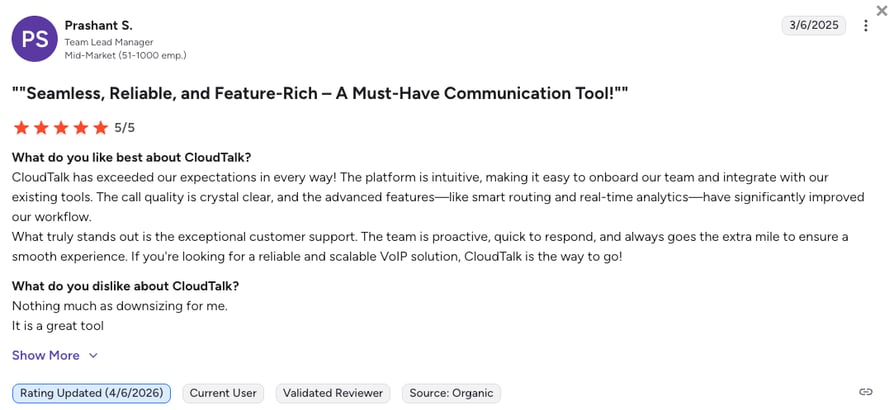
CloudTalk holds 4.4/5 on G2 across 1,950+ reviews. Reviewers most often credit clear call quality, a fast setup for new numbers and agents, and CRM records that update without typing. The criticism that comes up most is that Salesforce sits on Expert and that texts are billed on top of the seat price.
CloudTalk Number Reputation in Action: IMS's Story
Immigration Solutions (IMS), a US legal services company, runs high-volume outbound sales from 424 registered numbers on CloudTalk. With spam monitoring through Numeracle, under 1% carry a spam label at any time, usually 2 to 3 at once, and most clear the same day. Johan Contreras, a support engineer there, sums up the goal:
“The goal was never zero flags forever. It was knowing that if something happened, it wouldn't derail the business.”
Support Engineer, Immigration Solutions USA

4. PhoneBurner: Best CallFire Alternative for Single-Line Power Dialing
What Is PhoneBurner?
PhoneBurner is a cloud power dialer for outbound teams in the US and Canada. It dials one contact at a time, skips the dead air of calls nobody answers, and drops a pre-recorded voicemail in one click, so a rep moves through a list without waiting on rings.
For a rep working a list, PhoneBurner is the closest thing to a broadcast that still puts a person on every answered call. It doesn't send one recording to thousands at once, and texting only arrives on its top plan.
Why Is PhoneBurner a Strong CallFire Alternative?
- Fast single-line dialing: The power dialer moves to the next contact as soon as a call ends, and one-click voicemail drop means reps never record the same message twice.
- Coaching and an API on Professional: The softphone, live call monitoring and coaching, and the Open API come with Professional at $165/user/month, and PhoneBurner lists 100+ integrations, including Salesforce, HubSpot and Zoho CRM.
- Texting and AI notes on Premium: Premium adds 1,000 outbound texts a month, an inbound number, call transcription and an AI note-taker, though CallFire still reaches a whole list with one broadcast for less than a single PhoneBurner seat.
What Are the Pros & Cons of PhoneBurner?
| Pros | Cons |
|---|---|
| Clean single-line power dialing with one-click voicemail drop | One line at a time, with no parallel or predictive dialing |
| Live monitoring, coaching and an Open API from Professional | Texting only on Premium, with A2P 10DLC approval required |
| Support that reviewers praise again and again | Numbers and ARMOR call deliverability are paid add-ons |
What Are PhoneBurner's Plans & Pricing?
PhoneBurner pricing starts at $140/user/month on Standard, billed annually, with the following plans:
| Plan | Price (annual billing) | Key Features |
|---|---|---|
| Standard | $140/user/mo | Power dialer, one-click voicemail drop, workflow automation, call analytics, 30 days of recordings, 10,000 contact imports a month |
| Professional | $165/user/mo | Everything in Standard + softphone, live monitoring and coaching, Open API |
| Premium | $183/user/mo | Everything in Professional + 1,000 outbound texts a month ($15 per extra 1,000, A2P 10DLC approval required), inbound number, call transcription, AI note-taker |
| Numbers and ARMOR (add-ons) | Price not listed | Dedicated numbers, and call deliverability with spam monitoring and remediation |
PhoneBurner's single-line dialer is polished, and it stops at the dialer. CloudTalk's Power Dialer (a $15/user/month add-on on Starter and Essential, included on Expert) and its Parallel Dialer (up to five lines, a $39/user/month add-on on any plan) sit inside a full phone system, with numbers in 160+ countries.
How Do Reviewers Rate PhoneBurner?
PhoneBurner holds 4.7/5 on G2 across 280+ reviews. Reviewers praise how quickly it moves through a list and how helpful its support team is, while critical reviews point to the price per seat and the features held back for the higher plans.
5. Five9: Best CallFire Alternative for High-Volume Contact Centers
What Is Five9?
Five9 is a cloud contact center platform for large inbound, outbound and blended operations, with predictive dialing, intelligent virtual agents, omnichannel routing and workforce tools on one system.
Five9 is what a CallFire user moves to when outbound becomes a whole department: dozens of agents and supervisors watching live queues. It's priced and sold for that size, so a ten-person team won't fit its minimums.
Why Is Five9 a Strong CallFire Competitor?
- Dialing built for volume: Predictive, progressive and preview dialing pace calls to agent availability across big lists.
- Inbound and outbound on one agent desktop: Routing, IVR and intelligent virtual agents handle the calls that campaigns generate, along with chat, email and messaging on the same platform.
- AI included from Core: Core comes with AI essentials and 3,000 AI minutes per seat, while CallFire still costs a fraction of this for a few thousand one-way messages a month.
What Are the Pros & Cons of Five9?
| Pros | Cons |
|---|---|
| Predictive dialing and blended inbound and outbound for large teams | 50-seat minimum on every bundle |
| Omnichannel routing, virtual agents and workforce tools on one platform | Tiers above Core are quote-only |
| 127 apps in its marketplace, including the major CRMs | No published free trial |
What Are Five9's Plans & Pricing?
Five9 pricing starts at $119/user/month on Digital, billed annually, and the platform offers the following plans:
| Plan | Price (annual billing) | Key Features |
|---|---|---|
| Digital | $119/user/mo | Chat, email and messaging channels, no voice |
| Core | $159/user/mo | Voice plus digital channels, AI essentials, 3,000 AI minutes per seat |
| Plus, Pro and Enterprise | Custom quote | More AI, workforce optimization and enterprise features |
How Do Reviewers Rate Five9?
Five9 holds 4.1/5 on G2 across 600+ reviews. Reviewers credit its dialer and routing at high volume, and the critical reviews mention a complex admin side and a setup that takes time.
6. CallRail: Best CallFire Alternative for Call Tracking and Attribution
What Is CallRail?
CallRail is a call tracking and marketing attribution platform. Tracking numbers show which ads, keywords and pages make your phone ring, with call recording, transcription and form tracking on top.
CallRail is the specialist version of CallFire's call-tracking side. It doesn't send broadcasts or bulk campaigns and has no outbound dialer, so it fits teams whose real CallFire job was finding out which marketing makes the phone ring.
Why Is CallRail a Strong CallFire Competitor?
- Attribution down to the search term: Each ad, search term or page can get its own tracking number, so you see which campaign drove each call and form.
- Conversation intelligence on Lead Conversion: Summaries, sentiment and conversion tagging come with Lead Conversion at $150/month, so marketers see which calls turned into leads.
- An easy start: The 14-day free trial needs no card and the plans are flat monthly prices, though CallFire still does what CallRail doesn't: send one message to a whole list.
What Are the Pros & Cons of CallRail?
| Pros | Cons |
|---|---|
| Call and form attribution by ad, search term and page | No broadcasts, bulk texting or outbound dialer |
| Call recording and transcription from the entry plan | 5 numbers, 250 minutes and 25 texts on the entry plan, then usage fees |
| 14-day free trial with no card | The Voice Assist AI add-on costs from $95/month |
What Are CallRail's Plans & Pricing?
CallRail pricing starts at $50/month on Lead Tracking, with four flat monthly plans:
| Plan | Price | Key Features |
|---|---|---|
| Lead Tracking | $50/mo | 5 numbers, 250 minutes, 25 texts, call tracking and recording |
| Lead Tracking Complete | $95/mo | Everything in Lead Tracking + form tracking with 1,000 submissions |
| Lead Conversion | $150/mo | Everything in Lead Tracking + conversation intelligence: summaries, sentiment, conversion tagging |
| Lead Conversion Complete | $195/mo | Everything in the plans above |
| Voice Assist (add-on) | From $95/mo | AI voice assistant for inbound calls |
CallRail wins on attribution: it tells you which ad or page made the phone ring. CloudTalk handles the calls that tracking brings in, with routing, the AI Sales Dialer, AI voice agents and CRM sync on one phone system, so the lead lands with a rep who can work it.
How Do Reviewers Rate CallRail?
CallRail holds 4.5/5 on G2 across 1,950+ reviews. Reviewers like how quickly tracking goes live and how clearly reports tie calls to campaigns, while critical reviews mention HubSpot syncs that create duplicate contacts and a learning curve for sales teams.
7. Aircall: Best CallFire Alternative for CRM-Centered Teams
What Is Aircall?
Aircall is a cloud phone system for sales and support teams that work inside a CRM or helpdesk, with 250+ integrations that install in a few clicks and an app that's quick to learn.
Next to CallFire, Aircall trades reach for context: it doesn't send broadcasts, but every call it handles shows up on the right HubSpot, Salesforce or Zendesk record, with notes and recordings attached.
Why Is Aircall a Strong CallFire Alternative?
- CRM installs that take minutes: 250+ integrations and API access come with Essentials, and the CRM and helpdesk connections are one-click installs rather than projects.
- Outbound tools on Professional: The Power Dialer works through a list one call at a time, voicemail drop saves reps from recording the same message twice, and AI Assist summarizes calls at no extra cost.
- An app new reps pick up fast: Reviewers consistently describe Aircall as easy to set up and use, though for a list of thousands that needs one recorded message, CallFire stays faster and far cheaper.
What Are the Pros & Cons of Aircall?
| Pros | Cons |
|---|---|
| 250+ one-click integrations from Essentials | 3-license minimum on Essentials and Professional |
| Power Dialer, voicemail drop and AI Assist on Professional | No native parallel dialing |
| Desktop and mobile apps that reviewers find easy to learn | AI Assist Pro with live coaching costs $49/user/month on top |
What Are Aircall's Plans & Pricing?
Aircall pricing starts at $30/user/month on Essentials (3-seat minimum), billed annually, with the following plans available:
| Plan | Price (annual billing) | Key Features |
|---|---|---|
| Essentials | $30/user/mo | Calling, IVR, 250+ integrations and API access (3-license min) |
| Professional | $50/user/mo | Everything in Essentials + Power Dialer, voicemail drop, Salesforce CTI, AI Assist |
| Custom | Custom quote | 25-license minimum, unlimited outbound calls |
| AI Assist Pro (add-on) | $49/user/mo | Live coaching and deeper AI insights on top of Professional |
Aircall's Power Dialer works one call at a time, and it has no native parallel dialing. CloudTalk's Parallel Dialer calls up to five lines at once, as a $39/user/month add-on available on any plan, and its numbers reach 160+ countries. Our side-by-side puts both on one page.
How Do Reviewers Rate Aircall?
Aircall holds 4.4/5 on G2 across 1,650+ reviews. Reviewers praise how easily it connects to their CRM and how simple the app is for new agents. The criticism centers on the seat minimum for small teams and the features that wait for Professional.
8. Dialpad: Best CallFire Alternative for Real-Time AI Coaching
What Is Dialpad?
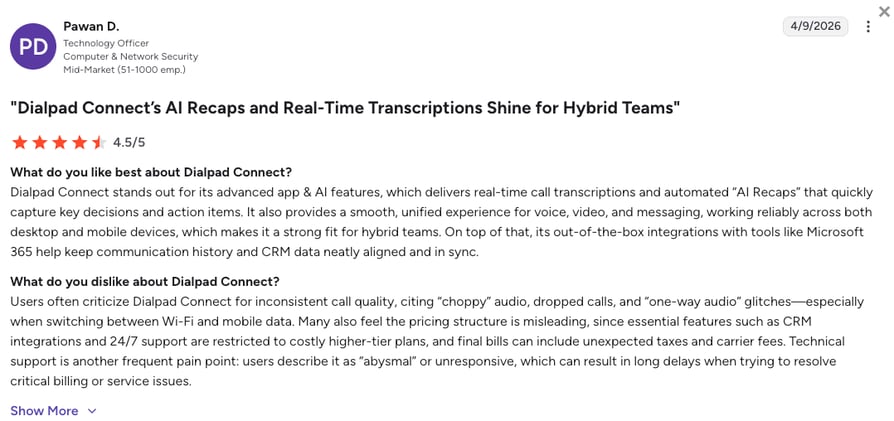
Dialpad is an AI-first business phone and contact center platform that transcribes every call as it happens, with Dialpad Connect for calling and messaging and Dialpad Sell for outbound sales.
The gap between Dialpad and CallFire is what happens on the call itself: CallFire plays a message, while Dialpad listens to a live conversation and helps the rep through it.
Why Is Dialpad a Strong CallFire Alternative?
- Coaching while the customer is still talking: Live transcripts and real-time assist cards help a rep answer an objection on the spot, and every call gets an AI recap afterwards.
- A low entry price for calling: Connect Standard starts at $15/user/month, and CRM integrations and 24/7 support come with Pro at $25.
- Outbound in Dialpad Sell: Outbound tools sit in Dialpad Sell at $39/user/month and up, where the Powerdialer runs inside Salesforce, while CallFire remains the cheaper way to send one message to thousands.
What Are the Pros & Cons of Dialpad?
| Pros | Cons |
|---|---|
| Real-time transcription and live AI coaching | CRM sync starts on Pro, which has a 3-user minimum |
| Entry plan at $15/user/month with a 14-day trial | The Powerdialer needs Dialpad Sell and Salesforce |
| Calls, meetings and messaging in one app | SMS only in the US, Canada, the UK and Australia |
What Are Dialpad's Plans & Pricing?
Dialpad pricing starts at $15/user/month on Connect Standard, billed annually, and it offers the following plans:
| Plan | Price (annual billing) | Key Features |
|---|---|---|
| Standard | $15/user/mo | Calling, messaging, meetings, AI transcripts and recaps |
| Pro | $25/user/mo | Everything in Standard + CRM integrations, 24/7 support, API (3-user min) |
| Enterprise | Custom quote | SSO, advanced controls, 99.9% uptime SLA (100-user min) |
| Dialpad Sell | From $39/user/mo | Powerdialer and outbound sales tools |
Dialpad's live coaching has no match on CloudTalk, where AI Conversation Intelligence works after the call. CloudTalk's Power and Parallel Dialers work with HubSpot, Pipedrive and Zoho as well as Salesforce, and its numbers cover 160+ countries. Our side-by-side covers the rest.
How Do Reviewers Rate Dialpad?
Dialpad holds 4.4/5 on G2 across 4,250+ reviews. Reviewers single out the transcripts and the AI notes that post to the CRM, while critical reviews mention calls that don't attach to CRM records and settings that feel complex for a small team.
9. RingCentral: Best CallFire Alternative for Larger, Multi-Site Companies
What Is RingCentral?
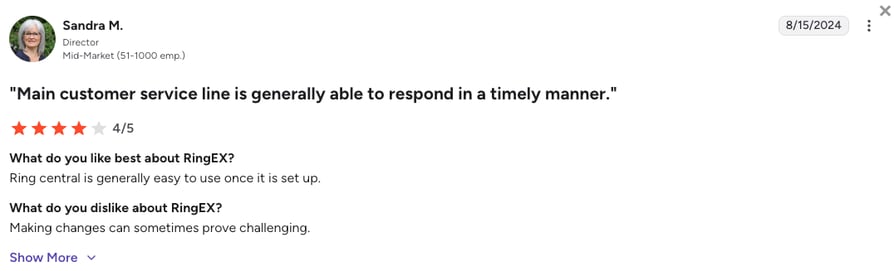
RingCentral is a unified communications suite for larger and multi-site companies. RingEX covers calls, video meetings, team messaging and business texting, and RingCX is sold separately as its contact center.
RingCentral replaces the whole office phone setup, not just the outreach tool: a company that used CallFire for alerts and desk phones for everything else can put both with one vendor.
Why Is RingCentral a Strong CallFire Competitor?
- One suite across every site: Calling, video meetings, team chat and texting share one admin console and one bill, which suits a company with several offices.
- A large app catalog: The App Gallery lists 500+ apps, and CRM integrations start on Advanced at $25/user/month.
- Business texting with set allowances: Each plan includes 25, 100 or 200 texts per user, with a Business SMS Booster at $25 for more, though CallFire's bulk texting and keywords still beat those caps for campaign volume.
What Are the Pros & Cons of RingCentral?
| Pros | Cons |
|---|---|
| Calls, video, chat and SMS in one suite | No sales dialer in RingEX: outbound dialing lives in RingCX |
| 500+ apps in the App Gallery | SMS capped at 25 to 200 texts per user per month |
| 14-day trial on RingEX | CRM integrations start on Advanced |
What Are RingCentral's Plans & Pricing?
RingCentral pricing starts at $20/user/month on RingEX Core, billed annually, with the following tiers available:
| Plan | Price (annual billing) | Key Features |
|---|---|---|
| Core | $20/user/mo | Calling, video meetings, team messaging, 25 SMS per user |
| Advanced | $25/user/mo | Everything in Core + CRM integrations, 100 SMS per user |
| Ultra | $35/user/mo | Everything in Advanced + 200 SMS per user |
| Business SMS Booster (add-on) | $25/mo | Extra business texting on top of the plan allowance |
RingCentral wins on video meetings and team chat, which CloudTalk doesn't offer. CloudTalk puts the AI Sales Dialer, AI voice agents and CRM sync in the phone system itself, with no separate contact center product to buy for outbound. Our side-by-side compares both.
How Do Reviewers Rate RingCentral?
RingCentral holds 4.2/5 on G2 across 1,400+ reviews. Reviewers value its reliability and the breadth of the suite, while critical reviews point to support response times and an admin portal with a lot to learn.
10. Nextiva: Best CallFire Alternative for a Managed Small-Business Phone System
What Is Nextiva?
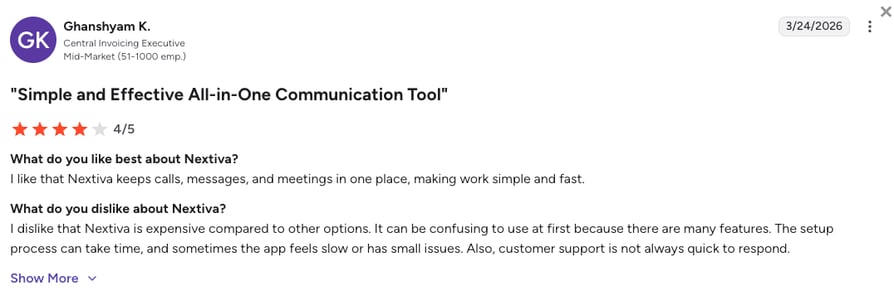
Nextiva is a business phone system and customer experience platform for small and mid-size businesses, with voice, business texting, video meetings and an optional XBert AI Receptionist.
Nextiva suits the small business that used CallFire for a few texts and needs a proper office phone: it bundles business texts into every plan and adds a contact center on its top tier.
Why Is Nextiva a Strong CallFire Alternative?
- Texting allowances on every plan: Core includes 100 business texts, Engage 500 and Scale unlimited, so small campaigns don't need a separate tool.
- Room to grow into a contact center: Engage adds a toll-free number, an inbound call center and live chat, and Scale adds blended inbound and outbound with AI transcription and summaries.
- A low entry price: Core starts at $15/user/month on a 12-month term, though CallFire is still the better fit for a bulk campaign to thousands of contacts.
What Are the Pros & Cons of Nextiva?
| Pros | Cons |
|---|---|
| Business texting included on every plan | 12-month term on annual pricing |
| Inbound call center from Engage at $25/user/month | Outbound and blended calling only on Scale at $75/user/month |
| XBert AI Receptionist available as an add-on | No published free trial, only a demo |
What Are Nextiva's Plans & Pricing?
Nextiva pricing starts at $15/user/month on Core, billed annually, and you can choose from these plans:
| Plan | Price (annual billing) | Key Features |
|---|---|---|
| Core | $15/user/mo | Voice, video meetings, call routing, mobile app, 100 business texts |
| Engage | $25/user/mo | Everything in Core + toll-free number, inbound call center, live chat, 500 business texts |
| Scale | $75/user/mo | Everything in Engage + blended inbound and outbound, AI transcription and summaries, unlimited business texts |
How Do Reviewers Rate Nextiva?
Nextiva holds 4.5/5 on G2 across 3,600+ reviews. Reviewers often mention dependable calling and helpful onboarding, and the critical reviews point to the annual commitment and billing at renewal.
What Users Are Really Saying About CallFire and Its Alternatives
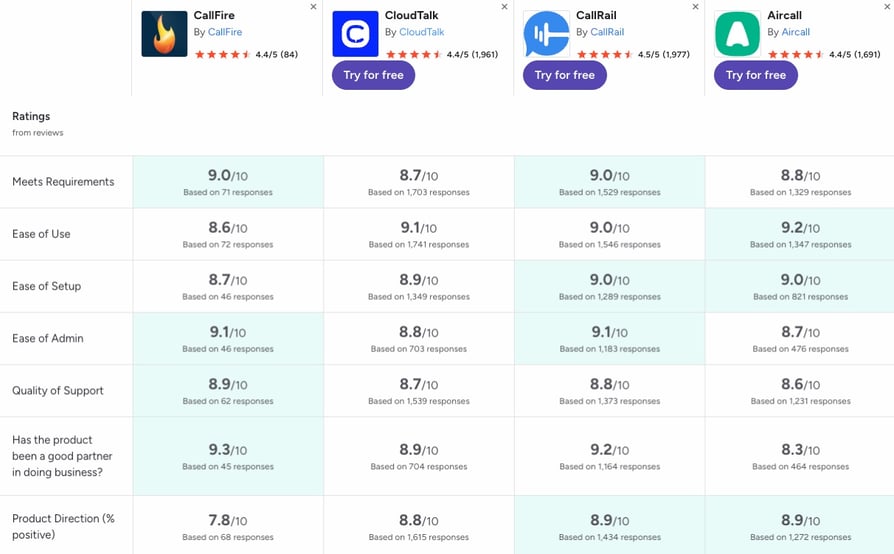
You've now seen what each tool does on paper, so here's how users rate them. G2 puts CallFire next to CloudTalk, Aircall and CallRail, and one thing to keep in mind as you read: CallFire's reviews rest on a much smaller and older base than the other three.
Overall, CallFire holds 4.4/5 from 80+ reviews, CloudTalk 4.4/5 from 1,900+, CallRail 4.5/5 from 1,950+ and Aircall 4.4/5 from 1,650+.
Where CallFire leads: It scores higher than CloudTalk on meets requirements (9.0 vs 8.7), ease of admin (9.1 vs 8.8), quality of support (8.9 vs 8.7) and being a good partner in doing business (9.3 vs 8.9), each on 45 to 70 answers against CloudTalk's 700 to 1,700.
Where CloudTalk leads: CloudTalk comes out ahead on ease of use (9.1 vs 8.6), ease of setup (8.9 vs 8.7) and product direction (8.8 vs 7.8), which is CallFire's weakest score.
Where the others land: Aircall scores highest of the four on ease of use (9.2), CallRail and Aircall both reach 9.0 on ease of setup, and CallRail ties CallFire on ease of admin (9.1).
The scores tell you how users feel, and the head-to-head below shows where CallFire and CloudTalk each win on features.
CloudTalk vs. CallFire: Final Head-to-Head Comparison
CallFire and CloudTalk both help a team reach a lot of people by phone, but they start from opposite ends. CallFire sends one message to many contacts. CloudTalk helps reps and AI voice agents hold many conversations, one call at a time, and logs each one in the CRM.
| Category | CloudTalk | CallFire | Winner |
|---|---|---|---|
| Pricing model and entry price | Per user, from $25/user/mo | Credits: pay as you go at 6¢ a minute or text, no setup fee | CallFire |
| Seat minimum | None on Starter and Essential, 3 on Expert | None | CallFire |
| Number coverage | Local numbers in 160+ countries | US and Canada only | CloudTalk |
| Working a call list with reps | AI Sales Dialer: Power mode one call after another, Parallel mode on up to five lines with voicemail detection | Broadcasts play one recording to the list; no rep-led dialer listed | CloudTalk |
| Voice broadcast | No | Yes, with text-to-speech and live transfer | CallFire |
| Bulk SMS and keywords | No | Yes, with keywords and autoresponders | CallFire |
| Outbound AI voice agents, two-way | Yes, from $99/mo (200 min) | No | CloudTalk |
| One-to-one SMS | Yes, pay-as-you-go | Yes, through its text inbox | Tie |
| MMS | US, Canada and Australia mobile numbers, on request | Not on its pricing page | CloudTalk (documented) |
| Dialer types | Power and Parallel (up to five lines) | Not listed on CallFire's current site | CloudTalk |
| Voicemail drop | From Essential, automatic in Parallel | Not listed | CloudTalk |
| ACD and inbound routing | Queues, smart routing and IVR | IVR, no ACD | CloudTalk |
| IVR | Yes, in the Call Flow Designer | Yes | Tie |
| Call recording | All plans (1-month retention on Starter) | Not on its pricing page | CloudTalk (documented) |
| CRM integrations | 100+ tools from Essential | Salesforce, Zoho, NetSuite, NationBuilder, Mailchimp, API and webhooks | CloudTalk (more tools) |
| AI Conversation Intelligence | From $9/user/mo | Not listed | CloudTalk |
| Branded caller ID and number reputation | Branded calling and reputation monitoring | Not listed | CloudTalk |
| Support access | Chat and email 24/7, phone on Expert | Phone and chat on weekdays, email, knowledge base | CloudTalk |
| Free trial | 14 days | Free signup, length not stated | CloudTalk |
| G2 rating | 4.4/5 (1,950+) | 4.4/5 (80+) | CloudTalk (bigger sample) |
CallFire is the better buy if you mostly send broadcasts and bulk texts on a pay-as-you-go budget, and it's hard to beat on entry price. CloudTalk fits once your team also makes and takes the calls those messages start: reps work lists with the AI Sales Dialer, AI voice agents handle reminders and follow-ups, and routing and CRM sync come on per-user plans. Try it on your own call list first.
How to Choose the Right CallFire Alternative for Your Business
The right CallFire alternative comes down to six questions, and each answer below names a pick and one thing to check:
- whether you broadcast messages or hold conversations,
- whether you'd rather pay per credit or per user,
- which CRM your team works in,
- whether most calls go out or come in,
- whether reps work call lists,
- and how many people will use it.
What Is the Best CallFire Alternative for SMS and Voice Campaigns?
For one-way blasts, the best fit may still be CallFire, or another voice broadcasting software or mass texting service like DialMyCalls or EZ Texting. When campaigns get replies and callbacks, Ricochet360 and JustCall run both sides in one tool. CloudTalk takes the calls and texts those campaigns start, and its outbound AI voice agents turn a recorded reminder, confirmation or follow-up into a two-way call. Count the replies your last campaign got.
Signature Capability
See CloudTalk’s AI Voice Agent in Action!
CeTe is an AI that talks like a human: no breaks, no training, no time off. It makes and answers calls, updates CRMs, books meetings, and loops in a human only when needed.
Press play to hear it. Want a wow moment? Get a free test call and try it live.

Which CallFire Alternative Has the Best Dialer for Working Call Lists?
CloudTalk has the best dialer for most teams working call lists, with PhoneBurner the runner-up. Its AI Sales Dialer runs Power mode, one call after another (included on Expert, or $15/user/month on Starter and Essential), and Parallel mode on up to five lines with voicemail detection and voicemail drop ($39/user/month on any plan), inside a phone system that also takes the callbacks. PhoneBurner is the polished single-line choice for US lists. JustCall offers predictive dialing on its custom SalesPro plan, and Five9 at contact-center scale. Count how many dials a rep needs per connected call.
Which CallFire Alternative Has Predictable Pricing Without Credits?
CloudTalk has the most predictable pricing for a small team leaving CallFire, with JustCall the runner-up. Five Essential seats cost five times $29 a month with no seat minimum, while JustCall needs two users at $29 and Aircall three licenses at $30. Texts cost extra on all three. Reviewers say most alternatives cost more than CallFire but are easier to use, and at very low volume pay as you go stays cheapest. Price your busiest month, not your average one.
Which CallFire Alternative Has the Best CRM and Marketing Integrations?
Aircall has the widest CRM catalog for CallFire switchers, with 250+ one-click installs. CloudTalk is the runner-up and the better fit if you also want the dialer and AI voice agents logging to the same record: it connects 100+ tools from Essential and logs calls, recordings and AI summaries to HubSpot, Pipedrive and Zoho, with Salesforce on Expert. CallFire's Salesforce, Zoho and Mailchimp connections cover sending. Test the sync on a real deal record.
Pipedrive's own sales team runs on CloudTalk. Its top SDRs make 270+ calls a month, with 100% of call activity logged in the CRM.
Which CallFire Alternative Is Best for Compliance and Consent Tools?
No phone system makes you compliant on its own, so compare the tools each vendor gives you. CallFire lists a DNC list and STOP opt-outs. Ricochet360 lists a DNC scrubber and describes its A2P texting as TCPA-compliant. CloudTalk files your US A2P 10DLC registration for you, supports STIR/SHAKEN call authentication, and has a help article on TCPA rules for AI voice agent calls. Registration can take a few weeks, and some lead-generation use cases get turned down. Plan your registration before your first campaign.
Which CallFire Alternative Has the Best Delivery and Caller ID Reputation?
CloudTalk is our pick for caller ID reputation when a team calls at volume, with Ricochet360's Spam Guru the runner-up. Spam labels are the outbound worry buyers raise most, because a flagged number stops getting answered. CloudTalk offers branded caller ID, Numeracle reputation monitoring and automatic number rotation, in its own words. Ask every vendor how it clears a flagged number, and how fast.
Immigration Solutions runs outbound sales from 424 registered numbers on CloudTalk. Only 2 to 3 of them carry a spam label at any time, and flagged numbers usually clear the same day.
What Is the Best CallFire Alternative for Enterprise Call Centers?
Five9 is the best CallFire alternative for enterprise call centers, with RingCentral's RingCX the runner-up. Five9 brings predictive dialing, intelligent virtual agents, routing and workforce tools to teams of 50 seats or more. RingCX adds a contact center to a company already on RingEX. Both are sold for scale, so a smaller team is better off with call center software that starts at one seat. Ask for a quote at your real seat count.
How Do You Migrate Contacts, Campaigns and Settings From CallFire?
You migrate from CallFire in four steps: export your contacts and opt-out lists as CSV files, port your numbers, rebuild your campaigns and keywords, and keep the old line live until the port completes. Bring your opt-in and opt-out lists over first, so nobody who unsubscribed hears from you again. If your number is printed on signs and ads, ask the new provider to port it rather than buying a new one. Don't cancel CallFire until the port is confirmed.
Which CallFire Alternative Has Support You Can Actually Reach?
CallFire's own support scores well on G2, 8.9 for quality of support, but from just 62 answers on a small and older review base. It lists phone and live chat on weekdays during Pacific business hours, plus email, a support form and a knowledge base. CloudTalk offers chat and email support 24/7 on every plan, with phone support on Expert, and Dialpad includes 24/7 support from its Pro plan. Open a test ticket during any trial and time the answer.
Do You Need an API-First Tool Instead?
You need an API-first tool if a developer will build messaging into your own product. Twilio and Plivo sell programmable voice and SMS by the minute and message, with no app for reps, and our Plivo review covers the second. CallFire's REST API covers simpler sends. Pick an API only if someone will maintain the code.
What Is the Best CallFire Alternative for Growing Teams?
CloudTalk is the best CallFire alternative for growing teams, with JustCall the runner-up. Past about ten reps, three things break on CallFire: credits that run out mid-month, inbound calls with no queue, and replies that never reach the CRM. CloudTalk starts on one Starter seat and adds the AI Sales Dialer, routing and AI voice agents as you grow, up to outbound sales teams of 50 and more. Choose the setup that still works at 25 seats.
Which CallFire Alternative Should You Pick?
Start with one question: do you send messages, or hold conversations? If it's conversations, these four tools cover the main reasons teams leave CallFire: lead follow-up, texting at scale, dialing and contact-center volume.
- Pick Ricochet360 if you follow up on leads by call and text, because the phone, the texting and the lead CRM sit in one tool.
- Pick JustCall if your reps text as much as they call, because it pairs a shared SMS inbox with predictive dialing on SalesPro.
- Pick PhoneBurner if your reps only need fast single-line dialing through US lists, because that's the one job it's built for.
- Pick Five9 if you run a contact center with 50 or more seats, because its dialing and routing are built for that volume.
Stay with CallFire if one-way broadcasts and bulk texts are the whole job.
For growing sales and support teams, the best alternative to CallFire is CloudTalk. Human reps close the deals and AI does the heavy lifting: AI voice agents run the reminder and follow-up calls a broadcast used to cover, the AI Sales Dialer works your lists, routing sends callbacks to the right rep, and every call and text goes straight into the CRM.
Frequently Asked Questions about CallFire Alternatives
Quick answers on what CallFire is, what it costs, and how its alternatives compare.
CallFire is a cloud communication platform that small and mid-size US businesses use for voice broadcasts, mass texting with keywords and autoresponders, call tracking with virtual numbers, and IVR. It's based in Santa Monica and run by the same company as EZ Texting.
CallFire works on credits. You upload a contact list, record a message or type one for text-to-speech, and send it as a voice broadcast or a text campaign to contacts who opted in, paying 6¢ per minute or text or drawing on a monthly allowance that expires at the end of each cycle.
CallFire costs 6¢ per minute or text on pay as you go, plus $10 a month per virtual number, with keywords at $25 each. Monthly plans run Lite $99 (2,500 minutes or texts), Startup $199 (5,500), Grow $299 (10,000) and Pro $599 (20,000), with 20% off for annual billing.
CallFire doesn't list a free plan, and its pricing page invites you to try it for free without saying how long the trial lasts. Pay as you go has no monthly fee, so you only pay for what you send. Most alternatives publish a fixed trial instead: JustCall, Dialpad and CallRail give 14 days, PhoneBurner's trial comes with free minutes, and CloudTalk gives 14 days plus 50 free AI Receptionist minutes.
CallFire's customer support is hard to reach for some reviewers, according to a small set of Capterra reviews from 2022 and 2023. CallFire lists phone and live chat Monday to Friday, 6 a.m. to 5 p.m. Pacific, plus email, a support form and a knowledge base, so teams that need help in the evening often pick call center software with 24/7 chat and email support, like CloudTalk's.
The best CallFire alternative depends on what you send: Ricochet360 for lead follow-up by call and text, JustCall for SMS-heavy sales, CloudTalk for growing sales and support teams, PhoneBurner for single-line power dialing, Five9 for large contact centers, and Aircall for CRM-first teams.
CallFire's main competitors split into two groups: phone systems for teams that call and text, such as Ricochet360, JustCall, CloudTalk, PhoneBurner, Five9, Aircall, Dialpad, RingCentral and Nextiva, plus CallRail for call tracking, and one-way tools such as DialMyCalls, Text-Em-All and EZ Texting. Most teams that switch move to the first group of VoIP alternatives, because those also handle inbound calls.
A cheaper alternative to CallFire for small businesses depends on volume. Pay as you go at 6¢ a message is hard to beat for a few campaigns a year, and no free CallFire alternative replaces it fully. Once reps call daily, per-user plans like CloudTalk Starter or Nextiva Core can cost less than a $199 Startup allowance.
Yes, you can keep your phone numbers when you leave CallFire. Ask your new provider to port them, share your account details and a recent bill, and keep the CallFire account open until the port completes, so the old number keeps working through the move.
CloudTalk integrates with Zapier, Salesforce and HubSpot, with HubSpot from Essential and Salesforce on Expert. Aircall and JustCall connect to all three as well, Ricochet360 adds integrations on its Explorer plan, and CallFire itself connects to Salesforce and Zoho, among others.
Yes, there are CallFire alternatives only for voice broadcasting, such as DialMyCalls and Text-Em-All, which also send texts. Reminders that need an answer work better as AI-powered reminder calls, which hold a two-way conversation instead of playing a recording.
CallFire and CallRail solve different problems. CallFire sends voice broadcasts and mass texts, while CallRail handles inbound call tracking: it shows which ads and pages make your phone ring, with recording and attribution on top. Some teams run both.