TL;DR Comparison Table: Best Call Center Software for Analytics on TrustRadius
| Software | Best For | Standout Analytics Feature | Starting Price | Total Reviews | TrustRadius Score |
|---|---|---|---|---|---|
| CloudTalk | SMB and mid-market teams wanting agent-level dashboards | Customizable dashboards and wallboards with public share links | $25/user/month | 60+ | 7.5/10 (leads for agent dashboard with 10/10) |
| Five9 | Analytics bundled with QM and WFM in the seat license | AI Insights and live transcription tied to the license | $119/seat/month | 100+ | 8.1/10 |
| Talkdesk | Custom reporting at the top tier | Custom Reporting with Live and Explore (Elite tier) | $85/user/month | 650+ | 8.1/10 |
| RingCentral | One reporting layer across phone and contact center | Unified analytics across RingEX and RingCX | $65/agent/month (RingCX) | 100+ | 8.6/10 |
| Dialpad | Real-time, AI-native analytics | Live transcription and coaching during the call | $15/user/month (Connect) | 550+ | 8.2/10 |
| Nextiva | Advanced reporting on a mid-tier plan | Advanced reporting on the $25 Engage plan | $15/user/month | 350+ | 7.6/10 |
| Aircall | Small teams buying dashboards as an add-on | Analytics+ add-on: unlimited history, drill-down, heatmaps | $30/license/month | 100+ | 8.0/10 |
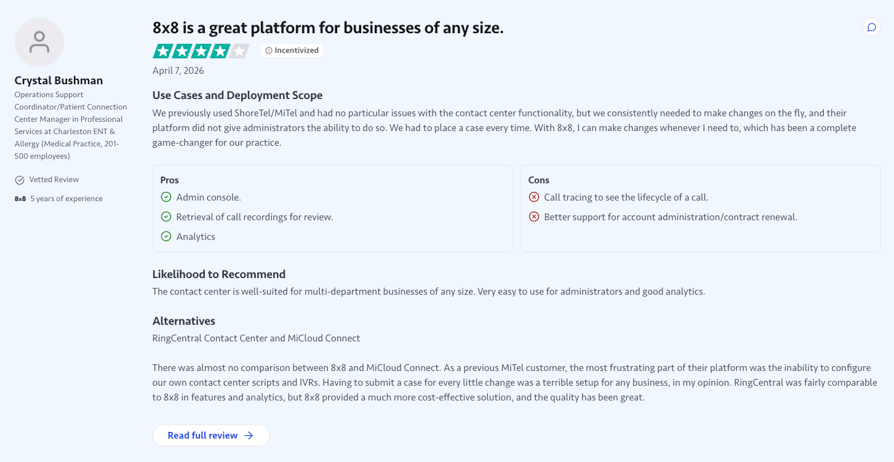
| 8x8 | QM and speech analytics with unified comms | Contact center analytics plus quality management | $24/user/month (X2) | 350+ | 8.9/10 |
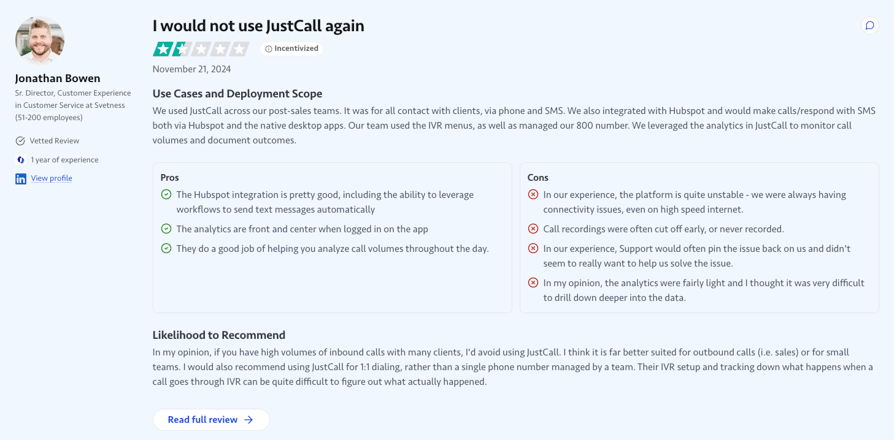
| JustCall | Team performance analytics on an entry plan | Team analytics included on the $29 Team plan | $29/user/month | 22 (small base) | 4.5/10 |
Skip the Score-Reading. See the Dashboards Live.
Introduction
Your call center platform logs every call. Seeing what's inside them is another story: Salesforce's State of Data and Analytics research¹ found only 49% of business leaders can reliably generate timely insights.
So a rep runs below target for three weeks before anyone notices, and the people who could catch it can't: Deloitte Canada² found only 15% of contact centre staff say information is accessible to them. The spreadsheet you export to cope is stale before it's finished.
The fix is call center analytics that lives on a plan you can afford. We ranked 9 platforms by their TrustRadius feature scores and priced every reporting layer, so you can shortlist in minutes instead of demo cycles.
Why We Turned to TrustRadius to Find the Best Call Center Software for Analytics
Call center software analytics and reporting is the layer that turns every call, queue, and agent event into structured data, then exposes it through dashboards, reports, and exports. Every vendor claims it, and a five-star average tells you nothing about whether the dashboards work.
TrustRadius rates each feature separately, so “great reporting” becomes a number you can compare. CloudTalk tops that comparison on every analytics feature it’s scored on, three of them at a perfect 10/10, which is why it opens the list.
Our Methodology: Scoring Call Center Software by TrustRadius Feature Ratings
To decide which call center analytics software is your best choice in 2026, we looked through hundreds of TrustRadius reviews. Here's what we paid special attention to:
- Feature scores over star ratingsWe read feature-level ratings in the analytics cluster (agent dashboard, outbound response, call forwarding, REST APIs, call tracking, call scripts) rather than the headline score. A platform can rate well overall and still ship thin agent reporting.
- Fresh reviews weightedWe weighted scores and reviews from the last 12 to 18 months, so a complaint about a since-rebuilt dashboard doesn’t distort the picture.
- Negatives read next to positivesSupport responsiveness and billing surprises are the themes that show up in call center software TrustRadius reviews most often, so we report them alongside the wins.
- Cross-checked against other platformsWe cross-checked every vendor against cached G2, Capterra, and Trustpilot ratings from July 2026, publishing both numbers where platforms disagree rather than averaging them away.
- Verified pricingWe verified pricing on each vendor’s own page in August 2026, including what the analytics tier or add-on actually costs.
What Is the Best Call Center Software for Analytics on TrustRadius?
CloudTalk is the best call center software TrustRadius scores for analytics: Agent Dashboard 10/10 (19% above the category average), with Outbound Response and Call Forwarding at 10/10 (both 15% above). No other platform in this comparison holds a perfect score on even one analytics feature.
CloudTalk’s headline trScore is 7.5/10 across close to 70 reviews and ratings, and several platforms below post higher overall numbers on bigger samples. That’s exactly why this guide reads feature scores instead: an overall score averages billing and onboarding into one number, while a feature score tells you whether the dashboards actually work.
One size doesn’t fit all, though. The eight other platforms below each win a different reporting job, so you can compare features, pricing, and TrustRadius scores side by side before you shortlist.
9 Best Call Center Tools for Analytics and Reporting, According to TrustRadius
Nine platforms, in the order we’d shortlist them. If you’re after the best call center reporting tools in 2026 on a mid-market budget, the first six cover the field; the table above holds the whole call analytics software comparison in one view. Treat every price as a floor: most of these vendors sell real reporting a tier or an add-on above it.
1. CloudTalk: Best for Agent-Level Dashboards Without an Enterprise Rollout
What Is CloudTalk?
CloudTalk is an AI-powered business phone system built for global SMB growth. It replaces on-premise PBX hardware with a cloud call center software teams run from a browser, desktop, or mobile app, with calls, recordings, transcripts, and analytics in one place instead of a separate reporting project.
What Are CloudTalk's Key Analytics Features?
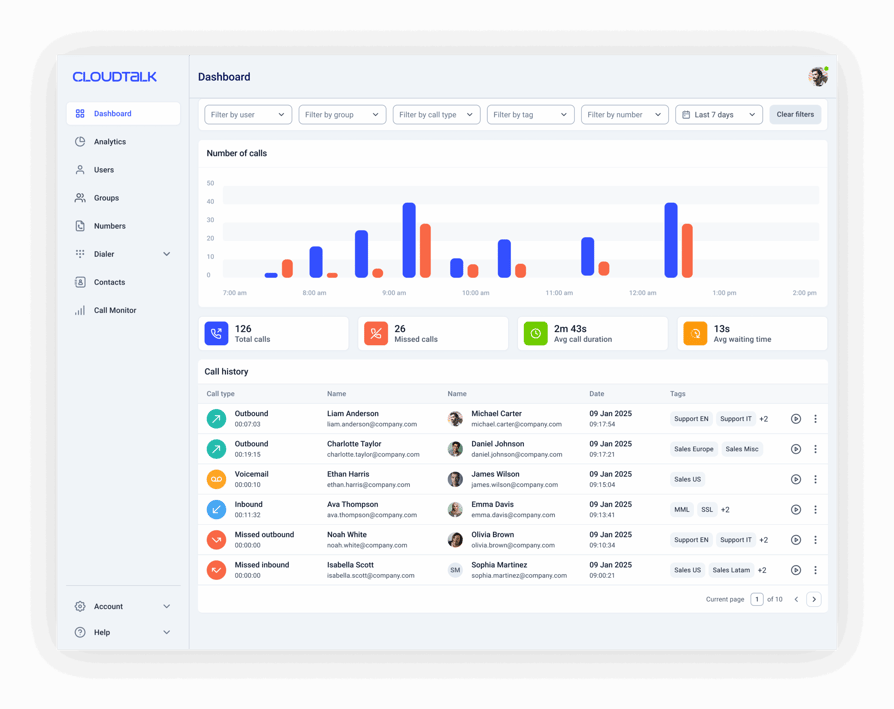
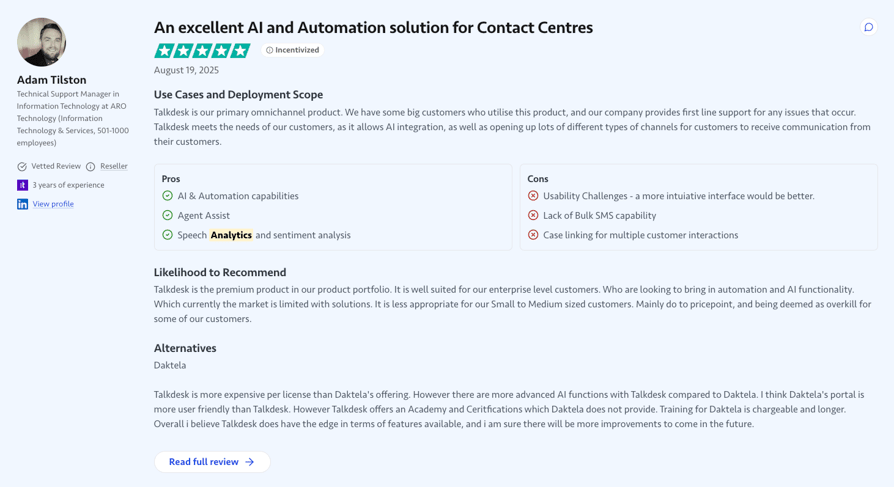
- KPI dashboards with visual targets, filtered by agent, team, or region, plus live metrics on an office screen or a public share link that doesn’t consume a seat. Expert plan and above.
- Live agent and group activity, queue depth and availability data, call durations, and wait times, refreshed as calls happen.
- Historical Reports and AnalyticsCall volume, agent performance, first-call resolution, and average handle time, filterable by date, tag, or segment, with unlimited report history on every plan.
- Live availability plus an idle breakdown (break, lunch, meeting, training) and status changes charted over time, so coaching conversations start from data, not hunches.
- Transcription, AI call summaries, sentiment analysis, topic detection, talk/listen ratio, and AI call scoring. This all-around AI analytics software comes as a paid add-on at $9/user/month.
- Public API and WebhooksCall records, contacts, AI summaries, and transcripts on tap: the export path to a warehouse when you outgrow native reports.
- Call activity, AI summaries, and call scores land in HubSpot, Salesforce, Pipedrive, or Zendesk automatically, no manual logging. On top of that, the calls handled by CloudTalk's AI Voice Agents (inbound AI Receptionists & complex AI Specialists) are logged the same way, so when a human picks up the thread, the full context is already there.
Report history is the quiet differentiator. Most vendors here cap it on entry plans or sell unlimited history inside an analytics add-on, so year-over-year comparison becomes a paid feature. CloudTalk’s is unlimited from Starter up.
What Are CloudTalk's Pros and Cons?
| Pros | Cons |
|---|---|
| Unlimited report history on every plan, so year-over-year comparison is never paywalled | No native BI tool integration; the export path is the API |
| Wallboards share by public link, no seat consumed | Transcription and sentiment analysis run post-call, not live |
| Per-agent KPIs on all packages | Customizable Dashboards and Wallboards sit on the Expert plan |
Who Is CloudTalk Best For?
Choose CloudTalk for agent-level dashboards, shareable wallboards, and long-range historical reporting without an enterprise CCaaS project. It fits SMB and mid-market sales and support teams that want reporting running in days, not quarters.
Skip CloudTalk if your reporting lives in a warehouse: there’s no native BI tool integration, so someone on your side maintains the API pipe. Two more documented limits: transcription and sentiment scoring run post-call, so nobody gets warned about a souring call while it’s live, and Call Scripts are static and designer-built, with no dynamic branching.
How Much Does CloudTalk Cost?
CloudTalk pricing starts at $25/user/month (Starter, billed annually), with the following plans:
CloudTalk Plans and Pricing
| Plan | Price (annual billing) | Key Features |
|---|---|---|
| Starter | $25/user/month | Unlimited inbound & internal calls, 500 outbound minutes (regional calling bundle), call queues, transfers, click-to-call, automatic call recording (1-month retention) |
| Essential | $29/user/month | Everything in Starter + IVR and smart routing, 100+ CRM/helpdesk integrations, workflow automation, unlimited recording retention |
| Expert | $49/user/month | Everything in Essential + Power, Smart & Preview Dialers, Salesforce integration, 24/7 phone support (3-seat min) |
| Conversation Intelligence (add-on) | $9/user/month | AI transcripts, call summaries, call scoring, sentiment analysis, and agent coaching insights |
| AI Receptionist (add-on) | From $99/month (200 min) | Inbound AI call answering, routing, logging; 50 free minutes on every account; tiers up to $699/mo (2,500 min) |
| AI Specialist (add-on) | From $349/month (1,000 min) | Sales-led custom AI voice agents for inbound and outbound workflows; plans scale up to $1,249/mo (5,000 min) |
What Are Real Users Saying About CloudTalk?
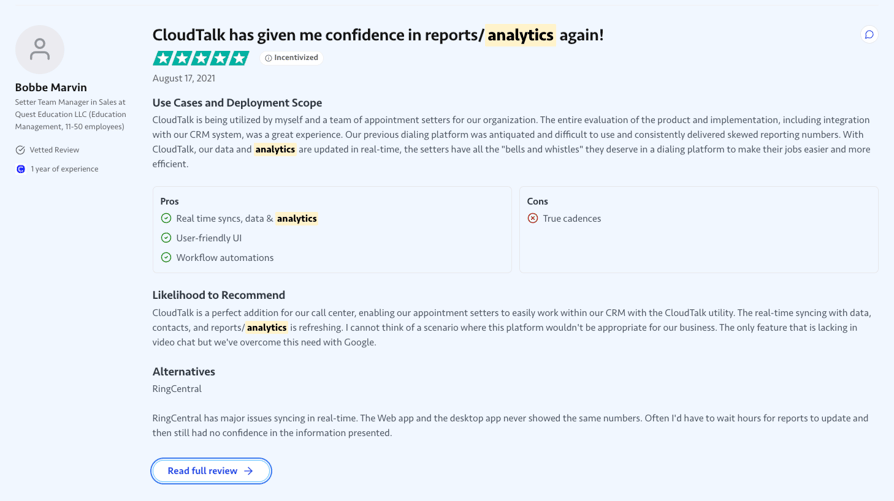
TrustRadius reviewers keep coming back to three things: the interface takes minutes to learn, support answers fast, and the HubSpot and Salesforce integrations keep call data synced without manual exports. Their criticisms are just as specific: the mobile app trails the desktop experience, and teams migrating off desk phones miss IP-phone niceties like three-way calling.
Independent buyer’s guides add two more: support cover for distant time zones, and per-minute international rates that make a bill harder to forecast. 24/7 chat and email support is included on every plan.
What Is CloudTalk's TrustRadius Score and Review Count?
CloudTalk holds a 7.5/10 rating on TrustRadius across close to 70 reviews and ratings. The feature scores are the story: Agent Dashboard, Outbound Response, and Call Forwarding all hit 10/10, and REST APIs land at 9.6, 16% above the category average. Cross-checked, CloudTalk holds 4.4/5 on G2 across 1,850+ reviews, plus 260+ reviews on Capterra.
Run These Dashboards on Your Own Call Data
2. Five9: Best for Analytics Bundled With Workforce Engagement
What Is Five9?
Five9 is an AI-powered cloud contact center software for enterprise and upper-mid-market operations. Its pricing bundles analytics with quality management and workforce management into the seat license, so reporting depth arrives with the contract rather than as an add-on.
What Are Five9's Key Analytics Features?
- Analytics in Every Seat TierReporting ships inside the license rather than as a separate SKU, listed next to QM and WFM on the pricing page.
- AI Insights and AI SummariesTier-level AI capabilities that read transcripts for keywords, sentiment, emotion, and vocal tone.
- Live TranscriptionReal-time transcripts for supervisors, with the deepest CX analytics reserved for upper tiers.
What Are Five9's Pros and Cons?
| Pros | Cons |
|---|---|
| Reporting depth arrives with the license, no add-on stacking | Agent dashboard scores 6.8 on TrustRadius, 19% below the category average |
| QM and WFM share the reporting data model | A $119 entry seat and a 50-seat minimum on all plans |
Who Is Five9 Best For?
Five9 fits operations that want analytics, QM, and workforce management on one license and have the headcount to justify it. Skip it if you’re small: with a 50-seat minimum on the cheapest published tier, the entry commitment runs past $71,000 a year.
How Much Does Five9 Cost?
Five9's pricing starts at $119/seat/month (billed annually), with a 50-seat minimum and these published tiers:
Five9 Pricing Plans
| Plan | Pricing (Annual) | Main Features |
|---|---|---|
| Digital | $119/seat/month | Chat and email channels only, no voice calling |
| Core | $159/seat/month | Voice plus digital channels, AI essentials |
| Premium | Contact Sales | Advanced WFM and AI, deepest CX analytics |
Five9 vs. CloudTalk
Five9’s pitch is the bundle: analytics, quality management, and workforce management travel with the seat license, so reporting depth arrives on day one. The bundle is also the barrier: a $119 entry seat and a 50-seat minimum price out most SMB and mid-market teams before the demo ends.
CloudTalk makes more sense when you want agent-level dashboards, 10/10-rated on TrustRadius, and unlimited report history at a per-seat price that doesn’t assume 50 agents.
What Are Real Users Saying About Five9?
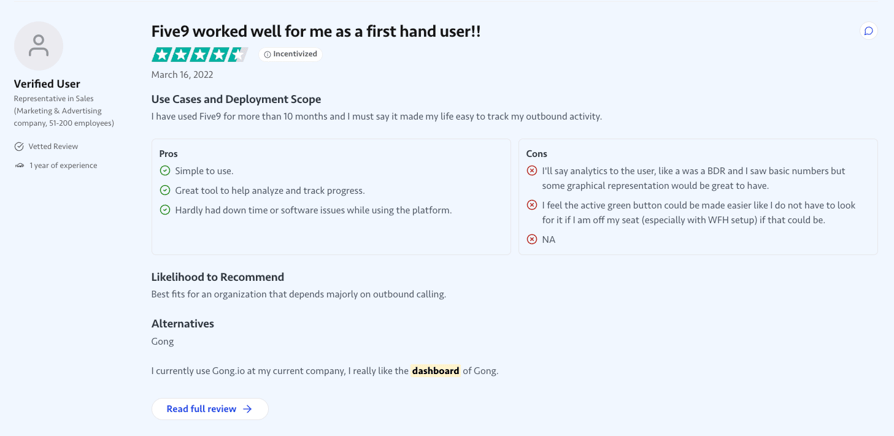
TrustRadius reviewers rate the CRM integration and the training and monitoring workflow highly; one reports a 300% agent productivity gain after rollout. The complaints cluster on the surfaces supervisors stare at: a dated VCC interface, a supervisor console that drops sessions, and call drops that dent the operational numbers.
Independent buyer’s guides rate Five9’s transcript analysis among the category’s most thorough, reading keywords, sentiment, emotion, and vocal tone. Their criticism: the deepest CX analytics sit in upper tiers.
What Is Five9's TrustRadius Score and Review Count?
Five9 holds an 8.1/10 rating on TrustRadius across 100+ reviews and ratings, but its analytics features run below the pack: agent dashboard at 6.8/10 (19% below the category average) and customer interaction analytics at 7.3/10 (10% below). Cross-checked, Five9 holds 4.1/5 on G2 across 550+ reviews, 4.2/5 on Capterra, and 3.6/5 on Trustpilot across 700+, as of July 2026.
3. Talkdesk: Best for Custom Reporting at the Top Tier
What Is Talkdesk?
Talkdesk is one of the best CX platforms for mid-market and enterprise teams. Its reporting ladder is the most explicit in this list: dashboards, business intelligence, and custom reporting are each pinned to a named tier, so you know exactly what your money buys, and exactly what it doesn’t.
What Are Talkdesk's Key Analytics Features?
- Real-Time Dashboards (Live)Live queue and agent views plus the Guardian monitoring layer, available from the Digital Essentials tier.
- Business Intelligence (Explore)Historical analysis and report building, available from the Voice Essentials tier.
- Custom Reporting with Live and ExploreReports built to your own spec, plus screen recording and workforce management, on the Elite tier.
What Are Talkdesk's Pros and Cons?
| Pros | Cons |
|---|---|
| Reporting mapped tier by tier on the pricing page | Custom reporting gated behind Elite at $165/user/month |
| Real-time dashboards at the entry tier | REST APIs score 6.5 on TrustRadius, 22% below the category average |
Who Is Talkdesk Best For?
Talkdesk fits teams that need reports built to their own spec, plus screen recording for QA. Skip it if reporting is your whole reason for switching: $165/user/month for a custom report is defensible at 200 agents, not at 15.
How Much Does Talkdesk Cost?
Talkdesk's pricing starts at $85/user/month (billed annually), with every tier published:
Talkdesk Pricing Plans
| Plan | Pricing (Annual) | Main Features |
|---|---|---|
| Digital Essentials | $85/user/month | Digital channels, real-time dashboards (Live), Guardian |
| Voice Essentials | $105/user/month | Full voice, business intelligence (Explore) |
| Elite | $165/user/month | Custom Reporting with Live and Explore, screen recording, WFM |
| Industry Experience Clouds | $225/user/month | Compliance workflows for regulated verticals |
Talkdesk vs. CloudTalk
Talkdesk’s tier-by-tier reporting ladder is genuinely transparent, and custom reporting built to your own spec is a real capability. The trade-off is that the ladder’s top rung costs $165/user/month, and TrustRadius reviewers flag the exact thing a reporting buyer can’t ignore: inconsistent call logging accuracy.
CloudTalk is the sharper pick when you want dashboards supervisors can configure themselves at a mid-market price, with report history that never expires.
What Are Real Users Saying About Talkdesk?
TrustRadius reviewers praise the flexible routing and the comprehensive reporting, live dashboards and mood insights included, and describe Talkdesk as a partner rather than a vendor. The sharpest complaint lands directly on this article’s topic: inconsistent call logging and transfer counting accuracy, plus billing issues that reviewers say resurface after they were believed fixed.
Independent buyer’s guides add that interaction analytics and WFM sit behind top tiers, and add-ons make budgets hard to forecast.
What Is Talkdesk's TrustRadius Score and Review Count?
Talkdesk holds an 8.1/10 rating on TrustRadius across 650+ reviews and ratings, one of the biggest samples here, though customer interaction analytics scores 7.0/10 (14% below the category average). The cached platforms disagree more than anywhere else: 4.4/5 on G2 across 2,500+ reviews and 4.5/5 on Capterra, against 1.7/5 on Trustpilot across 850+, as of July 2026. Treat the gap as unexplained.
4. RingCentral: Best for One Reporting Layer Across Phone and Contact Center
What Is RingCentral?
RingCentral is an AI communications platform whose native contact center product is RingCX. The pitch is breadth: one portal for the phone system (RingEX) and the contact center, rather than two tools with two definitions of the same metric.
What Are RingCentral's Key Analytics Features?
- Unified Analytics PortalOne reporting surface spanning RingEX phone metrics and RingCX contact center performance.
- AI Quality ManagementAutomated scoring and agent assist, included from the RingCX Professional tier or bought as a per-seat add-on lower down.
- Conversational IntelligenceA named add-on for RingEX that reads calls and coaches sales conversations, from $39 per user on top of the plan.
What Are RingCentral's Pros and Cons?
| Pros | Cons |
|---|---|
| One analytics surface covers phone and contact center | TrustRadius reviewers call the reporting layer limited, with manual data exports |
| RingCX pricing is published, from $65/agent/month | AI analytics features are roughly $25/user/month each below the Elite tier |
Who Is RingCentral Best For?
RingCentral fits teams already running RingEX that want contact center reporting in the same portal. Skip it if analytics is the reason you’re buying: the reporting depth reviewers describe doesn’t yet match the breadth of the platform, and the AI analytics line items stack quickly below Elite.
How Much Does RingCentral Cost?
RingCentral's pricing for RingCX starts at $65/agent/month (billed annually), with these tiers:
RingCentral RingCX Pricing Plans
| Plan | Pricing (Annual) | Main Features |
|---|---|---|
| Standard | $65/agent/month | Voice plus 20+ digital channels, IVR, skills-based routing, screen recording |
| Professional | $95/agent/month | Adds AI quality management and AI agent assist |
| Elite | $145/agent/month | Adds AI supervisor assist, interaction analytics, workforce management |
| Enterprise Contact Center | Contact Sales | Full enterprise CCaaS suite |
RingCentral vs. CloudTalk
RingCentral’s one-portal story is real: if your phone system and contact center metrics must live in the same place, few vendors match it. The catch sits in the reporting itself, which TrustRadius reviewers describe as limited enough to need manual exports, and in AI analytics sold as per-seat add-ons below the $145 Elite tier.
CloudTalk fits better when the dashboards are the point: per-agent KPIs, wallboards, and unlimited history included without an add-on ladder.
What Are Real Users Saying About RingCentral?
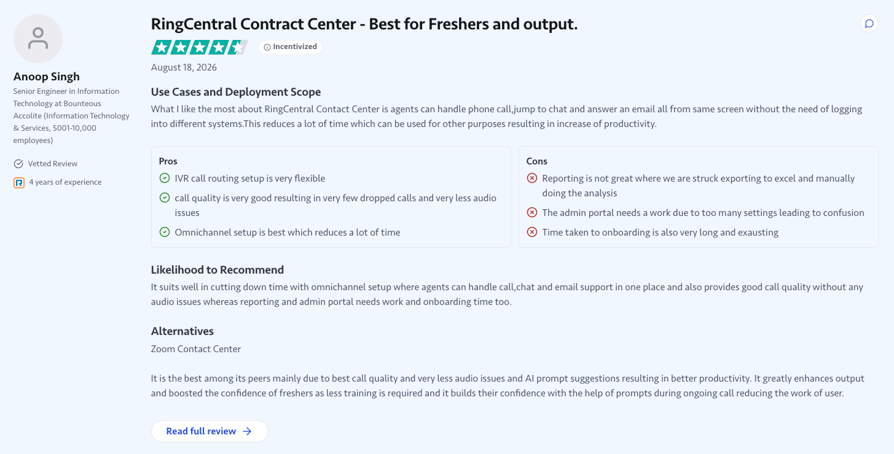
TrustRadius reviewers like the day-to-day experience: a user-friendly interface, reliable call quality, and one screen for calls, chat, and email. The reporting is where sentiment turns: reviewers describe analytics as limited, with data exported manually for real analysis, and note the platform lags when connected to HubSpot.
What Is RingCentral's TrustRadius Score and Review Count?
RingCentral’s contact center listing holds an 8.6/10 rating on TrustRadius across 100+ reviews and ratings; note that RingEX and RingCX carry separate listings, so check which one you’re reading. Cross-checked, RingEX holds 4.2/5 on G2 across 1,400+ reviews, against 2.0/5 on Trustpilot across 1,800+, as of July 2026.
5. Dialpad: Best for Real-Time, AI-Native Analytics
What Is Dialpad?
Dialpad markets itself as one AI platform for every conversation, split into Connect (business phone), Support (contact center), and Sell. Real-time AI is the organizing idea: live call transcription and coaching run during the call, not after it.
What Are Dialpad's Key Analytics Features?
- Live Transcription and CoachingReal-time transcripts, in-call script suggestions, and coaching surfaces across the product lines.
- AI Call Summaries and CSATAutomatic summaries on every plan; automated quality management and AI CSAT arrive on Support Premium.
- Conversation-Based AI Agent PricingAI Agents are sold per conversation, separately from the per-seat plans.
What Are Dialpad's Pros and Cons?
| Pros | Cons |
|---|---|
| Strongest real-time analytics story of the SMB tools here | Automated QM and AI CSAT need Support Premium at $150/user/month |
| Highest cached G2 review count of the nine | TrustRadius reviewers flag mobile app stability and CRM integration gaps |
Who Is Dialpad Best For?
Dialpad fits teams whose reporting problem is coaching rather than month-end. Skip it if you need structured contact center analytics on a lean budget: the automated QM layer sits at the top of the Support line, and AI Agents bill per conversation.
How Much Does Dialpad Cost?
Dialpad's pricing starts at $15/user/month for Connect and $80/user/month for the Support contact center line (both billed annually):
Dialpad Pricing Plans
| Plan | Pricing (Annual) | Main Features |
|---|---|---|
| Connect Standard | $15/user/month | Unlimited calling, AI transcription, AI call summaries, SMS |
| Connect Pro | $25/user/month | Adds call recording, CRM integrations, international numbers |
| Support Essentials | $80/user/month | Routing and queueing, real-time transcription, agent status monitoring |
| Support Advanced | $115/user/month | Adds live coach cards and CRM moment logging |
| Support Premium | $150/user/month | Adds automated quality management, AI CSAT, WFM add-on |
Dialpad vs. CloudTalk
Dialpad’s real-time transcription and live coaching are built into the calling platform, and if in-the-moment feedback is your main QA requirement, that’s a real advantage no post-call tool replaces.
CloudTalk is the stronger fit when the goal is structured reporting: per-agent dashboards, wallboards, and unlimited historical analytics in the phone system, with AI scoring added for $9/user/month instead of a $150 contact center tier.
What Are Real Users Saying About Dialpad?
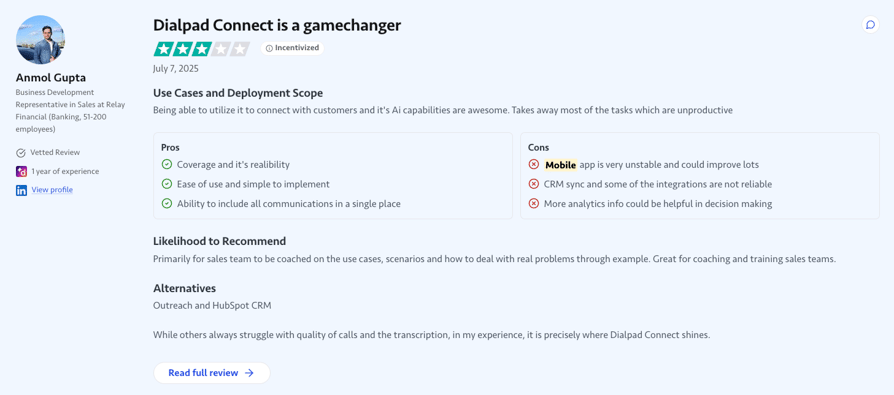
TrustRadius reviewers rate the AI transcription and recording quality, the fast rollout, and the integrations. The recurring complaints: the MS Dynamics integration under-delivers, SMS features cost more than they return, and the mobile app wobbles.
Independent buyer’s guides call Dialpad’s live transcription, in-call script suggestions, and AI scorecards the best real-time feedback in the category, and count the same gaps: little interface customization, voicemail transcription that misses, and no workforce scheduling.
What Is Dialpad's TrustRadius Score and Review Count?
Dialpad Connect holds an 8.2/10 rating on TrustRadius across 550+ reviews and ratings. The cached numbers hold up at volume elsewhere too: 4.4/5 on G2 across 4,200+ reviews, 4.2/5 on Capterra, and 4.1/5 on Trustpilot across 2,900+, as of July 2026.
6. Nextiva: Best for Advanced Reporting on a Mid-Tier Plan
What Is Nextiva?
Nextiva is a business communications platform for startups through enterprises. What matters for reporting buyers is where advanced reporting sits: on Engage, a $25/user/month UCaaS tier, not inside a separate contact center product.
What Are Nextiva's Key Analytics Features?
- Advanced Reporting on EngageNamed reporting upgrade on the $25 plan, alongside call recording, CRM integrations, and an AI assistant.
- Power Suite CXThe full omnichannel contact center line from $75/user/month, with journey analytics, AI, and workforce management.
- Looker Studio ExtensionReporting you can extend into Google Looker Studio when native views run out.
What Are Nextiva's Pros and Cons?
| Pros | Cons |
|---|---|
| Cheapest published route to advanced reporting: the $25 Engage plan | Queue-level analytics means jumping to the $75 Power Suite CX line |
| Highest cached review ratings of the nine, 4.5 to 4.7 across platforms | TrustRadius reviewers flag call quality inconsistencies and setup complexity |
Who Is Nextiva Best For?
Nextiva fits teams that want advanced reporting on a mid-tier UCaaS plan. Skip it if you expect queue-level analytics within a year: moving from the $25 Engage plan to a $75-per-user contact center product is a platform change, not a tier upgrade.
How Much Does Nextiva Cost?
Nextiva's pricing starts at $15/user/month (billed annually), across three tiers:
Nextiva Pricing Plans
| Plan | Pricing (Annual) | Main Features |
|---|---|---|
| Core | $15/user/month | Unlimited calling, voicemail transcription, basic analytics |
| Engage | $25/user/month | Adds advanced reporting, call recording, CRM integrations, AI assistant |
| Power Suite CX | $75/user/month | Full omnichannel contact center with AI, WFM, advanced routing |
Nextiva vs. CloudTalk
Nextiva’s $25 Engage plan is the cheapest published route to advanced reporting in this list, and its cross-platform ratings are the most consistent of the nine. The ceiling shows up when you need queue-level contact center analytics: that’s a $75-per-user product line, three times the Engage price.
CloudTalk covers that middle ground in one product: real-time queue data, per-agent dashboards, and unlimited report history without switching platforms mid-growth.
What Are Real Users Saying About Nextiva?
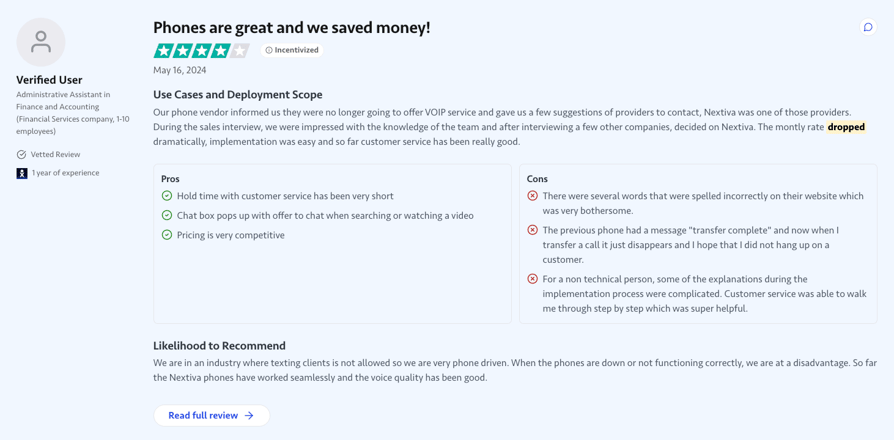
TrustRadius reviewers consistently name support responsiveness, the intuitive call flow design, and real monthly savings as the reasons they stay. The negatives: call quality inconsistencies with dropped calls, a setup that challenges non-technical admins, and clunky corners of the interface.
Independent buyer’s guides rate the channel breadth and the omnichannel routing. Two complaints repeat: workflow automation takes real time to learn, and there’s no self-serve trial.
What Is Nextiva's TrustRadius Score and Review Count?
Nextiva holds a 7.6/10 rating on TrustRadius across 350+ reviews and ratings. The cached platforms agree at volume: 4.5/5 on G2 across 3,500+ reviews, 4.6/5 on Capterra, and 4.7/5 on Trustpilot across 8,000+, the highest cached review volume here, as of July 2026.
7. Aircall: Best for Small Teams Buying Dashboards as an Add-On
What Is Aircall?
Aircall is an AI-powered customer communications platform for small sales and support teams. It is the clearest example here of reporting sold as a separate purchase: the dashboards worth having live in the Analytics+ add-on.
What Are Aircall's Key Analytics Features?
- Analytics+ Add-OnAdvanced dashboards with unlimited history, drill-down and export, heatmaps, and live monitoring, for $15/license/month.
- AI Assist and AI Assist ProCall summaries, topic recognition, talk-to-listen ratios, sentiment analysis, and call scoring; real-time transcription arrives on Pro at $49/license/month.
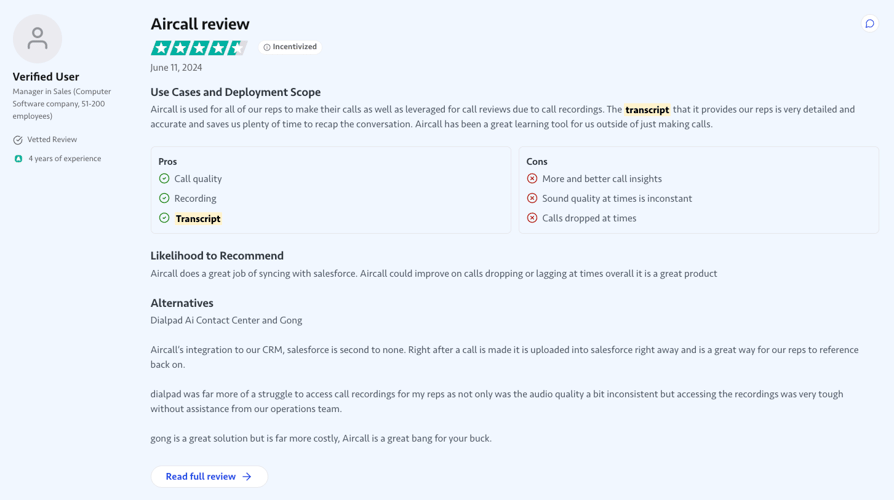
- Accurate TranscriptsTrustRadius reviewers call the transcripts detailed and accurate, useful for training and compliance reviews.
What Are Aircall's Pros and Cons?
| Pros | Cons |
|---|---|
| Analytics+ is deep: unlimited history, drill-down, heatmaps | Advanced analytics needs Professional, and Analytics+ costs $15 more |
| Automated call scoring and sentiment via AI Assist | Real-time transcription needs AI Assist Pro at $49 per license |
Who Is Aircall Best For?
Aircall fits teams that want a phone system running this week and will buy reporting later. Skip it if reporting is why you’re buying: Professional plus Analytics+ is $65 per license before any AI feature, on a three-license minimum.
How Much Does Aircall Cost?
Aircall's pricing starts at $30/license/month (billed annually, three-license minimum), and real dashboards stack a tier upgrade plus an add-on:
Aircall Pricing Plans
| Plan | Pricing (Annual) | Main Features |
|---|---|---|
| Essentials | $30/license/month | Calling essentials, basic analytics, three-license minimum |
| Professional | $50/license/month | The tier where advanced analytics appears |
| Custom | Contact Sales | For 25+ licenses |
| Analytics+ (add-on) | $15/license/month | Unlimited history, drill-down, heatmaps, live monitoring |
| AI Assist (add-on) | $9/license/month | Summaries, topics, talk-to-listen, sentiment, call scoring |
| AI Assist Pro (add-on) | $49/license/month | Adds real-time transcription |
Aircall vs. CloudTalk
Aircall’s Analytics+ add-on is genuinely deep, and for a small team that starts with calling and grows into reporting, the modular path works. The math is the issue: Professional plus Analytics+ lands at $65 per license before any AI feature, on a three-license minimum.
CloudTalk includes unlimited report history from its entry plan and per-agent KPIs on every package, so the reporting you’ll need in a year isn’t an invoice surprise later.
What Are Real Users Saying About Aircall?
TrustRadius reviewers highlight the Salesforce and Pipedrive integrations and the reliable recording with detailed, accurate transcripts. The negatives point at scale: sporadic audio issues, and gaps like automated dialing and batch user management that make reviewers call it best suited to smaller organizations.
Independent buyer’s guides describe the interface as roomy and easy to work in. Their complaints go straight at reporting: thin transcript analysis on core plans, capped report history on base tiers, and automatic logouts mid-shift.
What Is Aircall's TrustRadius Score and Review Count?
Aircall holds an 8.0/10 rating on TrustRadius across 100+ reviews and ratings. Cross-checked, it holds 4.4/5 on G2 across 1,600+ reviews and 4.2/5 on Capterra, against 3.0/5 on Trustpilot across 1,000+, a figure that doesn’t reconcile with its own breakdown, as of July 2026.
8. 8x8: Best for QM and Speech Analytics Alongside Unified Comms
What Is 8x8?
8x8 is a unified communications and contact center vendor for mid-market and enterprise buyers. Contact center analytics, quality management, and speech analytics form its reporting stack, sold alongside the phone system rather than bolted onto it.
What Are 8x8's Key Analytics Features?
- 8x8 Analytics for Contact CenterQueue, agent, and interaction reporting across the contact center suite.
- Quality Management and Speech AnalyticsScoring, evaluation, and speech-driven insight in the same platform as the phone.
- Self-Serve AdministrationTrustRadius reviewers repeatedly praise making real-time configuration changes without a support ticket.
What Are 8x8's Pros and Cons?
| Pros | Cons |
|---|---|
| Highest headline trScore of the nine on its contact center listing (8.9/10) | Contact center analytics lives on the quote-based X6 and up |
| QM and speech analytics in the same platform as the phone | Reviewers flag limited dashboard customization and support responsiveness |
Who Is 8x8 Best For?
8x8 fits buyers who want quality management and speech analytics in the same platform as their unified comms. Skip it if you’re a price-sensitive SMB: the published pricing covers the UCaaS tiers, while the contact center suite starts a sales conversation.
How Much Does 8x8 Cost?
8x8's pricing is only available per request, but it reportedly starts at $24/user/month for the X2 UCaaS tier (billed annually); the contact center tiers are quote-based:
8x8 Pricing Plans
| Plan | Pricing (Annual) | Main Features |
|---|---|---|
| X2 | $24/user/month | UCaaS business phone: unlimited calling (US/Canada), video, messaging |
| X4 | ~$44/user/month | Adds supervisor tools and advanced analytics |
| X6-X8 | Contact Sales | Full contact center suite with QM and speech analytics |
8x8 vs. CloudTalk
8x8 earns the highest headline trScore in this comparison, and pairing QM and speech analytics with unified comms is a real architectural advantage for enterprise buyers. The entry fee is opacity: contact center analytics lives on quote-based tiers, so you can’t price the reporting layer without a sales cycle.
CloudTalk is the practical pick when you want the analytics stack priced on a public page and running inside the phone system from week one.
What Are Real Users Saying About 8x8?
TrustRadius reviewers rate three things: admin changes that don’t need a ticket, robust reporting and call recording for performance tracking, and value for money at reliability. The negatives: inconsistent support responsiveness, integration friction with CRMs and Google Workspace, and dashboards that resist customization.
What Is 8x8's TrustRadius Score and Review Count?
8x8 Contact Center holds an 8.9/10 rating on TrustRadius across 350+ reviews and ratings, the highest headline score here, with interactive voice response at 9.2 (+3%), call forwarding at 9.1 (+5%), and outbound response at 9.0 (+3%): solid scores, but single-digit margins where CloudTalk’s analytics features run 15 to 19% above average. The separate 8x8 Work listing reads 8.5/10 across 950+, so check which one you’re reading. Cross-checked, the contact center listing holds 4.1/5 on G2 across 200+ reviews, with 3.2/5 on Trustpilot across 600+, as of July 2026.
9. JustCall: Best for Team Performance Analytics on an Entry Plan
What Is JustCall?
JustCall is an AI-powered customer communications platform for sales and support teams, from $29/user/month. Its distinguishing move: team performance analytics on the entry plan rather than two tiers up.
What Are JustCall's Key Analytics Features?
- Team Performance Analytics on the Team PlanReporting and dashboards included at $29/user/month, with straightforward CSV and Excel export.
- 100+ Integrations and a Published API LimitHubSpot and Pipedrive connections reviewers rate well, with API access up to 1,800 requests per hour.
- Conversation Intelligence and AI CoachingNamed AI products for scoring and coaching, on the Pro Plus tier.
What Are JustCall's Pros and Cons?
| Pros | Cons |
|---|---|
| Team performance analytics on the $29 entry plan | TrustRadius score of 4.5/10 on a 22-review base, with stability complaints |
| API rate limit published at up to 1,800 requests/hour | AI coaching sits on Pro Plus at $89/user/month |
Who Is JustCall Best For?
JustCall fits small teams that want usable team analytics without a tier upgrade. Skip it if you need AI coaching on a modest budget, Pro Plus is triple the Team plan, or if the stability themes in its TrustRadius reviews would hurt your operation.
How Much Does JustCall Cost?
JustCall's pricing starts at $29/user/month (billed annually, two-license minimum), with these tiers:
JustCall Pricing Plans
| Plan | Pricing (Annual) | Main Features |
|---|---|---|
| Team | $29/user/month | Includes team performance analytics and reporting |
| Pro | $49/user/month | Adds sales dialers and advanced routing |
| Pro Plus | $89/user/month | The AI coaching and conversation tracking tier |
| Business | Contact Sales | Custom, quote-based |
JustCall vs. CloudTalk
JustCall’s promise is real: team performance analytics at $29/user/month on the entry plan, with clean exports. The risk is what its TrustRadius reviewers report: dropped calls, incomplete recordings, and routing failures, the exact data your reports are built from.
CloudTalk fits better when you need entry-level analytics you can trust operationally, with a 10/10 TrustRadius agent dashboard score and unlimited report history from the first plan up.
What Are Real Users Saying About JustCall?
TrustRadius reviewers like the HubSpot and Pipedrive integrations, the quick setup for remote teams, and the SMS features. The complaints are operational and serious for a reporting buyer: dropped calls, incomplete recordings, routing failures, and support that’s hard to reach.
Independent buyer’s guides credit the dashboards, SMS metrics, and clean CSV or Excel export, while noting that usage charges beyond bundled credits make a high-volume month unpredictable, and lower tiers wait 24 hours for a support reply.
What Is JustCall's TrustRadius Score and Review Count?
JustCall’s TrustRadius listing is the thinnest here: a 4.5/10 rating on TrustRadius (note: the lowest score on our list) across just 20+ reviews, with stability and support the recurring complaints. Its bigger samples tell a different story: 4.3/5 on G2 across 2,300+ reviews, plus 4.1/5 on both Trustpilot (650+) and Capterra (200+), as of July 2026.
Stop Managing Blind Between Monthly Reports
How to Choose the Right Call Center Software for Your Reporting Needs?
To choose the right call center software for reporting, skip the feature-matrix checkmarks and test four things: what the native reports answer without an export, which views sit locked behind a higher tier, how the data reaches your BI stack, and what the analytics add-ons really cost. Every vendor here claims analytics; these four answers are where they stop being interchangeable.
How Deep Is the Native Reporting, and What Still Needs an Export?
Good contact center reporting software answers the standard questions without a spreadsheet: first-call resolution, average handle time, answer rate, abandonment, and per-agent volume against target. Start with FCR, because it moves money. SQM Group’s 2024 FCR benchmark study³ puts the cross-industry average at 69%, finds only 5% of call centers reach the 80% standard, and calculates every 1% gain in FCR as worth about $286,000 a year to a midsize call center.
Customer Story: Booking Host
Booking Host (travel and hospitality) reached a 90%+ call answer rate on CloudTalk, the kind of number a native dashboard surfaces daily.
Then split the question in two. Real-time reporting is operations: who’s available, how deep the queue is, which calls wait too long. Historical is management: whether last month beat the month before, and who needs coaching. If you’re shopping for call center software with agent dashboards, test both, and check what leadership can see without taking a license off an agent.
Whatever the native reports can’t answer becomes an export, and exports rot. Salesforce’s research¹ found leaders estimate 19% of company data is siloed or unusable, and 70% believe their most valuable insights are stuck inside it. Call recordings are the classic case: speech and sentiment analysis turn audio nobody has time to hear into filterable topics.
Which Reporting Customization Is Locked Behind a Higher Tier?
Every vendor ships standard call center reporting. Building your own views is where they price the value. Talkdesk gates Custom Reporting behind Elite at $165/user/month, Nextiva puts advanced reporting one tier above Core on the $25 Engage plan, and CloudTalk’s Customizable Dashboards and Wallboards sit on Expert at $49/user/month.
Then use the trial, because a dashboard nobody can configure gets replaced by a spreadsheet within a quarter. Salesforce found 63% of business leaders call their organizations data-driven, while an identical 63% of data and analytics leaders say their companies struggle to drive priorities with data¹. Ask whether a supervisor can build a view without raising a support ticket. If not, budget for the reporting analyst you hadn’t planned to hire.
Will It Feed the BI Tools You Already Run?
If your numbers end up in Looker, Power BI, or Tableau, the question stops being “does it have dashboards” and becomes “how does the data get out.” Salesforce puts the average enterprise at 897 applications with only 29% connected¹, so assume integration work rather than hoping for it.
Customer Story: Pipedrive
Pipedrive (SaaS) logs 100% of call activity into its CRM automatically across global teams, which is what a clean pipe out of a call reporting tool looks like.
CloudTalk has a documented gap here: no native BI tool integration, so the route out of its call reporting software is a custom data export via the API. On TrustRadius, that API scores 9.6/10, 16% above the category average, so the pipe you’d build is at least well-rated. The data is reachable; someone on your side maintains it.
What Do Advanced Analytics Add-Ons Actually Cost?
Add up the add-ons first, because this is where two vendors that look $20 apart end up $50 apart.
- Aircall: Professional at $50/license/month plus Analytics+ at $15, so $65 per license before any AI feature, on a three-license minimum.
- Talkdesk: custom reporting waits for Elite at $165/user/month.
- Nextiva: advanced reporting needs Engage at $25/user/month; full journey analytics jumps to the $75 Power Suite CX line.
- RingCentral: RingCX publishes $65/agent/month, but AI quality management and interaction analytics run about $25/user/month each below the Elite tier.
- Dialpad: automated quality management and AI CSAT sit on Support Premium at $150/user/month.
- 8x8: contact center analytics lives on the quote-based X6 and up, not the $24 X2 plan.
- JustCall: AI coaching and conversation tracking sit on Pro Plus at $89/user/month.
- Five9: analytics travels with the seat, and the cheapest published seat is $119, with a 50-seat minimum.
- CloudTalk: AI Conversation Intelligence is $9/user/month, always an add-on. Power Dialer is $15/user/month, included on Expert.
CloudTalk pricing starts at $25/user/month with report history included at every tier, and the whole price list is public.
About TrustRadius: How Call Center Software Reviews and Feature Scores Are Verified
TrustRadius is a B2B software review platform that verifies reviewer identity and publishes ratings for individual features rather than one overall sentiment score. That’s what makes it useful when you shortlist call center software for analytics: an agent dashboard rating reads on its own, not averaged in with onboarding and invoicing. Scores publish against the category average, so a 10/10 sitting 19% above it is a comparison, not a claim.
TrustRadius also states that some reviews carry a de minimis incentive: a small thank-you for the writer’s time, not a payment tied to what the review says. Worth knowing when you weigh a call center software TrustRadius top rated badge against a vendor’s own marketing.
How CloudTalk's Analytics Features Score Against the Category Average
Six CloudTalk features carry TrustRadius scores, and every one of them sits above the category average. Here’s the full set:
CloudTalk's TrustRadius Feature Scores
| Feature | Score | vs. Category Average |
|---|---|---|
| Agent dashboard | 10/10 | +19% |
| Outbound response | 10/10 | +15% |
| Call forwarding | 10/10 | +15% |
| REST APIs | 9.6/10 | +16% |
| Call tracking | 9.5/10 | +8% |
| Call scripts | 9.1/10 | +8% |
The Agent Dashboard score maps to the surfaces supervisors touch daily: customizable dashboards with visual targets and filters, wallboards on a screen or public link, and Agent Status with its idle breakdown. It’s also the feature most buyers shop for.
Outbound Response and Call Forwarding both land 15% above average, tracking what outbound teams measure most: whether calls connect, and whether they reach the right person.
Customer Story: Integrity360
Integrity360 (cybersecurity) tripled its SDR pickup rates with CloudTalk, the outcome those two outbound scores measure.
The bottom three rows stay above average too. REST APIs at 9.6 back the API-export route this guide keeps mentioning, and Call Scripts at 9.1 reads as consistency rather than adaptability: CloudTalk’s scripts are static and designer-built, with no dynamic branching.
The Verdict: Which Call Center Analytics Tool Fits Your Team?
Reporting decides which side of the stats you land on: 64% of service leaders gain agent productivity from AI (Deloitte Digital⁴), while 25% of US brands' CX rankings fell in 2025 (Forrester⁵). Match the tool to your situation:
- Fast-growing SMBs going global: CloudTalk. Live per-agent dashboards, wallboards, unlimited report history, from $25/user/month.
- Coaching-first teams: Dialpad. Feedback during the call, not after it.
- Enterprise operations: Five9 for the analytics-QM-WFM bundle, Talkdesk for reports built to spec, 8x8 for speech analytics depth.
- Small teams and staged buyers: Nextiva, Aircall, or JustCall to start cheap. RingCentral if RingEX already runs your phones.
And if the reporting you need sits two tiers above the plan you can afford, walk. CloudTalk is the one pick here that never asks you to: 10/10-rated dashboards and unlimited report history sit on plans starting at $25/user/month. The fastest way to be sure? Bring your metrics list to a demo below and watch CloudTalk answer it live.
Bring Your Metrics List, Not Your Shortlist
Sources:
1. Salesforce
2. Deloitte Canada
3. SQM Group
4. Deloitte Digital
5. Forrester
Frequently Asked Questions about Call Center Analytics Software
Direct answers to the questions analytics and reporting buyers ask most.
CloudTalk’s call analytics features include customizable dashboards, wallboards, real-time analytics, agent status with idle breakdown, and unlimited historical reports. TrustRadius scores CloudTalk’s agent dashboard 10/10, 19% above the category average.
CloudTalk’s TrustRadius reviewers rate support response speed as a strength, while independent buyer’s guides flag support cover for distant time zones and per-minute international rates. CloudTalk’s contact center pricing includes 24/7 chat and email support on every plan.
A TrustRadius feature score rates one named capability, from agent dashboards to call tracking, using verified reviewer input, then publishes it against the category average. So +19% means buyers rate it well above the category, not just highly.
Some TrustRadius reviews are incentivized: the platform discloses a de minimis incentive, a small thank-you for the writer’s time, not tied to what the review says. Read any score next to your own call center software requirements.
A TrustRadius score needs enough reviews that one unhappy team can’t move it. Under roughly 20 reviews, treat a score as anecdote (JustCall’s 4.5/10 across 22 reviews is the live example here) and weigh it against your own call center metrics.
No, call center analytics software covers standard KPIs like first-call resolution, average handle time, answer rate, and per-agent volume natively. You need BI once you blend call data with revenue, which means exporting through the API and integrations.
The four commonly used call center KPIs are first-call resolution, average handle time, customer satisfaction, and service level. SQM Group puts cross-industry FCR at 69%, with only 5% of call centers reaching 80%, so benchmark your call center KPIs against that³.
Call center software with published entry prices here runs $15 to $119 per user or seat per month, with CloudTalk at $25/user/month. Add-ons move the real number: an analytics tier or a power dialer adds $15 to $50 per user.