Top 10 Call Forwarding Software:
- 01CloudTalk – best for forwarding with real routing on the entry plan
- 02Talkroute – best for forwarding calls to phones and desktop computers
- 03MightyCall – best for conditional forwarding rules
- 04KrispCall – best for cheap international numbers
- 05CallHippo – best for a genuinely free starting tier
- 06Quo (formerly OpenPhone) – best for shift-based routing on a shared number
- 07Ringover – best for the widest range of forwarding modes
- 08Grasshopper – best for a solo operator with one business number
- 09Ooma Office – best for forwarding alongside desk-phone hardware
- 10Dialpad – best for enterprise AI contact centres
CloudTalk is the best call forwarding software for most teams.
It's because CloudTalk puts the core forwarding logic (ring groups, call queues, queue callback and the visual Call Flow Designer) on its baseline Starter plan at $25/user/month, and keeps schedules, IVR and condition-based routing one affordable step up on Essential rather than behind an enterprise tier.
Why Do Businesses Still Lose Calls Without Call Forwarding Software?
According to YouGov's 2025 analysis of how Americans contact businesses, the phone is still the single most preferred channel, chosen by 35% of people, ahead of email at 23% and chatbots at 1%. Nearly 70% use phone support at least sometimes, so the line carries far more traffic than the share of people who prefer it.
The problem is that nobody sits next to the phone anymore. Pew Research Center reported in February 2025 that 43% of US workers in teleworkable jobs are on a hybrid schedule and another 32% work from home full time, so every inbound call has to find a moving target.
Most teams patch this with carrier-level *72 forwarding, one person's mobile standing in as the office line instead of a real business phone system, or a voicemail box nobody empties. Each of those breaks the moment two people share the duty or the clock passes 5pm.
Software-defined forwarding replaces the toggle with a rule set: schedules, ring groups and a documented failover path. We reviewed the 10 best options below so you can pick one and stop bleeding calls.

Book a demo of CloudTalk

Best Call Forwarding Software: Comparison Table
| Provider | Key Features | Best For | Starting Price | G2 Rating |
|---|---|---|---|---|
| 1. CloudTalk | Visual call flow builder, ring groups, call queues and queue callback, IVR and business-hours routing (from Essential), numbers in 160+ countries | Forwarding with real routing on the entry plan | $25/user/month (annual) | 4.4/5 |
| 2. Talkroute | Forwarding to mobile, landline, VoIP and PCs, per-number forwarding paths, scheduled forwarding, multi-level auto attendant | Forwarding to phones and desktop computers | $19/month (1 user included) | 4.6/5 |
| 3. MightyCall | Sequential or simultaneous forwarding, drag-to-reorder number priority, per-number answering rules, conditional forwarding | Conditional forwarding rules | $20/user/month (annual) | 4.4/5 |
| 4. KrispCall | Unified Callbox for calls, SMS and voicemail, numbers from 100+ countries, IVR, live call monitoring | Cheap international numbers | $12/user/month (annual) | 4.5/5 |
| 5. CallHippo | Forward to Device, Ring All Devices, sequential team handling, Global Connect, 50+ integrations | A genuinely free starting tier | $0/user/month (Basic) | 4.4/5 |
| 6. Quo (formerly OpenPhone) | Shift-based routing, shared business numbers, simultaneous ring, auto attendant, forwarding to non-Quo numbers | Shift-based routing on a shared number | $19/user/month ($15 annual) | 4.7/5 |
| 7. Ringover | Forwarding to mobile, prescheduled forwarding, availability-based forwarding, redirect to pre-recordings, advanced IVR | The widest range of forwarding modes | $15/user/month (12-month commitment, excl. tax) | 4.6/5 |
| 8. Grasshopper | Redirect to any number, simultaneous or in-order ringing, time-of-day schedules, business hours, caller screening | A solo operator with one business number | $18/user/month (monthly) | 3.9/5 |
| 9. Ooma Office | Virtual receptionist, unlimited calling in the US, Canada, Mexico and Puerto Rico, mobile app and digital fax on Essentials; call recording from Pro, call queuing from Pro Plus | Forwarding alongside desk-phone hardware | $19.95/user/month (monthly) | 4.5/5 |
| 10. Dialpad | Forwarding to up to five external numbers, custom call routing, voicemail forwarding, after-hours coverage, built-in call metrics | Enterprise AI contact centres | $15/user/month (monthly) | 4.4/5 |
What Is the Best Call Forwarding Software and Services in 2026?
CloudTalk is the best call forwarding software for most business teams, and it earns that on one specific point:
- The routing logic is on the baseline plan
- Ring groups
- Call queues
- Queue callback
- Call recording
- Visual call flow builder
One more step and you'll get:
Business-hours routing and IVR with skill and condition-based routing in Essential, and VIP queues in Expert plan.
The rest of the list gates more of it. Ringover holds advanced IVR and smart routing back for its $47 BUSINESS tier, and Talkroute and Grasshopper don't sell queues or skill-based routing at all. CloudTalk holds a G2 rating of 4.4/5 from 1941+ reviews, and the full capability list sits on its call forwarding software page.
Call forwarding software is a cloud service that redirects incoming calls from a business number to another destination, such as a mobile, a landline, a desk phone, or a softphone, according to rules you set. Unlike carrier-level forwarding, it can ring several destinations, follow a schedule, and fall back to voicemail.
That's the difference between a call forwarding service and the forwarding feature your phone company sells you. The carrier gives you one destination and one switch, and software gives you a rule set you can change without calling anyone.
Call Forwarding vs. Call Routing vs. Call Transfer: What Is the Difference?
Call forwarding, call routing and call transfer get used interchangeably in vendor marketing, and the difference matters when you're comparing feature lists.
| Term | What it does | When it happens |
|---|---|---|
| Call forwarding | Sends a call from one number to a different destination number or device | Before anyone picks up |
| Call routing | Decides which internal destination a call should reach, based on rules such as keypad input, agent skill, caller data or time of day | Before anyone picks up |
| Call transfer | Moves a live call from the person who answered it to somebody else | After a human is already on the line |
One more distinction will come up as soon as you start comparing plans. Unconditional forwarding sends every call to the new destination, no exceptions. Conditional forwarding fires only when a trigger is met: the line is busy, nobody answers within a set number of rings, the device is unreachable, or the call arrives outside business hours. Cheap tools do the first. Fewer do the second, and the second is the one you'll want by month two.
Our Methodology: How We Chose the Best Call Forwarding Software and Services
We're looking for call forwarding software for business use, not a consumer app that redirects one line. So we held every tool to the same five criteria, and every factual claim in the entries below came from the vendor's own pricing or feature page, read in USD where a currency toggle exists.
- Forwarding depth.Can it forward to multiple destinations, in sequence or simultaneously, and can it fire on a condition rather than always?
- Device and destination coverage.Mobile, landline, desk phone, softphone, browser and desktop computer, plus numbers outside your home market.
- Schedule awareness.Business hours, time zones, holidays, and what happens after hours.
- Failover.What the caller experiences when the forwarded leg goes unanswered.
- Total cost, not sticker price.User minimums, per-number fees, the price of each phone extension, tax treatment, trial terms, and which features are add-ons.
Why Trust Our Software Reviews?
For nearly a decade, we've helped 30,000+ professionals find and implement smarter business communication tools. We've reviewed 200+ software tools across industries, and analyzed 5,500+ verified customer reviews from platforms like G2, Capterra, Trustpilot and TrustRadius.
In the past year alone, we published 1,000+ articles, each one written by humans for humans. Learn how we keep our content integrity and our software review methodology.
The 10 Best Call Forwarding Software in 2026
The ranking below leads with the smaller and more specialised vendors, because in this category they're often the better fit, and finishes with the enterprise platform. Each entry covers what the tool does, what it costs, and when to walk past it. If routing depth rather than plain forwarding turns out to be your real requirement, our roundup of the best call routing software covers that field separately.
1. CloudTalk – Best for Forwarding With Real Routing on the Entry Plan
What Is CloudTalk?
CloudTalk is a cloud phone system for sales and support teams that positions itself as "Call Forwarding Software Built for Speed and Simplicity". It replaces on-premises PBX (private branch exchange) hardware with a browser, desktop, and mobile app, and it is the closest thing here to call center software with call forwarding service built in rather than bolted on, since the same product handles queues, IVR, and agent routing.
What Are CloudTalk's Key Features?
- A visual drag-and-drop designer for incoming call flows with 19 actions, supporting branching logic, failover actions, condition-based routing, and real-time edits without interrupting calls. This is where you build the forwarding path itself. Included from Starter.
- Business hours and time-based routing.Company-wide or per-number hours, with off-hours redirection to an external number, voicemail, a recorded message, or message plus voicemail, plus country-specific holidays, custom exceptions, time-zone scheduling and multiple rules per number. Included from Essential.
- Ring groups, call queues and queue callback.Organise agents into teams and configure how calls are handled per group, with Ring All, Round Robin and Random ring strategies. Agents can belong to several groups. Included from Starter; VIP queues for tagged contacts arrive on Expert.
- IVR, skill-based and smart condition-based routing.Route on keypad input, agent expertise, caller region, tags or any field in the connected CRM. Included from Essential.
- Keeping the original number in external transfers.When a support line uses call transfers to move an inbound call to an external number, the number the customer originally dialled stays displayed throughout the transfer instead of the new external one.
- Numbers in 160+ countriesbacked by a multi-carrier strategy and published per market in CloudTalk's country coverage list, plus number porting and unlimited 3 or 4 digit extensions on all plans.
- 100+ CRM, helpdesk and applicant tracking (ATS) integrationsAPI access and data sync, from Essential.
What Are CloudTalk's Pros and Cons?
| Pros | Cons |
|---|---|
| Ring groups, call queues, queue callback and the visual Call Flow Designer ship on the baseline Starter plan, so a small team gets real routing logic without buying up a tier | No physical hardware, fully cloud-based |
| Local numbers in 160+ countries plus number porting, the widest verified international footprint of the ten | No videoconferencing options |
| The original dialled number is preserved through an external transfer, so a forwarded caller never sees an unfamiliar number appear mid-call | Dependent on Internet connection |
How Much Does CloudTalk Cost?
Flexible Pricing Plans to Scale with You
Compare our plans
Pay only for the add-ons you're actually using:
On add-ons, CloudTalk is explicit about what is not bundled. AI Conversation Intelligence is $9/user/month billed annually, AI Voice Agents start at $99/month for 200 minutes, and the Parallel Dialer is $39/user/month; all three are paid add-ons on every plan, including Expert. The Power Dialer is the one conditional case: it is included in Expert, and costs $15/user/month as an add-on on Starter and Essential.
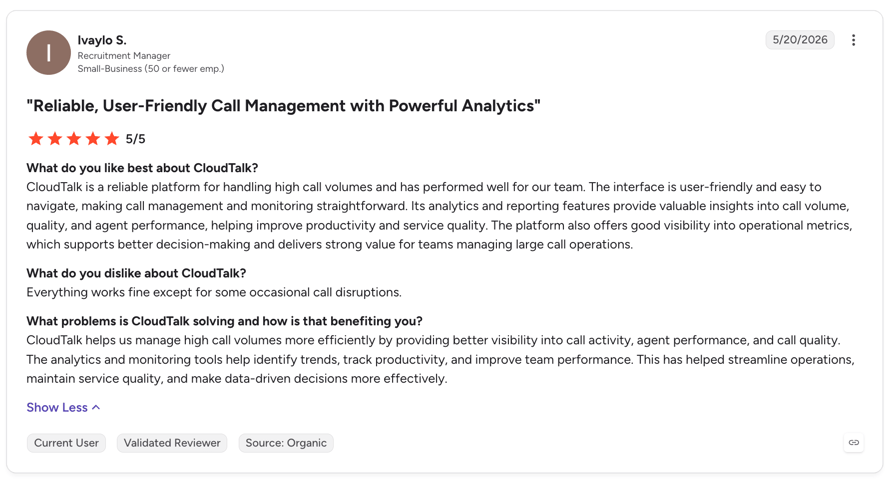
What Do Customers Say About CloudTalk?
G2 rating: 4.4/5 (1941+ reviews)
Who Is CloudTalk Best For, and When Should You Skip It?
- Pick CloudTalk when you need forwarding that behaves like real routing, with schedules, ring groups, skills and failover, and you don't want to climb tiers to get it. It also suits teams forwarding across borders, since local numbers in 160+ countries mean a forwarded call can still present a local identity, and teams where a non-engineer needs to edit the call path.
| Skip it if you want a single mobile number with one forwarding rule and nothing else, because a virtual-number tool is cheaper for that. Skip it if you need to hand an in-progress call between your own devices, since there's no call flip. And skip it if you're a solo operator who needs Expert-tier features, because of the 3-licence minimum. |
A Quick CloudTalk Tour To See What You Can Get
Try free for 14 days and experience how CloudTalk can help
2. Talkroute – Best for Forwarding Calls to Phones and Desktop Computers
What Is Talkroute?
Talkroute is a US virtual phone system that calls itself "the virtual phone system trusted by 1000's of awesome businesses". Its main feature page is literally titled "Call Forwarding & Routing", and it is built for small teams and solo operators who want each published number to have its own forwarding path.
What Are Talkroute's Key Features?
- Call forwarding to any external number, whether mobile, landline or VoIP, including forwarding to several phones at once.
- Routing calls directly to desktop computers through the desktop app, by specifying which users should receive them.
- Adjustable ring strategies, so phones and PCs ring in a specific order or all at once.
- Scheduled forwarding and routing.
- A separate custom forwarding path per virtual number, per menu option and per extension.
- Single and multi-level auto attendant, unlimited 3 or 4 digit direct-dial extensions, live call transfer, and voicemail delivered in-app, online and by email.
- Apps for macOS, Windows, Linux, iOS, Android and the browser.
What Are Talkroute's Pros and Cons?
| Pros | Cons |
|---|---|
| Forwards to PCs through a desktop app, not just to phones, and lets you name which users receive the call | Users are bundled per plan, so growing past the included seats costs $5 per extra user on top of the plan fee |
| A distinct forwarding path per number, menu option and extension, which is more granular than the price suggests | The smallest review base of the ten at 44 G2 reviews, so independent evidence is thin |
| Unlimited 3 or 4 digit extensions and a multi-level auto attendant on a small-business product | No CRM integration tier is advertised on the pricing page, so call context has to live somewhere else |
How Much Does Talkroute Cost?
- Basic: $19/month, 1 user included, $5 per additional user.
- Plus: $39/month, 3 users included, $5 per additional user.
- Pro: $59/month, 10 users included, $5 per additional user.
- Free trial: 7 days. Talkroute's pricing FAQ states that cancelling within 7 days of activating an account means you won't be charged.
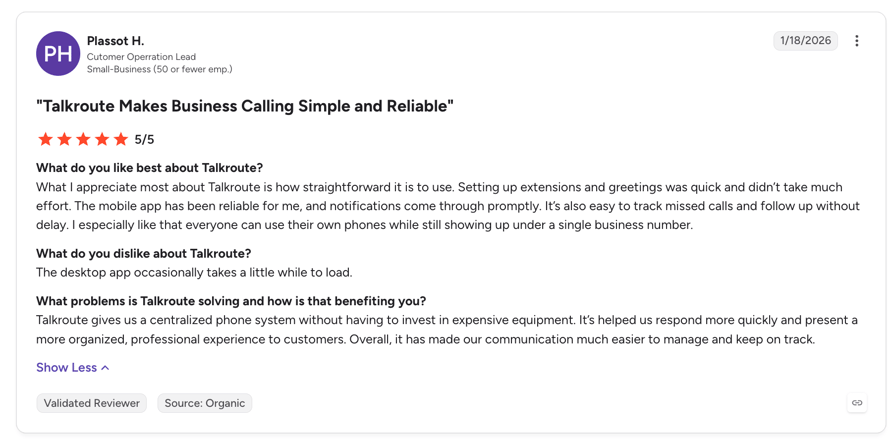
What Do Customers Say About Talkroute?
G2 rating: 4.6/5 (44 reviews). Its Trustpilot rating is 4.3/5 from 32 reviews, and its Capterra rating is 4.1/5 from 24 reviews. Every sample is small enough that you should read the reviews yourself rather than trust the average.
Who Is Talkroute Best For, and When Should You Skip It?
- Talkroute suits a team of one to ten that routes calls to desktop computers as well as phones, needs a different forwarding path per number or extension, and prefers plan-based pricing to per-seat pricing.
| Walk past it if you need CRM or helpdesk context on the call, or contact-centre features such as queues, skill routing and live monitoring. Past roughly ten users the $5 per extra user fee also starts to stack up. |
Related articles
3. MightyCall – Best for Conditional Forwarding Rules
What Is MightyCall?
MightyCall is a US virtual phone provider whose Core plan is described as an "advanced business phone system". It publishes the mechanics of its forwarding rather than the marketing, which makes it the most transparent tool here on how forwarding behaves when a line is busy or the office is closed.
What Are MightyCall's Key Features?
- Forwarding to multiple numbers at once, either sequentially or simultaneously.
- Forwarding to any device: cell phones, desk phones, computers, landlines or softphones.
- Drag-to-reorder number priority, so you change the order calls try destinations in by moving a handle.
- Per-number answering rules, including when a number may be called and by whom.
- Conditional call forwarding triggered by the called number being busy, being outside business hours, or being otherwise occupied.
- Automatic voicemail for unanswered calls when forwarding is switched off.
What Are MightyCall's Pros and Cons?
| Pros | Cons |
|---|---|
| Publishes explicit sequential versus simultaneous forwarding and lets you reorder the number sequence by dragging | A 3-user minimum on every plan except Enterprise, which needs 5, so a solo operator cannot buy it at all |
| Conditional forwarding on busy, no-answer and out-of-hours is documented rather than implied | Federal and state taxes and fees are added on top of the advertised per-user price, so the sticker understates the bill |
| Per-number answering rules, so different published numbers can behave differently | The 7-day trial is metered at 100 domestic minutes, 5 SMS and 5 MMS, which is tight for a call-heavy evaluation |
How Much Does MightyCall Cost?
- Core: $20/user/month billed annually, or $25/user/month monthly. 3-user minimum.
- Pro: $38/user/month billed annually, or $45/user/month monthly. 3-user minimum.
- Power: $54/user/month billed annually, or $65/user/month monthly. 3-user minimum.
- Enterprise: $65/user/month billed annually, or $75/user/month monthly. 5-user minimum.
- Free trial: 7 days, including 100 domestic minutes to US and Canadian numbers, 5 SMS and 5 MMS.
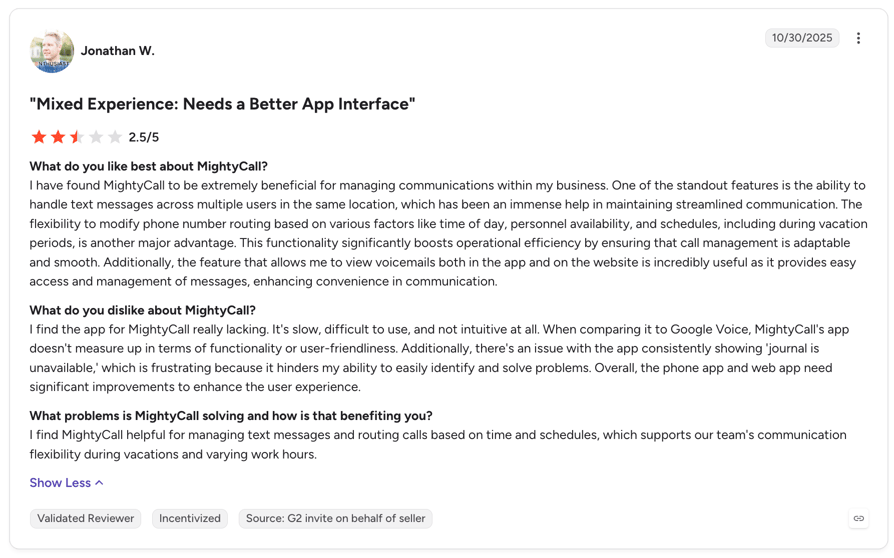
What Do Customers Say About MightyCall?
G2 rating: 4.4/5 (349+ reviews). Its Trustpilot rating is 2.7/5 from 150+ reviews, a wide gap against the G2 score that is worth investigating before you commit.
Who Is MightyCall Best For, and When Should You Skip It?
- Choose MightyCall when you need forwarding to fire on specific conditions rather than always, when you publish several numbers that must behave differently, and when you want simultaneous and sequential ring in the same product without buying an add-on.
| Skip it if you're a single user, if you need a long or unmetered trial to evaluate properly, or if international coverage beyond the US and Canada is your core requirement. |
Related articles
4. KrispCall – Best for Cheap International Numbers
What Is KrispCall?
KrispCall is a cloud phone system built around a "Unified Callbox" that keeps calls, SMS, voicemail and team notes for a contact in one shared inbox. Founded in 2022, it's the youngest brand here and carries the cheapest verified paid entry price, aimed at distributed teams that need international numbers more than they need deep routing.
What Are KrispCall's Key Features?
- Unified Callbox: every call, SMS, voicemail and team note for a contact in one shared inbox.
- International virtual numbers, including local, mobile and toll-free numbers from 100+ countries, with no hardware and no contracts. If that is your main reason to buy, our guide to how to get an international phone number covers what to check first.
- IVR, live call monitoring and analytics.
- Shared international numbers, so a team can answer one line.
- AI Copilot for call and voicemail transcription, sold as a $10/user/month add-on.
What Are KrispCall's Pros and Cons?
| Pros | Cons |
|---|---|
| The cheapest verified paid entry price of the ten at $12/user/month on annual billing, with only CallHippo's free tier undercutting it | No free trial and no free plan. You pay first and rely on a 14-day refund window, the weakest evaluation path here |
| Numbers in 100+ countries with no hardware and no advertised contract commitment | AI transcription is a $10/user/month add-on rather than an included feature |
| Calls, texts, voicemail and internal notes sit in one shared inbox instead of separate tools | Founded in 2022, so it has the shortest track record of the ten if procurement cares about vendor history |
How Much Does KrispCall Cost?
- Essential: $12/user/month billed annually, or $15/user/month monthly. Positioned for solo agents, freelancers and teams up to 5.
- Standard: $32/user/month billed annually, or $40/user/month monthly. Positioned for teams up to 50.
- Enterprise: Custom, contact sales.
- Add-on: AI Copilot at $10/user/month.
- Free trial: None. KrispCall's pricing FAQ answers the question directly: "No, KrispCall does not currently offer a free trial or free plan." What you get instead is a 14-day refund window on a paid subscription, plus $1 of free calling and SMS credit on signup.
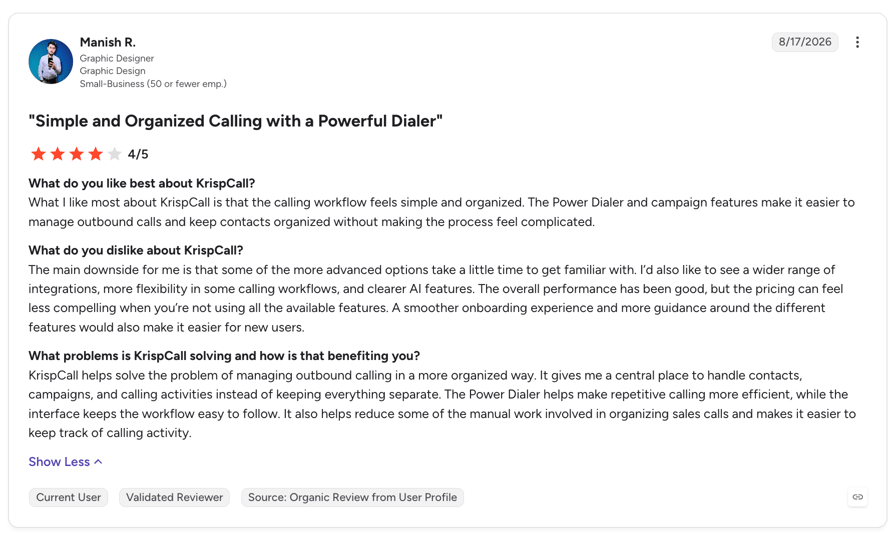
What Do Customers Say About KrispCall?
G2 rating: 4.5/5 (389+ reviews). Its Trustpilot rating is 4.2/5 from 500+ reviews.
Who Is KrispCall Best For, and When Should You Skip It?
- KrispCall makes sense when cost per seat is the deciding factor, when you need local or toll-free numbers in several countries quickly, and when a small distributed team wants calls, SMS and voicemail in one shared inbox.
| Skip it if you need to trial before you pay, if you need conditional or skill-based routing, if you want AI transcription included rather than as an extra line item, or if procurement requires a long vendor track record. |
Recommended articles
5. CallHippo – Best for a Genuinely Free Starting Tier
What Is CallHippo?
CallHippo is a business phone system whose Core tier is pitched as "calling for business teams". It's the only tool here with a real $0 per user per month plan, where you pay only for the phone numbers you buy, and its plan sheet names the two features this article is about as explicit line items.
What Are CallHippo's Key Features?
- Forward to Device:"Automatically route incoming calls to your mobile or alternative device to never miss calls." Available from the Starter tier upwards.
- Ring All Devices:"Ring simultaneously on all your logged-in devices (desktop, mobile, browser) for every call."
- Teams:assign teams to handle calls in sequence, available from the free Basic tier.
- Global Connect, which shows a contact's time zone before you dial, and Country Blocking to restrict outbound calls by destination.
- Click to Dial, voicemail, SMS and MMS, and 50+ integrations, with Zapier, Slack and webhooks at the lower tiers and HubSpot, Salesforce, Pipedrive and Zoho higher up.
What Are CallHippo's Pros and Cons?
| Pros | Cons |
|---|---|
| A real $0 tier with unlimited users where you pay only for numbers, so a volunteer or overflow line can run at near-zero seat cost | The Starter tier requires a minimum of 2 users, so the first paid step is closed to a solo operator |
| "Forward to Device" and "Ring All Devices" are named plan features, so simultaneous ring across desktop, mobile and browser is not an add-on | Bundled usage is capped on Starter at 1,000 US and Canada minutes and 100 SMS, so heavy volume pushes you up a tier |
| Sequential team call handling is available on the free tier | SMS carries a one-time $20 per account setup fee, and the AI voice agent is metered at $0.25 per minute |
How Much Does CallHippo Cost?
- Basic: $0/user/month, unlimited users, pay only for numbers.
- Starter: $18/user/month, minimum 2 users, including 1,000 US and Canada calling minutes and 100 SMS.
- Professional: $30/user/month.
- Ultimate: $42/user/month.
- Free trial: 10 days.
- Add-ons: AI Copilot at $10/user/month, AI voice agent billed at $0.25 per minute of actual usage, and a one-time $20 per account setup fee for SMS.
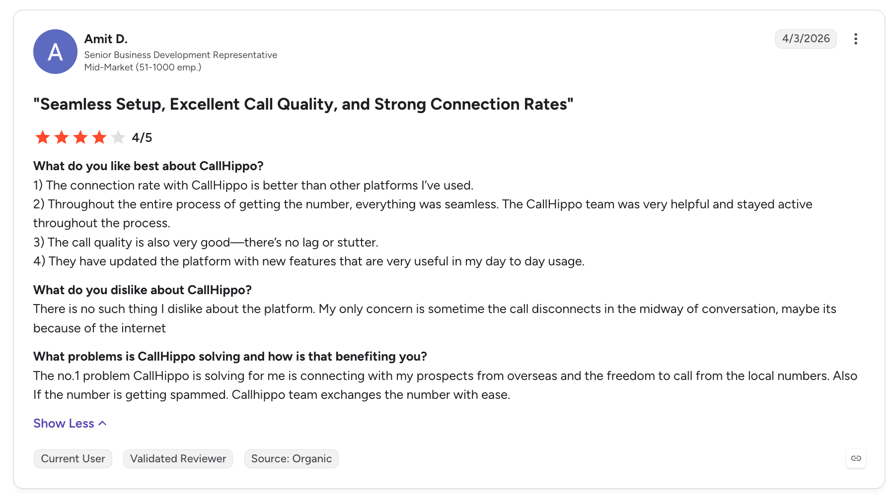
What Do Customers Say About CallHippo?
G2 rating: 4.4/5 (416+ reviews). Its Trustpilot rating is 2.0/5 from 650+ reviews, the largest gap between platforms of any tool here, so read both before deciding.
Who Is CallHippo Best For, and When Should You Skip It?
- CallHippo is the obvious pick when you want to test forwarding at zero seat cost and pay only for numbers.
- It also rings every logged-in device at once without an add-on, and gives you sequential team handling on the free plan.
| Skip it if you're one person who wants the paid tier, because of the 2-user minimum. Skip it if your call or SMS volume is high on the entry paid plan, and skip it if you need one stable global price instead of region-dependent pricing. |
Related articles
6. Quo (formerly OpenPhone) – Best for Shift-Based Routing on a Shared Number
What Is Quo?
Quo, formerly OpenPhone, is a cloud phone system for startups and small businesses, rebranded late enough that most people still search for the old name. Its distinguishing idea is that forwarding should follow the roster: calls go to whoever is actually on shift, based on schedules teammates set themselves.
What Are Quo's Key Features?
- VoIP call forwarding to any external number, including a landline, a mobile or a number that is not on Quo.
- Shift-based routing: "Automatically direct business calls to specific teammates based on specific work schedules they can set in Quo."
- Simultaneous ring, or routing to the most appropriate team member.
- Shared business phone numbers, so a whole team can answer one published line.
- Auto attendant and business hours, so callers reach the right person and expectations are set when the team is off.
- Web, desktop and mobile apps, with call recordings, texts and voicemail transcripts for a contact in one view.
What Are Quo's Pros and Cons?
| Pros | Cons |
|---|---|
| Shift-based routing ties forwarding to teammates' own work schedules, so the on-call rota does not have to be re-entered as a routing rule | AI features are metered by credits with per-call overage, so total cost is not predictable from the seat price |
| Shared numbers mean the whole team answers one published line instead of forwarding to one person's phone | At 7 days the trial is the shortest on offer here, alongside Talkroute, MightyCall and Grasshopper, and KrispCall runs none at all |
| Recordings, texts and voicemail transcripts for a contact sit in a single view | The recent rebrand from OpenPhone means its G2 listing is mid-transition, so there is no settled rating to point at |
How Much Does Quo Cost?
- Starter: $19/user/month billed monthly, or $15/user/month on annual billing.
- Business: $33/user/month.
- Scale: $47/user/month.
- Free trial: 7 days, cancel anytime.
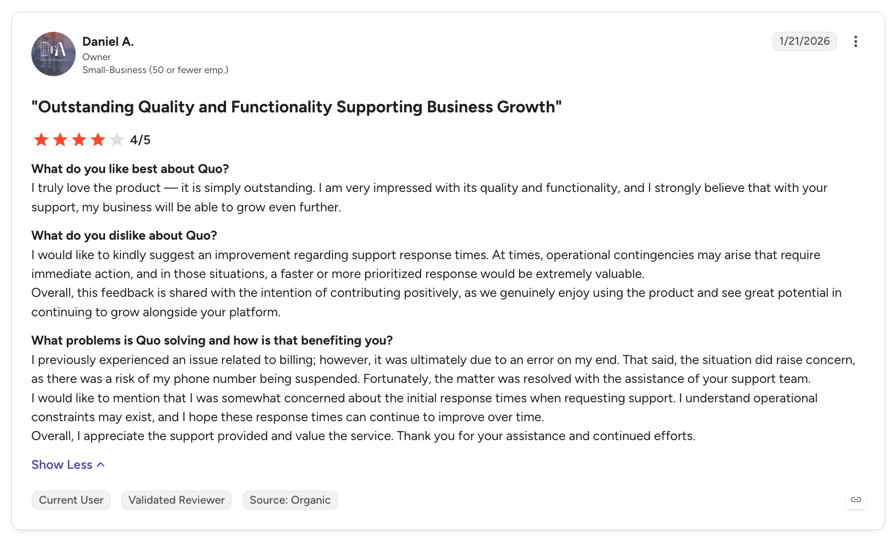
What Do Customers Say About Quo?
G2 rating: 4.7 out of 5, Trustpilot rating is 3.9/5 from 700+ reviews, and its Capterra rating is 4.2/5 from 60 reviews, still filed under the OpenPhone name.
Who Is Quo Best For, and When Should You Skip It?
- Quo fits a small team that shares one published number and rotates who answers it, wants forwarding driven by shift schedules teammates maintain themselves, and likes having texts, calls and voicemail in one contact view.
| Skip it if you need predictable all-in pricing, since AI credits and overages complicate it. Skip it if you need routing depth such as skill-based routing or VIP queues, and skip it if procurement needs a settled outside rating you can point at today. |
Related articles
7. Ringover – Best for the Widest Range of Forwarding Modes
What Is Ringover?
Ringover is a European cloud telephony provider whose call-forwarding page is headed "Call Forwarding Service for Businesses", and whose entry TALK plan is described as "simple, flexible telephony tailored to small business needs". It publishes more distinct forwarding modes than any other tool here, which makes it a useful step up from the micro-tools without going enterprise.
What Are Ringover's Key Features?
- Call forwarding to mobile, prescheduled call forwarding, forwarding based on availability, and redirecting calls to pre-recordings.
- Auto-attendant, plus advanced IVR with smart routing and call groups on the BUSINESS tier.
- Local presence with numbers from 65+ countries on the BUSINESS plan, which is annual billing only, plus the US and 30+ countries more broadly.
- Call logs, recordings, summaries and transcription, plus an unlimited virtual receptionist AI on the entry tier.
- 100+ CRM, ATS and helpdesk integrations and a power dialer on BUSINESS.
What Are Ringover's Pros and Cons?
| Pros | Cons |
|---|---|
| The widest published set of forwarding modes here: to mobile, prescheduled, availability-based, and redirect to a pre-recording | Prices are quoted excluding taxes and assume a 12-month commitment, so the real monthly cost is higher than the headline |
| Local numbers from 65+ countries on BUSINESS, so a forwarded call can present a local identity | A 3-user minimum on both purchasable plans, so there is no solo option |
| Call transcription, summaries and a virtual receptionist AI on the entry tier rather than the top plan | Advanced IVR, smart routing, integrations and the power dialer all sit on BUSINESS at $47, a steep jump from $15 |
How Much Does Ringover Cost?
- TALK: $15/user/month excluding tax on a 12-month commitment, or $24/user/month billed monthly. 3-user minimum, web purchase only.
- BUSINESS: $47/user/month excluding tax on a 12-month commitment, or $57/user/month monthly. 3-user minimum.
- ADVANCED: Custom, contact sales.
- Add-ons: Empower Conversational AI at $39/licence/month, omnichannel messaging at $29/licence/month, AI Voice Agent from $0.19/minute, AI Assistant at $99/website/month, Cadence at $59/user/month, Team Activity Analytics at $6/licence/month and CRM Autofill at $5/licence/month.
- Free trial: Offered, but the length is not stated in the readable part of the pricing FAQ.
Our breakdown of Ringover pricing works through those tiers. Ringover is the only vendor here that quotes prices excluding tax. Add your local rate before you set its numbers next to anyone else's.
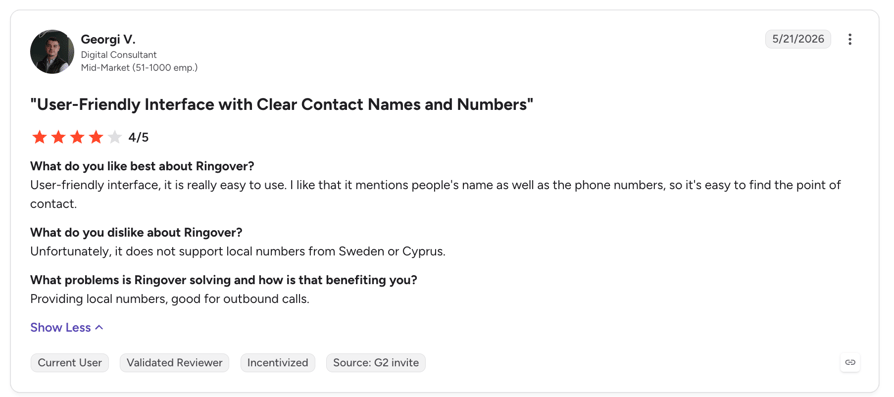
What Do Customers Say About Ringover?
G2 rating: 4.6/5 (500+ reviews). Its Trustpilot rating is 4.1/5 from 950+ reviews.
Who Is Ringover Best For, and When Should You Skip It?
- Ringover works when you want several distinct forwarding behaviours in one tool, when you need local numbers across many European markets, and when you want transcription and summaries without buying the top tier.
| Skip it if you're a solo operator, because of the 3-user minimum. Skip it if you need advanced IVR or integrations but can't justify the $47 tier, and skip it if you want tax-inclusive monthly pricing with no annual commitment. |
Related articles
8. Grasshopper – Best for a Solo Operator With One Business Number
What Is Grasshopper?
Grasshopper is a US and Canada virtual phone service whose pitch is "forward your business calls anywhere", and which also claims on its own site to be the "#1 business phone system for call forwarding" (treat that as their marketing rather than a finding). It is built for one person or a very small business that wants a business number pointed at a personal phone.
What Are Grasshopper's Key Features?
- Redirect incoming business calls to any number you choose, whether a mobile, a teammate's number, or straight to voicemail.
- Simultaneous or in-order ringing across multiple numbers, chosen per number.
- A custom schedule that forwards calls to different numbers depending on the time of day.
- Business hours, which direct callers automatically based on a preset open and closed schedule.
- Caller screening and call blocking.
- Instant response, voicemail transcription, informational extensions, and redirecting callers to pre-recorded greetings.
- Mobile and desktop apps, plus SMS on the business number.
What Are Grasshopper's Pros and Cons?
| Pros | Cons |
|---|---|
| A flat monthly plan rather than per-seat pricing, which can beat per-user tools for one or two people | Simultaneous ring is a paid add-on at $9/month, sold as "call blasting", where most tools here include it |
| Time-of-day forwarding schedules and business-hours routing are included, which not every micro-tool offers | Extensions cost $3/month each and extra numbers $9/month each, so a small team's real bill diverges from the headline quickly |
| Caller screening and call blocking are built in | The lowest cached G2 rating here at 3.9/5, and availability is restricted to the US and Canada |
How Much Does Grasshopper Cost?
Grasshopper's pricing page is geo-restricted to the US and Canada and returns a "not available in your region" page elsewhere, so we could not read the plan table. Check the current tiers on Grasshopper's own site rather than trusting a number from a roundup.
What is verifiable is the add-on sheet on its call-forwarding page, and it is the most important thing to know about Grasshopper's cost:
- Department or employee extensions: $3/month each.
- Additional phone numbers: $9/month each.
- Call blasting, which rings every line simultaneously: $9/month.
- Professional voice-actor greetings: $75 per order.
- International calling: sold as a separate plan. Virtual receptionist: sold as an add-on.
- Free trial: 7 days.
What Do Customers Say About Grasshopper?
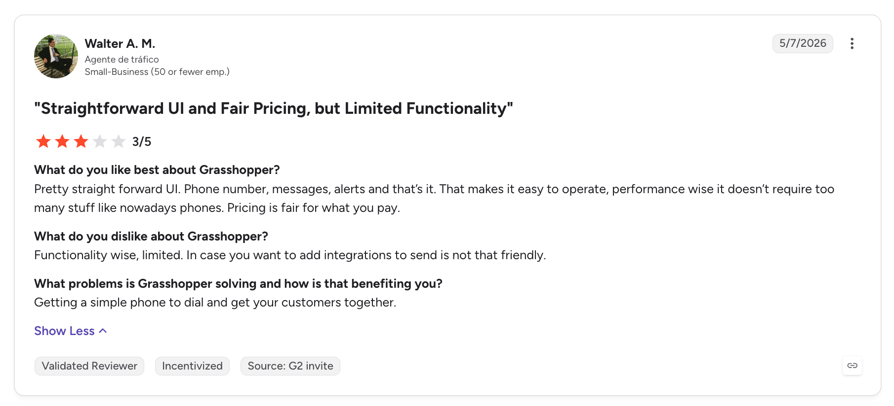
G2 rating: 3.9/5 (162+ reviews), the lowest of the ten. Its Trustpilot rating is 2.2/5 from 200+ reviews, while its Capterra rating is 4.3/5 from 350+ reviews, so the platforms disagree sharply about this one.
Who Is Grasshopper Best For, and When Should You Skip It?
- Grasshopper is a reasonable choice for one or two people in the US or Canada who want a single business number forwarded to a mobile on a time-of-day schedule, where a flat plan beats per-seat pricing.
| Skip it if you need every phone to ring at once without paying extra, if you need more than one or two extensions or numbers, if you operate outside the US and Canada, or if outside rating strength matters to your decision. |
Related articles
9. Ooma Office – Best for Forwarding Alongside Desk-Phone Hardware
What Is Ooma Office?
Ooma Office is a small-business phone service, and it lands on this list for one reason: it is the option most often shortlisted for a mixed setup where some people use physical desk phones and some use an app. That is also the limit of what we can tell you, because Ooma's site would not let us verify anything.
What Are Ooma Office's Key Features?
- Virtual receptionist with call forwarding and multi ring
- Ring groups and call parking
- Unlimited calling in the US, Canada, Mexico and Puerto Rico
- Desk phones, mobile and desktop apps
- Call recording and call queuing on upper tiers
- CRM integrations on Pro Plus
What Are Ooma Office's Pros and Cons?
| Pros | Cons |
|---|---|
| Easy setup, user-friendly interface | A thin cached G2 review base at 134+ reviews, so its high rating rests on relatively few data points |
| Business and intuitive tools | Its Trustpilot rating is 2.3/5 from 1,750+ reviews, a very large gap against its G2 score on a much bigger sample |
How Much Does Ooma Office Cost?
- Essentials: $19.95 per user/month
- Pro: $24.95 per user/month
- Pro Plus: $29.95 per user/month
- Enterprise: Custom pricing
What Do Customers Say About Ooma Office?
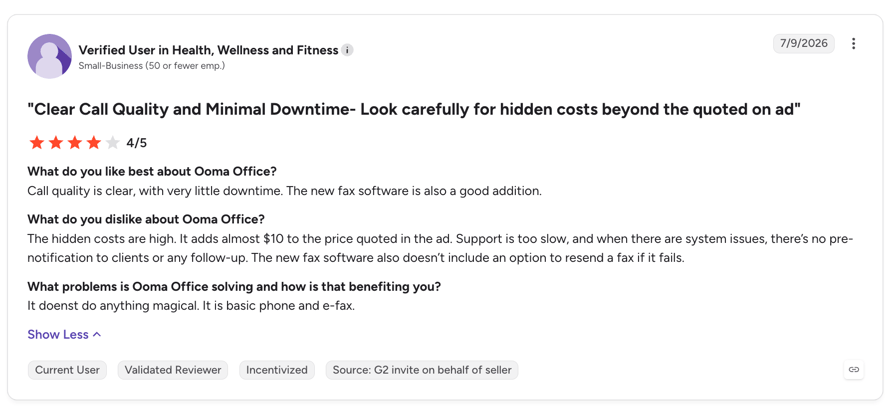
G2 rating: 4.5/5 (134+ reviews), one of the higher scores in this comparison, on one of its smaller review samples. Its Capterra rating is 4.4/5 from 200+ reviews.
Who Is Ooma Office Best For, and When Should You Skip It?
- Shortlist Ooma Office if you want physical desk phones as part of the setup rather than a softphone-only system, and you are a small office that prefers hardware and self-setup.
| Skip it if you're fully remote and software-only, if you need international number coverage, or if you want routing that reads from your CRM. |
Related articles
10. Dialpad – Best for Enterprise AI Contact Centres
What Is Dialpad?
Dialpad describes itself as "agentic AI-powered contact center & communications", and it is the only large, dominant platform on this list. Forwarding is one feature inside a much bigger stack, and that's what decides who should buy it. If you're shopping for call forwarding software for enterprise use, this is the entry to read closely.
What Are Dialpad's Key Features?
- Forwarding incoming calls to up to five external numbers. Dialpad's own wording: "Automatically forward incoming calls to up to five external numbers so your team never misses a call."
- Custom call routing.
- Voicemail forwarding.
- After-hours coverage.
- Built-in call metrics, call recording, and desktop and mobile apps.
- Forwarding documented for both iPhone and Android.
What Are Dialpad's Pros and Cons?
| Pros | Cons |
|---|---|
| Forwarding, custom routing, voicemail forwarding, after-hours coverage, metrics and recording sit inside one platform rather than across add-ons | Forwarding is capped at five external numbers, a hard ceiling the smaller tools here do not publish |
| A 14-day free trial, the longest here alongside CloudTalk | Plan pricing is not readable without interacting with the site, and the AI Agent line is quote-based with credit-metered billing |
| The largest independent review base of the ten, so there is plenty to read before you buy | Positioned as an enterprise contact-centre platform, so it is heavier than a team that only needs forwarding requires |
How Much Does Dialpad Cost?
Dialpad publishes three tiers. One thing to know before comparing: Dialpad AI Agent is quote-based, described as "conversation-based pricing". It bills against a pool of AI Agent Credits, consumed only when the AI retrieves information or executes an action.
- Standard: $15/user/month
- Pro: $25/user/month
- Enterprise: Custom pricing
What Do Customers Say About Dialpad?
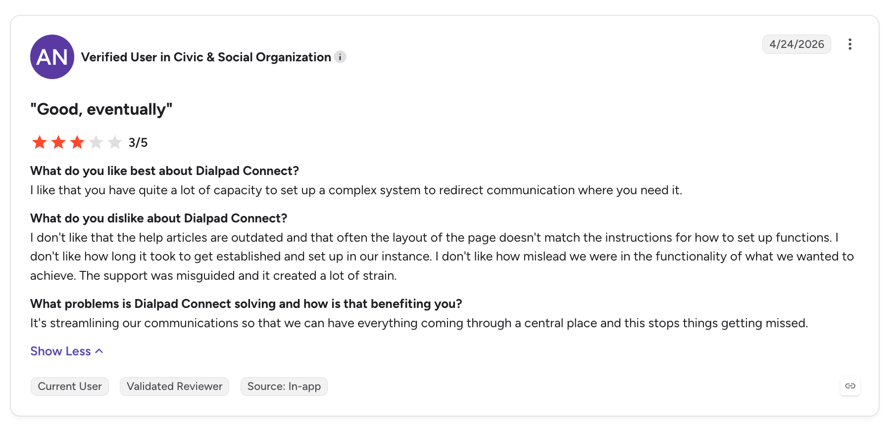
G2 rating: 4.4/5 from 4,600+ reviews, the largest sample on this list. Its Trustpilot rating is 4.1/5 from 2,900+ reviews.
Who Is Dialpad Best For, and When Should You Skip It?
- Dialpad earns a shortlist place when you're an enterprise or large contact centre and forwarding is one requirement inside a broader AI platform.
- It also has the deepest AI feature set here, plus a long trial and the largest body of independent reviews to read before you commit.
| Skip it if you need to forward to more than five external numbers, or if you want a price you can read off a page and budget against. A small team that only needs forwarding would be paying for a whole platform. |
Try CloudTalk free for 14 days
Related articles
Call Forwarding Software and Services: Use-Case Comparison Table
Buying call center software call forwarding service capability for a hotline is a different exercise from buying it for a two-person consultancy, where a straightforward phone answering system for a small business is often the whole requirement. The table below maps the scenario to the requirement that actually decides it, then to the tool that meets that requirement on published evidence.
| Use case | What actually decides it | Recommended fit |
|---|---|---|
| Growing businesses and support teams | A rules engine, ring groups, business-hours routing and CRM context on the call | CloudTalk. Call Flow Designer, ring groups and call queues on the entry plan; IVR and business-hours routing from Essential |
| Solo operators and micro-teams | Forward one number to one mobile, cheaply, in minutes | Talkroute (Basic includes one user and forwards to mobile, landline, VoIP or PC) or Grasshopper for single-number simplicity |
| Crisis lines and hotlines | A schedule-driven on-call rotation with guaranteed escalation and no dropped call | CloudTalk. Business-hours rules per number with off-hours redirection to an external number, voicemail or a recorded message, plus failover actions inside the call flow. Dedicated on-call tools still do pager-style rotation better |
| Nonprofits and volunteer lines | Forwarding to volunteers' personal phones, low seat cost, simultaneous ring | CallHippo ("Forward to Device", "Ring All Devices", free Basic tier) or MightyCall for sequential forwarding and per-number answering rules |
| Customer support | Queueing, VIP handling, analytics and helpdesk integration | CloudTalk for call queues, VIP queues and queue callback, or Ringover for advanced IVR and call groups |
| After-hours lines and answering service call forwarding | Conditional forwarding on busy, no answer or out-of-hours, with a voicemail fallback | MightyCall, which documents conditional forwarding on busy, out-of-hours and occupied, or Quo for shift-based routing tied to teammates' schedules |
| Enterprise and large contact centres | Scale, multi-site deployment and a deep AI stack | Dialpad, with RingCentral and Nextiva as the other platforms enterprise buyers typically shortlist |
| International and remote teams | Local numbers in many countries and forwarding across borders | CloudTalk for local numbers in 160+ countries, or KrispCall for numbers from 100+ countries |
How to Choose the Right Call Forwarding Software for Your Team
Six questions separate a tool that works in month three from one that looked fine in the demo. Work through them in order, because the answers compound.
Does It Forward to the Numbers and Devices You Already Use?
Start with the destination list, not the feature list. Almost every tool forwards to a mobile, and Pew Research Center's November 2025 Mobile Fact Sheet puts US cellphone ownership at 98% and smartphone ownership at 91%, so that base case is safe. The gaps show up elsewhere: landlines, physical desk phones, a softphone on a laptop, and browser tabs.
If you were searching for call forwarding software PC because your team works from desktops, check specifically whether the desktop app can be a ring destination in its own right rather than just a dialler. Talkroute is the clearest on this point, routing calls straight to named users' PCs through its desktop app. Ooma Office is the one to look at for physical handsets.
Can Forwarding Follow a Schedule Instead of a Toggle?
A forwarding switch someone has to remember to flip won't get flipped one Friday evening. You want a schedule instead: per-number business hours, time zones, public holidays, and named exceptions for the week the office closes.
This matters more than it used to. Pew Research Center's January 2025 analysis<sup>2</sup> found that 75% of US workers with jobs that can be done from home are working remotely at least some of the time, which means "office hours" and "who is at their desk" have come apart. CloudTalk handles this with company-wide or per-number business hours, off-hours redirection to an external number, voicemail, a recorded message or message plus voicemail, plus country-specific holidays, custom exceptions and time-zone scheduling on its Essential plan. Whatever tool you pick, write the after-hours voicemail greetings before you switch the schedule on, because that recording is what most out-of-hours callers actually hear.
What Happens When Nobody Answers a Forwarded Call?
Ask every vendor this question and listen to how specific the answer is. A forwarded call that rings out is the most common failure mode in this category, and the marketing pages skip it.
You want a documented chain: try the next number, then the ring group, then voicemail with a notification, then a callback. Decide deliberately at which step you send a call straight to voicemail, because a caller who rings out with no message is a caller you never hear from again. Conditional forwarding is the mechanism, and only some tools here publish how theirs behaves. MightyCall documents forwarding triggered by busy, out-of-hours or occupied lines. CloudTalk's Call Flow Designer supports failover actions and condition-based routing as steps you place in the flow yourself, with real-time edits that do not interrupt calls in progress.
The 2025 National Customer Rage Survey from Customer Care Measurement & Consulting and Arizona State University's W. P. Carey School of Business found that 77% of US consumers hit a product or service problem in the past year, and that poor complaint handling puts more than $596 billion of future revenue at risk. A dropped forwarded call is where that starts.
Customer story: Bit2Me (financial services)
Bit2Me cut missed calls from 80% to 16% by rebuilding its routing and queueing in CloudTalk, a 66% reduction. Read the Bit2Me story.
Which Call Center Software Call Forwarding Features Do You Actually Need?
Tick what you need and ignore the rest. Paying for routing depth nobody will ever configure is the most common overspend in this category.
- 01Simultaneous ring:So several destinations ring at once. Included by most tools here; a $9 per month add-on at Grasshopper.
- 02Sequential ring:With a destination order you control.
- 03Ring groups and shared numbers:So a team answers one published line. This is what most people mean when they search for call delegation software, and it's worth knowing that CloudTalk doesn't offer executive-style call delegation or call flip today; the shared-number pattern is the equivalent.
- 04Conditional rules:On busy, no answer, unreachable and out-of-hours.
- 05IVR or auto attendant:So callers self-select before forwarding happens.
- 06Skill-based or condition-based routing:Which reads caller data or CRM fields. This is the point where forwarding becomes call routing, and it is the single biggest dividing line in this comparison.
- 07Caller ID behaviour on the forwarded leg:So the person answering can tell a business call from a personal one.
- 08Extensions:And whether they cost extra per month.
What Does the Sticker Price Leave Out?
Advertised entry prices in this category are close to meaningless on their own, and this is where most shortlists change order. Five things to check before you sign:
- User minimums.MightyCall needs 3 users on most plans and 5 on Enterprise. Ringover needs 3. CallHippo's first paid tier needs 2. CloudTalk's Expert plan needs 3, though Starter needs only 1.
- Per-unit fees.Grasshopper charges $3 per extension per month and $9 per extra number per month, and sells simultaneous ring separately at $9 per month.
- Tax treatment.Ringover quotes excluding tax. MightyCall adds federal and state taxes and fees on top of the advertised price.
- What counts as an add-on.CloudTalk is clear that AI Conversation Intelligence, AI Voice Agents and the Parallel Dialer are always paid add-ons, and that the Power Dialer is included only in Expert. KrispCall sells AI transcription at $10 per user per month. Quo meters AI by credits with per-call overage.
- How you can evaluate.Free trials run from 7 days (Talkroute, MightyCall, Quo, Grasshopper) to 10 (CallHippo) to 14 at CloudTalk and 14 at Dialpad. KrispCall has no trial and no free plan, only a 14-day refund window.
Here is the same thing in one view. If you want the category-level version of this arithmetic, we break down how much call center software costs separately.
| Provider | Free trial | User minimum | The fee that changes the maths |
|---|---|---|---|
| CloudTalk | 14 days | 1 on Starter, 3 on Expert | Power Dialer is an add-on on Starter and Essential, included in Expert |
| Talkroute | 7 days | 1 user included in Basic | $5 per additional user on every plan |
| MightyCall | 7 days, metered at 100 minutes | 3 users, 5 on Enterprise | Federal and state taxes added on top of the sticker price |
| KrispCall | None, 14-day refund window | Not stated | AI transcription at $10/user/month |
| CallHippo | 10 days | Unlimited on Basic, 2 on Starter | One-time $20 per account SMS setup fee |
| Quo (formerly OpenPhone) | 7 days | Not stated | AI credits metered per call, overage from $0.45 to $1.00 |
| Ringover | Offered, length not published | 3 users | Prices quoted excluding tax, 12-month commitment |
| Grasshopper | 7 days | Flat plan, not per seat | $3 per extension, $9 per number, $9 for simultaneous ring |
| Ooma Office | See vendor site | See vendor site | See vendor site |
| Dialpad | 14 days | Not stated | AI Agent billed against a credit pool, quote-based |
Does It Meet Your Security and Compliance Requirements?
You won't find this in most call forwarding roundups, and it belongs there, because forwarding pushes calls onto devices your IT team may not control. If you work in healthcare, financial services or the public sector, this is a hard filter rather than a preference.
Ask for the specifics: encryption in transit, GDPR posture, a SOC 2 report, HIPAA-compliant VoIP with a business associate agreement where relevant, audit logs, and role-based permissions on recordings. CloudTalk is GDPR compliant, SOC 2 Type 1 and Type 2 compliant, and HIPAA compliant as of Q1 2025, with recording consent management, pause and resume during sensitive moments, and retention controls, all documented on its security page.
One related point on AI. If your forwarding path hands calls to an AI receptionist outside business hours, tell callers. In Salesforce's seventh-edition State of the AI Connected Customer report, 72% of customers said it matters to them to know when they are talking to an AI agent.
Book a demo of CloudTalk
Quick Answers: What People Ask Most About Call Forwarding Software and Services
What Is the Best Call Forwarding App?
For business use, CloudTalk is the strongest all-round pick, because ring groups, call queues and the Call Flow Designer are on its entry plan at $25/user/month, with business-hours routing and IVR one small step up on Essential. For one person forwarding a single number to a mobile, Grasshopper or Talkroute cost less and set up in minutes, once you've sorted out how to get a virtual phone number. The right answer depends on whether more than one person shares the line.
What Is an Example of Call Forwarding?
A two-person agency publishes one main number. During business hours it rings both mobiles at once; whoever is free picks up. After 6pm the same number plays one of your business voicemail greetings and drops to voicemail, and the voicemail lands in email. Nobody touched a setting to make that switch happen; the schedule did it.
Which Technology Is Commonly Used for Call Forwarding?
Modern business call forwarding runs on VoIP over the public internet, using the Session Initiation Protocol (SIP) to set up and tear down each call leg. A cloud call forwarding program holds your number, applies your rules, then places an outbound leg to the destination you specified. Older setups used carrier-level forwarding codes such as *72, which work but can't be scheduled or conditioned.
Are Call Routing and Call Forwarding the Same?
No. Forwarding is the mechanism that sends a call from one number to another destination. Routing is the decision layer that chooses which destination it should be, using keypad input, agent skill, caller data, time of day or CRM fields. Every routing system forwards; not every forwarding tool routes, which is why call routing software and call forwarding software are shelved as separate categories. That distinction is the main dividing line in this comparison.
Can I Forward Calls to More Than One Number at Once?
Yes, and there are two patterns. Simultaneous ring, sometimes sold as ring-all or call blasting, rings every destination at the same time. Sequential ring tries destinations in an order you set. Most tools here include both; Grasshopper charges $9 per month for simultaneous ring, and Dialpad caps forwarding at five external numbers.
Try CloudTalk free for 14 days
Top Call Forwarding Software and Services by G2 Reviews and Ratings
Among the providers with settled G2 data, CloudTalk carries the largest review base in this comparison, at 1941+ reviews and a 4.4/5 rating. Talkroute posts the highest score of the eight at 4.6/5, on 44 reviews. That's the trade-off worth holding on to: the highest average here sits on the thinnest evidence. The table is ordered by review volume.
| Platform | G2 Reviews | G2 Rating | Full review link |
|---|---|---|---|
| CloudTalk | 1941+ | 4.4/5 | CloudTalk on G2 |
| Ringover | 500+ | 4.6/5 | Ringover on G2 |
| CallHippo | 416+ | 4.4/5 | CallHippo on G2 |
| KrispCall | 389+ | 4.5/5 | KrispCall on G2 |
| MightyCall | 349+ | 4.4/5 | MightyCall on G2 |
| Grasshopper | 162+ | 3.9/5 | Grasshopper on G2 |
| Ooma Office | 134+ | 4.5/5 | Ooma Office on G2 |
| Talkroute | 44 | 4.6/5 | Talkroute on G2 |
Dialpad and Quo are absent by design. Dialpad's rating ties CloudTalk's on a larger review base, and Quo's G2 listing is mid-rebrand from OpenPhone, so there's no rating we can state honestly. Read any of these scores next to your own requirement list rather than on their own; our explainer on what call center software is covers the capabilities the ratings are silently averaging over.
Conclusion: Which Call Forwarding Software Should You Pick?
Any of these tools will forward a call. What you're actually buying is forwarding that still works when the person it points at is in a meeting, on holiday, or asleep three time zones away. So settle one question first: how many people share the line, and how often does the right destination change? Your answer picks the half of this list you should be shopping in.
- 01Which Tool Should a Solo Operator or Two-Person Team Pick?Buy on simplicity and cost. Talkroute's Basic plan at $19 per month includes one user and forwards to a mobile, a landline, a VoIP line or a PC, which covers most of what a consultancy needs. Grasshopper is the flat-plan alternative if you're in the US or Canada, as long as you budget for the extension, number and call-blasting fees. CallHippo's free Basic tier is the cheapest way to test the idea at all, since you pay only for numbers.
- 02Which Tool Fits a Small, Growing Team?This is where forwarding turns into routing, and where paying a little more saves a lot of configuration pain. CloudTalk's Starter plan at $25/user/month includes the Call Flow Designer, ring groups, call queues, queue callback and call recording. Business-hours and time-based routing and IVR with skill and condition-based routing arrive on Essential, and VIP queues on Expert. MightyCall is the alternative when conditional rules are the whole requirement and you have at least three users. Once more than two people share a line, call queues start doing work that no amount of forwarding logic can replace. Quo suits teams whose rota changes weekly, thanks to shift-based routing.
- 03What Should Larger Teams and Enterprises Shortlist?At this size, forwarding is a line item in an enterprise VoIP decision. Dialpad is the AI-heavy option, with the caveat that forwarding is capped at five external numbers and plan pricing needs a conversation; RingCentral and Nextiva are the other two platforms that usually make the shortlist. If you need international numbers and per-country routing more than an AI stack, CloudTalk is the closer comparison: coverage across 160+ countries and an Expert plan at $49/user/month, with the Power Dialer included at that tier. AI Conversation Intelligence and AI Voice Agents stay paid add-ons.
Customer story: Meble Furnio (e-commerce, under 100 people)
A small team recovered 37 missed leads in three months and lifted revenue by 4% after putting routing rules behind its inbound line. Read the Meble Furnio story.
Book a demo of CloudTalk
FAQ: Call Forwarding Software
Business call forwarding software costs $12 to $30 per user per month. CloudTalk's Starter plan is $25/user/month annually, plus virtual phone number pricing for the numbers. Minimums bite: MightyCall's $20 tier needs three seats.
Yes. Simultaneous ring, sometimes sold as ring-all or call blasting, rings every destination at once, and ring groups do the same for a whole team. Grasshopper charges $9 a month for it and Dialpad caps forwarding at five external numbers.
Yes. Every tool here forwards to an external number you already own, so you can forward a landline to a cell phone, a desk phone or a softphone. Customers still dial your published number, so the personal one stays private.
Yes, on any tool with a rules engine. CloudTalk applies per-number business hours, time zones and holidays, routes on agent skill or CRM data, then drops to an out-of-office voicemail after hours. Carrier *72 forwarding can't.
Yes. CloudTalk sells local numbers in 160+ countries and forwards them anywhere, which is what a phone system for remote teams has to do. Check per-minute rates on the forwarded leg.
An unanswered forwarded call follows the failover chain you configured: the next number, then the ring group, then voicemail or voicemail to email. Configure nothing and the caller just hears ringing, then hangs up.
Because real routing ships early: ring groups, call queues, queue callback and the Call Flow Designer on Starter at $25/user/month, with business-hours rules and IVR on Essential. Texada Software folded 20+ numbers into one setup with it.
Sources: