


Business Phone System for Sales and Support Teams
CloudTalk is the best business phone system for sales and support teams — built on multi-carrier cloud infrastructure, with AI-powered call insights and native CRM integrations across 160+ countries.
- CloudTalk users increase call volume by 81.7% on average
- Local numbers in 160+ countries boost answer rates by 40%
- Connects to HubSpot, Salesforce, Pipedrive, Zendesk, and 100+ tools
- Teams cut missed calls by approx 23.7% with CloudTalk
Trusted by 30,000+ sales & support professionals worldwide















The Basics
What Is a Business Phone System?
A business phone system is a cloud or VoIP platform that manages your company's inbound and outbound calls over the internet instead of traditional phone lines. You'll also hear it called business cloud calling or a cloud calling system; the product is the same. It routes callers through IVR menus and smart routing rules, records and transcribes conversations, logs every interaction to your CRM automatically, and reports on call performance across your team.
Modern business phone systems run entirely in the cloud: agents make and receive calls from a laptop or smartphone anywhere in the world, and there are no desk phones, wiring, or on-premises hardware to buy or maintain. Setup takes under an hour, and adding a new team member takes minutes. If outbound is your team's focus, our outbound calling software adds AI dialers with automatic CRM sync. And on the inbound side, an auto attendant phone system greets and routes callers before an agent even picks up.
Know Your Options
What Are the Types of
Business Phone Systems?
Five types of phone systems are on the market today. Which one fits depends on how much hardware you want to own, and the honest answer for most sales and support teams is: none.
Comparison Table
Traditional Landline vs. On-Premise PBX vs. Cloud: What's the Difference?
CloudTalk's Pricing
How Much Does CloudTalk Cost?
Our pricing is transparent, so you always know what you're paying for.
No hidden fees, no additional costs.
Why Choose a Business Phone System Built for Growth
No Hardware, No Dropped Calls
CloudTalk runs on decentralized, multi-carrier infrastructure — no on-premises hardware, no maintenance contracts, no single point of failure. For teams managing hundreds of calls daily, consistent uptime is the baseline, not a premium add-on. When one carrier has an issue, calls reroute automatically.
Your CRM, Fully in Sync
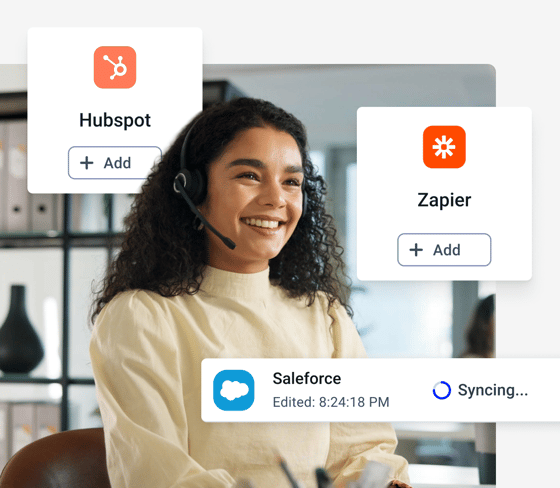
Calls, notes, and customer data sync automatically to Salesforce, HubSpot, and Pipedrive — eliminating manual entry and giving every agent full call history before they pick up. Faster resolutions, fewer errors, and a complete audit trail across your support and sales workflows.
Scales From Your First Hire
Add phone numbers and agents in minutes. Expand into new markets with local numbers in 160+ countries. Small businesses use CloudTalk to punch above their weight; midsize teams use it to handle high call volumes without infrastructure headaches. The system adapts automatically, so you don't have to.
HOW WE HELP
Business Phone System Features That Cover Every Call
Every Call to the Right Place, First Time
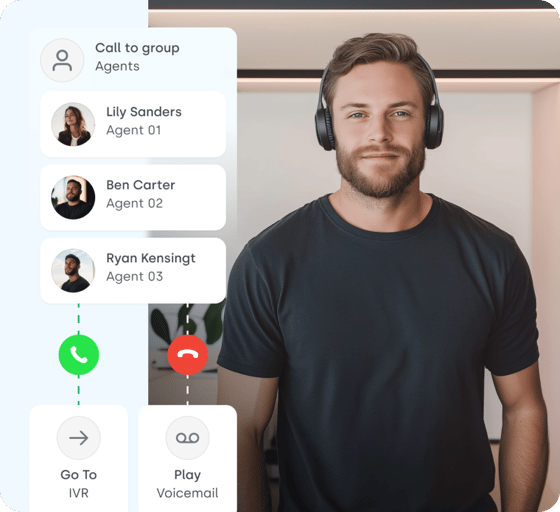
- Call Flow Designer: Build inbound call routes branching by time of day, agent skills, queue depth, or caller region. No coding. Changes go live instantly.
- Call Queuing: Holds overflow traffic until the right agent is free. Reduces abandonment without requiring additional headcount.
- Call Recording: Every call captured, stored, and searchable. Built for compliance, QA, and coaching — not just logging.
- Branded Caller ID: Display your company name and logo on outbound calls. Answer rates on cold and warm outreach increase measurably.
Keep Reps on Live Calls
- AI Sales Dialer: Preview, power, and parallel dialing in one interface: dial up to 10 lines at once and connect to the first to answer, keeping reps on live calls.
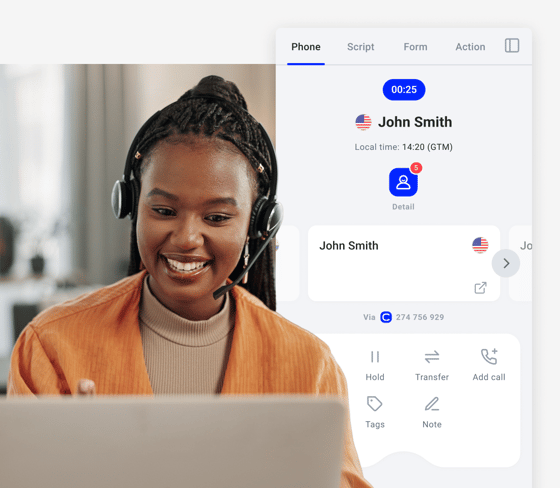
- Click-to-Call: Initiate calls directly from any CRM record or browser tab with one click. No copy-pasting, no switching windows.
- Power Dialing: Sequences calls automatically at adjustable pacing. Keeps agents in back-to-back live conversations without manual dialing.
- Workflow Automation: Triggers follow-up tasks, CRM updates, and notifications based on call outcomes — without manual input from agents.
Analytics, AI, Integrations in One Place
- Analytics & Reporting: Call volume, wait times, first-call resolution, and team KPIs in customizable, exportable dashboards.
- Call Transcription: Multilingual, searchable transcripts for every call — ready for AI analysis, compliance archiving, and coaching review.
- Sentiment Analysis: Identifies negative interaction patterns across your entire team. Surface churn risk before it compounds.
- 100+ integrations: Native two-way sync with Salesforce, HubSpot, Pipedrive, Zendesk, Intercom, Gong, Zapier, Freshdesk, and more. Browse the full integration library.
Why CloudTalk Is the Best
Business Phone System
The market for business phone system providers is crowded. Most options compete on price alone. CloudTalk wins on the four factors that determine real-world performance: setup speed, call quality, AI capability, and integration depth.
Live in Under an Hour, No IT Required
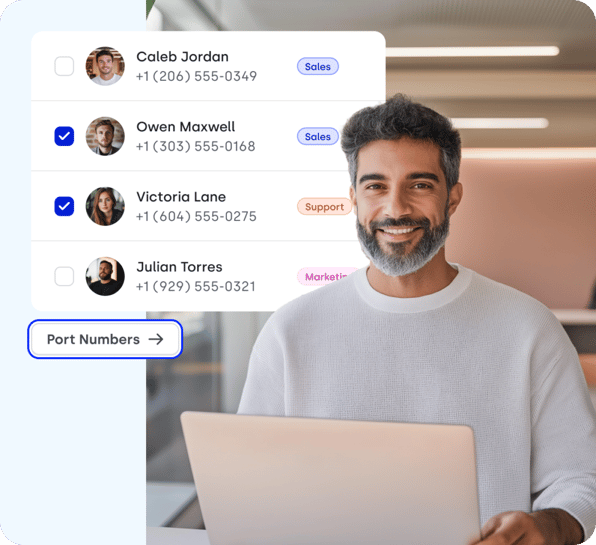
No IT team, no hardware, no configuration marathons. CloudTalk connects to your existing numbers via Number Porting and is live in under an hour: port your numbers in the morning, take calls after lunch. New agents are added from a browser tab, so growing the team never means a ticket queue or a technician visit.
Very easy and quick set up, perfect call quality even with overseas customers and the most important thing – very useful customer support ready to help and solve any issues.

Calls That Stay Connected
CloudTalk's call quality infrastructure is decentralized and multi-carrier: when one carrier has an issue, calls reroute automatically and your customers never hear it. The results show up in the numbers. Nokia increased calls handled by 38% and cut wait times by 47% after switching, and Bit2Me went from missing 80% of calls to just 16%.
Our call volume tripled in only 2 years, from around 10,000 calls to 30,000 per quarter and with CloudTalk, we can now handle all of this communication easily. It was an excellent choice.

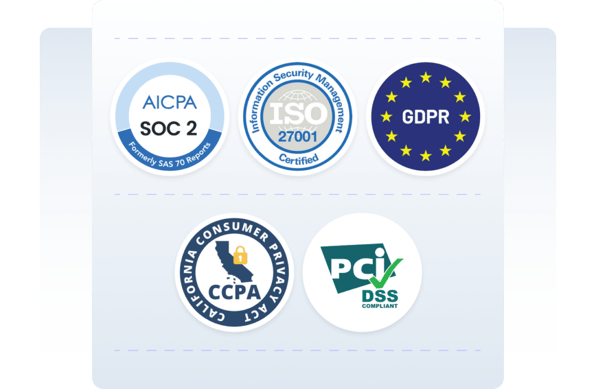
Enterprise-Grade Security
CloudTalk is built for teams that don't have time to run training programs. Agents learn the core workflow in hours, not weeks, because calling, notes, and history live on one screen. Managers configure IVR trees, routing rules, and reporting dashboards themselves, without touching a settings file or opening a support ticket.
Your Entire Stack Connected
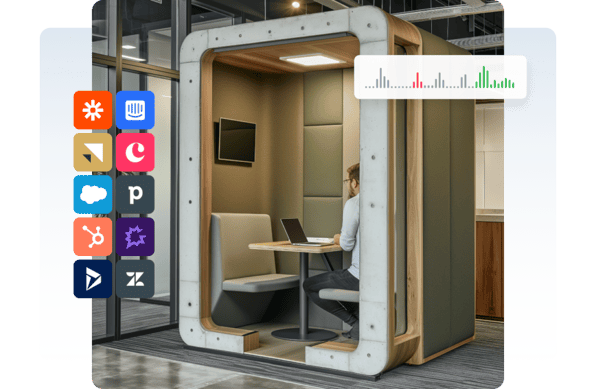
Zendesk, Microsoft Teams, and the full range of CRM, helpdesk, and sales tools your team already uses, all connected natively. Every call logged, every contact updated, automatically: no middleware, no manual sync, no data gaps between systems. Agents see who's calling and why before they pick up.
Buying Guide
How to Choose a Business Phone System:
5 Criteria That Matter
Most providers list the same features. These five criteria are what separate a system your team will still be happy with in two years:
CloudTalk's AI
Make Every Call Work Smarter with AI
Businesses using CloudTalk's AI features report a 2.5× increase in outbound call volume.
The difference comes from eliminating admin overhead and giving managers real conversation data to coach from — not just call duration reports. Some of our AI features include:
- AI Notes auto-generates structured call summaries and pushes them to your CRM the moment a call ends, automatically.
- Topic Extraction surfaces recurring themes across hundreds of conversations, helping you identify themes immediately.
- The Talk/Listen Ratio tracks how much agents speak versus listen — a measurable and coachable signal for managers
- AI Voice Agents handle appointment scheduling, lead qualification, and after-hours call handling end-to-end, 24/7.
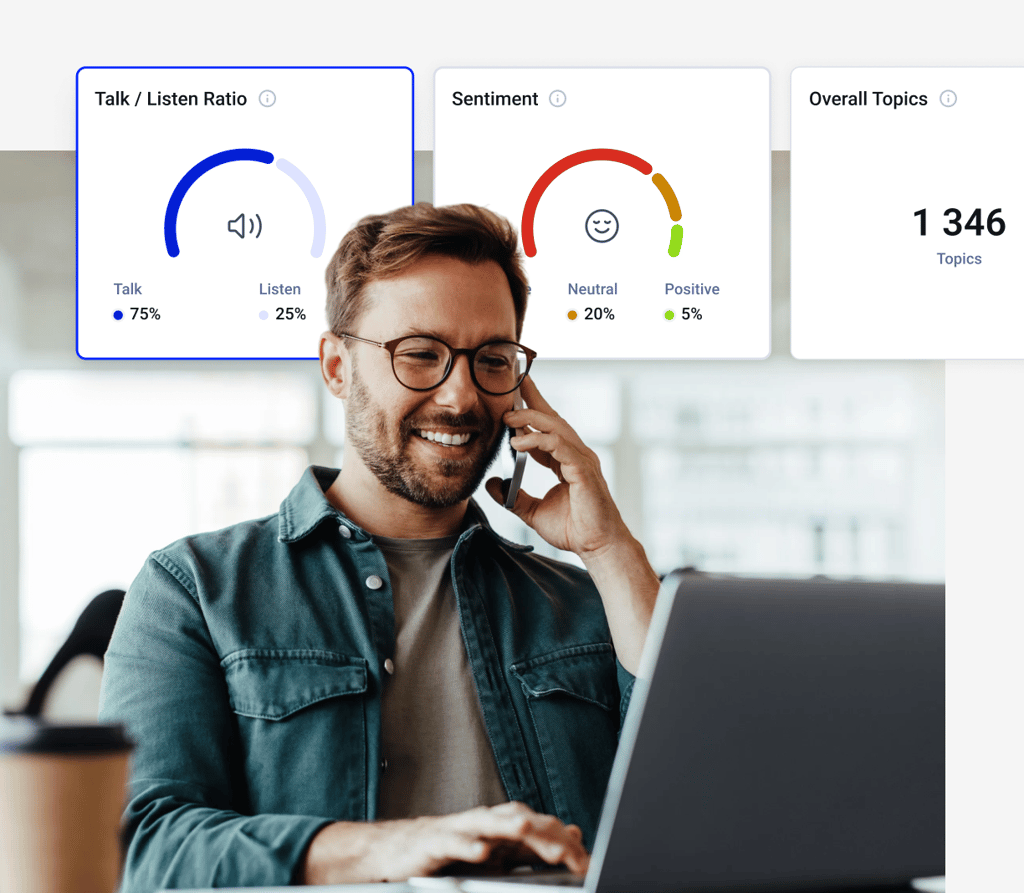

CloudTalk is a data-driven solution for exceptional customer experience, and intelligence is a key part of it.
Schedule a demo today and find how we can help your business.
Frequently Asked Questions
Everything you need to know about business phone systems and CloudTalk.
A business phone system is a cloud or VoIP platform that manages inbound and outbound calls for professional teams. It routes calls via IVR and call flow rules, records conversations for review, logs every interaction to your CRM automatically, and provides analytics on call performance across the team. Modern systems like CloudTalk run entirely in the cloud — no hardware, no on-premises maintenance, no IT dependency.
Cloud business phone systems are priced per user per month — CloudTalk plans start at $25 per user. Unlike traditional landlines or on-premise PBX systems, there are no hardware purchases, installation fees, or maintenance contracts, which typically makes the total cost significantly lower. See the pricing page for a full plan-by-plan breakdown.
Teams using CloudTalk cut missed calls by roughly 23.7% on average, and it comes from four features working together: smart routing sends each caller to an available agent instead of a busy line, call queuing holds overflow traffic during spikes, automatic callback returns any call that couldn't be answered, and AI Voice Agents pick up after hours. Bit2Me reduced missed calls by 80% after switching to this setup.
The best cloud-based phone systems for small businesses prioritize fast deployment, transparent pricing, and CRM integration. CloudTalk consistently ranks among the top options on independent phone system reviews platforms like G2 and Capterra, with 1,700+ ratings averaging 4.4/5. For a feature-by-feature breakdown against Aircall, RingCentral, and others, see the comparison overview.
CloudTalk supports Click-to-Call natively — agents initiate calls from any CRM record or browser tab with a single click, without switching windows or copy-pasting numbers. Staff directories are built into the desktop and mobile apps, enabling fast internal transfers without memorizing extension numbers. Both features are available on all CloudTalk plans.
CloudTalk scales on a per-user basis — no hardware upgrades, no infrastructure changes, no procurement lead time. Adding an agent takes minutes: assign a number, configure routing rules, and the agent is live. For teams expanding internationally, local numbers in 160+ countries increase answer rates by 40% without requiring physical offices or local legal entities.
The core criteria are call quality and uptime guarantees, CRM integration depth, IVR and routing flexibility, analytics coverage, and total cost per user — see the five-point buying checklist above for the details on each. CloudTalk's features page covers each capability with clear plan-level availability, and the pricing page shows transparent per-user costs so you know exactly what you're getting before you commit.
Yes. CloudTalk includes a full IVR system — multi-level call menus built without coding, configured from a drag-and-drop interface. Callers are routed to the right team or self-service option based on their input, reducing agent load on routine queries and improving first-call resolution from the first day of use. IVR is available on all CloudTalk plans.
Yes. CloudTalk provides local numbers in 160+ countries — including the UK, Canada, Australia, Germany, France, and across Latin America — available instantly, with no local entity or physical presence required. Calls to local numbers are billed at local rates, which significantly reduces international calling costs compared to routing everything through a US number.
CloudTalk's multi-carrier, decentralized infrastructure reroutes calls automatically during carrier outages — maintaining consistent quality without manual intervention. On analytics, CloudTalk goes deeper than most competitors at the same price point: real-time dashboards, per-agent call scoring, AI-generated summaries, and sentiment analysis across the full team. Independent research benchmarks and customer reviews consistently rate CloudTalk's call quality and reporting above category averages.
The best small business phone system is cloud-based: it requires no hardware or IT staff, starts at $25 per user per month, and is live in under an hour. Small teams get the same tools large call centers use — IVR menus, call routing, CRM integrations, and AI call summaries — without upfront investment. CloudTalk is rated 4.4/5 across 1,700+ G2 and Capterra reviews, and scales from your first hire to your hundredth with no infrastructure changes.


Hello 👋 My name is Emma. Still have questions?
Can’t find the answer you’re looking for? Please chat to our friendly team.