TL;DR:
- CRM phone integration links your phone system to your CRM.
- It puts every call on the customer record without anyone typing it.
- The agent writes a contact match, call activity and recording link.
- A transcript, AI summary and outcome follow after the call ends.
- HubSpot, Salesforce, Zoho CRM and Pipedrive are native for write-back.
- Custom property mapping is configuration work somebody has to own.
What this guide covers, in order:
- 01Why CRM integration decides the project – what we found across our own deals
- 02What gets written back – the field-level table, with when each field lands
- 03Seeing the customer mid-call – the human-versus-agent boundary
- 04Triggering a call from the CRM – which triggers are native, which need the API
- 05HubSpot, Salesforce, Zoho and Pipedrive – same questions, same order
- 06Five AI voice agents compared – on CRM write-back, not on voice
- 07Where it breaks – six failure modes that never show up in a demo
- 08Setting it up – five steps, in the order that matters
According to Deloitte's 2026 State of AI in the Enterprise report1, only 25% of organizations have moved 40% or more of their AI pilots into production.
Voice agents rarely stall because the voice is bad. They stall on CRM phone integration. At 09:00, you open the record for the call the agent took at 22:00 and find a recording and no notes attached to a contact nobody can attribute. Your rep re-types it. Your manager can't report on it.
The usual fix is a better voice plus a workflow hop to move the data across, and the hop quietly drops the fields nobody checks for six weeks.
So this guide covers what an AI voice agent writes into the record and when, what can trigger a call from the CRM, which CRMs are native, and what still needs the API. It names the limits too, because that's the part vendors skip.
See what lands on the record, not just what the agent says
Why Does CRM Integration Decide AI Voice Agent Projects?
We went back through roughly a hundred of our own deals where CRM integration came up in the conversation. It shaped the outcome in nearly two thirds of them, and in half it was the outright deal breaker. What decided them was rarely the AI itself. It was one question the demo never answers: where does the data land?
The failure mode is consistent, and it isn't the part people worry about. The agent works. Calls get answered at 22:00 and the transcripts read fine. Six weeks later, nobody can tell you what happened on those calls, because none of it reached the system of record.
That has a second bill attached. Reps re-key notes from a recording player into the CRM, which is exactly the work you bought the agent to remove. Managers get no reporting, so the agent becomes a black box that leadership can't defend at renewal. According to Salesforce's 2026 State of Sales research2, sales reps already spend 60% of their time on non-selling tasks, including manually entering customer notes into the CRM. An agent that takes calls but doesn't write back hasn't removed that work; it has moved it downstream.
Salesforce's 2026 State of Sales research also found that 51% of sales leaders using AI say tech silos delay or limit their AI initiatives.2 A CRM phone system integration that only carries audio is a new silo with a nicer voice. The write-back layer is the whole difference between that and a working VoIP CRM integration, where the phone system and the record stay in step without anyone typing.
"Calls that ring in now pull up their CRM record instantly, so we know exactly who they are. And if we don't recognize the number, agents can run a custom playbook to verify the caller and update their record."
Senior Project Manager, Aira

What Does an AI Voice Agent Write Back to Your CRM?
Start with the question buyers ask first, before transcripts or summaries: does the call update the contact that already exists, or create a second one?
The matching rule is the phone number. When the agent dials a contact from a synced list, the call is written back to that record. On an inbound call from a number matching nothing in the CRM, you choose at setup: create a new record, or log the call without one. Get this wrong and no error message tells you; you find out from a duplicate report three months in.
Field by field, this is what the record looks like. It is the same ground any call logging software is judged on, with one difference: nobody types it.
What an AI voice agent writes to the CRM record, and when
| What lands | Where it lands in the CRM | When it happens | Honest note |
|---|---|---|---|
| Contact match, or a new contact | Matched to the existing record by phone number; a new record is created only if you configure it that way | At dial time for outbound, at ring time for inbound | This is the first setting to confirm, not the last |
| Call activity: direction, timestamp, duration, talk time | A call activity on the contact, and on the linked company, deal or ticket where the CRM supports it | After the call ends | The most reliable part of the write-back |
| Recording link | Attached to the same call activity | After the call ends | The link resolves back to CloudTalk, it isn't a file stored in your CRM |
| Transcript | Onto the lead, contact or deal record via the Conversation Intelligence Data Export integration | After the call ends | Post-call only, and it needs the AI Conversation Intelligence add-on |
| AI summary, topics and tags | Same export, same record | After the call ends | Same add-on |
| Outcome or disposition | The CRM's own outcome field: HubSpot Activity Outcomes, Zoho Call results, a Pipedrive custom activity type | After the call ends, once the disposition is set | Mapping is per campaign, and it isn't automatic |
| Custom field values captured in conversation | Whichever CRM property you mapped it to | After the call ends | This is where the real configuration work sits |
| Appointment date and time | As text inside the note or activity description | After the call ends | No native structured datetime write-back |
| Deal or pipeline stage | Written directly by the agent; a CRM workflow can still layer its own rules on top | After the outcome lands | Confirm the stage names in your pipeline match the agent’s mapping before go-live |
| Follow-up task or next step | Created through Call Disposition Automation or the Workflow Automation Designer | After the call ends | Task creation is configuration, not a default |
One distinction catches people after go-live:
A typed CRM property and a line of text in a note are different objects. Dispositions, tags and mapped custom properties land as structured values you can filter and report on. An appointment time the caller agreed to lands as a string inside the note. If you need it in a real datetime property so a reminder sequence can fire off it, a CRM-side workflow or a middleware step has to parse it out, and that's a build worth scoping as one.
"When you're trying to close deals across time zones you can't afford to wonder whether your system actually logged the call."
Team Lead for US Sales, Pipedrive

Do Transcripts and AI Summaries Reach the CRM?
Salesforce's State of Data and Analytics research found that 70% of data and analytics leaders believe their most valuable insights are trapped in unstructured data, such as call transcripts.2 A transcript sitting in a calling tool nobody logs into is that problem in miniature, and it's the reason buyers shortlist call transcription software on where the text ends up, not on word error rates.
CloudTalk ships dedicated Conversation Intelligence Data Export integrations for HubSpot, Salesforce and Pipedrive, which push the AI summary, tags and topics onto the lead, contact or deal record automatically. The transcript itself is automatic post-call speech-to-text with speaker separation, and the AI Call Summary is generated immediately after the call ends.
Two caveats to price in now. Transcription and summarization happen after the call; real-time transcription isn't offered today. And AI Conversation Intelligence is a paid add-on at $9 per user per month billed annually, never bundled into a subscription plan.
How Accurate Is Call Outcome Tagging?
Outcome tagging works, and it needs tuning. Both are true, and vendors usually only tell you the first one.
Call Disposition Automation maps the after-call selection (interested, no-answer, do-not-call, and so on) to CRM updates, follow-up tasks and the next dialer action. Clean answers classify correctly and land in the right field. The ambiguous middle, a "call me next quarter" that could be a soft yes or a polite no, you'll be correcting for the first few weeks until the categories match how your team thinks about outcomes.
The configuration detail that causes the most support threads: disposition mapping is set per campaign. Spin up a new campaign, skip the mapping step, and calls will log with a recording and no disposition. Nothing errors. It looks like a delay until somebody checks, which is exactly why step five of the setup below exists.
"We are not at the moment where AI can read emotions and figure out what the person on the other side really needs. But I can call 20 times more people. So even if it's twice less efficient, the math works."
VP, Trevo

Get 50 minutes of CloudTalk's voice agents for free
No credit card required.
14 days free.
Can You See the Customer While the Call Is Live?
There's a version of "the CRM in the call" that works today and a version that's a project, and the two get conflated in almost every demo.
The one that works is the human one. Two-way sync brings contact details across CloudTalk and the connected CRM or helpdesk, including call history, deals, tickets, the CRM profile and custom fields, visible before, during and after calls. On an inbound ring, the CTI (computer telephony integration) opens the right record: the Pipedrive integration opens the person or the most recently updated open deal, the Zendesk call center integration opens the customer profile and ticket list. A rep answering at 14:00 sees who's calling, what they bought and what they last complained about, without alt-tabbing.
Two of our own deal reviews turned on exactly this screen:
- 01A resort needed caller context out of its property management system visible while the call was still live, not summarized afterward.
- 02A tour operator's agents were answering with no booking reference, no name and no history in front of them, which is the same gap read from the other side of the headset.
The boundary, in one sentence:
Recommendation:
Hold onto that when you evaluate anyone, us included. Ask any vendor to show an agent reading a live CRM field mid-conversation, not a recap afterward. If the answer involves custom actions or a middleware layer, it's engineering work with a timeline attached. Everything else here is post-call write-back, which is the mature part of the category.
How Do You Trigger an AI Call From Your CRM?
Write-back is half the loop. The other half is the CRM telling the agent to call somebody.
Six patterns cover almost everything teams build:
- 01A new lead or form fill lands in the CRM
- 02A deal moves to a specific stage
- 03A task falls due, or an owner is unassigned
- 04An inbound call is missed or abandoned
- 05A list, queue or saved filter is uploaded or refreshed
- 06A scheduled sequence fires, for reminders and renewals
A worked example:
Using a dental practice as the illustration. An inquiry form comes in at 19:40 and creates a contact in the CRM. The contact enters a calling campaign, the agent dials, confirms the treatment the caller is asking about, checks whether they're an existing patient, and either books them or transfers to the on-call coordinator. The outcome, the transcript and the summary land back on the contact, and a CRM workflow reads the outcome and moves the record into the booked or nurture path. Nobody at the practice was awake for any of it.
Now, the honest part about which triggers are native. Campaign lists can be auto-synced from a CRM segment: CloudTalk supports selecting public Pipedrive filters in a campaign, and running the dialer against a Zoho campaign or lead list. Both of those refresh overnight, which matters if your mental model was "within minutes of the form submission". For genuinely event-driven triggers, the Workflow Automation Designer handles the common call center workflow automation patterns without a third-party tool, and the public API, webhooks and the Zapier connector cover the rest. Anything firing seconds after a CRM event is API or workflow-tool territory, so budget for it rather than assuming a checkbox.
"This one agent reached 6,531 leads, had 997 conversations, and delivered €12.8K in SQL value, all from leads our sales team had written off."
Chief Marketing Officer, CloudTalk

Which CRMs Support AI Calling Integration?
Each CRM below answers the same CRM phone integration questions in the same order, so you can compare them without reading the section end to end. Before you read on, check whether your stack is already in CloudTalk's CRM integrations directory. The four below get the deepest treatment. Systems like the ActiveCampaign integrations follow the same base pattern: contact sync in, call write-back out.
AI Calling Integration with HubSpot
- Is it native?Yes, HubSpot phone integration is native, and HubSpot is one of the six systems CloudTalk exports AI voice agent calls to directly.
- What the agent writes back.The call is logged as a Call engagement on the contact's activity timeline, associated to the company, deal or ticket where those associations exist. Standard call details include talk time and wrap time plus the linked contact, user and deal. Dispositions auto-update HubSpot Activity Outcomes, which is what makes HubSpot workflow automations triggerable off a call outcome. With the AI add-on enabled, the HubSpot Conversation Intelligence Data Export pushes the summary, topics and tags onto the same record. Anything the agent captured in conversation lands wherever you mapped it, and unmapped answers stay in the note text.
- Two-way sync.Contact details, call history, deals, tickets and the CRM profile sync in both directions and are visible before, during and after calls. What is not verified to the depth some buyers ask for is arbitrary custom property mapping in both directions. Treat the base sync as reliable and scope your custom properties explicitly, in writing, before anyone builds reporting on them.
- Triggering a call from HubSpot.Contacts flow into a campaign from a HubSpot segment, which is the half of the HubSpot calling integration most teams set up first. Event-driven triggers, the ones that fire seconds after a form submission, run through the Workflow Automation Designer, the public API or a workflow tool.
- Setup time and who does itA HubSpot admin, through OAuth, in an afternoon for the connection itself. If you arrived here searching for a HubSpot free CRM phone integration, note that the plan gate sits on the CloudTalk side: native CRM integrations start on the Essential plan, and the AI voice agent is a usage-based add-on on top of whatever plan you're on. Property mapping is the part that takes real time, and it belongs before the first live call.
- Known limits.The one that bites hardest is lifecycle stage. If the calling layer is left to push every logged outcome at a stage that promotes the contact, no-answers and negative outcomes promote contacts to lead, your lead count inflates and your funnel reporting stops being trustworthy. Decide deliberately which lifecycle stage or record status a call outcome writes, and confirm it's set before you scale. It's configurable; it just isn't self-configuring. Second limit: an appointment time agreed on the call arrives as a note string, not a datetime property.
“When we implemented the voice agents, I said to my manager that if the number would decrease by 10%, I will be happy. And I think it’s much, much more right now, around 40%.”
Customer Support Lead at Autenti

AI Calling Integration with Salesforce
- Is it native?Yes, Salesforce phone integration is native, with full CTI, and it sits on the Expert plan rather than in the standard integration catalog.
- What the agent writes back.A Salesforce AI voice agent logs calls as standard Salesforce activities and tasks carrying the call outcome, so they behave like any other activity in reports and on the record timeline. The Salesforce Conversation Intelligence Data Export sends topics, summaries and sentiment onto the record when the AI add-on is enabled. The Salesforce calling integration also ships a pre-installed Support Performance Dashboard, so call performance reporting exists on day one instead of waiting on a reporting backlog.
- Two-way sync.Contact and account context syncs both ways for the calling surface. Deeper field-level mapping into your own custom objects is a scoping conversation, not a default, and it's the question to raise while the solution engineer is still on the call.
- Triggering a call from Salesforce.Records reach a campaign through a synced list. Event-driven initiation goes through the public API or workflow automation.
- Setup time and who does it.Your Salesforce admin owns this, installing a managed package. The engineering effort is small. The calendar time is not, and it's rarely technical: internal security sign-off on the package, and the decision about which profiles get the dialer, are what set the go-live date.
- Known limits.In practice, the friction is collision rather than capability. Orgs with heavy customization hit conflicts between the managed package and custom lookup fields or activity report types already claimed by other integrations, and those existing customizations usually aren't up for negotiation. Surface that in the first technical call rather than the week before launch.
"The insights from Salesforce are much deeper now. We can track call duration, response times, and see where we need improvement, which has been invaluable for managing performance."
Product Manager, Swile

AI Calling Integration with Zoho
- Is it native?Yes, Zoho CRM phone integration is native as a dialer integration. It is shallower than the other three, though: AI voice agent calls export to Zoho CRM, but there's no dedicated Conversation Intelligence Data Export connector of the kind HubSpot, Salesforce and Pipedrive have.
- What the agent writes back.Call exports carry standard call details plus dispositions mapped to Zoho's own Call results field, survey question-and-answer data where a survey is attached, and Conversation Intelligence data when the add-on is enabled.
- Two-way sync.Contacts and leads from a Zoho campaign or lead list refresh automatically overnight into the dialer. That's a nightly sync, not a live one, and the difference shows up on any same-day follow-up workflow.
- Triggering a call from Zoho.Run the dialer against a Zoho campaign or lead list. For anything event-driven, use the API or a workflow tool.
- Setup time and who does it.A Zoho admin, same afternoon-scale connection work. The Zoho calling integration's one step that needs real thought is the disposition-to-Call-result mapping.
- Known limits.Between the overnight list refresh and the absence of a dedicated Conversation Intelligence export connector, Zoho gets a solid call-logging layer rather than the full AI-insight write-back the other three get. If pushing summaries and topics onto the Zoho record is a hard requirement, raise it before you sign.
"Our CRM is at the heart of our operations, and CloudTalk's integration has made it easy to keep everything centralized."
Data Management and Reporting Specialist, Dentakay

AI Calling Integration with Pipedrive
- Is it native?Yes, Pipedrive phone integration is native, and Pipedrive is on the list of systems AI voice agent calls export to.
- What the agent writes back.Calls update Pipedrive with custom activity types driven by the call disposition, alongside standard call details. With the AI add-on, the Pipedrive Conversation Intelligence Data Export puts the summary, topics and tags on the record. Where a survey is attached to a Power Dialer campaign, the responses are appended to the activity description. Power Dialer is included in the Expert plan and is a paid add-on on Starter and Essential.
- Two-way sync.Person and deal context syncs both ways through the Pipedrive calling integration. On an inbound call the CTI automatically opens the Pipedrive person, or the most recently updated open deal, so whoever picks up has the deal on screen.
- Triggering a call from Pipedrive.Select a public Pipedrive filter as a campaign source and the campaign refreshes nightly against that filter. Event-driven triggers need the API or a workflow tool.
- Setup time and who does it.A Pipedrive admin. The mapping decision here is which custom activity types correspond to which dispositions, and it's worth agreeing that with whoever owns pipeline reporting.
- Known limits.The public-filter campaign source refreshes nightly, so a contact added to that filter at 10:00 won't be dialed until the next refresh unless you push it through the API. The appointment-time limit applies here too: a slot the caller agrees to arrives as text in the activity note.
“Calling old leads was too expensive. Once we focused on fresh leads, the numbers made much more sense.”
Finance Director, MadRent

What If My CRM Is Not on the List?
Then you're in the normal case, not the edge case.
Deloitte's 2026 State of AI in the Enterprise report, based on a survey of more than 3,000 senior leaders, found that 85% of companies expect to customize AI agents to fit the unique needs of their business.1
The useful answer is a split rather than a day count, because the two halves of the work belong to different people.
The base layer is ours, and it's a standard pattern. The second half is yours, with our guidance
- 01Contact sync into the calling campaign and call write-back out of it, over the public API and webhooks, wired together in the Workflow Automation Designer.We've built this shape enough times that it isn't a research project, and Zapier reaches roughly 5,000 downstream apps if your CRM is on one of them.
- 02Which CRM properties the captured fields map to, what the workflow rules do when an outcome arrives, and who owns the mapping when somebody adds a new field next quarter.No vendor can do that part for you, because it's a description of how your business works.
Worth knowing where the line falls today:
Go High Level and Apollo aren't in CloudTalk's integration directory. One team exported their contacts out of Go High Level by hand, imported them into CloudTalk, and stayed, because the calling and write-back layer did what they needed without a native connector. You wouldn't design that on purpose, and it's the honest picture of what "not on the list" costs.
The same base pattern is what sits underneath the connectors that aren't CRMs in the strict sense. Teams running Copper integrations or Freshworks integrations get contact sync in and call write-back out on the same terms as the four above. So do the sales-engagement and messaging layers that sit next to a CRM rather than replacing it, which is where Outreach integrations and Intercom integrations land. Intercom is worth calling out twice: it is one of the six systems AI voice agent calls export to natively.
Why Trust Our Software Reviews?
For nearly a decade, we've helped 30,000+ professionals find and implement smarter business communication tools. We've reviewed 200+ software tools across industries, analyzed 5,500+ verified customer reviews from platforms like G2, Capterra, and Trustpilot, and drawn insights from real user discussions on Reddit and Quora.
In the past year alone, we published 1,000+ articles, each one written by humans for humans. Learn how we keep our content integrity and our software review methodology.
Which AI Voice Agents Have the Best CRM Integration?
Every AI voice agent comparison you'll read, including round-ups of the best AI voice agents, benchmarks voices. Almost none of them compares what lands in the CRM afterward, which is the thing you'll be arguing about in month three.
Every cell below was read from each vendor's own published documentation on 18 August 2026. Where the documentation doesn't state a capability, the cell says unclear rather than guessing. Capabilities move fast in this category, so re-check anything load-bearing before you buy.
AI voice agents compared on CRM write-back, not on voice
| Vendor | Native CRM list | Two-way sync | Writes transcript | Writes custom fields | Triggers call from CRM | Mid-call lookup |
|---|---|---|---|---|---|---|
| CloudTalk ⭐ Editor’s Pick | AI voice agent calls export to HubSpot, Salesforce, Zoho CRM, Pipedrive, Zendesk and Intercom | Contact, call history, deal and ticket sync documented; custom property depth unverified | Yes, post-call, with the AI Conversation Intelligence add-on | Mapped properties yes; arbitrary custom property depth unverified | Yes, via synced campaign lists, Workflow Automation, the API or Zapier | Professional Services build, not out of the box |
| Aircall | 30+ CRMs in the directory, but the AI Voice Agent page names a shorter action-capable set: HubSpot, Salesforce, Zendesk, Shopify, Stripe, Calendly | Unclear | Yes for human calls; unclear for AI Voice Agent calls | Unclear | Unclear: click-to-call documented, automated AI trigger not | Claimed on the product page, not documented |
| Synthflow | GoHighLevel, Salesforce, HubSpot | Yes for HubSpot; unclear for Salesforce | Yes for HubSpot, with outcomes and recordings | Inbound property mapping yes; outbound custom property write-back unclear | Yes, via HubSpot workflows and Salesforce Flows | Via custom actions calling CRM APIs, not out of the box |
| Retell AI | Salesforce, HubSpot | Yes, documented: 5-minute inbound sync, outbound updates existing records only and never creates them | Summary to the CRM record; full transcript via webhook or API | Yes, typed custom fields with three update modes | Yes for HubSpot via a separate Marketplace app; unclear for Salesforce | Unclear as native; function calling is the documented pattern |
| Vapi | None in the CRM sense; GoHighLevel only, scoped to appointments | No | To your own endpoint, not to a CRM | Only through custom tools you build | No native path documented | Possible in principle, entirely developer-built |
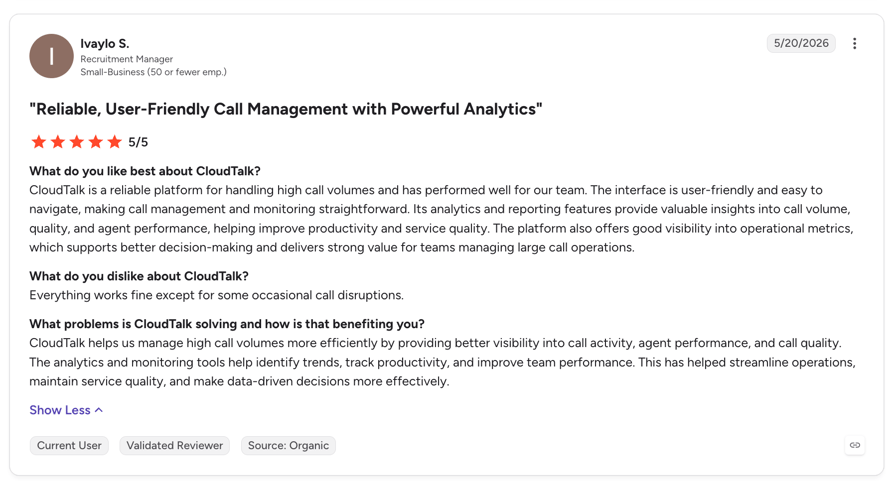
1. CloudTalk
| Pros | Cons |
|---|---|
| AI voice agent calls export to six named business systems: HubSpot, Salesforce, Zoho CRM, Pipedrive, Zendesk and Intercom. | Mid-call CRM lookup is a scoped Professional Services build rather than a setting. |
| Three of them get a dedicated Conversation Intelligence Data Export that puts the summary, topics, and tags on the record. | Custom property mapping depth isn't verified at the level some buyers ask for. |
| Dispositions write to the CRM's own outcome fields: HubSpot Activity Outcomes, Zoho Call results, and Pipedrive custom activity types, so CRM workflows can fire off a call result. | Transcription and summarization are post-call only, with no real-time transcription today. |
| Two-way sync covers contact details, call history, deals, and tickets, visible before, during, and after calls. | Campaign list refreshes from Pipedrive filters or Zoho lists run nightly rather than continuously. |
| Follow-up tasks and triggers run without a third-party tool, through Call Disposition Automation and the Workflow Automation Designer. | |
| Salesforce ships with a pre-installed Support Performance Dashboard, so call reporting exists on day one. |
CloudTalk's Pricing:
Flexible Pricing Plans to Scale with You
Compare our plans
2. Aircall
| Pros | Cons |
|---|---|
| AI Assist is Aircall's deepest, best-documented CRM work: conversation intelligence for human reps, with transcripts logging on human calls. | The autonomous AI Voice Agent is newer and thinner on documentation than the rest of the platform. |
| A broad integration directory, with 30+ CRMs listed. | The action-capable system list is shorter than the CRM directory implies: the AI Voice Agent page names HubSpot, Salesforce, Zendesk, Shopify, Stripe, and Calendly. |
| The product page claims the agent updates the CRM during and after a call; no supporting technical documentation for that was found. | |
| Two-way sync and custom field write-back are unclear: the documentation doesn't state either for AI Voice Agent calls. |
Aircall's Pricing:
- AI Voice Agent pricing is usage-based, on top of an Aircall phone plan.
- Pay-as-you-go: $0.49 per minute for up to 2,500 minutes, then $0.39 per minute above that.
- Prepaid bundles: 500 minutes for $175, 2,500 minutes for $725; custom bundles from 10,000+ minutes start at $0.19 per minute.
- 50 free AI Voice Agent minutes per account per month, plus 100 extra minutes at sign-up.
- Conversation intelligence is priced separately: AI Assist at $9 per license per month, AI Assist Pro at $49.
3. Synthflow
| Pros | Cons |
|---|---|
| Triggering from the CRM is its strongest documented capability, through HubSpot workflows and Salesforce Flows. | The Salesforce app requires an Enterprise plan. |
| HubSpot is clearly the flagship: property mapping, configurable sync frequency, and outcomes, transcripts, and recordings passed back after calls. | The Salesforce documentation doesn't cover contact sync or write-back the way the HubSpot documentation does. |
| Three CRMs in the docs: GoHighLevel, Salesforce, and HubSpot. | Outbound custom property write-back is unclear: inbound property mapping is documented; the reverse direction isn't. |
| Mid-call CRM lookup runs through custom actions calling CRM APIs, not out of the box. |
Synthflow's Pricing:
- Two plans only: Pay-as-you-go and Enterprise; the old monthly subscription tiers are retired.
- The per-minute cost stacks by component: voice engine $0.09 per minute, LLM $0.02 to $0.05 per minute, Synthflow-managed Twilio $0.02 per minute (free if you bring your own Twilio).
- Synthflow's own FAQ puts most pay-as-you-go setups between $0.15 and $0.24 per minute.
- Enterprise starts at $30,000 per year, built for teams past 10,000 minutes per month.
- Pay-as-you-go includes 5 concurrent calls; extra concurrency costs $20 per month each.
4. Retell AI
| Pros | Cons |
|---|---|
| The best-documented CRM integration in this comparison: match keys, sync timing, and failure behavior are all stated, for Salesforce and HubSpot. | Two CRMs only, Salesforce and HubSpot. |
| Custom fields are typed, with three update modes. | A call from an unmatched number produces no activity record at all: activity is only logged for contacts imported from the connected CRM. Worth reading twice. |
| Outbound sync updates existing records only and never creates them: the exact anti-duplicate behavior buyers ask about first. | The phone number is the match key and can't be unmapped, and contacts are skipped when the number can't be parsed into valid E.164. |
| The summary writes to the CRM record, with the full transcript available via webhook or API. | The LLM merge update mode is billed per merge, a usage cost on top of the platform. |
| Triggering from HubSpot needs a separate Marketplace app, and it's unclear for Salesforce. |
Retell AI's Pricing:
- Pay-as-you-go at $0.07 to $0.31 per minute depending on the voice, LLM, and telephony you pick, with no monthly platform fee and no minimums.
- Billing is tracked to the second, and new accounts get $10 in free credits.
- A typical mid-range stack lands around $0.11 to $0.13 per minute all-in.
- 20 concurrent calls included, with more available on demand at $8 per concurrent call per month; phone numbers are $2 per month.
- Enterprise is custom-priced, with no cap on concurrent calls.
5. Vapi
| Pros | Cons |
|---|---|
| Total flexibility: everything is built with Assistants or Squads and your own tool calls, so the integration can match your CRM exactly. | No CRM integration in the sense the rest of this table means: the only named one is GoHighLevel, scoped to appointments. |
| Mid-call CRM lookup is possible in principle: the only vendor here where it's a first-class pattern rather than an exception, because you're writing the tool calls yourself. | You own the whole integration: the build, the field mapping, the failure handling, and the maintenance when the CRM changes. |
| Transcripts and call data go to your own endpoint, so where the data lands is entirely your decision. | No native path for triggering calls from a CRM is documented. |
| The Workflows product retired on 18 August 2026, so anything built on it needs migrating. | |
| It's a developer platform by its own framing: without engineering capacity, nothing in this comparison applies to you. |
Vapi's Pricing:
- A platform fee of $0.05 per minute, which covers orchestration only.
- Speech-to-text, the LLM, the voice, and telephony are passed through at provider cost; with your own API keys those drop to $0 on the Vapi bill and you pay each provider directly.
- A realistic all-in cost runs about $0.10 to $0.30 per minute depending on the stack.
- Billed through prepaid credits; extra phone lines cost $10 per line past the first 10.
- Enterprise pricing is a custom contract and is not published; HIPAA compliance is a paid monthly add-on.
Where Does AI Voice Agent CRM Integration Break?
Six failure modes account for most of the pain in a CRM phone integration project, and none of them show up in a demo.
- 01The middleware tax on non-native CRMsIf your CRM isn't native, something sits in the middle. That layer needs an owner and a line in the budget, and it's where silent field drops happen.
- 02Custom field and property mappingThis is the most common technical blocker in our own deal data. The hard part is agreeing which conversational answer maps to which property, then keeping that map current as the CRM changes.
- 03Outcome tagging on ambiguous answersClear outcomes classify correctly. Adjacent ones, a maybe that sounds like a yes, need tuning against how your team defines the categories. Budget a couple of weeks of correction.
- 04Mid-call lookup versus post-call write-backBuyers ask for the first and get quoted the second. Post-call write-back is mature; an agent reading live CRM data during the conversation is a build.
- 05Channels that don't logVoice logs reliably. In one deal review, WhatsApp threads never reached HubSpot at all, which contributed to losing it. Confirm per channel, in writing.
- 06Duplicate contactsIf matching is loose, or the no-match behavior defaults to create, you get a second record for the same human and your reporting quietly diverges. In any CRM call center setup the contact record is the join key for every report you run, and in Salesforce's 2026 State of Sales research, 74% of sales teams using AI said they're prioritizing data hygiene to support it.2 This is precisely the hygiene problem an agent can create at volume.
How Do You Set Up CRM Phone Integration?
Setting up CRM phone integration for an AI voice agent takes five steps, and the order matters more than the speed.
- 01Connect the CRM and confirm the contact-matching rule first.Before anything else, establish what the agent matches on and what it does when nothing matches. Everything downstream inherits this decision.
- 02Decide the four or five fields the agent must capture before you write the script.Not ten. The conversation design follows from the fields, rather than the other way around.
- 03Map those fields to CRM properties, including the custom ones.Name the property, the type and the update behavior for each. This is where a spreadsheet earns its keep.
- 04Set the trigger if calls start from the CRM.Decide whether a nightly list refresh is good enough or whether you need an API-driven, event-level trigger, and resource it accordingly.
- 05Run five test calls and inspect the resulting records field by field.Open each record and check every mapped property, the disposition, the call transcription, the summary and the task. Five records read properly will find the mapping you forgot to save. A dashboard won't.
Wrapping Up
The voice is the part that impresses you in the demo. The record at 09:00 the next morning is the part your team lives with.
Judge any CRM phone integration on the same three questions before you commit: what lands on the record, when does it land, and which of it is configuration somebody on your side has to own. If the answer is a logo wall, keep asking. When you get to costing it, AI voice agent pricing is usage-based here, so the number moves with minutes rather than seats.
Bring your own CRM to the conversation
Sources
- Deloitte, State of AI in the Enterprise 2026.
- Salesforce, State of Sales 2026 and State of Data and Analytics.
Frequently Asked Questions
Yes, once connected it logs every call automatically: a call activity, recording link, then transcript, AI summary and outcome post-call. The one manual step is per-campaign disposition mapping, the same ground call logging software is judged on.
CloudTalk exports AI voice agent calls natively to HubSpot, Salesforce, Zoho CRM, Pipedrive, Zendesk and Intercom, with a Conversation Intelligence export for the first three. Browse the full CRM integrations directory.
Yes, to any CRM property you map; unmapped answers stay in the note text. An agreed appointment time arrives as a string, so a workflow automation rule has to parse it into a real datetime property.
Yes for contact context: details, call history, deals and tickets sync both ways, visible before, during and after calls. Importing and syncing contacts runs on a schedule, so scope custom-property depth explicitly.
Yes, through the API, webhooks or a workflow tool; native campaign lists refresh overnight. An AI voice agent for lead follow-up that dials seconds after a form fill is a small build, not a checkbox.
Yes, post-call, via the Conversation Intelligence Data Export for HubSpot, Salesforce and Pipedrive, with the AI add-on at $9/user/month. Recordings stay behind a link, which matters for GDPR-compliant call handling.
You build on a repeatable base layer: contact sync in, call write-back out, over the public API, webhooks and the Workflow Automation Designer, with Zapier integrations reaching thousands of downstream apps.
Not out of the box. A human sees the CRM record live in the embedded dialer; an AI voice agent querying live CRM data mid-call is a scoped Professional Services build. Ask vendors to demo the lookup live.