Top 10 Dataddo Integrations to Automate and Streamline Data Flows in 2026
SUMMARY:
We reviewed 30+ tools that connect through Dataddo's no-code data integration platform and chose the 10 best Dataddo integrations for 2026, based on real-world use cases, data sync capabilities, ease of setup, and business impact.
10 best Dataddo integrations by use case:
- 01CloudTalk – best for syncing call logs, notes, and recordings into CRMs and dashboards for full customer context
- 02HubSpot – best for unifying sales, marketing, and support data into one customer view
- 03Pipedrive – best for automated pipeline reporting with real-time deal data sync
- 04Shopify – best for enriching reports and campaigns with purchase and order data
- 05Xero – best for centralizing invoices and transactions for seamless financial reporting
- 06NetSuite – best for integrating finance, commerce, and CRM workflows in one system
- 07Google Analytics 4 – best for blending website traffic with sales and marketing dashboards
- 08Google Ads & Facebook Ads – best for tracking ad spend and performance in a single reporting view
- 09Semrush – best for combining SEO metrics with sales and campaign data
- 10Databox – best for consolidating KPIs from multiple sources into real-time dashboards
Your data is scattered—across CRMs, calls, spreadsheets—and when it doesn't connect, teams are left chasing context instead of closing deals or helping customers.
Dataddo is a no-code, fully managed data integration platform that automates flows between apps and dashboards. By centralizing data, businesses save time, reduce errors, and gain sharper insights—McKinsey reports automation can cut operational costs by 30%1, while workflow automation reduces process times by 80%2.
In this guide, we've selected the 10 most impactful Dataddo integrations, each based on real-world use cases—from fixing sales bottlenecks to removing support inefficiencies, marketing, and e-commerce.
Unify calls, CRMs, and data in one place. See it in action.
What Is a Dataddo Integration?
A Dataddo integration connects your business apps—CRMs, VoIP systems, analytics dashboards, marketing platforms, or databases—through Dataddo's no-code data integration platform.
Instead of juggling exports, APIs, and custom scripts, Dataddo moves data automatically where you need it. Unlike single-purpose plug-ins, it handles ETL, reverse ETL, and database replication—so data flows from apps to dashboards, from warehouses back to CRMs, or between databases without manual upkeep.
Here's what that enables:
- Automate workflows: move data from CRMs, ad platforms, or e-commerce stores directly into dashboards without manual exports.
- Sync data: keep contacts, sales, financials, and marketing metrics consistent across every platform.
- Trigger actions: send insights from warehouses back into CRMs, support systems, or campaigns for smarter engagement.
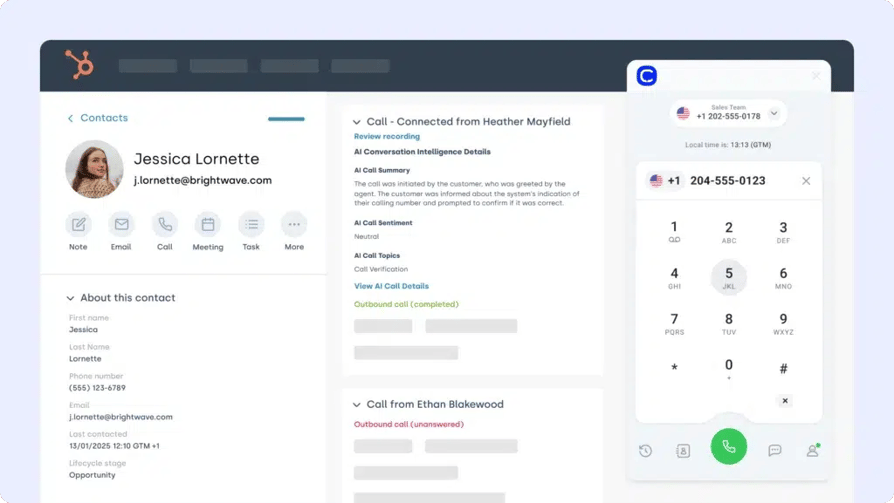
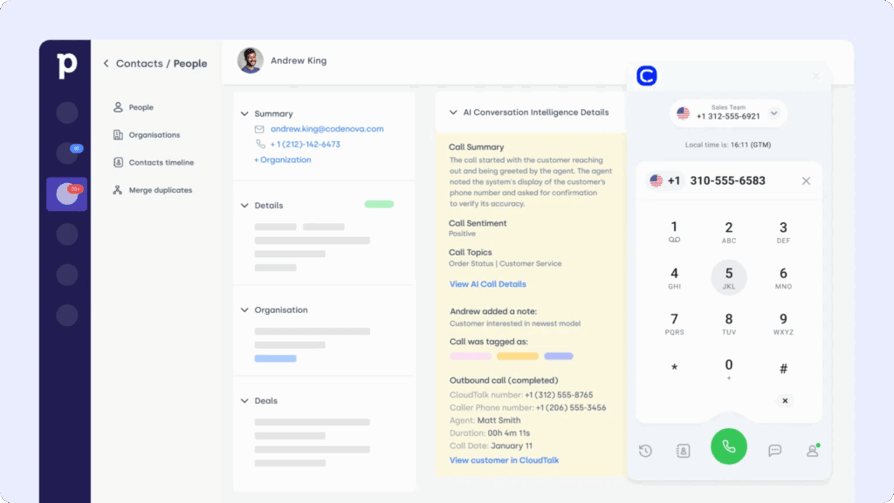
One example? The CloudTalk + Dataddo integration lets teams sync call activity into HubSpot or Pipedrive in real time, auto-log notes and recordings into customer records, and combine calling data with marketing and sales analytics for full-funnel visibility.
How We Chose the Best Dataddo Integrations
To create this guide, we evaluated 30+ tools that connect through Dataddo using verified user reviews, product documentation, feature comparisons, and market research.
We assessed each integration across seven criteria: data sync capabilities, ease of setup, real-world business impact, workflow automation options, pricing transparency, customer support quality, and scalability for growing teams.
Our sources include verified reviews on G2, Capterra, and TrustRadius, alongside real user discussions on Reddit and Quora. We prioritized tools with consistent user satisfaction scores and actively updated products—not legacy platforms coasting on brand recognition.
Why Trust Our Software Reviews?
For nearly a decade, we've helped over 30,000 professionals choose and implement better communication tools. We've reviewed 200+ products, analyzed 5,500+ verified reviews from G2 and Capterra, and drawn insights from real user discussions on platforms like Reddit or Quora.
In the past year alone, we've published 1,000+ articles, all written and reviewed by humans, for humans, to provide reliable, data-backed insights you can trust.
Learn how we keep our content integrity and our software review methodology.
Dataddo Integrations Comparison Table
| Software | Category | Why It's Useful with Dataddo | G2 Rating |
|---|---|---|---|
| CloudTalk | VoIP / Call Center | Sync call logs, notes, and recordings into CRMs or dashboards for full customer context | 4.4/5 |
| HubSpot | CRM / Marketing | Connect sales, marketing, and support data into a unified customer view | 4.4/5 |
| Pipedrive | Sales CRM | Map deal stages and automate pipeline reporting with real-time data sync | 4.3/5 |
| Shopify | E-commerce | Capture purchase and order activity to enrich reports and campaigns | 4.4/5 |
| Xero | Accounting / Finance | Centralize invoices, expenses, and transactions for financial reporting | 4.4/5 |
| NetSuite | ERP / CRM | Integrate finance, commerce, and CRM workflows into one connected system | 4.1/5 |
| Google Analytics 4 | Web Analytics | Blend website traffic data with sales and marketing dashboards | 4.5/5 |
| Google Ads & Facebook Ads | Advertising | Track ad spend and performance across channels in a single reporting view | 4.3/5 |
| Semrush | SEO / Marketing | Combine SEO metrics with sales and campaign data to improve targeting | 4.5/5 |
| Databox | BI / Reporting | Consolidate KPIs from multiple sources into real-time dashboards | 4.4/5 |
The 10 Best Dataddo Integrations to Streamline Workflows in 2026
Dataddo connects the dots across your tech stack—turning scattered data into seamless workflows. From CRMs to call center platforms, e-commerce systems, and marketing dashboards, these integrations make Dataddo the bridge between your apps and your outcomes.
#1 CloudTalk: Best Dataddo Integration for Syncing Call Data into CRMs and Dashboards
What Is CloudTalk?
CloudTalk is a modern AI voice agent on top of VoIP call center platform designed to supercharge sales and support workflows with voice, SMS, and AI capabilities. Paired with Dataddo, you get real-time, two-way sync of call data, contextual insights, and automated actions—all without manual data chores.
Why Use CloudTalk with Dataddo?
Set up the CloudTalk + Dataddo bridge in minutes and instantly feed call logs, durations, outcomes, recordings, and custom call data into your dashboards, CRM, or analytics tool. You can also automate messaging workflows, unify agent activity, and streamline reporting—all while eliminating manual exports.
What Are CloudTalk's Key Features?
- Smart & Power Dialer: automates number sourcing and rapid dialing to boost outbound call efficiency.
- Real-time call monitoring: enables managers to listen in, whisper advice, or join calls when needed.
- AI-Powered Conversation Intelligence: analyzes calls in real time to surface keywords, sentiment, and coachable moments.
- Call recording and playback: stores calls securely for training, compliance, and dispute resolution.
- Sentiment Analysis: detects emotional tone to improve follow-ups and customer experience.
What Is CloudTalk's Pricing?
CloudTalk offers flexible plans tailored to business needs, with a 14-day free trial:
- Starter: $25/user/month
- Essential: $29/user/month
- Expert: $49/user/month
- Custom: Pricing available upon request
What Are CloudTalk's Pros & Cons?
| Pros | Cons |
|---|---|
| Two-way Dataddo sync feeds call data into CRMs and dashboards automatically | Some advanced features require higher-tier plans |
| AI conversation intelligence adds context to every synced call record | As a cloud platform, it relies on a stable internet connection |
What Are G2 Users Rating CloudTalk?
CloudTalk is rated 4.4/5 by 1,702+ verified users on G2.



#2 HubSpot: Best Dataddo CRM Integration for a Unified Customer View
What Is HubSpot?
HubSpot is one of the most widely used platforms for inbound marketing, sales, and customer service. A Dataddo CRM integration connects HubSpot with the rest of your stack, ensuring lead data, campaigns, and customer interactions flow seamlessly across systems.
Why Use HubSpot with Dataddo?
Sync HubSpot engagement data like email opens, form submissions, and ad clicks into your CRM or dashboards to keep lead scores accurate, route high-quality leads to reps faster, and build dynamic reporting by combining HubSpot with ad and e-commerce data.
What Are HubSpot's Key Features?
- Map HubSpot properties to CRM fields through Dataddo integration options.
- Push CRM contact updates back into HubSpot for retargeting campaigns.
- Trigger workflows based on campaign actions or sales activity.
- Refresh data in near real time without manual exports.
What Is HubSpot's Pricing?
HubSpot offers a free CRM plan with core features. Paid pricing tiers range from Starter ($20/month) to advanced bundles for Marketing, Sales, or Service Hubs, depending on team size and needs.
What Are HubSpot's Pros & Cons?
| Pros | Cons |
|---|---|
| Free CRM makes it easy to start; everything lives in one platform | Costs rise quickly as you unlock higher tiers and add-ons |
| Intuitive interface with powerful workflow automation | Advanced reporting and automation are gated behind paid plans |
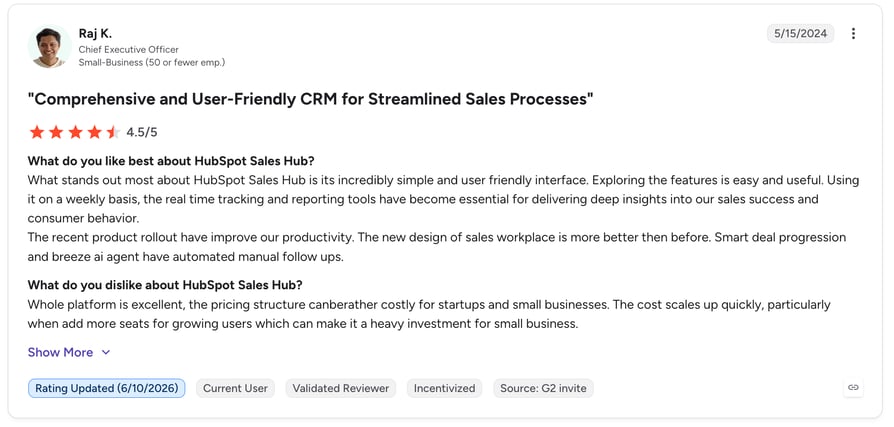
What Are G2 Users Rating HubSpot?
HubSpot Sales Hub is rated 4.4/5 by more than 13,500 verified users on G2.
#3 Pipedrive: Best Dataddo Integration for Automated Pipeline Reporting
What Is Pipedrive?
Pipedrive is a sales-focused CRM built around visual pipelines that help teams track deals with ease. A Dataddo integration with Pipedrive connects deal activity, contact records, and support data—so your sales reps always have the right context at the right time.
Why Use Pipedrive with Dataddo?
Sync contact and activity data from CRMs, call tools, or marketing platforms into Pipedrive to keep pipeline stages fresh, automate deal progression, eliminate duplicate data entry, and improve forecasting by combining Pipedrive with finance and marketing insights.
What Are Pipedrive's Key Features?
- Bi-directional sync of contacts, deals, and activities through Dataddo integration tools.
- Trigger pipeline updates automatically from CRM field changes.
- Launch automations tied to form fills, call logs, or custom tags.
- Easy-to-use setup via Dataddo's integration platform.
What Is Pipedrive's Pricing?
- Essential: $14.90/user/month
- Advanced: $27.90/user/month
- Professional: $49.90/user/month
- Power & Enterprise: Custom pricing available
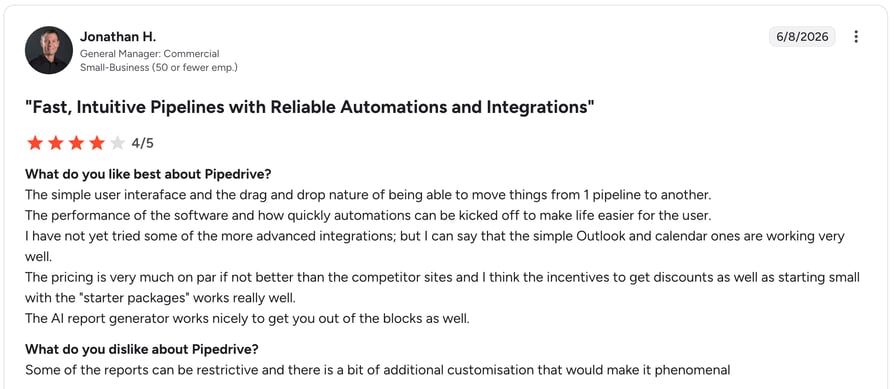
What Are G2 Users Rating Pipedrive?
Pipedrive is rated 4.3/5 by more than 2,900 verified users on G2.
What Are Pipedrive's Pros & Cons?
| Pros | Cons |
|---|---|
| Visual, intuitive pipelines with quick onboarding | Limited customization compared to enterprise CRMs |
| Strong automation for repetitive sales tasks | Reporting depth is lighter on lower-tier plans |
#4 Shopify: Best Dataddo Integration for E-commerce Data Flows
What Is Shopify?
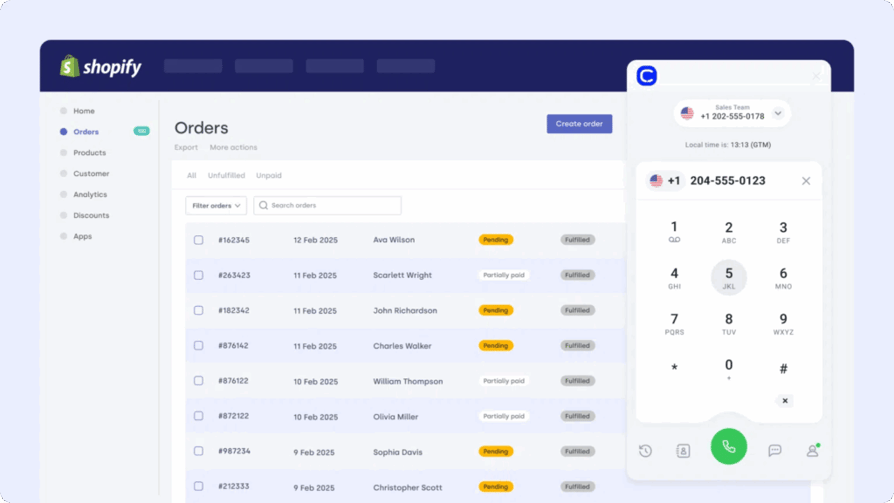
Shopify powers millions of e-commerce businesses worldwide with tools to manage products, orders, and customer relationships. A Dataddo integration with Shopify connects store data—customers, purchases, and transactions—directly to your analytics, CRMs, or support systems.
Why Use Shopify with Dataddo?
Sync Shopify orders and customer details into your CRM or dashboard to trigger follow-ups, personalize outreach, automate post-purchase workflows, and track customer lifetime value—all without manual exports.
What Are Shopify's Key Features?
- Auto-sync contacts, orders, and products to CRMs or dashboards.
- Trigger actions from purchase behavior, like abandoned carts or repeat buyers.
- Segment leads by products, purchase frequency, or order value.
- Build analytics-ready datasets without coding.
What Is Shopify's Pricing?
- Basic: $39/month
- Shopify: $105/month
- Advanced: $399/month
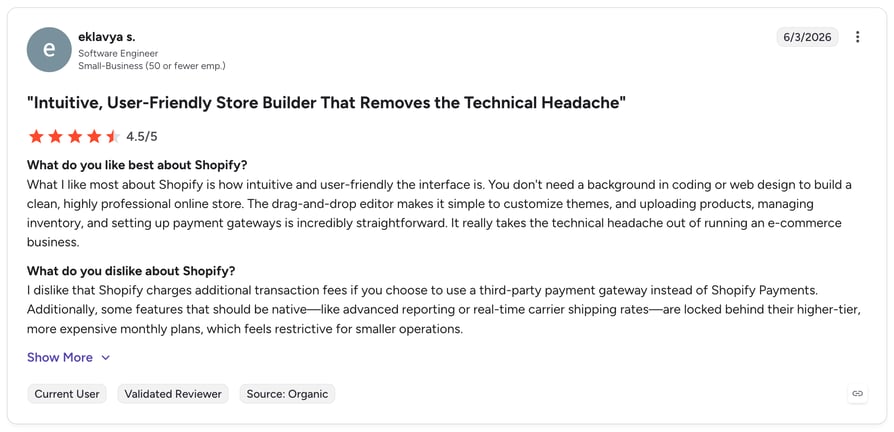
What Are G2 Users Rating Shopify?
Shopify is rated 4.4/5 by more than 4,600 verified users on G2.
What Are Shopify's Pros & Cons?
| Pros | Cons |
|---|---|
| All-in-one e-commerce platform that is easy to set up and scale | Costs add up with paid apps, premium themes, and transaction fees |
| Strong multichannel selling and integration ecosystem | Design customization is limited without development work |
#5 Xero: Best Dataddo Integration for Financial Reporting
What Is Xero?
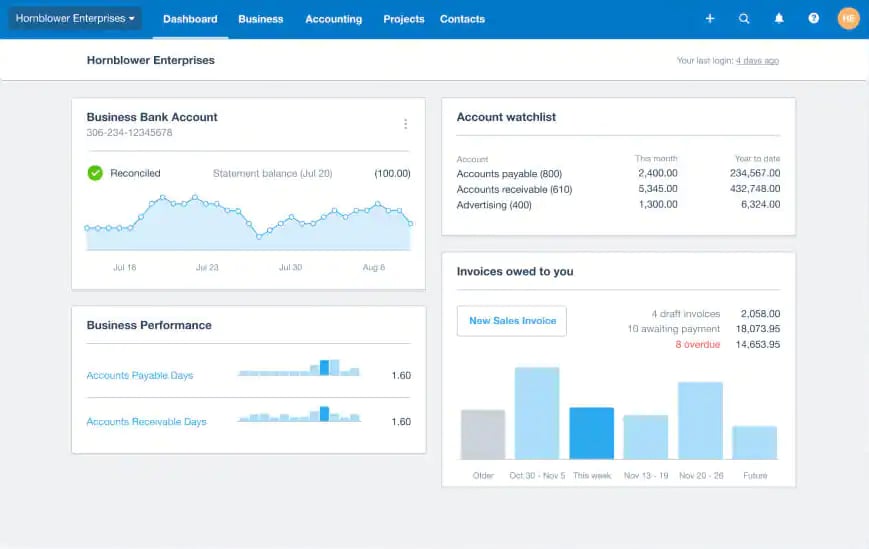
Xero is a leading cloud-based accounting platform used by businesses worldwide to manage invoicing, expenses, and financial reporting. A Dataddo integration with Xero unifies financial data with your wider business stack.
Why Use Xero with Dataddo?
Sync Xero invoices, payments, and expense data into dashboards or CRMs to simplify reporting, track customer value, reduce manual reconciliation, and give teams full financial context without manual effort.
What Are Xero's Key Features?
- Automatic sync of invoices, expenses, and transactions.
- Map financial data to CRM or BI dashboards for analysis.
- Combine Xero with e-commerce data for end-to-end revenue tracking.
- Flexible refresh schedules through Dataddo's platform.
What Is Xero's Pricing?
- Early: $29/month
- Growing: $46/month
- Established: $69/month
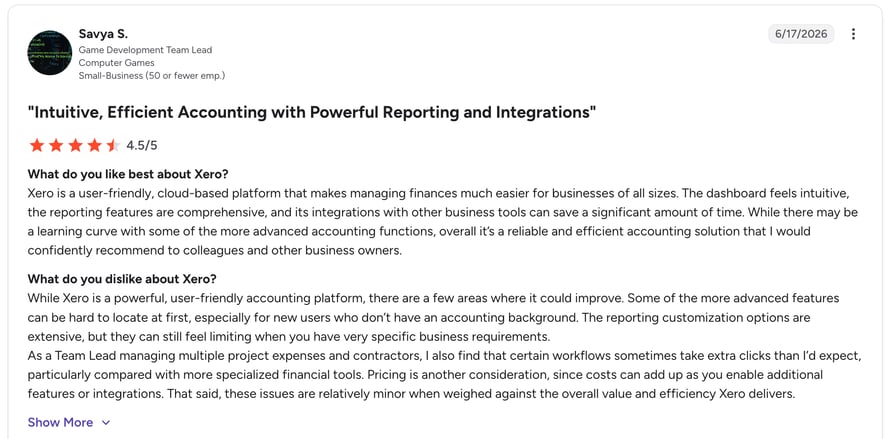
What Are G2 Users Rating Xero?
Xero is rated 4.4/5 by more than 1,600 verified users on G2.
What Are Xero's Pros & Cons?
| Pros | Cons |
|---|---|
| Intuitive even for non-accountants, with strong bank reconciliation | Entry-level plan limits invoices and bills per month |
| Unlimited users on all plans, ideal for growing teams | Live phone support is not immediately available |
#6 NetSuite: Best Dataddo Integration for ERP and CRM Workflows
What Is NetSuite?
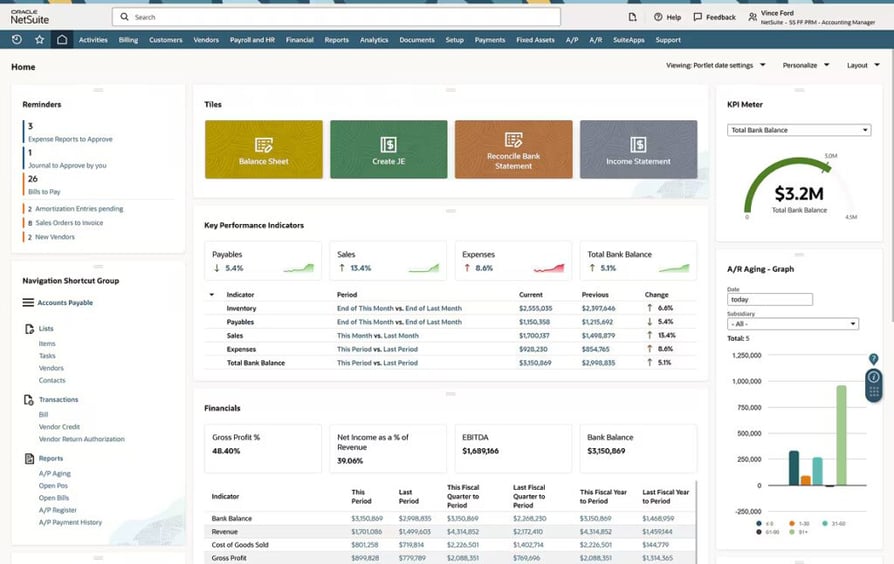
NetSuite is Oracle's all-in-one ERP platform combining finance, CRM, commerce, and analytics. A Dataddo integration with NetSuite helps unify financial, operational, and customer data—so leaders and teams can make faster, better-informed decisions.
Why Use NetSuite with Dataddo?
Connect NetSuite with Dataddo to sync finance, sales, and e-commerce data into dashboards or data warehouses. This provides a single source of truth for reporting and forecasting while cutting down on manual reconciliation.
What Are NetSuite's Key Features?
- Automated sync of financials, customer records, and transactions.
- Map ERP data into BI dashboards or warehouses for deeper insights.
- Blend NetSuite with CRM and call data for full revenue visibility.
- Scalable pipelines supported by the Dataddo integration solution.
What Is NetSuite's Pricing?
NetSuite offers custom pricing based on company size, modules, and configuration. Packages typically include a base license plus per-user fees—contact Oracle NetSuite directly for tailored quotes.
What Are G2 Users Rating NetSuite?
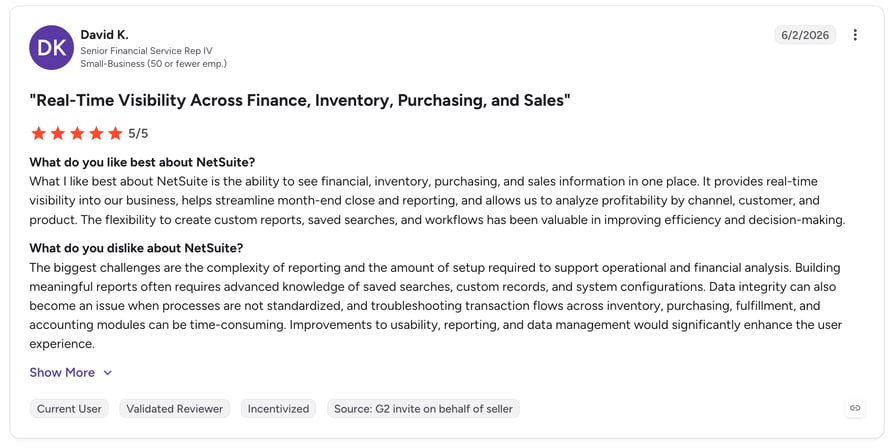
NetSuite is rated 4.1/5 by more than 4,700 verified users on G2.
What Are NetSuite's Pros & Cons?
| Pros | Cons |
|---|---|
| Finance, CRM, and commerce unified in one enterprise system | Custom pricing puts it out of reach for smaller teams |
| Deep reporting and forecasting across departments | Implementation is complex and often requires specialists |
#7 Google Analytics 4: Best Dataddo Integration for Web Analytics
What Is Google Analytics 4?
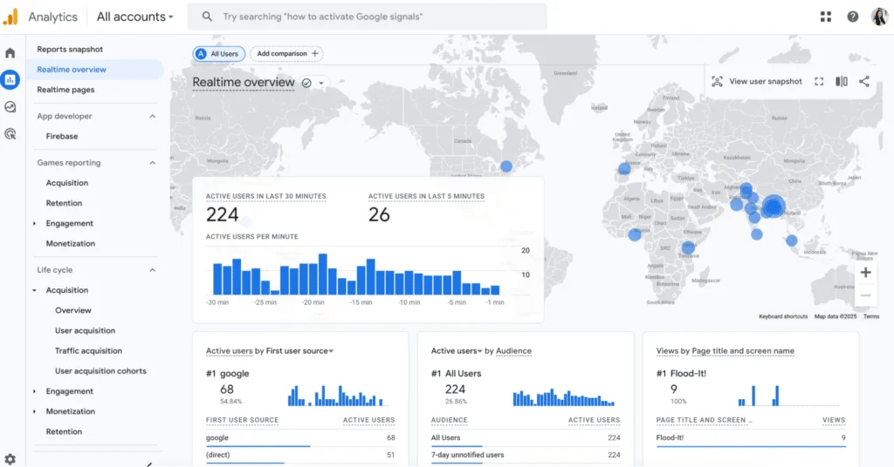
Google Analytics 4 (GA4) is the go-to tool for tracking website and app traffic, engagement, and conversions. A Dataddo integration with GA4 helps blend web analytics data with CRM, e-commerce, and call activity—so businesses see the full picture of customer journeys.
Why Use GA4 with Dataddo?
Connect GA4 with Dataddo to feed traffic, event, and conversion data into dashboards or CRMs. This enables teams to align website behavior with sales and marketing results, improving attribution accuracy and ROI tracking.
What Are GA4's Key Features?
- Automated extraction of GA4 events, sessions, and conversions.
- Blend analytics data with CRM, ads, or e-commerce records.
- Build custom dashboards with unified marketing and sales KPIs.
- Easy setup using Dataddo's no-code integration tools.
What Is GA4's Pricing?
Google Analytics 4 is free to use. For enterprises needing advanced capabilities, Google Analytics 360 is available with custom pricing based on usage and data volume.
What Are G2 Users Rating Google Analytics?
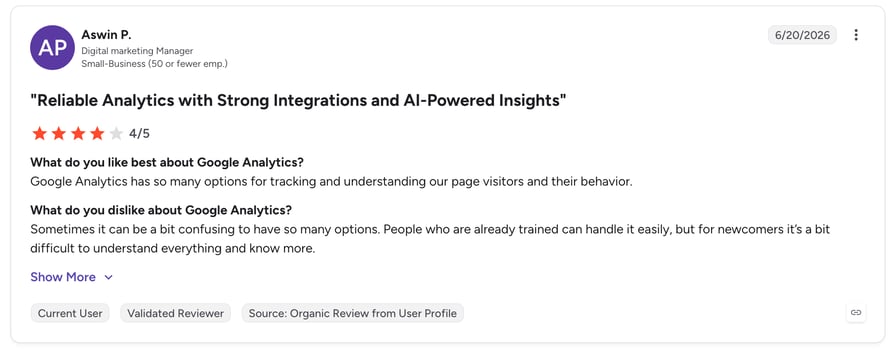
Google Analytics is rated 4.5/5 by more than 6,700 verified users on G2.
What Are GA4's Pros & Cons?
| Pros | Cons |
|---|---|
| Free, powerful event-based tracking across web and app | Standard reports can lag by 24–48 hours |
| Deep integration with Google Ads, Search Console, and BigQuery | Steep learning curve when migrating from session-based tracking |
#8 Google Ads & Facebook Ads: Best Dataddo Integration for Cross-Channel Ad Reporting
What Are Google Ads & Facebook Ads?
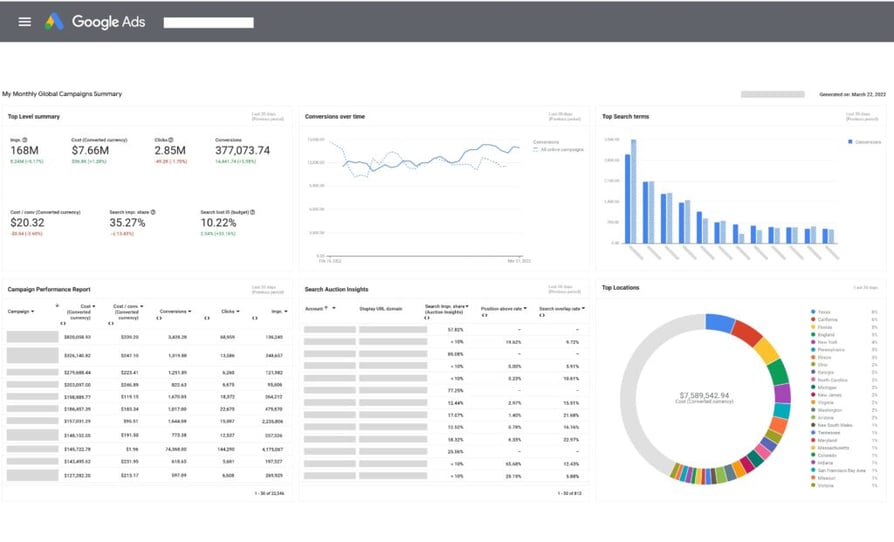
Google Ads and Facebook Ads are widely used digital advertising platforms for reaching and converting customers. A Dataddo marketing cloud integration brings campaign spend, impressions, and conversions into CRMs, dashboards, and warehouses—so teams can finally see which ads drive real results.
Why Use Ad Platforms with Dataddo?
Sync ad performance metrics with CRMs and dashboards to measure ROI, align campaigns with sales outcomes, and eliminate manual exports. Dataddo makes multi-channel reporting simple by centralizing Google and Facebook Ads data in one place.
What Are the Key Features?
- Automatic extraction of spend, clicks, impressions, and conversion data.
- Blend ad data with CRM or e-commerce results for deeper insights.
- Build cross-channel dashboards to compare Google vs. Facebook performance.
- Flexible scheduling with Dataddo's integration platform.
What Is the Pricing?
Both Google Ads and Facebook Ads use a pay-per-click (PPC) pricing model, where costs vary depending on bidding, audience, and competition. Dataddo's integration adds no extra cost beyond your plan.
What Are G2 Users Rating Google Ads & Facebook Ads?
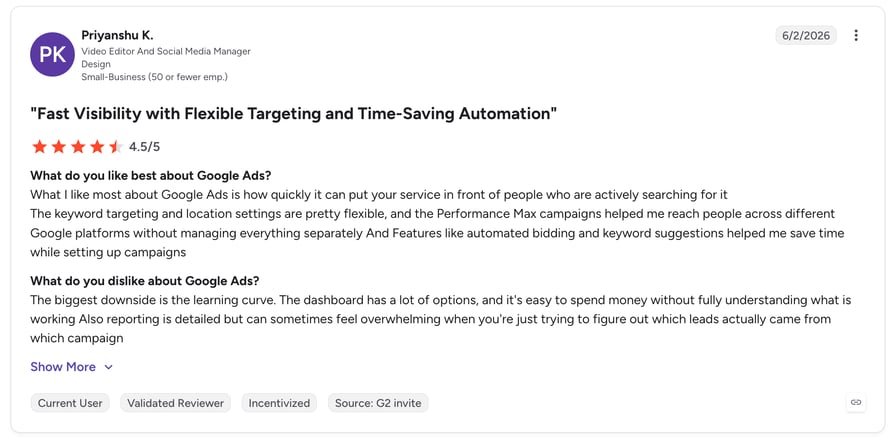
Both platforms hold strong ratings from thousands of verified users across their G2 advertising profiles, with reviewers highlighting reach, targeting, and measurable ROI.
What Are Google Ads & Facebook Ads' Pros & Cons?
| Pros | Cons |
|---|---|
| Massive reach with granular audience targeting | Costs escalate quickly in competitive niches |
| Detailed, real-time performance analytics | Steep learning curve for bidding strategies and attribution |
#9 Semrush: Best Dataddo Integration for SEO and Marketing Data
What Is Semrush?
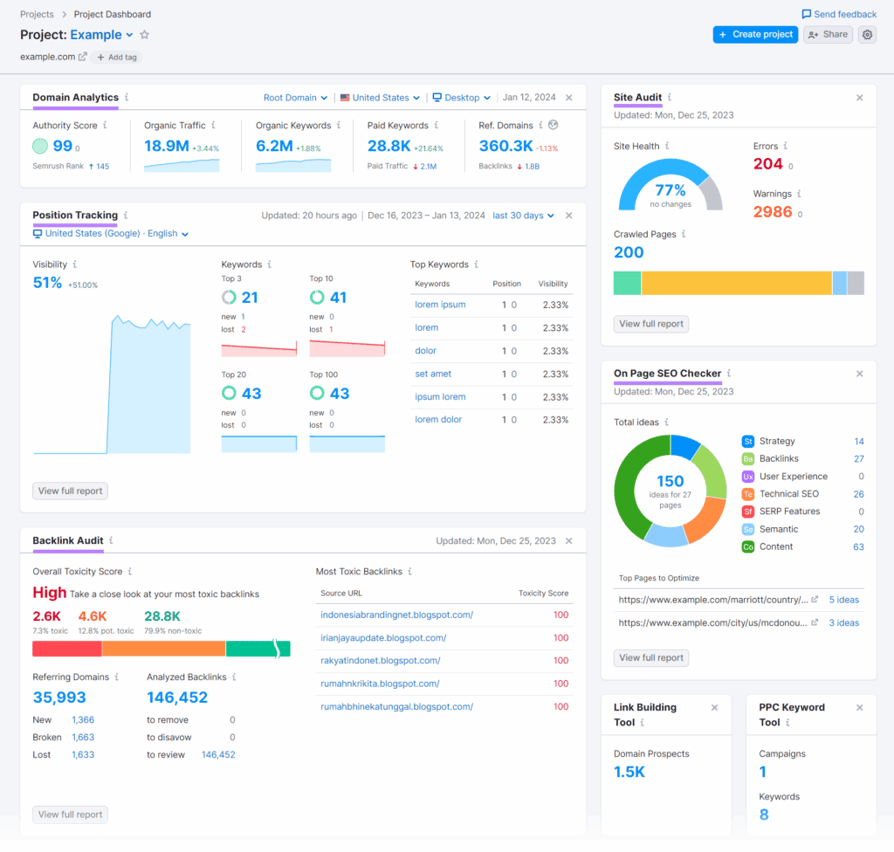
Semrush is an SEO and marketing platform that helps businesses track search rankings, competitors, and online visibility. A Dataddo integration with Semrush lets teams connect SEO data with sales, support, and advertising platforms—making it easier to see how organic performance impacts revenue.
Why Use Semrush with Dataddo?
Feed Semrush keyword rankings, traffic data, and competitive insights into dashboards or CRMs. This helps marketing and sales teams align on lead quality, campaign performance, and content ROI without juggling multiple tools.
What Are Semrush's Key Features?
- Automatic sync of keyword, backlink, and traffic analytics.
- Blend SEO metrics with CRM and marketing dashboards.
- Create reports linking search performance to customer conversions.
- Simplify multi-channel analysis with Dataddo's integration platform.
What Is Semrush's Pricing?
- Pro: $139.95/month
- Guru: $249.95/month
- Business: $499.95/month
What Are G2 Users Rating Semrush?
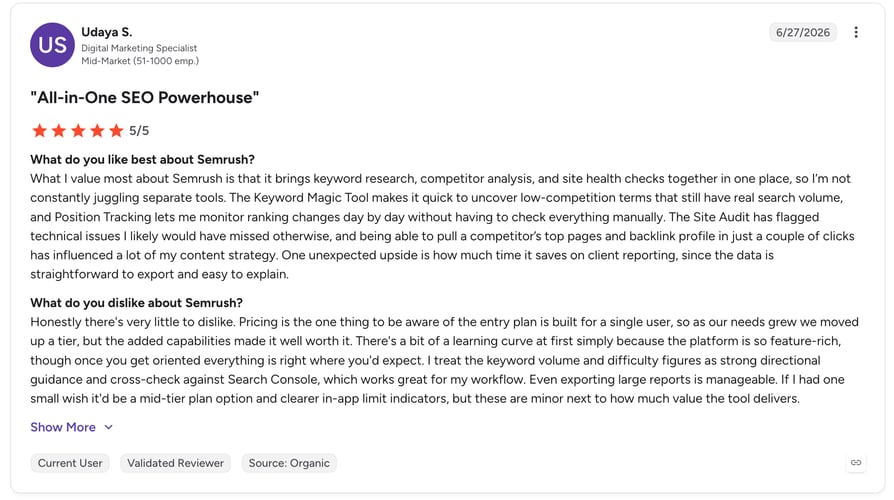
Semrush is rated 4.5/5 by more than 3,400 verified users across its G2 profiles.
What Are Semrush's Pros & Cons?
| Pros | Cons |
|---|---|
| All-in-one SEO suite: keywords, backlinks, audits, and competitor insights | Pricing is steep for freelancers and small businesses |
| Best-in-class keyword research and competitive intelligence | Feature depth can overwhelm new users |
#10 Databox: Best Dataddo Integration for Real-Time KPI Dashboards
What Is Databox?
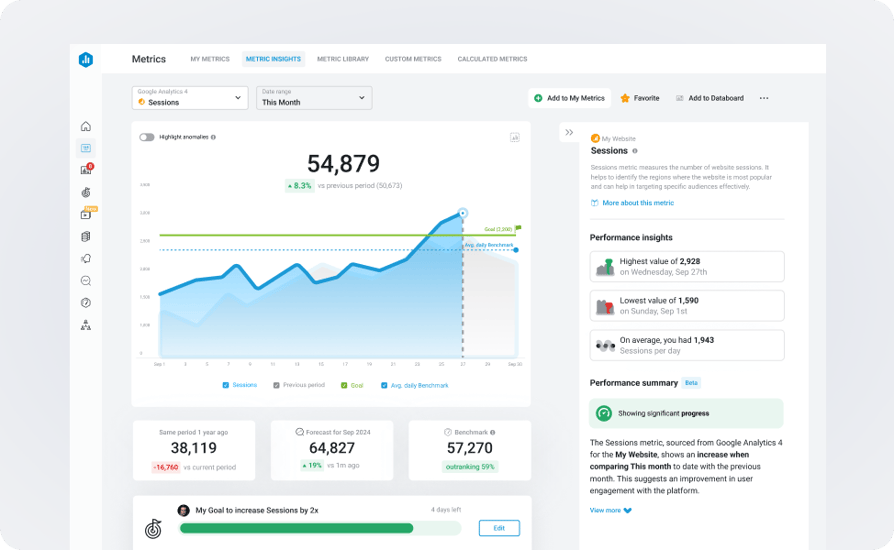
Databox is a business intelligence and reporting platform that brings together KPIs from multiple sources into intuitive, real-time dashboards. A Dataddo integration with Databox ensures your teams—from sales and support to marketing and finance—get one unified performance window.
Why Use Databox with Dataddo?
Use Dataddo to feed CRM, call, e-commerce, ad platform, and analytics data directly into Databox dashboards—giving you a comprehensive overview of customer journeys, campaign performance, and team KPIs all in one place.
What Are Databox's Key Features?
- Pre-built connectors for 130+ data sources (e.g., HubSpot CRM, Facebook Ads, GA4).
- Unlimited users, dashboards, metrics, and customizable goal-setting.
- Automated alerts, AI-generated summaries, benchmarks, and forecasting.
- Flexible integrations via API, Zapier, or SQL for complex data blending.
What Is Databox's Pricing?
- Professional: $199/month
- Growth: $499/month
- Premium: $999/month
What Are G2 Users Rating Databox?
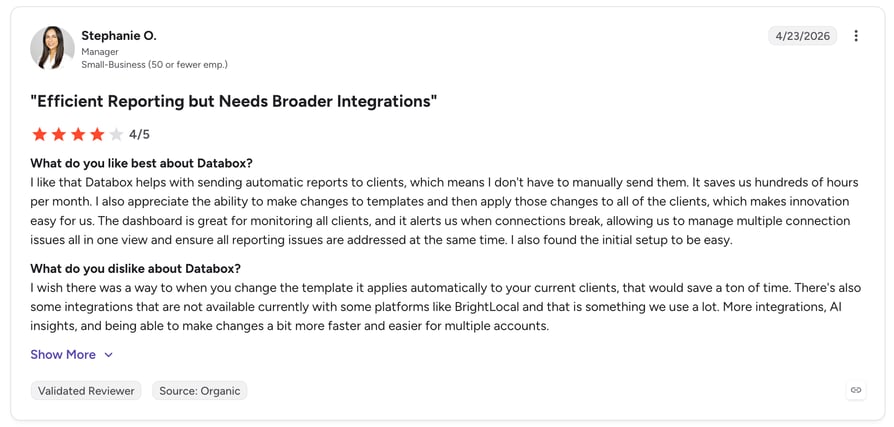
Databox is rated 4.4/5 by more than 190 verified users on G2.
What Are Databox's Pros & Cons?
| Pros | Cons |
|---|---|
| Easy to set up with all data sources visualized in one place | Occasional connection issues reported with some data sources |
| Strong templates and pre-defined metrics for fast reporting | Integration flexibility is lighter than some enterprise BI tools |
Unify your tools into one smart system. Experience seamless automation.
Why Dataddo Integrations Make Sense: Key Benefits for 2026
- One source of truth across tools: Dataddo breaks down silos by syncing data between CRMs, VoIP, e-commerce, finance, and marketing tools—so every team works from the same accurate data.
- Automation that saves time: Manual exports and spreadsheet uploads disappear, letting teams focus on selling and supporting customers.
- Smarter sales and support: By blending call, CRM, and campaign data, Dataddo gives agents and reps full context to personalize outreach and resolve issues faster.
- Scalable integrations without complexity: Dataddo's no-code platform adapts to your stack as you grow.
- Compliance and security you can trust: Built with enterprise-grade standards, Dataddo ensures GDPR, SOC 2, and HIPAA compliance—so sensitive data stays protected.
How to Choose the Right Dataddo Integration for Your Business
- Identify your business needs: Align the integration with core objectives—customer context for reps, data-rich CX dashboards, or automated post-call workflows.
- Prioritize ease of setup: Look for plug-and-play, no-code integrations so your RevOps, sales, or support teams get running fast.
- Ensure compatibility & scalability: Evaluate whether the integration can grow with your tech stack—data formats, volumes, API protocols, and real-time needs.
- Check security & compliance: Ensure adherence to relevant data regulations (GDPR, SOC 2) with audit logs and encryption baked in.
- Consider support & documentation: Strong vendor support and clear docs are essential, especially if technical resources are limited.
- Evaluate total cost of ownership: Factor in onboarding, maintenance, and long-term costs against time saved and the ability to scale your workflows.
How to Integrate Dataddo with Other Platforms
Dataddo makes integration simple with its mix of pre-built connectors, APIs, and automation support. You can connect CRMs, call center software, marketing tools, e-commerce systems, and BI dashboards—no heavy IT resources required:
- Use pre-built connectors: Ready-made connectors for CRMs like HubSpot, e-commerce platforms like Shopify, and call center tools like CloudTalk. Setup takes just a few clicks.
- Connect via API: Dataddo API integrations let dev teams build custom pipelines with full control over data sync, scheduling, and transformations.
- Leverage automation tools: If you already use Zapier, Make, or similar tools, Dataddo fits right in for quick no-code workflows.
Make Your Stack Talk and Your Revenue Rise
Disconnected tools don't just waste time—they quietly drain revenue. The good news? You don't need a bigger team or more spreadsheets. You need your tools to talk to each other.
That's exactly what Dataddo integrations deliver: fewer manual tasks, cleaner data, and sharper decisions. And when you connect Dataddo with CloudTalk, those benefits flow straight into your sales calls, support conversations, and customer experience.
The companies that win in 2026 won't be the ones with the most tools. They'll be the ones with the best-connected stack.
Frequently asked questions
Yes, Dataddo supports API integrations that let dev teams build custom pipelines with full control over syncs and triggers. This makes it easy to enrich tools like AI voice agents with deeper data insights.
Dataddo offers a free trial, but ongoing integrations are included in paid plans. Teams often weigh the cost of automating data flows for their call center against the ROI and time saved through automation.
Pricing varies by plan and data volume, but real-world reviews show strong ROI for both SMBs and enterprises. Many companies use it to unify data for smoother outbound sales workflows.
Most connectors can be live in minutes, while more complex integration setups take a little longer. Either way, it's far faster than manual processes like exporting contacts for a smart dialer.
Yes—teams can combine calling, CTI, and phone integrations without slowing performance. This ensures full customer context in tools like your inbound support center.