The 10 Best Adobe Commerce Integrations to Power Growth in 2026
Ever tried fixing a failed order while juggling five browser tabs, three platforms, and zero synced data? That's not service—it's digital gymnastics.
TL;DR: Best Adobe Commerce Integrations in 2026
We reviewed 30+ Adobe Commerce integrations. Here are the 10 best, ranked by real-world impact on support, sales, and fulfillment:
- 01CloudTalk — Best for VoIP and call center teams needing live order context
- 02Zendesk — Best for multichannel support ticket management
- 03Pipedrive — Best for sales-focused CRM pipeline automation
- 04Intercom — Best for live chat and behavioral messaging
- 05HubSpot — Best for aligning marketing, sales, and ecommerce data
- 06Front — Best for shared inbox and cross-team communication
- 07Freshdesk — Best for helpdesk ticketing tied to order events
- 08Zoho CRM — Best affordable CRM for unified lead and order management
- 09Zapier — Best no-code automation hub for connecting 5,000+ apps
- 10Salesforce — Best enterprise CRM for complex B2B and ecommerce pipelines


What Is an Adobe Commerce Integration?
An Adobe Commerce integration connects your store with other essential platforms—like CRMs, ERPs, email tools, and support software—to create seamless workflows and eliminate the busywork of switching tabs or re-entering order data.
Instead of manually syncing inventory, customer info, or shipping updates, Adobe Commerce integrations use APIs, extensions, or connectors to share data in real time between tools.
Here's what they enable:
- Automate workflows by creating tickets, tasks, or updates when a new message comes in
- Sync data like customer records, call logs, and deal status across tools
- Trigger actions across platforms—like tagging a lead, assigning an agent, or logging a call
One high-impact example is CloudTalk's Adobe Commerce integration. It allows your team to:
- Route inbound calls to the right agent with full order context
- Auto-create support tickets tied to purchases or delivery issues
- Centralize customer data across phone, order, and support channels
Most Adobe Commerce integrations are available as native apps, via API, or through third-party tools in the Adobe Commerce Marketplace.
How We Chose the Best Adobe Commerce Integrations
To create this guide, we evaluated 30+ leading ecommerce integration platforms using verified user reviews, product documentation, feature comparisons, and market research.
Our evaluation criteria included:
- Core features and integration depth with Adobe Commerce
- Ease of setup and time to go live
- Pricing transparency and value for money
- Customer support quality
- Scalability for growing teams
- User satisfaction scores from G2, Capterra, and TrustRadius
Why Trust Our Software Reviews?
For nearly a decade, we've helped over 30,000 professionals choose and implement better communication tools. We've reviewed 200+ products, analyzed 5,500+ verified reviews from G2 and Capterra, and drawn insights from real user discussions on platforms like Reddit and Quora.
In the past year alone, we've published 1,000+ articles, all written and reviewed by humans, for humans, to provide reliable, data-backed insights you can trust.
Learn how we keep our content integrity and our software review methodology.
The 10 Best Adobe Commerce Integrations for Business Success in 2026
Adobe Commerce is built to scale—but only if your ecosystem scales with it. From CRMs to automation platforms, the right integrations eliminate silos, reduce support lag, and improve both your customer journey and operational ROI.
Below are the top 10 Adobe Commerce integrations to consider in 2026—each selected to solve a high-impact use case in support, sales, or fulfillment.
Preview Table: Top Adobe Commerce Integrations
| Software | Category | Key Benefit |
|---|---|---|
| 1. CloudTalk | VoIP / Calling | Sync calls with orders and streamline support workflows |
| Zendesk | Support Platform | Manage tickets tied to Adobe Commerce purchase events |
| Pipedrive | CRM | Automate follow-ups and deal updates from store actions |
| Intercom | Messaging | Automate chats and connect conversations to transactions |
| HubSpot | CRM | Align marketing, sales, and ecommerce data |
| Front | Shared Inbox | Centralize customer comms tied to order context |
| Freshdesk | Support Platform | Link tickets with orders and product-specific issues |
| Zoho CRM | CRM | Keep lead and order data unified for better engagement |
| Zapier | Automation | Connect Adobe Commerce with 5,000+ apps easily |
| Salesforce | CRM | Centralize pipeline, contacts, and Adobe order activity |
1. CloudTalk: Best Adobe Commerce Integration for VoIP and Call Center Teams
Who Is CloudTalk Best For?
E-commerce and support teams that need to connect phone calls with live order data.
What Is CloudTalk?
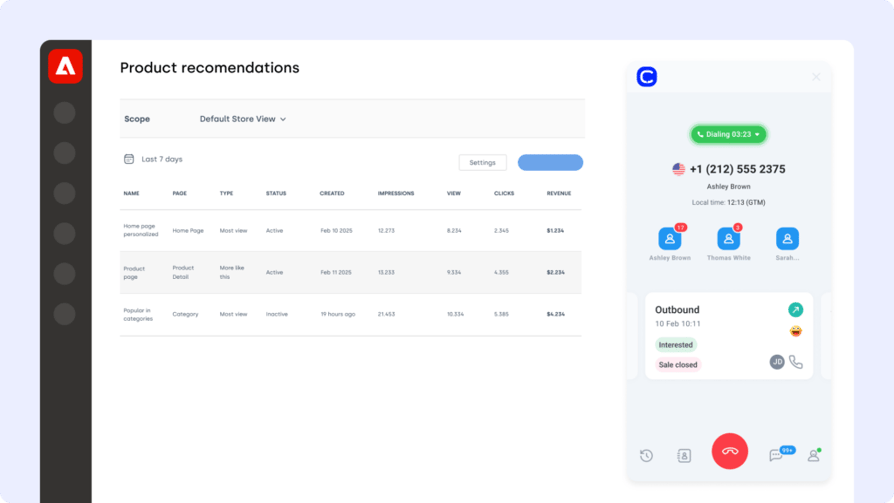
CloudTalk is a modern cloud-based phone system designed for ecommerce and support teams. The Adobe Commerce CloudTalk integration brings voice, customer context, and order data together—so your team can resolve issues faster without hopping between tabs.
What Are CloudTalk's Benefits?
Connect CloudTalk with Adobe Commerce to auto-log calls, match customer numbers with order details, and route inquiries to the right agent based on purchase history or issue type.
What Are CloudTalk's Key Features?
- Real-time call monitoring
- AI-powered conversation intelligence
- Call recording and playback
- Sentiment analysis
- Automated call workflows
What Is CloudTalk Pricing?
CloudTalk offers flexible plans tailored to business needs:
- Starter: $25/user/month
- Essential: $29/user/month
- Expert: $49/user/month
- Custom: Pricing available upon request
How Do Users Rate CloudTalk?
What Are CloudTalk’s Pros & Cons?
| Pros | Cons |
|---|---|
| Fast setup — Live in minutes, no engineering required | Voice-first — Purpose-built for calling teams, not a general-purpose tool |
| Real-time order context — Customer and order data surfaced automatically during calls | Advanced AI features require higher-tier plans |
| AI conversation intelligence — Summaries, transcripts, sentiment, and topic extraction | Some regional number availability may vary |
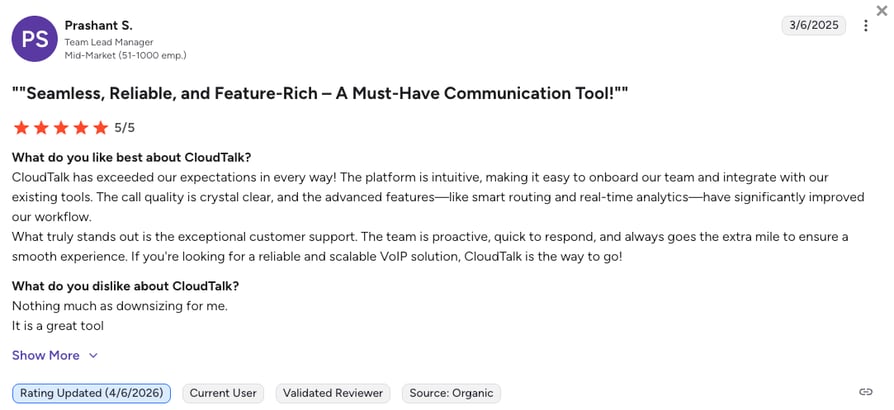
| Strong G2 rating — 1,600+ verified reviews from ecommerce and support teams |
2. Zendesk: Adobe Commerce Integration for Multichannel Support Teams
Who Is Zendesk Best For?
Teams managing high volumes of post-purchase support tickets across multiple channels.
What Is Zendesk?
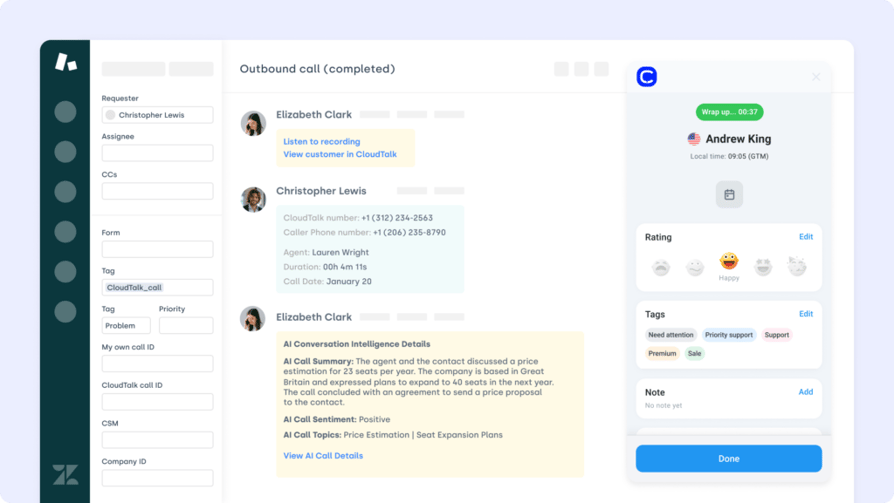
Zendesk is a leading support platform trusted by global brands to manage multichannel service at scale. The Adobe Commerce Zendesk integration helps your team connect order data with support tickets—so agents have everything they need, right when they need it.
What Are Zendesk's Benefits?
Integrate Zendesk with Adobe Commerce to automatically create tickets from order actions, sync customer updates across systems, and resolve post-purchase issues with full purchase context.
What Are Zendesk's Key Features?
- Auto-create Zendesk tickets from Adobe Commerce events
- Sync customer profiles and order status between platforms
- Give agents visibility into purchase history within every ticket
- Centralize support workflows across chat, email, and voice
What Is Zendesk Pricing?
Zendesk pricing tiers include:
- Support Team: $19/agent/month
- Support Professional: $55/agent/month
- Support Enterprise: $115/agent/month
How Do Users Rate Zendesk?
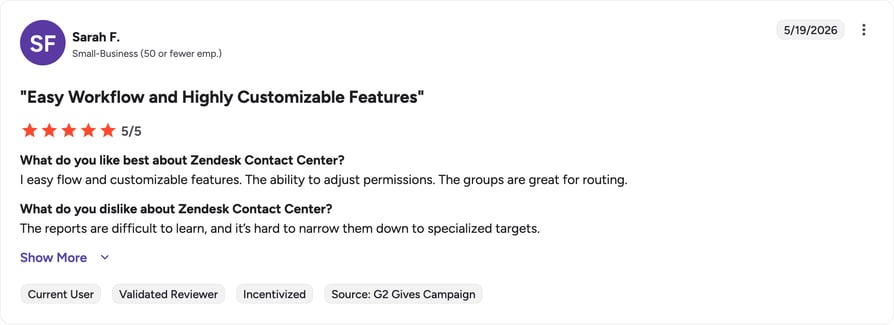
Zendesk's G2 rating is 4.3/5.
What Are Zendesk’s Pros & Cons?
| Pros | Cons |
|---|---|
| Strong multichannel support — Manages tickets across chat, email, voice, and social | Higher cost — Expensive compared to most support platform alternatives |
| Deep integration ecosystem — Connects with 1,000+ apps including Adobe Commerce | Advanced reporting and automation locked behind Enterprise tier |
| Enterprise-grade security — Reliable uptime and compliance features built in | Can be complex to configure and maintain at scale |
Recommended Reads
3. Pipedrive: Adobe Commerce Integration for Sales-Focused CRM Teams
Who Is Pipedrive Best For?
Sales teams that want to connect ecommerce purchase activity directly to their pipeline.
What Is Pipedrive?
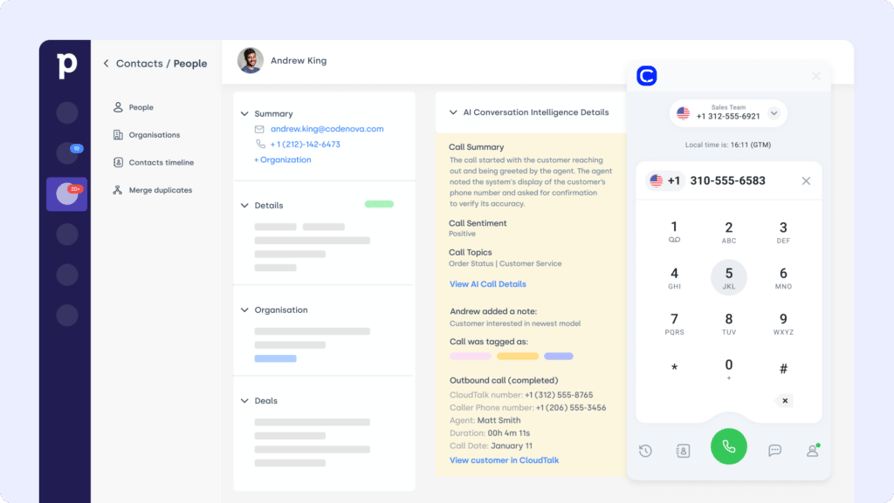
Pipedrive is a visual CRM built to help sales teams close deals faster. The Adobe Commerce Pipedrive integration links your store's purchase activity with your sales pipeline—giving reps the full context behind every customer interaction.
What Are Pipedrive's Benefits?
Connect Adobe Commerce with Pipedrive to sync customer info, log order events, and trigger follow-ups automatically—so sales never misses a chance to re-engage, upsell, or respond.
What Are Pipedrive's Key Features?
- Sync Adobe Commerce orders and contacts to Pipedrive deals
- Auto-update lead stages from product purchases or returns
- Log ecommerce actions into contact timelines for context
- Trigger pipeline movements based on real-time order activity
What Is Pipedrive Pricing?
Pipedrive offers flexible plans based on team size and needs (billed annually):
- Lite: $15/user/month
- Growth: $30/user/month
- Premium: $60/user/month
- Ultimate: $80/user/month
How Do Users Rate Pipedrive?
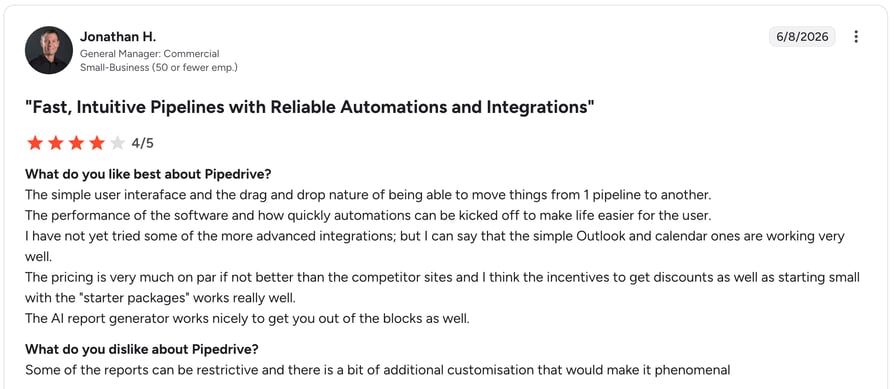
Pipedrive's G2 rating is 4.3/5.
What Are Pipedrive’s Pros & Cons?
| Pros | Cons |
|---|---|
| Clean visual pipeline — Intuitive drag-and-drop deal management | No free plan — 14-day trial only, paid subscription required after |
| Sales-focused automation — Built for closing deals, not general CRM bloat | Email sync and workflow automations require Growth plan or higher |
| Easy onboarding — Quick to set up even for non-technical sales teams | Marketing automation requires a paid add-on |
4. Intercom: Adobe Commerce Integration for Customer Messaging and Live Chat
Who Is Intercom Best For?
Teams that want to engage shoppers in real time and link chat conversations to order data.
What Is Intercom?
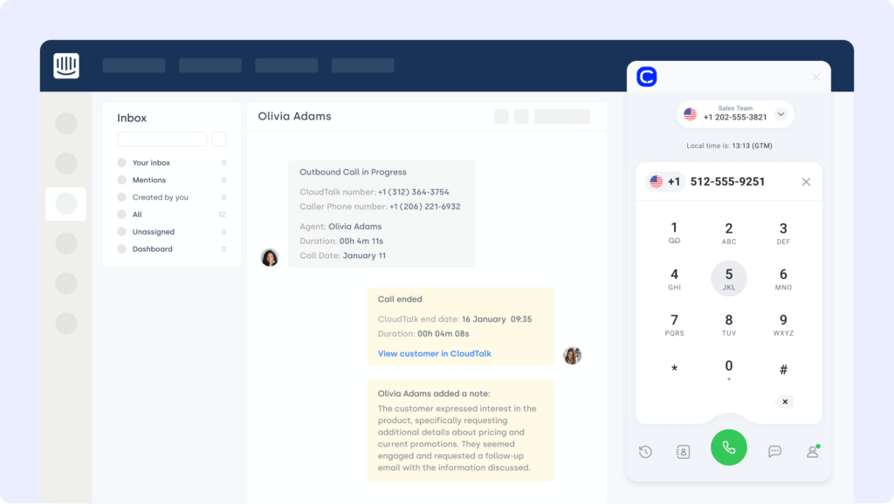
Intercom is a customer messaging platform built for live chat, automation, and personalized support. The Adobe Commerce Intercom integration lets your team chat with shoppers in real time, resolve questions faster, and trigger workflows based on store behavior.
What Are Intercom's Benefits?
Connect Intercom to Adobe Commerce to greet returning visitors with automated messages, escalate priority issues, and sync chats with customer orders and CRM records.
What Are Intercom's Key Features?
- Trigger chats based on cart abandonment or browsing behavior
- Route messages based on order size or urgency
- Sync chat history with Adobe Commerce and connected CRMs
- AI-powered Fin agent for automated conversation resolution
What Is Intercom Pricing?
Intercom offers seat-based pricing tiers (billed annually):
- Essential: $29/seat/month
- Advanced: $85/seat/month
- Expert: $132/seat/month
Note: Fin AI Agent resolutions are billed separately at $0.99 per resolved conversation on all plans.
How Do Users Rate Intercom?
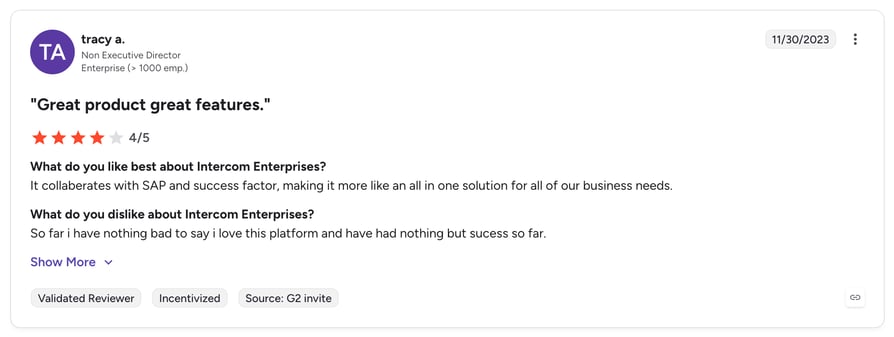
Intercom's G2 rating is 4.5/5.
What Are Intercom’s Pros & Cons?
| Pros | Cons |
|---|---|
| Modern messenger interface — Intuitive and well-designed for support and sales teams | Unpredictable billing — Fin AI resolutions charged at $0.99 each on top of seat cost |
| Behavioral trigger automation — Chat workflows based on cart, order, and browsing activity | No permanent free plan available |
| 14-day free trial — Full feature access with no credit card required | Full workflow automation requires Advanced plan or higher |
5. HubSpot: Adobe Commerce Integration for Marketing and CRM Alignment
Who Is HubSpot Best For?
Teams that want to align ecommerce data with marketing automation and CRM workflows.
What Is HubSpot?
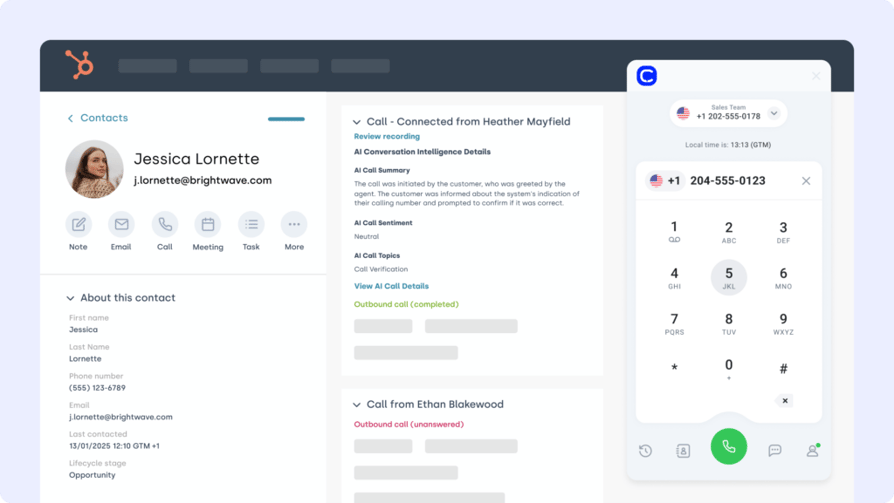
HubSpot is a leading CRM platform built for growing marketing, sales, and service teams. The Adobe Commerce HubSpot integration connects your storefront to HubSpot's automation tools—so every purchase, cart, and contact action can power smarter campaigns.
What Are HubSpot's Benefits?
Sync Adobe Commerce with HubSpot to trigger automated emails based on purchase behavior, align customer records across platforms, and create targeted workflows without manual data entry.
What Are HubSpot's Key Features?
- Auto-sync customer and order data to HubSpot CRM
- Launch workflows based on purchases, returns, or abandoned carts
- Track LTV, engagement, and purchase history in contact timelines
- Unify ecommerce and CRM data for smarter segmentation
What Is HubSpot Pricing?
HubSpot offers a free CRM plan, with paid tiers depending on your team's size and needs. See HubSpot pricing for details.
- Free: Free up to 2 users
- Starter: $7/month/seat
- Professional: $792/month
- Enterprise: $3,300/month
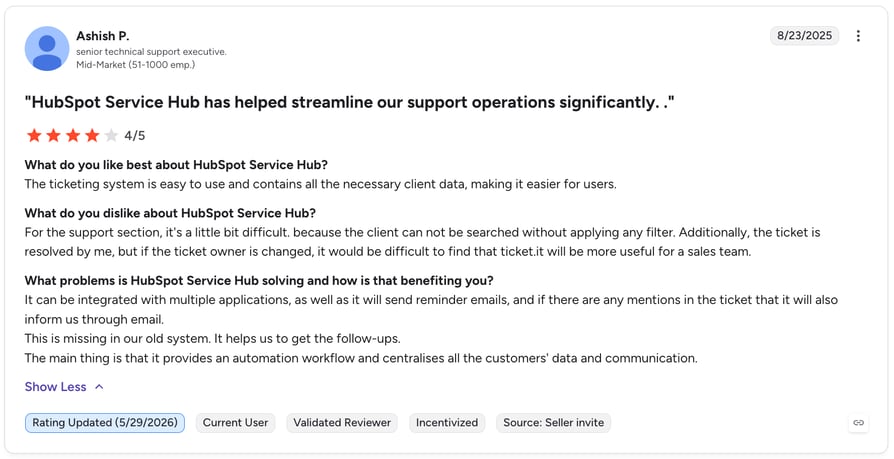
How Do Users Rate HubSpot?
HubSpot's G2 rating is 4.4/5.
What Are HubSpot’s Pros & Cons?
| Pros | Cons |
|---|---|
| Free CRM plan — Full CRM access at no cost for small teams | Expensive at scale — Professional and Enterprise tiers carry a high price tag |
| Broad platform coverage — Marketing, sales, and service tools in one suite | Advanced automation requires paid tiers |
| Intuitive onboarding — Easy to get started even for non-technical teams | Seat count costs scale quickly for growing teams |
6. Front: Adobe Commerce Integration for Shared Inbox and Team Communication
Who Is Front Best For?
Teams that want to centralize all customer communications around order context in a shared inbox.
What Is Front?
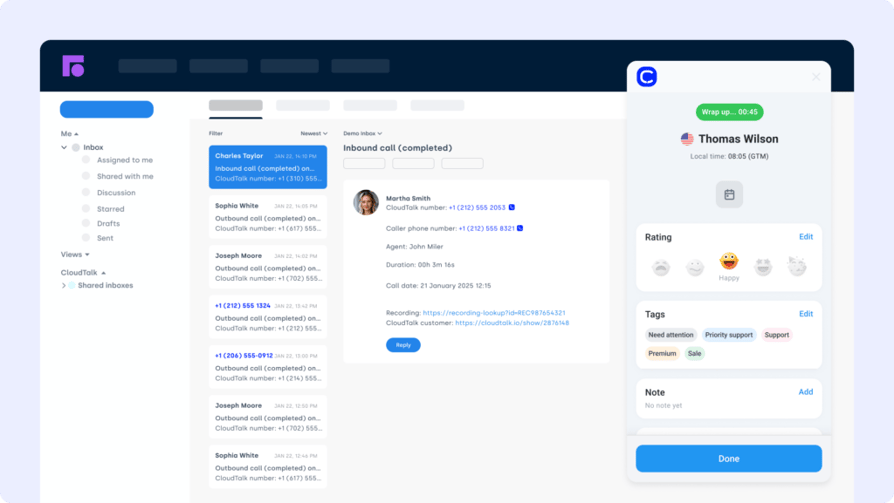
Front is a collaborative inbox that brings email, chat, and SMS into one unified workspace. The Adobe Commerce Front integration links your store's customer conversations with orders and support workflows—so no message gets missed, and every reply is informed.
What Are Front's Benefits?
Connect Front to Adobe Commerce to auto-tag messages by order status, generate tasks from inquiries, and route conversations based on urgency or customer value—all without switching tools.
What Are Front's Key Features?
- Auto-create tickets or tasks from Front messages
- Route inquiries using tags, SLAs, or purchase size
- Link message history to Adobe Commerce customer records
- Align fulfillment, sales, and support in a shared inbox
What Is Front Pricing?
- Starter: $25/user/month
- Professional: $65/user/month
- Enterprise: $105/user/month
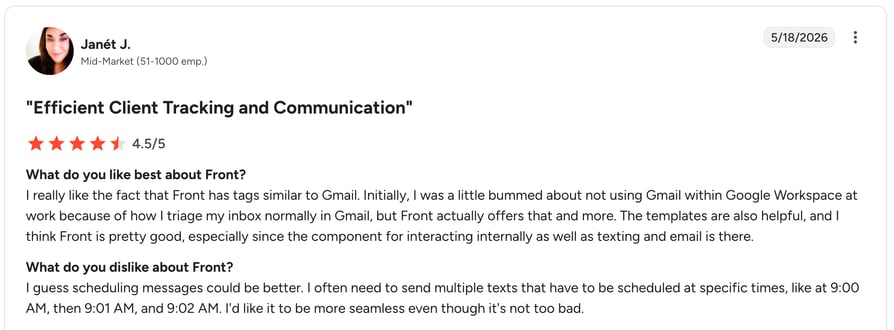
How Do Users Rate Front?
Front's G2 rating is 4.6/5.
What Are Front’s Pros & Cons?
| Pros | Cons |
|---|---|
| Unified inbox — Email, chat, and SMS managed in one collaborative workspace | Higher cost — More expensive than standard helpdesk alternatives |
| Strong SLA and routing — Powerful tools for prioritizing and directing conversations | Advanced automation requires Professional plan or higher |
| High G2 rating — Consistently well-reviewed by support and operations teams | Onboarding can take time for larger teams |
7. Freshdesk: Adobe Commerce Integration for Helpdesk and Ticket Management
Who Is Freshdesk Best For?
Support teams that need to automate ticket creation from order events and resolve issues faster.
What Is Freshdesk?
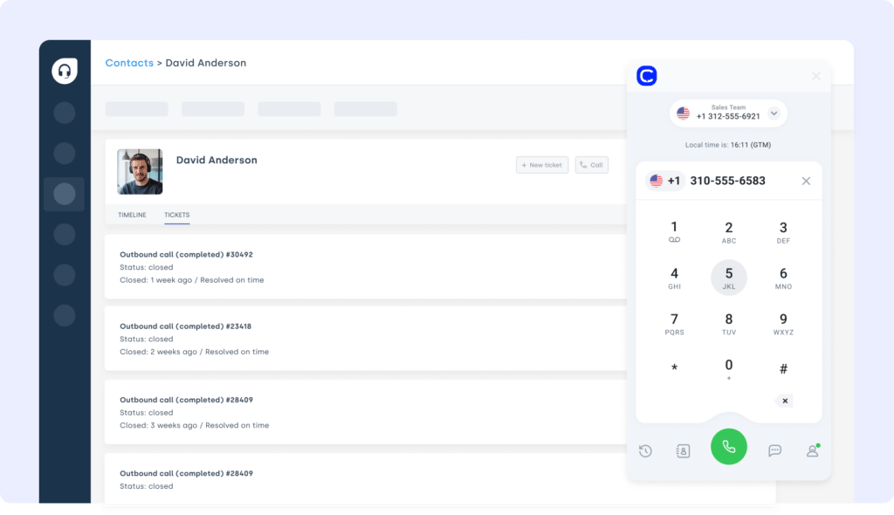
Freshdesk is a support platform built to streamline ticketing, automate responses, and organize customer conversations. The Adobe Commerce Freshdesk integration connects your store with your help desk—so support teams can resolve order issues with full purchase context.
What Are Freshdesk's Benefits?
Connect Freshdesk with Adobe Commerce to automatically generate tickets from failed payments, order returns, or delivery issues—while syncing customer info and order history for faster handling.
What Are Freshdesk's Key Features?
- Auto-generate tickets from Adobe Commerce order events
- Sync customer profiles and past orders into Freshdesk
- Attach CloudTalk call recordings and notes to support tickets
- Automated triage workflows for faster first response
What Is Freshdesk Pricing?
Freshdesk offers multiple plans for growing support teams:
- Growth: $20/agent/month
- Pro: $55/agent/month
- Enterprise: $90/agent/month
How Do Users Rate Freshdesk?
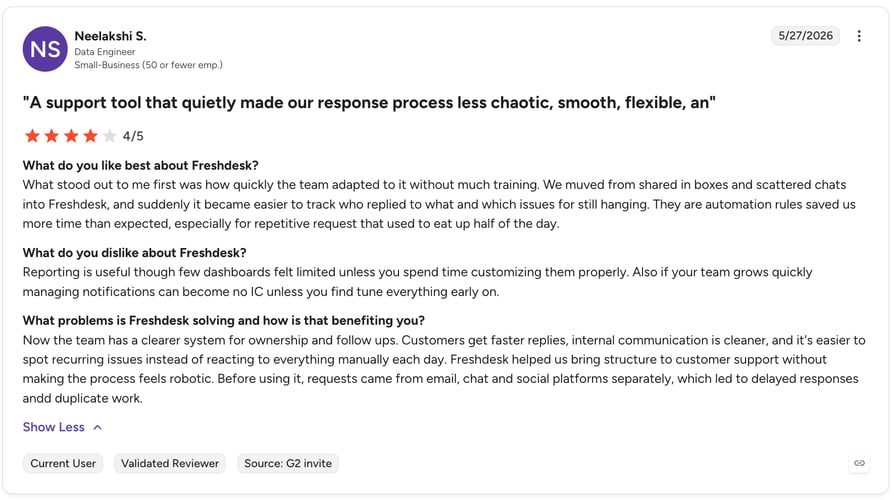
Freshdesk's G2 rating is 4.4/5.
What Are Freshdesk’s Pros & Cons?
| Pros | Cons |
|---|---|
| Free plan available — Solid entry-level option for small support teams | Automation gated — Advanced workflows locked behind Pro tier |
| Easy setup — Intuitive ticketing interface with fast time-to-live | Reporting depth limited on lower-tier plans |
| Strong value at Growth tier — Good feature-to-price ratio for growing teams | Some integrations only available on higher plans |
Recommended Reads
8. Zoho CRM: Adobe Commerce Integration for Unified Lead and Order Management
Who Is Zoho CRM Best For?
Teams that want an affordable CRM with deep ecommerce data sync and flexible workflow automation.
What Is Zoho CRM?
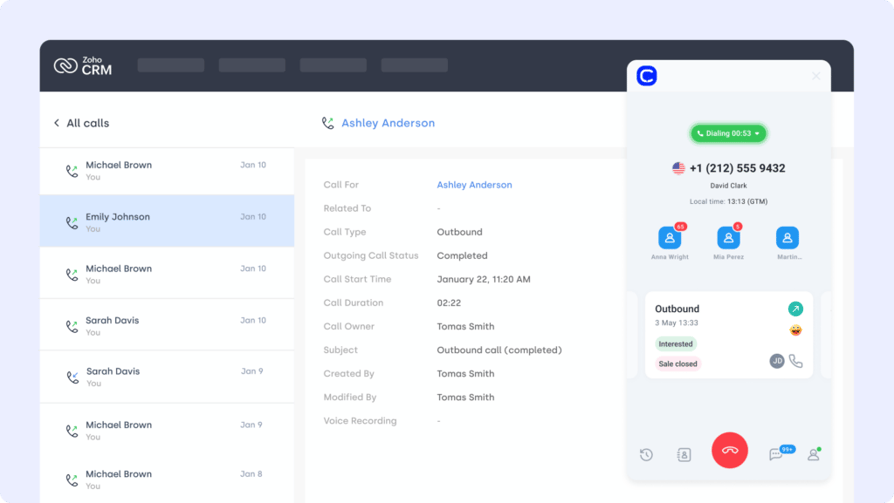
Zoho CRM is a flexible platform for managing sales, marketing, and support in one place. The Adobe Commerce Zoho CRM integration connects your store to Zoho's customer database—keeping every order, lead, and follow-up in sync automatically.
What Are Zoho CRM's Benefits?
Integrate Zoho CRM with Adobe Commerce to log purchase behavior, update lead records in real time, and trigger personalized outreach or support actions based on order activity.
What Are Zoho CRM's Key Features?
- Sync Adobe Commerce customer and order data to Zoho CRM
- Auto-update deal stages from fulfillment or return events
- Trigger CRM workflows tied to post-purchase milestones
- Capture ecommerce activity directly in CRM timelines
What Is Zoho CRM Pricing?
Zoho CRM offers tiered plans for teams of all sizes:
- Standard: $15/user/month
- Professional: $25/user/month
- Enterprise: $42/user/month
- Ultimate: $55/user/month
How Do Users Rate Zoho CRM?
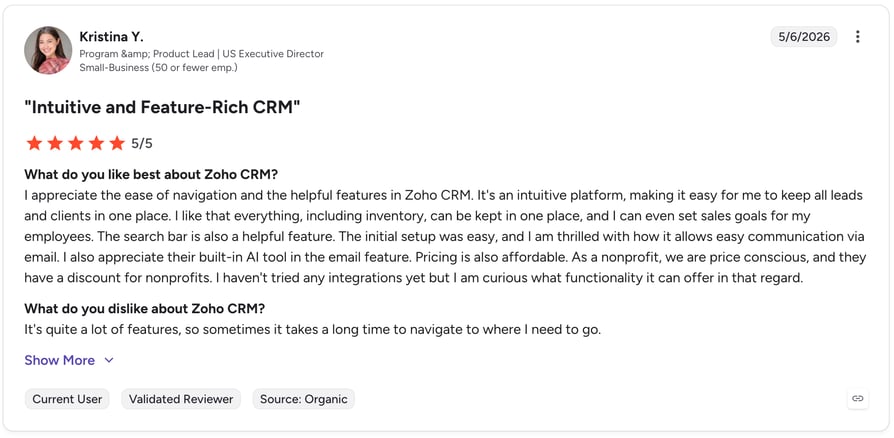
Zoho CRM's G2 rating is 4.1/5.
What Are Zoho CRM’s Pros & Cons?
| Pros | Cons |
|---|---|
| Competitive pricing — Affordable across all tiers including a free plan for up to 3 users | Steeper learning curve — Interface takes time to configure and master |
| High customization depth — Flexible workflows adaptable to complex ecommerce operations | Advanced features require Enterprise tier |
| Broad feature set — Covers sales, marketing, and support in one platform | Support quality varies depending on plan |
9. Zapier: Adobe Commerce Integration for No-Code Workflow Automation
Who Is Zapier Best For?
Teams that want to connect Adobe Commerce with hundreds of other apps without writing code.
What Is Zapier?
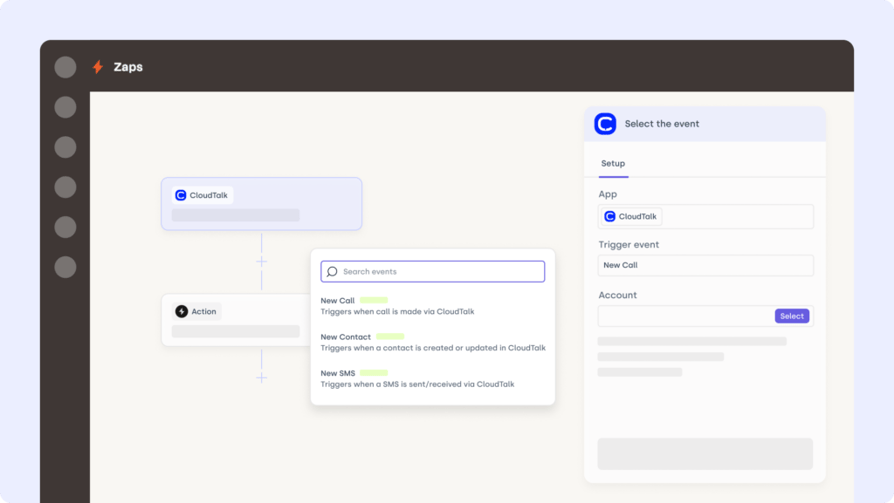
Zapier is a no-code automation platform that connects Adobe Commerce with over 5,000 other tools—without writing a single line of code. The Adobe Commerce Zapier integration helps ecommerce teams automate repetitive tasks like syncing contacts, updating orders, and triggering workflows.
What Are Zapier's Benefits?
Use Zapier to trigger abandoned cart emails, sync new Adobe Commerce customers to your CRM, or auto-create tickets when refund requests come in—no manual steps required.
What Are Zapier's Key Features?
- Connect Adobe Commerce with CRMs, email tools, and more
- Build multi-step automations from order or customer events
- Customize triggers and filters to match your store setup
- Access 5,000+ app integrations without developer support
What Is Zapier Pricing?
Zapier offers various pricing tiers:
- Free: $0/month
- Professional: $19.99/month
- Team: $69/month
- Enterprise: Custom pricing
How Do Users Rate Zapier?
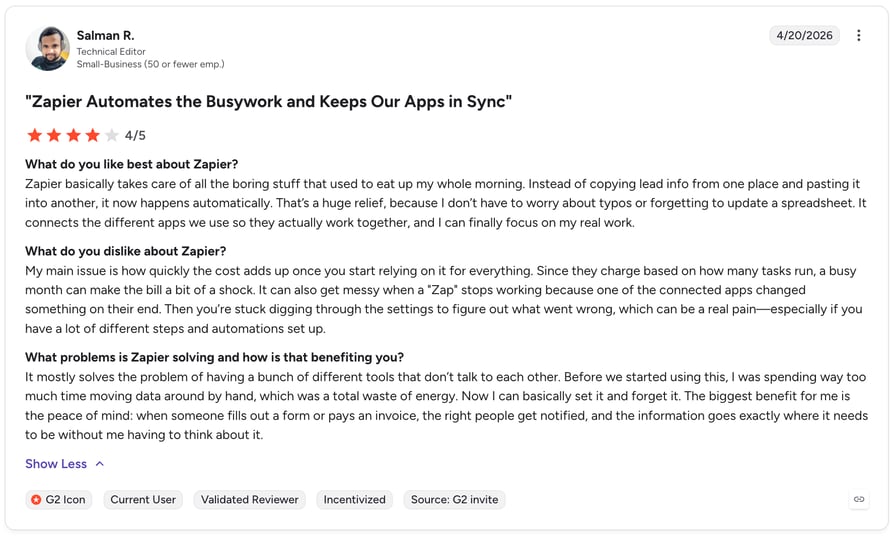
Zapier's G2 rating is 4.5/5.
What Are Zapier’s Pros & Cons?
| Pros | Cons |
|---|---|
| Free plan available — Basic automation at no cost, ideal for small teams | Task limits — Lower plans cap monthly tasks, forcing upgrades at scale |
| No-code setup — Accessible for all team types without developer support | Complex multi-step Zaps can be unstable |
| 5,000+ app connections — Broadest integration library of any automation platform | Cost grows quickly with high automation volume |
10. Salesforce: Adobe Commerce Integration for Enterprise CRM and Pipeline Management
Who Is Salesforce Best For?
Enterprise teams managing complex B2B sales pipelines alongside ecommerce operations.
What Is Salesforce?
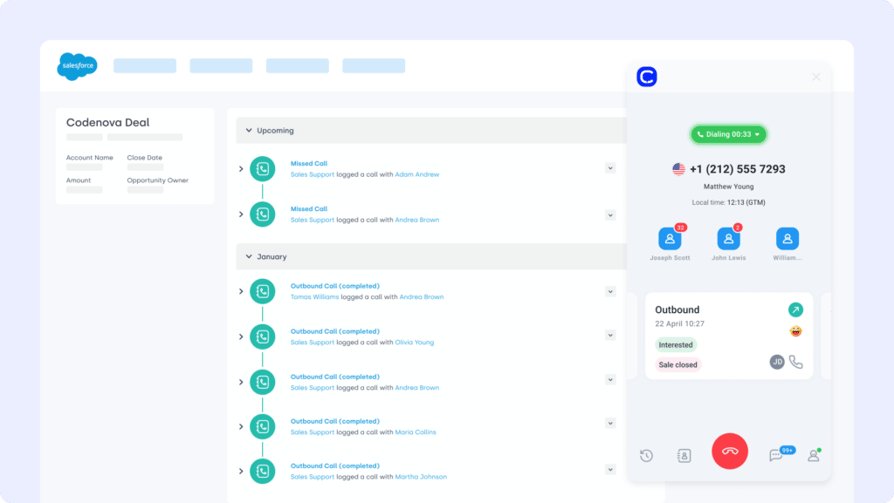
Salesforce is one of the most advanced CRM platforms on the market—trusted for handling complex B2B sales, support, and ecommerce workflows. The Adobe Commerce Salesforce integration keeps your storefront and CRM tightly connected, ensuring customer and order data flows in both directions.
What Are Salesforce's Benefits?
Integrate Salesforce with Adobe Commerce to sync contacts, order history, and fulfillment data—giving sales and service teams a 360° view of each customer journey.
What Are Salesforce's Key Features?
- Two-way sync between Adobe Commerce and Salesforce CRM
- Auto-update contacts, products, and orders across systems
- Map custom fields for detailed reporting and segmentation
- Connect sales pipelines with live ecommerce activity
What Is Salesforce Pricing?
Salesforce has dynamic pricing depending on your needs and the number of seats required.
Visit Salesforce's pricing page to find out more.
How Do Users Rate Salesforce?
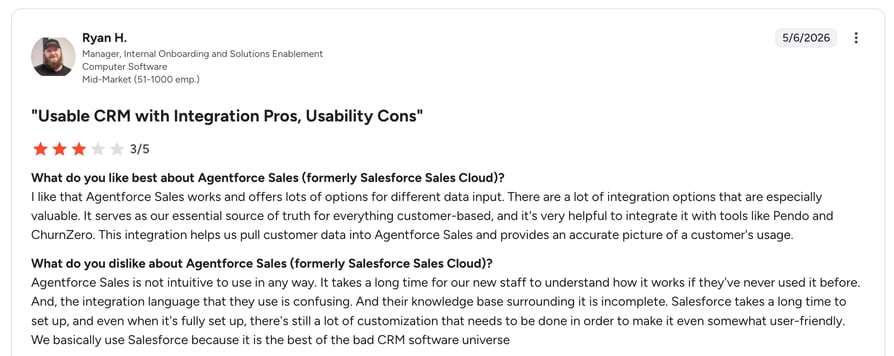
Salesforce's G2 rating is 4.4/5.
What Are Salesforce’s Pros & Cons?
| Pros | Cons |
|---|---|
| Industry-leading CRM — Unmatched depth, customization, and enterprise scalability | High cost — Not suited for small or mid-size teams on a limited budget |
| Two-way Adobe Commerce sync — Contacts, orders, and products flow in both directions automatically | Steep learning curve and long implementation time |
| Scales for complex operations — Handles large catalogs, territories, and multi-team workflows | Requires dedicated admin or developer support to maintain |
Benefits of Adobe Commerce Integration
Connecting Adobe Commerce with your wider tool stack isn't just smart—it's how ecommerce brands stay agile, efficient, and scalable. Here's why integrations matter:
- Real-Time Sync Between Sales and Operations
Automatically connect order, inventory, and fulfillment data across platforms—so every update reflects instantly, everywhere. - Automated Workflows That Scale With Growth
Trigger emails, alerts, or support actions based on inventory levels, cart behavior, or order milestones—no manual follow-up needed. - One Customer View Across Every Channel
Merge CRM, support, and marketing data with Adobe Commerce to give every team a complete view of the customer journey. - Fewer Errors, Faster Resolutions
Integrated systems reduce duplicate entries, missed updates, and costly support delays—making post-purchase smoother. - More Sales, Less Busywork
Automations keep carts moving and teams focused—so you convert more, while doing less admin.
How to Choose the Right Adobe Commerce Integration for Your Business
Tailored for real-world Adobe Commerce users.
Start With Your Operational Friction Points
Don't shop for features—start with your headaches. Are your teams duplicating order data? Are support agents missing context? A smart Adobe Commerce integration fills those workflow gaps automatically. For example, CloudTalk's Adobe Commerce integration logs calls, syncs notes, and connects to order records in real time—so teams don't waste time piecing the story together.
Choose Tools That Actually Launch
If it takes weeks of dev work to get live, it's not an integration—it's a delay. Prioritize native Adobe Commerce apps, low-code options, or plug-and-play API solutions. CloudTalk's VoIP for Adobe Commerce goes live in minutes—no developer bottlenecks, just results.
Think Past Today's Order Volume
Will your integration scale as your business grows? Ask whether the tool can handle new SKUs, markets, or support workflows. CloudTalk's ecommerce call center software is designed to grow with you—so order surges don't mean service slowdowns.
Make Security Non-Negotiable
Every integration adds a new access point. Choose partners that support secure data handling, user access control, and audit logs from day one. CloudTalk's VoIP integration helps ensure your ecommerce stack is both efficient and compliant.
Look for Real Support, Not Just Documentation
When something breaks on Black Friday, will your vendor show up? If you're stuck in chatbot hell, you're gambling with your revenue. CloudTalk's support team delivers real help, fast—no canned responses or hold music.
How to Set Up Adobe Commerce Integration
Integrating Adobe Commerce with other platforms typically involves using pre-built connectors, APIs, or third-party integration tools. The process depends on what you're connecting—whether it's a CRM, ERP, marketing automation system, or helpdesk.
Here's a simplified overview:
- Choose Your Integration Method
Start by identifying whether you'll use a native extension from the Adobe Marketplace, a custom Adobe Commerce API integration, or a third-party tool like Zapier or Mulesoft. - Authenticate and Connect
Use secure API keys or OAuth credentials to connect Adobe Commerce with your external platform. Most integrations require mapping fields like order IDs, customer profiles, or product data. - Configure Workflows
Set rules for how data flows—e.g., auto-create a support ticket when a return is requested, or sync customer info with your CRM after a purchase. - Test Before You Go Live
Run test orders, syncs, or actions to ensure data is transferring correctly and that automations behave as expected.
Most Adobe Commerce integrations can be set up in under an hour using extensions or integration platforms. For more complex needs (like ERP or call center integration), it's worth partnering with experienced Adobe Commerce integrators or developers.
Ready to Make Adobe Commerce Work Harder for You?
Adobe Commerce alone is powerful—but when integrated, it becomes unstoppable. The right tools don't just sync data—they unlock better service, faster operations, and smarter decisions.
From CRMs to support platforms to automation tools, integrations let your business run smoother—automatically. No more manual workarounds. No more lost data. Just clean, connected commerce.
Start with the integration that gives you visibility, speed, and control—right where your team needs it most.
Connect CloudTalk to Adobe Commerce today and turn disconnected workflows into conversions.
Sources:
Frequently asked questions
Yes, Adobe Commerce offers robust REST and GraphQL APIs that enable real-time data sync across systems. You can connect CRMs, helpdesks, and calling tools like CloudTalk directly through the API without custom development in most cases.
Adobe AEM (Experience Manager) handles content management and digital asset delivery, while Adobe Commerce powers the ecommerce transaction layer. The two are often used together. For teams managing high call volumes around orders, pairing Commerce with a call center solution adds another critical layer.
Adobe Commerce is an advanced ecommerce platform built on Magento, designed for enterprise scalability and flexible customization. It supports B2B and B2C storefronts, and integrates with tools like CRMs, ERPs, and VoIP systems to create a unified commerce operation.
Magento is the open-source foundation; Adobe Commerce is the paid, enterprise-grade version with cloud hosting, enhanced security, and additional features. Both support third-party integrations—but Adobe Commerce offers deeper native connector support. Teams looking to extend functionality often start with workflow automation tools to bridge the gap.
It depends on the tool. Some integrations—like Zapier's free tier or Zoho CRM's free plan—cost nothing to start. Others, like Salesforce or Zendesk, require a paid subscription. For voice and calling, CloudTalk's pricing starts at $25/user/month.
Most plug-and-play connectors go live in under an hour. Native extensions from the Adobe Marketplace are even faster. Complex setups—like ERP sync or custom call center workflow automation—typically take days to weeks depending on data mapping requirements and team availability.
Yes, Adobe Commerce supports running multiple integrations in parallel—CRMs, support platforms, automation tools, and VoIP systems can all run simultaneously. Using a platform like Zapier makes it easy to connect and orchestrate several tools without writing custom code.