
The Best 11 Call Monitoring Software for Business in 2026
TL;DR: Best Call Monitoring Software
As call center monitoring specialists, we’ve reviewed and tested 30+ best call monitoring software tools to help supervisors improve agent performance, ensure compliance, and deliver outstanding customer experiences.
Here are the top 11 call monitoring software platforms that made our list:
-
01
CloudTalk — Best overall call monitoring software for sales and support teams: real-time listen, whisper, and barge-in with AI conversation intelligence and deep CRM sync.
-
02
Talkdesk — Best AI-powered call center monitoring software for enterprises needing real-time agent assist and advanced automation.
-
03
Aircall — Best call center quality monitoring software for small and mid-sized teams wanting plug-and-play simplicity.
-
04
Five9 — Best enterprise call center monitoring software for omnichannel workforce optimization.
-
05
RingCentral — Best unified communications platform with call monitoring for remote-first teams.
-
06
Dialpad — Best for real-time AI transcription and live agent coaching during active calls.
-
07
Genesys Cloud CX — Best for predictive routing and workforce engagement management at scale.
-
08
NICE CXone — Best AI-powered omnichannel monitoring suite for compliance-heavy industries.
-
09
Freshdesk Contact Center — Best affordable call center quality monitoring software for SMBs needing a unified helpdesk.
-
10
JustCall — Best for outbound sales teams needing SMS automation paired with call monitoring.
-
11
8×8 — Best for global teams needing international call monitoring with built-in video and team messaging.
Read on for the full list, feature comparisons, pricing breakdowns, and our expert buying advice.
If you manage a sales or support team, you’ve likely lived this scenario: a new agent fumbles a pricing objection on a live call, a frustrated customer escalates, and you only find out days later — if at all. Manually sampling a handful of recordings can’t keep up, and switching between a phone system, a spreadsheet scorecard, and a CRM leaves supervisors coaching blind. That’s the exact gap call center call monitoring software closes: it gives you eyes and ears on every conversation, in real time and in review, so problems get fixed while they still matter.

Supervisors using CloudTalk reduced QA review time by 60%

What Is Call Monitoring Software? (And Why Your Call Center Needs It)
Call monitoring software allows supervisors to observe, evaluate, and improve agent interactions in real time and after the fact. You may also see it called a call monitoring system, call monitor software, or telephone monitoring software — the terms all describe the same category of business call monitoring tools.
A modern call center monitoring software platform combines live listening, call recording, AI-powered transcription, coaching tools, and analytics into a single dashboard — giving managers everything they need to maintain service quality, ensure compliance, and accelerate agent development.
How Does Call Monitoring Work?
Call monitoring systems connect to your cloud phone system or VoIP provider, mirror live audio to supervisors, and automatically record and transcribe conversations. From there, the platform scores calls against QA criteria, flags risks, and pushes insights into your CRM. Core functions include:
- Live Listen: Supervisors silently join active calls to evaluate performance without agent or customer awareness.
- Whisper Coaching: Speak directly to the agent mid-call without the customer hearing — ideal for guiding new hires through complex interactions.
- Barge-In: Take over or join a live call outright when escalation or immediate intervention is required.
- Call Recording: Capture 100% of interactions for QA review, compliance, and training.
- AI Transcription & Analytics: Automatically convert calls to searchable text and surface insights like sentiment, talk ratios, and keyword trends.
- Call Logging: Automatically log call metadata — caller, duration, outcome, disposition — into your CRM or helpdesk, replacing standalone call logging software.
Without a robust call monitoring solution, performance problems go undetected, coaching is reactive rather than proactive, and compliance risk accumulates silently. The right platform closes that gap — turning every call into a data point that drives improvement.
What’s the Difference Between Call Monitoring and Call Recording?
The two terms are often used interchangeably, but they solve different problems. Call recording captures and stores call audio (and, increasingly, transcripts) so conversations can be retrieved later for compliance, disputes, or training. Call monitoring is the act of supervising calls to evaluate quality — listening live, whisper coaching, scoring recordings against a rubric, and turning what you hear into coaching.
The simplest way to think about it: recording answers “what was said?”, while monitoring answers “how did the agent perform, and what should we do about it?” Recording is a storage function; monitoring is a management function.
Call Monitoring vs. Call Recording at a Glance
| Call Monitoring | Call Recording | |
|---|---|---|
| What it does | Supervises and evaluates calls — live listen, whisper, barge-in, QA scoring, coaching | Captures and stores call audio and transcripts for later retrieval |
| When it’s used | During live calls and in structured QA review cycles | After the call — for compliance, disputes, and training libraries |
| Who benefits | Supervisors, QA leads, and agents receiving coaching | Compliance officers, legal teams, and onboarding managers |
In practice, you rarely have to choose. Most call monitoring platforms include recording as a built-in feature, and the best contact center software for call recording and monitoring combines both in one workflow: the recording provides the evidence, and the monitoring layer turns it into scores, coaching notes, and measurable improvement. CloudTalk includes both — see its call recording feature for details.
How We Chose the Best Call Monitoring Software
To build this guide, we compared 30+ leading call monitoring software platforms, drawing on feedback from over 2,000 verified users across G2, Capterra, and TrustRadius, as well as firsthand testing of core monitoring workflows.
Our product operations team evaluated more than 5,500 verified customer reviews across G2, Gartner, Capterra, and TrustRadius. We also spent hours digging through raw, unfiltered discussions on Reddit and Quora to see what real supervisors complain about when their live dashboard freezes or call quality drops. And we didn’t stop at external reviews: we sat down with our own frontline sales and support teams, listened to real customer conversations, and mapped the exact friction points that surface during unexpected call spikes.
The 11 best call monitoring software tools were selected based on their performance in real call center environments, measured across five pillars:
- Real-World Call Center Performance: We tested each platform across daily workflows — inbound support, outbound sales, QA review, compliance management, and live agent coaching.
- Ease of Setup: We prioritized platforms that let you spin up new teams or adjust settings quickly, without heavy technical overhead or developer dependency.
- CRM and Helpdesk Integrations: We measured how reliably call logs, notes, and dispositions sync with systems of record like HubSpot, Salesforce, and Pipedrive.
- Advanced AI Capabilities: We scored built-in intelligence features — automatic call summaries, real-time speech-to-text transcription, and topic or sentiment tracking.
- Total Cost of Ownership: We looked closely at pricing transparency to flag hidden fees, surprise overages, and rigid seat minimums that penalize growing teams.
What you’ll find here: Only tools that deliver measurable, real-world value — with clear guidance on which best call monitoring software solution fits your team size, budget, and use case.
Why Trust Our Software Reviews?
For nearly a decade, we’ve helped over 30,000 professionals choose and implement better communication tools. We’ve reviewed 200+ products, analyzed 5,500+ verified reviews from G2 and Capterra, and incorporated insights from call center managers, QA leads, and sales directors.
In the last year alone, we’ve published 1,000+ expert-written articles to help customer-facing teams adopt technology with confidence.
Learn how we maintain our content integrity and our software review methodology.
Call Monitoring Software Comparison Table: Top 11 Platforms at a Glance
Comparison Table: Best Call Monitoring Software
| Platform | Best For | Starting Price | G2 Rating |
|---|---|---|---|
| CloudTalk | Real-time listen, whisper, barge + AI conversation intelligence | From $19/user/month | 4.4/5 |
| Talkdesk | AI-powered real-time agent assist and QA automation | From $75/user/month | 4.4/5 |
| Aircall | Simple whisper, listen, barge for SMBs | From $30/user/month | 4.3/5 |
| Five9 | Enterprise omnichannel workforce optimization | From $119/user/month | 4.0/5 |
| RingCentral | Unified UCaaS + contact center monitoring | From $65/user/month | 4.0/5 |
| Dialpad | Real-time AI transcription and live coaching | From $27/user/month | 4.4/5 |
| Genesys Cloud CX | Predictive routing and workforce engagement | From $75/user/month | 4.3/5 |
| NICE CXone | AI-powered omnichannel quality management | Per request | 4.3/5 |
| Freshdesk Contact Center | Affordable helpdesk-integrated call monitoring | Free plan available | 4.0/5 |
| JustCall | Sales-focused monitoring + SMS automation | From $29/user/month | 4.2/5 |
| 8×8 | Global call monitoring with video and messaging | From $28/user/month | 4.1/5 |
Top 11 Best Call Monitoring Software Platforms in 2026
So, what is the best call monitoring software for business? The right platform doesn’t just record calls — it gives supervisors the tools to intervene in the moment, coach systematically, and surface the patterns that drive performance improvement at scale. Here are the 11 best options on the market today, starting with our top overall pick.
1. CloudTalk — Best Call Monitoring Software for Real-Time Coaching and AI Conversation Intelligence


CloudTalk is the best call monitoring software for growing sales and support teams that need more than passive call recording. With real-time listen, whisper, and barge-in built natively alongside AI-powered conversation analytics, CloudTalk turns every call into a coaching opportunity and a data source.
Unlike platforms that bolt monitoring on as an afterthought, CloudTalk’s call monitoring is deeply integrated with its AI Conversation Intelligence layer — automatically generating call summaries, scoring agent performance, tracking talk-to-listen ratios, and flagging sentiment shifts. Supervisors can step in during a live call with a single click, or review a flagged recording with full transcript context.
With 100+ integrations including HubSpot, Salesforce, Pipedrive, and Zendesk, every monitoring insight flows directly into the CRM — creating a feedback loop that connects call quality to revenue outcomes. Teams operating across 160+ countries get local presence, global coverage, and consistent monitoring standards in one platform.
Key Features of CloudTalk Call Monitoring Software
-
Live Listen, Whisper & Barge-In: Supervisors can silently monitor calls, coach agents discreetly mid-call, or take over active interactions — all without switching tools.
-
AI Conversation Intelligence: Automatically generates AI Smart Notes, call summaries, call scoring, and sentiment analysis across 100% of interactions.
-
Talk-to-Listen Ratio Tracking: Surface which agents dominate conversations and which need prompting — a core talk-listen ratio insight for sales coaching.
-
Call Recording with Full Transcripts: Access every call recording alongside a searchable speech-to-text transcript, linked to the contact record in your CRM.
-
Real-Time Wallboards & Dashboards: Monitor queue health, agent status, and call volume live via wallboards and dashboards — intervene before a queue becomes a crisis.
-
Custom Call Scoring & QA Workflows: Build scoring rubrics tailored to your business and automate QA workflows so nothing slips through.
What ties these features together is a closed QA coaching loop. A supervisor monitors a live call or reviews a recording, scores it against a custom QA scorecard, and attaches coaching notes directly to the recording. The agent then sees the score and feedback in context — the exact moment in the exact call — instead of vague end-of-month advice. From there, call tagging and disposition tracking categorize every interaction, and managers track each agent’s improvement over time in the performance dashboard. The result: coaching stops being an occasional event and becomes a continuous, measurable process, with every review feeding data back into team-level trends supervisors can act on.
What Is CloudTalk Call Monitoring Software Missing?
CloudTalk is purpose-built for voice-first call center teams. Organizations that need deep native video conferencing or internal team messaging within the same platform may want to pair CloudTalk with a UCaaS tool. For call monitoring and quality assurance specifically, however, CloudTalk covers every critical use case.
What Type of Business Is CloudTalk Call Monitoring Best For?
CloudTalk is the ideal call center monitoring software for SMBs and mid-market teams (10–500 agents) in sales, customer support, and financial services. It excels for teams that need both live coaching and AI-driven post-call analytics without enterprise-level implementation complexity.
What Is the Pricing of CloudTalk Call Monitoring Software?
CloudTalk pricing starts at $19/user/month, with a 14-day free trial available. Call monitoring features including live listen, whisper, and barge are available on the Expert plan ($49/user/month). AI Conversation Intelligence (call summaries, scoring, sentiment analysis, talk/listen ratio) is available as an add-on for $9/user/month.
CloudTalk Call Monitoring Software Reviews
CloudTalk is rated 4.4./5 by 1,700+ verified users on G2.

CloudTalk: Pros and Cons
| Pros | Cons |
|---|---|
| Real-time listen, whisper, and barge-in in one platform | Video conferencing not natively included |
| AI call scoring and summaries cover 100% of interactions | Advanced monitoring requires Expert plan or above |
| Deep bi-directional CRM sync (Salesforce, HubSpot, Pipedrive) | Best suited for voice-first teams, not full UCaaS |
| Talk-to-listen ratio and sentiment analysis built in | |
| Fast setup — supervisors can start monitoring calls in minutes |
“What I like best about CloudTalk is that we use it on a daily basis for both outbound cold calling and customer support. This regular use highlights its reliability and efficiency in our workflow. It seamlessly manages our communication interactions, making it easy to monitor, record, and analyze calls. It ensures that we provide top-notch customer support and optimize our cold calling efforts, all while maintaining an intuitive and user-friendly experience.”
Start Monitoring Calls in Minutes — Not Weeks
2. Talkdesk — Best AI-Powered Call Center Monitoring Software for Enterprise Teams
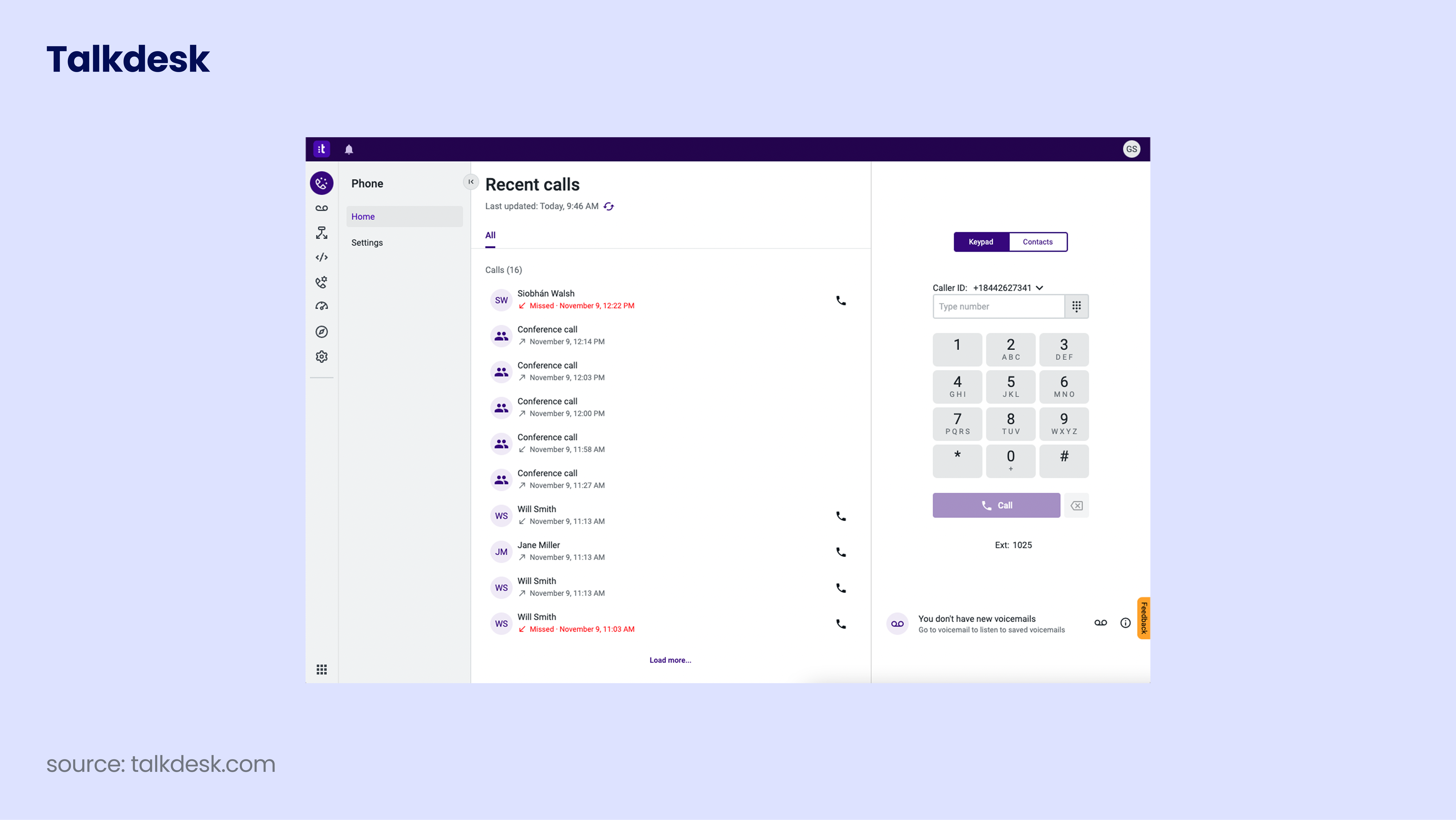
Talkdesk is a cloud-based call center monitoring software platform built for enterprises that want AI at the heart of every agent interaction. Beyond standard listen-and-record functionality, Talkdesk’s Agentic AI platform delivers real-time agent assist, predictive routing, and automated QA workflows — making it a strong choice for organizations managing complex, high-volume contact center operations.
Talkdesk stands out for its workforce management capabilities: supervisors can monitor live calls, review automatically scored recordings, and act on AI-generated coaching recommendations — all from a unified interface. Its omnichannel support extends call center quality monitoring principles across voice, chat, email, and social.
Key Features of Talkdesk Call Center Monitoring Software
-
Real-Time Agent Assist: AI surfaces suggested responses and compliance alerts to agents during live calls.
-
Automated Quality Management: Automatically scores 100% of recorded interactions against custom evaluation rubrics.
-
Voice and Screen Recording: Capture full audio and screen activity simultaneously for comprehensive QA review.
-
Workforce Management: Schedule, forecast, and manage agent capacity alongside monitoring data.
-
Omnichannel Monitoring: Extend call center monitoring software standards across all customer interaction channels.
What Is Talkdesk Call Monitoring Software Missing?
Talkdesk does not offer conference calling or auto-attendants natively, which can disadvantage outbound sales teams. Some users report platform slowness and occasional technical issues. There is no free trial available, and pricing is significantly higher than SMB-friendly alternatives.
What Type of Business Is Talkdesk Best For?
Talkdesk is best suited for mid-to-large enterprises in financial services, retail, and healthcare that need AI-driven quality management and compliance-grade call monitoring across omnichannel operations.
What Is the Pricing of Talkdesk Call Monitoring?
Talkdesk pricing starts at $75/user/month for the CX Cloud Essentials plan, rising to $95/user/month for CX Cloud Elevate and above.
Talkdesk Call Center Monitoring Software Reviews
G2 reviewers give Talkdesk 4.4/5.

Talkdesk: Pros and Cons
| Pros | Cons |
|---|---|
| AI-powered automated quality scoring at scale | No free trial available |
| Voice and screen recording for full context QA | Higher price point than most SMB alternatives |
| Real-time agent assist reduces escalations | No native conference calling or auto-attendant |
| Omnichannel monitoring across voice, chat, and email | Some users report platform slowness under high load |
Choose Talkdesk if: You run a large, compliance-heavy contact center that needs AI-automated QA scoring, omnichannel monitoring, and advanced workforce management — and budget is not the primary constraint.
Choose CloudTalk if: You want enterprise-grade call monitoring software with real-time whisper coaching, AI conversation intelligence, and deep CRM integrations — at a significantly lower total cost, with faster setup.
Recommended Reads
3. Aircall — Best Call Center Quality Monitoring Software for SMB Teams

Aircall has built its reputation as the go-to call center quality monitoring software for small and mid-sized businesses that want a clean, intuitive platform up and running in hours. Its call monitoring suite — covering listen, whisper, and barge — is accessible, well-designed, and integrates natively with 200+ tools including Salesforce, HubSpot, and Zendesk.
For teams that don’t need deep AI automation but want reliable call recording, real-time supervision, and collaborative features like shared call inboxes and call tagging, Aircall delivers a compelling out-of-the-box experience. Its limitations versus alternatives become more apparent as teams scale.
Key Features of Aircall Call Monitoring Software
-
Listen, Whisper & Barge: Standard real-time supervision tools accessible from the Aircall dashboard.
-
Call Recording: Automatic recording for all inbound and outbound calls, accessible for QA review.
-
Call Tagging & Commenting: Annotate recordings and flag calls for review or follow-up.
-
Insight Cards: Surface relevant CRM context on-screen during live calls to improve agent performance.
-
200+ Integrations: Native connections to Salesforce, HubSpot, Zendesk, ActiveCampaign, and more.
What Is Aircall Call Monitoring Software Missing?
Aircall’s AI features (transcription, summaries, analytics) are add-ons that cost $9/user/month extra on top of already significant base pricing. Number coverage is limited to around 100 countries (versus CloudTalk’s 160+), and SMS is available in only 5 countries. Users frequently report call quality issues including dropped calls, echo, and lag.
What Type of Business Is Aircall Best For?
Aircall is best for small teams (3–50 agents) in sales or customer support that want quick deployment, clean UI, and strong CRM integrations without complex configuration.
What Is the Pricing of Aircall Call Monitoring?
Aircall pricing starts at $30/user/month (3-user minimum). AI features cost $9/user/month extra. Analytics+ is an additional $15/user/month.
Aircall Call Center Quality Monitoring Software Reviews
G2 reviewers give Aircall 4.3/5.

Aircall: Pros and Cons
| Pros | Cons |
|---|---|
| Very easy to set up and learn — minimal training required | AI features cost extra on top of an already high base price |
| 200+ native CRM and helpdesk integrations | Reported call quality issues: dropped calls, echo, lag |
| Clean, collaborative interface with shared inboxes | SMS only available in 5 countries |
| Solid listen, whisper, barge for QA supervision | 3-user minimum — not viable for solo operators |
4. Five9 — Best Enterprise Call Center Monitoring Software for Omnichannel Workforce Optimization

Five9 is purpose-built for large-scale contact center operations that need sophisticated call center monitoring software alongside advanced workforce optimization, omnichannel routing, and AI-powered analytics. It serves mid-to-large enterprises that have outgrown simpler point solutions and need a unified platform to manage voice, email, chat, and social monitoring in one place.
Five9’s workforce optimization suite includes automated quality management, agent performance scoring, adherence tracking, and forecasting — all integrated with its core call center quality monitoring capabilities. Deep integrations with Salesforce and Microsoft Dynamics make it a natural fit for enterprise CRM environments.
Key Features of Five9 Call Monitoring Software
-
Omnichannel Support: Monitor and manage interactions across voice, email, chat, SMS, and social from one platform.
-
Workforce Optimization: Automated QA scoring, performance management, scheduling, and forecasting.
-
AI-Powered Routing: Match customers with the best-suited agent using predictive intelligence.
-
Robust Reporting & Analytics: Deep customizable dashboards and call center analytics reporting for performance management.
-
Enterprise CRM Integrations: Deep native connectors for Salesforce and Microsoft Dynamics.
What Is Five9 Call Monitoring Software Missing?
Five9’s pricing is among the highest in the market, making it inaccessible for smaller teams. The platform’s complexity also means longer implementation timelines and a steeper learning curve. SMBs looking for agile, cost-effective call monitoring systems will find CloudTalk or Aircall more practical.
What Type of Business Is Five9 Best For?
Five9 is best for mid-to-large enterprises (200+ agents) in regulated or complex industries — financial services, healthcare, insurance — that need enterprise-grade omnichannel monitoring and workforce optimization.
What Is the Pricing of Five9 Call Monitoring Software?
Five9 pricing starts at $119/user/month for the Digital & Voice plan. Advanced workforce management and AI features are priced on request.
Five9 Call Center Monitoring Software Reviews
G2 reviewers give Five9 4.0/5.

Five9: Pros and Cons
| Pros | Cons |
|---|---|
| Best-in-class workforce optimization tools at enterprise scale | Highest price point on this list — not SMB-friendly |
| True omnichannel monitoring across all channels | Complex implementation — longer time to value |
| Deep Salesforce and Microsoft Dynamics integration | Steeper learning curve for supervisors and admins |
| Advanced AI routing reduces misrouted calls | No free trial available |
Recommended Reads
5. RingCentral — Best Unified Communications Platform with Call Monitoring for Remote Teams

RingCentral is one of the most recognized names in business communications, offering call monitoring software as part of a broader unified communications suite (RingCX) that combines contact center, phone, video, and team messaging. For remote-first organizations that want a single vendor for all communication needs, RingCentral provides a compelling consolidated solution.
RingCentral’s call monitoring capabilities include standard listen, whisper, and barge-in, supplemented by call recording, analytics dashboards, and AI features. Its strength lies in its UCaaS breadth rather than deep contact center specialization — making it a natural fit for distributed teams that need solid monitoring alongside video meetings and team messaging.
Key Features of RingCentral Call Monitoring Software
-
Live Call Monitoring: Listen, whisper, and barge-in tools for supervisors in the RingCX contact center interface.
-
Call Recording & Analytics: Automatic recording with analytics dashboards for performance reporting.
-
AI-Powered Contact Center: Advanced RingCX AI features including real-time transcription and post-call summaries.
-
Omnichannel Routing: Manage voice, SMS, email, and social from a unified queue.
-
Team Messaging & Video: Built-in collaboration tools alongside the call center — a true UCaaS experience.
What Is RingCentral Call Monitoring Software Missing?
RingCentral’s contact center technology is built on legacy PBX infrastructure, meaning configuration and day-to-day administration can be complex. Some users find adding phone numbers and adjusting routing less intuitive than cloud-native alternatives. Advanced call monitoring features are also gated behind higher-tier plans.
What Type of Business Is RingCentral Best For?
RingCentral is best for mid-to-large organizations that want a single communications vendor covering call monitoring, video conferencing, team messaging, and contact center — particularly remote-first or distributed teams.
What Is the Pricing of RingCentral Call Monitoring?
RingCentral pricing for its unified plans starts at $20/user/month. RingCX contact center plans start at $65/user/month and scale based on feature requirements.
RingCentral Call Monitoring Software Reviews
G2 reviewers give RingCentral Contact Center 4.0/5.

RingCentral: Pros and Cons
| Pros | Cons |
|---|---|
| True UCaaS: voice, video, messaging, and contact center in one | Legacy PBX architecture — less agile than cloud-native tools |
| Established brand with strong global PSTN coverage | Contact center features require higher-tier plans |
| AI features available in RingCX for summaries and transcription | Complex setup and administration for new users |
| Suitable for large remote-first organizations | Less specialized for call-center-only use cases |
Recommended Reads
6. Dialpad — Best Call Monitoring Software for Real-Time AI Transcription and Live Agent Coaching
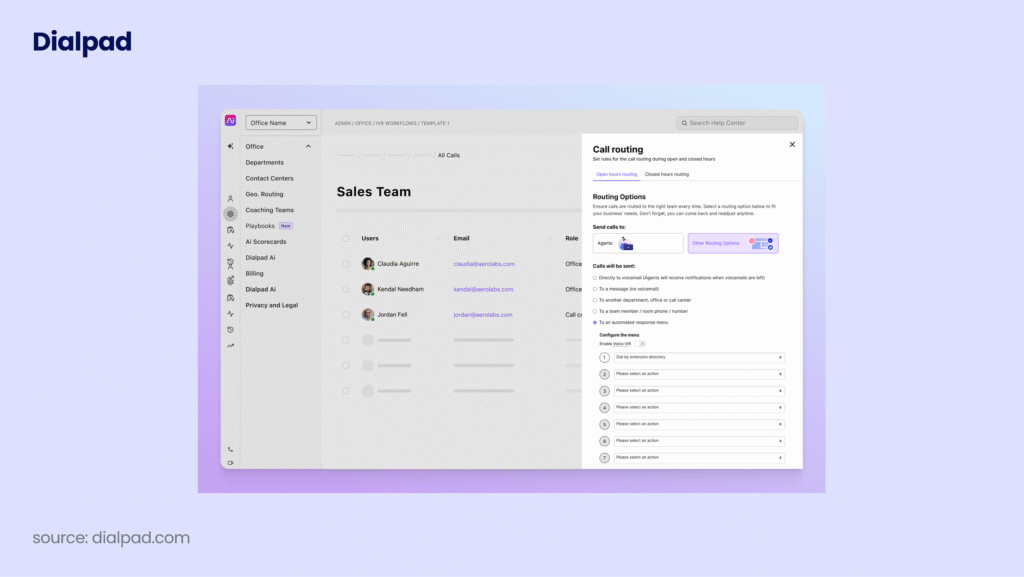
Dialpad takes an AI-first approach to call monitoring software, making real-time transcription and live coaching suggestions central to its value proposition. Its Voice Intelligence (Vi) technology transcribes every call live, surfaces sentiment signals, detects action items, and prompts agents with suggested responses — all during the active conversation.
For supervisors, Dialpad provides real-time dashboards, live listen, and the ability to push coaching suggestions to agents mid-call. Its AI-powered post-call analytics are strong, and it covers the full suite of UC features including video and team messaging, making it a versatile choice for AI-forward teams.
Key Features of Dialpad Call Monitoring Software
-
Real-Time AI Transcription: Live, word-for-word call transcription with sentiment detection and action item flagging.
-
Live Agent Coaching Suggestions: AI surfaces prompts to agents based on what’s being said — without supervisor intervention.
-
Supervisor Dashboard: Real-time view of all active calls with listen-in and coaching capabilities.
-
Post-Call Analytics: Automatic summaries, action items, and sentiment trends from every recorded call.
-
Built-In UCaaS: Voice, video, and team messaging included in a single platform.
What Is Dialpad Call Monitoring Software Missing?
Dialpad’s advanced contact center features — including advanced call routing, queue management, and workforce optimization — require higher-tier plans. Some users also note that voicemail drop is only available on Dialpad Sell, adding cost for outbound-focused teams. Its integration ecosystem is narrower than CloudTalk’s or Aircall’s.
What Type of Business Is Dialpad Best For?
Dialpad is best for AI-forward sales and support teams that want real-time transcription and automated coaching suggestions built in, without needing heavy customization or enterprise workforce management tools.
What Is the Pricing of Dialpad Call Monitoring?
Dialpad pricing starts at $27/user/month for the standard plan. Dialpad Sell (with advanced outbound features) is priced separately.
Dialpad Call Monitoring Software Reviews
G2 reviewers give Dialpad 4.4/5.

Dialpad: Pros and Cons
| Pros | Cons |
|---|---|
| Real-time AI transcription included in base plans | Advanced outbound features require Dialpad Sell add-on |
| Live coaching suggestions reduce supervisor intervention | Narrower integration ecosystem than top alternatives |
| Strong post-call analytics with automatic summaries | Voicemail drop gated to higher-tier plan |
| UCaaS included — no separate video or messaging tool needed | Less depth in workforce management for enterprise use |
7. Genesys Cloud CX — Best Call Center Monitoring Software for Predictive Routing and Workforce Engagement

Genesys Cloud CX is an enterprise-grade call center monitoring software platform that combines omnichannel routing, AI-powered analytics, and workforce engagement management in a single CCaaS solution. Its predictive routing engine uses AI to match each customer with the ideal agent based on context, history, and real-time availability — going far beyond standard skills-based routing.
For QA managers, Genesys offers rich recording, speech analytics, and automated evaluation workflows. Supervisors can monitor live interactions, review scored recordings, and access real-time analytics across all channels — making it a comprehensive solution for large operations that need to monitor at scale.
Key Features of Genesys Cloud CX Call Monitoring Software
-
Predictive Routing: AI-driven matching ensures every call reaches the best available agent for faster resolution.
-
Real-Time Analytics: Live dashboards with actionable insights across all channels and queues.
-
Workforce Engagement Management: Scheduling, adherence, quality management, and performance tools integrated together.
-
Omnichannel Monitoring: Consistent quality monitoring across voice, chat, email, and digital channels.
-
Speech and Text Analytics: Automatically analyze interaction content for compliance, sentiment, and keyword trends.
What Is Genesys Cloud CX Call Monitoring Missing?
Genesys Cloud CX is a full enterprise platform with pricing and complexity to match. Implementation timelines can be lengthy, and smaller agencies or SMBs will find the total cost of ownership prohibitive. For teams under 100 agents, CloudTalk or Aircall will deliver comparable day-to-day monitoring value at a fraction of the cost.
What Type of Business Is Genesys Cloud CX Best For?
Genesys is ideal for large enterprises (100+ agents) across retail, financial services, and telecommunications that need predictive routing, omnichannel monitoring, and fully integrated workforce engagement management.
What Is the Pricing of Genesys Cloud CX Call Monitoring?
Genesys pricing starts at $75/user/month for Genesys Cloud CX 1 and increases significantly with advanced AI and workforce management features.
Genesys Cloud CX Call Monitoring Software Reviews
G2 reviewers give Genesys Cloud CX 4.3/5.

Recommended Reads
8. NICE CXone — Best AI-Powered Omnichannel Call Center Quality Monitoring Software for Compliance-Heavy Industries
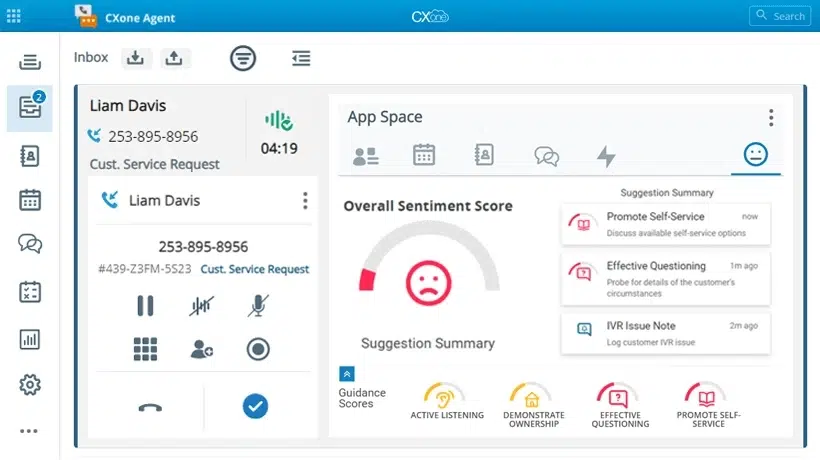
NICE CXone is one of the most comprehensive call center quality monitoring suites on the market, combining AI-powered interaction analytics, workforce optimization, and omnichannel engagement in a single enterprise platform. For industries where every call carries regulatory weight — banking, insurance, healthcare — NICE CXone’s automated compliance monitoring and audit capabilities are industry-leading.
NICE’s AI engine automatically evaluates 100% of recorded interactions, flags compliance risks, scores agent behavior, and identifies coaching opportunities — dramatically reducing the manual QA workload for supervisors. Its workforce engagement management suite covers scheduling, forecasting, and adherence tracking alongside the monitoring layer.
Key Features of NICE CXone Call Monitoring Software
-
AI-Powered Interaction Analytics: Automated scoring, sentiment analysis, and compliance flagging across 100% of calls.
-
Omnichannel Quality Management: Consistent evaluation standards across voice, digital, and back-office interactions.
-
Workforce Engagement Management: Fully integrated scheduling, forecasting, performance management, and QA in one suite.
-
Compliance Monitoring: Automated alerts and audit trails for regulatory adherence in financial services and healthcare.
-
Personalized Coaching: AI identifies specific coaching opportunities per agent and surfaces them to supervisors automatically.
What Is NICE CXone Call Monitoring Software Missing?
NICE CXone is priced for the enterprise and requires significant implementation effort. Smaller contact centers will find it overbuilt for their needs. Pricing is opaque and available only on request. Teams seeking a more agile, cost-effective call monitoring solution should evaluate CloudTalk first.
What Type of Business Is NICE CXone Best For?
NICE CXone is best for large enterprises in regulated industries — financial services, insurance, healthcare, and government — where compliance monitoring, audit trails, and automated QA are non-negotiable.
What Is the Pricing of NICE CXone Call Monitoring?
NICE CXone pricing is available on request. Enterprise contracts typically run $100+/user/month depending on modules selected.
NICE CXone Call Center Quality Monitoring Software Reviews
G2 reviewers give NICE CXone 4.3/5.

NICE CXone: Pros and Cons
| Pros | Cons |
|---|---|
| AI scores 100% of interactions automatically — no manual QA sampling | Pricing available only on request — limited cost transparency |
| Industry-leading compliance monitoring for regulated industries | Complex implementation requiring dedicated IT resources |
| Full WEM suite: scheduling, forecasting, and QA integrated | Too large and expensive for teams under 100 agents |
| Strong omnichannel monitoring consistency | Steep learning curve for new administrators |
Recommended Reads
9. Freshdesk Contact Center — Best Affordable Call Center Quality Monitoring Software for SMBs

Freshdesk Contact Center (formerly Freshcaller) is an affordable, helpdesk-integrated call monitoring software solution that gives SMBs a practical entry point into quality assurance without enterprise-level complexity or cost. Its tight integration with Freshdesk’s ticketing system makes it a natural fit for support-first teams that handle calls alongside email, chat, and social tickets — and for teams searching for call logging software for helpdesk workflows, since every call automatically creates or updates a ticket.
Core call monitoring features include call recording, live listen, and basic analytics — giving supervisors visibility into agent performance without overwhelming configuration. A free plan is available for very small teams, making Freshdesk Contact Center uniquely accessible among call center quality monitoring options.
Key Features of Freshdesk Contact Center Call Monitoring Software
-
Call Recording & Monitoring: Record and review calls with basic listen-in supervision tools built in.
-
Helpdesk Integration: Native sync with Freshdesk ticketing — calls automatically create or update support tickets.
-
IVR & Call Routing: Multi-level IVR and skill-based routing to direct callers to the right agent or queue.
-
Call Analytics: Volume, wait time, and resolution rate dashboards for basic performance management.
-
Free Plan Available: Includes core calling and recording features with no per-user fee — ideal for very small teams.
What Is Freshdesk Contact Center Call Monitoring Missing?
Freshdesk Contact Center lacks the AI-powered conversation intelligence, whisper coaching depth, and advanced analytics that growing teams need. It is better suited as a starter platform than a long-term call monitoring solution for scaling operations. Teams with 20+ agents will quickly outgrow its capabilities.
What Type of Business Is Freshdesk Contact Center Best For?
Freshdesk Contact Center is best for very small support teams (1–20 agents) that already use Freshdesk for ticketing and want an affordable way to add basic call recording and monitoring to their support stack.
What Is the Pricing of Freshdesk Contact Center Call Monitoring?
Freshdesk Contact Center pricing includes a free plan for basic calling. Paid plans start at $15/agent/month with advanced monitoring and analytics available at higher tiers.
Freshdesk Contact Center Call Monitoring Software Reviews
G2 reviewers give Freshdesk Contact Center 4.0/5.

Freshdesk Contact Center: Pros and Cons
| Pros | Cons |
|---|---|
| Free plan available — lowest barrier to entry on this list | Limited AI capabilities compared to dedicated monitoring tools |
| Tight native integration with Freshdesk helpdesk and ticketing | Quickly outgrown by teams with 20+ agents |
| Simple to set up and learn with minimal training needed | No whisper coaching — only basic listen-in monitoring |
| Affordable paid tiers for growing SMBs | Analytics depth is limited versus enterprise alternatives |
Recommended Reads
10. JustCall — Best Call Monitoring Software for Outbound Sales Teams with SMS Automation
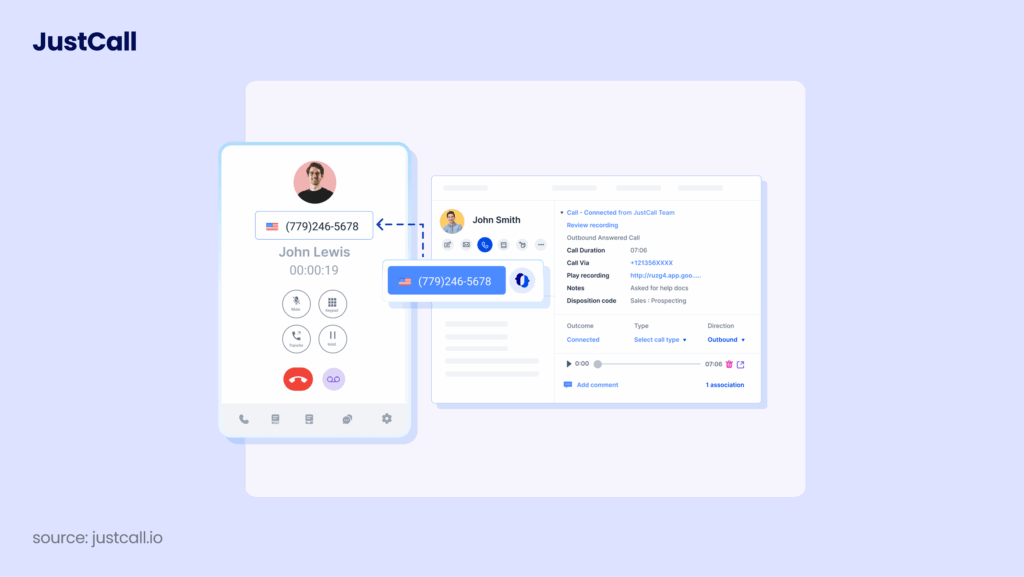
JustCall is a cloud phone and SMS platform that pairs solid call monitoring capabilities with powerful outbound sales tools — power dialers, SMS automation, and bulk messaging — making it a compelling choice for sales-led teams that want to monitor call quality and accelerate outbound productivity from one platform.
JustCall’s monitoring suite includes call recording, live coaching, and AI-powered call scoring. Its standout differentiators are its SMS bot and bulk SMS/MMS capabilities — features that extend monitoring and engagement beyond just voice. Each new user receives a live onboarding demo, which is notably stronger support than many competitors offer.
Key Features of JustCall Call Monitoring Software
-
Call Recording & AI Scoring: Record every call and automatically score interactions for QA review and coaching.
-
Live Coaching Tools: Listen, whisper, and barge-in for supervisors during active calls.
-
Power Dialer & Predictive Dialer: Automated outbound dialing to maximize agent productivity alongside monitoring workflows.
-
Bulk SMS & SMS Bot: Automate SMS outreach and follow-up alongside monitored call campaigns.
-
100+ Integrations: Connects with HubSpot, Salesforce, Pipedrive, Slack, and ActiveCampaign.
What Is JustCall Call Monitoring Software Missing?
JustCall’s call monitoring depth is solid for sales teams but less comprehensive than dedicated QA platforms for support-heavy operations. Advanced AI features (AI Review Assist) are add-ons, and the platform’s primary strength lies in outbound productivity rather than deep inbound quality management.
What Type of Business Is JustCall Best For?
JustCall is best for sales-driven SMBs and agencies that want power dialing, call monitoring, and SMS automation in one affordable platform — particularly teams operating across North America, Europe, and APAC.
What Is the Pricing of JustCall Call Monitoring?
JustCall pricing starts at $29/user/month. The Pro Plus plan at $89/user/month includes predictive dialing, AI features, and advanced monitoring tools.
JustCall Call Monitoring Software Reviews
G2 reviewers give JustCall 4.2/5.

JustCall: Pros and Cons
| Pros | Cons |
|---|---|
| Power dialer and call monitoring in one platform for sales teams | AI Review Assist is a paid add-on — not included in base plans |
| Best-in-class bulk SMS and SMS bot automation | Less suited for high-volume inbound support monitoring |
| Every new user gets a live onboarding demo | Predictive dialer only available on highest-tier plan |
| Strong integrations with major CRMs and helpdesks | International number coverage (70+ countries) is narrower than CloudTalk’s |
Recommended Reads
11. 8×8 — Best Call Monitoring Software for Global Teams Needing International Coverage and UCaaS

8×8 is a cloud communications platform that combines call monitoring, video conferencing, team messaging, and contact center capabilities in a unified UCaaS suite. Its strong global infrastructure and broad international number coverage make it a practical choice for multinational businesses that need consistent business call monitoring standards across multiple regions.
8×8’s contact center solution includes real-time and post-call monitoring, speech analytics, call recording, and workforce management features. Its AI-powered quality management tools automate QA scoring, and its omnichannel capabilities extend monitoring to chat, email, and social alongside voice.
Key Features of 8×8 Call Monitoring Software
-
Global Call Monitoring: Consistent monitoring tools across international operations with broad country coverage.
-
Speech Analytics: AI-powered analysis of recorded calls for sentiment, topics, and compliance signals.
-
Workforce Management: Scheduling, adherence, and performance management integrated with monitoring workflows.
-
Omnichannel Monitoring: Extend quality management standards to chat, email, and SMS alongside voice.
-
Built-In UCaaS: Video meetings and team messaging alongside the contact center — no separate platform needed.
What Is 8×8 Call Monitoring Software Missing?
8×8’s contact center features require higher-tier plans, with entry-level pricing covering only basic phone system capabilities. Some users note that the platform’s administration interface is less intuitive than cloud-native alternatives, and advanced analytics require significant setup investment.
What Type of Business Is 8×8 Best For?
8×8 is best for globally distributed businesses (50–500 agents) that need international call monitoring coverage, built-in UCaaS, and omnichannel quality management under one roof.
What Is the Pricing of 8×8 Call Monitoring?
8×8 pricing starts at $28/user/month for the base plan. Contact center features with monitoring and analytics are available from $85/user/month on the X6 plan and above.
8×8 Call Monitoring Software Reviews

8×8: Pros and Cons
| Pros | Cons |
|---|---|
| Strong global coverage for multinational monitoring operations | Contact center features require expensive higher-tier plans |
| UCaaS-first: video, messaging, and calls in one platform | Administration interface is less intuitive than cloud-native tools |
| AI speech analytics and automated QA scoring included | Significant setup required to get full value from analytics |
| Omnichannel monitoring across voice and digital channels | Entry pricing does not include monitoring — requires upgrade |
11 Reviewed. 1 Stands Out for Most Teams.
Call Monitoring Software for Outbound Sales and Collections Teams
Most guides treat monitoring as an inbound support topic, but the best software for monitoring outbound calls has to solve a different set of problems. Outbound agents initiate the conversation, which means dialer pacing, connect rates, and pitch quality matter as much as handle time. A rep can burn through an entire lead list with a flawed opening line before anyone notices — unless a supervisor is watching in real time.
Three capabilities separate outbound-ready call monitoring system software from generic tools:
- Dialer integration: Monitoring should sit natively on top of a power dialer or predictive dialer, so supervisors can watch campaign performance and drop into any live call without switching tools.
- Real-time whisper coaching: When a prospect raises a pricing objection or a debtor pushes back on a payment plan, whispering the right response to the agent mid-call converts deals and keeps collections conversations compliant.
- Disposition and wrap-up tracking: Outbound performance lives in the details — call outcomes, tagging discipline, and wrap-up time. Campaign-level analytics reveal which scripts, lists, and reps actually produce connections and conversions.
For most outbound teams, CloudTalk is the strongest overall fit: it combines dialers, real-time whisper coaching, disposition tracking, and campaign analytics in one platform. JustCall is a solid choice for smaller SMB outbound teams that also lean on SMS, while Five9 suits high-volume enterprise outbound and collections operations that need workforce optimization on top.
What to Look for When Choosing the Best Call Monitoring Software
Not every call monitoring system delivers the same value in practice. The features that matter most depend heavily on your team size, use case (sales vs. support), and how sophisticated your quality assurance process needs to be. Here are the key criteria to evaluate:
1. Real-Time Intervention Tools (Not Just Recording)
Recording is table stakes. The best call center monitoring software gives supervisors the ability to act in the moment — not just review after the fact. Prioritize platforms that offer all three modes: listen, whisper, and barge-in, with one-click access from a real-time call monitoring dashboard.
2. AI-Powered Analytics (Automate QA at Scale)
Manual QA sampling — reviewing 3–5% of calls — leaves 95%+ of interactions unchecked. Modern call quality monitoring tools use AI to score 100% of recorded calls, surface sentiment analysis, flag compliance risks, and identify coaching opportunities automatically. Look for platforms where AI is built in — not an expensive add-on.
3. CRM, Helpdesk Integration, and Call Logging
Call monitoring insights are only actionable if they connect to the tools your team already uses. Deep bi-directional sync with your CRM — so that call scores, recordings, and agent notes flow directly into contact records — is essential for closing the loop between monitoring and performance management. This also covers call logging: if you’re currently evaluating standalone call logging software for helpdesk ticketing, note that most modern monitoring platforms log call metadata (caller, duration, outcome, disposition) into Zendesk, Freshdesk, or Salesforce automatically, so you may not need a separate tool.
4. Ease of Setup and Ongoing Administration
Enterprise platforms like Genesys and NICE CXone deliver powerful monitoring capabilities but require months of implementation and dedicated IT resources. If you need to start monitoring calls this week — not this quarter — choose a cloud-native platform designed for fast deployment and intuitive administration.
5. Compliance and Security
For regulated industries, your telephone monitoring software must support call recording consent management, data encryption, audit trails, and regional compliance standards including GDPR and HIPAA. Verify compliance certifications before committing to a platform.
6. Total Cost of Ownership
The advertised price is rarely the full cost. Factor in per-user fees, add-on costs for AI features, analytics tiers, and onboarding/implementation time. Use an ROI calculator to model the true return before committing.
Beyond these universal criteria, the right call monitoring solution also depends on who’s buying. Here’s how priorities shift by team type:
What Small Businesses Should Look For
SMBs win by moving fast, so prioritize a call monitoring system you can deploy in a day: transparent per-seat pricing with no hidden implementation fees, native integrations with the helpdesk you already run (Zendesk, Freshdesk), and simple listen and whisper tools a two-person leadership team can actually use. Skip enterprise workforce management modules you’ll never configure. Whisper coaching matters more than you’d expect at this size — with a handful of agents, one supervisor coaching live can lift the whole team’s performance in weeks. Best fits: CloudTalk, Aircall, and JustCall, all of which offer free trials so you can validate call quality on your own numbers first.
What Enterprise Teams Need
Enterprise buyers evaluate business call monitoring on a different axis: scalability across hundreds of seats and multiple regions, SSO/SAML and role-based access controls, and compliance-ready recording for GDPR, PCI DSS, and HIPAA environments. Custom QA scorecard workflows are essential — generic five-point rubrics won’t satisfy internal audit — as are deep integrations with enterprise systems of record like Salesforce and ServiceNow. Expect to weigh automated 100% interaction scoring against implementation timelines that can stretch into quarters. CloudTalk covers enterprise requirements with far faster deployment; Five9, NICE CXone, and Genesys are the traditional heavyweight options when full workforce engagement management is mandatory.
What Outbound Sales Teams Should Prioritize
Outbound teams should filter every option through one question: does the monitoring layer sit natively on the dialer? Power and predictive dialing, real-time whisper coaching for objection handling, call disposition monitoring, and wrap-up time tracking are the metrics that determine whether a campaign scales or stalls. Outbound analytics should roll up by campaign and list, not just by agent, so you can spot a weak script before it wastes a thousand dials. See the dedicated outbound monitoring section above for feature-by-feature guidance and recommended tools.
Why CloudTalk Is the Best Call Monitoring Software for Most Teams
Most call monitoring software options on this list fall into one of two camps: enterprise platforms that take months to implement and cost $75–$119+/user/month, or lightweight SMB tools that lack the AI depth and CRM integration that performance-focused teams need.
CloudTalk sits in the optimal position for the majority of sales and support teams: enterprise-grade call center monitoring software — real-time listen, whisper, barge, AI conversation intelligence, automated call scoring, and sentiment analysis — at a price point and implementation speed that teams of 10 to 500 agents can realistically adopt.
Supervisors can start monitoring live calls within minutes of setup. AI-generated call summaries, scoring, and talk-to-listen ratio data flow automatically into your CRM — turning monitoring from a reactive compliance exercise into a proactive performance engine.
See CloudTalk’s Call Monitoring Software in Action
Join 5,500+ Teams Already Monitoring Smarter with CloudTalk


