10 Best Phone.com Alternatives: TL;DR Comparison Table
| # | Tool | Best For | Starting Price (annual billing) | G2 Rating |
|---|---|---|---|---|
| 1 | CloudTalk | SMB and mid-market sales & support teams scaling globally | $25/user/mo | 4.4/5 |
| 2 | Ooma Office | Small offices already inside the Ooma ecosystem | $19.95/user/mo (Essentials) | 4.5/5 |
| 3 | Nextiva | Growing teams needing unified voice, video, and messaging | $15/user/mo (Core) | 4.5/5 |
| 4 | Quo (formerly OpenPhone) | Startups wanting shared inboxes and light AI | $15/user/mo (Starter) | 4.7/5 |
| 5 | RingCentral | Mid-market teams needing enterprise-grade UCaaS | $20/user/mo (Core) | 4.2/5 |
| 6 | Dialpad | AI-first phone systems with built-in transcription | $15/user/mo (Standard) | 4.4/5 |
| 7 | Google Voice | Google Workspace users and budget solopreneurs | $10/user/mo (+ Workspace) | 4.1/5 |
| 8 | Grasshopper | Solopreneurs and micro-businesses on a flat rate | $14/mo (flat rate) | 3.9/5 |
| 9 | Aircall | SMB sales teams wanting quick CRM sync | $30/user/mo (3-seat min) | 4.4/5 |
| 10 | JustCall | Outbound sales teams needing dialers and SMS | $29/user/mo (2-seat min) | 4.3/5 |
Skip the Reading. See It Live.
Why Are Teams Searching for a Phone.com Alternative?
Teams start looking for Phone.com alternatives once they realize what the Basic plan leaves out. Call recording, business SMS, and voicemail transcription all require the Plus tier at $22.50/user/mo, and CRM integrations only unlock on Pro at $40/user/mo. And as reported by Phone.com users, their mobile app also isn't worth all that much. On top of that, Phone.com was acquired by Ooma on December 29, 2025, adding real product roadmap uncertainty for teams that need long-term reliability.
Based on verified reviews on G2 (where Phone.com scores 3.4/5, but out of only 30+ reviews), Trustpilot (where it scores 4.2/5 out of 180+ reviews), Reddit, and Quora, here are the five operational problems Phone.com users keep running into.
5 Main Cons of Phone.com That Make Businesses Look for an Alternative
- Basic plan strips out call recording and SMSPhone.com's entry Basic tier at $15/user/mo now has unlimited calling, but it still skips call recording and business SMS. To record calls or send business texts, you jump to Plus at $22.50/user/mo. For any growing sales or support team, that's paying 50% more to reach features most modern VoIP tools include from day one.
- CRM integrations are locked behind Pro at $40/user/moSalesforce, HubSpot, and other CRM integrations are only available on the Pro plan at $40/user/mo. Teams on Basic or Plus have no way to log calls automatically into their CRM. That's a big price to pay to connect a phone system to the CRM your reps already use.
- No free trial, only a 30-day money-back guaranteePhone.com doesn't offer a free trial. You sign up, pay, and hope it fits. If it doesn't, you have to ask for a refund within 30 days. Most modern VoIP tools give you 7-14 days of hands-on testing before you commit.
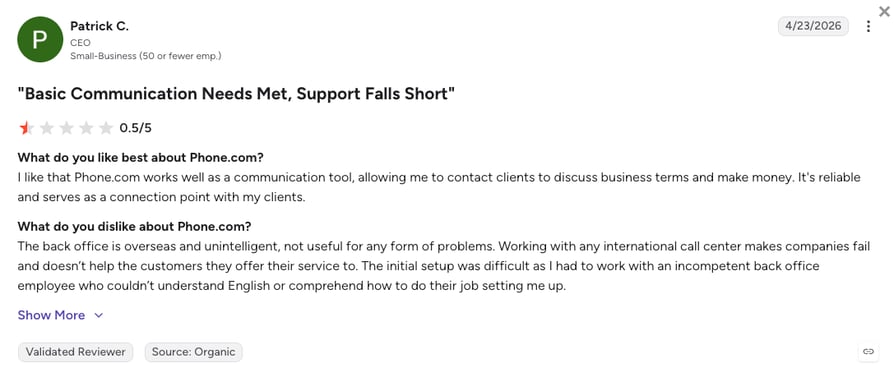
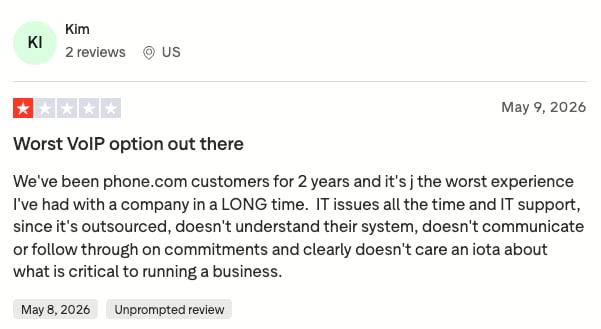
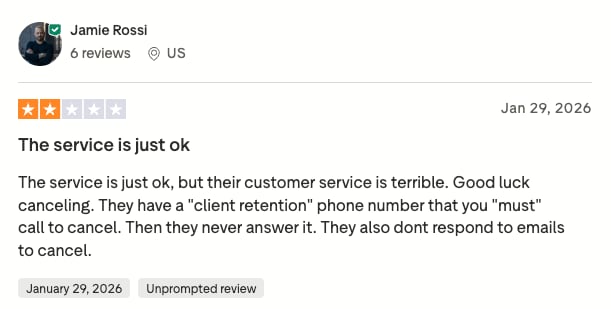
- Support friction is a recurring complaint on review platformsPhone.com customer service is one of the most-searched terms tied to this brand, and not for good reasons. G2 reviewers report long waits, dropped chats, and back-office agents who can't resolve mid-complex issues. When your phone system breaks, slow support is the last thing you need. On top of that, quite many users, especially on Trustpilot, have been complaining about difficulties regarding cancellation of their Phone.com subscriptions.
- Ooma acquisition creates product roadmap uncertaintyOn December 29, 2025, Ooma completed its $23.2M acquisition of Phone.com¹. For teams that need multi-year predictability (feature roadmap, pricing, integrations), an acquired brand under active integration is a real risk. Ooma already owns Phone.com's roadmap, and no one outside Ooma knows how the two products will merge.
What Ooma's Acquisition Means for Phone.com Users
On December 29, 2025, Ooma completed its $23.2 million cash acquisition of Phone.com. Both brands still operate as separate products, but Phone.com's long-term roadmap now sits inside Ooma's portfolio. For growing teams that need feature stability, integrations, and pricing predictability over the next 2-3 years, this uncertainty is worth taking seriously before signing a new annual contract.
What Is the Best Alternative to Phone.com?
CloudTalk is the best alternative to Phone.com for growing SMB sales and support teams. The platform starts at $25/user/mo (Starter), with unlimited inbound calls, regional outbound bundles, and automatic call recording included from day one (1-month retention on Starter, unlimited outbound and retention from Essential), plus coverage across 160+ countries.
Why Do Teams Consider CloudTalk the Best Phone.com Alternative?
The main reason CloudTalk wins against Phone.com is that it gives growing teams a full contact center feature set without capping calling minutes or locking essential integrations behind top-tier plans. As you scale, higher tiers unlock 100+ CRM integrations from Essential, Smart Dialer and Preview Dialer on Expert, and AI voice agents that Phone.com's Basic tier can't touch.
Unlike Phone.com, you can test the full platform on a 14-day free trial with no credit card required. CloudTalk is also independent, well-funded, and not sitting inside an active acquisition integration.
5 Main Pros of CloudTalk and Why Businesses Switch from Phone.com
- Call recording included from Starter, no tier jumpCloudTalk bundles call recording on every plan from Starter ($25/user/mo, 1-month retention, with unlimited from Essential). Phone.com forces you to Plus at $22.50/user/mo before you can record a single call. For teams reviewing calls for coaching or QA, that's a whole tier of savings.
- 100+ CRM integrations from Essential ($29/user/mo)CloudTalk connects natively with over 100 CRM and helpdesk tools, including HubSpot, Zendesk, Pipedrive from the Essential plan. Salesforce deep-sync is on Expert. Every call, transcript, and contact syncs both ways, which Phone.com's Pro tier still can't match on sync depth.
- AI Receptionist with 50 free minutes on every planEvery CloudTalk account includes 50 free AI Receptionist minutes pre-loaded, no activation needed. Phone.com has AI-Connect as a paid add-on, not a free bundled tier. CloudTalk's AI voice agents can start handling after-hours calls the day you sign up.
- 24/7 chat and email support, with phone on ExpertCloudTalk offers 24/7 chat and email on every plan, with phone support included on Expert. G2 reviewers consistently rank CloudTalk's support quality higher than Phone.com's, which is a big deal when a call flow breaks mid-day.
- Independent product roadmap, not mid-acquisitionCloudTalk serves 5,500+ growing businesses worldwide and controls its own product roadmap. You don't have to wonder whether AI Receptionist, CRM sync, or dialer features will get shelved when a parent company shifts strategy. That predictability matters over a 2-3 year buying window.
Test CloudTalk for 14 Days. No Contract Needed.
How We Chose the Best Phone.com Alternatives and Competitors
To build this list, we reviewed pricing pages, technical documentation, and thousands of unfiltered user reviews across G2, Reddit, and Quora. Our focus was on small and mid-market teams: 1 to 100 users replacing Phone.com with a business phone system that scales as their team grows.
We evaluated every platform against six benchmarks that matter most to teams switching away from Phone.com.
- Call Stability & ReliabilityWe checked uptime SLA, verified user reports of dropped calls, and mobile app reliability across iOS and Android. Phone.com's app has recurring drop and notification-lag complaints.
- Total Cost of OwnershipWe compared true entry cost per user, minute caps, seat minimums, add-on fees, and whether a free trial is available. The advertised price is rarely the cost you'll actually pay.
- CRM & Helpdesk Integration DepthWe looked at which plans include CRM integrations, which tools are supported, and whether call data syncs automatically or requires manual entry. Surface logging is not real sync.
- Global Coverage & Number AvailabilityWe prioritized platforms with virtual numbers in multiple countries and toll-free options, especially for teams that already work with international customers.
- Support Quality & AvailabilityWe tested where support is available 24/7, whether phone support is included or gated behind top tiers, and how quickly common issues get resolved.
- AI & Automation CapabilitiesWe assessed whether AI features are bundled or gated behind expensive tiers or per-minute usage, including voice agents, transcription, and call summaries.
The Top 10 Alternatives to Phone.com for 2026
Here's how Phone.com stacks up against the four strongest alternatives across the features that matter most to small and mid-market teams.
Phone.com vs. CloudTalk vs. Nextiva vs. RingCentral vs. Ooma
| Feature | Phone.com | CloudTalk | Nextiva | RingCentral | Ooma Office |
|---|---|---|---|---|---|
| Starting Price | $15/user/mo | $25/user/mo | $15/user/mo | $20/user/mo | $19.95/user/mo |
| Free Trial |  |  | | | |
| Call Recording | Plus and Pro only | From the start (automatic) | Engage+ ($25/user/mo) | Advanced+ ($25/user/mo) | Pro only ($24.95) |
| CRM Integrations | Pro only ($40/user/mo) | 100+ tools from Essential, Salesforce on Expert | Engage+ ($25/user/mo) | Advanced+ ($25/user/mo) | Pro Plus only ($29.95) |
| AI Features | AI-Connect (paid add-on) | AI Receptionist (50 free min) | AI assistant (Engage+) | AI writing assistant | |
| Dialer Type | Auto dialer on Pro Plus (via Ooma) | Smart & Preview (Expert), Power (Expert or $15/mo add-on), Parallel ($39/mo add-on) | | | |
| Country Coverage | US & Canada (mainly) | Numbers for 160+ countries | US & Canada (mainly) | ~100 countries (Ultra) | US, Canada, Mexico, PR |
| Customer Support | Limited hours, mixed reviews | 24/7 (phone on Expert) | 24/7 | 24/7 (higher tiers) | Limited hours |
The Phone.com Cost Trap: What $15 Actually Gets You
Phone.com's Basic tier looks cheap at $15/user/mo (annual billing), but it strips out call recording, business SMS, and CRM integrations. Recording and SMS require Plus at $22.50/user/mo. CRM sync with HubSpot or Salesforce only unlocks on Pro at $40/user/mo. For a team of 5 that needs all three, the true Phone.com cost is $200/mo, over 2.5x the advertised entry price. And you can't test any of it before paying, since there's no free trial.
Get More for Less Than Phone.com's Pro Plan
1. CloudTalk: The Best Phone.com Alternative for Growing SMB Sales and Support Teams
What Is CloudTalk?
CloudTalk is an AI-powered cloud phone system built for SMB and mid-market sales and support teams. It sits between basic VoIP tools like Phone.com and heavy enterprise platforms like Five9, giving growing teams a full contact center feature set without the enterprise contract.
Unlike Phone.com, which gates recording behind Plus and CRM behind Pro, CloudTalk is purpose-built for teams that need CRM sync, outbound dialers, AI features, and multi-country number support as they grow. That's why 5,500+ businesses around the world trust the platform.
Why Is CloudTalk a Strong Phone.com Alternative?
- Automatic call recording included from StarterEvery call gets captured from day one, ready for coaching new reps, running QA, or settling a dispute. CloudTalk includes automatic recording from Starter (1-month retention; unlimited from Essential). Phone.com won't record a single call until you upgrade to Plus at $22.50/user/mo.
- 100+ CRM integrations from the Essential planCloudTalk connects natively to HubSpot, Zendesk, Pipedrive, and 95+ more apps from Essential ($29/user/mo). Salesforce deep-sync is on Expert. Every call, transcript, and contact syncs both ways, so reps stop copying notes by hand.
- AI Receptionist with 50 free minutes to try it before you buy itEvery CloudTalk account includes 50 free AI Receptionist minutes pre-loaded. Phone.com's AI-Connect is a paid add-on. For teams that need after-hours coverage or FAQ triage, CloudTalk starts working the day you sign up.
What Are the Pros & Cons of CloudTalk?
| Pros | Cons |
|---|---|
| Unlimited domestic calling from Essential, no per-user cap | No native video meetings, you'll need a separate tool |
| 100+ CRM integrations from Essential (Salesforce on Expert) | Not the best fit for very tiny teams |
| AI Receptionist with 50 free minutes on every plan | Parallel dialer only available as a $39/mo add-on |
| Numbers for 160+ countries, 99.999% uptime SLA | |
| Free 14-day trial, no credit card required |
What Are CloudTalk's Plans & Pricing?
CloudTalk pricing starts at $25/user/mo (Starter, billed annually), with the following plans:
CloudTalk Pricing Plans
| Plan | Price | Key Features |
|---|---|---|
| Starter | $25/user/mo | US/CA + EU/UK calling bundles, visual call flow builder, call queues, call recording (1-mo retention), click-to-call |
| Essential | $29/user/mo | Everything in Starter + 100+ CRM integrations, IVR, skill-based routing, workflow automation, basic dashboards |
| Expert | $49/user/mo | Everything in Essential + Salesforce deep-sync, Smart Dialer, Preview Dialer, Power Dialer, phone support, 99.999% uptime SLA (3-seat min), real-time dashboards, all-around analytics |
| Conversation Intelligence (add-on) | $9/user/mo | AI call summaries, topic detection, sentiment analysis (available on any plan) |
| AI Receptionist | 50 free min, then $99-$699/mo | Inbound AI voice agent for FAQs, routing, and after-hours triage; no-code setup |
| AI Voice Agent (Specialist) | From $349/mo (1,000 min) | Sales-led, inbound and outbound, complex multi-step workflows |
AI Add-On Pricing at a Glance
Conversation Intelligence: $9/user/mo. AI Receptionist: 50 free min, then from $99/mo. AI Voice Agent: from $349/mo. Power Dialer: included on Expert or $15/user/mo add-on. Parallel Dialer: $39/user/mo add-on on any plan. Salesforce deep-sync: Expert plan.
What Are CloudTalk's Customers Saying?
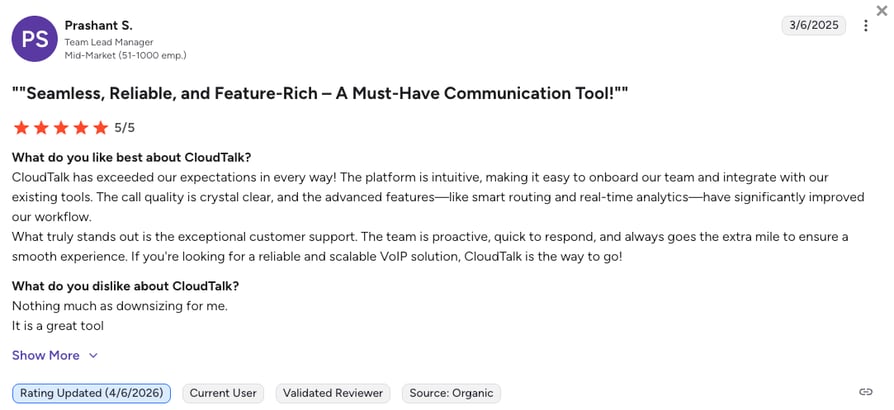
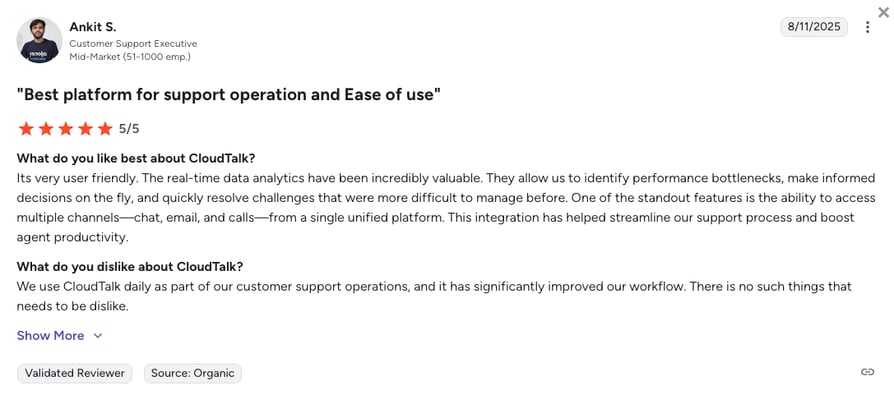
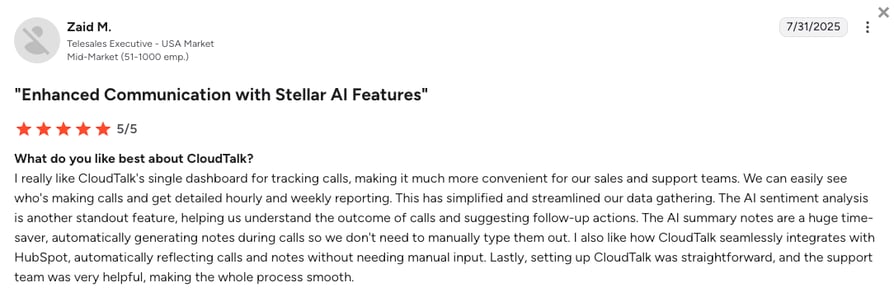
CloudTalk users consistently highlight three advantages over Phone.com: CRM sync that logs every call automatically, support agents who resolve real issues in hours (not weeks), and pricing that stays predictable as the team grows. The most common frustration is that Salesforce deep-sync is on the Expert plan.
One AI Agents Case Study Is Worth a Thousand Words
Case study proof beats sentiment. Circle Gym, a small fitness studio, used CloudTalk's AI Voice Agents to lift trial bookings by 150% while saving 20+ human hours per week. It's the kind of measurable outcome Phone.com's thin review base can't match. Christian Stistrup, Circle Gym's owner, breaks down what changed:
"Originally, we sent a link for them to book online. Maybe 5% followed through. Now the AI just says: 'What time works for you?' It's so simple, but it works. People reply, the AI locks it in, and we're done."
Owner of Circle Gym

How Do G2 Users Rate CloudTalk?
CloudTalk's current G2 rating is 4.4/5, across 1,800+ verified user reviews. Compared to Phone.com's 3.4/5 across roughly 30 reviews, CloudTalk's review base is 50x larger and the average score sits a full point higher.
See Why 5,500+ Teams Chose CloudTalk over Phone.com
2. Ooma Office: Best for Small Offices Already in the Ooma Ecosystem
What Is Ooma Office?
Ooma Office is a small business phone system best known for its no-contract, month-to-month pricing and virtual receptionist. It serves solopreneurs and micro-businesses across the US, Canada, Mexico, and Puerto Rico with three plans: Essentials, Pro, and Pro Plus.
Since Ooma acquired Phone.com, the natural question is whether buying Ooma directly is smarter than sticking with the acquired brand. Ooma covers similar SMB use cases with more mature call handling, though it still trails the likes of CloudTalk on CRM sync, AI, and global coverage.
Why Ooma Office Is a Strong Phone.com Replacement?
- Same parent company, more mature productOoma now owns Phone.com. If you're evaluating both, Ooma Office has a longer feature roadmap, cleaner mobile app, and better-documented number porting. It's essentially the older sibling of Phone.com after the acquisition.
- Broader North American calling than Phone.com's BasicOoma's Essentials plan bundles unlimited calling across the US, Canada, Mexico, and Puerto Rico. Phone.com Basic covers only the US and Canada. For teams with customers or partners in Mexico, that's a real geographic gap Ooma closes on the entry tier.
- Virtual receptionist and ring groups from EssentialsOoma Office includes an IVR-style virtual receptionist, ring groups, and extension dialing on the entry plan. Phone.com bundles similar routing tools, but Ooma's setup wizard is faster and better documented for non-technical admins.
What Are the Pros & Cons of Ooma Office?
| Pros | Cons |
|---|---|
| Unmetered domestic calling on Essentials | Call recording gated behind Pro ($24.95/user/mo) |
| Simple setup, good for non-technical admins | CRM integrations locked to Pro Plus ($29.95/user/mo) |
| No contract, cancel anytime | No free trial; scale poorly beyond 20 seats |
What Are Ooma Office's Plans & Pricing?
Ooma Office pricing starts at $19.95/user/mo (Essentials, month-to-month; no annual discount published).
Ooma Office Pricing Plans
| Plan | Price | Key Features |
|---|---|---|
| Essentials | $19.95/user/mo | Unlimited US/Canada/Mexico/PR calling, virtual receptionist, ring groups |
| Pro | $24.95/user/mo | Everything in Essentials + call recording, desktop app, video meetings (25 participants) |
| Pro Plus | $29.95/user/mo | Everything in Pro + CRM integrations, call queuing, AI transcription, auto dialer |
The Ooma Feature Paywall
Ooma's Essentials tier looks affordable at $19.95/user/mo, but call recording, the desktop app, and SMS all require Pro ($24.95). CRM integrations only unlock on Pro Plus ($29.95). Once you actually need what modern teams expect, the effective Ooma cost climbs to $29.95/user/mo, and there's still no free trial to test the fit.
What Are Ooma Office's Customers Saying?
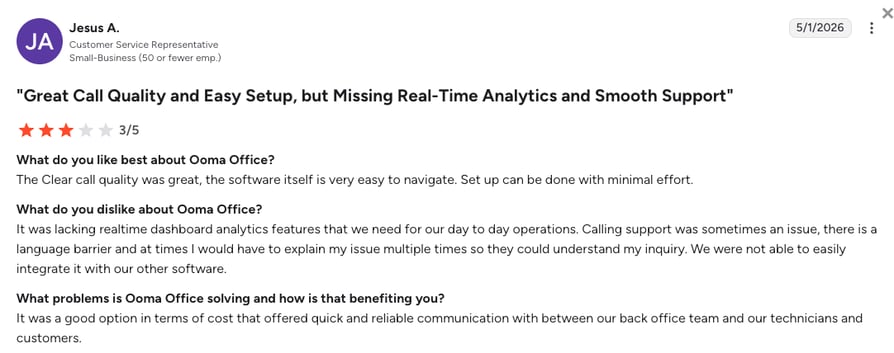
Ooma users on G2 and Trustpilot praise the low setup friction and no-contract billing. Recurring complaints focus on iPhone CallKit drops, delayed push notifications, and slow support for anything beyond basic account changes. Teams that outgrow 20 seats hit clear ceilings around admin controls and reporting depth.
How Do G2 Users Rate Ooma Office?
Ooma Office's current G2 rating is 4.5/5, based on 100+ verified user reviews.
3. Nextiva: Best for Growing Teams Needing Unified Voice, Video, and Messaging
What Is Nextiva?
Nextiva is a UCaaS (Unified Communications as a Service) platform combining VoIP calling, video meetings, and business messaging into one app. It's popular with growing SMBs and mid-market teams that want voice plus omnichannel messaging without buying two tools.
Nextiva's UCaaS positioning is a clear step up from Phone.com's basic virtual number service. It's a stronger fit for teams that already do customer support over chat and email, though CRM integrations sit on the mid-tier Engage plan, not the entry.
Why Is Nextiva a Strong Phone.com Alternative?
- Unified voice, video, and messaging in one appNextiva bundles calling, video, and team messaging natively. Phone.com's Basic tier doesn't include video or chat. For teams that manage inbound requests across multiple channels, Nextiva reduces app-switching.
- Voicemail transcription and SMS bundled on CoreNextiva's Core plan at $15/user/mo includes unlimited calling, 100 SMS/user, and voicemail transcription out of the box. Phone.com Basic doesn't cover SMS or voicemail transcription; you'd need Plus at $22.50/user/mo for either. For teams that need texting from day one, Nextiva reaches those basics faster.
- Higher G2 rating with 3,500+ verified reviewsNextiva holds a 4.5/5 on G2 across 3,500+ reviews. Phone.com sits at 3.4/5 across roughly 30 reviews. For teams that trust peer-verified data, Nextiva has significantly more social proof.
What Are the Pros & Cons of Nextiva?
| Pros | Cons |
|---|---|
| Unified voice, video, and messaging natively | CRM integrations require Engage ($25/user/mo) |
| Unlimited US/Canada calling on Core | Country coverage limited to US and Canada mainly |
| 24/7 support included on all plans | Learning curve on advanced admin settings |
What Are Nextiva's Plans & Pricing?
Nextiva pricing starts at $15/user/mo (Core, annual billing), with the following plans available:
Nextiva Pricing Plans
| Plan | Price | Key Features |
|---|---|---|
| Core | $15/user/mo | Unlimited calling, 100 SMS/user, voicemail transcription, basic analytics |
| Engage | $25/user/mo | Everything in Core + call recording, CRM integrations, 500 SMS/user, AI assistant |
| Power Suite CX | $75/user/mo | Full omnichannel contact center with AI, workforce management, advanced routing |
The Nextiva CRM Paywall
Nextiva's Core plan looks competitive at $15/user/mo, but CRM integrations and call recording only unlock on Engage at $25/user/mo. That's a 67% price jump to reach features CloudTalk includes from Essential ($29/user/mo). If CRM sync is your top priority, compare the fully loaded tiers, not the entry price.
What Are Nextiva's Customers Saying?
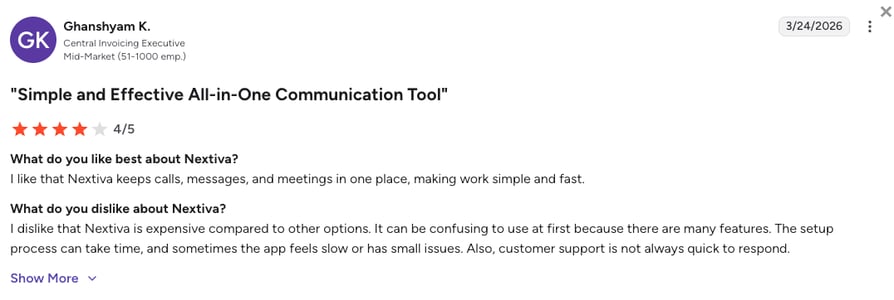
Nextiva reviewers on G2 praise the bundled UCaaS experience and reliable US-based support. Recurring complaints focus on setup complexity for admin permissions, the CRM integration paywall on Engage, and limited international calling. Teams looking for cheap unified comms usually stay; teams needing deep outbound automation move on.
How Do G2 Users Rate Nextiva?
Nextiva's current G2 rating is 4.5/5, based on 3,500+ verified user reviews.
4. Quo (formerly OpenPhone): Best for Startups Wanting Shared Inboxes and Light AI
What Is Quo (formerly OpenPhone)?
Quo (formerly OpenPhone) is a mobile-first business phone system designed for startups and small teams. It bundles calling, SMS, shared inboxes, and a light AI receptionist called Sona into one clean interface. It rebranded from OpenPhone to Quo in 2025.
Quo is a solid Phone.com alternative for teams that want shared team texting and quick setup without the enterprise complexity. It integrates with HubSpot and Salesforce from the entry plan, which Phone.com doesn't do until Pro at $40/user/mo.
Why Is Quo a Strong Phone.com Alternative?
- Shared inbox for calls and SMS across the teamQuo lets multiple reps see and respond to the same customer conversation. Phone.com doesn't offer shared inboxes at any tier. For customer-facing teams juggling calls and texts, this is a real workflow improvement.
- HubSpot and Salesforce integrations on StarterQuo includes HubSpot and Salesforce integrations on its $15/user/mo Starter plan. Phone.com gates CRM sync behind Pro at $40. For CRM-first teams, Quo delivers the same integrations at less than half the price.
- Sona AI receptionist bundled from StarterQuo's Sona AI can answer, screen, and route calls out of the box. Phone.com's AI-Connect is a paid add-on. For solopreneurs who need AI-assisted call handling from day one, Quo bundles it in the entry price.
What Are the Pros & Cons of Quo?
| Pros | Cons |
|---|---|
| Shared inboxes for calls and SMS | No native power or parallel dialer |
| HubSpot and Salesforce integrations from Starter | Limited international calling |
| Sona AI receptionist bundled from $15/user/mo | Analytics and reporting are basic |
What Are Quo's Plans & Pricing?
Quo pricing starts at $15/user/mo (Starter, annual billing), and the platform offers the following plans:
Quo Pricing Plans
| Plan | Price | Key Features |
|---|---|---|
| Starter | $15/user/mo | Shared inboxes, HubSpot + Salesforce integrations, calling, SMS, Sona AI receptionist |
| Business | $23/user/mo | Everything in Starter + advanced analytics, additional integrations, priority support |
| Enterprise | Custom pricing | Custom integrations, dedicated support, advanced admin controls |
The Quo Feature Ceiling
Quo does one thing well: shared inboxes and light AI for small teams. But it doesn't offer a native Power Dialer, Parallel Dialer, or advanced call routing. Teams that need outbound automation, workforce management, or deep analytics quickly outgrow Quo. It's a great starter tool, not a scaling one.
What Are Quo's Customers Saying?
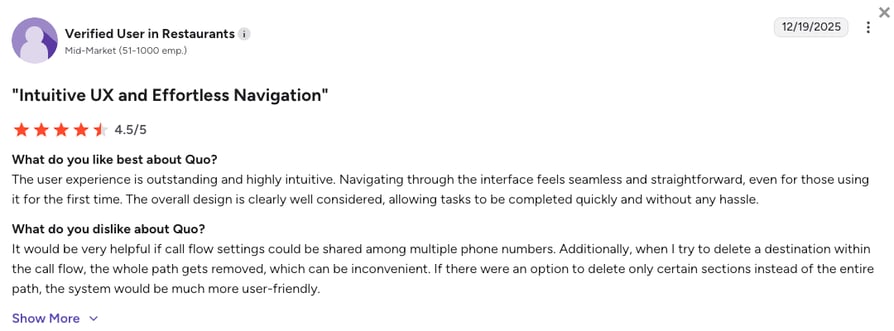
Quo reviewers on G2 praise the clean interface, fast setup, and shared inbox model. Recurring complaints focus on limited outbound calling features, thin analytics, and occasional voicemail delivery lag. Teams that want a phone-first workflow love it. Teams that need dialers or workforce management move on.
How Do G2 Users Rate Quo?
Quo's current G2 rating is 4.7/5, based on 3,300+ verified user reviews.
5. RingCentral: Best for Mid-Market Teams Needing Enterprise-Grade UCaaS
What Is RingCentral?
RingCentral (known mainly for its RingEX suite) is an enterprise-grade unified communications platform. It's built for mid-market and large enterprise teams that need voice, video, messaging, and hundreds of integrations across a single admin console.
RingCentral is what teams pick when they've fully outgrown a simple SMB tool like Phone.com. It offers deep enterprise features, but the entry price is higher and the setup complexity means smaller teams often pay for capacity they'll never use.
Why Is RingCentral a Strong Alternative to Phone.com?
- 300+ integrations across Salesforce, HubSpot, ServiceNow, and moreRingCentral's Advanced plan opens up 300+ integrations including Salesforce and HubSpot. Phone.com's Pro tier at $40/user/mo has a much thinner integration list. For teams already running a mid-market CRM stack, RingCentral connects everything.
- Video meetings for up to 200 participantsRingCentral bundles native video meetings on every plan (100 participants on Core, up to 200 on Advanced). Phone.com's video conferencing is capped at lower participant counts and only available on higher tiers.
- Established enterprise-grade uptime and complianceRingCentral publishes a 99.999% uptime SLA and supports HIPAA, SOC 2, and other enterprise compliance frameworks. Phone.com doesn't publish equivalent SLA numbers or maintain the same compliance posture.
What Are the Pros & Cons of RingCentral?
| Pros | Cons |
|---|---|
| 300+ integrations on Advanced | Higher entry price ($20/user/mo) than most SMB tools |
| Native video meetings (up to 200 participants) | Setup complexity for smaller teams |
| Enterprise-grade uptime and compliance | Call recording gated to Advanced ($25/user/mo) |
What Are RingCentral's Plans & Pricing?
RingCentral pricing starts at $20/user/mo (Core, annual billing), and it offers the following plans:
RingCentral (RingEX) Pricing Plans
| Plan | Price | Key Features |
|---|---|---|
| Core | $20/user/mo | Unlimited calling, video meetings (100 participants), team messaging, IVR, AI writing assistant |
| Advanced | $25/user/mo | Everything in Core + call recording, 300+ integrations (Salesforce, HubSpot), auto call notes |
| Ultra | $35/user/mo | Everything in Advanced + unlimited storage, advanced analytics, device analytics |
The RingCentral Complexity Tax
RingCentral is powerful, but the setup effort is real. Admin permissions, ring group configuration, and integration mapping all take time that smaller teams don't have. Add in the $25/user/mo Advanced tier requirement for CRM integrations, and the true entry cost climbs quickly. For teams under 25 seats, the complexity often outweighs the depth.
What Are RingCentral's Customers Saying?
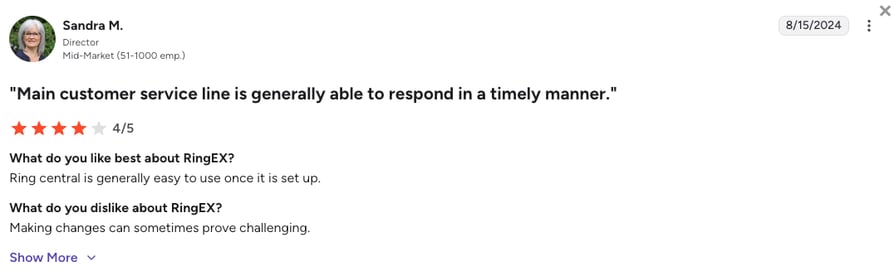
RingCentral reviewers on G2 praise the feature depth, integration library, and enterprise reliability. Recurring complaints focus on onboarding complexity, admin console friction, and support ticket delays for anything beyond tier-1 issues. Enterprise buyers stay; SMB teams often find it heavier than they need.
How Do G2 Users Rate RingCentral?
RingCentral's current G2 rating is 4.2/5, based on 1,400+ verified user reviews.
6. Dialpad: Best for AI-First Phone Systems with Built-In Transcription
What Is Dialpad?
Dialpad (marketed as Dialpad Connect for its business phone product) is a cloud-based communications platform with AI features layered throughout. Real-time transcription, AI call summaries, and speech coaching all come bundled by default.
Dialpad is a natural step up from Phone.com for teams that want AI transcription and summaries built into every call. It's popular with Google Workspace users because the setup and Meet integration feel native.
Why Is Dialpad a Strong Phone.com Alternative?
- AI transcription and call summaries on StandardDialpad's $15/user/mo Standard plan includes real-time transcription, voicemail transcription, and AI call summaries. Phone.com's AI-Connect is a paid add-on, not a bundled feature.
- Native Google Workspace and Microsoft 365 integrationDialpad plugs directly into Gmail, Calendar, and Microsoft 365. Phone.com's integration story is thinner. For teams already inside the Google ecosystem, Dialpad reduces app-switching.
- 4,100+ verified G2 reviews at 4.4/5Dialpad's review base is 100x larger than Phone.com's and the rating is a full point higher. Real user validation matters when you're picking a phone system for the next 2-3 years.
What Are the Pros & Cons of Dialpad?
| Pros | Cons |
|---|---|
| AI transcription and summaries bundled on Standard | Call recording gated to Pro ($25/user/mo) |
| Native Google Workspace and Microsoft 365 integration | CRM integrations require Pro plan |
| Large, mature G2 review base | Voice AI quality varies by accent |
What Are Dialpad's Plans & Pricing?
Dialpad pricing starts at $15/user/mo (Standard, annual billing), with the following "basic" plans available:
Dialpad Pricing Plans
| Plan | Price | Key Features |
|---|---|---|
| Standard | $15/user/mo | Unlimited calling, AI transcription, AI call summaries, SMS, voicemail |
| Pro | $25/user/mo | Everything in Standard + call recording, CRM integrations (Salesforce, HubSpot), international numbers |
| Enterprise | Custom pricing | Everything in Pro + advanced SSO, dedicated support, custom SLA |
The Dialpad CRM Paywall
Dialpad's Standard tier looks affordable at $15/user/mo, but call recording and CRM integrations only unlock on Pro at $25/user/mo. That's a 67% price jump to unlock features CloudTalk includes from Essential ($29/user/mo). Compare the tiers that actually match your feature needs, not the entry price.
What Are Dialpad's Customers Saying?
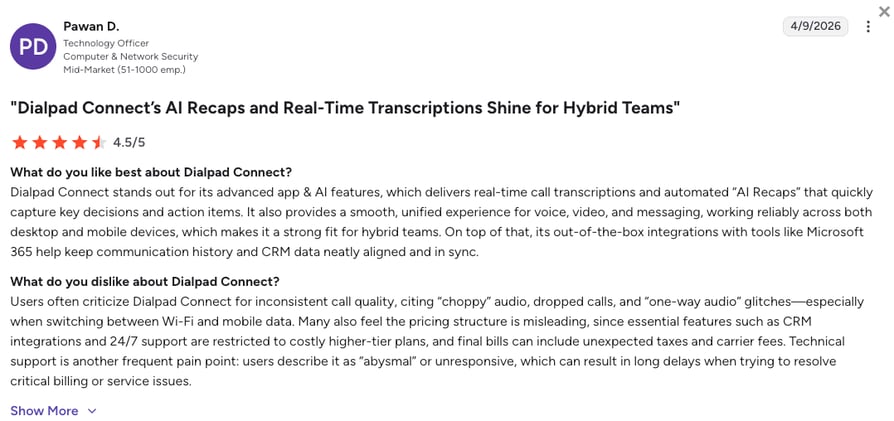
Dialpad reviewers on G2 praise the AI transcription accuracy, clean interface, and native Google Workspace integration. Recurring complaints focus on the CRM paywall on Pro, occasional AI transcription errors on heavy accents, and mobile app battery drain. AI-first teams stay; teams needing deep outbound automation look elsewhere.
How Do G2 Users Rate Dialpad?
Dialpad's current G2 rating is 4.4/5, based on 4,100+ verified user reviews.
7. Google Voice: Best for Google Workspace Users and Budget Solopreneurs
What Is Google Voice?
Google Voice is a cloud-based virtual phone system built natively into Google Workspace. It's designed for small teams and solopreneurs who already use Gmail, Calendar, and Meet and want a business number without switching tools.
Advertised at $10/user/mo, Google Voice requires a Google Workspace subscription (from $7/user/mo), so the real entry cost is around $17/user/mo. It's a solid Phone.com alternative for Google-native teams, but has significant limits for teams that need toll-free numbers or Salesforce sync.
Why Is Google Voice a Strong Phone.com Alternative?
- Native Google Workspace integrationGoogle Voice sits inside Gmail, Google Calendar, and Google Meet. If your team already runs on Google tools, setup takes minutes. Phone.com requires a separate app your team has to learn.
- Lower entry price than Phone.com for small teamsAt $10/user/mo Starter (plus Workspace), Google Voice can undercut Phone.com's $15 Basic on a per-user basis for teams already paying for Workspace. For solopreneurs who don't need CRM sync, it's a meaningful saving.
- Auto-attendant and ring groups on Standard ($16/user/mo)Google Voice Standard adds auto-attendants and ring groups. Phone.com's equivalent features come with the same tier, but Google Voice's admin interface is cleaner and faster to configure.
What Are the Pros & Cons of Google Voice?
| Pros | Cons |
|---|---|
| Native Google Workspace integration | Requires active Workspace subscription |
| Simple setup, minutes to deploy | No Salesforce or HubSpot integration |
| Auto-attendant and ring groups on Standard | No toll-free numbers, limited country coverage |
What Are Google Voice's Plans & Pricing?
Google Voice pricing starts at $10/user/mo (Starter, annual billing + active Google Workspace subscription), with the following plans to choose from:
Google Voice Pricing Plans
| Plan | Price | Key Features |
|---|---|---|
| Starter | $10/user/mo | Calling, voicemail, SMS, Google Meet integration |
| Standard | $16/user/mo | Everything in Starter + auto-attendants, ring groups, desk phone support |
| Premier | $24/user/mo | Everything in Standard + advanced reporting, eDiscovery, retention policies |
The Google Voice Workspace Trap
Google Voice's $10 Starter looks cheap, but every user also needs a paid Google Workspace license (from $7/user/mo). That's a $17/user/mo true entry cost, plus you get no Salesforce, no HubSpot, no toll-free numbers, and no advanced dialer. For solopreneurs already in Workspace, it works. For growing sales teams, the missing pieces add up fast.
What Are Google Voice's Customers Saying?
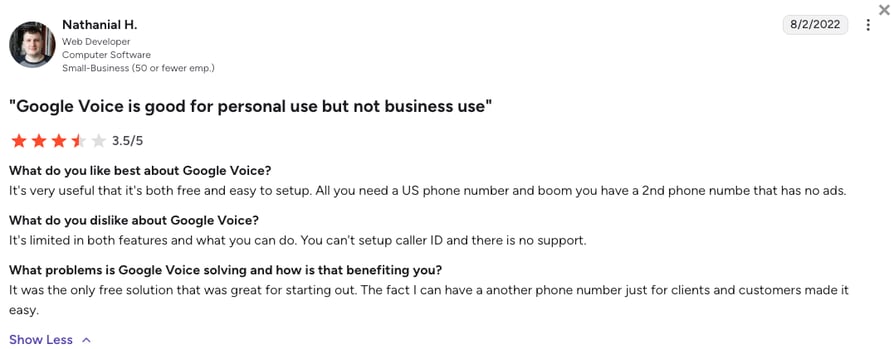
Google Voice reviewers on G2 praise the Workspace integration and low admin overhead. Recurring complaints focus on the missing CRM integrations, no toll-free number support, and reliance on active Google Workspace billing. Google-native solopreneurs love it. Sales teams needing dialers usually outgrow it in six months.
How Do G2 Users Rate Google Voice?
Google Voice's current G2 rating is 4.1/5, based on 150+ verified user reviews.
8. Grasshopper: Best for Solopreneurs and Micro-Businesses on a Flat Rate
What Is Grasshopper?
Grasshopper is a virtual phone system built for solopreneurs and micro-businesses. It's priced as a flat monthly rate (not per user) and focuses on the essentials: business number, call forwarding, voicemail, and basic call routing.
Grasshopper competes with Phone.com's Basic plan on the "cheap virtual number" use case. It's a better fit for 1-3 person teams that want unlimited users on a flat rate without per-seat pricing surprises.
Why Is Grasshopper a Strong Phone.com Alternative?
- Flat monthly rate, not per userGrasshopper's Solo Plus plan is $25/mo for unlimited users. Phone.com charges per-user. For a team of 3 solopreneurs sharing a business number, Grasshopper is significantly cheaper.
- Runs on the phones your team already usesGrasshopper works on any mobile or landline you already have, no separate app or IP desk phone required. Phone.com Basic uses their app only; IP desk phone support waits until Plus at $22.50/user/mo. For solopreneurs skipping new hardware, Grasshopper is the lighter setup.
- Instant response texts and business SMS includedEvery Grasshopper plan bundles instant response texts and business SMS. Phone.com's SMS features are limited on Basic and gated behind higher tiers. For customer-facing teams texting clients, Grasshopper is friendlier out of the box.
What Are the Pros & Cons of Grasshopper?
| Pros | Cons |
|---|---|
| Flat rate, unlimited users on Solo Plus and above | No CRM integrations at any tier |
| Instant response texts and SMS included | No call recording or advanced routing |
| Simple setup for micro-teams | Scales poorly beyond 3-5 users |
What Are Grasshopper's Plans & Pricing?
Grasshopper pricing starts at $14/mo (True Solo, flat rate, billed annually), with the following tiers available:
Grasshopper Pricing Plans
| Plan | Price | Key Features |
|---|---|---|
| True Solo | $14/mo | 1 user, 1 number, 1 extension, calling and SMS, instant response texts |
| Solo Plus | $25/mo | Unlimited users, 1 number, unlimited extensions, all True Solo features |
| Small Business | $55/mo | Unlimited users, 4 numbers, unlimited extensions |
The Grasshopper Ceiling
Grasshopper is fine for a solo consultant or a 2-3 person team sharing a business number. But it has no CRM integrations, no call recording, no advanced routing, and no dialers. The moment your team needs to log calls in HubSpot, record for training, or dial through a list, Grasshopper stops working. It's a forwarding tool, not a phone system.
What Are Grasshopper's Customers Saying?
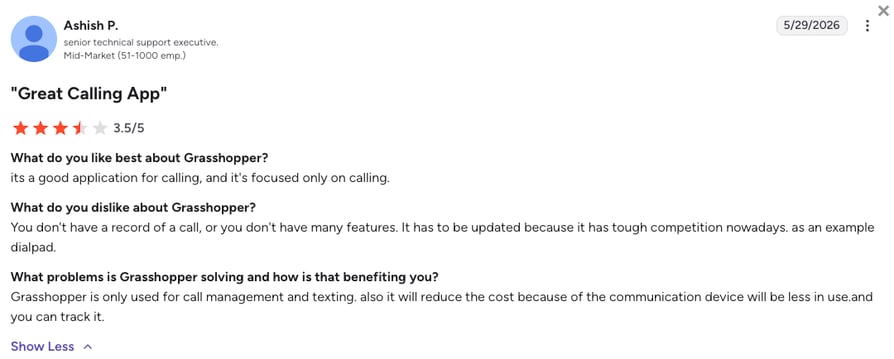
Grasshopper reviewers on G2 praise the flat pricing and simple setup for solopreneurs. Recurring complaints focus on the lack of CRM integrations, no call recording, and mobile app reliability. Consultants and micro-businesses love it. Teams building an outbound engine outgrow it fast.
How Do G2 Users Rate Grasshopper?
Grasshopper's current G2 rating is 3.9/5, based on 150+ verified user reviews.
9. Aircall: Best for SMB Sales Teams Wanting Quick CRM Sync
What Is Aircall?
Aircall is a cloud-based business phone system built for SMB suppoer and sales teams. It focuses on quick setup, native CRM integrations, and a clean call center UI aimed at teams of 5 to 50 agents.
Aircall competes with Phone.com on the CRM-connected phone system use case. It's a stronger option for teams that need Salesforce or HubSpot sync from the entry plan, though it requires a 3-seat minimum and costs 2x Phone.com's Basic tier.
Why Is Aircall a Strong Phone.com Alternative?
- 100+ native CRM and helpdesk integrationsAircall connects to Salesforce, HubSpot, Zendesk, Intercom, and 100+ other tools from the entry plan. Phone.com locks CRM behind Pro at $40/user/mo. For CRM-first teams, Aircall is the faster path.
- Power Dialer and click-to-dial on ProfessionalAircall's Professional plan bundles Power Dialer and click-to-dial. Phone.com's auto dialer is only available on Pro Plus (via the recent Ooma acquisition). Aircall gives outbound sales teams the dialer they actually need.
- 1,600+ verified G2 reviews at 4.4/5Aircall has a mature review base at 4.4/5 across 1,600+ reviews. Phone.com's 30+ reviews at 3.4/5 don't compare. When you're picking a phone system for the next 2 years, real user validation matters.
What Are the Pros & Cons of Aircall?
| Pros | Cons |
|---|---|
| 200+ CRM and helpdesk integrations | 3-seat minimum on every plan |
| Power Dialer and click-to-dial on Professional | Higher entry price ($30/user/mo) than most SMB tools |
| Clean setup, quick to deploy | AI features gated behind higher tiers |
What Are Aircall's Plans & Pricing?
Aircall pricing starts at $30/user/mo (Essentials, annual billing, 3-user minimum), and it lets you choose from the following plans:
Aircall Pricing Plans
| Plan | Price | Key Features |
|---|---|---|
| Essentials | $30/user/mo | Unlimited calling, 100+ integrations, click-to-dial, call recording |
| Professional | $50/user/mo | Everything in Essentials + Power Dialer, advanced analytics, Salesforce Service Cloud |
| Custom | Custom pricing | Everything in Professional + custom analytics, SSO, dedicated support |
The Aircall Seat Minimum Trap
Aircall enforces a 3-seat minimum on every plan. A solopreneur or 2-person team pays for 3 licenses whether they need them or not. On Essentials at $30/user/mo, that's a $90/mo floor before you've even added your third user. CloudTalk has no seat minimum until Expert, so a 1-person team pays for 1 seat, not 3.
What Are Aircall's Customers Saying?
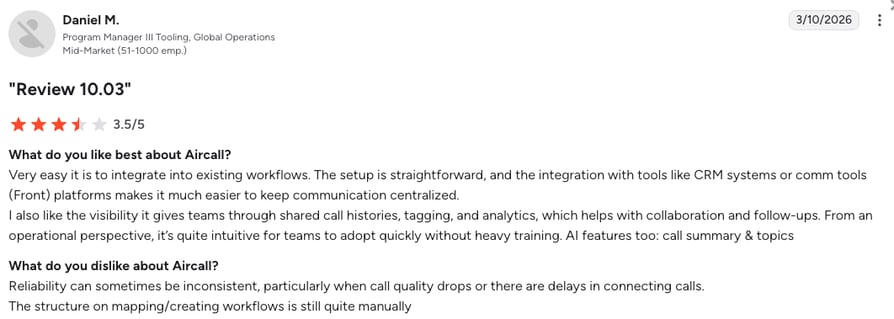
Aircall reviewers on G2 praise the CRM integration depth, clean UI, and quick setup. Recurring complaints focus on the 3-seat minimum, the Power Dialer paywall on Professional, and occasional call drop issues in remote regions. SMB sales teams with 5+ reps stay. Solopreneurs and 1-2 person teams look elsewhere.
How Do G2 Users Rate Aircall?
Aircall's current G2 rating is 4.4/5, based on 1,600+ verified user reviews.
10. JustCall: Best for Outbound Sales Teams Needing Dialers and SMS
What Is JustCall?
JustCall is a cloud-based phone system focused on outbound sales workflows. It bundles auto dialer software, SMS campaigns, and CRM integrations aimed at SDR-heavy teams of 5 to 100 reps.
JustCall is a stronger Phone.com alternative for teams that live in a CRM and need bulk SMS, Power Dialer, and click-to-call from day one. It requires a 2-seat minimum, which is friendlier than Aircall's 3-seat rule but still worth noting for solo teams.
Why Is JustCall a Strong Phone.com Alternative?
- Bulk SMS and SMS campaigns bundledJustCall lets outbound reps send bulk SMS campaigns from the phone system directly. Phone.com's SMS is limited on Basic and hard to scale. For sales teams doing SMS outreach, JustCall is purpose-built.
- Auto dialer on Sales ProJustCall's Sales Pro plan bundles auto dialer, click-to-call, and dial-through workflows. Phone.com's auto dialer only landed on Pro Plus after the Ooma acquisition. JustCall's dialer has been mature for years.
- AI voice agent and Conversation Intelligence availableJustCall offers AI voice agents and Conversation Intelligence as add-ons. Phone.com's AI-Connect is thinner and less mature. For teams looking to layer AI on outbound, JustCall is the more developed option.
What Are the Pros & Cons of JustCall?
| Pros | Cons |
|---|---|
| Bulk SMS and dialer bundled | 2-seat minimum on all plans |
| CRM integrations from Team plan | Setup complexity for advanced workflows |
| AI voice agent add-on available | Reporting depth trails Aircall and CloudTalk |
What Are JustCall's Plans & Pricing?
JustCall pricing starts at $29/user/mo (Team, annual billing, 2-user minimum), and you can choose from these plans:
JustCall Pricing Plans
| Plan | Price | Key Features |
|---|---|---|
| Team | $29/user/mo | Unlimited inbound calls, IVR, call recording, CRM integrations |
| Pro | $49/user/mo | Everything in Team + auto dialer, SMS campaigns, advanced analytics |
| Business | Custom pricing | Everything in Pro + custom SLAs, dedicated success manager, advanced admin |
The JustCall Dialer Paywall
JustCall's Team plan looks affordable at $29/user/mo, but the auto dialer and SMS campaign features only unlock on Pro at $49/user/mo. That's a 69% price jump to reach the dialer, which is the reason most sales teams pick JustCall in the first place. However, if you're looking for a great Phone com alternative for dialing, CloudTalk's dialer is also worth exploring.
What Are JustCall's Customers Saying?
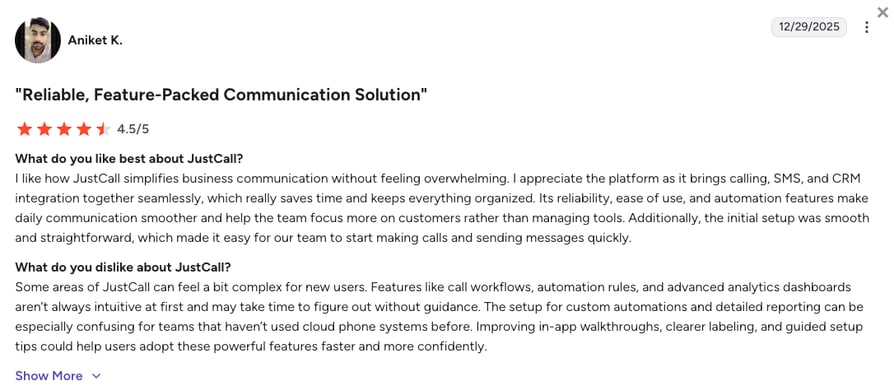
JustCall reviewers on G2 praise the SMS campaigns, dialer performance, and CRM integrations. Recurring complaints focus on the dialer paywall on Pro, reporting depth versus competitors, and occasional call quality issues on international routes. Outbound sales teams with SMS-heavy workflows stay. Support-first teams often pick something else.
How Do G2 Users Rate JustCall?
JustCall's current G2 rating is 4.3/5, based on 2,300+ verified user reviews.
What Real Users Are Saying about Phone.com and Its Alternatives
Pricing pages tell you what a tool does. Real user posts tell you whether it works as advertised. We combed through active threads on Reddit, Quora, and G2 to see what teams shopping for Phone.com alternatives actually recommend and what makes them switch.
What Redditors Are Saying about Phone.com Alternatives
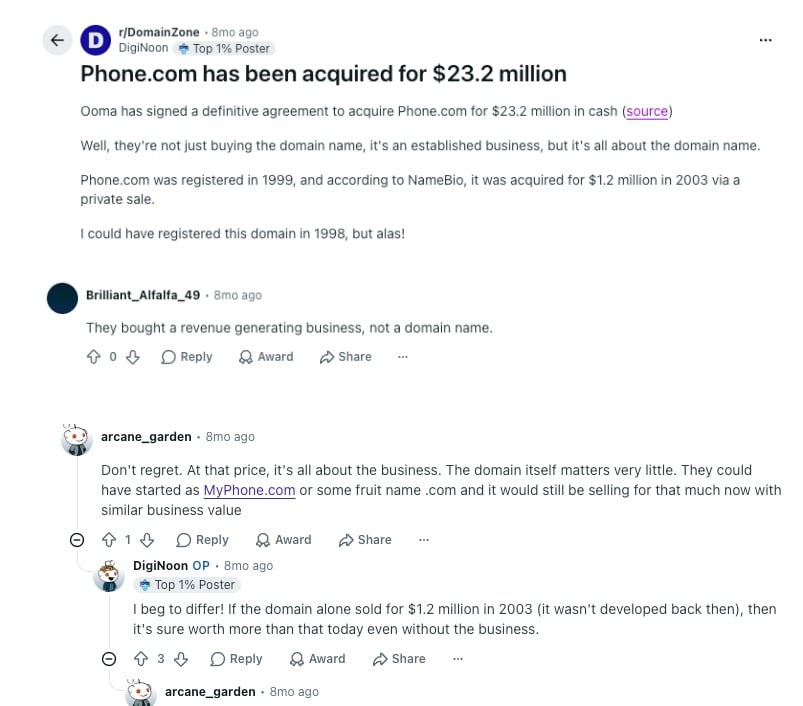
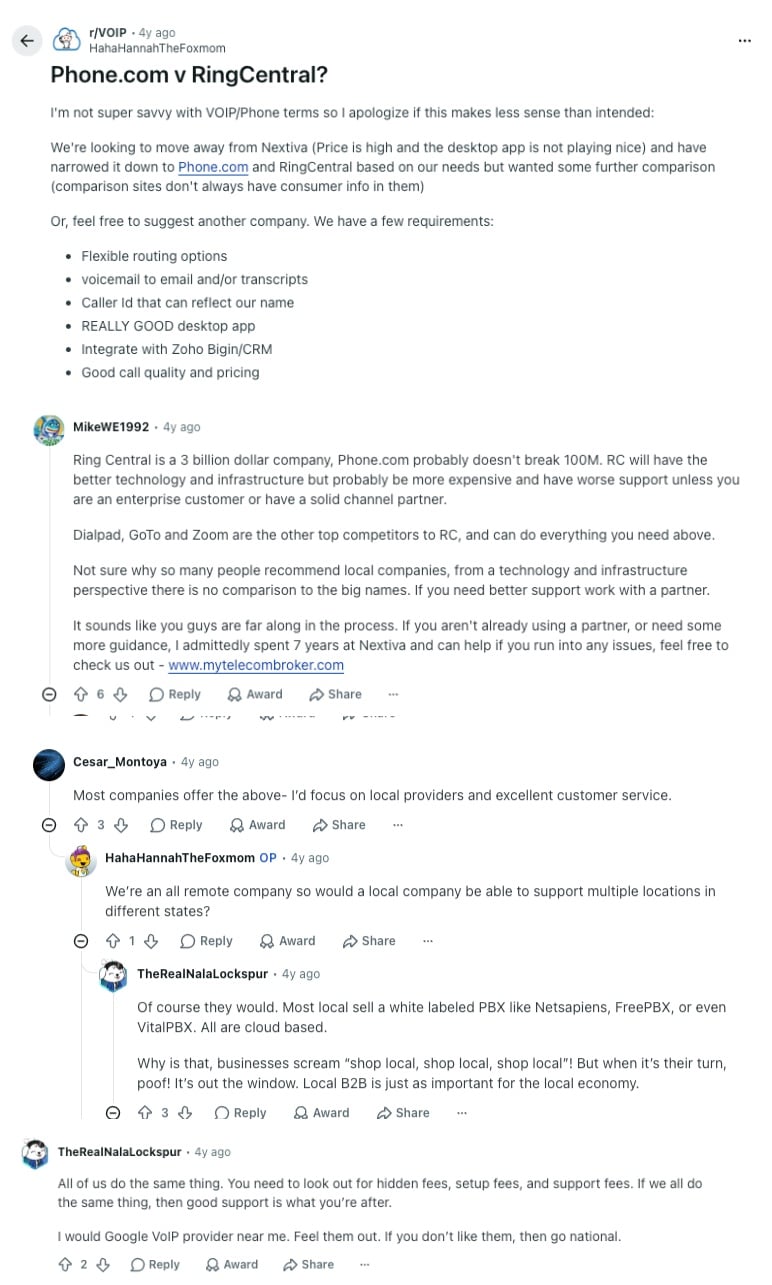
Two active threads across r/DomainZone and r/VOIP shape most of the current Reddit conversation about Phone.com. One tracks the December 2025 acquisition by Ooma. The other digs into whether Phone.com or RingCentral is the better pick for a mid-sized business.
- Ooma's $23.2M acquisition of Phone.com: In r/DomainZone, users unpacked the news that Ooma bought Phone.com for $23.2 million in cash. The top comment ("They bought a revenue generating business, not a domain name") reframes the deal: this is Ooma extending its SMB VoIP footprint, not just picking up a premium domain. For teams already evaluating either brand, the honest read is product roadmap uncertainty over the next 12-24 months as the two platforms integrate. If you're not tied to either yet, an independent tool like CloudTalk (with its own AI Receptionist and 100+ CRM integrations) sidesteps that risk entirely.
- Phone.com vs. RingCentral for growing teams: In r/VOIP, a business owner leaving Nextiva asked whether Phone.com or RingCentral was the better fit. Top commenters pointed out that RingCentral has better infrastructure but higher costs, and Dialpad, Zoom Phone, and GoTo do everything both do. The recurring advice: focus on desktop app quality, Zoho or HubSpot integration, and support reputation, not just the price. Those are exactly the areas where Phone.com's Basic tier struggles, which is why a CRM-first alternative like CloudTalk or Aircall usually wins the comparison.
What Quora Users Are Asking about Phone.com Alternatives
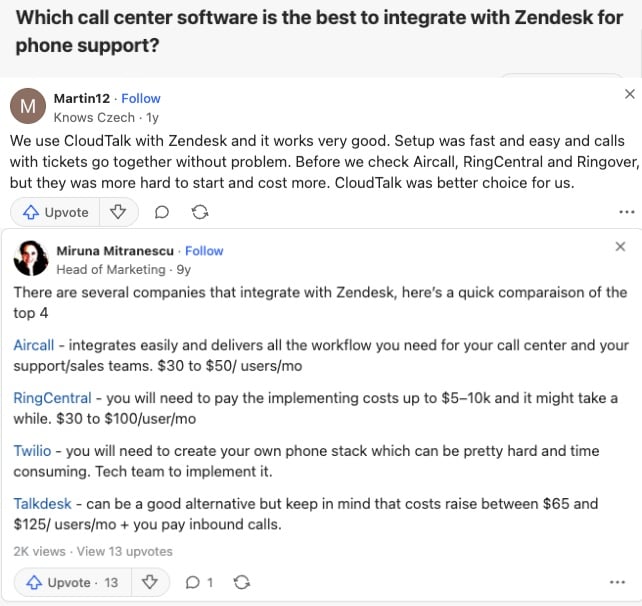
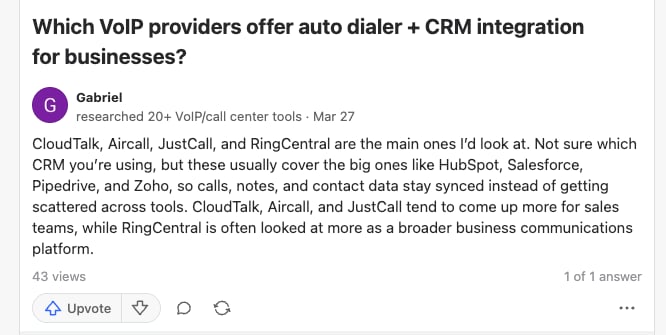
The Quora conversation around Phone.com alternatives shifts the focus. Instead of feature checklists, users ask two practical questions: which VoIP tool integrates cleanly with our CRM or helpdesk, and which one actually handles outbound dialing without breaking our stack. Both threads land in the same place: a full business phone system with real AI beats a basic virtual number every time.
- Best VoIP for Zendesk phone support: A Quora question asking which call center software integrates best with Zendesk drew answers naming CloudTalk, Aircall, RingCentral, and Ringover. One reviewer put it plainly: setup was fast, calls and tickets sync without issues, and CloudTalk cost less than Aircall and RingCentral. Phone.com wasn't named as a serious option. For helpdesk-driven teams, the Zendesk integration is the deciding factor, and Phone.com's CRM sync doesn't unlock until Pro at $40/user/mo.
- Best VoIP with auto dialer and CRM sync: Another Quora thread asked which VoIP providers offer both an auto dialer and native CRM integration. The top answer named CloudTalk, Aircall, JustCall, and RingCentral as the main options, noting they cover the big CRMs (HubSpot, Salesforce, Pipedrive, Zoho) so calls, notes, and contact data stay synced. Phone.com's auto dialer only landed on Pro Plus after the Ooma acquisition, so it isn't part of that shortlist. Teams that need a Power Dialer from day one skip Phone.com and go straight to CloudTalk or JustCall.
How Phone.com Compares to Its Competitors on G2
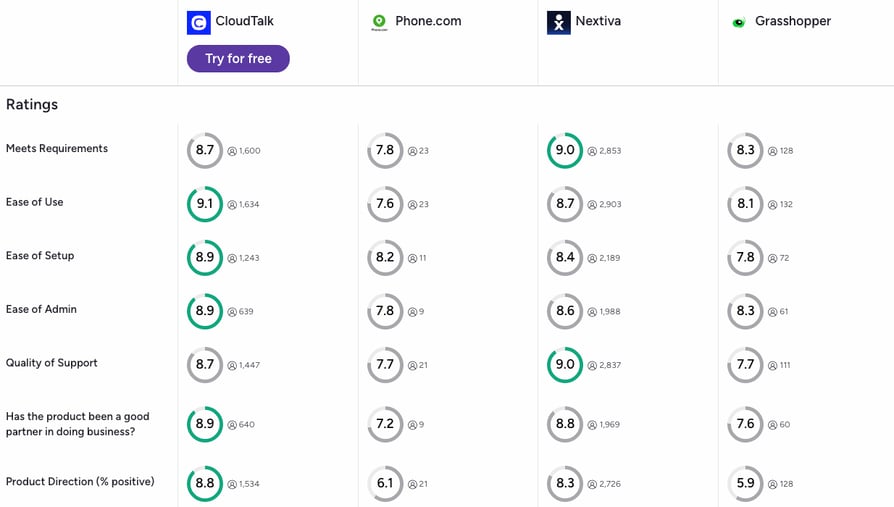
G2's side-by-side comparison of CloudTalk, Phone.com, Nextiva, and Grasshopper puts the review data in one view. CloudTalk leads or ties across most operational categories, but the honest read is that each tool has a spot where it edges the others.
- Ease of use and setup: CloudTalk scores 9.1/10 on ease of use and 8.9/10 on ease of setup, ahead of Phone.com's 7.6 and 8.2. For teams switching from a legacy PBX or a basic virtual number, that gap matters on day one. See how the CloudTalk feature set lines up.
- Meets requirements and quality of support: Nextiva edges CloudTalk on "meets requirements" (9.0 vs. 8.7) with a larger review base. Phone.com trails both at 7.8. On quality of support, CloudTalk sits at 8.7 while Phone.com drops to 7.7, which lines up with the "phone.com customer service" search frustration.
- Product direction: CloudTalk holds an 8.8% positive rating on product direction, versus 6.1% for Phone.com and 5.9% for Grasshopper. That gap reflects independent product roadmap momentum, something Phone.com now shares with Ooma post-acquisition.
CloudTalk vs. Phone.com: Final Head-to-Head Comparison
Phone.com is a simple virtual phone service for solopreneurs and micro-teams that just need a business number. CloudTalk is a full contact center platform for growing SMB sales and support teams. The core question isn't which is cheaper. It's whether your team needs a phone line or a phone system.
CloudTalk vs. Phone.com: Head-to-Head
| Feature | CloudTalk | Phone.com | Winner |
|---|---|---|---|
| Starting Price | $25/user/mo | $15/user/mo | Phone.com |
| Free Trial | 14 days, no credit card | No trial (30-day money-back) | CloudTalk |
| Minimum Agents | 1 (3 on Expert) | 1 | Tie |
| Calling Volume | Unlimited from Essential (domestic bundles on Starter, FUP applies) | Unlimited from Basic (FUP still applies) | Phone.com |
| CRM Integrations | 100+ from Essential ($29/user/mo) | Pro only ($40/user/mo) | CloudTalk |
| Call Recording | From Starter | Plus and Pro only | CloudTalk |
| Outbound Dialers | Smart & Preview (Expert), Power (Expert or $15/mo add-on), Parallel ($39/mo add-on) | Auto dialer on Pro Plus | CloudTalk |
| AI Features | AI Receptionist (50 free min), AI Voice Agent, Conversation Intelligence | AI-Connect (paid add-on) | CloudTalk |
| Video Meetings | Not native (voice-first) | Native, up to 100 participants (Pro) | Phone.com |
| Global Coverage | Numbers for 160+ countries | US & Canada (mainly) | CloudTalk |
| Vendor Stability | Independent, 5,500+ customers | Acquired by Ooma (Dec 2025) | CloudTalk |
| Customer Support | 24/7 (phone on Expert) | Limited hours, mixed reviews | CloudTalk |
| G2 Rating | 4.4/5 (1,800+ reviews) | 3.4/5 (only 30+ reviews) | CloudTalk |
Phone.com's Roadmap Now Sits Inside Ooma
Phone.com's most important structural risk for 2026 is not a feature gap. It's that the product roadmap now belongs to Ooma after the December 2025 acquisition. Feature velocity, integration priorities, and pricing are all subject to Ooma's strategic decisions over the next 24 months. Teams that need long-term predictability should factor that in before signing an annual contract. And they should also be able to try things out before committing.
How to Choose the Right Phone.com Alternative for Your Business
The right Phone.com alternative depends on team size, existing CRM stack, geographic footprint, and whether you need real outbound automation. Here's how the best fit changes by scenario.
Which Phone.com Alternative Is Best for Solopreneurs and Freelancers on a Tight Budget?
For solopreneurs who just need a business number, Grasshopper at $14/mo flat rate is the cheapest pick. If you're already inside Google Workspace, Google Voice at $10/user/mo (plus Workspace) is even lighter. Neither integrates with CRMs, so if you plan to grow into a sales pipeline, start with CloudTalk on the $25/user/mo Starter plan instead.
What's the Best Phone.com Alternative for Salesforce and HubSpot Integration?
CloudTalk connects with 100+ other CRM tools from Essential ($29/user/mo), with Salesforce deep-sync on Expert. Aircall and JustCall are strong runners-up. Phone.com locks CRM integrations behind Pro at $40/user/mo, so the price gap alone makes CloudTalk the smarter pick for CRM-heavy teams.
Which Phone.com Alternative Offers AI Call Routing and Voicemail Transcription?
CloudTalk's AI Receptionist comes with 50 free minutes on every plan, then scales from $99/mo (200 mins included). Dialpad has AI transcription bundled from Standard, and Nextiva includes an AI assistant on Engage. Phone.com's AI-Connect is a paid add-on with a thinner feature set. For teams that want AI voice from day one without setup work, CloudTalk gets you live in under an hour.
Which Phone.com Alternative Is Best for Global Outbound Sales Teams?
CloudTalk is the clear pick. Virtual numbers in 160+ countries, a Power Dialer on Expert, and Parallel Dialer as a $39/user/mo add-on give outbound teams real dial-through volume. Phone.com's coverage is limited to US and Canada mainly, so international outbound is off the table on the standard plan.
Revolut Scaled Global Outbound with CloudTalk
Revolut uses CloudTalk to handle millions of calls across dozens of countries every month, without spinning up local telco contracts in each market. It's the kind of scale Phone.com's US-centric coverage can't reach.
What Is the Best Phone.com Alternative for Growing Teams?
CloudTalk is built for growing teams. Plans scale from $25/user/mo (Starter, no seat minimum) to Expert with Power Dialer, Salesforce deep-sync, and phone support. As you grow, you unlock 100+ CRM integrations from Essential, 50 free AI Receptionist minutes on every plan, and virtual numbers in 160+ countries. Pricing stays predictable, the mobile experience is stable, and the free 14-day trial lets you test the full platform before paying.
Start Your CloudTalk Free Trial in Under 2 Minutes
Ready to Make the Switch from Phone.com?
Phone.com works if your feature needs stay basic. The moment your team starts generating pipeline, its limits stop being minor annoyances and start blocking daily work. The recent Ooma acquisition just adds roadmap uncertainty to that pile.
CloudTalk is where growing teams land next. It closes the specific gaps that make Phone.com wobble at scale: bundled recording, real two-way CRM sync when you're ready, AI receptionist that gives you the first 50 mins free regardless of your plan, and a vendor that isn't mid-acquisition. Setup takes hours, not weeks, and the free 14-day trial doesn't ask for a card.
Here's what you get if you switch from Phone.com to CloudTalk:
- Coaching starts on day oneCall recording is bundled from Starter, so reps learn from playback and disputes stay on record.
- Every conversation logs itself100+ CRM integrations push notes, transcripts, and outcomes into HubSpot, Salesforce, or Pipedrive automatically. No end-of-day cleanup.
- AI handles the routine so humans handle the revenueThe starting AI Receptionist tier costs you only $99/mo and gives you 200 minutes of calls that absorb FAQs and after-hours calls, freeing your team for the deals only people can close. On top of that, you'll start with 50 minutes for free to test it out.
- Selling to any market feels localVirtual numbers in 160+ countries at 99.999% uptime mean a Berlin lead hears a Berlin number, and the call connects on the first try.
- The vendor isn't mid-transitionAn independent product roadmap and 5,500+ paying customers mean the platform you sign up for today looks the same in 24 months, just better.
Join 5,500+ Businesses That Already Made the Switch
Sources:
- Businesswire: Ooma Press Release
Frequently Asked Questions about Phone.com Alternatives
Answers to the top questions teams ask when moving from Phone.com to a modern VoIP platform.
Phone.com is a VoIP phone service for solopreneurs and small businesses, offering three plans (Basic, Plus, Pro) with virtual numbers, call routing, and basic team communication features. Also, the platform is currently owned by Ooma, who acquired it on December 29, 2025.
CloudTalk is the best Phone.com alternative for growing SMB sales and support teams. Plans start at $25/user/mo (Starter) with unlimited inbound calls, regional outbound bundles, and automatic call recording. Unlimited outbound and CRM integrations unlock on Essential ($29/user/mo), 50 free AI Receptionist minutes come with every plan, and the free 14-day trial lets you test everything. Start your free CloudTalk trial to see the fit.
Phone.com Basic starts at $15/user/mo (annual, unlimited calling but no recording, SMS, or CRM). Plus is $22.50, and Pro is $40. CloudTalk starts at $25/user/mo (Starter, domestic calling bundles) with unlimited domestic calling from Essential at $29/user/mo. Nextiva Core is $15/user/mo, and Quo Starter is $15/user/mo. See CloudTalk pricing for a full breakdown.
There are no truly free business VoIP alternatives with real feature depth. Phone.com itself has no free tier, only a 30-day money back guarantee. CloudTalk offers a 14-day free trial with full platform access and no credit card required, so you can test all features risk-free before you pay.
Yes, the most popular Phone.com alternatives like CloudTalk, Aircall, or JustCall connect to HubSpot, Salesforce and many other popular CRM and helpdesk tools. Phone.com locks CRM sync behind its Pro plan at $40/user/mo, while its alternatives usually offer these integrations at a lower monthly cost.
Phone.com customer service is one of the most-searched terms tied to the brand. G2 and Trustpilot reviewers frequently report long chat wait times, dropped support sessions, back-office agents who can't resolve mid-complex account issues, or even jumping through the hoops when requesting service cancellation. CloudTalk, the best Phone.com alternative for reliable support, offers 24/7 chat and email support on every plan, with phone support on Expert.
For solopreneurs, Grasshopper at $14/mo flat rate or Google Voice at $10/user/mo (plus Workspace) work well for simple virtual number needs. For growing teams that need CRM sync, dialers, and AI, CloudTalk is the strongest pick with plans from $25/user/mo and no seat minimum until Expert.
For AI call routing and analytics, the two strongest picks are CloudTalk and Dialpad. CloudTalk's AI Receptionist listens to why someone's calling and routes them to the right team automatically, without a press-1-for-sales menu. Its Conversation Intelligence add-on ($9/user/mo) turns every call into searchable notes, topics, and sentiment scores. Dialpad bundles real-time transcription and AI call summaries on its $15/user/mo Standard plan, so analytics don't require a paid add-on. Phone.com's AI-Connect covers only basic routing, and real analytics wait until Pro at $40/user/mo.
To migrate your call flows and phone numbers from Phone.com, set up your new provider first, build your call flows in parallel, then submit the LOA to port your numbers. CloudTalk's onboarding team maps your Phone.com IVR, ring groups, and voicemail before the port completes.
Ooma Office is a slightly more mature platform than Phone.com, but it shares the same structural gaps: no free trial, call recording locked behind Pro at $24.95/user/mo, and CRM integrations only on Pro Plus at $29.95. Both are US-focused SMB tools. For growing teams, CloudTalk offers unlimited calling, 100+ CRM integrations from Essential, and a 14-day free trial.
CloudTalk is the best Phone.com alternative for 2026. It combines unlimited calling and 100+ CRM integrations from Essential, an AI Receptionist with 50 free minutes bundled on every plan, virtual numbers in 160+ countries, and a crystal-clear call quality with 99.999% uptime SLA.
For small businesses, the strongest Phone.com alternatives are CloudTalk (best for AI & CRM-connected sales and support), Nextiva (best for unified voice, video, and messaging), Quo (best for shared inboxes), and Grasshopper (best for flat-rate solopreneurs).