


Connect, Record & Coach with a Call Recording Dialer
CloudTalk’s dialer with call recorder helps you connect faster, document every interaction, and coach better. Choose from multiple dialing modes, automate outreach, and give managers the insights to train smarter and stay compliant.
- Dial up to 10 leads at once with Parallel Dialer and skip voicemails automatically
- Boost connect rates and eliminate idle time with Power Dialer’s auto-advance logic
- Record every call automatically for training, compliance, and better follow-ups
Trusted by 30,000+ sales & support professionals to power more & better conversations
















Place More Calls, Capture Every Word, Improve Performance
Speed up Outbound & Dial 10x More Leads at Once
Want to boost outbound volume? With Power Dialer, you can increase call output by 81.7% in just 3 months, like Glovo did.
Need more speed? Use Parallel Dialer to call up to 10 leads at once and even skip voicemails automatically.
Turn Every Call into a Valuable Insight
Record every inbound and outbound call automatically to capture full conversation history.
Allow reps and managers to revisit past calls without extra effort to resolve disputes, train smarter, or stay fully compliant.
Coach Live Without Your Leads Knowing
Need to step in discreetly? Our call recording software lets you monitor live calls, whisper tips to agents, or join directly when needed.
Support remote teams in real time and help new reps ramp up faster with coaching that doesn’t interrupt the call.
HOW WE HELP
Key Features of the Sales Dialer with Call Recording
Make Most of Every Hour with Auto Dialing Tools
CloudTalk’s AI Sales Dialer supports modes that give your agents what they need to connect faster, work smarter, and be super-productive.
- Power Dialer: Auto dial your leads & reduce idle time between calls.
- Parallel Dialer: Dial up to 10 contacts at once and detect answering machines automatically—ensuring more live conversations.
- Preview Dialer: Give agents time to review contact details before the call, combining productivity with better call context.
- Click-to-Call: Stop wasting time on copy/pasting and dial directly from your CRM or helpdesk platform in one click.
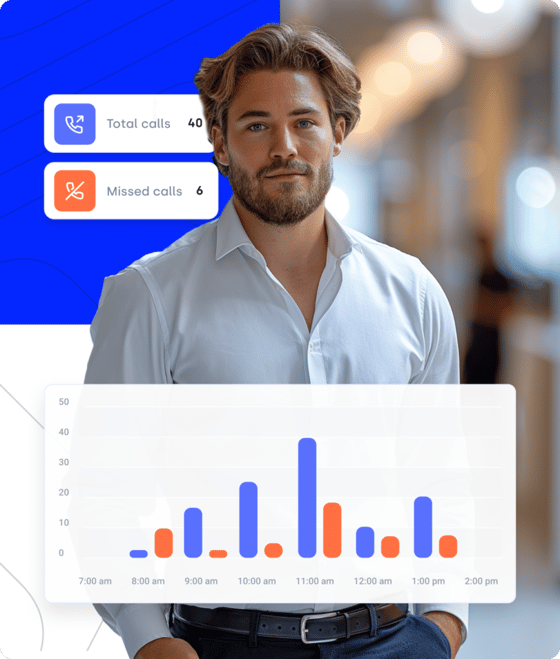
Record Calls without Putting Compliance at Risk
Our cloud call recording software automates and secures every step—so your team stays compliant without extra manual work.
- Automatic recording: Capture inbound and outbound calls automatically, based on global or number-specific rules.
- Pause/resume controls: Let agents pause and resume recording mid-call using keypad commands #11# and #12#.
- Cloud storage & retention: Keep recordings safe in encrypted storage, and sync with SFTP (Secure File Transfer Protocol) if needed.
- Regulatory compliance: Meet GDPR, HIPAA, and PCI requirements with customizable consent and access controls.
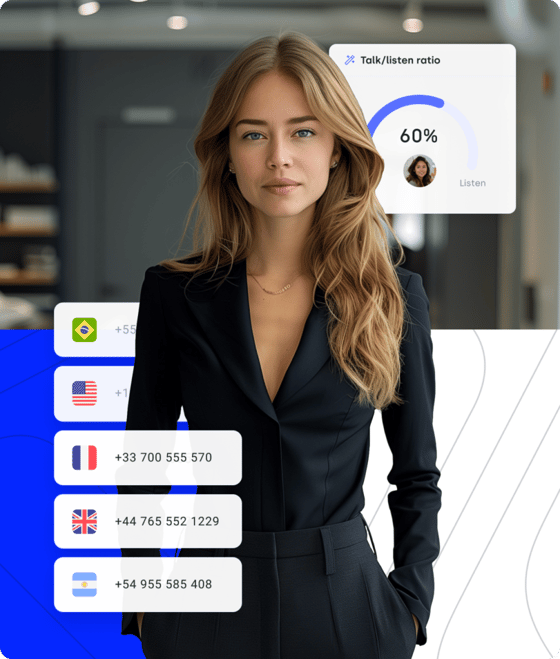
Work Smarter with CRM-Connected Calling
Tired of jumping between tools? Our dialer with recorder syncs seamlessly with 100+ CRMs to log everything—automatically.
- Auto-aync after calls: Sync call logs, notes, tags, outcomes, and recordings to the right CRM record.
- In-CRM access: Play recordings or check call data right inside tools like HubSpot or Salesforce.
- Trigger automation: Use call outcomes to trigger tasks, callbacks, follow-ups, or workflow automation within your CRM.
- Two-way contact sync: Keep contacts fresh across systems by automatically syncing CloudTalk and your CRM.
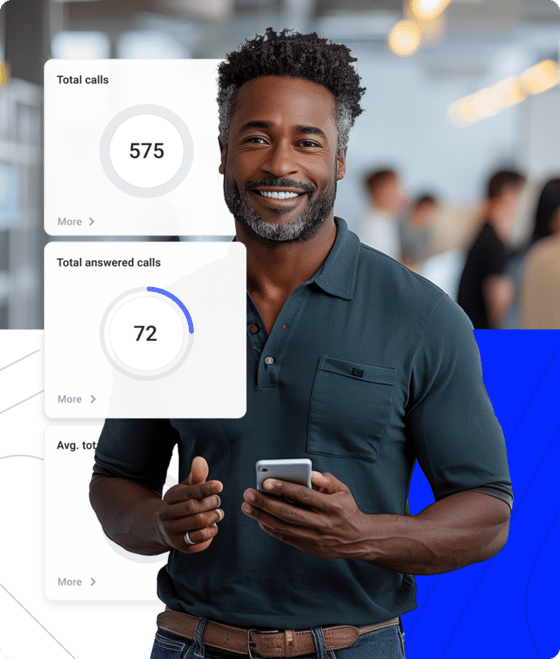
Signature Capability
See CloudTalk’s AI Voice Agent in Action!
CeTe is an AI that talks like a human: no breaks, no training, no time off. It makes and answers calls, updates CRMs, books meetings, and loops in a human only when needed.
Press play to hear it. Want a wow moment? Get a free test call and try it live.

STOP GUESSING, START COACHING
Why Use CloudTalk’s Dialer with Call Recording?
With CloudTalk, you don’t just get a dialer app with call recording. You get a complete call center platform designed to improve productivity, simplify compliance, and coach at scale.
Coach Your Teams Smarter with Real Call Examples
Call recordings turn your everyday conversations into a coaching library your whole team can learn from.
- Spot strengths & gaps: Use Call Recordings and Transcriptions to review exactly how reps handle key moments.
- Tag teachable moments: Highlight critical segments using Call Tags and Notes.
- Track agent progress: Filter dashboard insights by rep to monitor growth, spot trends, and tailor coaching.
- Coach in real-time: Use Call Monitoring (the Whisper Mode) or 3-Way Calling to support agents mid-call.
What do you like best about CloudTalk? The background features like Whispermode, recordings to allow for proper Sales coaching.
CEO at SPACE44

FOLLOW UP FASTER, CLOSE SMARTER

Deliver Faster Follow-Ups with Instant Call Context
With the right dialing setup and instant access to recordings, your reps stay productive and fully informed, can follow up faster, and can close with confidence.
Preview past conversations to personalize every outreach. Power through call lists, reducing idle time, or work in parallel to maximize live connects. And with synced call details and recordings just a click away, reps can jump into any follow-up with full context.
It's nice and easy one touch dialing, the calls are recorded and it's really easy to go back to listen to the call.
SMB Account Manager
TURN INSIGHTS INTO REVENUE
Track What Works, Improve What Doesn’t
When you track what works in real conversations, it’s easier to close more deals and resolve tickets faster.
- Spot winning patterns: Use Call Analytics to identify talk-time trends, conversion rates, and resolution speed.
- Benchmark team performance: Compare agents using Agent or Group Reporting to surface coaching and improvement opportunities.
- Improve scripts that sell: Use call outcomes to fine-tune your sales and cold call scripts, so reps sound better and close more deals.
- Act on real-time insights: Use Real-Time Dashboards to monitor performance and adjust fast—before targets slip.


How to Make & Record Calls with Your Dialer?
Getting started with CloudTalk’s dialer and call recording is easy—just follow these steps:
- Create your account: Sign up and add the AI Sales Dialer to your plan during setup or anytime later.
- Open the dialer: Access the dialer from the CloudTalk app or browser extension.
- Pick your dialer mode: Choose Power, Parallel, or Preview Dialer to match your workflow.
- Start dialing: Launch calls from CloudTalk, your CRM, or extension—manually or automatically.
- Record the calls: Take recordings automatically based on your pre-set rules, or manually.
- Access recordings anytime: Replay calls from CloudTalk or your connected CRM to train, follow up, and audit.
Integrations
Plug into everything you use
CRMs, helpdesks, applicant tracking systems and more. Get started instantly with 100+ built-in integrations, or expand further with Zapier, Make or CloudTalk’s own workflow automation builder.



CloudTalk AI: Smarter Insights from Every Call
Your dialer helps you connect faster. Your call recordings help you train better. CloudTalk AI takes it a step further—it helps your team work smarter.
Transcribe calls automatically: Use Call Transcription to turn recorded dialer calls into searchable text for quick reviews and audits.
Spot trends instantly: Rely on Topics Extraction and Sentiment Analysis to surface patterns and emotional cues across calls.
Summarize & share: Get quick insights with Automatic Summaries & Tags so managers can coach faster and reps can follow up smarter.
Train smarter, faster: Use Transcript Search and Talk/Listen Ratio to pinpoint what top reps do differently—and scale it.
CloudTalk is built to simplify calling operations with reliable AI business calling
Schedule a demo today to see how CloudTalk can support your teams.
Frequently asked questions
A dialer with a call recorder is a specialized dialer that automatically places calls and records conversations for compliance, training, and QA (Quality Assurance).
Yes. Platforms like CloudTalk offer call recording and monitoring software that lets you choose between automatic or manual recording, with per-user and per-number controls.
Yes, call recording is legal if done right. For example, call centers like CloudTalk support GDPR, HIPAA, and PCI, with customizable consent and recording controls to help you stay compliant.
The best call centers let you review call recordings even in your CRM. With CloudTalk’s dialer, all calls and notes are synced and accessed from tools like Salesforce, HubSpot, and Pipedrive.
Cloud recording for calling stores calls online and makes them accessible anywhere. If you need cloud based call recording, use tools like CloudTalk.
Yes, you can record calls on phone with mobile call recording software like CloudTalk Go. It features an auto dialer and call recording, making it one of the best phone dialer apps with call recorder.
CloudTalk offers one of the best dialer apps with a call recorder, built for outbound sales and coaching. It supports auto recording, CRM sync, and analytics.
Call center recording platforms like CloudTalk offer call recording services that help teams capture, store, and analyze conversations for training, QA, and compliance.
Use call recording during calls to capture key moments, coach live, or resolve disputes. Call recording software for business, like CloudTalk, supports this.


Hello 👋 My name is Emma. Still have questions?
Can’t find the answer you’re looking for? Please chat to our friendly team.