TL;DR:
There is no single best AI calling software for small businesses. Flat-rate answering tools win for solo owners, per-seat phone systems win once you have a team and a CRM, and per-minute developer platforms win when you have someone technical to tune them.
The shortlist, in the order we cover them:
- 01Rosie AI – flat-rate answering for solo and micro owners
- 02Goodcall – unlimited-minute intake for single-location businesses
- 03Dapta – voice and text agents in one workspace
- 04Smith.ai – AI first touch with a real human fallback
- 05CloudTalk – a full phone system and AI voice agent together
- 06Retell AI – lowest true per-minute cost for technical teams
- 07Bland AI – high-volume outbound at one all-in per-minute rate
- 08Synthflow AI – enterprise-only, no longer priced for small business
- 09Dialpad – AI coaching inside the phone system
- 10Kixie – an AI-assisted dialer for outbound sales teams
Best AI Calling Software for Small Business: Comparison Table
| Provider | Key Features | Best For | Starting Price | G2 Rating |
|---|---|---|---|---|
| Rosie AI | 24/7 answering, booking, lead capture, transfers on higher tiers | Solo and micro owners | $49/month | No G2 listing |
| Goodcall | Unlimited minutes, logic flows, directory routing | Single-location service businesses | $79/agent/month | 3.5/5 (1 review) |
| Dapta | Voice and text agents, unlimited flows, credit-based usage | SMB sales automation | $99/month | No G2 listing |
| Smith.ai | AI agents plus live human receptionists, intake, scheduling | AI with a human fallback | $300/month for 30 calls | 4.8/5 (AI Receptionist) |
| CloudTalk | Phone system, AI Voice Agent, dialers, 100+ integrations | Phone system plus AI in one place | $25/user/month, AI add-ons on top | 4.4/5 |
| Retell AI | Component-level model choice, no platform fee, itemized pricing | Technical founders and agencies | $0.07 to $0.31 per minute | 4.8/5 |
| Bland AI | Self-hosted models, one all-in per-minute rate | High-volume outbound with developer control | $0 platform fee, $0.14 per talk minute | 5.0/5 (11 reviews) |
| Synthflow AI | Enterprise voice AI, contract SLAs, launch support | Enterprises and BPOs | Contracts from $30,000/year | 4.5/5 |
| Dialpad | AI-native contact center, live transcription and coaching | Small teams wanting AI coaching | $15/user/month (Connect Standard, annual) | 4.4/5 |
| Kixie | Power Dialer up to 4 lines, voicemail detection, CRM automations | Outbound sales teams | Quote-based; unlimited US/CA minutes | 4.8/5 |
According to the U.S. Small Business Administration Office of Advocacy's September 2025 research spotlight AI in Business: Small Firms Closing In1, the share of small businesses using AI climbed from 6.3% to 8.8% in six months, led by firms with fewer than five employees.
That curve makes sense if you've ever run a small team. You don't buy an AI receptionist because you want AI: you buy it because the phone rang while you were on a roof or two hours past closing, the call hit voicemail, and the caller booked with whoever answered.
An AI voice agent picks up on the first ring at any hour, answers the questions you answer forty times a week, books the appointment, and hands off to a person when the call needs one.
We compared ten platforms, with pricing read off each vendor's own page, so you can work out which category you need and what it costs at your real call volume.
See What Happens to the Calls You Can't Take
What Is the Best AI Calling Software for Small Business in 2026?
The best AI calling software for small business depends on the job you're hiring it for.
- Solo owners who just need the phone covered should choose a flat-rate answering tool like Rosie AI or Goodcall.
- Teams with a CRM and outbound calls to make are shopping for a full AI phone system for small business like CloudTalk.
- If someone technical can own the tuning, a per-minute developer platform like Retell AI or Bland AI costs the least at volume.
Three categories are worth separating before you shortlist anything:
- 01Turnkey AI answering services:Answer, qualify, book, and take messages, which is what most owners picture when shopping for an AI phone answering service. You fill in a form instead of running a project, and trade away integration depth and outbound.
- 02AI phone systems:Give the AI and your team the same numbers, routing, and analytics, so a transferred call stays one record. You pay per seat plus usage.
- 03AI calling infrastructure:A platform you build on, priced per minute, with the quality ceiling and assembly work on you.
Our Methodology: How We Chose the Best AI Software for Small Businesses
Every price below was read on the vendor's own pricing page in August 2026, and where a vendor doesn't publish one we say so rather than guess; the same standard as our roundup of the best AI voice agents. That matters here, because at least one widely cited list is a year out of date on how its picks are sold.
We scored each platform against five criteria:
- 01Setup realityHow long until the first call is answered, and how long until it's answered well; most vendors only publish the first number.
- 02Inbound handlingRouting, FAQs, after-hours coverage, messages and booking.
- 03Outbound capabilityWhether the platform calls out at all, and whether it's built for warm follow-up or volume dialing.
- 04Integration depthWhat gets written back to your CRM or helpdesk, and where the alert lands so a human sees it.
- 05Cost transparency at SMB volumeWhat a real month costs at 100, 500 and 1,000 calls, overages and platform fees counted.
Why Trust Our Software Reviews?
For nearly a decade, we've helped 30,000+ professionals find and implement smarter business communication tools. We've reviewed 200+ software tools across industries, analyzed 5,500+ verified customer reviews from platforms like G2, Capterra, and Trustpilot, and drawn insights from real user discussions on Reddit and Quora.
In the past year alone, we published 1,000+ articles, each one written by humans for humans. Learn how we keep our content integrity and our software review methodology.
The 10 Best AI Calling Software Picks for Small Business in 2026
Smaller, SMB-native tools come first; the bigger names sit lower because their entry points assume a team you may not have yet. If you only want the reception half of the job, our shortlist of call answering virtual receptionist tools is narrower.
1. Rosie AI: Best for Solo Owners Who Want Flat-Rate Answering
What Is Rosie AI?
Rosie sells against voicemail, not against other AI platforms: an AI answering service trained on your business that picks up 24/7, books appointments and captures leads, built for owners with nobody to hand the phone to.
What Are Rosie AI's Key Features?
- Calls answered around the clock: 24/7 AI answering trained on your business, with booking and lead capture built in.
- A path to a person: routing scenarios and live transfers to a person, on the higher tiers.
- Less junk to deal with: automatic spam detection, plus appointment links and in-call texts.
- Coverage beyond the phone: website chat included; AI website texting sold separately.
What Is the Pricing of Rosie AI?
- Professional: $49/month, for owners who can't always answer the phone
- Scale: $149/month, adds live call transfers and in-call texting
- Growth: $299/month, for high-volume businesses, with backup transfer paths
- Website Texting add-on: $50/month for 25 conversations, then $1 per additional conversation
- Free trial: 7 days. Annual billing is advertised as two months free.
For the rounding rule and the automatic-upgrade clause behind these tiers, see our full <a href="/blog/rosie-ai-answering-service-pricing/">Rosie AI answering service pricing</a> breakdown.
What Are Rosie AI's Pros and Cons?
| Pros | Cons |
|---|---|
| Flat monthly pricing with no per-minute rate, removing the category's billing anxiety | Live call transfer isn't on the entry plan; it starts on Scale at $149/month |
| Lowest verified entry price of the ten at $49/month, with a real 7-day trial | No verified user reviews on any major platform yet, so there is no independent track record to check |
What Do Customers Say About Rosie AI?
There are no verified Rosie AI user reviews on any major review platform. As of August 2026, G2, Gartner Peer Insights, Capterra, Trustpilot and SourceForge all show zero verified customer reviews for Rosie AI, and what ranks as a "review" on page one of search results is almost entirely comparison content written by competitors.
When Should You Use Rosie AI, and When Shouldn't You?
- Use RosieWhen you're a solo owner, the calls you're missing are simple ones about hours, quotes, and bookings, and you want one predictable number on the invoice.
- Skip itIf you need transfers on the cheapest plan, outbound calling, or call data written into a CRM.
Our rating of Rosie AI
| Category | Our Score |
|---|---|
| Setup & Ease of Use | 5/5 |
| Inbound Handling | 4/5 |
| Outbound | 1/5 |
| Integrations | 2/5 |
| Pricing Transparency | 5/5 |
2. Goodcall: Best for Single-Location Service Businesses
What Is Goodcall?
Goodcall is a voice AI platform for SMB customer service, and its distinguishing choice is the meter: every plan includes unlimited minutes, and billing is driven by how many unique customers call you, not how long they talk. That suits a business where calls run long but the caller list is short.
What Are Goodcall's Key Features?
- No clock running: unlimited minutes on every plan; a fifteen-minute call costs the same as a two-minute one.
- Branching call handling: logic flows for call types: 1 on Starter, 3 on Growth, 25 on Scale.
- Routing to real people: directory contacts and team members, so call routing reaches a named person instead of a queue.
- Records that stick around: call history kept 7 days on Starter, 30 on Growth, unlimited on Scale.
What Is the Pricing of Goodcall?
- Starter: 79/agent/month(66 annual), 1 flow, 100 unique customers/month, then $0.50 each
- Growth: 129/agent/month(108 annual), 3 flows, 250 unique customers/month, then $0.50 each
- Scale: 249/agent/month(208 annual), 25 flows, 500 unique customers/month, then $0.50 each
- A free trial is offered on the pricing page.
What Are Goodcall's Pros and Cons?
| Pros | Cons |
|---|---|
| Unlimited minutes on every tier; long calls never create overage | The unique-customer cap is the real meter: 100/month on Starter, then $0.50 per extra caller |
| Per-agent pricing keeps the monthly bill predictable for a fixed-size business | At $79/agent/month it's the second-highest per-seat entry point in this list |
What Do Customers Say About Goodcall?
When Should You Use Goodcall, and When Shouldn't You?
- Use GoodCallWhen calls run long, your callers are a stable local set, and you'd rather pay per agent than watch a minute counter.
- Skip itIf you get many first-time callers, since unique customers are exactly what the pricing meters, or if you need outbound.
Our rating of GoodCall
| Category | Our Score |
|---|---|
| Setup & Ease of Use | 4.5/5 |
| Inbound Handling | 4.5/5 |
| Outbound | 1/5 |
| Integrations | 3/5 |
| Pricing Transparency | 3.5/5 |
Recommended articles
3. Dapta: Best for Voice and Text Agents in One Workspace
What Is Dapta?
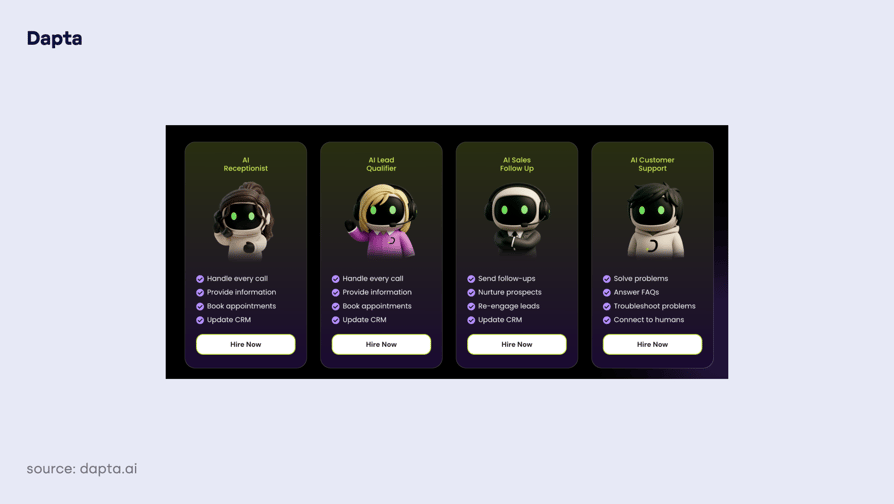
Dapta points itself at sales rather than reception: conversational AI voice agents and text agents in one workspace, built to automate sales for SMBs and chase a lead by whichever channel gets answered. Usage is metered in credits rather than minutes.
What Are Dapta's Key Features?
- One workspace, two channels: AI voice agents and text agents together, aimed at sales automation rather than pure reception, which puts Dapta closer to an AI voice agent for outbound sales calls than to a receptionist.
- Build as many agents as you need: unlimited agents and unlimited flows on every paid tier.
- Connections to your systems: a workflow builder for wiring agents into your stack.
- Shared knowledge: multi-user workspaces with knowledge storage.
What Is the Pricing of Dapta?
- Pro: $99/month, 100k credits, unlimited agents and flows, 5 users
- Scale Up: $499/month, 500k credits, assisted onboarding and priority support
- Prime: $1,499/month, 1.5M credits, advanced support
- Enterprise: custom pricing, SLAs, dedicated account manager
What Are Dapta's Pros and Cons?
| Pros | Cons |
|---|---|
| Unlimited agents and flows on the $99 tier; several specialized agents don't multiply the subscription | Credits aren't expressed in minutes, so true monthly cost is hard to forecast |
| Voice and text agents in one platform, which suits SMBs that follow up by SMS as well as by phone | The jump from Pro to Scale Up is $99 to $499, a fivefold step with nothing in between |
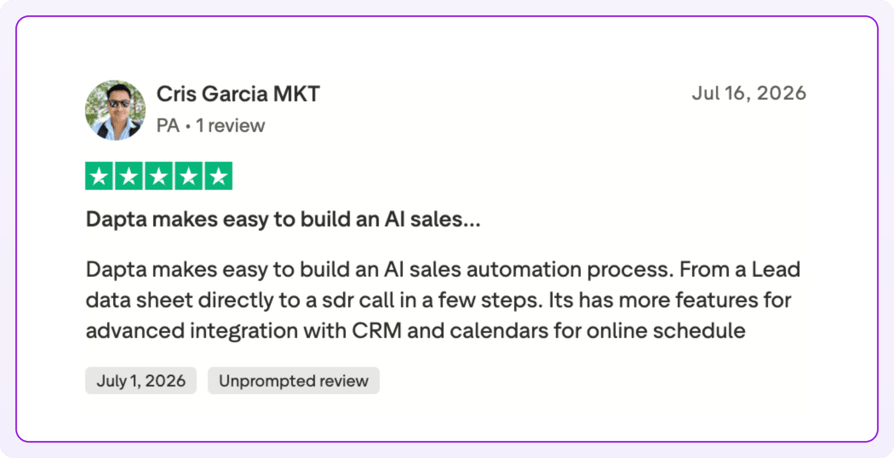
What Do Customers Say About Dapta?
When Should You Use Dapta, and When Shouldn't You?
- Use DaptaWhen your problem is sales follow-up, and you want one agent calling and another texting off the same lead record.
- Skip itIf you need a firm monthly budget, credit metering is the hardest model here to forecast.
Our rating of Dapta
| Category | Our Score |
|---|---|
| Setup & Ease of Use | 4/5 |
| Inbound Handling | 3/5 |
| Outbound | 4.5/5 |
| Integrations | 4/5 |
| Pricing Transparency | 2/5 |
4. Smith.ai: Best for AI First Touch With a Human Fallback
What Is Smith.ai?
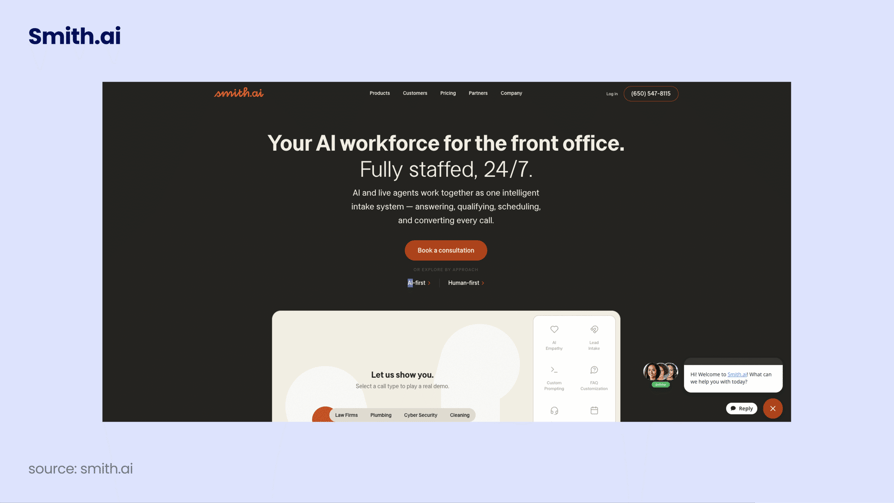
Smith.ai sells the combination directly: AI agents and live North America-based receptionists on one account, so a call the AI shouldn't take goes to a person, not voicemail.
What Are Smith.ai's Key Features?
- A real person behind the AI: live North America-based receptionists behind the AI agents.
- The whole front office: answering, lead intake, qualification and scheduling.
- Data where you need it: CRM and Zapier write-back, including HubSpot, Salesforce and Clio.
- Spanish as a defined option: a dedicated line answered by fluent Spanish-speaking agents.
What Is the Pricing of Smith.ai?
Pricing is billed by call volume rather than by minute, and calls at 2am cost the same as calls at 2pm.
- Starter: $300/month for 30 calls, then $11.50 per call
- Basic: $810/month for 90 calls, then $10.50 per call
- Pro: $2,100/month for 300 calls, then $8.50 per call
- Enterprise: custom
- Per-call add-ons stack on top: booking $1.50, notifications $0.50, follow-up $0.50, recording $0.25, Spanish line $1.00, complex routing $1.50, extended intake $1.50.
What Are Smith.ai's Pros and Cons?
| Pros | Cons |
|---|---|
| The only provider here with a genuine human fallback on the same account | Most expensive entry point here: $300/month for 30 calls, $10 per call before add-ons |
| Flat 24/7 pricing with no night or weekend premium | Booking, transcription and notifications are all priced per call on top |
| Bilingual English and Spanish coverage as a defined, priced option rather than a vague claim | Overage runs $8.50 to $11.50 per call, so going over your plan hurts |
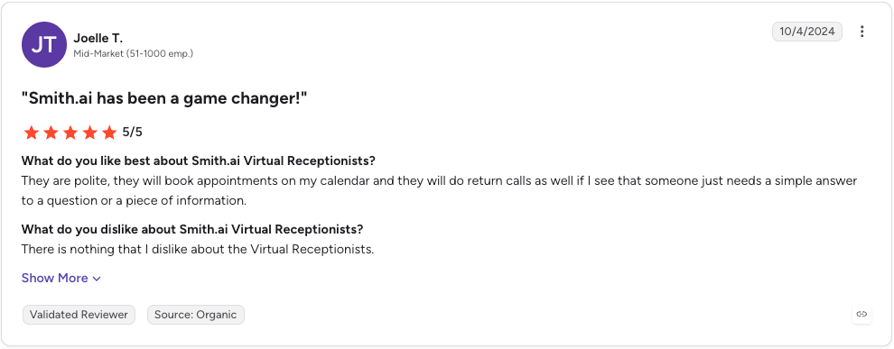
What Do Customers Say About Smith.ai?
When Should You Use Smith.ai, and When Shouldn't You?
- Use Smith.aiWhen a mishandled call costs you thousands, the reality for law firms, clinics, and high-ticket trades, and you'd rather pay for judgment than for minutes.
- Skip itAt high routine volume: at 500 calls a month, it runs several times any AI-only option here.
Our rating of Smith.ai
| Category | Our Score |
|---|---|
| Setup & Ease of Use | 4/5 |
| Inbound Handling | 5/5 |
| Outbound | 2/5 |
| Integrations | 4/5 |
| Pricing Transparency | 2.5/5 |
Recommended articles
5. CloudTalk: Best for a Full Phone System Plus an AI Voice Agent
What Is CloudTalk?
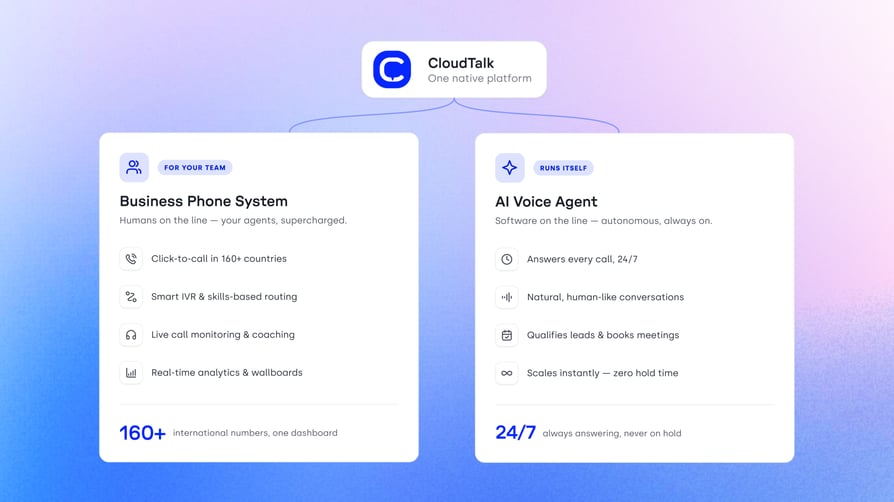
CloudTalk is AI business calling software built for SMB growth, and the one option here where the AI and the humans answering the phone are the same system. The cloud phone system covers numbers in 160+ countries, IVR, queues, recording and transfers; the AI Voice Agent, branded CeTe, sits on that same infrastructure.
What Are CloudTalk's Key Features?
- An agent that can act, not just talk: CeTe understands intent, pulls answers from a knowledge base, executes actions like booking a meeting or creating a CRM record, and escalates to a human when needed. 60+ languages, sub-800ms response latency, and a non-technical user can build an agent in under 10 minutes.
- Write-back that lands somewhere useful: 100+ native integrations plus Workflow Automation Designer, public API, webhooks, and Zapier.
What Is the Pricing of CloudTalk?
- Essential: $29/user/month, adding Smart Dialer, the 100+ integrations, and API and data sync
- Expert: $49/user/month, which includes Power Dialer and the Salesforce Ecosystem integration
- Custom: Contact Sales
- Add-ons, never bundled into a plan: AI Voice Agents from $99/month for 200 minutes, AI Conversation Intelligence $9/user/month, Power Dialer $15, Parallel Dialer $39, Branded Caller ID from $0.07 per call
- Free trial: 14 days
Flexible Pricing Plans to Scale with You
Compare our plans
What Are CloudTalk's Pros and Cons?
| Pros | Cons |
|---|---|
| AI and human team share numbers, routing, recording and analytics; a transferred call stays one CRM record | AI Voice Agents and AI Conversation Intelligence are always paid add-ons on top of a per-seat plan |
| Handles inbound answering and outbound dialing in one platform | A solo owner wanting only after-hours answering pays for a seat plus AI minutes |
| Deep native CRM write-back, with Conversation Intelligence export into HubSpot, Salesforce and Pipedrive | Real-time transcription and real-time sentiment aren't shipped; both run post-call |
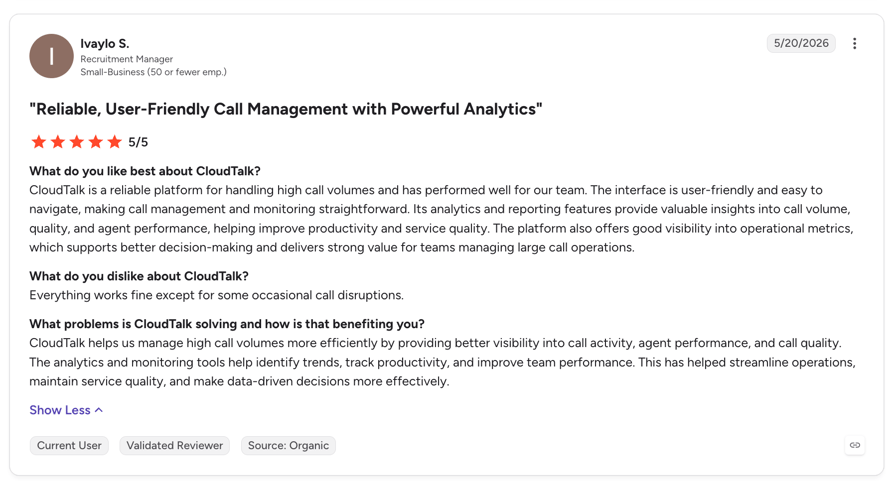
What Do Customers Say About CloudTalk?
When Should You Use CloudTalk, and When Shouldn't You?
- Use CloudTalkWhen you have a team, calls need to reach different people depending on who's calling and when, and you want the AI's work landing in the same CRM record your reps work in. It's also the pick when you make outbound calls as well as taking them.
- Skip itIf you're a one-person business that only needs after-hours pickup, a flat-rate tool does that for less.
"When we implemented the voice agents, I said to my manager that if the number would decrease by 10%, I will be happy. And I think it’s much, much more right now, around 40%."
Customer Support Lead at Autenti

CloudTalk's G2 User Ratings
| Category | Our Score |
|---|---|
| Setup & Ease of Use | 4/5 |
| Inbound Handling | 5/5 |
| Outbound | 5/5 |
| Integrations | 5/5 |
| Pricing Transparency | 3.5/5 |
Signature Capability
See CloudTalk’s AI Voice Agent in Action!
CeTe is an AI that talks like a human: no breaks, no training, no time off. It makes and answers calls, updates CRMs, books meetings, and loops in a human only when needed.
Press play to hear it. Want a wow moment? Get a free test call and try it live.

6. Retell AI: Best for Technical Founders Chasing the Lowest Per-Minute Cost
What Is Retell AI?
Retell AI sells to people who build: production-ready AI voice agents with no platform fee and no contract. You choose the language model, the voice and the speech engine separately for each agent, and that level of control is the whole reason to pick it.
What Are Retell AI's Key Features?
- Nothing to commit to: pay-as-you-go, no contract, no platform fee, $10 free credits.
- Tune quality against price: component-level choice of LLM, voice and speech engine, each priced separately.
- A running start: pre-built templates and full platform access on the free tier.
- Room to scale: 20 concurrent calls on pay-as-you-go, no cap on Enterprise.
What Is the Pricing of Retell AI?
- Pay-as-you-go: $0.07 to $0.31 per minute, $0 platform fee, $10 free credits
- Enterprise: custom pricing with no cap on concurrent calls
- Component rates published: voice infrastructure $0.055/min; standard voices $0.015/min; ElevenLabs voices $0.040/min; LLM tiers roughly $0.036 to $0.16/min
What Are Retell AI's Pros and Cons?
| Pros | Cons |
|---|---|
| No platform fee, no contract and $10 of free credits, so trying it costs close to nothing | Where you land inside $0.07 to $0.31 depends on the model and voice you pick |
| Fully itemized component pricing, the most transparent cost model of the ten | Assembling and tuning the stack is developer work; this is infrastructure, not a turnkey receptionist |
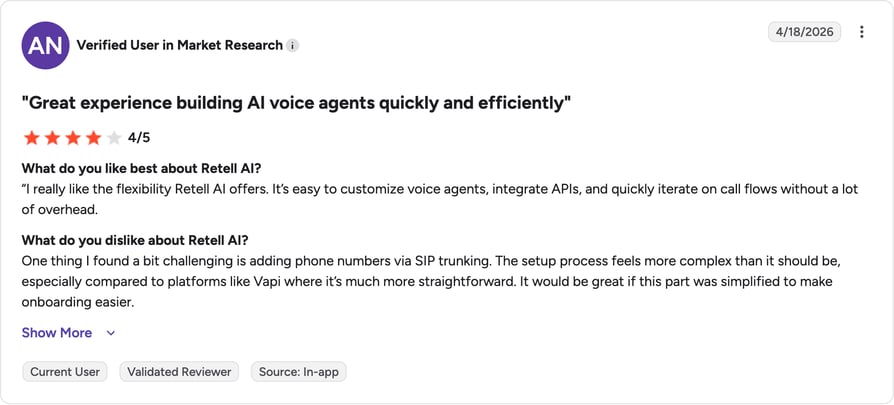
| Choice of speech vendor including ElevenLabs, a quality signal buyers ask about | Reviewers report a steep learning curve and limited out-of-the-box integrations for smaller, non-technical teams |
What Do Customers Say About Retell AI?
When Should You Use Retell AI, and When Shouldn't You?
- Use Retell AIWhen someone on your team can read a component pricing table and enjoy it, and per-minute cost at volume matters more than time to launch.
- Skip itDon't use it as your only phone system, and don't pick it if nobody will own the tuning.
Our rating of Retell AI
| Category | Our Score |
|---|---|
| Setup & Ease of Use | 2.5/5 |
| Inbound Handling | 4/5 |
| Outbound | 4/5 |
| Integrations | 3.5/5 |
| Pricing Transparency | 5/5 |
Recommended articles
7. Bland AI: Best for High-Volume Outbound With Developer Control
What Is Bland AI?
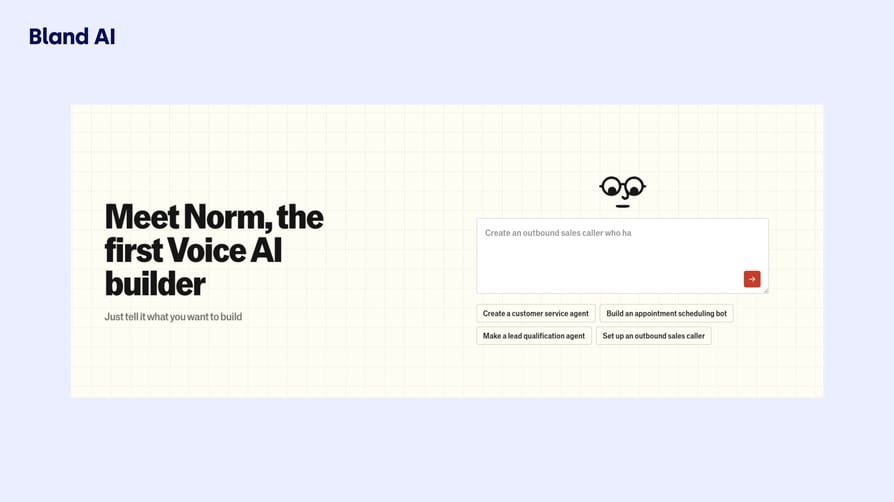
Bland is an enterprise voice AI platform aimed at regulated industries. It runs self-hosted models, which is why one per-minute rate covers everything with no token charges or pass-throughs. Small businesses can use the free tier, but the product isn't written for them.
What Are Bland AI's Key Features?
- One number on the invoice: self-hosted models: the per-minute rate covers everything, no pass-throughs.
- Built for regulated work: sub-second latency positioning and a regulated-industry posture.
- Capacity you can plan around: 10 concurrent calls / 100 daily on Start, 50 / 2,000 on Build, 100 / 5,000 on Scale.
- The supporting pieces: tiered knowledge bases, real-time transcription and premium voices.
What Is the Pricing of Bland AI?
- Start: $0 platform fee, $0.14 per talk minute, $0.05 per transfer minute, no card required
- Build: $299/month platform fee, $0.12 per talk minute, $0.04 per transfer minute
- Scale: $499/month platform fee, $0.11 per talk minute, $0.03 per transfer minute
- Enterprise: custom, with dedicated infrastructure
What Are Bland AI's Pros and Cons?
| Pros | Cons |
|---|---|
| One all-in per-minute rate covering model, speech-to-text and text-to-speech | Concurrency and daily caps bite low: 10 concurrent calls and 100 calls a day on the free tier |
| A genuinely free entry tier with no platform fee and no card required | Lower rates require a $299 or $499 monthly platform fee most small businesses never clear |
| Self-hosted models and an explicit regulated-industry posture | Enterprise, developer-first positioning; its H1 names regulated industries, not small business |
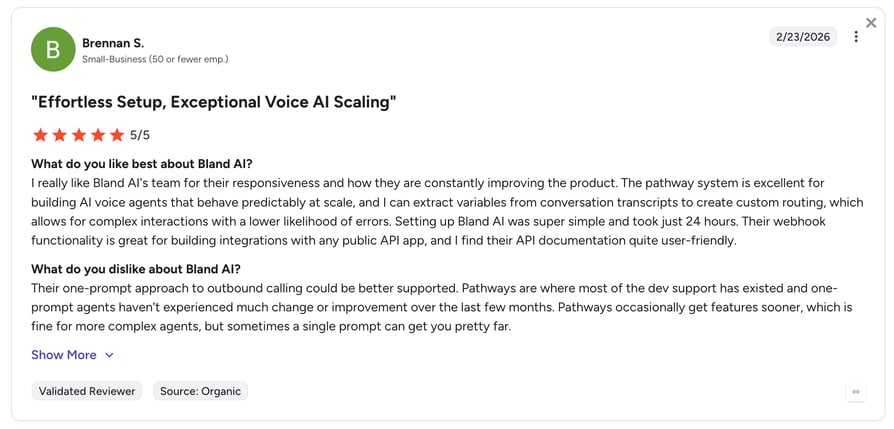
What Do Customers Say About Bland AI?
When Should You Use Bland AI, and When Shouldn't You?
- Use Bland AIFor outbound at volume, one predictable per-minute number, and a compliance story solved by self-hosted models.
- Skip itAt SMB volumes, the free Start tier is cheaper than Build, because the platform fee outruns the per-minute savings.
Our rating of Bland AI
| Category | Our Score |
|---|---|
| Setup & Ease of Use | 2.5/5 |
| Inbound Handling | 3.5/5 |
| Outbound | 5/5 |
| Integrations | 3.5/5 |
| Pricing Transparency | 4/5 |
Recommended articles
8. Synthflow AI: Best for Enterprises, Not Small Businesses
What Is Synthflow AI?
Synthflow now positions itself as enterprise voice AI, and that wording matters: several widely read rankings still list Synthflow as a no-code pick for small teams. Its own published pricing says otherwise, and we've kept it here precisely so you don't spend a week discovering that yourself.
What Are Synthflow AI's Key Features?
- Contract-scoped service levels: SLA and support terms agreed in the contract rather than published.
- Telephony flexibility: native telephony, SIP trunking or approved enterprise telephony.
- Designed capacity and escalation: custom concurrency, routing, escalation and fallback logic.
- Enterprise procurement support: CRM, calendar, webhook and API integrations, plus MSA/DPA support and enterprise security review.
What Is the Pricing of Synthflow AI?
- Enterprise contracts start at $30,000 annually, scoped around volume, concurrency, integrations and launch support.
- There's no self-serve or SMB tier published. Contact Sales is the only route in.
- Implementation, onboarding, training and launch support are included in the contract.
What Are Synthflow AI's Pros and Cons?
| Pros | Cons |
|---|---|
| Implementation, onboarding and launch support included in the contract | A $30,000 annual minimum puts it out of reach for almost every small business |
| Enterprise security and data-handling review are part of the standard process | No published self-serve tier and no transparent pricing; every buyer goes through sales |
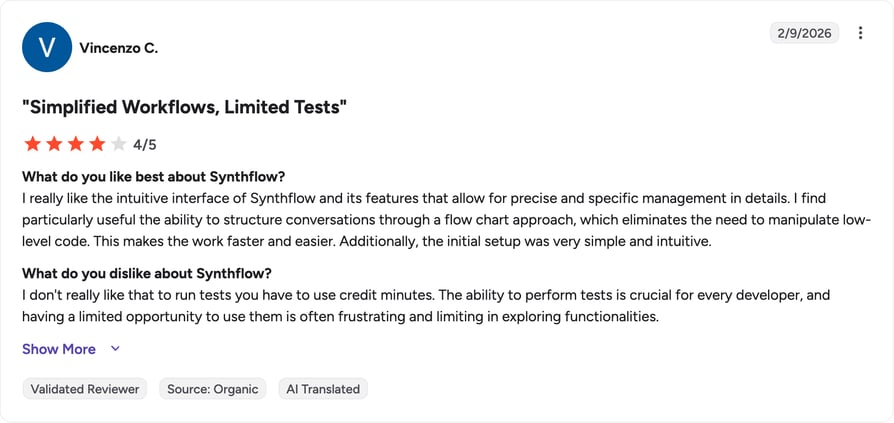
What Do Customers Say About Synthflow AI?
When Should You Use Synthflow AI, and When Shouldn't You?
- Use SynthflowIf you run a contact center or BPO, have a security review to pass and a five-figure budget, and want the vendor to own implementation.
- Skip itIf the $30,000 floor is too high for you.
Our rating of Synthflow
| Category | Our Score |
|---|---|
| Setup & Ease of Use | 3.5/5 |
| Inbound Handling | 4.5/5 |
| Outbound | 4.5/5 |
| Integrations | 4.5/5 |
| Pricing Transparency | 1/5 |
Recommended articles
9. Dialpad: Best for Small Teams That Want AI Coaching Built In
What Is Dialpad?
Dialpad is an AI-native contact center and communications platform, and the AI points at your reps as much as at your callers: live transcription, in-call coaching and post-call summaries. It's for teams that already have people answering phones and want them to get better at it.
What Are Dialpad's Key Features?
- One platform for the channels you use: unified communications and contact center across voice, messaging and meetings.
- Coaching while the call happens: real-time transcription, live coaching and post-call summaries.
- AI and humans in the same queue: AI agents beside human agents in one workflow.
- Connections to your stack: a broad CRM and helpdesk set.
What Is the Pricing of Dialpad?
Dialpad splits pricing across several product lines. The core Connect phone system is published: Standard at $15/user/month and Pro at $25/user/month billed annually ($27 and $35 on monthly billing), with Enterprise on a custom quote and a 14-day free trial. The AI-heavy products sit outside those numbers: Dialpad's AI Agent pricing is quote-based, so the coaching setup this entry describes can cost well above the sticker price. Our breakdown of Dialpad pricing covers the tiers and the seat minimums.
What Are Dialpad's Pros and Cons?
| Pros | Cons |
|---|---|
| AI sits inside a full phone system, so human reps and AI share one platform | Contact-center positioning usually means seat minimums and feature gating at the low end |
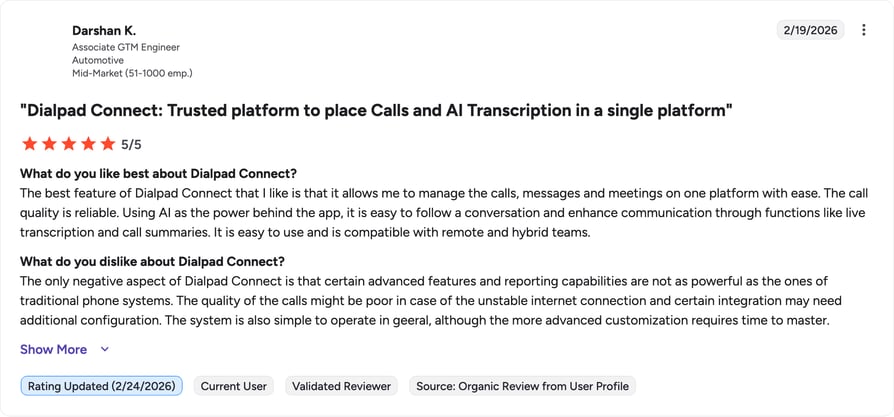
| Real-time transcription and live coaching are part of the product | Reviewers flag slow customer support, and transcription accuracy drops with accents, background noise and spelled-out details like numbers |
What Do Customers Say About Dialpad?
When Should You Use Dialpad, and When Shouldn't You?
- Use DialpadWhen your bottleneck is rep performance rather than unanswered calls.
- Skip itIf you're a solo owner, you'd be buying a contact center platform to solve a voicemail problem.
Our rating of Dialpad
| Category | Our Score |
|---|---|
| Setup & Ease of Use | 4/5 |
| Inbound Handling | 4.5/5 |
| Outbound | 4/5 |
| Integrations | 4.5/5 |
| Pricing Transparency | 3/5 |
Recommended articles
10. Kixie: Best for Outbound Sales Teams Wanting an AI-Assisted Dialer
What Is Kixie?
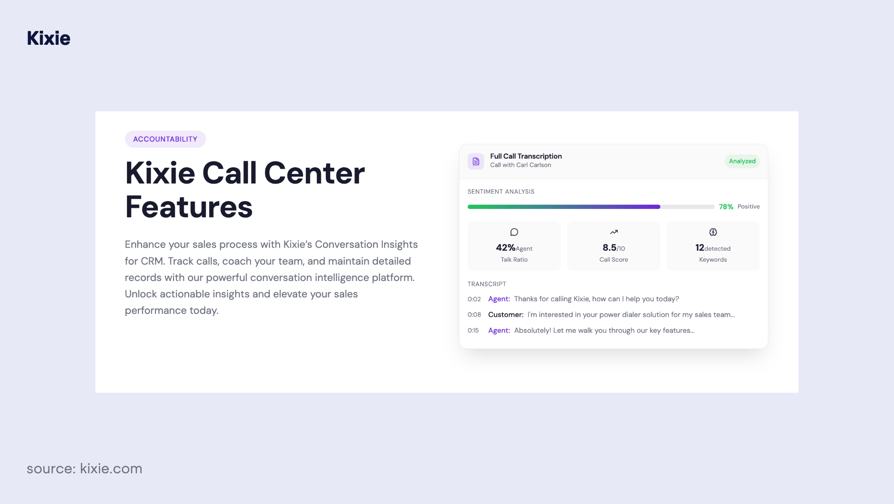
Kixie is an AI-powered sales platform built around advanced dialers with AI call routing, voicemail detection and CRM integration. It belongs here because plenty of small businesses searching for AI calling software want to make more outbound calls, not answer more inbound ones. Kixie is built for that job.
What Are Kixie's Key Features?
- Throughput on outbound: a Power Dialer that auto-dials up to 4 lines in parallel, plus click-to-call and click-to-text, which puts it in the same bracket as the other auto dialer software for small businesses we've compared.
- Fewer wasted dials: ConnectionBoost and AI voicemail detection.
- Coaching from the calls you make: AI call analysis, coaching, reporting and dashboards.
- CRM-side automation: automations, SMS templates and voicemail drop; unlimited US/CA minutes advertised on Professional.
What Is the Pricing of Kixie?
Kixie publishes its plan structure but not its prices. Three tiers (Professional, Single-Line PowerDialer and Multi-Line PowerDialer, the last dialing up to 4 lines simultaneously) all include unlimited US and Canada minutes, with AI Human Detection, ConnectionBoost, Conversation Intelligence and DNC compliance sold as premium add-ons. The number on the invoice comes from sales, and there is a 7-day free trial with no card required. Our guide to Kixie pricing tracks the tiers as they change.
What Are Kixie's Pros and Cons?
| Pros | Cons |
|---|---|
| Parallel dialing across up to 4 lines with AI voicemail detection | An outbound dialer, not an inbound AI receptionist; it doesn't solve the missed-call problem |
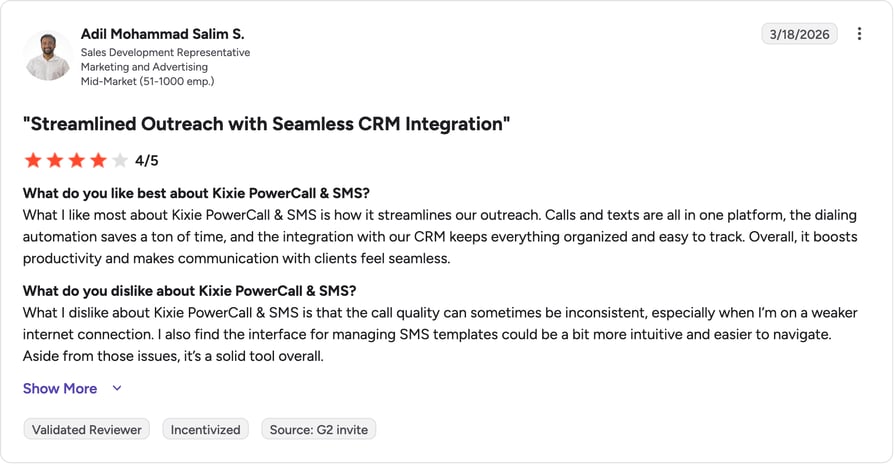
| AI call analysis and coaching are part of the platform | Billing is quarterly with auto-renewal by default, and reviewers describe being locked into another term before they could cancel |
What Do Customers Say About Kixie?
When Should You Use Kixie, and When Shouldn't You?
- Use KixieWhen reps make calls all day, and the number you care about is conversations per rep per hour.
- Skip itIf you're expecting after-hours answering, because that isn't what Kixie does.
Our rating of Kixie
| Category | Our Score |
|---|---|
| Setup & Ease of Use | 4/5 |
| Inbound Handling | 2/5 |
| Outbound | 5/5 |
| Integrations | 4.5/5 |
| Pricing Transparency | 1/5 |
Recommended articles
10 platforms reviewed, only 1 stands out.
Test CloudTalk free for 14 days, no credit card required.
AI Call Answering Systems for Small Business: The Technical Comparison
Most comparison tables of AI call answering tools get this part wrong. Voice quality and latency are the two things buyers care most about, and almost nobody publishes them. Two vendors here publish a latency figure at all. Treat "not published" below as a finding, and as your cue to test it yourself.
| Provider | Setup profile | Inbound / Outbound | Human handoff | Published latency | Free trial or credits | What drives the bill |
|---|---|---|---|---|---|---|
| Rosie AI | No-code | Inbound | Live transfer from Scale up | Not published | 7-day trial | Flat monthly tier |
| Goodcall | No-code, logic flows | Inbound | Routing to directory contacts | Not published | Free trial offered | Per agent, plus unique callers over the cap |
| Dapta | No-code, flow builder | Both, voice and text | Not published | Not published | Not published | Credits |
| Smith.ai | Managed setup | Inbound | Live human receptionists | Not applicable | Not published | Per call, plus per-call add-ons |
| CloudTalk | No-code, agent built in under 10 minutes | Both | Escalation to a human built into the agent | Sub-800ms, published | 14-day free trial | Per seat, plus AI add-on usage |
| Retell AI | Developer | Both | Not published | Not published | $10 in free credits | Per minute, by component |
| Bland AI | Developer | Both, outbound-heavy | Transfer minutes priced separately | Sub-second, published | Free Start tier, no card | Per minute, plus platform fee on paid tiers |
| Synthflow AI | Vendor-implemented | Both | Escalation paths scoped in contract | Low-latency claimed, no figure | Not published | Annual contract |
| Dialpad | No-code | Both | AI and human agents in one workflow | Not published | Not published | Per seat by product line; AI Agent quote-based |
| Kixie | No-code | Outbound | Live call coaching, human reps | Not applicable | Not published | Per-agent quote; unlimited US/CA minutes |
How to Choose the Right AI Calling Software for Your Small Business
Nine of the ten platforms above will demo well. The differences that matter show up in month two, when the call volume is real. These checks sit on top of the basics in our VoIP buying guide for small business.
Match the Platform to Your Primary Call Type
Start by counting. If your missed opportunities are inbound calls, you need an answering platform; if nobody's following up on leads, you need outbound. Inbound and outbound calls are built differently, and so are the platforms.
"Calling old leads was too expensive. Once we focused on fresh leads, the numbers made much more sense."
Finance Director, MadRent

Prioritize Setup Speed, and Then Budget for Tuning
Every vendor advertises time to first call; almost none advertise time to good, and that's the number that decides whether this works. Setup on the no-code tools is a same-afternoon job, and building an AI voice agent for small business is mostly form filling; handling your edge cases takes a few weeks of listening to recordings and adjusting.
Check What Gets Written Back, and Where the Alert Lands
"Integrates with HubSpot" is not a specification. What decides whether this saves you time is what data lands on the record, and whether a human sees the calls that need one. Ask for the field list: caller name, service, timing, a ten-second summary. Then ask where the notification goes, because a perfect CRM note nobody opens is the same as no note; the same applies to your booking tool and your customer portal software for small businesses. CloudTalk keeps the AI on the same system as everything else: the transcript, summary and tags land on the same record your reps work in, exported natively into HubSpot, Salesforce or Pipedrive through CloudTalk's CRM and helpdesk integrations.
Calculate the True Monthly Cost at Your Call Volume
This is where AI call answering for small business gets confusing: two businesses with identical call volumes can pay four times differently, because the pricing models aren't comparable on their face.
The table below runs the arithmetic across the eight providers with published pricing, assuming a three-minute average call and one unique caller per call. Your mix will differ; the point is the shape of the curve, not the exact cent.
| Provider | 100 calls (~300 min) | 500 calls (~1,500 min) | 1,000 calls (~3,000 min) | What moves the number |
|---|---|---|---|---|
| Rosie AI | $49 | $149 tier territory | $299 tier territory | Feature tier, not minutes |
| Goodcall | $79 | ~$254 on Growth | ~$499 on Scale | Unique callers over the plan cap |
| Dapta | $99, credit conversion not published | Not forecastable from published data | Not forecastable from published data | Credits, with no published minute equivalent |
| Smith.ai | ~$915 on Basic | ~$3,800 on Pro | ~$8,050 on Pro | Call count plus per-call add-ons |
| CloudTalk | $25 per seat + AI Voice Agents from $99 for 200 minutes | Seat cost + a larger AI bundle (AI Specialist from $349 for 1,000 min) | Seat cost + volume-priced AI minutes | Seats plus AI minutes, priced separately |
| Retell AI | $21 to $93 | $105 to $465 | $210 to $930 | Which model and voice you choose |
| Bland AI | $42 on the free Start tier | $210 on Start vs $479 on Build | $420 on Start vs $659 on Build | Talk minutes, and whether the platform fee pays off |
| Synthflow AI | $2,500/month equivalent minimum | $2,500/month equivalent minimum | $2,500/month equivalent minimum | The $30,000 contract floor, regardless of volume |
Notice two things. Bland's paid tiers cost more than its free tier until well past a thousand calls a month. And Smith.ai runs an order of magnitude above the AI-only options, which is the price of a person on the other end.
Beyond the sticker price, check three things that never appear on a pricing page:
- Do unused minutes roll over? If they don't, you're paying for peak capacity every month.
- Do AI minutes draw from the same balance as your regular calls? On platforms where they do, a busy month of human calling can quietly eat the AI budget.
- Can you see usage before the invoice arrives? If the answer is a monthly PDF, you'll find out you overspent a month too late.
Evaluate Inbound Handling: Routing, FAQs and After-Hours Coverage
After-hours answering is the use case most small businesses buy this for, and the one where the demo flatters. Test it against your worst calls, not your best.
Check whether it takes an actionable message, books directly into the calendar, routes a frustrated caller to a person, and copes with a caller who wants somebody by name. CloudTalk's AI Voice Agent covers this side of the job, with routing rules in the same call flow your team uses, which is what after-hours call handling looks like when it isn't bolted on beside the phone system.
“We just copy the agents, update the scripts, and we’re live. No need to hire and train a completely new team from scratch.”
Owner of Circle Gym

Decide What the Agent Should Refuse to Say
Nobody puts this on a feature list, and it's one of the most useful questions you can ask. An agent that quotes a price you don't charge, or promises a staff member who's on holiday, creates a problem worse than the missed call.
The behavior you want is deliberately partial: capture the request like a lead qualification agent, give starting-from ranges, never commit a person to a time without checking. Ask how you constrain the agent and what it says when it doesn't know.
Review Compliance, Recording Consent and Language Accuracy
Two questions before you sign.
- 01Are transcripts generated by default, and can recording be switched off or consent-gated per call?In some jurisdictions, that's the law, not a preference: whether call recording is legal depends on where your caller sits. On outbound, disclose that the caller is speaking with an AI assistant and honor do-not-call lists on your outbound call campaigns.
- 02Accuracy, not coverage.Sixty advertised languages is what a platform will attempt, not what it gets right; if callers spell out emails or surnames in another language, test that before you commit.
Key Features to Look for in AI Calling Software for Small Business
- Natural conversation AI that understands intent, not a touch-tone menu wearing an AI badge
- 24/7 inbound handling with routing, FAQ answering and message taking
- Native CRM integration with automatic call logging and AI call summaries
- Appointment scheduling that books into a live calendar and confirms on the call
- Human escalation with a clear, configurable trigger
- Transparent pricing with no surprise overage at your actual call volume
Do AI Receptionists Really Sound Human? What to Test Before You Buy
Pew Research Center's June 2026 report Americans and AI 20262 found that about half of U.S. adults now use AI chatbots, and roughly two-thirds think AI is moving too fast. Your callers use this technology daily and are still skeptical of it, which is why a bad AI voice does more damage than voicemail: a caller who hits an obviously robotic agent concludes something about your business. So audition, don't read. Three tests before you pay:
- Listen to the actual voice you'd deploy, not the demo reel, and ask which speech models it uses.
- Interrupt it. Talk over it mid-sentence, the way real callers do.
- Ask it something off-script, then listen to the pause; test against your real service list, not a toy script.
AI Voice Agents vs. Traditional After-Hours Answering Services
Buyers face two decisions in sequence: AI voice agent or a traditional phone answering service for small business, then which platform. Everything above answers the second question; this section answers the first.
| Criteria | AI Voice Agent | Traditional Answering Service |
|---|---|---|
| Availability | 24/7, no shift gaps | Shift-based; holiday and weekend gaps |
| Simultaneous calls | Concurrent, limited by plan not people | Limited by agents on shift |
| Consistency | Same quality on every call | Varies by agent and by shift |
| Judgment on complex calls | Rules-based, as good as the configuration | Human judgment, training-dependent |
| Cost driver | Minutes, calls or seats | Per call or minute, with a monthly minimum |
| Escalation | Configured by you, in advance | Decided in the moment by a person |
| Setup time | Hours to days on the no-code tools | Longer; includes onboarding and training |
| Best for | Routine volume, always-on, cost control | Complex or high-value calls |
This isn't a binary choice. AI handles the calls that follow a pattern, which is most of them; it's a poor substitute for a person on a call that's emotional, unusual or expensive to get wrong. So most businesses land on a hybrid: AI takes first touch on overflow and after-hours calls, a human path out is configured from day one, and the agent tells the caller it's an AI assistant up front. Callers who know what they're talking to are more patient than callers who work it out halfway through.
See the Hybrid Setup on Your Own Numbers
Quick Answers: What People Ask About AI Calling Software for Small Business
- 01What is AI calling software for a small business?AI calling software uses conversational AI to answer or make phone calls for you: it picks up inbound calls, answers common questions, books appointments, takes messages and routes callers to a person when needed. The better platforms also call out and write everything back to your CRM.
- 02How much does AI calling software for small business cost?Entry pricing runs from $49/month flat for a turnkey answering tool to $0.07 to $0.31 per minute on developer platforms, with full phone systems at $25/user/month plus AI usage. Human-backed services start around $300/month for 30 calls.
- 03Can AI calling software replace a receptionist for a small business?It covers the repeatable half of a receptionist's job at any hour, on every line at once. It can't read an upset caller or judge an unusual, high-value one. Treat it as coverage, not a headcount decision.
- 04What's the difference between AI calling software and a regular phone system?A regular automated phone system for small businesses routes calls to people; AI calling software holds the conversation itself. For a growing team the strongest option is both in one place, sharing numbers, routing and reporting.
- 05Are there genuinely free AI tools for small business calling?Mostly no. People search for the best AI tools for small business free of charge, but here free means trial credit or a hard-capped tier, like Retell's $10 or Bland's 100 calls a day. Useful for testing, not for running a business.
- 06What is the best AI tool for small business phone calls?There isn't one answer, which is why this article ranks ten. Solo owner: flat-rate answering tool. Team and a CRM: phone system with an AI voice agent. Developer on staff: per-minute platform, cheaper at volume and more work to run.
What Real Users Say About AI Calling Software for Small Business
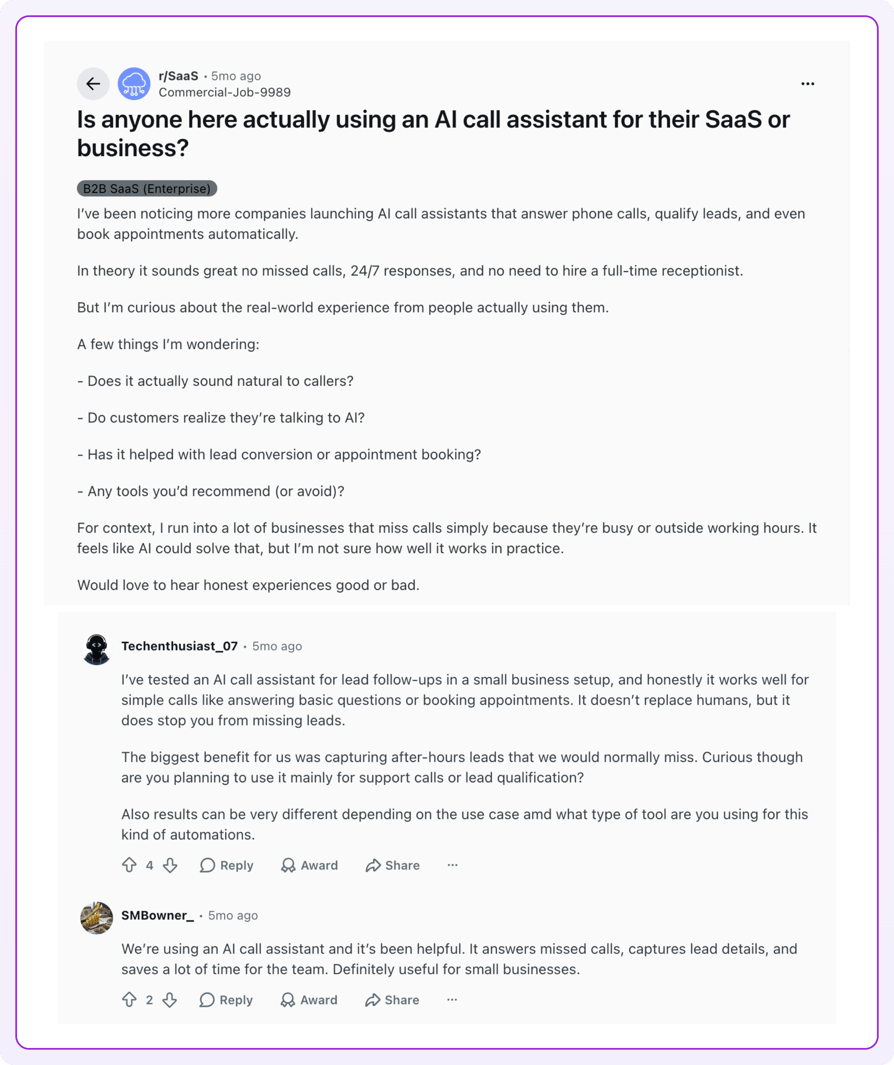
The most useful discussion of the best AI solutions for small business isn't on vendor sites; it's where owners compare notes without a sales incentive, and the tone is more skeptical than any ranking page suggests. The one thread we could verify is the r/Entrepreneurs discussion what's the best AI answering service for business?, which ranks on page one for this search. Three themes run through it.
The first is voice quality: agents that sounded mechanical or like a scam call. The second is a ceiling on complexity: fine on yes-or-no routing, lost on anything needing a follow-up question. The third is outright rejection from a loud minority who argue callers want a person. Read the thread knowing it's heavily astroturfed: several confident recommendations come from founders of the products recommended. For a calmer starting point, our overview of AI for small business covers the same ground without the pitch.
Judge It on Your Own Calls, Not on Threads
Top AI Calling Software for Small Business by G2 Reviews and Ratings
Based on G2 reviews and ratings, CloudTalk is among the top AI voice agent platforms, with a 4.4/5 rating from 1,851+ verified reviews. To keep the comparison honest: Dialpad and Retell AI carry more G2 reviews than CloudTalk, and their numbers are in the table exactly as G2 shows them. Every ranking of the best AI phone system for small business 2026 leans hard on star ratings. Treat them as one input among several, read alongside the pricing and setup reality above and our own phone system reviews.
| Platform | G2 Reviews | G2 Rating | Full Review Link | Summary from G2 Reviews |
|---|---|---|---|---|
| CloudTalk | 1,851+ | 4.4/5 | CloudTalk Review | Praised for ease of use, CRM integrations and reliable call quality |
| Rosie AI | - | No listing | No G2 product page found | No verified user reviews on any major platform yet |
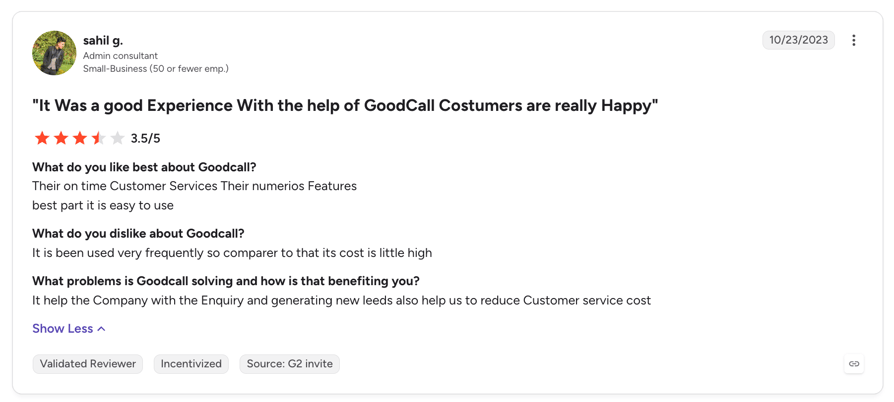
| Goodcall | 1 | 3.5/5 | Goodcall Review | A single review; too few to draw conclusions from |
| Dapta | - | No listing | No G2 product page found | No G2 listing found as of August 2026 |
| Smith.ai | 16 (AI Receptionist) | 4.8/5 | Smith.ai Review | Callers often don't notice it's an answering service; stacking add-on fees is the recurring complaint |
| Retell AI | 2,638+ | 4.8/5 | Retell AI Review | Ease of use and integrations praised; missing features and cost at scale top the complaints |
| Bland AI | 11 (seller profile) | 5.0/5 | Bland AI Reviews | Early reviewers praise fast deployment; the sample is too small for a stable rating |
| Synthflow AI | 1,015+ | 4.5/5 | Synthflow Review | Named Best Estimated ROI in AI Agents in G2's Spring 2026 report |
| Dialpad | 4,911+ (all products) | 4.4/5 | Dialpad Reviews | Transcription and AI features praised; slow support is the recurring complaint |
| Kixie | 866+ | 4.8/5 | Kixie Review | Dialer throughput and CRM integrations praised; quarterly billing terms draw complaints |
Conclusion: Which One Should You Actually Buy?
Salesforce's 2026 State of Service Report, 7th edition3, surveying 6,500 service professionals, found 79% of service leaders say investing in AI agents is fundamental to meeting current demands. Adoption lags: the Federal Reserve Board's April 2026 FEDS Note4 found about 18% of U.S. firms had adopted AI as of year-end 2025. Answering your phone reliably is still a competitive advantage, whether via an AI receptionist or a person.
How the ten sort by situation:
Best AI Calling Software for Solo and Micro-Business Owners
- 01Rosie AI at $49/month is the cheapest verified virtual receptionist for small business coverage, and the flat rate means no surprise invoice.
- 02Goodcall fits better if calls run long and callers are repeat customers. Neither does outbound, and neither needs to.
Best AI Phone System for Small Business With a Sales Team
- 01CloudTalk is the fit: the AI Voice Agent runs on the same numbers, routing and analytics as your team, so a transferred call stays one record.
- 02Kixie is the narrower pick for pure outbound throughput, though most teams outgrow a single-purpose dialer as small business expansion adds support calls.
Best AI Calling Software for Service and Appointment-Driven Businesses
- 01Smith.ai is the pick when a badly handled call is genuinely expensive; our breakdown of answering service pricing shows what that judgment costs per call.
- 02Rosie or CloudTalk cover the same job for less if calls follow predictable patterns.
Best AI Calling Software for Developer-Led or Technical Founders
- 01Retell AI gives component-level control and the most transparent per-minute pricing, the cheapest at volume if you'll do the work.
- 02Bland AI is better for high-volume outbound and regulated contexts. If you want the control without owning the stack, CloudTalk vs Retell AI sets the two models side by side.
Best Starting Point for Most Small Businesses
If you're not sure which category you're in, buy the cheapest thing that solves this month's problem: a flat-rate answering tool costs less than one lost job. Move to a full small business VoIP platform with an AI voice agent when you have people to route calls to and a CRM you want the data in. And whatever you shortlist, call it yourself before you buy, asking your own awkward question.
Bring Us the Calls You're Missing
Sources:
- 1. U.S. Small Business Administration, Office of Advocacy
- 2. Pew Research Center
- 3. Salesforce
- 4. Board of Governors of the Federal Reserve System
FAQ: AI Calling Software for Small Business
AI calling software replaces a receptionist's repeatable work, not their judgment. Keep the agent narrow, and give odd calls a human path out, as any conversational virtual receptionist should.
Most platforms integrate with HubSpot and Pipedrive, though depth varies. CloudTalk exports transcripts, summaries and tags natively; lighter tools just email you, whatever CRM for small businesses you run.
It handles both, but few platforms do them equally well. Rosie and Goodcall are inbound only. CloudTalk pairs its AI Voice Agent with a Power Dialer for outbound, and Retell and Bland do both by API.
The difference is what happens on the call: a phone system moves the caller, AI calling software talks to them. A virtual phone system for small businesses increasingly bills for both.
CloudTalk sits in the middle of this list: a phone system with AI voice agents for SMB sold as an add-on, not a flat-rate answering tool or a per-minute developer platform. It fits teams with a CRM; solo owners pay for a seat they don't need.