10 Best IVR Call Center Solutions for Businesses in 2026
SUMMARY:
We reviewed and tested 30+ IVR call center solutions and selected the 10 best options for 2026 based on ease of use, call routing capabilities, AI and self-service features, integrations, customization, and scalability.
The 10 Best IVR Call Center Solutions for 2026
- 01CloudTalk — Best overall for growing sales and support teams
- 02Nextiva — Best for unified voice + digital customer experience
- 03Dialpad — Best AI-first conversational IVR
- 04Genesys Cloud CX — Best enterprise omnichannel platform
- 05Five9 — Best for high-volume outbound + digital IVAs
- 06Aircall — Best for SMBs with CRM-heavy stacks
- 07NICE CXone — Best for workforce optimization at scale
- 08Aloware — Best for outbound sales velocity
- 09RingCentral — Best traditional UCaaS replacement
- 10Twilio — Best for developer-built custom IVR flows
What Is IVR in a Call Center?
An IVR or Interactive Voice Response in a call center is an automated phone system that answers incoming calls and interacts with callers using simple menu options or voice commands. Then, it routes the call to the right agent or department, or solves the request directly without a human agent (for example, by sharing information or answering the question).
If you've ever called a bank and heard "Press 1 for balances, press 2 to speak to an agent," you've used IVR. Modern systems go far beyond keypads: callers can speak naturally, AI parses intent, the platform looks up the caller in your CRM, and routes the call to the right person—before a human ever picks up.
In a call center, IVR is what separates running a tight self-service-first operation from drowning in misrouted calls. It manages volume spikes, reduces unnecessary transfers, and handles routine inquiries 24/7.
How Does IVR Technology Work?
An IVR in a call center works by using different technologies to understand what the caller needs and either route the call or solve the request automatically.
There are two main components behind it:
- DTMF (Dual-Tone Multi-Frequency): This is the traditional keypad system. When a caller presses a number like “1” or “2,” the IVR detects the tone and follows a predefined menu path. It’s simple, stable, but limited to fixed options.
- Speech recognition + Natural Language Processing (NLP): Modern IVR systems can understand spoken language. Instead of navigating menus, the caller can say something like “I need help with my invoice,” and the system interprets the intent and routes the call accordingly.
The Step-by-Step Routing Process
The system follows a simple five-step process:
- 01Skill identification: Managers define specific competencies—like "Technical Tier 2" or "Spanish speaking"—required for different request types.
- 02Agent skill mapping: Every team member is assigned a skill profile based on their training and strengths.
- 03Customer context collection: The IVR pulls data from menus, CRM history, and caller ID to understand exactly what the caller needs before they even speak to an agent.
- 04Skill matching algorithm: An intelligent algorithm analyzes the request and cross-references it against the live pool of agent profiles.
- 05Qualified agent routing: The system bypasses general queues and lands the call directly with the best-suited specialist, slashing transfers and improving first-call resolution.
How We Evaluated the Best IVR Call Center Solutions for 2026
To build this list, we analyzed more than 30 IVR call center platforms and handpicked the 10 best that solve the actual headaches support leaders and sales managers face: it’s not just about answering the phone, but about smarter routing, better self-service, and ending the cycle of endless transfers.
Here’s what we put under the microscope:
- Logic-driven routing: Systems that actually understand your workflow (using skill-based rules, VIP tags, or multi-level menus).
- Deep call control: Features that give you an edge, like queue management, one-click callbacks, and live monitoring.
- Smart automation & AI: Tools that can parse intent and solve FAQs automatically so your agents only handle the high-value stuff.
- Integrations that actually sync: Native connections with CRMs and helpdesks that eliminate manual data entry and log calls automatically.
- No-code flow builders: Visual "drag-and-drop" designers that let you update menus or holiday hours in minutes, not days.
- Battle-tested reliability: Crystal-clear global voice quality, high uptime guarantees, and granular security permissions.
- True cost of ownership: We looked for transparent pricing—no "bill shocks" from AI usage or hidden fees for essential features.
Why Trust Our Software Reviews
Over the last decade, we’ve helped over 30,000 professionals find and implement smarter communication tools.
We don’t just skim feature lists: we’ve analyzed hundreds of products and thousands of verified user reviews from platforms like G2 and Capterra, while also digging into real-world discussions on Reddit and Quora.
In the past year alone, we’ve published hundreds of articles—all written and vetted by real humans—to provide data-backed insights you can actually lean on.
Learn how we keep our content integrity and our software review methodology.
10 Best IVR Call Center Solutions in 2026
Here's the at-a-glance comparison before we break each one down:
10 Best IVR Call Center Solutions Comparison
| Solution | Best For | Key Features | Starting Price | G2 Rating |
|---|---|---|---|---|
| CloudTalk | Growing SMBs & sales-led teams | Visual Call Flow Designer, AI Voice Agent, Skill-Based Routing | $19/user/mo | 4.4 / 5 |
| Nextiva | Unified voice + digital CX | Auto-attendant, NextIQ AI, Smart Routing | $15/user/mo | 4.5 / 5 |
| Dialpad | AI-first contact centers | Conversational IVR, Real-time AI Coaching | $15/user/mo | 4.4 / 5 |
| Genesys Cloud CX | Enterprise omnichannel | AI-Powered IVR, Journey Orchestration | $75/user/mo | 4.4 / 5 |
| Five9 | High-volume outbound + IVAs | Digital-first IVAs, Predictive Dialer | $119/seat/mo | 4.1 / 5 |
| Aircall | SMBs with CRM stacks | IVR Menus, Smart Queuing, App Marketplace | $30/user/mo | 4.4 / 5 |
| NICE CXone | Enterprise WFO + analytics | Enlighten AI, Advanced WFM | $110/user/mo | 4.3 / 5 |
| Aloware | Outbound sales velocity | Multi-level IVR, Power Dialer, Native SMS | $30/user/mo | 4.3 / 5 |
| RingCentral | UCaaS replacement | IVR Editor, RingSense AI | $20/user/mo | 4.1 / 5 |
| Twilio | Developer-built IVR | Programmable Voice + Twilio Studio | Pay-as-you-go | 4.1 / 5 |
#1 CloudTalk — Best Overall IVR Call Center Solution
What Is CloudTalk?
CloudTalk is the IVR cloud-based call center platform built for growing sales and support teams that have outgrown linear phone menus. Over 5,500 businesses—including Pipedrive, Glovo, and Revolut—use CloudTalk’s multi-level IVR to connect every inbound call to the right agent the first time, with full CRM context already on the screen.
What Are CloudTalk’s Pros and Cons?
Pros:
- Transparent pricing—no hidden costs
- Setting up IVR trees or adding new phone numbers takes minutes
- 100+ CRM and helpdesk integrations (Salesforce, HubSpot, Pipedrive, Zendesk, Intercom)
Cons:
- Voice-first focus—no native website chatbot (integrates with chat tools instead)
- No native video meetings (integrates with Microsoft Teams)
What Are CloudTalk’s Key Features?
- Drag-and-drop Call Flow Designer with multi-level IVR
- AI Voice Agent for inbound qualification, booking, and hot transfers
- Skill-Based Routing and Caller-Based Routing (VIPs skip the menu)
- Real-Time Analytics Dashboard with containment, abandonment, and CSAT
- Workflow Automation (SMS after missed call, auto-ticketing, CRM logging)
CloudTalk’s Pricing
CloudTalk’s pricing includes four plans:
- Lite — $19/user/month
- Starter — $25/user/month
- Essential — $29/user/month
- Expert — $49/user/month
What Do Users Say About CloudTalk in G2?
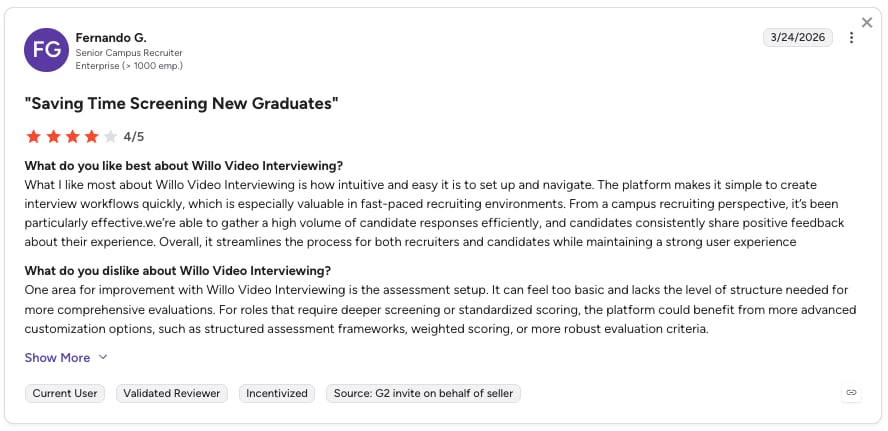
CloudTalk holds a 4.4 / 5 across 1,700+ verified reviews. Users like Lukas B. highlight its ease of use and intuitive interface:
Bottom Line
CloudTalk is the clearest fit for sales-focused SMBs and mid-market teams that want top-notch IVR without enterprise-grade pricing or 90-day rollouts.
Real CloudTalk Customer Review
#2 Nextiva — Best for Unified Voice + Digital Customer Experience
What Is Nextiva?
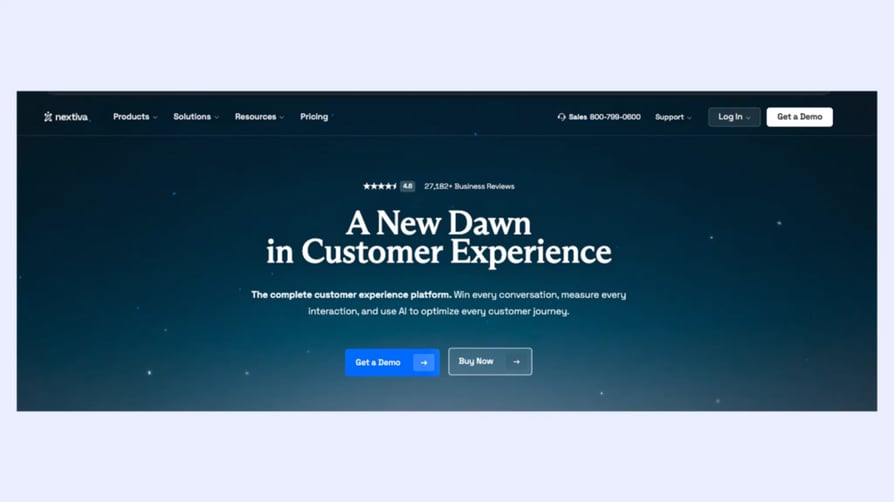
Nextiva is a unified customer experience platform combining voice, video, SMS, chat, and social media into a single inbox. Its IVR pairs with the NextIQ AI Answer Assist for handling routine inquiries automatically.
What Are Nextiva’s Pros and Cons?
Pros:
- Unified CX across 8+ channels (voice, video, SMS, chat, social, fax)
- 99.999% uptime SLA
- Easy to use and intuitive interface
Cons:
- Skill-based IVR routing only at the highest tier
- Users say the setup takes longer than expected and feels complex
What Are Nextiva’s Key Features?
- Auto-attendant and multi-level IVR menus
- NextIQ AI Answer Assist and call summaries
- XBert AI Receptionist for after-hours coverage
- Unified inbox across voice, chat, and review platforms
Nextiva’s Pricing
Nextiva’s pricing includes three plans:
- Core — $15/user/month
- Engage — $25/user/month
- Scale — $75/user/month
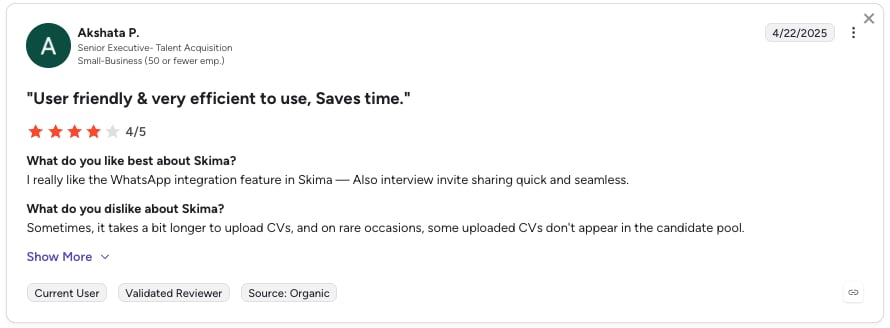
What Do Users Say About Nextiva in G2?
CloudTalk holds a 4.5 / 5 across 3,500+ verified reviews. Users like Tabitha O. love its IVR system, but would love it even more if it supported concurrent calls:
Bottom Line
Nextiva fits mid-sized businesses that want an all-in-one solution for voice, chat, and reputation. If you only need IVR call routing, the price-to-feature ratio is better elsewhere.
#3 Dialpad — Best AI-First Conversational IVR
What Is Dialpad?
Dialpad positions itself as "first in AI, best in agentic." Its conversational IVR lets callers explain what they need in their own words instead of using keypad menus—understanding their request and routing the callers by intent or skill set.
What Are Dialpad’s Pros and Cons?
Pros:
- All-in-one platform to manage the calls, messages and meetings
- Easy to use and configure
- AI features that boost productivity
Cons:
What Are Dialpad’s Key Features?
- Conversational IVR—no keypad required
- Customizable IVR workflows and templates
- Reporting and Analytics to track call volume and wait times
- Multilingual support
Dialpad’s Pricing
Dialpad’s pricing includes three plans:
- Standard — $15/user/month
- Pro — $25/user/month
- Enterprise — Custom quote
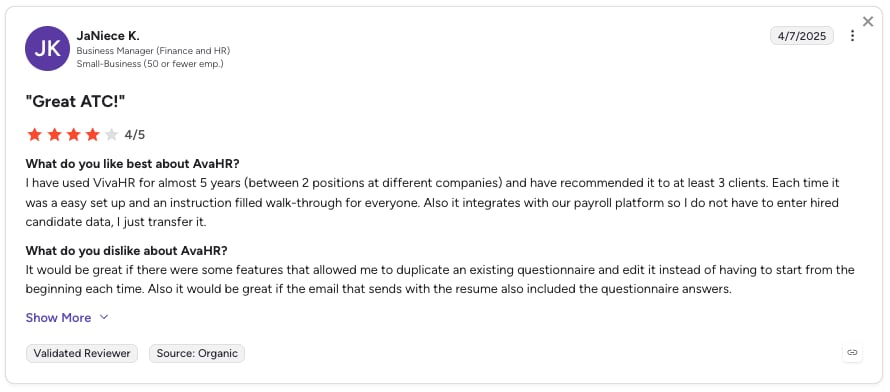
What Do Users Say About Dialpad in G2?
Dialpad holds a 4.4 / 5 rating across 4,100+ verified reviews. Users like Paul M. highlight that it offers flexible pricing and customizable IVRs—but report issues with dropped calls and complex call tree/IVR setup:
Bottom Line
Dialpad is a strong choice for contact centers prioritizing AI agent assist alongside self-service IVR. That said, expect a steeper learning curve than other providers.
#4 Genesys Cloud CX — Best Enterprise Omnichannel Platform
What Is Genesys Cloud CX?
Genesys is an enterprise-grade cloud contact center platform with different tiers that scale from basic voice support to full omnichannel customer journeys. Its AI-powered IVR learns from past interactions to understand caller intent and route customers more accurately.
What Are Genesys Cloud CX’s Pros and Cons?
Pros:
- Enterprise-grade reliability built for high call volumes
- Unifies customer interactions across voice, digital, and workforce engagement
- Proven at enterprise scale
Cons:
- Users mention limited features, especially in reporting
- The admin interface is described as overwhelming and complex
What Are Genesys Cloud CX’s Key Features?
- AI-powered conversational IVR
- Journey orchestration with cross-channel context
- Workforce engagement, QM, and predictive analytics
Genesys Cloud CX’s Pricing
Genesys Cloud CX’s pricing includes four plans:
- Cloud CX 1 — from $75/user/month
- Cloud CX 2 — $115/user/month
- Cloud CX 3 — $155/user/month
- Cloud CX 4 (full AI) — $240/user/month
What Do Users Say About Genesys Cloud CX in G2?
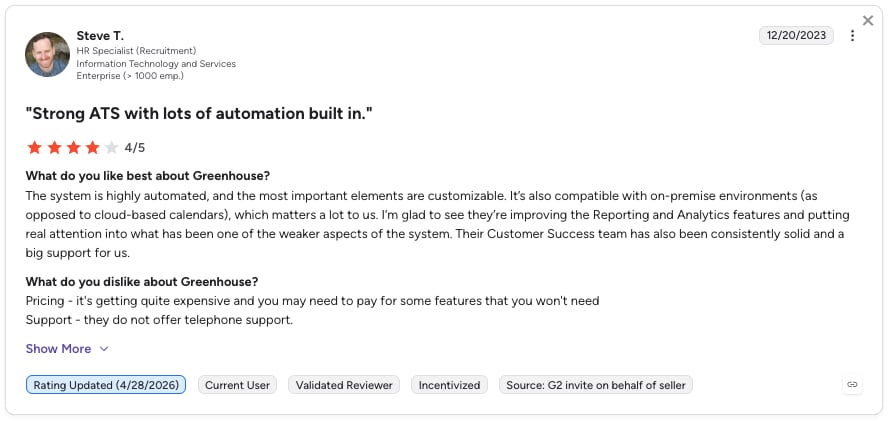
Genesys Cloud CX holds a 4.4 / 5 rating across 1,500+ verified reviews. Users like Furkan K. mention that it is highly reliable with stable call quality—but note that the UI can feel complex and reporting is not always intuitive:
Bottom Line
Best suited for large global companies running omnichannel customer experience programs, while smaller teams may find it too complex or heavy for their needs.
Recommended Reads
#5 Five9 — Best for High-Volume Outbound + Digital IVAs
What Is Five9?
Five9 powers 3,000+ global customers, focusing on agentic CX and digital-first Intelligent Virtual Agents (IVAs). Its IVR combines solid call routing with self-service, speech-enabled flows, and mobile-friendly visual IVR options.
What Are Five9’s Pros and Cons?
Pros:
- User-friendly and intuitive interface
- Responsive and efficient customer support
- Flexible call-flow customization
Cons:
- Per-seat pricing starts at $119/month—steep for SMBs
- Users report issues like freezing, call drops, and poor audio quality
What Are Five9’s Key Features?
- Digital-first IVAs that resolve full conversations without an agent
- Real-Time Analytics and supervisor dashboards
- Visual IVR on mobile that includes options like callbacks and texting
- Omnichannel routing between voice, chat, SMS, email, and web
Five9’s Pricing
Five9’s pricing includes five plans—staying true to the “five” in its name:
- Digital — from $119/seat/month
- Core — $159/seat/month
- Plus/Pro/Enterprise — Quote-based
What Do Users Say About Five9 in G2?
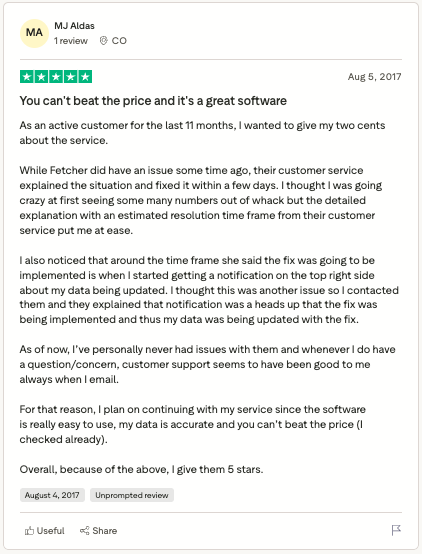
Five9 holds a 4.1 / 5 rating across 600+ verified reviews. Users like Adam A. mention that changes can be made and applied instantly without downtime, but note that the IVR interface feels outdated:
Bottom Line
Five9 is a strong enterprise contact center platform, but it comes with a high price point and some reliability and usability issues that can affect day-to-day operations.
Recommended Reads
#6 Aircall — Best for SMBs with CRM-Heavy Stacks
What Is Aircall?
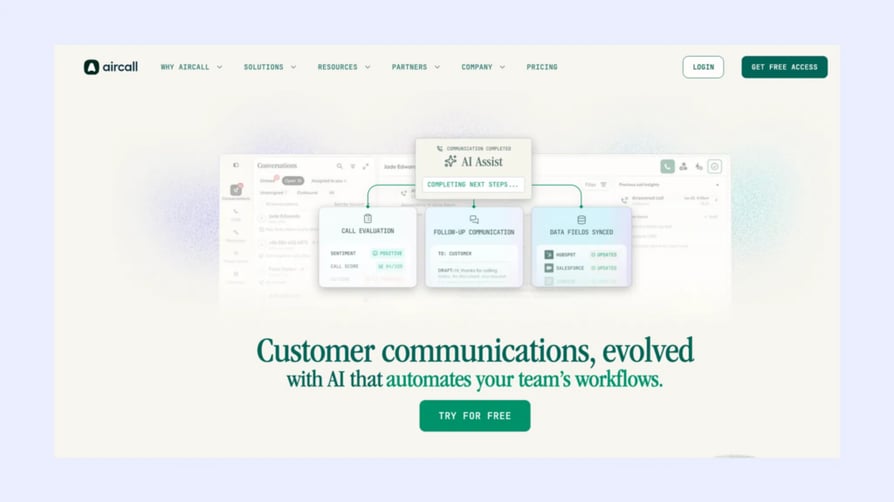
Aircall is a widely recognized IVR call center software designed mainly for SMBs. It stands out for its clean IVR menus and a strong App Marketplace that connects smoothly with tools like HubSpot and Salesforce, making it especially convenient for teams already working inside those ecosystems.
What Are Aircall’s Pros and Cons?
Pros:
- Easy and straightforward setup
- Seamless integration with CRMs like HubSpot and Salesforce
- Simple, modern interface
Cons:
- Costs climb fast with add-ons (analytics, AI, and transcription each priced separately)
- Users report sync and voice-quality issues during high-volume periods
What Are Aircall’s Key Features?
- Multi-level IVR menus
- Smart Queuing and callback option
- Tags and folders linked to CRM contacts
- App Marketplace with 100+ integrations
Aircall’s Pricing
Aircall’s pricing includes three tiers:
- Essentials — $30/user/month (3-user minimum)
- Professional — $50/user/month
- Custom — quote-based
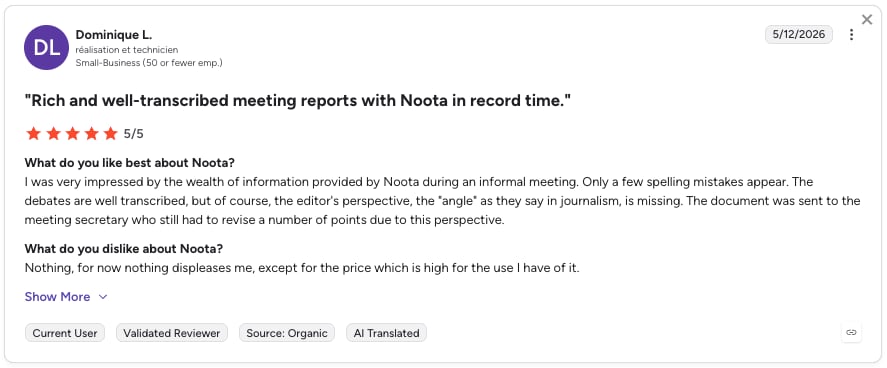
What Do Users Say About Aircall in G2?
Aircall holds a 4.4 / 5 rating across 1,500+ verified reviews. Users like Daniel M. mention that it is easy to integrate into existing workflows with CRM and is simple for teams to adopt—but note occasional call reliability issues and a somewhat manual workflow setup:
Bottom Line
A solid pick for CRM-heavy SMBs with predictable volume. However, if you expect high usage, it’s important to carefully check and test the pricing upfront to avoid surprises.
#7 NICE CXone — Best for Workforce Optimization at Scale
What Is NICE CXone?
NICE CXone is a leading enterprise contact center platform often chosen when workforce optimization and analytics are top priorities. Its IVR system lets customers use voice self-service and understands intent through speech recognition.
What Are NICE CXone’s Pros and Cons?
Pros:
- Intuitive and easy-to-use interface
- Smooth integration with daily workflows
- Offers strong analytics and monitoring for improving customer interactions
Cons:
- Users mention technical reliability issues, such as dropped calls and audio disconnects
- Some users report a steep learning curve for admins
What Are NICE CXone’s Key Features?
- Advanced WFM and quality management
- Omnichannel routing across voice, email, and chat
- Visual Studio tool for no-code scripting and quick changes
- Proactive callbacks and seamless agent handoffs with context
NICE CXone’s Pricing
NiCE CXone’s pricing is flexible and usage-based, with 5 main suites:
- Omnichannel Suite — $110/agent/month
- Essential Suite — $135/agent/month
- Core Suite — $169/agent/month
- Complete Suite — $209/agent/month
- Ultimate Suite — $249 + $0.25/session
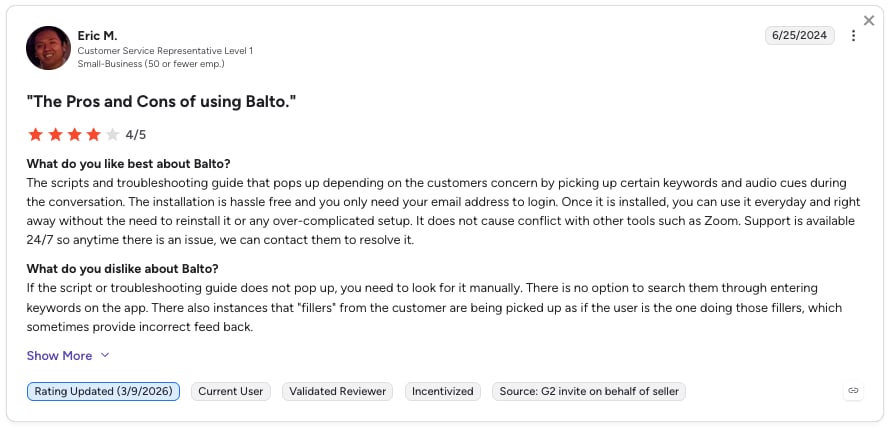
What Do Users Say About NICE CXone in G2?
NICE CXone holds a 4.3 / 5 rating across 1,700+ verified reviews. Users like Makayla R. mention that NiCE is fast and easy to navigate, and simple to set up—but they also point out issues with dropped calls and performance:
Bottom Line
Built for large contact centers where workforce optimization is a top-3 priority. Small and mid-market teams will find lighter alternatives a better fit.
Recommended Reads
#8 Aloware — Best for Outbound Sales Velocity
What Is Aloware?
Aloware is built for outbound sales teams that need a serious dialer paired with a workable IVR. Multi-level menus, native SMS, and power dialing live in the same interface—a favorite for SDR teams running parallel campaigns.
What Are Aloware’s Pros and Cons?
Pros:
- Ease of use and user-friendliness
- Seamless CRM integrations
- Helpful customer support
Cons:
- Smaller integration ecosystem than other providers
- Users report call issues (lags, drops, calls not coming through)
What Are Aloware’s Key Features?
- Multi-level IVR with menu builder
- Native SMS automation and broadcasting
Aloware’s Pricing
Aloware’s pricing includes three main plans:
- iPro + AI — $30/user/month
- uPro + AI — $60/user/month
- xPro + AI — $80/user/month
What Do Users Say About Aloware in G2?
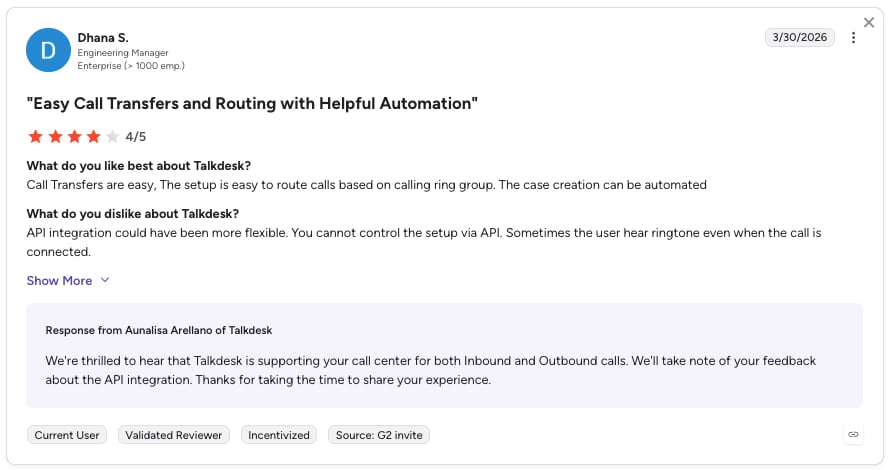
Aloware holds a 4.1 / 5 rating across 820+ verified reviews. Users like Juan T. highlight that Aloware handles high call volumes well and is easy to use, but they also note issues with HubSpot integrations causing dropped or unlogged calls and occasional workflow disruptions:
Bottom Line
Aloware is best suited for outbound SDR teams focused on high call volume and live connects, but less ideal for support teams handling ongoing customer conversations.
#9 RingCentral — Best Traditional UCaaS Replacement
What Is RingCentral?
RingCentral RingEX is the long-standing UCaaS choice for businesses replacing legacy PBX systems. Its IVR editor handles standard multi-level menus, and RingSense AI now adds conversation intelligence on top.
What Are RingCentral’s Pros and Cons?
Pros:
- Mature UCaaS platform across voice, video, SMS, and fax
- Global PSTN coverage with strong reliability
- Intuitive, easy-to-use and highly efficient platform
Cons:
- Users report inconsistent call quality
- Limited flexibility in reporting, customization
What Are RingCentral’s Key Features?
- IVR Editor with multi-level menu builder
- RingSense AI for call summaries and coaching
- Voice, video, SMS, fax, and team messaging
- Agentic Voice AI for answering calls 24/7
RingCentral’s Pricing
RingCentral’s pricing includes three plans:
- Core — $20/user/month
- Advanced — $25/user/month
- Ultra — $35/user/month
- Customer Engagement Bundle — Quote-based
What Do Users Say About RingCentral in G2?
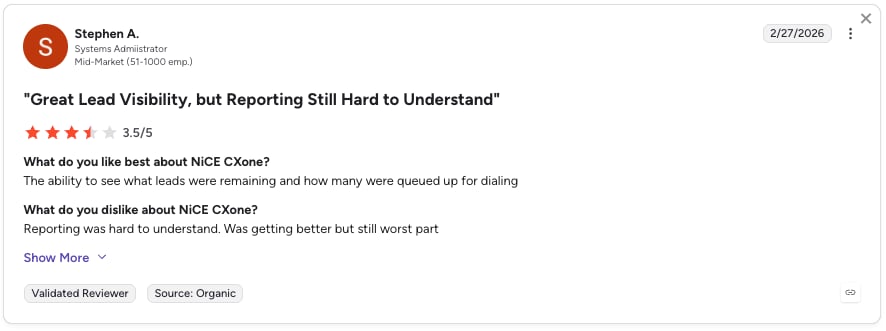
RingCentral holds a 4.1 / 5 rating across 190+ verified reviews. Users like Thomas F. appreciate the strong CRM and LinkedIn integration, especially the dialer pop-up and call history—but note occasional integration issues requiring reinstall or switching to the web app:
Bottom Line
RingCentral is a good choice for enterprises replacing on-prem PBX with cloud UCaaS; not ideal for small teams or users needing a simple, plug-and-play setup without configuration or support.
Recommended Reads
#10 Twilio — Best for Developer-Built Custom IVR Flows
What Is Twilio?
Twilio isn’t a ready-made call center tool—it’s the building block behind them. With Programmable Voice and Twilio Studio, teams can create custom call flows or even AI-powered voice agents using Twilio AI Assistants.
What Are Twilio’s Pros and Cons?
Pros:
- Total control—code or low-code via Studio drag-and-drop
- Easy-to-use APIs and strong documentation
- Scales SMS, voice, WhatsApp, and omnichannel workflows
Cons:
- Costs can rise quickly at scale, and pricing can feel hard to predict
- Advanced features or deeper customization often require developer expertise
What Are Twilio’s Key Features?
- Twilio Studio (low-code flow builder)
- Twilio AI Assistants for conversational IVR
- Twilio Flex for a fully customizable agent desktop
- Call recording and transcription
Twilio’s Pricing
Twilio’s pricing is primarily pay-as-you-go for Voice, with a separate pricing model for Twilio Flex:
- Voice — from $0.0085/minute, pay-as-you-go
- Twilio Flex — $150/named user/month or $1/active user hour
What Do Users Say About Twilio in G2?
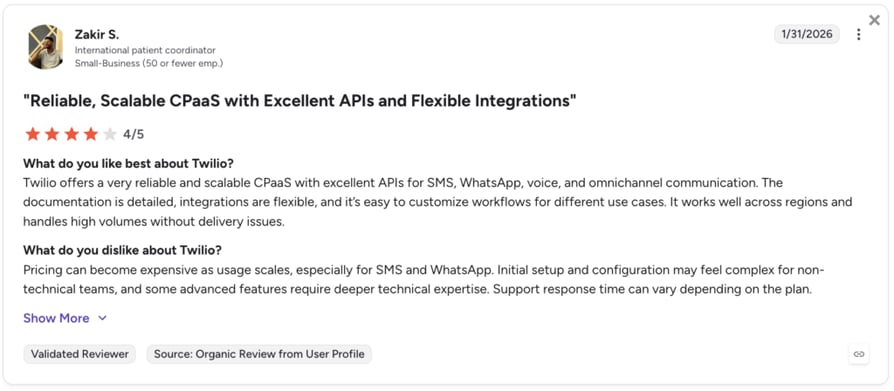
Twilio holds a 4.1 / 5 rating across 510+ verified reviews. Users like Zakir S. like Twilio for its scalable APIs and easy integrations across SMS, voice, and WhatsApp, but say it can get expensive and a bit technical to set up.
Bottom Line
Twilio is a great fit if your product or engineering team wants to build voice into an app. But if ops teams need to get up and running fast, other tools may be a better fit.
How to Pick the Right IVR Call Center Solution
When selecting an IVR system, the goal is to find a solution that fits your needs without adding unnecessary complexity. The right choice should improve customer experience, simplify operations, and scale with your business.
Here’s what to focus on:
- Ease of setup and use: Choose a system that’s simple to configure and manage without requiring heavy IT support. Test it in the trial.
- Customization: Make sure you can tailor voice prompts, menus, and call flows to match your brand and customer journey.
- Integrations: Does it sync with your CRM and helpdesk natively, or only via Zapier? Native sync wins on speed and reliability.
- Scalability: Will it still feel fast at 100 agents across five time zones? Pick a solution that can handle growing call volumes and expand across teams, locations, or languages.
- Cost efficiency: Transparent per-user pricing beats custom quotes. Watch for hidden add-on costs on AI, analytics, and integrations.


Key Features to Look for in IVR Call Center Software
These are the non-negotiables when you compare providers:
- AI & Natural Language Processing (NLP): Allows callers to speak naturally instead of using rigid menus, while the system understands intent and responds in a more conversational way.
- Intelligent call routing: Directs calls to the right agent based on customer intent, agent skills, or availability, reducing transfers and improving first-call resolution.
- CRM and third-party integrations: Connects with tools like CRM and helpdesk systems to pull customer data and share context with agents for faster, more personalized support
- Visual call flow builder: A drag-and-drop tool that lets teams design and update IVR menus and routing rules without coding
- Self-service options: Allow customers to complete simple tasks like order tracking, payments, or appointment scheduling without speaking to an agent
- Analytics and reporting: Provides insights into call volume, drop-off points, and performance metrics to help optimize the IVR system over time
What Are The Benefits of IVR in a Call Center?
In a busy call center, speed and accuracy have a direct impact on customer satisfaction. If a customer calls with a simple issue—like checking an order status—but gets stuck in a long queue or transferred between departments, frustration builds quickly. The longer the wait and the more steps involved, the more likely they are to leave with a poor impression of your business.
A smart IVR system helps prevent this by answering calls instantly, guiding customers to the right place, and solving simple requests without needing a live agent. This creates a smoother experience for customers and a more efficient workflow for support teams.
Here are the biggest benefits businesses gain from using IVR:
Improved Customer Experience
Customers don’t want to wait on hold for simple questions. IVR allows them to quickly find answers, check account details, track orders, or reach the right department without unnecessary delays.
This creates a faster, less frustrating experience, improving satisfaction and helping build trust in your support team. In fact, IVR can reduce live-agent calls by more than 10%, helping customers solve issues faster through self-service.
Smarter Call Routing
Sending a customer to the wrong department creates frustration and wastes time. IVR helps prevent this by identifying the reason for the call and routing it directly to the right agent or team.
This reduces transfers, shortens handling time, and improves first-call resolution rates.
Lower Operational Costs
Many customer requests are repetitive, like checking balances, payment status, or appointment details. IVR can handle these automatically without needing a live agent.
This reduces staffing pressure, lowers the cost per interaction, and allows businesses to manage higher call volumes without increasing headcount. IVR can improve containment rates by 5%, reducing business costs by up to 30%—making it a strong long-term investment.
24/7 Availability
Customers don’t only call during business hours. IVR systems work around the clock, giving people access to information and support even at night, on weekends, or during holidays.
This improves accessibility and ensures customers can always get help when they need it.
Higher Agent Productivity
When agents spend less time answering basic questions, they can focus on more complex conversations that require human support.
This improves team efficiency, reduces burnout, and helps agents deliver better service where it matters most.
Better Data Collection and Insights
Additionally, IVR systems automatically track each interaction, like menu choices, call duration, and where users drop off. This data is shown in reports or dashboards, helping teams understand common issues and customer behavior.
This gives agents more context from the start, speeds up resolution, and provides valuable insights that can improve customer service, IVR flows, and even business decisions.
Ready to handle more calls without adding more headcount?

Common IVR Use Cases by Industry
IVR is used across industries to automate repetitive tasks, improve response times, and make customer service more efficient. While the use cases may be different, the goal is always the same: help customers get what they need faster, without unnecessary waiting or manual work.
Here are the most relevant ways IVR is used in different industries:
Healthcare
IVR helps patients manage basic interactions without needing to call a receptionist or wait on hold—improving access to care while reducing pressure on administrative staff.
Common use cases:
- Appointment scheduling, rescheduling, or cancellations
- Automated reminders for visits, medication, or follow-ups
- Secure access to test results or medical updates
- Basic triage to route patients based on urgency
Banking & Financial Services
Banks use IVR to give customers fast, secure access to account information and common services without needing an agent.
Common use cases:
- Checking account balances or recent transactions
- Card activation or reporting lost/stolen cards
- Fraud alerts and transaction verification
- Loan or application status updates
Retail & E-commerce
IVR helps customers track orders and resolve common issues quickly, reducing pressure on support teams during peak volumes.
Common use cases:
- Order tracking using order or shipping IDs
- Handling returns and refund requests
- Answering FAQs about policies, delivery, or store info
- Basic customer support routing
Hospitality & Travel
In travel and hospitality, IVR improves guest experience by handling bookings and service requests instantly.
Common use cases:
- Booking, modifying, or canceling reservations
- Flight or trip status updates
- Concierge requests like room service or housekeeping
- Automated customer support for travel changes
Telecom
Telecom companies rely on IVR to handle high call volumes and provide quick self-service options for technical and billing issues.
Common use cases:
- Billing questions and payment support
- Technical troubleshooting and service issues
- Activating or upgrading services and plans
- Account and subscription management
Government & Public Sector
IVR helps public institutions provide faster access to essential services and reduce pressure on call centers.
Common use cases:
- Public service information and updates
- Tax, permit, or document-related queries
- Routine citizen support requests
- Automated guidance for government processes
Start building IVR workflows that actually fit your industry
5 Common IVR Call Center Mistakes to Avoid (and How to Fix Them)
A good IVR should feel simple, fast, and helpful—not like a maze of endless options. When menus are too long, routing is confusing, or customers have to repeat themselves, frustration builds quickly and the experience suffers.
Avoiding these common mistakes can help you create a smoother customer journey and a more efficient call center.
#1 Mistake: Making Menus Too Long and Complicated
Long menus are one of the main reasons customers abandon calls. If callers have to listen to too many options or go through several layers, they often get frustrated before reaching the right place.
How to fix it: Keep menus short and simple by limiting options to about 5 choices and avoiding more than 2 or 3 menu levels whenever possible.
#2 Mistake: Not Offering a Live Agent Option
Even the best self-service system can’t solve every issue. When customers feel trapped in automation with no way to reach a real person, trust drops quickly.
How to fix it: Always include a clear 'press 0 to speak with an agent' option, especially for urgent, complex, or sensitive issues.
#3 Mistake: Hiding the Most Common Requests
If your most frequent call reasons are buried deep in the menu, customers waste time, and routing becomes less efficient.
How to fix it: Place the most common requests—like billing, order tracking, or support—at the beginning of the menu to speed up resolution.
#4 Mistake: Using Robotic or Confusing Voice Prompts
An IVR that sounds too formal, robotic, or unclear creates a poor first impression and makes navigation harder.
How to fix it: Use natural, friendly voice prompts that sound professional and easy to follow, making the experience feel smoother and more human.
#5 Mistake: Making Customers Repeat Information
Few things frustrate customers more than explaining their issue twice—first to the IVR and then again to the agent.
How to fix it: Make sure the IVR passes account details, call reasons, and previous inputs directly to the agent so the conversation starts with full context.
The Best Connection Is the One You Don’t Have to Wait For
Think about the last time you called a company for help. Did you get through to the right person right away, or did you spend ten minutes listening to elevator music and repeating your account number to three different people?
That’s the gap between a happy customer and a lost one. It often comes down to just a few seconds in a queue. When your phone lines are a mess of confusing menus, you aren’t just losing calls—you’re losing revenue and the trust you worked so hard to build.
But that can change by using a smart IVR system. It helps you handle the routine stuff—like qualifying leads or checking order status—and keeps your lines open and your team focused on what they do best.
With CloudTalk, you get a drag-and-drop Call Flow Designer and AI voice agents that make setup a breeze. We help you respond faster and work smarter, so when the phone rings, the right answer is already waiting.
Every call is a chance to show your customers they can rely on you. Make sure your system is ready to deliver.
Try CloudTalk and start building a customer journey that actually flows today.
Turn 'Where do I transfer you?' into 'How can I help?'
Frequently asked questions
IVR is an automated system that greets callers and uses voice or keypad input to route them to the right agent or provide instant self-service.
IVR stands for Interactive Voice Response. In a call center, it refers to the automated system that prompts callers, captures input (by voice or keypad), and routes calls intelligently.
An IVR menu is the list of options callers hear when they reach your business—like "Press 1 for sales, press 2 for support, press 3 for billing."
No—but old IVR is. Keypad-only IVR built in 2005 feels outdated. The 2026 version uses AI, natural language understanding, and CRM data to feel conversational, not robotic. Modern IVR is core infrastructure, not legacy tech.
VoIP (Voice over IP) is the transport layer—how voice travels over the internet. IVR is the application layer—how callers interact with your business once connected. You need both for a modern cloud call center.
Both—depending on the request. Customers prefer self-service for routine tasks (balances, status checks, simple FAQs). For complex or emotional issues, they want a human. Good IVR offers both fast.
A basic cloud IVR can be created and live within minutes; a well-designed, tested multi-level IVR with recordings, conditional routing and CRM integrations typically takes several hours to a few days, depending on complexity.