7 Best G2-Rated Call Center Software for Responsive Support in 2026
TL;DR: Best G2-Rated Call Center Software for Responsive Support at a Glance
| Software | Best For | Support & QA Highlight | Starting Price | Total Reviews | G2 Rating |
|---|---|---|---|---|---|
| CloudTalk | Growing support teams | 24/7 chat and email on every plan; phone, listen, whisper and barge on Expert at $49 | $25/user/mo | 1,702+ G2, 750+ Trustpilot | 4.4/5 |
| Nextiva | Teams ranking vendor support first | 24/7 phone, chat and email on all paid plans; monitoring at top tier | $15/user/mo | 3,500+ G2, 8,000+ Trustpilot | 4.5/5 |
| Aircall | Helpdesk-native teams | Live monitoring from Professional; 25-seat minimum on Custom | $30/user/mo | 1,600+ G2, 1,000+ Trustpilot | 4.4/5 |
| JustCall | Voice, SMS and WhatsApp in one inbox | Listen, whisper and barge from Pro; phone support on Business only | $29/user/mo | 2,300+ G2, 680+ Trustpilot | 4.3/5 |
| Ringover | Multi-country European teams | Whisper and intervention on Business; named CSM, unpublished hours | $15/user/mo | 450+ G2, 990+ Trustpilot | 4.6/5 |
| Five9 | Enterprise quality management | Quality management on higher tiers; support is contract-defined | From $119/user/mo | 550+ G2, 730+ Trustpilot | 4.1/5 |
| 8x8 | Single-vendor consolidation | Quality management and speech analytics on X8 only; ticket-based support | From ~$95/user/mo | 200+ G2, 600+ Trustpilot | 4.1/5 |
Most “best support” lists rank star ratings and stop there. This one does the part that actually protects your budget: for all seven tools, it names the exact plan tier where live monitoring and real phone support switch on, and flags the vendors that hide either behind a quote.
That gap is where the wrong pick costs you twice. You overpay two tiers up for a feature you assumed was standard, then sit on a web form the one morning an outage actually hits. Get it right instead, and you’ll know before you talk to a single salesperson which platform answers fast and lets you coach your team while a call is still live.
We also read each tool’s G2 score against its Trustpilot score, because the distance between the two is exactly where the post-sale surprises hide.
See What 24/7 Support and Built-In Monitoring Actually Look Like
Why Does Responsive Support Belong at the Top of Your Shortlist?
According to Qualtrics XM Institute’s 2026 global consumer research, 11% of customer experiences are bad, 47% of those push customers to cut their spending, and the revenue at risk worldwide comes to nearly $3 trillion.¹
Most teams feel that before they can measure it. A queue backs up on a Monday morning, nobody can hear what an agent is telling the caller, and when the platform starts dropping calls, the vendor’s support line turns out to be a web form with a two-day promise.
Hiring another agent won’t fix that, and neither will another IVR menu. Both add capacity to a system nobody can see into, and neither makes your vendor answer faster. So the seven platforms below are ranked on both halves of the problem, and every entry names the plan tier where each half kicks in.
Why Do G2 Reviews Matter When Judging Call Center Support?
G2 reviews matter here because vendor websites are unanimous, and therefore useless. Every one of them promises responsive support and lists call monitoring as a feature bullet. G2 at least checks that a reviewer is a real business user before it counts their score, and it publishes badges by category, from Leader in speech analytics for SMBs to High Performer in Contact Center Quality Assurance.
But a G2 score alone won’t tell you which plan hides phone support behind a quote, or which vendor makes you buy the top tier before a supervisor can listen in. So we used G2 as the trust layer and went after the structural facts underneath it. That work matters because McKinsey’s 2025 report The Contact Center Crossroads found that 71% of Gen Z consumers and 94% of baby boomers still see a live call as the fastest way to solve a problem.²
How We Evaluated the Best Call Center Software for Responsive Support
Ratings and review counts in this comparison reflect aggregate scores gathered in 2026 across G2, Capterra, Trustpilot, GetApp and Software Advice. We read each vendor’s G2 score against its Trustpilot score to find where buyer sentiment and post-sale sentiment split, then checked every support claim against the vendor’s own documentation. We did not sample individual reviews, and we’d rather say so.
Here is what we scored each platform on:
- Support on the plan you’d actually buyNot the enterprise tier. We looked at what the entry plan gives you.
- Whether support is gated by planSeveral vendors reserve phone or 24/7 coverage for a quote-based tier, so we flagged where that happens.
- Live monitoring depthAnd the exact plan where listen, whisper and barge first appear.
- Recording and scoringIncluding whether automated scoring is bundled or sold as a separate add-on.
- Cross-platform rating consistencyHow each vendor’s verified-buyer G2 score lines up against its open Trustpilot score.
Two scope notes. This compares calling platforms judged on their built-in monitoring, not dedicated quality assurance suites. And sentiment claims appear only where an independent publication backs them.
Why Trust Our Software Reviews?
For nearly a decade, we’ve helped over 30,000 professionals find smarter business communication tools. We’ve reviewed 200+ software tools, analyzed 5,500+ verified customer reviews from G2, Capterra, Trustpilot and TrustRadius, and drawn on real user discussions on Reddit and Quora. In the past year we published 1,000+ articles, each one written by humans for humans. Learn how we keep our content integrity and follow our software review methodology.
What Is the Best G2-Rated Call Center Software for Responsive Support in 2026?
CloudTalk is the best call center software for responsive support, because it’s the one platform here that puts both answers on a public page: 24/7 chat and email support on every plan, 24/7 phone support on Expert, and a listed price for the Expert plan that carries listen, whisper and barge. You can budget the whole thing before you talk to a salesperson, which is more than the quote-gated vendors below will let you do.
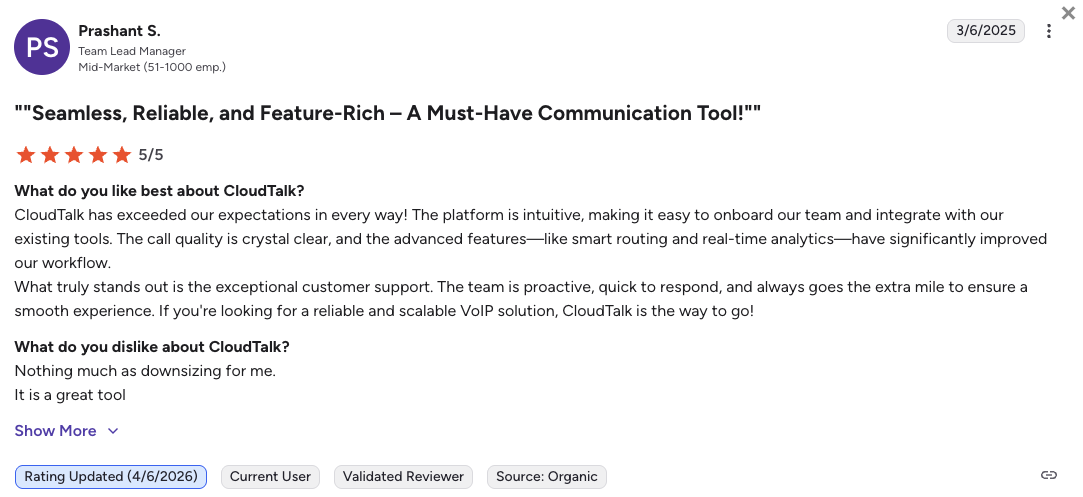
The verdict isn’t only ours. CloudTalk holds a G2 High Performer badge in Contact Center Quality Assurance, awarded for keeping customer satisfaction high, and its Summer 2026 reports add Leader for Small Business and Leader for Mid-Market.
No single tool fits every team, though. A 300-seat contact center that needs forecasting and native workforce management is a Five9 conversation, and a support desk that lives inside Zendesk will get more out of Aircall. Here is how the seven compare.
The 7 Best G2-Rated Call Center Support Software in 2026: Top Picks
1. CloudTalk: Best for Growing Support Teams That Need Fast Help and Built-In Monitoring
What Is CloudTalk?
CloudTalk does something unusual at its price point: its pricing page states exactly which support each tier gets, with 24/7 chat and email on every plan and 24/7 phone support on Expert. CloudTalk is a global AI call center software built for SMB growth, with numbers in 160+ countries and 100+ native CRM and helpdesk integrations.
What Are Real Users Saying About CloudTalk's Support?
CloudTalk starts with the structural fact you can check yourself: its pricing page lists 24/7 chat and email support on every tier and 24/7 phone support on Expert, all at published prices. Several of the vendors below hide phone support, round-the-clock coverage or a named contact behind a quote-based plan, so you can’t even price it without a sales call. CloudTalk publishes no contractual response-time SLA on standard plans, so don’t assume a guaranteed window below Custom.
On monitoring, the badge is the third-party signal we lean on. CloudTalk’s Contact Center Quality Assurance High Performer badge came from verified reviews of the monitoring and coaching tools themselves. Its Trustpilot base of 750+ (4.2/5) is thinner than its 1,702+ on G2, so we won’t read a cross-platform verdict into our own numbers.
What Is CloudTalk's G2 Rating and Review Count?
CloudTalk’s current G2 rating is 4.4/5, out of 1,702+ verified user reviews. Its Summer 2026 reports include Leader for Small Business, Leader for Mid-Market and Momentum Leader.
What Are CloudTalk's Key Features?
- Listen silently, coach the agent privately, or join the call. Available on the Expert plan at $49/user/mo.
- Call Flow Designer, IVR and skill-based routingDrag-and-drop inbound flows with 19 actions and condition-based routing, editable while calls run. Call Flow Designer starts on Starter; IVR and skill-based routing land on Essential.
- Call recording with pause and resumeOn every plan, with 1-month retention on Starter and unlimited storage from Essential.
- Real-time analytics, wallboards and dashboardsLive agent and queue visibility, on the Expert and Custom plans.
- Transcription, summaries, sentiment, topic detection and instant scores on every call. Always a paid add-on, never bundled.
What Are CloudTalk's Pros and Cons?
| Pros | Cons |
|---|---|
| 24/7 chat and email support on every plan, with 24/7 phone support on Expert | AI Call Scoring costs $9/user/mo on top of any plan |
| G2 High Performer in Contact Center Quality Assurance, plus Summer Leader for Small Business and Mid-Market | Real-time transcription and real-time sentiment aren’t shipped, so scoring is post-call |
| Monitoring, phone support and Salesforce all sit on one published Expert tier, no quote needed | No named SLA or account manager outside the Custom plan |
Who Is CloudTalk Best For?
Growing support and sales teams of roughly 5 to 100 seats fit CloudTalk best. These teams need supervisor coaching and international numbers without signing an enterprise contract. Large contact centers that want built-in forecasting and scheduling should look at Five9 instead.
Customer Story: Booking Host
Booking Host (travel and hospitality) reached a 90%+ call answer rate on its support line after moving to CloudTalk.
How Much Does CloudTalk Cost?
CloudTalk pricing starts at $25 (billed annually), with the following plans:
CloudTalk Pricing Plans
| Plan | Pricing (Annual) | Main Features |
|---|---|---|
| Starter | $25/user/mo | Unlimited inbound & internal calls, 500 outbound minutes/user/mo (regional bundle), Call Flow Designer, call queues, transfers, click-to-call, call recording (1-month retention), 24/7 chat & email support |
| Essential | $29/user/mo | Adds IVR & skill-based routing, unlimited call recording, 100+ CRM/helpdesk integrations, API & webhooks, Workflow Automation Designer, SMS/MMS |
| Expert | $49/user/mo | Adds live call monitoring (listen, whisper, barge), Smart Dialer, Power Dialer, Salesforce, real-time analytics, wallboards, custom dashboards, 24/7 phone support; 3-seat minimum |
| Custom | Contact Sales | Adds custom SLAs, dedicated account management, compliance arrangements |
How CloudTalk's Add-Ons Are Priced
AI Conversation Intelligence runs $9/user/mo. Power Dialer is included on Expert, or a $15/user/mo add-on on any plan, and Parallel Dialer is a $39/user/mo add-on on any plan (Expert included). AI Receptionist starts at $99/month for 200 minutes, and AI Voice Agents from $349/month. These AI features are always add-ons, so budget for them separately.
2. Nextiva: Best for Teams That Put the Vendor's Own Support Reputation First
What Is Nextiva?
Nextiva is the only vendor here rated higher on the open review platform than on the verified-buyer one, which reverses the usual pattern. Nextiva is a business communications suite covering voice, digital channels and contact center, sold mainly to North American small business and mid-market teams.
What Are Nextiva's Real Users Saying About Its Support?
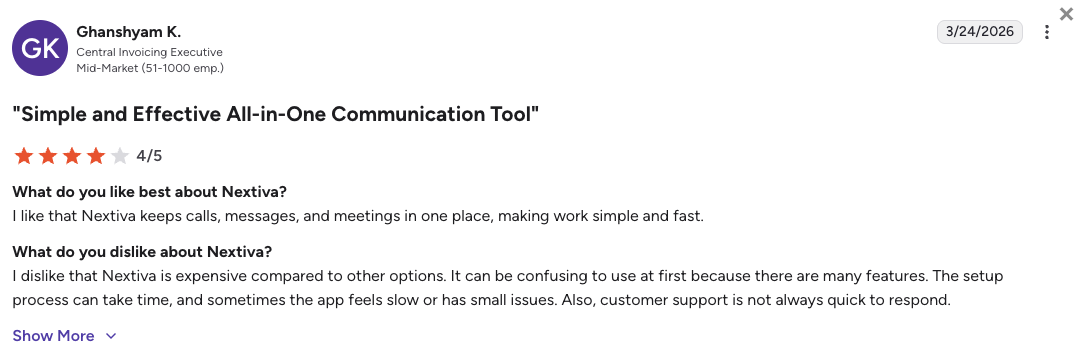
Nextiva’s channel availability is the part with real sourcing behind it. Forbes Advisor’s Nextiva review reports 24/7 phone, chat and email on all paid plans, and TechRadar’s independent review corroborates it. Both note what we found across this set: round-the-clock human support is normally an enterprise-tier privilege.
Where Nextiva sentiment gets murkier is longevity. Reports of slower responses and stalled escalations for longer-tenure customers all trace back to competitor blogs, so we’re not publishing them as a finding.
What Is Nextiva's G2 Rating and Review Count?
Nextiva’s current G2 rating is 4.5/5, out of 3,500+ verified user reviews. Its Trustpilot score is higher still at 4.7/5 across 8,000+ reviews.
What Are Nextiva's Key Features?
- 24/7 support by phone, chat and email on all paid plansReported by Forbes Advisor as unusual in the category.
- Supervisor monitoring, whisper coaching and barge-inReported at the top contact center tier only.
- Real-time agent scorecardsReported alongside the monitoring suite at the same tier.
- Omnichannel interaction handlingVoice plus digital channels in one supervisor view.
- Call recording and analyticsStandard across the contact center tiers.
What Are Nextiva's Pros and Cons?
| Pros | Cons |
|---|---|
| The most consistent ratings in this set: 4.5/5 on G2 across 3,500+ reviews and 4.7/5 on Trustpilot across 8,000+ | Monitoring, whisper and barge reported as top-tier only |
| 24/7 phone, chat and email on every paid plan, per Forbes Advisor and TechRadar | Pricing has been restructured recently, so double-check the current tier before budgeting |
| The largest review base here, which makes the score hard to skew | Coverage is primarily North American |
Who Is Nextiva Best For?
Nextiva fits North American teams that rank vendor support above every other criterion. If your last platform left you on hold during an outage, Nextiva has the strongest third-party evidence behind it. Teams that need whisper coaching without paying for the top tier should look elsewhere.
How Much Does Nextiva Cost?
Nextiva’s pricing starts at $15/user/mo (billed annually), with the following plans:
Nextiva Pricing Plans
| Plan | Pricing (Annual) | Main Features |
|---|---|---|
| Core | $15/user/mo | Unlimited calling, 100 SMS/user, voicemail transcription, basic analytics |
| Engage | $25/user/mo | Everything in Core, plus call recording, CRM integrations, 500 SMS/user, AI assistant |
| Power Suite CX | $75/user/mo | Full omnichannel contact center with monitoring, whisper, barge, agent scorecards, workforce management |
Nextiva vs. CloudTalk
Nextiva wins on evidence. Two independent publications corroborate its 24/7 support, and its review base is roughly twice CloudTalk’s on G2, which makes its score statistically harder to move.
Both vendors reserve whisper and barge for an upper tier, so the question is what that tier costs. CloudTalk prices every tier on its pricing page and sets no seat minimum, while Nextiva’s monitoring lives on its top contact center plan. CloudTalk also runs numbers across 160+ countries of local number coverage.
3. Aircall: Best for Helpdesk-Native Teams Living in Zendesk, Intercom or HubSpot
What Is Aircall?
Aircall built live monitoring into a real product surface rather than a checkbox, with tiered dashboards and a full list of in-progress calls a supervisor can drop into. Aircall is a cloud phone system for teams that run their day inside a helpdesk or CRM, with a connector catalog of 200+ tools.
What Are Aircall's Real Users Saying About Its Support?
Aircall’s seat minimums are the verifiable part. Custom requires 25 licenses, and Custom is also the tier carrying dedicated onboarding and account management. For a growing team of eight, Aircall’s deepest support has a floor it can’t reach yet.
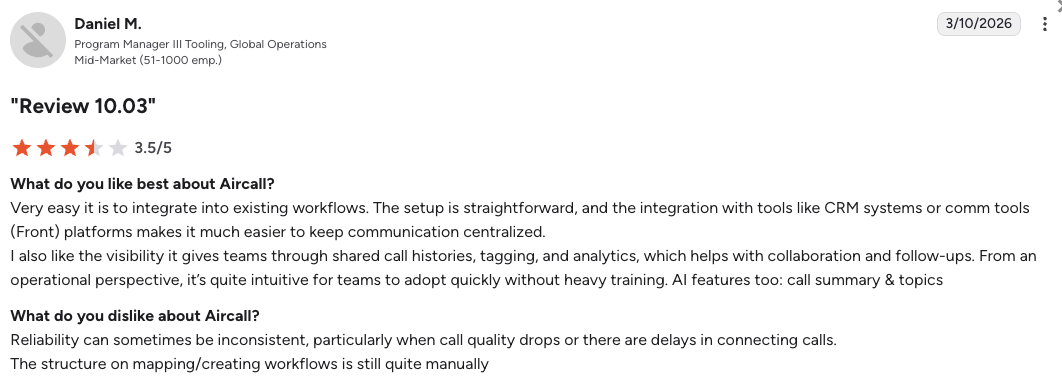
Aircall’s channel gating is widely reported but unconfirmed at source. Multiple third-party sources describe Essentials and Professional as limited to 24/5 chat, with phone support and 24/7 coverage exclusive to Custom. Aircall’s pricing page carries no support-channel or SLA detail at all, so ask before you sign.
What Is Aircall's G2 Rating and Review Count?
Aircall’s current G2 rating is 4.4/5, out of 1,600+ verified user reviews. Its Trustpilot score is 3.0/5 across 1,000+ reviews, and since both bases are a similar size, that gap carries more weight than one measured across mismatched samples.
What Are Aircall's Key Features?
- Call monitoring, whispering and bargingFirst appear on the Professional plan, which the pricing page confirms as advanced analytics and live monitoring.
- Live Monitoring dashboards in three tiersLive Monitoring, Pro and Plus, with deeper visibility and filtering by plan.
- Real-time call list viewSupervisors see every call in progress and can join any of them.
- 200+ integrationsThe widest reported helpdesk and CRM catalog among the small business picks.
- Call recording and analyticsUp to one year on Essentials, unlimited on Professional and Custom.
What Are Aircall's Pros and Cons?
| Pros | Cons |
|---|---|
| Live monitoring is a real product surface with three dashboard tiers | Live monitoring requires Professional, confirmed on Aircall’s pricing page |
| The deepest reported integration catalog among the small business picks | Custom carries a 25-license minimum; Essentials and Professional need 3 |
| 4.4/5 across 1,600+ G2 reviews | The widest G2-to-Trustpilot gap among these picks: 4.4/5 against 3.0/5 |
Who Is Aircall Best For?
Aircall fits support teams of 10 or more already running Zendesk, Intercom or HubSpot as their system of record, because the phone layer lands inside the tool agents already have open. Very small teams, and anyone who needs coaching on an entry plan, should skip it.
How Much Does Aircall Cost?
Aircall’s pricing starts at $30/user/mo (billed annually, 3-user minimum), with the following plans:
Aircall Pricing Plans
| Plan | Pricing (Annual) | Main Features |
|---|---|---|
| Essentials | $30/user/mo | 3-license minimum, basic analytics, recording up to 1 year, standard support |
| Professional | $50/user/mo | 3-license minimum, advanced analytics and live monitoring, unlimited recording, priority support |
| Custom | Custom pricing | 25-license minimum, Analytics+, dedicated onboarding and account management |
Aircall vs. CloudTalk
Aircall wins on integration depth and on the monitoring interface itself. Its 200+ connectors beat CloudTalk’s 100+ CRM and helpdesk integrations, and three dashboard tiers give a supervisor finer filtering than a standard real-time view.
Both vendors gate monitoring above their entry plan, but the support underneath differs sharply. Aircall reserves its deepest support for a Custom contract with a 25-license floor and publishes no price for it. CloudTalk puts monitoring on Expert at a published $49/user/mo, carries 24/7 chat and email on every tier plus 24/7 phone on Expert, and starts at $25 with no seat minimum.
4. JustCall: Best for Teams Handling Voice, SMS and WhatsApp in One Inbox
What Is JustCall?
JustCall is one of the few vendors here whose verified-buyer and open-platform scores sit within 0.2 of each other, at 4.3/5 on G2 against 4.1/5 on Trustpilot. Built by SaaS Labs, JustCall combines voice, SMS, MMS and WhatsApp in one workspace with AI conversation analytics.
What Are JustCall's Real Users Saying About Its Support?
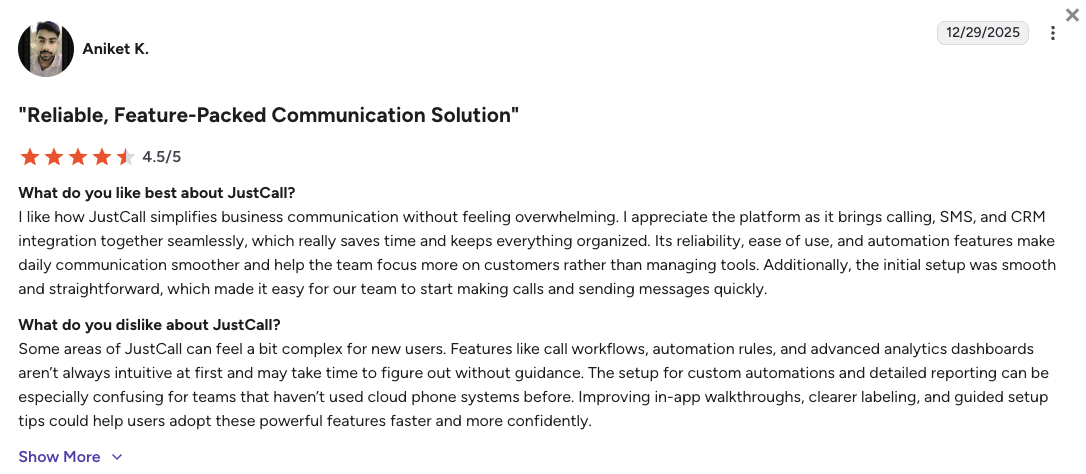
JustCall’s gating is the headline, and it’s specific. Dedicated phone support is reported only on Business, at 24/5, with lower tiers limited to chat or email. Business is quote-based with a reported 10-license minimum, so the version of JustCall support that involves talking to a person needs a sales conversation and ten seats.
JustCall’s strongest positive signal is consistency, not enthusiasm. Its two scores sit 0.2 apart, and the Trustpilot distribution reconciles with its headline, where most vendors here drop by a point or more.
What Is JustCall's G2 Rating and Review Count?
JustCall’s current G2 rating is 4.3/5, out of 2,300+ verified user reviews, one of the larger review bases among the small business picks. On Trustpilot it holds 4.1/5 across 680+ reviews, with roughly 18% at one or two stars.
What Are JustCall's Key Features?
- Call monitoring with listen, whisper and bargeReported on Pro and above, and specifically not on the entry Team plan.
- Voice, SMS, MMS and WhatsApp in one workspaceThe case for a single support inbox instead of two tools.
- AI scoring and conversation analytics (JustCall iQ)Marketed across the range; the starting tier isn’t established.
- CRM and helpdesk integrationsStandard across the mid and upper tiers.
- Call recording and analyticsStandard across plans.
What Are JustCall's Pros and Cons?
| Pros | Cons |
|---|---|
| Ratings agree across platforms: 4.3/5 on G2 across 2,300+ reviews and 4.1/5 on Trustpilot across 680+ | Dedicated phone support reported on Business only, at 24/5 rather than 24/7 |
| Voice, SMS and WhatsApp in one place, for customers who switch channels mid-issue | The entry Team plan is reported to have no live monitoring at all |
| Monitoring arrives at the second tier, reported at $49/user/mo | Business is quote-based with a reported 10-license minimum |
Who Is JustCall Best For?
JustCall fits small business and mid-market teams handling a real mix of voice, SMS and WhatsApp, especially where consolidating two tools is part of the business case. Teams that need 24/7 phone support without a 10-license commitment should look at CloudTalk or Nextiva.
How Much Does JustCall Cost?
JustCall’s pricing starts at $29/user/mo (billed annually), with the following plans:
JustCall Pricing Plans
| Plan | Pricing (Annual) | Main Features |
|---|---|---|
| Team | $29/user/mo | Voice and messaging basics; no live monitoring |
| Pro | $49/user/mo | Adds listen, whisper and barge, plus deeper analytics |
| Pro Plus | $89/user/mo | Adds higher usage limits and AI features |
| Business / SalesPro | Custom pricing | 10-license minimum, dedicated 24/5 phone support, onboarding |
JustCall vs. CloudTalk
JustCall wins on channel breadth and rating consistency. Voice, SMS, MMS and WhatsApp in one workspace is a broader messaging surface than CloudTalk’s SMS and WhatsApp, and a 0.2-point spread is tighter than most of this set.
CloudTalk fits better when you want published support terms instead of a quote-based tier with a license floor. CloudTalk’s entry plan lists 24/7 chat and email at $25/user/mo with no seat minimum, phone support and monitoring arrive on Expert, and every step is a published tier upgrade rather than a sales conversation.
5. Ringover: Best for Multi-Country European Support Teams
What Is Ringover?
Ringover assigns a named Customer Success Manager as the main contact for new customers, a support model most vendors at this price reserve for enterprise contracts. Ringover is a European cloud communications platform covering voice, messaging and coaching tools, with local numbers across 65+ countries.
What Are Ringover's Real Users Saying About Its Support?
Ringover documents a relationship model rather than a response time. Its own help center describes a Customer Success team, a named manager as the main contact for new customers, free 30-minute video consultations and optional one-to-one training. For a team that has never run a phone system, a named person during setup beats a faster ticket queue.
What Ringover doesn’t publish is the part you need at 2am. Its support hours and per-plan channel gating aren’t stated anywhere we can cite, and that absence is itself a finding. Ringover’s Trustpilot base of 990+ is more than twice its G2 base, so the open-platform 4.1/5 is the better-sampled score, and it holds up.
What Is Ringover's G2 Rating and Review Count?
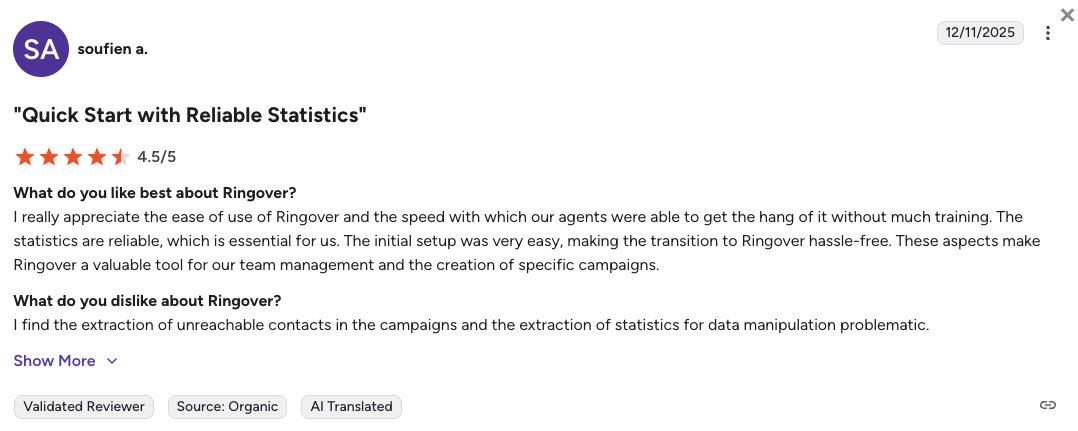
Ringover’s current G2 rating is 4.6/5, out of 450+ verified user reviews, the highest G2 score among these picks and the smallest review base in this comparison. Its Trustpilot score is 4.1/5 across 990+ reviews.
What Are Ringover's Key Features?
- Double listening, call whispering and in-call interventionDiscreet listening, private coaching and openly joining a live call, reported on the Business plan.
- Local numbers across 65+ countriesReported on Business, which covers most European footprints.
- Multi-level IVR and skill-based routingReported on the Business plan.
- Power DialerReported as bundled into Business rather than sold separately.
- Two CRM integrations plus international SMSReported on the Business plan.
What Are Ringover's Pros and Cons?
| Pros | Cons |
|---|---|
| Coaching tools sit in a mid-tier plan rather than a bespoke enterprise contract | Support hours aren’t published, so a buyer can’t tell what response time to expect |
| A named Customer Success Manager is the standard onboarding contact, with free video consultations and optional one-to-one training | The Smart plan has been discontinued, so the lineup shifted recently |
| 4.6/5 on G2 and 4.1/5 on Trustpilot across 990+ reviews | The Talk entry tier has no coaching tools |
Who Is Ringover Best For?
Ringover fits European support teams running lines in several countries, particularly ones that value a named human contact during onboarding over a ticket queue. Teams that need published 24/7 hours, or coverage well beyond Europe, should look elsewhere.
How Much Does Ringover Cost?
Ringover’s pricing starts at $15/user/mo (billed annually), with the following plans:
Ringover Pricing Plans
| Plan | Pricing (Annual) | Main Features |
|---|---|---|
| Talk | $15/user/mo | Unlimited calling to core destinations; no coaching tools |
| Business | $47/user/mo | Double listening, whisper, intervention, IVR, routing, Power Dialer, 65+ countries |
| Advanced | Custom pricing | Contact sales |
Ringover vs. CloudTalk
Ringover wins on two things worth naming. Its coaching tools come bundled into a mid-tier plan alongside a Power Dialer, so one upgrade buys both, and its Customer Success Manager model gives a new team a human contact by default.
CloudTalk fits better when you need to know your support terms before you sign, and when your customers reach beyond Europe. Ringover doesn’t publish its support hours. CloudTalk lists 24/7 chat and email on every plan with phone on Expert, prices every tier, and covers 160+ countries of local number coverage against Ringover’s 65+.
6. Five9: Best for Enterprise Contact Centers That Want Native Quality Management
What Is Five9?
Five9 owns its own quality management and workforce optimization stack, so an enterprise QA program doesn’t require bolting a third-party tool onto the phone platform. Five9 is a cloud contact center platform for enterprise buyers, sold as tiered bundles with a 50-seat minimum on every plan.
What Are Five9's Real Users Saying About Its Support?
Five9’s support is contract-defined, which changes what “responsive” even means. Five9 doesn’t list support tiers by plan the way the small business vendors do, and deployment runs through its professional services team, which handles configuration, training and follow-up. The support you get is whatever your contract says, so negotiate it rather than assume it.
Five9’s one carryable theme is structural. Implementation is consistently described as a weeks-long project with a dense admin backend that needs a dedicated owner. Accounts of billing and escalation friction trace back to competitor blogs, so we’re leaving them out.
What Is Five9's G2 Rating and Review Count?
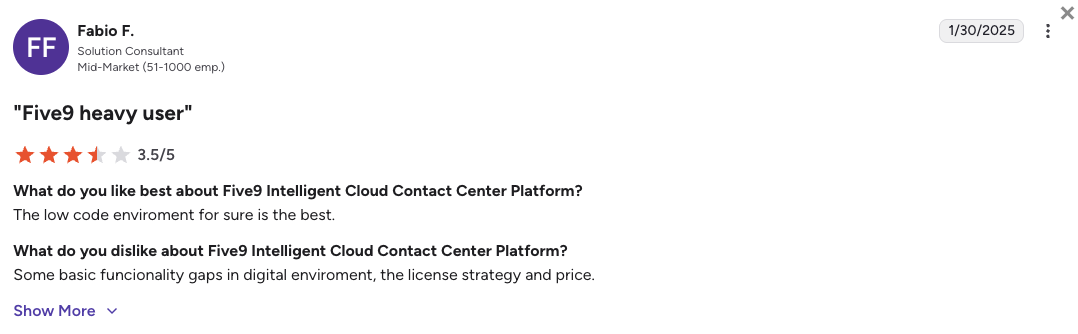
Five9’s current G2 rating is 4.1/5, out of 550+ verified user reviews. Its Trustpilot score is 3.6/5 across 730+ reviews, a 0.5-point gap that’s narrow for an enterprise vendor.
What Are Five9's Key Features?
- Native quality managementIncluded from the higher bundles, not the entry Digital plan.
- Full workforce optimizationWorkforce management, agent performance and CX tooling, reported on the top bundles.
- Omnichannel routingVoice plus digital channels handled from one platform.
- Analytics and workflow automationReported at the top tier, with automated agent tasks and notifications.
- Predictive and outbound dialingPart of the core contact center platform.
What Are Five9's Pros and Cons?
| Pros | Cons |
|---|---|
| Quality management is native, so an enterprise QA program needs no separate suite | QA is tiered and quote-based, so the cost of the QA tier requires a sales call |
| Real enterprise depth, with workforce management and agent performance built in | Deployment is a project, running weeks through professional services |
| A narrow gap for its market tier: 4.1/5 on G2 against 3.6/5 on Trustpilot | A 50-seat minimum forces smaller teams to pay for unused licenses |
Who Is Five9 Best For?
Five9 fits enterprise contact centers of several hundred seats that need native quality management, forecasting and scheduling in one platform. Growing teams that want to be live this week, and can’t absorb a professional-services implementation, should look at the small business picks above.
How Much Does Five9 Cost?
Five9’s pricing starts at $119/user/mo (billed annually) for its Digital bundle, with a 50-seat minimum on every plan:
Five9 Pricing Plans
| Plan | Pricing (Annual) | Main Features |
|---|---|---|
| Digital | $119/user/mo | Chat and email channels only, no voice calling |
| Core | $159/user/mo | Voice plus digital channels, live monitoring, recording |
| Premium and above | Quote-based | Adds quality management, workforce optimization and advanced AI |
Five9 vs. CloudTalk
Five9 wins clearly on QA depth. Enterprise quality management, workforce management and forecasting in one vendor-owned suite is more than CloudTalk offers, and CloudTalk’s own materials list automated quality management and real-time compliance alerts as gaps against Five9.
CloudTalk fits better when you’re growing rather than already large. You can be live in days, you get supervisor monitoring without a quote-based bundle, and every price is public. Five9’s quality management sits on quote-based tiers above $119. CloudTalk’s Expert plan is $49/user/mo with wallboards and custom analytics dashboards included.
7. 8x8: Best for Regulated Organizations Consolidating UCaaS and Contact Center
What Is 8x8?
8x8 sells the phone system and the contact center as one platform from one vendor, which removes an integration seam for organizations that would otherwise buy both. 8x8 covers voice and digital channels with global voice coverage, across contact center tiers named X6, X7 and X8.
What Are 8x8's Real Users Saying About Its Support?
8x8 runs a ticket-based technical support model. Its own support portal describes technical support engineers as the primary contact by phone, email and ticket. Which plan gets which channel, and at what hours, isn’t published anywhere we could find, so setting 8x8 beside a vendor that states 24/7 coverage on every tier means comparing a number with a blank.
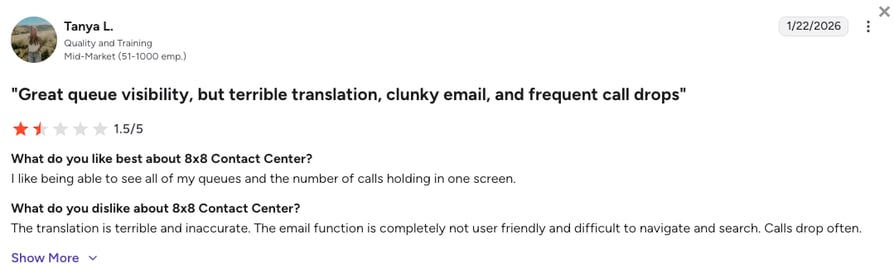
8x8’s review distribution is the strongest evidence we have. Roughly 38% of 8x8’s Trustpilot reviews sit at one or two stars, and that breakdown reconciles with its 3.2/5 headline. Trustpilot skews toward people with a complaint, so it isn’t a verdict, but on a page about support quality it’s a number a buyer should see.
What Is 8x8's G2 Rating and Review Count?
8x8’s Contact Center product holds a G2 rating of 4.1/5, out of 200+ verified user reviews. The broader 8x8 platform scores about a tenth higher (~4.2/5) on a much larger base, so check which of the two any comparison is quoting. On Trustpilot, 8x8 scores 3.2/5 across 600+ reviews, a full point below its platform G2 score.
What Are 8x8's Key Features?
- Quality managementReported as available on X8 only, the most expensive tier.
- Speech analyticsAlso reported as X8 only.
- Skill-based routing and CX journey mappingReported from X6 upward.
- Social media channels and co-browsingReported as added at X7.
- UCaaS and contact center on one platformOne vendor, one contract, one admin surface.
What Are 8x8's Pros and Cons?
| Pros | Cons |
|---|---|
| One vendor for the phone system and the contact center, removing an integration seam | Quality management and speech analytics are reported as X8-only, so QA is the last thing you get |
| Global voice coverage that holds up across regions | Roughly 38% of its Trustpilot reviews sit at one or two stars, the highest share among these picks |
| Speech analytics and quality management are native rather than third-party | Published pricing is unreliable; the circulating figures date to 2022 |
Who Is 8x8 Best For?
8x8 fits regulated mid-market and enterprise organizations that want one vendor for unified communications and contact center across multiple regions. Teams that need transparent pricing, or quality monitoring without the top tier, should look at the small business picks.
How Much Does 8x8 Cost?
8x8’s contact center pricing runs across three tiers, X6, X7 and X8, with the following per-user rates on annual billing:
8x8 Pricing Plans
| Plan | Pricing (Annual) | Main Features |
|---|---|---|
| X6 | $95/user/mo | Voice contact center, skill-based routing, CX journey mapping |
| X7 | $105/user/mo | Adds social media channels and co-browsing |
| X8 | $133/user/mo | Adds quality management and speech analytics |
8x8 vs. CloudTalk
8x8 wins on consolidation and reach. If your organization would otherwise run a separate UCaaS vendor and a separate contact center vendor across regulated regions, collapsing that into one contract has real operational value.
CloudTalk fits better when you want the monitoring tier’s price published before you talk to anyone. Both vendors reserve quality monitoring for an upper tier, but CloudTalk publishes Expert at $49/user/mo and includes inbound call recording on every plan.
Test the Monitoring Stack Before You Pick a Vendor
What Do G2's "Leader" and "High Performer" Badges Actually Mean?
G2 calculates its quarterly reports from verified customer reviews and market-presence data, not analyst opinion, and vendors can’t buy a badge. Leader means high scores on both satisfaction and market presence. High Performer means high satisfaction with a smaller market presence. Both are segmented by company size, which is why a real badge reads as G2 Leader in outbound call tracking for mid-market teams rather than just “Leader”.
Badges are also seasonal. CloudTalk’s Contact Center Quality Assurance badges are one set; its Summer 2026 reports are a different set again, and add Best Usability in speech analytics for mid-market teams. Any vendor calling itself “a G2 Leader” without naming the season and category is telling you almost nothing, and that includes us.
What Does a Gap Between G2 and Trustpilot Ratings Tell You?
Read a vendor’s G2 score next to its Trustpilot score and look at the distance. Most people never check the second number, and that distance is the fastest way to spot a post-sale problem. RingCentral is the clearest case in our data: 4.3/5 on G2 across 2,900+ verified reviews against 2.0/5 on Trustpilot across 1,800+, where 69% of reviewers give one or two stars.
Both numbers can be true at once. G2 verifies business buyers, so it samples administrators who chose the tool and have a stake in it working. Trustpilot is open, and it collects the billing and cancellation experiences that rarely reach a G2 review. A wide gap usually says more about the post-sale process than the product, so treat it as a prompt to evaluate the pricing terms as carefully as the features. Nextiva runs the other way, at 4.5/5 on G2 and 4.7/5 on Trustpilot. One caveat, though: when the review bases are very different sizes, the gap means less.
Stop Reading Ratings. Score Your Own Calls.
How Do You Choose Call Center Software Based on Support Quality and QA Needs?
Salesforce’s seventh-edition State of Service report, based on a survey of 6,500 service professionals, found that 82% say customer expectations are higher than they used to be.³ Five questions get you to the right vendor faster than a feature checklist does.
Which Plan Actually Gives You Live Call Monitoring and Real Support?
Almost every call center software with live monitoring on this list gates it behind a higher tier. Most call monitoring software ships listen, whisper and barge together, so one upgrade turns on all three. What differs is which upgrade, and what it costs, so confirm the tier first when you compare call center monitoring software.
Where Live Monitoring Kicks In, by Vendor
| Vendor | First Plan With Live Monitoring | Support on the Entry Plan | Confirmation Status |
|---|---|---|---|
| CloudTalk | Expert, at a published $49 | 24/7 chat and email (phone on Expert) | Confirmed internally |
| Aircall | Professional | Not stated on the pricing page | Monitoring verified; support channels unconfirmed |
| Nextiva | Top tier (reported) | 24/7 phone, chat and email on all paid plans | Support reported by Forbes Advisor and TechRadar; tier unconfirmed |
| JustCall | Pro (reported) | Chat or email; phone on Business only | Unconfirmed |
| Ringover | Business (reported) | Named CSM for new customers; hours not published | Unconfirmed |
| Five9 | Higher bundles; quality management quote-based (reported) | Contract-defined | Unconfirmed |
| 8x8 | Below X8 (reported); quality management on X8 | Ticket-based support portal | Unconfirmed |
What Support Channels and Response Times Do You Actually Need?
Work backwards from your worst hour. If your busiest window is Sunday evening, Aircall’s reported 24/5 chat leaves a gap exactly where you need cover. Then ask whether the commitment is written or just a promise, since most vendors here, CloudTalk included, reserve contractual SLAs for a custom contract. Hold your vendor to the call center quality assurance metrics you hold your own team to.
Customer Story: Yanolja
Yanolja (travel and hospitality) cut missed calls by 30% to 40% after switching to CloudTalk.
Do You Need Whisper Coaching, or Is Call Recording Enough?
Recording is for review after the fact. Live monitoring is for the moment it matters, and the difference shows up fastest in call center coaching for new hires. If you onboard continuously, whisper coaching pays for itself: CloudTalk puts it on Expert, JustCall on Pro, Ringover on Business, so it’s a tier upgrade rather than a custom contract in every case. If your volume is low and your team is stable, recording plus a weekly review captures most of the benefits of quality assurance at no extra cost.
Customer Story: Allycom
Allycom (financial services) kept call recording 100% reliable across 100 countries on CloudTalk.
How Much QA Does a Growing Team Really Need?
Below about ten agents, reviewing a few recorded calls a week does the job. Past that, hand-sampling calls for quality assurance stops scaling. CloudTalk’s AI Call Scoring sits in the AI Conversation Intelligence add-on at $9/user/mo, while Five9 and 8x8 both put automated evaluation on their top bundles.
Some teams need a dedicated scoring suite on top of whatever phone system they run. If that’s you, our roundup of the best call center quality assurance software based on G2 covers the contact center QA tools built for that job.
What Will Quality Monitoring Cost You by Plan Tier?
Price the capability rather than the plan. Call center quality monitoring software is rarely a line item; it’s usually the reason you end up two tiers above budget. Add up the tier upgrade, the per-seat add-on for scoring, and any seat minimum on the plan carrying the support you want: Aircall’s Custom tier needs 25 licenses, and JustCall’s Business tier reportedly ten.
Ready to Choose the Best Call Center Software for Responsive Support?
Nextiva has the strongest independent evidence of answering the phone on every paid plan. Aircall gives helpdesk-native teams the deepest supervisor dashboards, JustCall consolidates voice and messaging, and Ringover pairs mid-tier coaching with a named CSM for European teams. Five9 is the enterprise choice for native quality management, and 8x8 wins when collapsing two vendors into one is the real business case.
CloudTalk is our top pick because both of its answers are published rather than quoted. You get round-the-clock support on the plan you can actually afford, and supervisor coaching built into the platform instead of bought as a second product.
- 24/7 chat and email support on every plan, phone support on ExpertEvery tier's support is listed on the pricing page, not reserved behind a quote.
- Live monitoring with listen, whisper and barge on the Expert planHear a call silently, coach the agent privately, or join it, all from one console.
- Third-party validation in the categories that matter hereG2 High Performer in Contact Center Quality Assurance, plus Summer Leader for Small Business and Mid-Market.
- IVR and skill-based routing from EssentialDrag-and-drop call flows with 19 actions, editable while calls are live.
- Call recording with pause and resume on every planRetention grows by tier, with unlimited storage from Essential.
- Numbers in 160+ countriesOpen a local support line in a new market without opening an office.
Final words
Judge a calling vendor on the two things a feature list won’t tell you: how fast they answer you, and how well they let you hear your own team.
Hear Your Own Calls the Way Your Customers Do
Sources:
- Qualtrics XM Institute, 2026 Global Consumer Study
- McKinsey & Company, The Contact Center Crossroads (2025)
- Salesforce, State of Service (Seventh Edition)
Frequently Asked Questions About Call Center Software and Support Quality
Common questions about call center support, live monitoring, G2 ratings, and what these tools cost.
Yes, CloudTalk offers live call monitoring and coaching on its Expert plan: a supervisor can listen without either party knowing, whisper advice only the agent hears, or join the call outright. Automated evaluation is separate, since AI Call Scoring comes with the AI Conversation Intelligence add-on at $9/user/mo, not with the plan.
G2 reviews aggregate into CloudTalk’s 4.4/5 rating across 1,702+ verified reviews, and we didn’t sample individual reviews for this comparison. Two things you can check yourself: CloudTalk’s pricing page lists 24/7 chat and email support on every plan with 24/7 phone on Expert, and its Contact Center Quality Assurance reports include a High Performer badge for high customer satisfaction.
Being a G2 High Performer in Contact Center Quality Assurance means CloudTalk scored highly on customer satisfaction in that category while holding a smaller market presence than the category Leaders. G2 calculates it from verified customer reviews, so the badge reflects how the people actually using CloudTalk’s monitoring and coaching tools rate them.
G2 badges are awarded from verified customer reviews and market-presence data, and no, vendors can’t pay for them. G2 recalculates its reports quarterly, so a badge always belongs to a specific season and category, like CloudTalk’s Summer VoIP Leader reports. Vendors can ask customers to leave reviews, which moves review volume rather than the score.
A tool needs roughly 100 verified G2 reviews before its rating means much, and a few hundred before the average gets hard to skew, which is why our roundup of the best call center QA software weights review volume. Below about 50, a handful of very happy or very unhappy customers can move a score by half a point. Sample sizes also differ by platform: 8x8’s Contact Center profile has 200+ G2 reviews against 600+ on Trustpilot, so the two aren’t measuring the same group.
Yes, call center QA software is different from call center software with basic call recording, though the line has blurred. Recording gives you the audio, while QA adds the workflow on top: scorecards, evaluation criteria, reviewer calibration, and reporting on agent performance over time. Most calling platforms now ship some of that natively, which is exactly what this comparison measures.
The call center software with the best-evidenced customer support here is a tie between CloudTalk and Nextiva. CloudTalk’s pricing page lists 24/7 chat and email support on every plan with 24/7 phone on Expert, and Nextiva’s 24/7 support on all paid plans is corroborated by Forbes Advisor and TechRadar. Check carefully any vendor that gates phone support behind a quote-based tier.
Call center software costs roughly $15 to $50 per user per month for small business call center software and mid-market platforms, and $100 or more per seat for enterprise suites. CloudTalk starts at $25/user/mo billed annually, with Essential at $29 and Expert at $49, so budget for the tier upgrade that turns on live monitoring plus any per-seat add-ons for scoring or dialing.
Call center software handles voice, while contact center software handles voice plus digital channels like chat, email, SMS and social. That’s the whole contact center versus call center distinction, and vendors use the labels loosely enough that you should read the channel list instead of trusting the name.