
18 Essential Business Phone System Features to Boost Productivity

78% of service agents struggle to balance speed and quality, while sales reps lose time to repetitive tasks. The right business phone features solve both issues.
Not sure which business phone features really matter? Here’s a clear checklist of the essentials to look for in your next system.
TL;DR
Here are the 9 main business phone features to route calls faster, reduce missed calls, and help teams work more efficiently (out of the 16 that made our list):
-
01
IVR (Interactive Voice Response) – Greets callers and routes them via voice menus.
-
02
Skills-Based Routing – Sends calls to the best agent based on skills or language.
-
03
Call Flow Designer – Lets you build and customize call routes visually.
-
04
International Numbers – Gives you local presence in multiple countries.
-
05
Call Monitoring – Listen, whisper, or barge into live calls for coaching.
-
06
Call Recording – Records calls for training, quality, and compliance.
-
07
Analytics – Tracks KPIs like missed calls and FCR in real time.
-
08
Workflow Automation – Automates follow-ups, tickets, and call-related tasks.
-
09
Voicemail – Routes messages correctly and delivers voicemail transcripts.
What Is a Business Phone System?
A business phone system is a telecommunications network that allows everyone in your company to handle internal and external calls. Such systems support inbound and outbound call centers and contact centers as well as internal communications between colleagues.
Your Business Phone System Features Checklist
To make sure that you’re getting the most out of any solution you choose, we’ve compiled a list of essential business telephone features to look for:
#1 Interactive Voice Response
Interactive Voice Response (IVR) is an automated telephone system feature. It interacts with incoming callers using pre-recorded messages, speech recognition, and dual-tone multi-frequency (DTMF) technology.
In other words, it’s a virtual receptionist. It can greet incoming callers, present them with a menu of options, and use their inputted responses to gauge their intent and route them to the right place.
Let’s say that you have three main departments: Sales, finance, and customer service. After greeting an incoming caller, the IVR system might say “Press 1 for sales, press 2 for billing, press 3 for customer support”.
From there, the IVR might present them with more relevant options, leading them to the right agent, department, or information source.
Thanks to IVR’s smart routing capabilities, you can minimize call transfers, reduce long call queues, and drive more first-call resolutions.

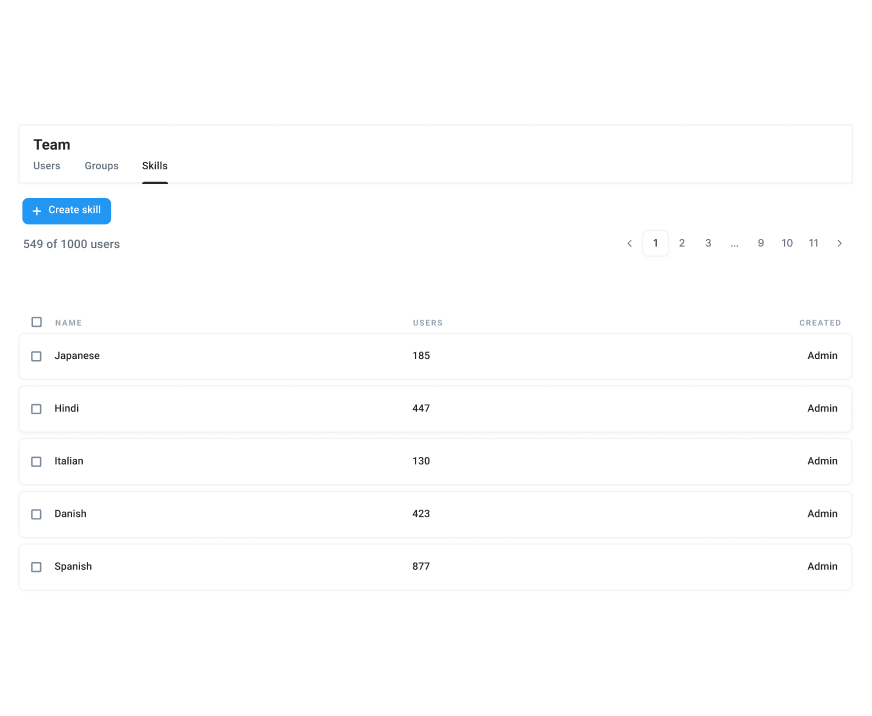
#2 Skills-Based Routing
Every phone system for businesses should enable skills-based routing; the method of routing specific types of calls to the most suitable agent based on their knowledge and expertise.
For example, a customer whose query was made in Spanish might be directed to a Spanish-speaking agent. An angry or vulnerable customer might be directed to an agent with additional training in conflict resolution. Or, callers with specific questions might be routed to agents with qualifications in that area.
Skills-based routing ensures that every call is answered by the agent most equipped to handle the request. In turn, it reduces wait times and transfers, improves first-call resolutions, and boosts customer satisfaction.
#3 Call Flow Designer
Your call flow is a visual map that represents how callers travel through your phone system from dial-in to call resolution. A call flow designer is an interactive tool that lets you create and customize call flows to optimize efficiency.
You can design optimal call routes and detail what happens at each stage, giving customers reliable, consistent experiences.

#4 International Numbers
Are you planning to expand your business across borders? If so, you need a VoIP-based system that offers local numbers in the countries you want to serve.
Customers are much less likely to answer your call or initiate contact if they don’t recognize your country code. It screams “potential scammer”, which does nothing for your credibility.
Having an international number gives your company a local presence even if you don’t have a physical one (like an office in the nation), improving pick-up rates and call volumes.
Take PlanRadar, for example, whose legacy phone system was hindering their global expansion capabilities. They made the switch to CloudTalk, leveraging 160+ international numbers to provide seamless service to customers around the globe.
In two years, they managed to catapult their growth to new heights. Capable of handling 144,652 calls using 585 international numbers in a single month, they successfully achieved a growth of 122.14%.
#5 Call Monitoring
One in five of your loyal customers are prepared to part ways with your brand after just one bad experience. The majority will leave after two or three bad experiences.
Call monitoring features play a critical role in helping you deliver exceptional call experiences, every single time. They enable supervisors and managers to oversee calls as they’re happening and, if necessary, provide support.
There are three main types of call monitoring features:
- Call listening: This lets supervisors listen in on live agents to evaluate agent performance.
- Call whisper: Supervisors can give real-time advice to an employee while they’re on a call, without the customer being able to hear.
- Call barging: Supervisors can jump in on a live call to directly resolve issues.
Let’s say that a customer calls in with a complicated question that your new employee is struggling to answer. Using call whisper, supervisors can coach the employee without the customer knowing that there’s anyone else on the line.
If the customer were to grow particularly frustrated, the supervisor might barge in on the call to diffuse the situation.

#6 Call Recording
Call recording is a foundational business phone feature that allows you to record your team’s calls and store them for compliance and training purposes.
Through recordings, you can identify weaknesses and tailor your training provisions and scripts around them.
Perhaps your team is struggling to answer questions on a specific topic. Or, maybe they’re not as friendly or concise as you’d like them to be. Whatever the case, recordings unlock the insights you need to optimize your strategy and messaging.

#7 Analytics
How do you know if your call center is performing optimally? The best VoIP-based phone systems provide you with advanced analytics, such as call statistics and insights on your KPIs, in real-time from a centralized dashboard.
This gives you an accurate, data-backed view of your performance at individual, group, and department-wide levels, which is crucial for smart decision-making and strategy.
Look out for business phone solutions that make it easy to track the following call center KPIs:
- Total call volumes
- Total missed calls
- Average speed of answer
- Call abandonment rate
- First-call resolution
- Average total talk time

#8 Workflow Automation
Repetitive manual tasks, like data entry and collection, don’t just eat away your employee’s productivity. They also erode your employee’s happiness and motivation.
This is why workflow automation is such a big deal—it automates tiresome tasks to fuel more efficient, productive, and error-free work.
With CloudTalk, you can set up automated custom workflows for various activities, such as ticket creation, follow-ups, and text-to-speech transcriptions.
#9 Voicemail
Voicemail has gotten smarter. Along with receiving voice messages on your preferred device, you can route callers to different inboxes, ensuring that they’re always delivered to the right person or team.
In fact, CloudTalk’s voicemail feature sends word-perfect voicemail transcripts straight to your email. So, if you’re in a meeting or otherwise engaged, you can still read time-sensitive messages.
#10 Extensions
A phone extension is a short number that you can assign to individual employees and teams. Anyone who knows the extension number can type it in when they call, and get instantly connected to the right person or department.
For example, imagine that your sales manager needs to urgently speak to your finance manager. Instead of having to navigate a complicated IVR menu or speak to a receptionist, they can simply type in the finance manager’s extension.
Or, let’s say that a client wants to follow up with a specific member of your sales team about a prospective purchase. They can use the extension to connect to the right person directly, minimizing transfers and improving the customer experience.
#11 Call Transfers
Seamlessly transfer customers to the right team member, department, or extension using call transfer. With the ability to direct incoming calls to the right place at the click of a button, you can reduce customer wait times and meet immediate needs without lots of tedious back-and-forth.
CloudTalk’s call transfer feature offers an extra layer of intelligence. As well as cold transferring, which blindly connects customers to agents without any briefing, it also facilitates warm transfers.
A warm transfer allows the agent making the transfer to brief the next agent with business context call information, detailing the specific issue that needs resolving. This way, customers don’t need to repeat themselves and the next agent can get straight into the solution, promoting fast, personalized customer service.
#12 Campaigns
Create campaigns for teams using call scripts, questionnaires, and call notes to guide your agents’ communications and track their results in real-time.
For example, questionnaires can be used to make sure that agents are asking customers the right questions when troubleshooting an issue. This leads to faster resolutions as agents can identify issues faster.
Call scripts help keep agents on track. If they feel like they’re getting side-tracked or losing their train of thought, they can refer to the call script to pivot the conversation in the right direction.
With CloudTalk, you can monitor campaigns in real-time and make improvements based on your results.
#13 Smart Dialing
If you make lots of outbound calls, smart dialing is essential for boosting productivity while helping you connect with high-quality leads.
Here’s how it works in CloudTalk.
Our smart dialer scours your website, CRM, helpdesk tools, and more to locate customers’ phone numbers and add them to your queue. Together with the click-to-call extension, you can make simultaneous calls, order calls in your queue, set buffer times between outbound calls, and even push lower-quality leads down the queue to prioritize warm leads.
In all, you can boost call volumes and lower call times by up to 50%.
#14 Power Dialer
It might only take a few seconds for sales reps to locate and dial a number, but those seconds can add up into minutes, and those minutes into wasted hours.
Power dialers automatically call numbers one after the other, eliminating the manual task of dialing. In turn, reps have more time to focus on researching customer information between calls and the other more useful tasks that lead to better, more personalized selling.
#15 Voicemail Drop
Chances are, a chunk of your sales reps’ outbound calls will go unanswered or get declined. Instead of writing the number off—or bombarding it with more calls and ending up on their block list—you can quickly leave the customer a personalized voicemail using voicemail drop.
Voicemail drop lets sales reps pre-record voicemail messages. These messages can be sent in a click if the customer doesn’t pick up the phone. It’s much more time-efficient than manually leaving a personalized voicemail every time you reach an inbox.
Plus, leaving a voicemail increases your chances of getting a callback.
#16 Call Queuing
Call queuing is an essential feature that places inbound calls into a virtual queue based on your predefined rules. For example, you might queue calls based on waiting time, issue type, priority, or agent skills.
Call queues help you maintain transparency and manage customer expectations. Via recorded messages, you can let customers know their position in the queue and give them an estimated waiting time to ensure that they’re kept in the loop.
This goes a long way with customers. It reduces frustration, instills trust in relationships, and gives customers more control over their experience. With insight into their place in the queue, they can decide to stay on the line (reducing your call abandonment rate) or call back later when you’re less busy.

#17 VIP Queues
VIP queuing lets you assign VIP tags to your most valuable customers. With this exclusive tag, they automatically skip straight to the front of your queue and receive immediate, high-quality customer service.
According to Salesforce, a staggering 77% of customers expect agents to be immediately available to handle their requests. This is incredibly difficult and potentially impossible to achieve during busy periods.
However, by making the extra effort for your most loyal customers, you can reap the benefits that they provide to your business: Word-of-mouth marketing, frequent and high-value order purchases, advocacy, and more.
#18 AI-Powered Features
AI-powered business phone systems have some of the best business phone features. From automation to predictive analytics, they have what you need to enhance process efficiency and optimize customer experiences.
For example, with CloudTalk AI, you can collect and process call data from every interaction. As well as the context of the call, AI can analyze sentiments, behaviors, and more.
This presents you with hyper-accurate insights that you can use to identify weaknesses, capitalize on strengths, anticipate customer needs, and make other strategic, data-backed decisions.
But that’s just the beginning. Check out CloudTalk’s other AI-powered features, like topics extraction or automatic call summaries.
Key Benefits of a VoIP-Based Business Phone System
Why choose a VoIP-based business phone system over KSU or on-premises PBX?
Enjoy High Quality Calling From Anywhere
Say goodbye to latency and jitter. VoIP providers like CloudTalk use global server distribution and live call quality monitoring to ensure that your calls are always optimally routed.
So, as long as you have a stable internet connection and decent bandwidth, you can enjoy spotless calling experiences from anywhere.
This is crucial because, according to Buffer, 15% of remote workers say that communication difficulties are a significant challenge for them. For 8%, it’s their biggest struggle when working remotely.
Save Time With Quick and Easy Onboarding
Unlike KSU and on-premises PBX, VoIP phone systems don’t require complex hardware installations and configurations. This means a VoIP phone system can be up and running in a matter of hours instead of weeks.
Your phone provider takes care of the complicated stuff—all you need are your VoIP-enabled devices and a good internet connection.
Automate Workflows and Integrate Your Business Tools
Along with automation features, such as IVR and power dialing, VoIP phone providers offer powerful integrations with business tools, including your CRM.
A phone system integrated with your CRM centralizes data, instantly equipping your agents with vital business context call information—such as previous interactions, active deals, or open tickets—before they even say hello.
By integrating CloudTalk with Pipedrive, for example, lead generation software company Leadspicker reduced the length of their sales cycle by 92%. And, they boosted their company’s growth and profit.
Achieve More Effective Communication With the Right Business Phone System
The flexibility, affordability, and feature-richness of VoIP phone systems make them vastly superior to KSU and PBXs, regardless of your business’s size. With so many providers to choose from, though, how do you know which business phone system is right for you?
Along with the cost and ease of use, look for a provider that offers all of the features you need. CloudTalk offers all of the business phone features that we looked at above, from call monitoring, call queues, and transfers, to skills-based call routing, workflow automation, and powerful AI features.
Plus, the AI-powered calling solution is designed to meet the needs of every industry use case. Our customers’ industries range from telecommunications to banking, automotive, ecommerce, and many more.
Curious to know how it all works?

Try out CloudTalk for free or get in touch with our sales team for more info.







