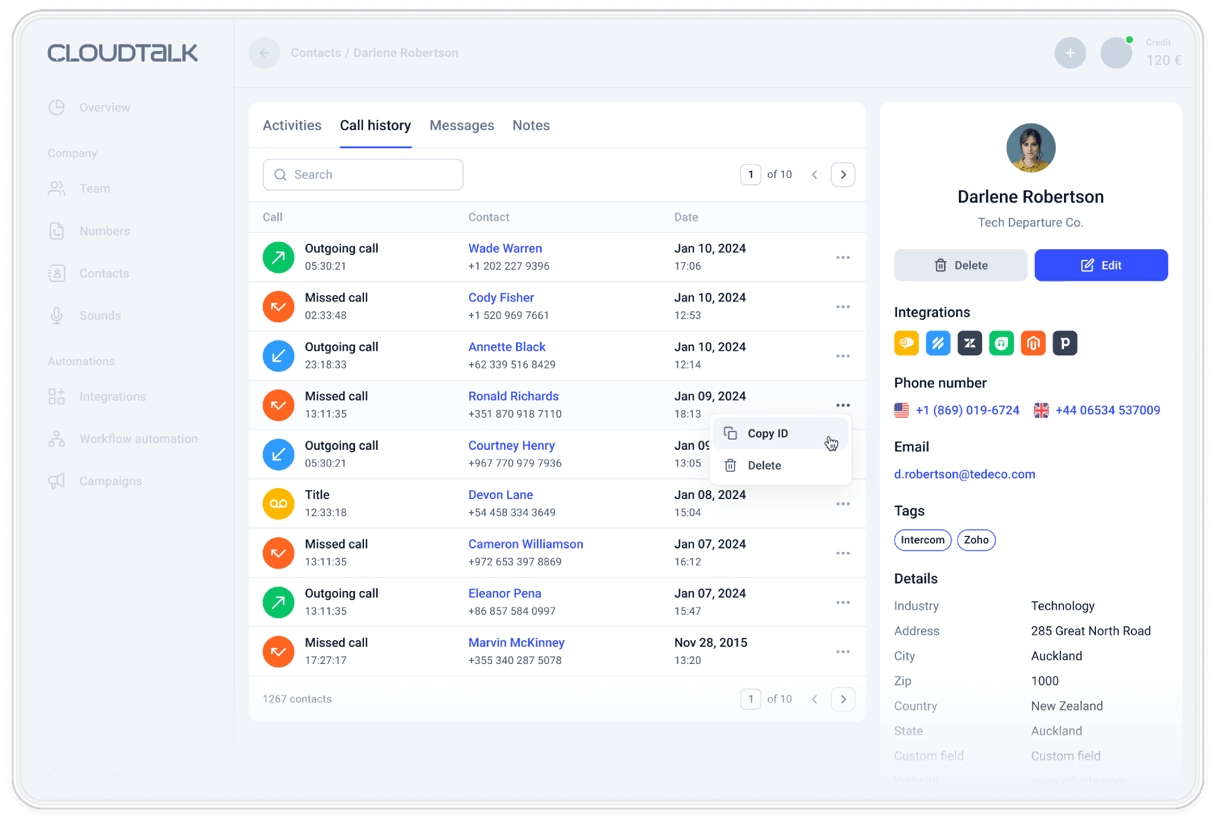
Call Notes That Keep the Details and Land in Your CRM
For teams that can't pick up every call. CloudTalk texts back the callers nobody answered, from your business number, so they know you got the call and can reply. Add an AI receptionist to answer the call first.
4.4/5 on G2 (1,702+ reviews)
Automatic texts from $29/user/mo· Texts billed per message · Monthly billing available
- 01A text goes out when an incoming call ends unanswered
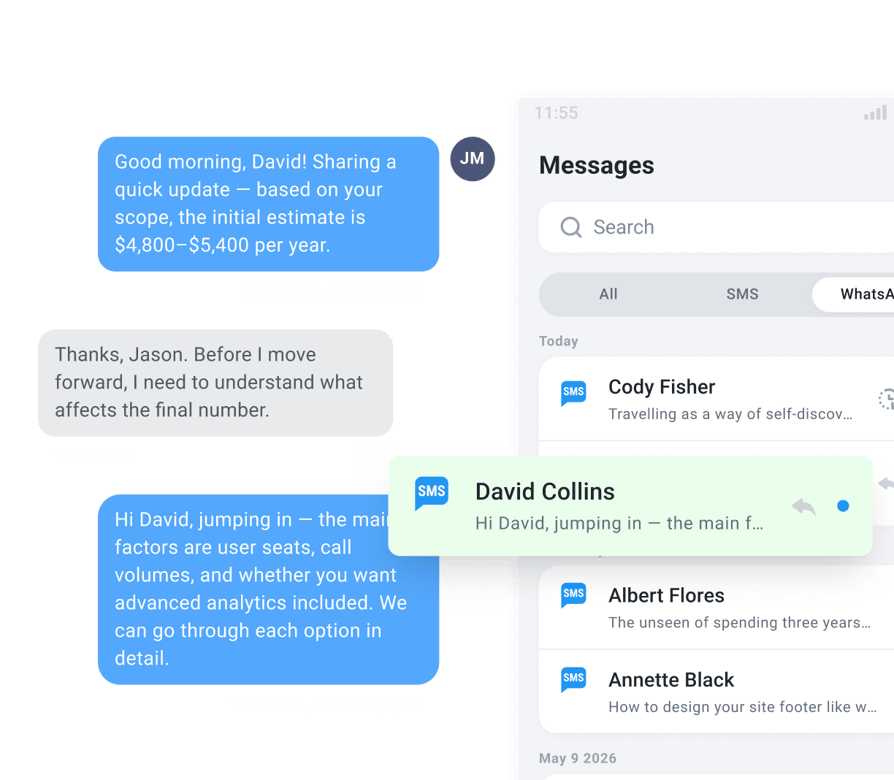
- 02Sent from your SMS-enabled CloudTalk number, so replies come back to you
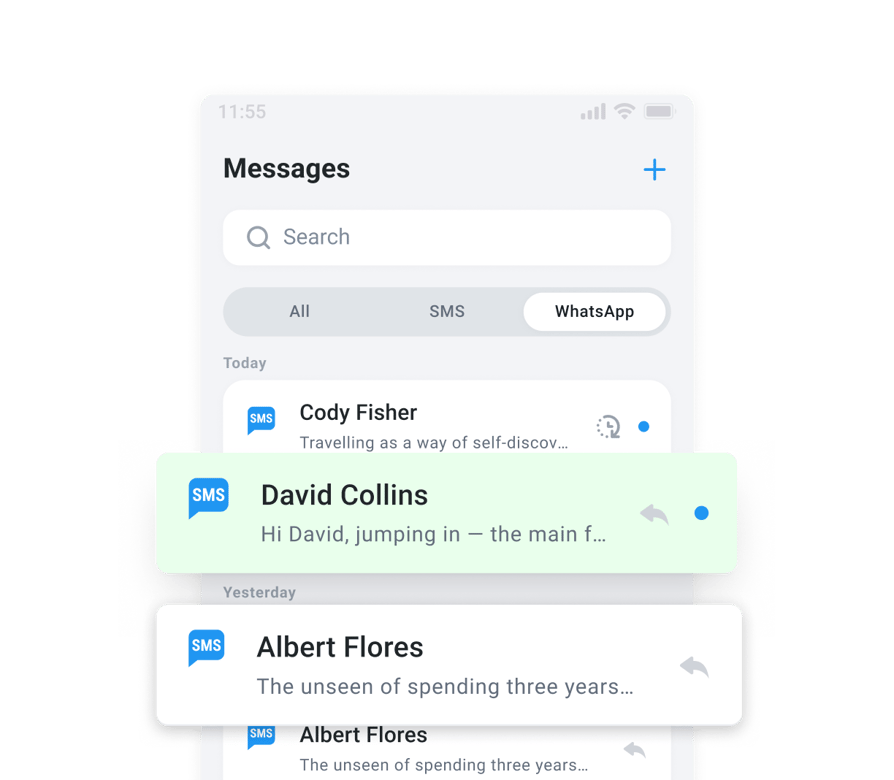
- 03Replies land in the CloudTalk Messages inbox, next to your calls
 SOC2 CompliantISO 27001
Trusted by 30,000+ sales & support professionals worldwide
















Business Outcomes
Missed Call Text Back for Owners, Front Desks, and Sales Teams
Answer the caller before they dial your competitor.
For Owners and Service Businesses: Win the Lead While It's Warm
When you're on a job or with a customer, callers get a text instead of silence. They can reply with what they need, and you follow up with the details in hand.
For Front Desks and Support Teams: Stay Responsive in the Rush
When every line is busy, the caller still hears back. Your team picks up the conversation from the Messages inbox, and on a shared number you can see when a teammate is already replying.
For Managers and RevOps: Know Which Missed Calls Need a Follow-Up
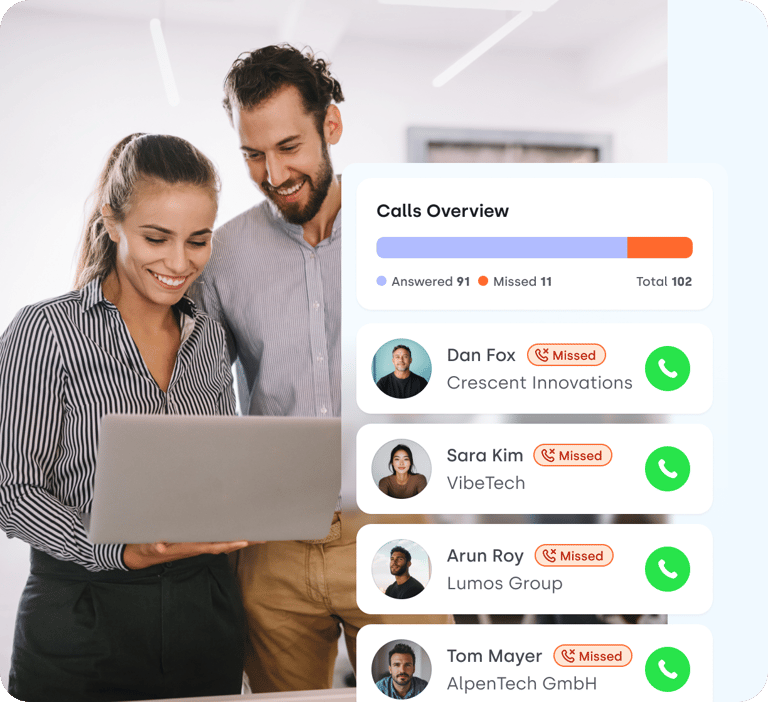
The missed calls report shows why each call went unanswered and which ones nobody has called back yet.
Missed Call Text Back Software
Everything You Need to Text Back Missed Calls Automatically
Automatic texts, rules for who gets them, AI answering, and a report on every missed call.
Text Back Every Caller Nobody Could Answer
A caller who hears nothing back calls someone else. With missed call text back, they get a reply in the time it takes the call to end.
- 01A text goes out when an incoming call ends and nobody picked up
- 02Set it up in Workflow Automation, or add it to the unanswered branch of your call flow
- 03Write your own message: your opening hours, a booking link, or a line saying you'll call back
- 04Sent from your SMS-enabled CloudTalk number, so replies come back to you
- 05Replies land in the Messages inbox, where your team can answer from desktop or mobile
Automatic texts need the Essential plan or higher and an SMS-enabled number.
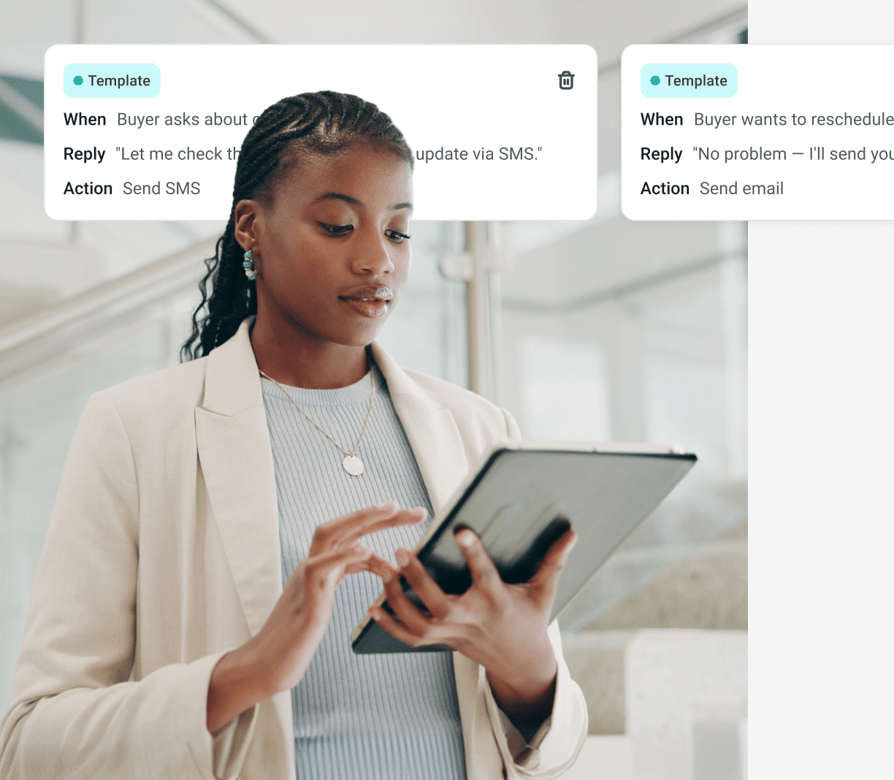
Decide Which Calls Get a Text, and What It Says
Each text is billed, so you choose exactly which calls trigger one.
- 01Text only incoming calls that nobody answered
- 02Set a separate workflow and message for each of your numbers
- 03Send a Slack alert to your team's channel when a call goes unanswered
- 04Send missed calls to Zapier, Make, or your CRM with an API request
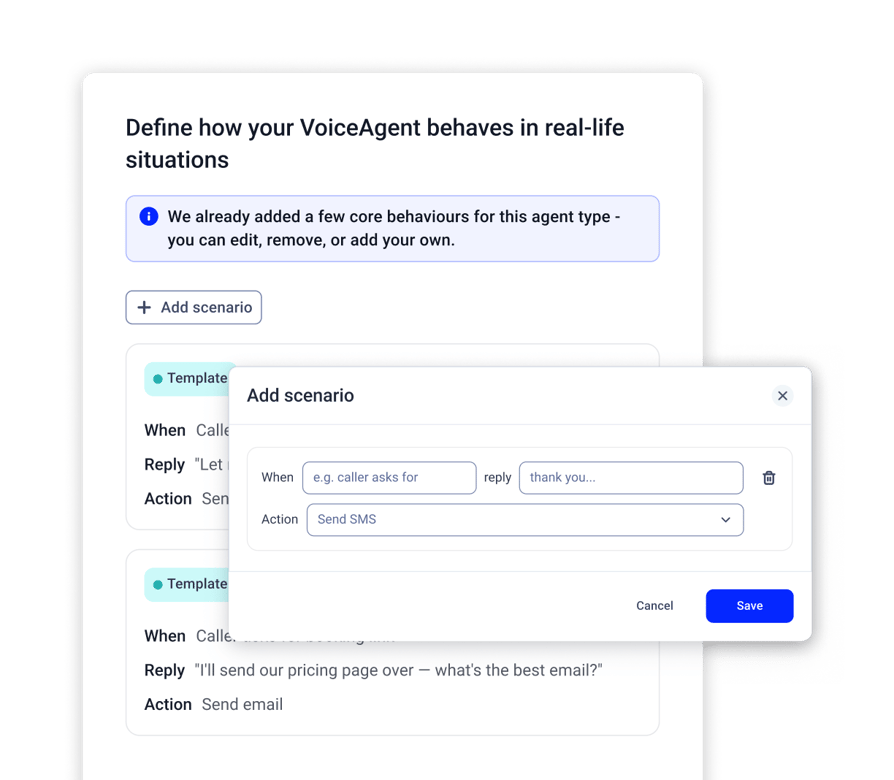
Let an AI Receptionist Answer the Call Instead
A text gets a reply later. An AI receptionist talks to the caller now.
- 01Answers inbound calls 24/7
- 02Answers common questions from documents you upload
- 03Takes the caller's name, callback number, and reason for calling
- 04Books appointments in your Google Calendar or Outlook, or transfers the caller to your team
- 05Detects the caller's language and speaks 70+ languages and accents
Your first 50 AI minutes are free.
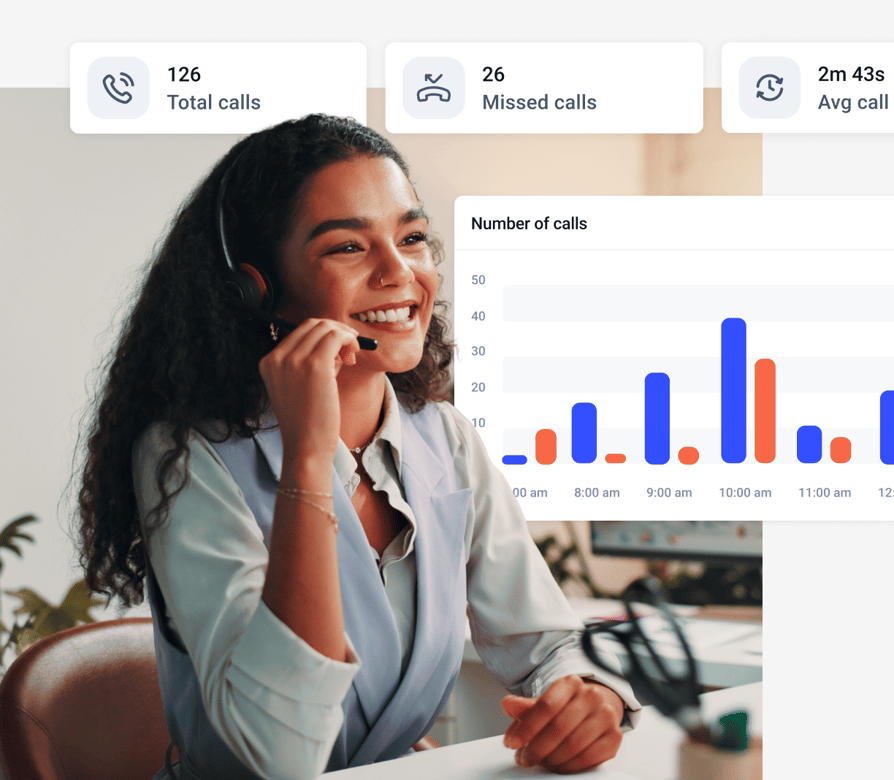
See Every Missed Call and Whether Anyone Followed Up
Texting back is half the job. The other half is making sure someone calls.
- 01See resolved and unresolved missed calls: unresolved calls are the ones nobody has called back yet
- 02Find out why: all agents busy, all agents offline, caller hung up, and more
- 03Compare groups and agents to see where calls get missed, then adjust your routing
- 04See calls that came in outside business hours on their own card
See Analytics and missed call tracking.
What Changes When Your Team Calls From CloudTalk Numbers?
Want 3x more of your calls picked up and up to 40% fewer missed? These teams got there with local numbers, one phone system and AI.

3x Pickup Rate With Local Mobile Numbers
“With CloudTalk, we could get real mobile numbers in-region, not just landlines. It made a huge difference in deliverability and how prospects responded.”

Up to 40% Fewer Missed Calls Globally
“CloudTalk isn't just a tool, it's become a core part of how we connect with prospects, manage conversations, and grow our presence in the U.S. market.”

From a Personal iPhone to Local Numbers
“We went from juggling personal phones and manual call forwarding to a unified platform that saves us time and delivers a much better customer experience.”

Missed Calls Cut From 80% to Just 16%
“Customers used to wait over 20 minutes just to speak to an agent. Now, they get through in 3 to 4 minutes. We also went from missing 80% of calls to just 16%.”

40% More Connected Calls for Sales Reps
“Find a tool that's not only reliable but can scale with your growth. CloudTalk offered us the consistency and support we needed to expand with confidence.”

500+ SDRs on One Global Phone System
“We managed to reduce sales operations by 40 hours per month and give our team the tools they need to scale globally, without sacrificing efficiency.”
Know What It Takes to Text Back Missed Calls
Is Automatic Texting Allowed?
Yes, with registration. In the US, carriers require A2P 10DLC registration for business texts, and texts from unregistered numbers are blocked. Our Numbers Support team registers your brand and use case, and it usually takes 2 to 4 weeks. Rules differ by country, so check yours.
How Hard Is It to Set Up?
You build it once in Workflow Automation: a Call Ended trigger, two conditions, and an SMS action. No code needed. Prefer to reply by hand? Your team can text back from the Messages inbox or call history.
What Will the Texts Cost?
Texts are billed per message from your account credit, and rates depend on the destination country. Each message fits up to 160 standard characters. Automatic texts from $29/ user/month.
Will My Texts Get Delivered?
On US and Canadian numbers, texting turns on once your A2P 10DLC registration is active. Carriers block some content, such as high-risk financial offers and lead-generation marketing, so keep texts to the call.
CloudTalk vs. Standalone Missed Call Text Back Tools
Connect Missed Call Text Back to the Tools You Already Use
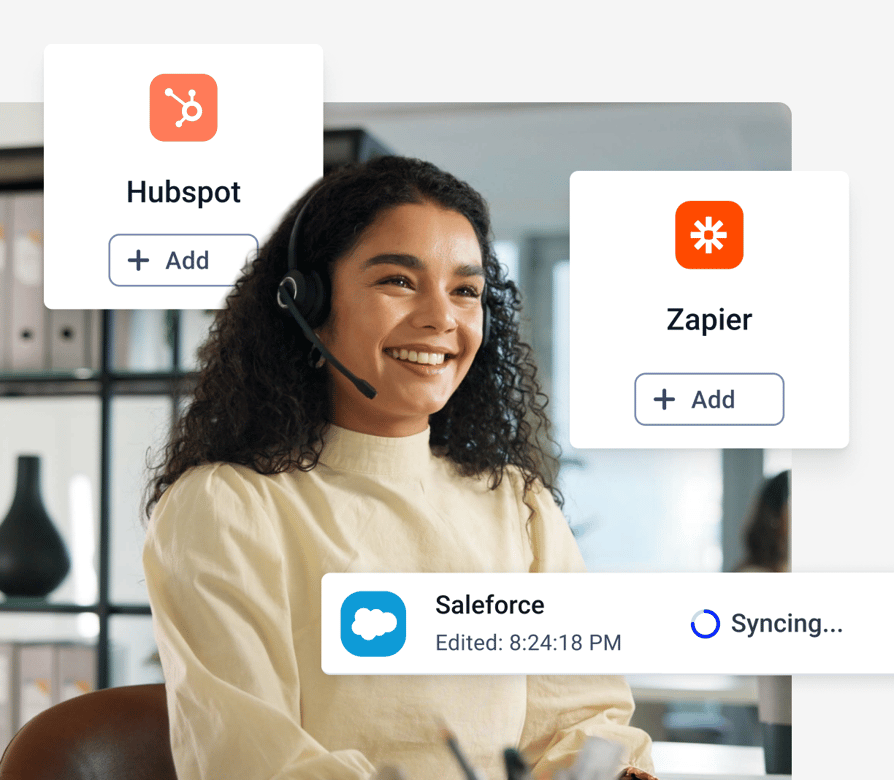
Send texts from your CRM, and send missed-call alerts where your team works.
- 01Send CloudTalk texts from HubSpot workflows
- 02Texts logged in HubSpot as notes, in Pipedrive under the contact, and in Salesforce as activities
- 03Missed-call alerts in a Slack channel
- 04Missed calls sent to Zapier, Make, or Microsoft Teams with an API request
- 05Send texts from your own tools with the CloudTalk API
Native integrations are included from the Essential plan.
Set Up Missed Call Text Back in 5 Steps
Build it once, and it runs on every missed call.
- 01Get an SMS-enabled number. Choose the Essential plan or higher and pick a number that can text in your country.
- 02Register for texting. For US numbers, start A2P 10DLC registration in the Dashboard under Numbers, A2P registration. Our team handles the filing.
- 03Create an API key. In Settings, API Keys. The SMS action uses it to send.
- 04Build the workflow. In Workflow Automations, choose the Call Ended trigger, add the conditions direction is incoming and talking time is 0, then add an SMS action with your message.
- 05Test it. Call your number, let it ring out, and check the text and the reply in Messages.
CloudTalk Pricing
How Much Does Text Back Cost?
Missed call text back from $29/user/month.
Features
Other features you might like

Call Summary & Tags
Eliminate repetition and boost efficiency with AI-powered post-call Summaries & Tags.
Learn more about Call Summary & Tags
Contact Tags
Assign customized tags to your contacts and easily sort them into categories.
Learn more about Contact Tags
Call Transcription
Analyze and understand your calls by automatically transcribing them with AI.
Learn more about Call Transcription
Talk/Listen Ratio
Track the Talk/Listen Ratio to provide data-backed feedback and enhance CX.
Learn more about Talk/Listen RatioPhone Number Integrations
Can I Connect My SMS to Other Tools?
Yes, you can connect your messages with HubSpot, Salesforce, Zoho, Pipedrive and 100+ more tools.


How Secure Are Your
Parallel Dialer Calls and Data?
Your Parallel Dialer calls and customer data are protected by the standards regulated industries rely on, with 99.999% uptime and none of the enterprise complexity.



Clear Caller
Identity
Register your numbers for STIR/SHAKEN verified calling and show a clear caller ID, and AI agents say they're AI up front.
Encrypted Calls
and Recordings
Call recordings and transcripts are encrypted and stored securely. Your data stays yours and isn't used to train external AI models.
Proven Security
Standards
Our controls comply with HIPAA, GDPR, SOC 2 and ISO 27001, and we can sign a BAA when you need a HIPAA-compliant phone number.
Carrier-Grade
Uptime
With 99.999% uptime on carrier-grade infrastructure, your US calls stay crystal clear, and support runs 24/7 on every plan.

Turn Every Missed Call Into a Conversation
Try CloudTalk free, and start texting back the callers you couldn't answer. Monthly billing available.
Missed Call Text Back FAQs
Missed call text back software sends a text to a caller when nobody answers. The caller knows you got the call and can reply right away. CloudTalk sends the text from your SMS-enabled business number, so replies land in your Messages inbox.
When an incoming call ends and nobody picked up, CloudTalk sends the text you wrote. You build it in Workflow Automation with a Call Ended trigger, conditions for incoming calls with zero talking time, and an SMS action. You can also add the text to the unanswered branch of your call flow.
Yes. Create one workflow per number, add a condition for that number, and write a message for each. Every incoming call that ends unanswered on that number gets the text.
In the US, yes. Carriers require A2P 10DLC registration for business texts, covering your business details, how you'll use texting, and proof that people agreed to receive messages. Texts from unregistered numbers are blocked. Our Numbers Support team files it for you, and it usually takes 2 to 4 weeks.
For a typical small business, $19.50 one time and $1.50 per month. These are carrier and registry fees, and CloudTalk adds no markup.
The text goes out when the call ends. To follow up later, reply by hand from the Messages inbox or call the customer back.
Automatic texts need the Essential plan or higher, from $29 per user/month billed annually, with monthly billing available. Each text is billed per message from your account credit, and rates depend on the destination country.
The reply arrives in the CloudTalk Messages inbox. Anyone with access to that number can answer it, from desktop or mobile.
Yes. The AI receptionist answers inbound calls 24/7, answers common questions from your documents, takes the caller's details, and books appointments or transfers the caller to your team. Your first 50 minutes are free.
Yes. A workflow can post to a Slack channel, text a phone number, or send the call to another tool with an API request when an incoming call goes unanswered.
Yes, in many countries. Eligible US and Canadian numbers can call and text, and so can mobile numbers in countries such as Australia, Denmark, Finland, Poland, and the Netherlands. Some mobile numbers elsewhere are calling-only or SMS-only, so ask our team about the countries you need.
Texts are logged in HubSpot as notes, in Pipedrive under the contact, and in Salesforce as activities. Native CRM integrations are included from the Essential plan.
Open Analytics and the missed calls report. It shows why each call was missed, with reports by group and agent. On the Expert plan, it also splits missed calls into resolved and unresolved, so you can see which ones nobody has called back.


Hello 👋 My name is Emma. Still have questions?
Can’t find the answer you’re looking for? Please chat to our friendly team.
Start your 14-day free trial
Over 5,500 sales & support teams use CloudTalk to boost calling performance