12 Best Phone Recording Systems for Small Businesses in 2026 (Pricing, Features & Best Picks)
SUMMARY:
We reviewed 20+ call recording tools in 2026 and narrowed them down to the 12 best phone recording systems for small businesses. If you want the fastest shortlist, these 5 stood out most for SMB sales and support workflows.
Here’s a quick overview of the best call recording software for small businesses:
- 01CloudTalk — best for SMB teams that want automated call recording, analytics, and CRM integrations
- 02Aircall — best for teams that want simple call recording with strong CRM and helpdesk syncing
- 03Nextiva — best for teams that want call recording plus reliable reporting and monitoring tools
- 04Dialpad — best for teams that want AI transcription and smart call insights built in
- 05Zoom Phone — best for remote teams that already use Zoom for meetings and collaboration
Read on, and you’ll find the full list of all 12 tools, plus pricing, key features, and who each platform is best for.
The call recording software market hit an estimated $6.1 billion in 2024 and is projected to keep growing at 11.2% per year.¹
These insights are a clear sign that businesses are taking recorded conversations seriously, not just for compliance, but for coaching, quality control, and better customer outcomes.
Whether you’re closing deals, resolving complaints, or onboarding new hires, call recording gives you a real edge. And in 2026, it’s no longer an enterprise-only feature. Affordable, easy-to-use tools are now built specifically for small teams that need to move fast, train smarter, and stay compliant.
To save you time, we reviewed 20+ tools and curated a list of the 12 best phone recording systems for small businesses—ranked by features, usability, pricing transparency, and real user reviews.
Let’s dive in and find the right fit for your team.
Ready to capture every conversation and turn it into action?
How We Chose the Best Phone Recording Software for Small Businesses
To build this list, we reviewed 20+ popular call recording services and narrowed them down to the 12 that offer the best overall value for small businesses.
We focused on what actually matters when you’re choosing a business call recording system, including:
- recording quality and reliability
- ease of setup and daily use
- storage limits and playback tools
- integrations with CRMs and helpdesks
- security, permissions, and compliance features
- pricing transparency and scalability
Only tools that offered practical call recording features for real sales and support teams made the final cut.
Why Trust Our Reviews?
We’ve helped over 30,000 professionals choose better communication tools and reviewed 200+ software products across sales, support, and contact center categories.
We based our software recommendations on thousands of verified reviews from G2, Capterra, Gartner, and TrustRadius, plus real feedback from Reddit and Quora.
Our goal is simple: give you an honest shortlist of business telephone recording systems that are actually worth considering, based on real use cases, not marketing claims.
Learn how we keep our content integrity and our software review methodology.
Top 12 Phone Recording Platforms for Small Businesses
Below are 12 call recording tools that are actually worth considering for a small business. Some are great for sales teams, others for support, and a few cover both.
Comparison Table: Best Call Recording Systems at a Glance
Before diving into full reviews, the comparison table below helps you shortlist tools fast.
How to use the table:
- Check Best For to match each tool with your team size and goals
- Compare Best Feature to see what each platform does especially well
- Use Starting Price to rule out tools that don’t fit your budget
| App Name | Best For | Best Feature | Starting Price |
|---|---|---|---|
| CloudTalk | SMBs needing analytics & integrations | Custom dashboards with auto/on-demand recording | $25/user/mo |
| Aircall | Teams using Zendesk/Pipedrive with automation needs. | Unlimited call recording with seamless CRM integration | $30/user/mo |
| RingCentral | All-in-one UC for voice/video/SMS | Unified platform for calls, meetings, and messages | $30/user/mo |
| Nextiva | Data-driven mid-sized teams | Advanced analytics and monitoring tools | $20/user/mo |
| 8×8 | Global teams needing security & compliance | Secure, compliant global call recording | Custom pricing |
| Zoom Phone | Remote/hybrid teams using Zoom | Native integration with Zoom Meetings | $20/user/mo |
| Vonage | Tech-savvy teams needing APIs | Developer-friendly custom call workflows | $19.99/user/mo |
| Dialpad | AI-driven teams needing real-time insights | Real-time transcription and AI-powered call summaries | $15/user/mo |
| Grasshopper | Founders & mobile-first teams | Lightweight, mobile-friendly phone system | $14/user/mo |
| CallHippo | Outbound-focused sales teams | Reporting dashboards for outbound call tracking | $16/user/mo |
| Freshcaller | Multichannel support using Freshworks | Smart routing with Freshdesk/Freshsales integration | $15/user/mo |
| Talkdesk | Enterprises needing AI + compliance | AI-driven sentiment analysis and compliance tools | $85/user/mo |
1. CloudTalk — Best Automated Phone Recording System for Growing Businesses
CloudTalk is a leading business phone recording system and AI voice agent built for small and medium-sized call centers. It blends powerful automatic call recording tools, AI-powered voice agents, analytics, and automations to help sales and support teams stay sharp. Seamless integrations and crystal-clear call quality set it apart from other providers.
Key Features:
- Unlimited call recording storage from $29/user/month
- Automatic call recording feature so you never forget to record a single call (manual call recording still available, with options to pause and resume recordings while on call)
- Real-time analytics and custom dashboards
- Native data sync with 100+ CRM integrations, including HubSpot, Salesforce, and Pipedrive
- Smart AI Dialers that drastically speed up outbound (especially with Power and Parallel modes)
- Intuitive drag-and-drop Call Flow Designer, for quick setup of your calling workflows
- Always-on AI Voice Agents and Virtual Receptionists so you never miss a call again, offer multilingual support, and rid your human agents of boring routine and admin so they can focus on high-value calls
| Pros | Cons |
|---|---|
| Fully supports automatic call recording, so you'll never miss an insight (set it up once and automatically record all your calls). | Some advanced AI features are available only on premium plans. |
| Native HubSpot, Salesforce, and Pipedrive integrations with deep customization options. | Like any other VoIP platform, it requires a stable internet for real-time transcription. |
| Provides actionable insights through AI-driven analytics. |
- Starter ($25/user/month): Offers unlimited calling within the U.S. and Canada, business texting, access to international numbers, basic call recording, entry-level analytics, and 24/7 email or chat support.
- Essential ($29/user/month): Includes 1,000 minutes of domestic outbound calling, round-the-clock live support, advanced analytics, IVR functionality, skill-based routing, plus integrations and access to the Open API.
- Expert ($49/user/month): Comes with advanced tools like Power and Smart Dialers, VIP queueing, two-way WhatsApp messaging, and call monitoring capabilities.
- Custom (Pricing varies): Designed for teams with specific requirements—this plan features tailored onboarding, flat-rate unlimited outbound calls, enhanced security features, and developer-level support.
Ideal For:
- Small and medium-sized businesses that want a flexible, cloud-based phone system with powerful recording capabilities.
Try the Best Phone Recording for Growing Teams
2. Aircall
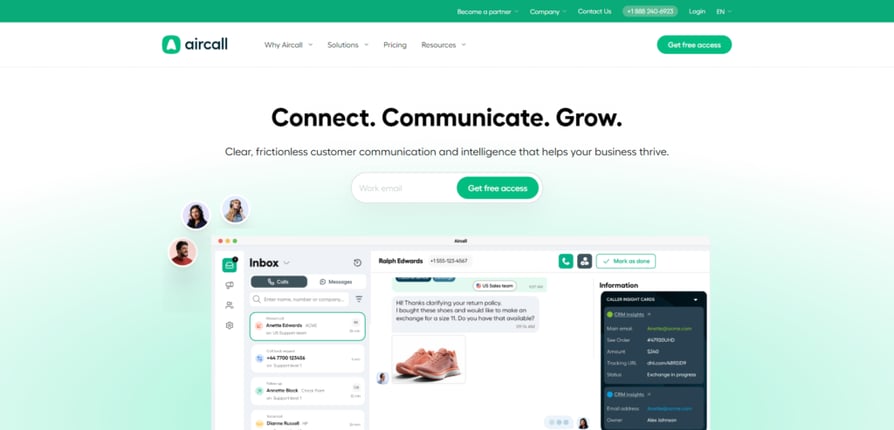
Aircall is a user-friendly small business phone recording system designed to integrate easily with your CRM and helpdesk stack. It’s a solid pick for teams that prioritize ease of use and automation.
Key Features:
- Unlimited call recording
- IVR and Skill-Based Routing
- Seamless CRM integrations (Zendesk, Pipedrive)
- Analytics and performance monitoring
| Pros | Cons |
|---|---|
| Recordings sync automatically with tools like Salesforce, HubSpot, and Zoho | Advanced analytics and reporting may require third-party tools |
| Intuitive interface makes reviewing and retrieving calls fast | Salesforce integration only unlocks at the Professional tier |
| Native integrations help consolidate call data across systems | Lacks transcription and keyword search features |
- Essentials: $30/user/month
- Professional: $50/user/month
- For custom pricing contact saless
Ideal For:
Small and mid-sized teams that need an easy-to-use, cloud-based phone system with deep CRM integration and automation features.
Recommended Reads
3. RingCentral
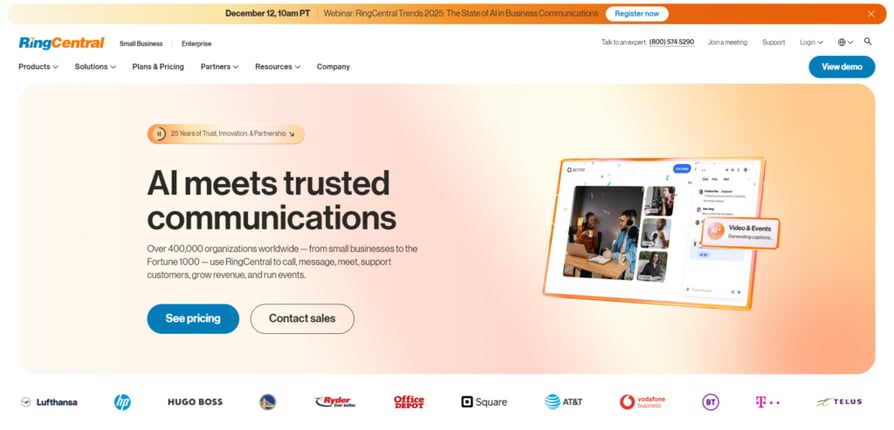
RingCentral is a robust office phone recording system that doubles as a unified communications platform. With built-in voice, video, and messaging, it’s a good fit for growing teams needing an all-in-one solution. It also works as an enterprise-grade voice-prospecting solution, bundling advanced call-recording features that support large-scale sales and customer engagement.
Key Features:
- Automatic call recording
- Multi-channel support (voice, video, SMS)
- Voicemail transcription
- Salesforce and Microsoft Teams integrations
| Pros | Cons |
|---|---|
| Enterprise-grade recording controls and retention policies | Some call recording controls (like retention rules) are only available on higher plans |
| Recordings are easily managed and accessed within Salesforce via AppExchange | Can feel overly AI-heavy for teams that just want basic recording and playback |
| Combines voice and video logs under one system for a unified experience |
- Core: $30/user/month
- Advanced: $35/user/month
- Ultra: $45/user/month
Ideal For:
Best for mid-sized businesses and growing teams seeking a full UCaaS platform.
Recommended Reads
4. Nextiva
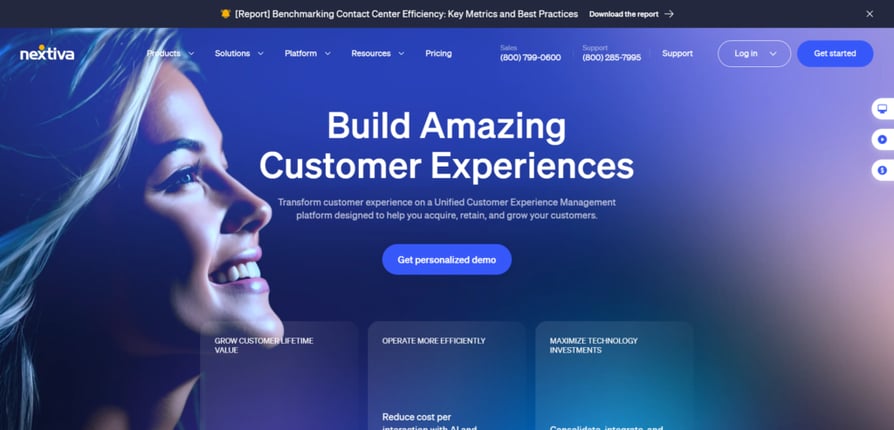
Nextiva delivers intuitive call recording solutions built for mid-sized teams focused on data and customer experience. Their analytics and monitoring tools are especially strong.
Key Features:
- Call recording with optional transcription
- IVR and automation tools
- Advanced analytics and call monitoring
- Zapier and HubSpot integrations
| Pros | Cons |
|---|---|
| Reliable call recording with configurable rules and archiving | Lacks native Salesforce or HubSpot integration for recorded calls |
| Excellent uptime and customer support reputation | Limited in-call features compared to AI-powered competitors |
| Voicemail recordings and auto attendants included at no extra cost | Most analytics and admin controls live in upper-tier plans |
- Digital: $20/user/month
- Core: $30/user/month
- Engage: $40/user/month
- Power Suite: $60/user/month
Ideal For:
Data-driven SMBs that need a cloud phone system with strong analytics, call recording, and workflow tools.
5. 8x8
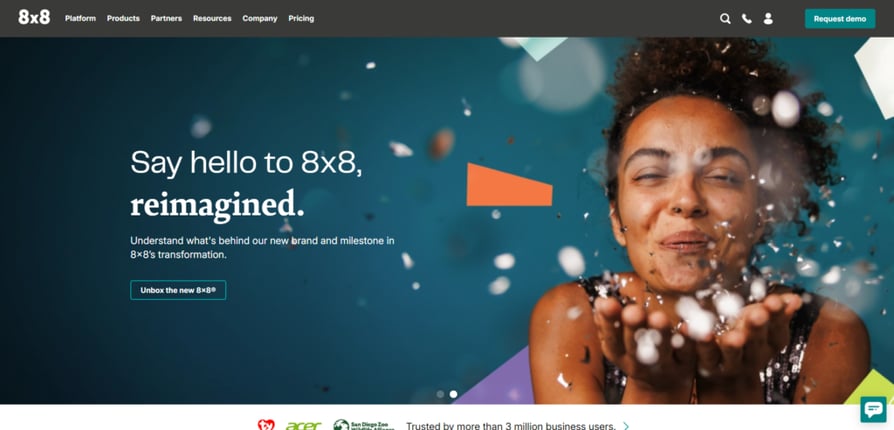
8×8 is a secure, global-ready call recording for business solution that serves teams with high call volume and international calling needs thanks to unlimited international calling. It comes with solid security features and extensive integration options.
Key Features:
- Call recording and transcription
- Unlimited global calling (select plans)
- Video meetings and team chat
- Microsoft Teams integration
| Pros | Cons |
|---|---|
| Automatic recording and audit-friendly controls built-in | Pricing is quote-based and can scale up quickly |
| Flexible storage policies and role-based access | Not all features are available on lower plans |
| Deep reporting and analytics for call review | Some integrations require developer resources to implement |
- 8x8 offers custom pricing, available per request
Ideal For:
Ideal for mid-size or internationally operating small businesses needing compliance and global reach.
6. Zoom Phone
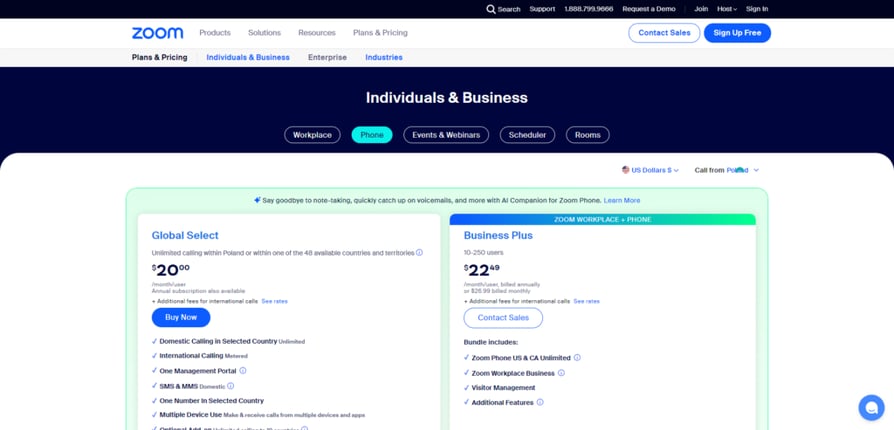
Zoom Phone extends the Zoom ecosystem with a cloud based phone recording tool tailored for remote and hybrid teams thanks to built-in integration with zoom meetings.
Key Features:
- Call recording with transcription
- IVR, call routing, and call queues
- Native integration with Zoom Meetings
- Scalable from SMB to enterprise
| Pros | Cons |
|---|---|
| Call recording available on most paid plans | Admin controls and analytics are limited on lower plans |
| Familiar Zoom UI lowers onboarding time | Lacks deep CRM integrations compared to competitors |
| Works across mobile, desktop, and Zoom Rooms | Not ideal for outbound-heavy sales teams or complex routing needs |
- Global Select: $20/user/month
- Business Plus: $22.49/user/month
Ideal For:
Remote SMB teams already using Zoom for meetings and collaboration.
7. Vonage
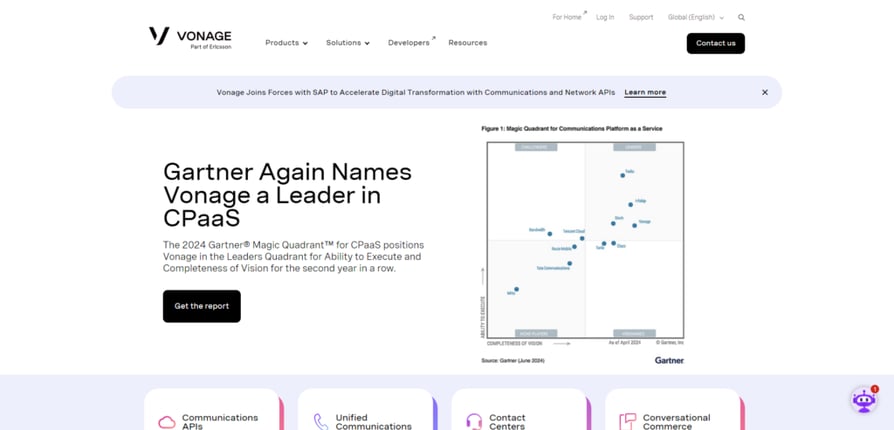
Vonage Business Cloud is built for SMBs that need a flexible phone system they can customize and scale as they grow.
Key Features:
- On-demand and automatic call recording
- Mobile and desktop apps
- Integration with Zoho CRM, Salesforce
- Advanced developer tools
| Pros | Cons |
|---|---|
| Voice API allows detailed control over call recording triggers and storage | Requires development knowledge or support for setup |
| Salesforce app supports automatic logging and access to recordings | Pricing is opaque and varies widely by use case |
| Highly scalable for distributed or multi-location teams | CRM integrations may require manual configuration or support |
- Mobile: $19.99/user/month
- Premium: $29.99/user/month
- Advanced: $39.99/user/month
Ideal For:
Tech-savvy teams that need customizable workflows or remote access.
8. Dialpad
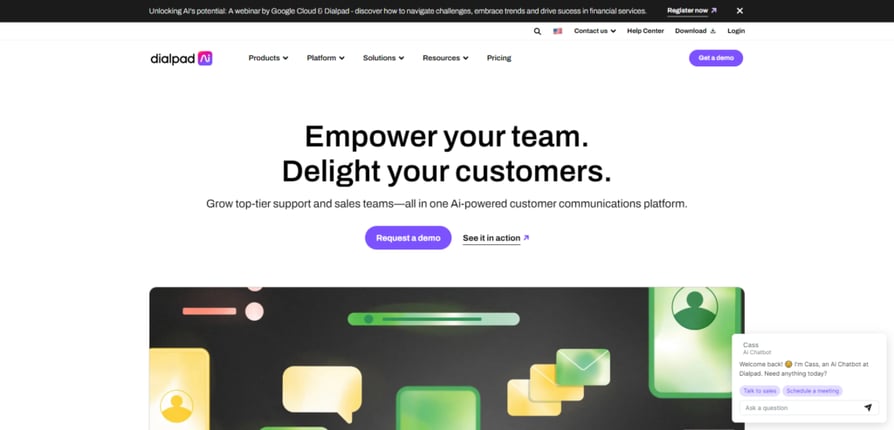
Dialpad is a smart, modern call center recording system powered by AI. It excels at live transcription, sentiment tracking, and analytics.
Key Features:
- Real-time transcription and sentiment analysis
- Automatic call recording
- Integrations with Microsoft 365, Google Workspace
- AI insights and post-call summaries
| Pros | Cons |
|---|---|
| Real-time transcription and auto-generated call summaries | Some call recording controls (like retention rules) are only available on higher plans |
| Easy access to recordings and notes within CRM tools like Salesforce | Can feel overly AI-heavy for teams that just want basic recording and playback |
| Affordable entry-level pricing with essential call recording built in |
- Standard: $15/user/month
- Pro: $25/user/month
- Enterprise: Contact sales
Ideal For:
Dialpad is ideal for SMBs that value AI features, transcription, and real-time coaching.
9. Grasshopper
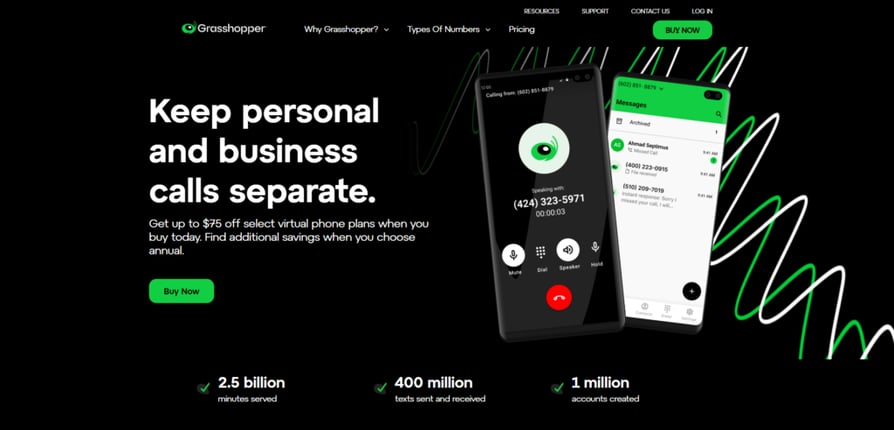
Grasshopper is a lean, virtual phone system built for founders and startups who need a simple, no-fuss way to manage calls without extra hardware or IT headaches.
Key Features:
- Call recording and forwarding
- Voicemail transcription
- Local, vanity, and toll-free numbers
- Lightweight mobile app
| Pros | Cons |
|---|---|
| Call recording available on the Small Business plan | Call recording not available on lower-tier plans |
| No-hardware setup makes it easy for distributed teams | No automatic transcription or CRM integration |
| Simple mobile and desktop apps for managing calls and recordings | Very limited analytics or configurability |
Pricing:
- Solo: $14/month
- Plus: $25/month
- Small Business: $55/month
Ideal For:
Entrepreneurs and small teams that need a basic, mobile-first phone system.
Recommended Reads
10. CallHippo
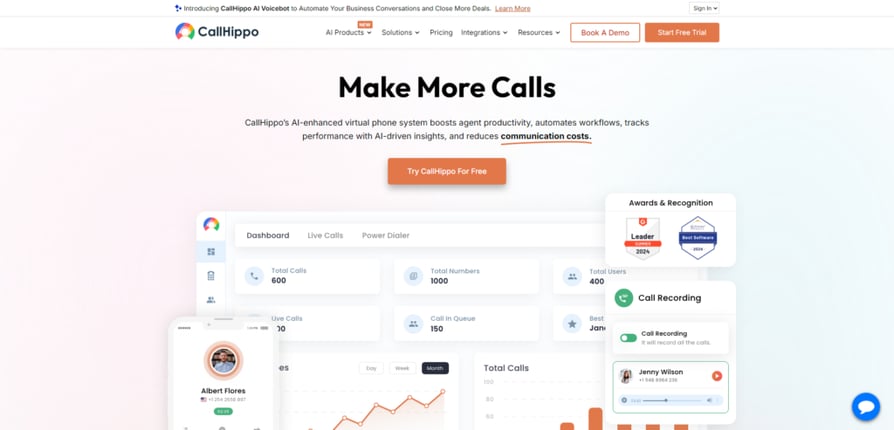
CallHippo delivers a lightweight, sales-ready call recording system built to help small teams track outbound calls and close deals faster.
Key Features:
- On-demand call recording
- IVR and call queueing
- Reporting dashboards
- Slack and Zapier integrations
- Basic: Free
- Bronze: $16/user/month
- Silver: $25/user/month
- Platinum: $40/user/month
Ideal For:
SMBs and sales teams, particularly those with sales-heavy workflows, and an emphasis on outbound outreach and reporting.
Recommended Reads
11. Freshcaller
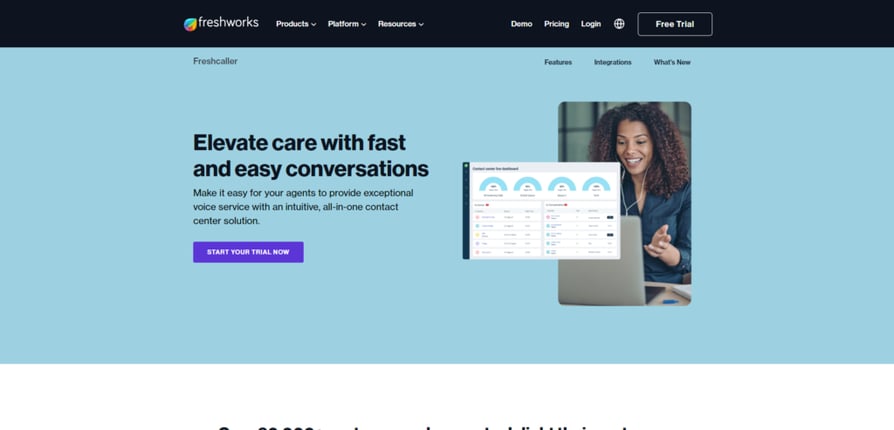
Freshcaller (Freshwork's calling solutions) stands out as a cloud-based phone system that’s tailor-made for support teams—offering flexible call recording, smart routing, and seamless integration with the entire Freshworks ecosystem.
Key Features:
- Call recording and live monitoring
- Smart routing and agent assist
- Integrates with Freshsales, Freshdesk
- Workflow automation
- Free: $0
- Growth: $15/user/month
- Pro: $39/user/month
- Enterprise: $69/user/month
Ideal For:
SMBs looking for integration with Freshworks tools.
12. Talkdesk
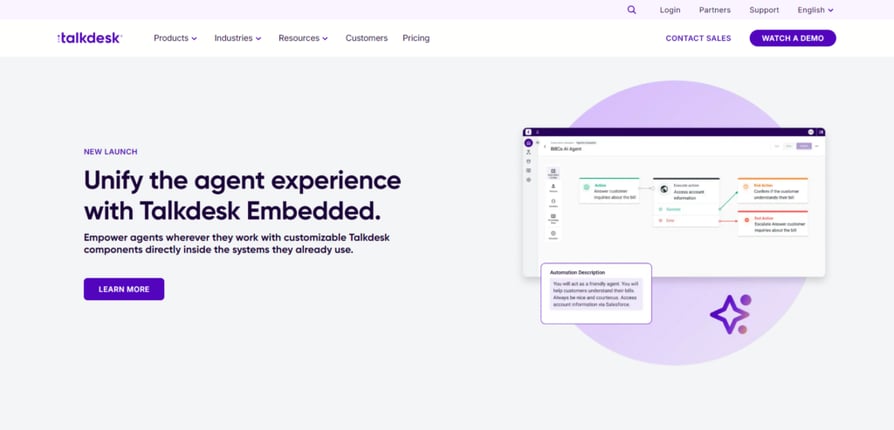
Talkdesk is a premium office phone recording system that brings enterprise-level AI and automation into every interaction.
Key Features:
- Call recording with transcription
- Customizable IVR and workflows
- Zendesk and HubSpot integrations
- AI sentiment and compliance tools
- CX Cloud Essentials: $85/user/month
- Elevate: $115/user/month
- Elite: $145/user/month
Ideal For:
Ideal for fast-growing businesses or small enterprise teams needing advanced AI and compliance.
Recommended Reads
What Is a Phone Recording System?
A phone recording system records your business calls and saves them so you can listen to them later. It usually lives inside a business phone or VoIP platform and works in the background while your team takes and makes calls.
In simple terms, business telephone recording systems help you keep a reliable record of what was said, when it was said, and who said it.
What a call recording system typically does:
- Records inbound, outbound, or internal calls automatically or on demand
- Saves each call with useful details like date, number, and agent
- Lets you search, play back, and share recordings when needed
- Controls who can listen to or download recordings
- Stores calls securely so they’re easy to access but hard to misuse
For small teams, this turns everyday conversations into a practical resource. Instead of guessing what happened on a call, you can go back, listen, and make better decisions based on real interactions.
Types of Phone Recording Systems: Cloud, On‑Premise & Mobile
Phone recording systems come in a few different forms. The right one depends on how your team works and where your calls happen.
1. Cloud‑Based Phone Recording Systems
Cloud systems record calls through a VoIP platform and store them online.
The main benefits of cloud–based call recording software:
- Fast setup with no hardware
- Easy access for remote or hybrid teams
- Built‑in automated phone system recording, so calls are captured without extra steps
- Updates and storage handled by the provider
Most modern business phone recording systems fall into this category because they’re flexible and easy to manage.
2. On-Premise Phone Recording Systems
On‑premise systems record calls using local servers or hardware in your office.
This means:
- Full control over data and storage
- Often used in industries with strict internal IT rules
- Higher upfront costs and ongoing maintenance
These setups make sense when cloud tools are not allowed, but they require more time and technical support.
3. Mobile Call Recording Apps
Mobile apps record calls directly on a smartphone.
What mobile call recording includes:
- Quick option for solo founders or reps on the move
- Limited search, storage, and team access
- Can raise compliance risks if recordings live on personal devices
Mobile apps can help in a pinch, but they rarely replace a full business call recording system.
Pro Tip: Best Fit for SMBs
If you’re a small business, cloud-based call recording is usually the safest bet. It’s easier to set up, simpler to manage, and much better for remote teams. Tools like CloudTalk are a strong example of how cloud recording can stay simple while still giving you the analytics and integrations growing teams actually need.
How Small Businesses Use Call Recording
SMBs use call recording to work smarter, not just to store audio files. When set up right, call recording software for small business supports daily work across sales, support, and operations.
Common ways small teams use call recordings:
- Sales coaching: Review real sales calls, spot objections, and build a library of winning conversations. When choosing the best phone recording software for sales calls, easy playback and sharing matter more than fancy extras.
- Customer support quality: Revisit tricky customer support cases to see what went wrong and how to fix it next time.
- Training and onboarding: Let new hires learn from real calls instead of sales scripts alone. Many businesses also use an AI Tools Directory to find additional onboarding and training automation tools.
- Dispute resolution: Settle misunderstandings and sales objections by listening to the original conversation.
- Product feedback: Capture recurring complaints, feature requests, or confusion straight from customers.
Pro Tip: Start Small
Call recording delivers the most value when it’s tied to a single, clear goal. Pick one use case first, like sales coaching or onboarding, and review a small set of calls every week together. Once your team gets used to listening, tagging, and discussing recordings, it becomes much easier to expand into quality reviews, dispute handling, or product feedback without recordings turning into unused storage.
Benefits of Phone Recording Systems for Small Businesses
Implementing a dedicated phone recording system for small business does far more than just store audio files, it turns every customer interaction into a measurable, actionable asset for your sales and support teams. For small businesses, this can mean faster growth, better service, and smarter strategy with fewer resources. Here’s how:
1. Improve Team Training
Stop guessing what’s going wrong on calls—use real conversations to coach with context. Recorded calls let you highlight great performances, correct bad habits, and onboard new team members faster with actual examples.
2. Enhance Customer Service
Revisit past interactions to uncover customer pain points and improve response strategies. When you know exactly what was said and how it was handled, you can fine-tune your support and create consistently better customer experiences.
3. Comply with Legal Requirements
For industries with regulatory requirements (like finance, healthcare, or recruitment), HIPAA-compliant call recording apps can help healthcare teams meet applicable recording and data protection requirements. Call recordings also provide legal protection in the event of customer disputes, chargebacks, or audits.
4. Resolve Issues Fast
Memory can be fuzzy—recordings are not. Keep a crystal-clear record of every conversation to settle misunderstandings, clarify agreements, and avoid costly miscommunications.
5. Get Actionable Data & Insights
Turn calls into strategy. By analyzing trends across recorded conversations, you can spot recurring objections, improve your pitch, identify top performers, and even influence product decisions. Teams often pair this with data visualization consulting to present call trends, sales patterns, and customer feedback in a more digestible and measurable way.
6. Hold Your Team Accountable
When everyone knows calls are being recorded, performance naturally improves. Call recording encourages consistency, professionalism, and adherence to company guidelines—without the need for micromanagement.
Turn Every Customer Call into a Training, Strategy, and Service Win.
Key Features to Look For in a Phone Recording System
Keep these essential features in mind when looking for your phone recording system:
Automatic & On-Demand Recording
Look for a system that offers both automatic recording (for full coverage) and on-demand options (for sensitive conversations). Flexibility is key—you should be in control of what gets recorded and when.
Easy Search & Playback
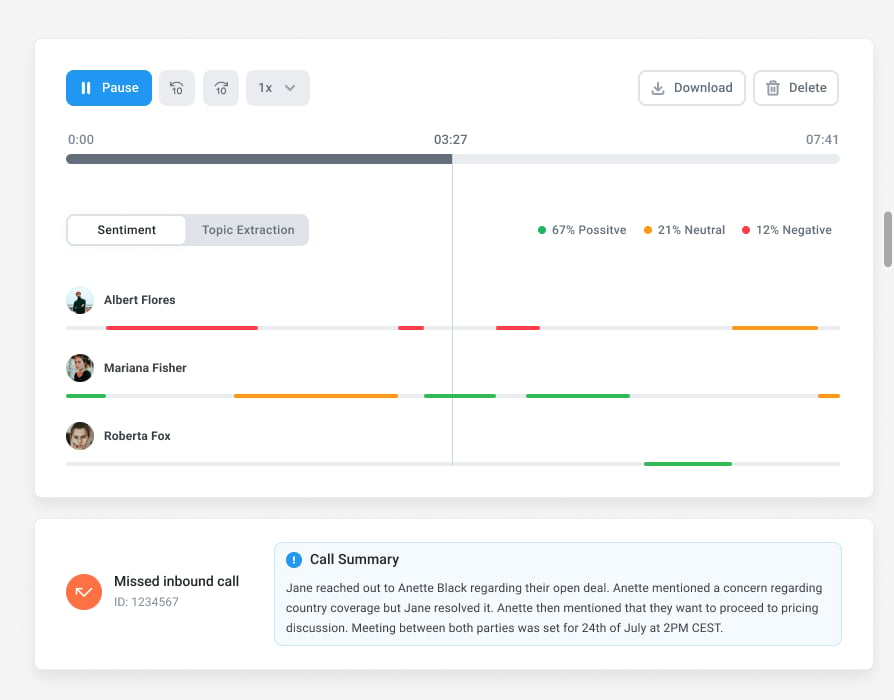
A call recording system is only useful if you can quickly find and listen to the conversations that matter. Choose a platform with filters, search tools, tags, and clean playback interfaces to save time.
Secure Storage & Access Controls
Especially in regulated industries, data protection is critical. Ensure your provider offers encrypted storage, user-level permissions, and compliance with standards like GDPR or HIPAA.
Integrations with Your Stack
Call recordings are even more powerful when they live inside the tools you already use—like your CRM, helpdesk, or sales platform. Look for native integrations that allow for smooth workflows and central data access.
How to Pick the Right Phone Recording System for a Small Business
Not every tool is built for a small team with big priorities. Here’s how to find the one that won’t waste your time (or budget):
- Make sure it actually records what you need. Sounds obvious, but some tools limit what you can capture—or bury recordings in weird places. You want easy access, playback, and search.
- Check if it plays nice with your stack. Your CRM, helpdesk, or whatever tool your team lives in. If your recordings live somewhere else, no one’s going to use them.
- Know where those recordings go. Are they stored securely? Who can access them? Can you delete them if needed? If you’re in a regulated space, this stuff matters.
- Look at how it helps you grow. If a tool just records calls and that’s it… meh. The good ones help you train better, coach faster, and make smarter calls.
CloudTalk Call Recording: Features, Setup & Compliance
TL;DR:
CloudTalk records inbound, outbound, and internal calls automatically once an admin enables it. You set the rules once, control who can access recordings, and give agents the option to pause recording when sensitive details come up. No buttons to press, no missed calls, and no extra tools to manage.
CloudTalk makes call recording feel like a normal part of your daily calling workflow, not something you have to babysit.
You can record inbound, outbound, and internal calls automatically, control who can access recordings, and give agents the ability to pause recording when needed.
What Calls Can You Record with CloudTalk Phone Recording
CloudTalk supports call recording for:
- Inbound calls (calls coming from customers)
- Outbound calls (calls your team makes)
- Internal calls (calls between teammates)
As an admin, you can decide which call types should be recorded across the whole company. Once you set it up, the rules apply everywhere, including the dashboard and calling apps.
Turn Automatic Call Recording On (in a Few Clicks)
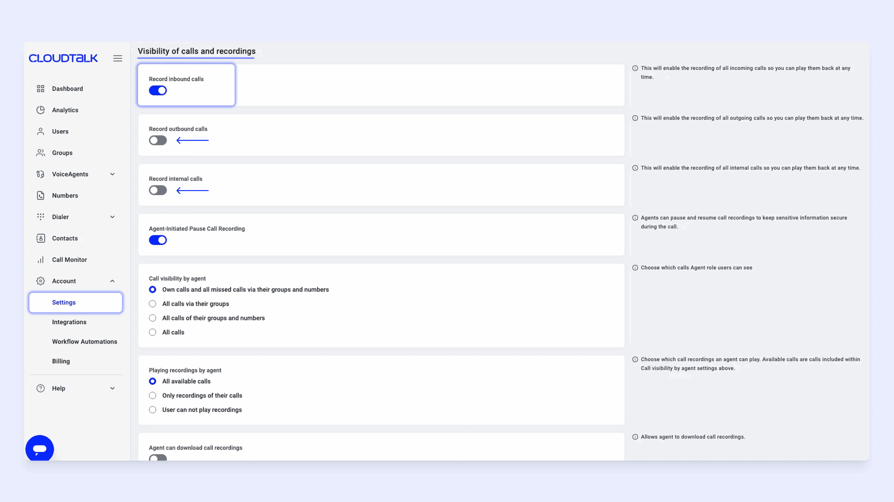
CloudTalk supports fully automatic call recording, but you need to enable it once in your settings.
Here’s how to turn on automatic call recording in a few quick steps:
- From your dashboard, go to Account → Settings
- Scroll to Visibility of Calls and Recordings
- Switch on recording for the call types you want—inbound, outbound, or internal
- Save your changes
Once enabled, those calls will be recorded automatically, without agents needing to do anything during the call.
Pro Tip: Forget Pressing 4.
Unlike tools like Google Voice, where you must press 4 during every call to start recording (unless you pay for a higher tier that supports automatic recording), CloudTalk works in the background. You set the rules once, and your calls are recorded automatically from then on. No keypress, no reminders, no missed recordings.
Manual Recording Controls (Pause/Resume When Needed)
Sometimes you do not want to record the entire call, like when a customer shares card details or sensitive information.
CloudTalk lets agents pause and resume recording mid-call, but this needs to be enabled by an admin first.
- Admins can turn on Agent-Initiated Pause Call Recording
- Agents can then start or stop recording while the call is happening
- User-level settings can override company-wide settings
This is a simple way to stay compliant without losing the rest of the conversation.
Control Who Can See, Play, and Download Recordings
One of the biggest differences between basic recording tools and a real business setup is control. CloudTalk lets you decide exactly who can access recordings.
Admins can manage call recording permissions like:
- Call visibility (which calls agents can even see)
- Playing recordings (which recordings they can listen to)
- Downloading recordings (whether they can export files)
You can set these permissions company-wide, but also override them for specific users in Users → Advanced settings.
This makes CloudTalk a strong option for teams that need structure, especially when you have multiple agents, multiple teams, or strict internal rules.
Find, Listen to, and Download Recordings
Once call recording is enabled, your recordings are easy to access.
You can:
- Listen to recordings directly inside the dashboard call log
- Play recordings in the CloudTalk Phone app
- Download recordings if your permissions allow it
If downloading is enabled, recordings can be exported directly from Analytics. You just locate the call, click the three-dot menu (⋮), and select Download recording.
This is especially useful for training libraries, dispute resolution, or keeping records for audits.
Compliance and Security Basics (Keep It Simple)
Call recording laws vary by country or region, so it’s important to understand whether call recording is legal before recording customer service or sales outreach calls.
A good baseline approach is:
- Notify callers when recording is enabled (we advise you to do this 100% of the time)
- Limit access to recordings using role-based permissions
- Avoid recording sensitive parts of calls by using pause/resume
- Delete recordings you no longer need
CloudTalk also gives admins the controls needed to manage recording visibility and access across teams, strengthening compliance and helping reduce risk as you scale.
Record Every Call, Without Extra Effort
Conclusion: Choose the Best Phone Recording System for SMBs
You’ve got the shortlist. Now it’s just about picking the one that fits your team, your tools, and your way of working.
Still weighing your options? CloudTalk is the best call recording software for growing teams, not just because it offers automatic recordings, but also for its automated phone-answering system—perfect for small-business budgets.
It gives small teams the tools they actually need—crystal-clear call recording, smart routing, real-time analytics—all in one flexible, easy-to-use platform that grows with you. Try it out and see for yourself why it’s the best option out there.

Thousands of SMBs Already Trust Us. Join Them Today!

Source:
- Dataintelo
Frequently asked questions
Use a VoIP phone system with built-in call recording. It captures, stores, and organizes calls automatically or on demand.
It depends on your location. Some areas require consent from one party, others from all. Always check local call recording laws.
When recording customer calls, you usually need to inform callers or get consent, depending on local laws. In many regions, the safest approach is to always give a clear notice at the start of the call.
- Laws vary by country and sometimes by state
- Some places allow one‑party consent, others require everyone to agree
- A short recorded message at the start of the call reduces risk
No, most don’t. Call recording is usually done through your business phone system, not by default through carriers.
A small business should keep recordings only as long as they’re needed for training, support, or legal reasons.
- Shorter retention for coaching and QA
- Longer retention for disputes or regulated industries
- Clear deletion rules reduce risk and storage clutter
One‑party consent means one person on the call can approve recording, while two‑party consent means everyone must agree.
- One‑party consent is common under U.S. federal law
- Several U.S. states and many countries require all‑party consent
- For cross‑border calls, follow the stricter rule
You can pause call recording during sensitive parts of a conversation if your system supports it.
- Recording resumes once the sensitive info is shared
- This helps protect customer data without losing the full call
- CloudTalk supports pause and resume during live calls
Call recordings are usually stored in your phone system’s call log and can be downloaded if permissions allow.
- Cloud systems store recordings securely online
- Admins control who can listen or download
- Downloads are useful for training or dispute reviews
Yes, many modern phone systems can automatically link call recordings to your CRM records, so recordings appear directly inside the right contact, deal, or ticket. This makes it much easier to review past conversations without jumping between tools.
- Keeps recordings tied to customer history
- Helps sales and support teams find calls instantly
- Makes coaching and follow-ups faster
CloudTalk supports this through its CRM integrations, letting teams sync calls and recording links automatically into the tools they already work in.
A voice call recording software captures, stores, and manages conversations across cloud-based or on-premise phone systems.
The best call recording solutions depend on use case—look for platforms with secure storage, CRM sync, and transcription tools.
From the phone recording software options on our list, CloudTalk is the one that checks all of these boxes, making it the best call recording software for growing businesses.
Call centers use business phone call recording to monitor quality, resolve disputes, and train agents using cloud-based phone recording tools.