
15 Best Call Reporting Software Platforms (2026): Stop Managing by Guesswork
SUMMARY:
We evaluated 30+ analytics tools and selected the 15 best call reporting platforms for 2026, focusing on AI-driven insights, real-time visibility, CRM data depth, and ease of use for growing sales and support teams.
Here’s the 8 best call reporting solutions by use case (for the full list, read on):
-
CloudTalk – Best overall for SMBs scaling with AI-driven coaching and deep CRM sync
-
Dialpad – Best for AI-native transcription and keyword tracking
-
Aircall – Best for visual dashboards and mandatory call tagging
-
Talkdesk – Best for enterprise-level custom BI and industry metrics
-
Five9 – Best for high-volume outbound dialer performance
-
CallRail – Best for marketing attribution and ad-spend ROI
-
Nextiva – Best for sales gamification and real-time leaderboards
-
3CX – Best for teams requiring self-hosted data control and sovereignty
CloudTalk is the strongest call reporting tool for most SMBs that need to bridge the gap between “seeing a problem” and “fixing it” through live wallboards and AI-powered sentiment analysis.
Larger orgs with complex governance or multi-layered data needs may prefer a full-stack platform like Talkdesk.
If your management strategy still relies on gut feelings or reactive end-of-week spreadsheet exports, you are losing time. And, more importantly, you are leaking revenue.
This is why the market is shifting toward automated, real-time visibility. Gartner reports that 91% of customer service leaders are under pressure to implement AI in 2026, specifically because conversational analytics have moved from a “nice-to-have” to a core requirement for protecting the bottom line.¹
In a high-growth environment, “dark data” (calls that happen but aren’t analyzed) is a silent growth killer. Without a robust reporting stack, you are effectively operating in the dark while your competitors use data to pinpoint exactly why customers are churning or which scripts are closing the most deals.
In this guide, we compare the 15 best call reporting solutions in 2026 and show you how to choose a platform that turns raw conversation data into a competitive advantage.
Fix Your Reporting Gaps in One Demo
How We Chose the Best Call Reporting Software in 2026
To build this list, we reviewed 30+ popular call reporting and analytics solutions. Then we narrowed it down to the 15 best tools, each solving day-to-day problems sales and support managers actually deal with: not just “more data,” but better visibility, easier coaching, and cleaner workflows.
Here’s what we looked for:
-
AI insights that actually coach: Automated sentiment analysis, talk/listen ratios, and topic extraction that replace manual call auditing.
-
Visibility that prevents churn: Real-time dashboards and wallboards that highlight queue bottlenecks the second they happen.
-
Integrations that end manual logging: Native, bi-directional CRM sync (Salesforce, HubSpot, Zendesk) that keeps data accurate without agent effort.
-
Reporting for managers, not IT: Drag-and-drop customization and low-click interfaces that don’t require a developer to build a report.
-
Metrics that drive revenue: A focus on first-call resolution, connect rates, and script compliance over vanity volume metrics.
-
Infrastructure you can trust: Global call quality and 99.999% uptime so your reporting data is never skewed by technical drops.
-
Automated Quality Assurance: The ability to score 100% of calls against custom criteria (like script adherence or compliance) to replace random manual sampling.
We cut the basic trackers and enterprise-only monsters, so our list only features software that turn raw call logs into actionable records, allowing you to stop auditing and start scaling.
Why Trust Our Software Reviews
Over the last decade, we’ve helped over 30,000 professionals find and implement smarter communication tools.
We’ve reviewed hundreds of products, analyzed thousands of verified reviews from business-relevant platforms like G2, Capterra, or Trustpilot, and drawn insights from real user discussions on forums like Reddit or Quora.
In the past year alone, we published 1,000+ articles, all written and reviewed by humans, to provide reliable, data-backed insights you can trust.
Learn how we keep our content integrity and our software review methodology.
Top 15 Call Reporting Software Platforms (2026 Guide)
If you’re comparing call reporting software, this shortlist highlights the platforms most growing teams consider in 2026.
Side-by-Side Comparison of the Best Call Reporting Tools for Business
The table below compares:
-
Best-fit use cases
-
Key reporting focus
-
Starting price (annual billing)
-
G2 rating
Use it to quickly narrow your shortlist before diving into the detailed breakdowns of each call reporting tool.
Best Call Reporting Software in 2026
| Dialer Software | Best for | Key Reporting Focus | Starting Price* (annual billing) | G2 Rating |
|---|---|---|---|---|
| CloudTalk | SMB sales & support teams scaling with AI-driven coaching and deep CRM data sync. | AI Coaching & Real-time Analytics | $19/user/mo | 4.4/5 |
| Dialpad | Teams wanting AI-native transcription to replace manual notes. | Keyword Tracking & AI CSAT | $15/user/mo | 4.4/5 |
| Aircall | SMBs requiring simple visual dashboards and mandatory call tagging. | Visual Dashboards & Tagging | $30/user/mo | 4.4/5 |
| Talkdesk | Enterprises building custom BI reports and industry-specific metrics. | Custom BI & Report Designer | $85/user/mo | 4.4/5 |
| Five9 | Large outbound centers optimizing dialer pacing and lead ROI. | Dialer Performance & Productivity | $119/user/mo | 4.1/5 |
| RingCentral | IT leaders consolidating company-wide voice and SMS data into one view. | Unified Adoption & Usage | $20/user/mo | 4.1/5 |
| CallRail | Marketers attributing phone leads to specific ad keywords and ROI. | Marketing ROI & Attribution | $45/user/mo | 4.5/5 |
| 8×8 | Global firms consolidating analytics across multiple international offices. | International User Status | $24/user/mo (est) | 4.1/5 |
| Nextiva | Sales teams driving performance via gamified real-time leaderboards. | Gamified Leaderboards | $15/user/mo | 4.5/5 |
| GoTo Connect | Inbound-heavy teams optimizing AI receptionist and IVR flows. | Receptionist & IVR Metrics | $26/user/mo (est) | 4.4/5 |
| Grasshopper | Solopreneurs needing a professional line with simple activity logs. | Basic Usage & Activity Logs | $14/month | 3.9/5 |
| Zoom Phone | Zoom users monitoring call quality (QoS) and AI summaries natively. | Call Quality & AI Summaries | $15/user/mo | 4.6/5 |
| Vonage | CRM power users wanting call data native to their Salesforce sidebar. | Native CRM Sidebar Reporting | $13.99/user/mo | 4.6/5 |
| JustCall | Outbound teams reporting on both dialing and multi-channel SMS. | Dialer Analytics & SMS | $29/user/mo | 4.3/5 |
| 3CX | Large firms seeking data sovereignty via a self-hosted server. | Self-hosted Server Logs | $380/system/yr | 4.4/5 |
* Note: Starting price shown reflects platform entry plan. Advanced reporting features, AI intelligence, and live wallboards often require higher-tier plans or add-ons.
1. CloudTalk: Best AI-Powered Call Reporting for Sales & Support Teams

CloudTalk is an AI-powered call reporting platform built for teams that need to turn raw conversation data into better coaching and higher retention.
The platform’s call center analytics software is an ideal choice for growing sales and support workflows where you want to scale performance using automated insights, without the administrative headache of manual logging.
Main call reporting features:
-
Real-Time Dashboards & Wallboards: Stop managing by guesswork. Live dashboards let you see queue bottlenecks the moment they happen, so you can reallocate reps and fix wait times before they turn into missed calls.
-
Advanced Monitoring & Coaching: New hires shouldn’t have to “sink or swim.” Use “Whisper” mode to guide reps through tough objections in real-time, effectively coaching them while the customer is still on the line.
-
AI Conversation Intelligence: Get a bird’s eye view of team performance with automated talk/listen ratios, topic extraction, and AI call scoring. This call reporting add-on also includes AI Smart Notes and summaries that eliminate manual data entry by syncing key conversation points directly to your CRM.
-
Granular Agent & Group Reporting: Identify your top performers and those needing support by drilling down into specific agent or department metrics. Use this data to replicate winning scripts and balance workloads across your entire organization.
Other features:
-
High Call Quality: Maintain high standards across every conversation with a crystal-clear call quality and rock-solid infrastructure designed for 99.999% uptime. This high-reliability setup is ideal for remote teams calling into different global regions who can’t afford dropped calls or jitter.
-
Global Reach in 160+ Countries: Acquire local, national, or toll-free numbers across the globe to build a local presence and ramp up your international connect rates.
-
AI Voice Agents & Virtual Receptionists: Automate 24/7 call handling with AI virtual receptionists and voice agents. Resolve routine queries (updates, FAQs, bookings), route callers to the right place, follow up when needed, and qualify leads at scale. These tools handle the repetitive “grunt work,” allowing your reps to focus entirely on closing high-value deals.
-
AI Sales Dialer: Use auto sales dialer to boost outbound volume without extra headcount. Use the Power Dialer to connect with 2.5x more leads by automatically starting the next call as soon as one ends, or the Parallel Dialer to dial up to 10 lines at once with high-accuracy voicemail detection.
-
100+ CRM Integrations: Connect your phone system to best CRM tools like Salesforce, HubSpot, and Zendesk to ensure all call data and recordings are always where your team needs them.
-
Call Flow Designer & IVR: Build sophisticated, multi-level IVR paths in minutes with a drag-and-drop designer to ensure every caller reaches the most qualified agent.
-
Automatic Call Recording: Securely record every interaction for compliance and quality assurance, with easy access to playbacks directly from your reporting dashboard.
CloudTalk Pros & Cons
| Pros | Cons |
|---|---|
| Exceptional CRM sync speed | Advanced reporting requires the Expert plan |
| Proactive churn prevention tools | AI Intelligence is a paid add-on |
| Very intuitive, “low-click” UI | Mobile app is primarily for voice only |
G2 rating: 4.4/5 (1,700+ reviews)
CloudTalk pricing: from $19/user/month
Bottom line:
CloudTalk is the best cloud contact center reporting software for SMB managers tired of finding out about “unhappy customers” only after they’ve already churned. It bridges the gap between seeing a problem in a report and fixing it in real-time, making it the best fit if you need to stop guessing why your team is struggling and start giving them the live coaching that actually closes deals.
Transparency Upfront:
As a platform, CloudTalk starts at $19/user/month. To use advanced reporting tools like Custom Dashboards and Real-time Wallboards, you’ll need the Expert plan ($49/user/month). The AI Conversation Intelligence package (which includes the churn-preventing sentiment analysis and AI notes) is available as an add-on for $9/user/month.
2. Dialpad: Best AI-Driven Unified Communications

Dialpad is a leading AI-native communication and reporting tool designed for teams that are tired of manual documentation. It acts like a digital assistant that helps you understand your calls while you’re still in them, rather than just giving you a report at the end of the week.
Main call reporting features:
-
Keyword Tracking Analytics: Automatically monitor how often competitors or specific product pain points are mentioned across your entire team’s calls.
-
AI CSAT Reporting: Get an accurate satisfaction score for 100% of your interactions automatically, replacing unreliable manual surveys.
Other features:
-
Unified Workspace: Seamlessly switch between voice, video meetings, and internal team chat in one application.
-
Real-time Assist Cards: AI-triggered tips that pop up on the screen to help reps handle complex technical questions.
-
Global Reach: Support for local numbers and calling in over 50 countries with centralized global reporting.
Dialpad Pros & Cons
| Pros | Cons |
|---|---|
| AI transcription in base plan | Advanced BI reporting is quote-based |
| Excellent live coaching triggers | Limited ring groups on “Standard” |
| High-quality mobile app experience | International SMS is restricted on lower tiers |
G2 rating: 4.4/5 (4,000+ reviews)
Dialpad pricing: from $15/user/month
Bottom line:
Dialpad is for teams drowning in manual notes. If you’re losing hours every week to reps writing summaries or managers searching for “what was promised,” Dialpad’s automated transcription acts like an extra pair of hands for every person on your team.
A word of advice:
To get Salesforce/HubSpot reporting and the ability to export analytics, you must be on the Pro Plan ($25/user/month).
3. Aircall: Best Visual Call Reporting for SMBs

Aircall is for SMB leaders who need clear data but don’t have the time to become a data scientist. It’s a common choice for high-growth teams that want a clean reporting interface that “just works” with their existing helpdesk or CRM.
Main call reporting features:
-
Visual Activity Dashboards: A streamlined view of call volume and wait times that requires zero technical configuration to set up.
-
Mandatory Call Tagging: Force agents to categorize every call, ensuring your reports on lead quality are 100% accurate.
Other features:
-
Shared Inbox: Centralize all calls needing attention so any available rep can follow up, ensuring no lead is dropped.
-
Power Dialer: Automatically identifies phone numbers on a prospect’s website and adds them to a calling queue.
-
Warm Transfer: Allows reps to speak with a teammate before transferring a live call to provide context.
Aircall Pros & Cons
| Pros | Cons |
|---|---|
| Setup takes minutes | Advanced analytics is a paid add-on |
| Clean, simple UI | 3-license minimum for all plans |
| Deep integration with helpdesks | Lacks native AI sentiment analysis |
G2 rating: 4.4/5 (1,500+ reviews)
Aircall pricing: from $30/user/month
Bottom line:
If your current system is so complex that your team just ignores the reporting features, Aircall’s “click-and-see” simplicity will ensure your data actually gets used to make better hiring and scheduling decisions.
A word of advice:
Basic plans only offer 6 months of data history. You’ll want the Professional Plan ($50/user/month) to get advanced analytics and live monitoring.
4. Talkdesk: Best for Custom Business Intelligence
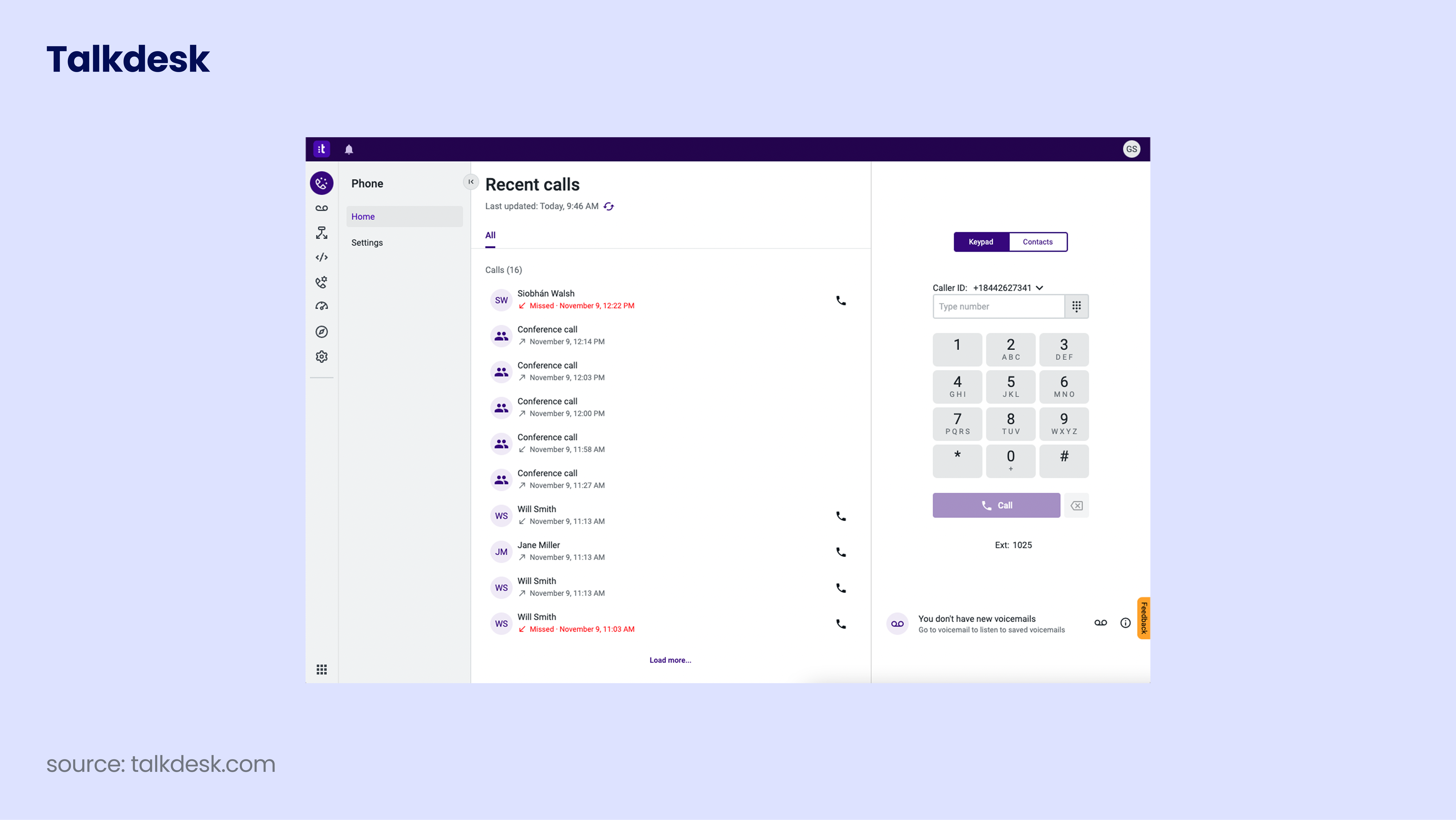
Talkdesk is designed for enterprise organizations that have outgrown standard dashboards and need to build their own reporting logic. It’s the right fit for data-heavy environments where “off-the-shelf” metrics aren’t enough.
Main call reporting features:
-
Report Designer: A drag-and-drop interface to create hyper-customized reports that track KPIs unique to your specific industry.
-
Live Supervisor Wallboards: Build custom real-time views for floor managers, highlighting only the specific live stats they need.
Other features:
-
AI Copilot: Real-time agent assistance that surfaces knowledge-base articles during calls to improve resolution speed.
-
Workforce Management: AI-powered scheduling and forecasting based on historical and real-time call volume data.
-
Omnichannel CX: Manage customer interactions across voice, digital, and social channels in one interface.
Talkdesk Pros & Cons
| Pros | Cons |
|---|---|
| Infinite reporting customization | Very high entry price |
| Reliable enterprise-grade uptime | AI features are often separate add-ons |
| Powerful workforce management tools | Significant learning curve for admins |
G2 rating: 4.4/5 (2,500+ reviews)
Talkdesk pricing: from $85/user/month
Bottom line:
Talkdesk is for enterprise leaders who need a reporting engine that can be bent to their specific operational will. It offers the depth required to handle massive, multi-departmental complexity.
A word of advice:
Custom reporting and advanced BI tools are strictly locked behind the Elite Plan ($165/user/month).
5. Five9: Best for High-Volume Outbound Analytics

Five9 is the go-to for large outbound operations that live and die by their dialing efficiency and connect rates. It prioritizes “pacing” and “productivity” metrics for massive teams.
Main call reporting features:
-
Dialer Performance Reports: Deep-dive into how your predictive and power dialers are performing to fine-tune your outreach ROI.
-
Blended Inbound/Outbound Tracking: Manage and report on reps who switch between support and sales in the same shift.
Other features:
-
Intelligent Virtual Assistant (IVA): Use AI to handle routine inbound inquiries and deflect simple calls away from live agents.
-
Agent Desktop: A unified interface that provides CRM screen pops for instant customer context during every call.
-
Omnichannel Routing: Automatically route calls, emails, and chats to the agent best suited to handle the specific request.
Five9 Pros & Cons
| Pros | Cons |
|---|---|
| Best-in-class outbound dialing | Strict 50-seat minimum |
| Great for 24/7 global ops | Dated user interface |
| Easily scalable for massive teams | Implementation can take several weeks |
G2 rating: 4.1/5 (550+ reviews)
Five9 pricing: from $119/user/month
Bottom line:
Five9 is for call center managers who need to squeeze every ounce of efficiency out of their dialing lists. If your primary pain point is “low connect rates,” Five9’s aggressive dialing reporting is built for you.
A word of advice:
Basic plans focus only on voice. You’ll need the Premium or Ultimate tiers to get omnichannel reporting and full AI insights.
6. RingCentral: Best for Unified Company Communication

RingCentral is great for businesses that want a single source of truth for all communication. It excels at providing a broad view of how your entire organization, from the back office to the support desk, is talking to customers.
Main call reporting features:
-
Adoption and Usage Reports: Track exactly how your team utilizes the platform to ensure you aren’t paying for licenses you don’t need.
-
RingSense for Sales: An AI add-on that provides sentiment analysis and automated coaching insights directly from conversations.
Other features:
-
Unified Business Number: Manage voice, SMS, and fax on a single dedicated number across all your devices.
-
Massive App Library: Connect your call data to hundreds of third-party apps, including industry-specific tools.
-
Mobile & Desktop App: A high-quality interface for iOS, Android, and Windows that keeps the team connected anywhere.
RingCentral Pros & Cons
| Pros | Cons |
|---|---|
| All-in-one UCaaS/CCaaS suite | AI is an expensive add-on |
| Large third-party ecosystem | Basic plans lack core reporting |
| Extensive global coverage | Support response times can be slow |
G2 rating: 4.1/5 (1,250+ reviews)
RingCentral pricing: from $20/user/month
Bottom line:
RingCentral is for IT leaders who are fed up with managing five different vendors. By consolidating everything, you gain a “big picture” report that shows exactly how communication flows across your entire company.
A word of advice:
To get basic call recording and CRM reporting, you need at least the Advanced Plan ($25/user/month).
7. CallRail: Best for Marketing ROI Attribution
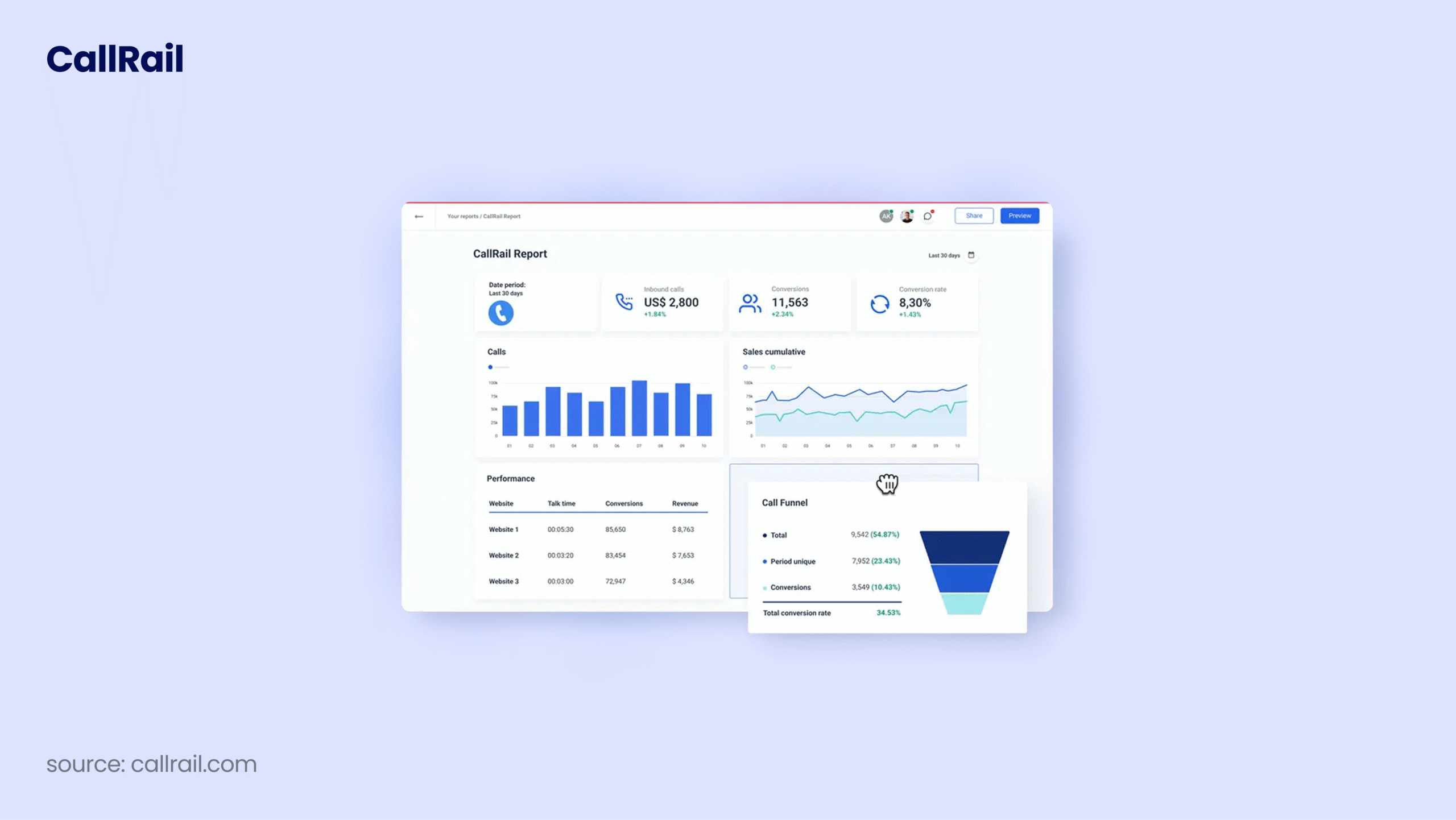
CallRail is for the marketers who are tired of the “black hole” in their lead tracking. It bridges the gap between your digital ads and the phone calls they generate.
Main call reporting features:
-
Keyword-Level Attribution: See the exact Google Ad or landing page that prompted a customer to pick up the phone.
-
Conversation Intelligence: AI that automatically tags calls as “leads” or “non-leads” based on the transcript, saving hours of manual audit time.
Other features:
-
Dynamic Number Insertion (DNI): Swaps phone numbers on your website based on the traffic source to track individual visitor journeys.
-
Form Tracking: Centralize all your call, text, and form submission data in one unified marketing inbox.
-
Lead Center: A basic softphone that allows your sales team to answer calls and texts directly within the CallRail dashboard.
CallRail Pros & Cons
| Pros | Cons |
|---|---|
| Ideal for marketing agencies | Not a full-featured phone system |
| Clear proof of marketing ROAS | Lacks agent-coaching tools |
| Precise keyword-level attribution | Pricing scales quickly with high call volume |
G2 rating: 4.5/5 (1,600+ reviews)
CallRail pricing: from $45/user/month
Bottom line:
If your primary headache is “I don’t know which ads are making the phone ring,” CallRail is the best tool to give you that answer. It turns phone calls into a trackable marketing metric.
A word of advice:
The base plan only covers basic tracking. To get AI-powered call summaries and lead tagging, you need the Premium Conversation Intelligence add-on.
8. 8×8: Best for Global Unified Analytics

8×8 is built for organizations that need to consolidate international voice, video, and contact center data into one dashboard. It is particularly strong for businesses with a heavy global footprint.
Main call reporting features:
-
User Status Reporting: Real-time visibility into agent availability across global offices to staff smarter during time-zone shifts.
-
Interaction Analytics: AI-driven speech analytics that identifies frequent topics and customer sentiment across all interactions.
Other features:
-
Unlimited Global Calling: Includes calls to up to 48 countries in the standard tiered plans, eliminating “bill shock.”
-
8×8 Work Application: A unified interface combining voice, video, and chat with built-in video conferencing.
-
Deep Microsoft Teams Integration: Supercharge Teams with native-like 8×8 calling and reporting capabilities.
8×8 Pros & Cons
| Pros | Cons |
|---|---|
| Unlimited international plans | Support can be slow for non-enterprise |
| WFM included at no extra cost | UI feels fragmented across legacy tiers |
| Great for Microsoft Teams integration | Advanced analytics locked behind X4 tier |
G2 rating: 4.1/5 (200+ reviews)
8×8 pricing: quote-based, but reportedly starts at $24/user/month
Bottom line:
8×8 is for global managers who need to see the pulse of multiple international offices in one place. It eliminates the “international data gap” by providing a single, compliant reporting standard for every location.
A word of advice:
Basic X2 plans have very limited analytics. To get supervisor reporting and coaching tools, you need the X4 plan ($44/user/month) or higher.
9. Nextiva: Best for Gamified Sales Reporting

Nextiva is designed for teams that want to use data to drive a high-performance culture. It turns boring spreadsheets into competitive leaderboards that keep reps engaged.
Main call reporting features:
-
Nextiva Analytics: Gamify your call data by creating public leaderboards for metrics like total talk time or outbound dials.
-
Voice Analytics: Advanced reporting on call flows to see exactly where customers are dropping off in your IVR.
Other features:
-
Video Meetings: Built-in HD video conferencing with screen-sharing and recording for up to 250 participants.
-
AI Copilot: An assistant that provides real-time transcription and live coaching during calls.
-
Team Chat: Instant messaging and file sharing to keep internal communications separate from customer calls.
Nextiva Pros & Cons
| Pros | Cons |
|---|---|
| Reliable, enterprise-grade uptime | Contract terms are often rigid |
| Great for motivating sales teams | Advanced AI is a separate add-on |
| Easy-to-use leaderboard visuals | Mobile app can be inconsistent |
G2 rating: 4.5/5 (3,400+ reviews)
Nextiva pricing: from $15/user/month
Bottom line:
Nextiva is for sales leaders who know that data is useless if the team isn’t looking at it. By turning reporting into a game, you ensure your reps stay focused on the KPIs that actually drive revenue.
A word of advice:
To unlock the full analytics suite and gamification features, you must be on the Engage Plan ($50/user/month).
10. GoTo Connect: Best for AI-Powered Receptionist Insights

GoTo Connect focuses on the “front-end” of the customer journey, using AI to report on how inbound calls are being handled before they even reach a human.
Main call reporting features:
-
Dial Plan Editor Analytics: View call volume data directly inside your routing map to identify where customers are dropping off.
-
AI Receptionist Reporting: Detailed logs on how many calls your automated assistant resolved without human intervention.
Other features:
-
Visual Dial Plan Editor: A unique drag-and-drop tool to build complex call routing paths in minutes.
-
Custom Greetings: Record and update an unlimited number of auto-attendant messages instantly.
-
GoTo Meeting Integration: All plans include HD video conferencing for up to 250 attendees.
GoTo Pros & Cons
| Pros | Cons |
|---|---|
| 24/7 AI Receptionist is very stable | Basic reporting is quite shallow |
| Excellent visual “Dial Plan” editor | Transcription accuracy can vary |
| Included video conferencing | Customer support can be hit-or-miss |
G2 rating: 4.4/5 (1,350+ reviews)
GoTo pricing: quote-based, but reportedly starts at $26/user/month
Bottom line:
GoTo Connect is ideal for businesses that get overwhelmed by inbound calls. If you’re losing leads because your front desk is a bottleneck, GoTo’s AI reporting will show you exactly how to automate that first touchpoint.
A word of advice:
The Standard plan is too basic for reporting. We recommend the Premium Plan ($49/user/month) for full call recording and CRM analytics.
11. Grasshopper: Best for Solopreneurs & Micro-Businesses
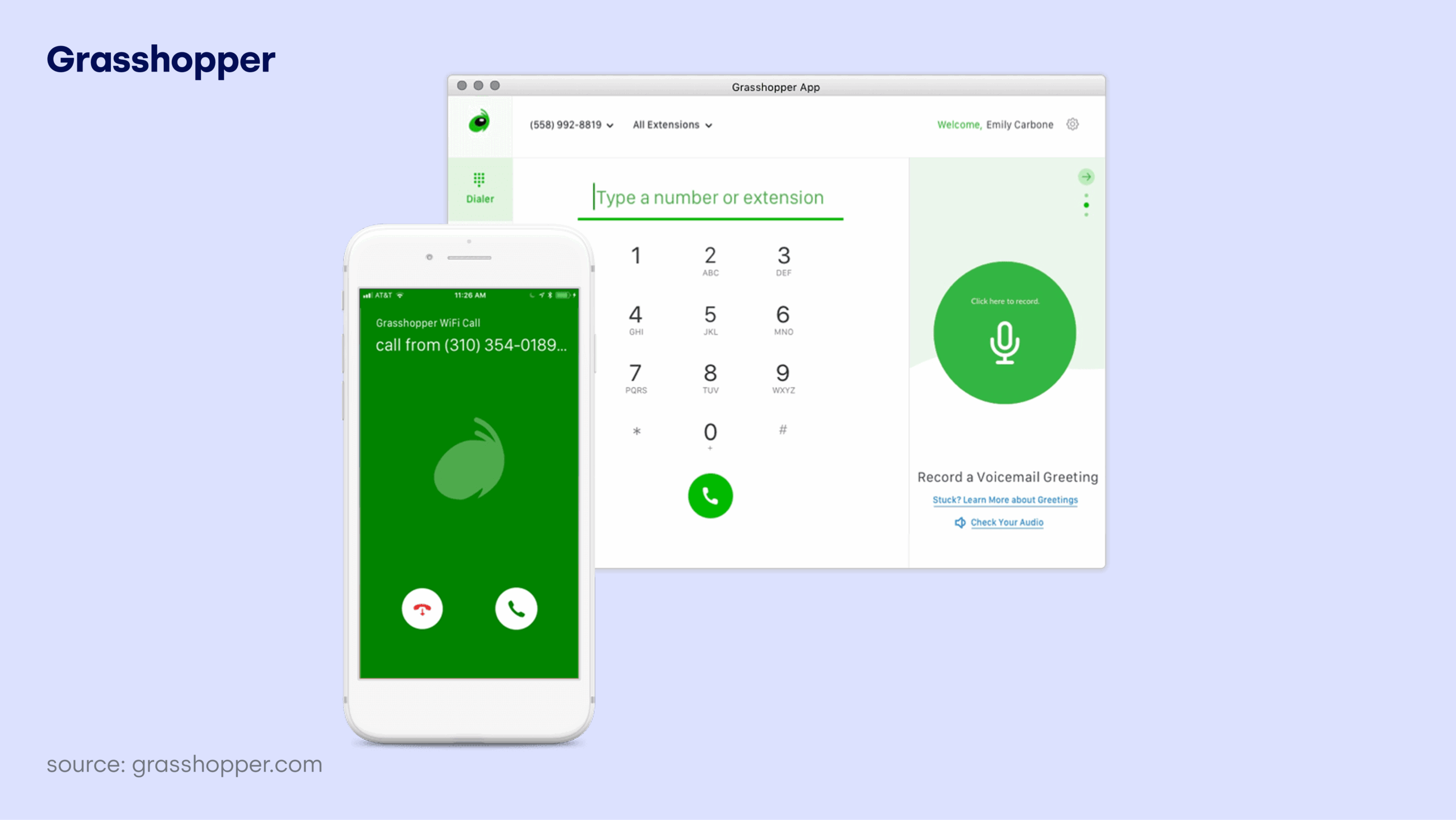
Grasshopper is a virtual phone system designed to make a one-person show sound like a 10-person company. It doesn’t try to be a data-heavy AI platform; instead, it focuses on being a simple, reliable “business line” that lives on your personal phone.
Main call reporting features:
-
Basic Usage Reports: Get clear, text-based summaries of your total minutes used, average call length, and inbound vs. outbound volume.
-
Activity & Detail Logs: View a simple list of interactions over the last 90 days, allowing you to track which extensions are getting the most traffic.
-
Voicemail Transcription: Automatically convert voicemails into text sent directly to your email, so you can “read” your missed calls while in meetings.
Other features:
-
Virtual Extensions: Create professional extensions (e.g., “Press 1 for Sales”) that route calls directly to your cell phone.
-
Instant Text Response: Automatically send a pre-written text to new callers if you miss their call, ensuring you don’t lose the lead.
-
Business SMS: Keep your personal and professional texts completely separate using a dedicated business number on your existing device.
Grasshopper Pros & Cons
| Pros | Cons |
|---|---|
| Flat monthly fee (no per-user costs) | No AI summaries or sentiment analysis |
| Ideal for solo operators | No native CRM integrations |
| Setup takes minutes | Limited to US and Canada numbers |
G2 rating: 3.9/5 (150+ reviews)
Grasshopper pricing: from $14/user/month
Bottom line:
Grasshopper is for businesss owner who want a professional presence without the “enterprise” headache. If you don’t need AI-backed coaching and just want a second number that works perfectly on your mobile, Grasshopper is the simplest tool available.
A word of advice:
If you have more than one person on your team, skip the entry plan and go for Solo Plus ($25/month) to get unlimited users and 3 extensions.
12. Zoom Phone: Best for Unified Internal & External Data

Zoom Phone leverages the familiarity of its video platform to provide a unified reporting view of how your team communicates. It’s the ideal “no-training-required” solution for teams that want their phone data to live alongside their meeting and chat analytics without the friction of a new interface.
Main call reporting features:
-
AI Companion Summaries: Automatically generates “catch-up” summaries and action items from every phone call. This allows managers to audit call outcomes in seconds rather than listening to hours of recordings.
-
Quality of Service (QoS) Dashboards: Monitor and troubleshoot call quality issues (like jitter or packet loss) in real-time across your global network to ensure your team always sounds professional.
Other features:
-
Elevate to Meeting: Seamlessly turn a phone call into a full Zoom video meeting with one click, preserving the reporting thread across both formats.
-
Shared Line Groups: Allow multiple agents to share a single professional number and voicemail, ensuring high-volume inbound queues are always covered.
-
Smart Global Routing: Use location-based routing to automatically direct calls to the nearest available rep, reducing latency and improving the customer experience.
Zoom Phone Pros & Cons
| Pros | Cons |
|---|---|
| Zero learning curve for Zoom users | Advanced analytics require an add-on |
| AI Companion included at no extra cost | Basic call logs are too simple for sales |
| Native video/phone integration | Global coverage varies by region |
G2 rating: 4.6/5 (2,600+ reviews)
Zoom Phone pricing: from $15/user/month
Bottom line:
Zoom Phone is for teams that already love Zoom for meetings and want to eliminate “app fatigue.” It’s the best choice if your goal is to consolidate all your communication data into one familiar dashboard without the steep learning curve of a dedicated contact center tool.
A word of advice:
To access historical reporting, real-time wallboards, and queue analytics, you must purchase the Zoom Phone Power Pack ($25/user/month).
13. Vonage: Best for CRM-Native Reporting

Vonage is built for teams that want their CRM to be the “cockpit” of their business. It specializes in deep, widget-based reporting that lives directly inside Salesforce or HubSpot, making it the top choice for companies that refuse to switch between tabs to see their data.
Main call reporting features:
-
CRM Reporting Widgets: View comprehensive call metrics and contact center performance directly within your Salesforce or HubSpot sidebar.
-
Advanced Call Monitoring: Track “Percentage of calls recorded” and “Average agent response” to ensure your team is meeting compliance and quality standards.
Other features:
-
Agentforce AI Integration: Use Salesforce-native AI to automate two-way customer conversations and hyper-personalize outreach based on your existing CRM data.
-
VBC App Center: A massive marketplace that allows you to plug in reporting tools for almost any niche enterprise software with a single click.
-
Omnichannel Messaging: Manage SMS, WhatsApp, and RCS (Rich Communication Services) from a single interface to keep all customer history in one place.
Vonage Pros & Cons
| Pros | Cons |
|---|---|
| Robust omnichannel support | Many core features are paid add-ons |
| Industry-leading CRM integration | Complex setup for non-CRM users |
| Reliable mobile and desktop apps | Requires 1-year contract for best price |
G2 rating: 4.6/5 (2,600+ reviews)
Vonage pricing: from $13.99/user/month
Bottom line:
Vonage is for the “CRM-first” organizations. If your business runs entirely out of Salesforce and you want your call reporting to feel like a native extension of your existing workflow, Vonage offers the tightest integration on the market.
A word of advice:
The entry-level “Mobile” plan has no reporting capabilities. You must upgrade to the Advanced Plan ($39.99/user/month) to unlock call monitoring and CRM visual dashboards.
14. JustCall: Best for Multi-Channel Sales Outreach

JustCall is a high-speed engine for sales teams that need to report on more than just voice. It bridges the gap between calls, SMS, and WhatsApp, providing a unified timeline of how many touches it actually takes to close a deal.
Main call reporting features:
-
Sales Dialer Analytics: Deep-dive into lead connect rates and conversion metrics across Power and Parallel dialers to optimize your team’s outreach.
-
AI Review Assist: An automated scoring system that grades calls for script compliance and “moments” (like competitor mentions), flagging calls for manual review only when necessary.
Other features:
-
Multi-Channel Timelines: See every call, text, and WhatsApp message in one chronological view to understand the full customer journey.
-
Appointment Scheduler: An integrated booking tool that tracks which calls directly resulted in a scheduled demo or meeting.
-
AI Notetaker: Automatically transcribes and summarizes every interaction, saving reps from the “post-call scramble” and ensuring CRM data is always accurate.
JustCall Pros & Cons
| Pros | Cons |
|---|---|
| Perfect for high-volume SMS + Voice | AI features are separate add-ons |
| Very fast CRM data syncing | “Fair Usage Policy” can limit heavy users |
| Intuitive, sales-focused UI | Pricing is high for small teams |
G2 rating: 4.3/5 (2,300+ reviews)
JustCall pricing: from $29/user/month
Bottom line:
JustCall is for the outbound sales managers who need to see the “big picture” of their outreach. If your strategy relies on a mix of calls and texts and you need to know exactly which combination is driving the most appointments, JustCall’s multi-channel reporting is your best asset.
A word of advice:
To get the AI-driven script compliance and sentiment tracking, you’ll need the Pro Plus plan ($109/user/month).
15. 3CX: Best for Self-Hosted Data Control

3CX is the “IT manager’s choice.” It’s a software-based system that you host on your own servers, offering total control over your reporting data and security. It’s also the only tool on this list that provides enterprise-grade reporting without a “per-user” monthly fee.
Main call reporting features:
-
System Watcher: A 2026-exclusive reliability tool that monitors your phone server’s health and auto-recovers services to prevent downtime before it happens.
-
Custom Grafana Dashboards: Use the 3CX Grafana plugin to build hyper-visual, real-time dashboards that track everything from traffic patterns to agent workload imbalances.
Other features:
-
AI Receptionist & Screening: Automate 24/7 call handling with an AI assistant that answers FAQs and provides a “summary of intent” before your team even answers the phone.
-
Self-Hosting Flexibility: Install on Windows, Linux, or your own private cloud (AWS/Google), ensuring your call data never lives on a third-party public cloud.
-
Integrated Web Chat & Video: Convert website visitors into voice calls or video meetings instantly, with all interactions logged in your central report.
3CX Pros & Cons
| Pros | Cons |
|---|---|
| No “per-user” monthly fees | You (or your IT) must manage the server |
| Total ownership of your data | Complex setup compared to SaaS tools |
| Highly scalable for large teams | Most AI features require the Enterprise plan |
G2 rating: 4.4/5 (500+ reviews)
3CX pricing: flat cost pricing, starting at $380/system/year
Bottom line:
3CX is for the organizations that prioritize data sovereignty and cost-efficiency at scale. If you have a large team and an IT staff capable of managing a server, 3CX offers the most powerful reporting suite for a fraction of the cost of traditional SaaS platforms.
A word of advice:
For advanced queue reporting and the new AI Transcription features, you must be on the Pro or Enterprise/AI Editions.
What is Call Reporting Software and Why Does it Matter in 2026?
Call reporting software is a tool that captures, records, and analyzes every phone conversation your team has.
While a basic phone log tells you who called and for how long, call reporting software shows you what actually happened during that time. It turns your phone lines into a source of clear, usable data.
For growing teams, the primary value is transparency. Without a reporting layer, your daily operations are a black box. You have no way of knowing which call scripts are working, where callers are losing interest, or which reps are struggling until it is too late.
In 2026, call reporting is the only way to move from gut-feeling management to objective results.
Here is why reporting matters for high-growth businesses:
-
100% visibility: AI tools analyze every call for mood and intent, so you can spot trends across thousands of conversations without listening to a single recording.
-
Automated data accuracy: The system pushes call results and recordings to your CRM instantly, so your reps stay on the phone instead of wasting time on manual notes.
-
Data-driven coaching: You stop guessing who needs training and use metrics like talk-to-listen ratios to show your team exactly how to close more deals.
-
Proactive problem solving: Real-time dashboards alert you to wait-time spikes or unhappy customers immediately, allowing you to fix issues before they cost you a client.
By using these insights, you stop “managing by gut” and start making decisions based on what is actually happening on your phone lines.
How to Choose the Right Call Reporting Software for Business Use
Identifying the need for better data is easy, but picking a platform that doesn’t create more work for your team is where most managers struggle. The goal is to find a tool that fits your current workflow while giving you the specific insights you need to grow.
The best reporting software for your business is the one that provides data your managers can actually use to improve performance. For growing teams, the priority is finding a tool that makes coaching easier and data entry automatic.
1. Select a Tool Based on Your Team’s Main Objective
Your reporting needs depend entirely on whether you are chasing new revenue or protecting your existing customer base. A sales manager needs to know if reps are asking the right discovery questions, while a support lead needs to know how quickly a ticket was closed.
-
Sales-focused teams: Prioritize talk-to-listen ratios and deal attribution to see exactly which conversations are driving revenue.
-
Support-focused teams: Look for average wait times and first-call resolution (FCR) to ensure your service levels stay high as you scale.
2. Focus on AI That Eliminates Manual Tasks
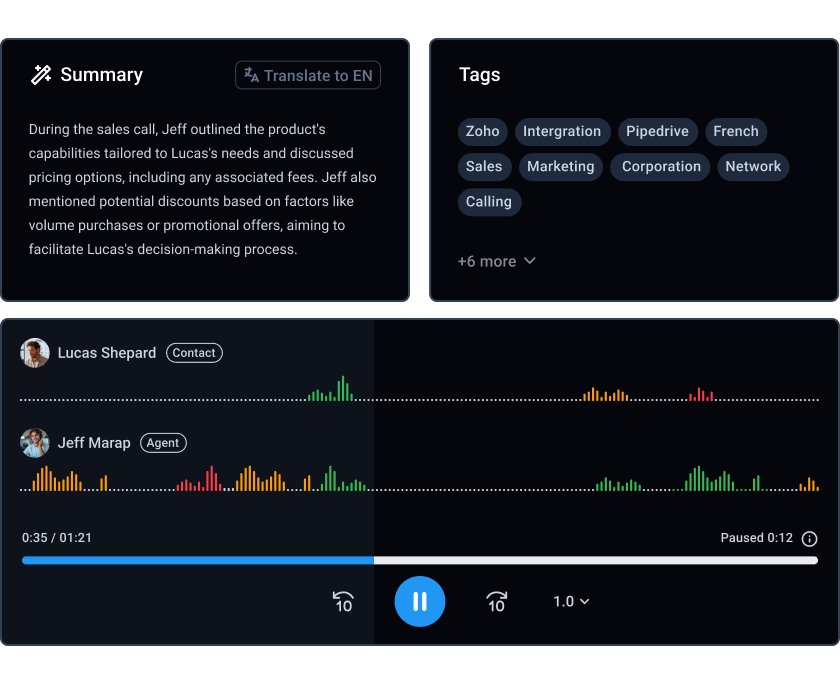
Reporting should save your team time, not add to their “to-do” list. High-quality business tools use AI to handle the grunt work of auditing calls, which allows your reps to focus on the customer instead of the interface.
-
Automated Summaries: The AI writes the post-call note and pushes it to your CRM instantly so reps can move straight to the next lead.
-
Mood Detection: The system automatically flags frustrated callers so you can step in and save a deal before it’s too late.
-
Keyword Tracking: Automatically count how often competitors or specific product objections come up in daily conversations.
Scaling teams use this type of AI to protect their margins, ensuring that as call volume grows, the manual workload for managers and agents stays flat.
3. Ensure the Software Connects Directly to Your CRM

A reporting tool is only effective if the data lives where your team works. For business use, you need a system where the phone and the CRM stay in sync without any manual data entry or messy CSV exports.
-
Bi-directional Sync: If a rep updates a lead status in the dialer, it should reflect in HubSpot or Salesforce immediately. This prevents “double work” and ensures your sales pipeline is always accurate.
-
Zero-Effort Logging: Ensure every call recording, transcript, and outcome is attached to the correct contact record automatically. This eliminates the “Friday afternoon scramble” where managers have to chase reps for missing call notes.
This level of automation is why platforms like CloudTalk have become the standard for teams that need to maintain data integrity without slowing down their output.
4. Choose a Dashboard You Can Manage Yourself
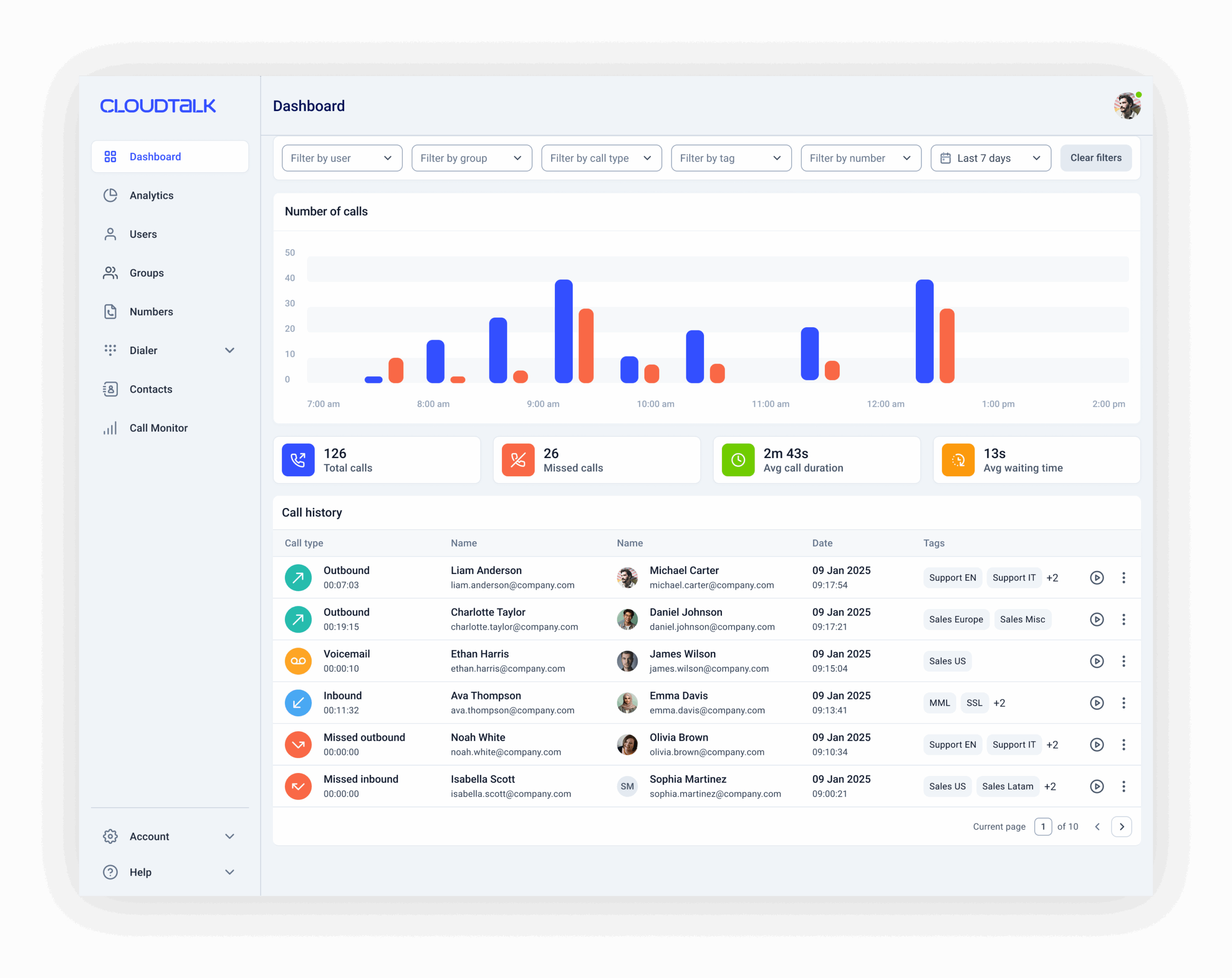
Growing teams don’t have time to wait for IT support to build a custom report. You need a platform that is easy to navigate and allows you to build your own visual wallboards to see your team’s pulse at a glance.
-
Low-Click Interface: Your most important KPIs should be visible the moment you log in, not buried under five layers of menus.
-
Real-Time Alerts: Your dashboard should highlight queue bottlenecks or high wait times the second they happen so you can react instantly.
Why CloudTalk is the Go-To for Growing Teams
CloudTalk’s call reporting software ticks every box on this list. It uses AI to summarize conversations, tracks sentiment to help you save churn-risk customers, and syncs everything to your CRM in real time. If you want a reporting stack that helps you scale without adding technical “weight,” CloudTalk is the most reliable choice on the market.
5 Key Metrics Every Growing Team Should Track (and Stay on Top of)
If you want to move the needle on your business results, look beyond “total calls made.” In 2026, high-growth teams focus on these five metrics to maintain quality while they scale.
1. Talk-to-Listen Ratio

It’s a common frustration for sales managers: you suspect your reps are “over-pitching” or steamrolling prospects, but you don’t have the time to listen to dozens of recordings to prove it.
Research published by Crunchbase confirms there is a direct correlation between how much a rep listens and their ability to close.²
-
The Benchmark: Aim for the “Golden Ratio” of 43% talking to 57% listening. That’s exactly how top closers operate.
-
The Fix: Modern AI-powered reporting tools like CloudTalk calculate this ratio automatically for every call. You can filter your dashboard to show only the conversations where reps talked more than 60%, turning a day-long auditing task into a two-minute check.
2. First-Call Resolution (FCR)
For support teams, the goal isn’t just to “close tickets,” but to resolve them. If your team is constantly busy but your costs are skyrocketing, it’s often because customers are calling back three times for the same issue.
Industry research by SQM Group shows that every 1% increase in FCR correlates to a 1% increase in customer satisfaction.³
-
The Benchmark: Target an FCR of 70-75% to minimize churn risk and lower your cost-per-resolution.
-
The Fix: Using CloudTalk’s advanced analytics and automated tagging, you can see which specific labels (like “Technical Bug” or “Billing”) are consistently requiring multiple calls to resolve. This allows you to fix the root cause of “looping” tickets in your operations rather than just treating the symptoms.
3. Average Handle Time (AHT) vs. Sentiment

Many managers worry that by rewarding agents for “short calls,” they are accidentally encouraging them to rush customers off the phone. For success in 2026, you should prioritize effective efficiency over raw speed.
-
The Benchmark: A “successful” call should be measured by a balance of low duration and positive sentiment.
-
The Fix: Using AI sentiment analysis, you can layer emotional context over call duration. This shows you instantly if your fastest agents are actually your top performers or your biggest risks to the brand.
4. Connect Rate by Lead Source
There is nothing more demoralizing for a sales team than a list of leads that never answer the phone. This metric identifies which marketing channels are delivering “reachable” prospects and which are just burning your team’s time.
-
The Benchmark: Identify and prioritize lead sources that maintain a higher-than-average connect rate for your industry. Global dialing efficiency benchmarks suggest a healthy connection rate usually sits between 25-30%.
-
The Fix: Track connect rates by campaign or lead source automatically. This allows you to stop spending your marketing budget on “ghost leads” and double down on the sources that actually result in live conversations.
5. Queue Abandonment Rate

Every abandoned call represents a customer who likely just moved on to your competitor’s Google listing. This is your “early warning system” for staffing, especially if this number spikes.
It means your team is overwhelmed or your routing logic is flawed. Benchmarks from MetricNet warn that hitting an 8% abandonment rate is a major red flag for losing both calls and future revenue.⁴
-
The Benchmark: Keep this below 5-8% to ensure you aren’t hanging up on revenue.
-
The Fix: Use CloudTalk’s real-time Wallboard software to highlight these spikes the second they happen. This allows you to react instantly by re-routing agents or triggering an automated callback so no lead is left behind.
Set Your Own Team's Benchmarks
Identifying the right metrics is only the first step. Now it’s time to apply them to your specific operations. For a deeper look at how to build your own performance baselines and outpace industry averages, check out our full guide on Call Center Benchmarking.
Call Reporting Software Pricing: What to Expect in 2026
Budgeting for call reporting depends on the depth of visibility you require. Most vendors use a tiered structure where the cost scales based on how “live” and “automated” your insights are.
-
Basic reporting ($15–$25/user/month): Usually limited to historical logs and basic CRM syncing. These plans show what happened yesterday, but they don’t provide a view of what is happening right now.
-
Advanced analytics ($40–$70/user/month): This is the standard for growing teams. It typically unlocks real-time wallboards and custom dashboard builders to help you manage a live floor.
-
AI & Intelligence add-ons ($15–$40/user/month): Modern platforms often separate “Phone” features from “AI” features. Automated summaries, sentiment analysis, and talk-to-listen ratios usually require a specific AI add-on.
A Practical Example: CloudTalk Call Reporting Pricing
CloudTalk’s entry plan starts at $19/user/month for standard business calling. However, most managers move to the CloudTalk Expert Plan ($49/user/month) to access the following reporting tools:
-
Custom Dashboards: Build the specific data views your team needs.
-
Real-Time Wallboards: Identify and fix queue bottlenecks as they happen.
-
Monitoring tools: Use Whisper and Barge to coach reps during live calls.
For teams that want to automate call auditing entirely, the CloudTalk AI Conversation Intelligence add-on (including talk/listen ratios, sentiment analysis, and summaries) is available for $9/user/month.
Realistic Budgeting: The 10-Agent Team
For a 10-person team that requires full visibility and automated coaching, a typical budget with annual billing looks like this:
-
10 CloudTalk Expert Plan Licenses: $490/month or $5,880/year
-
10 AI Conversational Intelligence add-on: $90/month or $1,080/year
Total investment per 10 fully-equipped agents: $580/month or $6,960/year
How High-Growth Teams Use Call Reporting (Sales, Support & Rev Ops)
Call reporting is only valuable if it leads to a change in behavior. Here is how top-performing teams use these insights to move the needle in their specific departments.
Sales: Replicating Your Top 1%
For sales managers, reporting is about identifying winning patterns. You need to know exactly what your top closers are doing differently so you can scale that behavior across the team.
-
The workflow: Use Talk-to-Listen ratios, Topics Extraction, and AI Call Scoring to track playbook adherence. While Topic Extraction identifies if key points were mentioned, AI Call Scoring automatically grades reps on how well they handled discovery or handled specific objections.
-
The impact: You move from “vibe-based” coaching to data-backed training. If the data shows a rep is over-pitching with a 75% talk ratio, you have a concrete metric to coach them on.
Support: Reducing Churn via First-Call Resolution
In support, reporting acts as an early warning system. If your team is constantly busy but customer satisfaction is dropping, the data usually points to a “looping” problem.
-
The workflow: Monitor First-Call Resolution (FCR) alongside Sentiment Analysis. CloudTalk’s automated tagging can highlight if specific issues (like “billing errors”) are forcing customers to call back multiple times.
-
The impact: You stop treating the symptoms (high call volume) and start fixing the cause. Solving an issue on the first call significantly lowers operational costs while protecting customer loyalty.
RevOps: Eliminating Data Silos and Improving Efficiency
For Revenue Operations (RevOps), call reporting is the glue between the CRM and the actual conversation. Your goal is to ensure the “dark data” from phone calls is visible, accurate, and actionable across the entire business.
-
The workflow: Use Real-Time Wallboards and bi-directional CRM sync to ensure that lead status and customer sentiment are updated instantly. This lets you manage staffing spikes in real-time and ensure marketing spend is going toward the lead sources with the highest connect rates.
-
The impact: You prevent “leaked revenue” from abandoned calls and inaccurate CRM records. It enables a leaner, more agile organization where every department is working from a single source of truth rather than fragmented end-of-week reports.
Why CloudTalk is the Strongest Choice for Call Reporting and Team Performance
Most call reporting platforms force you to choose between a basic tool that lacks depth or an enterprise solution that requires a three-month setup. CloudTalk is built for growing SMBs that need enterprise-grade data without the administrative load.
1. Close the Gap Between “Seeing” and “Fixing”
Traditional reporting tells you about a problem 24 hours after it happened. CloudTalk turns data into an active management tool.
With real-time wallboards and live call monitoring software, you can identify a queue bottleneck or a struggling rep and step in while the call is still happening.
Using the “Whisper” coaching mode, you can speak directly to your agent to guide them through a tough objection without the customer ever hearing you, fixing the issue before it impacts your revenue.
2. End the “Dark Data” Problem with Native CRM Sync
Your reporting is only as valuable as the CRM data it supports. CloudTalk offers the deepest bi-directional sync on the market for tools like Salesforce, HubSpot, Pipedrive, and Zendesk.
By automatically attaching every recording, sentiment score, and talk-to-listen ratio to the correct contact, your CRM remains a single source of truth.
No more manual logging, no more “missing” conversation data, and no more silos between Sales and RevOps.
3. Eliminate Manual Auditing with Purpose-Built AI
For most managers, auditing calls is a “grunt work” task that eats up hours of the week. CloudTalk AI Conversation Intelligence acts as a force multiplier for your leadership team by automating the most time-consuming parts of the job:
-
AI Call Scoring: Let AI score 100% of your calls. Set custom criteria, like script adherence, empathy, or compliance, and the system automatically grades every conversation. You instantly see who is hitting the mark and who needs immediate coaching.
-
Topic Extraction & AI Smart Notes: Automatically identify the “why” behind every call. AI identifies key discussion topics and generates a concise summary directly in your CRM, so you never have to guess what was discussed.
-
Sentiment Analysis: The system flags shifts in caller mood, so you only spend time listening to the calls that actually need your attention.
See Your Team’s Performance in Real-Time, Risk Free
Recommended Articles
Choose the Best Call Reporting Software & Move From Guesswork to Growth
The best call reporting software transforms raw conversation data into a roadmap for growth, without you needing a data science degree to use it.
Enterprise platforms like Talkdesk or Five9 are built for massive, multi-layered contact centers with complex governance needs.
However, for fast-growing SMB and mid-market teams, the objective is more direct: you need to see queue bottlenecks in real-time, automate the “grunt work” of auditing, and keep your CRM data 100% accurate.
CloudTalk’s call reporting solution bridges this gap, which is why it was recently named to the G2 2026 Best Sales Software Products list.⁵
Choosing a platform recognized by thousands of users for its impact on revenue makes the competitive advantage obvious from the very first call.

Fix Your Reporting Gaps & Start Scaling Revenue Now

Sources:
-
01
Gartner
-
02
Crunchbase
-
03
SQM Group
-
04
MetricNet
-
05
G2






















