

10 Best Microsoft Teams Phone Alternatives: TL;DR Comparison Table
| # | Platform | Best for | Starting Price (annual billing) |
G2 Rating |
|---|---|---|---|---|
| 1 | CloudTalk | Scaling SMB and mid-market sales and support teams | $19/user/mo (LATAM) or $25/user/mo (worldwide) | 4.4/5 |
| 2 | RingCentral | Complex call routing and Microsoft ecosystem migrations | $20/user/mo | 4.2/5 |
| 3 | Zoom Phone | Teams combining video conferencing with dedicated VoIP calling | $16/user/mo | 4.6/5 |
| 4 | Dialpad | AI-first teams replacing Teams Phone with smarter call coaching | $80/user/mo (Contact Center) | 4.4/5 |
| 5 | Nextiva | Reliable enterprise UCaaS without the Microsoft lock-in | $15/user/mo | 4.5/5 |
| 6 | Google Voice | Google Workspace-native teams needing a simple calling upgrade | $10/user/mo | 4.1/5 |
| 7 | Aircall | Modern customer support teams with deep CRM workflows | $30/user/mo (3-seat minimum) | 4.4/5 |
| 8 | JustCall | Outbound sales teams with auto dialer and automated SMS | $29/user/mo (2-seat minimum) | 4.3/5 |
| 9 | Vonage | Developer-centric teams needing programmable communication stacks | $13.99/user/mo | 4.3/5 |
| 10 | 8×8 | Mid-market teams wanting UCaaS and contact center in one platform | $24/user/mo | 4.1/5 |
Stop Reading. See CloudTalk Live.
Why Are Teams Searching for a Microsoft Teams Phone Alternative?
Microsoft Teams has 19,000+ reviews and a 4.4/5 rating on G2 for its ecosystem, so the platform isn’t the problem. The problem is what it takes to run Microsoft Teams Phone as a real business phone system. Across Reddit’s r/VOIP and r/MicrosoftTeams communities, IT managers and contact center leads using Microsoft Teams for business comms keep hitting the same walls: convoluted Operator Connect setups, support that points you to documentation instead of a technician, and a pricing structure that looks affordable until you add up every required add-on.
To get more insight into these problems, we looked into feedback on Microsoft Teams Phone across communities like G2, Trustpilot, Reddit, and Quora. Here are the five operational problems MS Teams Phone users consistently run into.
5 Main Cons of Microsoft Teams Phone That Make Businesses Look for Alternatives
-
Setup and Admin Complexity That Requires IT ExpertiseConfiguring Teams Phone voice routing means learning the Teams Admin Center, PowerShell scripting, and Operator Connect or Direct Routing. Even experienced IT admins describe it as “friggin’ complicated.” Smaller teams without a dedicated Microsoft partner spend weeks getting a dial tone, not days.
-
An Add-on Pricing Maze That Balloons Your Monthly CostTeams Phone Standard ($8/user/mo) is just the first bill. You still need a Calling Plan ($12/user/mo) or an Operator Connect partner, plus an active Microsoft 365 subscription ($6/user/mo and up). The all-in cost for a basic calling setup starts at $26/user/mo per seat, before support contracts or Copilot AI.
-
No Outbound Dialer or Sales-Specific FeaturesTeams Phone is built for internal communications. There is no Power Dialer, no call sequences, no auto-dial for outbound campaigns. Sales teams that need to run outbound workflows must buy a separate dialer tool on top of their Teams license, which adds cost and creates a fragmented stack.
-
AI Features Locked Behind a $30/User/Mo Copilot LicenseCall summaries, meeting transcripts, and AI coaching in Teams Phone all require Microsoft Copilot at $30/user/mo extra. Competing platforms include AI call summaries and transcription in their standard pricing. For a 20-person team, Copilot alone adds $600/mo to your bill.
-
Microsoft Support That Routes You to Partners, Not EngineersWithout a Premier or Unified Support contract (enterprise pricing), Teams Phone issues are handled through community forums and tier-1 support portals. Voice problems, SIP trunk failures, and routing misconfigurations require a Microsoft partner to diagnose. Direct 24/7 human support is simply not part of the standard offering.


What Is the Best Alternative to Microsoft Teams Phone?
CloudTalk is the best alternative to Microsoft Teams Phone for growing SMB sales and support teams. The platform starts at $19 to $25/user/mo respectively, with core features like call recording, a visual call flow builder, call queues, and click-to-call from your CRM, plus coverage across 180 countries, with no Microsoft 365 subscription required.
Why Do Teams Consider CloudTalk the Best Microsoft Teams Phone Alternative?
Below are the main reasons why CloudTalk is the best alternative to MS Teams Phone system, especially for sales & support teams that want to scale across the globe.
5 Reasons Teams Switch from Microsoft Teams Phone to CloudTalk
-
Transparent Flat-Rate Pricing With No Hidden Add-OnsCloudTalk starts at $19/user/mo, basic calling, IVR, call queues, call transfers, and unlimited inbound and outbound calling are included. Works without a Microsoft 365 subscription, a Calling Plan, or a Copilot license. All calling features come included.
-
Purpose-Built for Contact Centers and Outbound SalesA Power Dialer, smart call queues, real-time dashboards, and outbound workflows are native to CloudTalk on reasonably priced plans. Teams Phone requires third-party tools to get anywhere near this functionality.
-
AI Call Summaries and Transcription Without a Copilot LicenseConversation Intelligence is available as a $9/user/mo add-on (annual) covering call transcripts, summaries, topic tagging, and sentiment analysis. That is $21/user/mo less than Microsoft Copilot for the same AI call insight layer.
-
True Two-Way CRM Sync on Every CallHubSpot, Salesforce, Pipedrive, Zendesk, and 100+ other tools sync automatically. Every call, transcript, and contact update writes back to your CRM without manual logging.
-
24/7 Human Technical Support on All PlansCloudTalk’s support means real engineers, not partner portals. If a call routing issue or SIP trunk problem surfaces at 2 a.m., CloudTalk’s support team answers (with phone support available on Expert plan).


Test It for 14 Days. No Contract Needed.
How We Chose the Best Microsoft Teams Phone Alternatives and Competitors
To help you find the best alternative to Microsoft Teams Phone software, we evaluated every platform against six criteria that matter most to growing teams considering a switch.
-
Call stability and uptimeWe checked published uptime SLAs, user-reported call drop rates on G2, and architecture type (cloud-native vs. hybrid). Teams Phone uptime depends on Microsoft’s broader M365 infrastructure, which has had documented outages affecting voice services.
-
Overall cost of ownershipWe compared the true all-in cost including subscription prerequisites, add-on fees, and what is actually included at each tier. Teams Phone’s three-layer pricing (M365 + Phone Standard + Calling Plan) was the key benchmark.
-
CRM integration depthWe looked specifically at Salesforce, HubSpot, and Zendesk sync reliability and which pricing tier unlocks them. Teams Phone requires Copilot or a third-party connector for CRM sync, so we prioritized tools where integrations are accessible from the entry plan.
-
Global reach and virtual number coverageWe prioritized platforms with virtual numbers across multiple countries, especially relevant for teams that find Teams Phone’s Operator Connect approach complex to manage across regions.
-
AI productivity and dialing toolsWe evaluated AI transcription, call summaries, and outbound dialer types. We also checked which plan tier each feature unlocks on, since Teams Phone locks AI features behind a $30/user/mo Copilot license.
-
Support quality and response modelWe cross-referenced G2 support ratings and Reddit sentiment with each vendor’s support model. Teams Phone’s partner-dependent support structure, which requires a Premier or Unified Support contract for priority response, was a direct benchmark.
The Top 10 Alternatives to Microsoft Teams Phone for 2026
Microsoft Teams Phone vs. Top Alternatives: Feature Matrix
| Feature | Microsoft Teams Phone | CloudTalk | RingCentral | Zoom Phone | Dialpad |
|---|---|---|---|---|---|
| Starting Price | $8/user/mo (add-on) | $19/user/mo | $20/user/mo | $16/user/mo | $15/user/mo |
| Seats Minimum | None | None | None | None | None |
| Free Trial |  |
 |
|
|
|
| M365 Subscription Required | |
|
|
|
|
| Call Recording Included | Copilot add-on | From the start | Advanced+ | Included | Pro+ |
| Native CRM Integrations | Via app store | 100+ tools from Essential | Advanced+ | Limited | Pro+ |
| AI Call Summaries | Copilot ($30+/user/mo) | Included in Conversation Intelligence add-on ($9/user/mo) | Advanced+ | Workplace Pro | Included |
| Outbound Power Dialer | |
(incl. on Expert or as $15/mo add-on) |
|
|
|
| Global Number Coverage | Via Operator Connect | 160+ countries | 40+ countries | 40+ countries | 70+ countries |
| 24/7 Direct Support | Partner-managed | (phone on Expert) |
|
|
Business hours |
The Microsoft Teams Phone Cost Trap
The $8/user/mo Teams Phone Standard price is just the add-on license. Add a Domestic Calling Plan (~$12/user/mo) and a Microsoft 365 Business Basic subscription ($6/user/mo) and your per-seat cost reaches $26/user/mo before Copilot AI, international calling, or Microsoft Premier Support. For a 15-person team, that is $390/mo for features that competing platforms include in a single flat-rate plan.
1. CloudTalk: The #1 Microsoft Teams Phone Alternative for Sales and Support Teams
What Is CloudTalk?
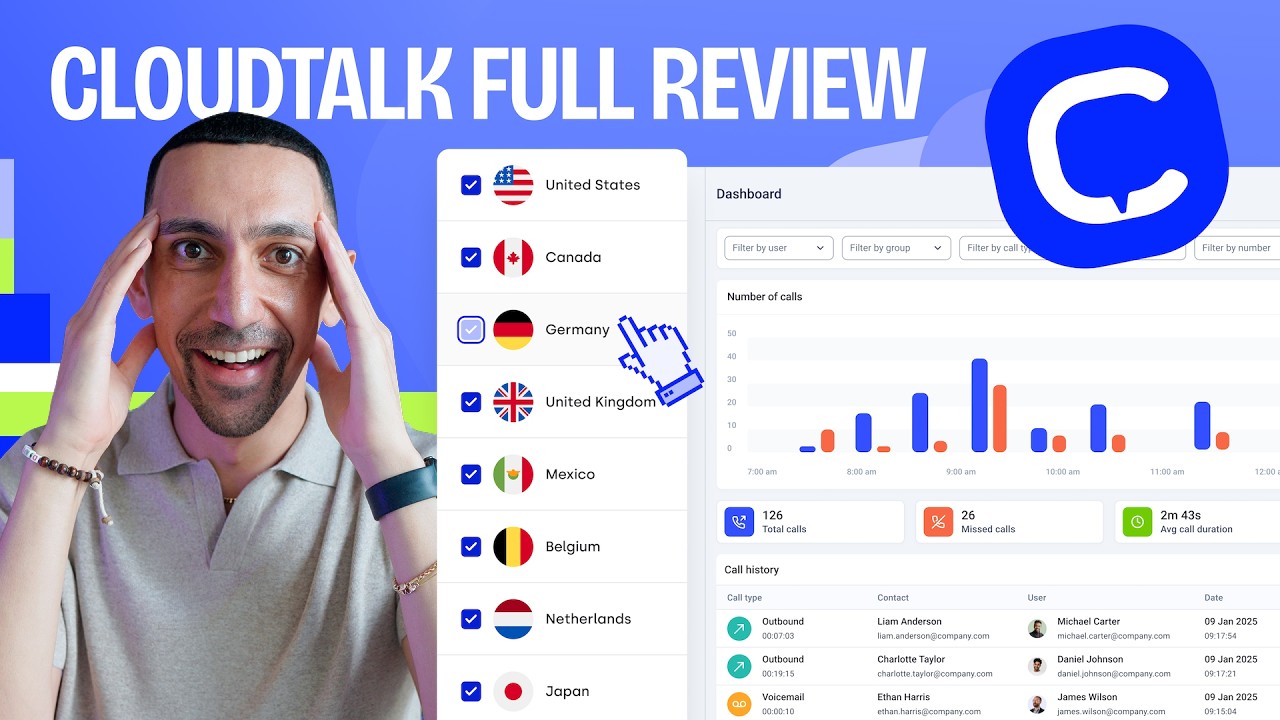
CloudTalk is a cloud-based VoIP contact center platform built for scaling SMB and mid-market sales and support teams. It replaces both the phone system and the outbound dialer in a single interface, with setup that takes hours instead of weeks.
Supporting over 5,500+ growing businesses worldwide and 99.999% uptime SLA, CloudTalk is purpose-built for teams that need to make and manage calls at scale.
Why CloudTalk Is a Strong Microsoft Teams Phone Alternative?
-
Flat-rate pricing from $19/user/mo with no M365 subscription requiredTeams Phone requires an M365 subscription, a Phone Standard add-on, and a Calling Plan just to make an outbound call. CloudTalk starts at $19/user/mo with inbound & outbound calling and basic tools like call recording or call queues built in. You can start calling leads and supporting your customers from day one.
-
Power Dialer and AI call intelligence built inThe Power Dialer and smart call queues give sales teams the outbound infrastructure Teams Phone simply doesn’t have. Conversation Intelligence adds AI transcripts and call summaries at $9/user/mo, with no $30/user/mo Copilot license required.
-
True two-way CRM sync and 24/7 human support on all plansCRM integrations with HubSpot, Salesforce, Pipedrive, and Zendesk sync every call, note, and contact update automatically. Support runs 24/7 with real engineers, not partner portals. And with 160+ national number types, global teams aren’t forced to manage separate Operator Connect vendors by region.
What Are the Pros & Cons of CloudTalk?
| Pros | Cons |
|---|---|
| Transparently priced tiers & add-ons, everything for basic calling included from the start | Voice-first by design: no built-in video or chat channels |
| Power Dialer and outbound call sequences available | Salesforce integration requires the Expert plan |
| True two-way CRM sync across 100+ integrations | Lite plan restricted to LATAM region (other regions start with $25/user/mo Starter plan) |
| AI call summaries at $9/user/mo, not $30/user/mo | |
| 24/7 human technical support on all plans (phone on Expert) |
What Are CloudTalk’s Plans & Pricing?
CloudTalk pricing starts at $19/user/month (billed annually), with the following plans:
CloudTalk Plans and Pricing
| Plan | Price | Key Features |
|---|---|---|
| Lite | $19/user/mo | Calling, IVR, call queues, call transfers, unlimited inbound and outbound |
| Starter | $25/user/mo | Everything in Lite + call recording, voicemail, SMS, click-to-call |
| Essential | $29/user/mo | Everything in Starter + Power Dialer, advanced analytics, HubSpot and Pipedrive integrations |
| Expert | $49/user/mo | Everything in Essential + Salesforce sync, custom reporting, AI voice agents |
| AI Conversation Intelligence | $9/user/mo | Call transcripts, summaries, topic tagging, sentiment analysis, AI call scoring, and more |
AI Add-On Pricing at a Glance
Conversation Intelligence: $9/user/mo (annual). AI Receptionist: from $99/mo. AI Voice Agents: from $349/mo. Power Dialer: included on Expert (or as $15/mo add-on). Parallel Dialer: $39/mo add-on. Salesforce integration: Expert plan.
What Customers Say about CloudTalk
G2 reviewers consistently highlight fast setup and CRM sync as the biggest wins over legacy platforms. One verified reviewer noted: “Setting up CloudTalk took less than a day. We were live and taking calls before lunch.” Another shared: “The Pipedrive integration means every call gets logged automatically. We stopped losing deal context entirely.” A third pointed to support quality: “When we had a routing issue, CloudTalk support fixed it in under an hour. With our old provider, that would have been a ticket with a two-day wait.”
How Do G2 Users Rate CloudTalk?
CloudTalk’s current G2 rating is 4.4/5, based on 1800+ verified user reviews.

Ready to Test the Best Microsoft Teams Phone Alternative?
2. RingCentral: Best for Complex Call Routing and Microsoft Ecosystem Migrations
What Is RingCentral?
RingCentral is one of the most established UCaaS (Unified Communications as a Service) and contact center platforms the market, sold as RingEX with plans starting at $20/user/mo (annual). RingCentral’s solution serves mid-market and enterprise teams that need a full-featured business phone system with deep call routing, video meetings, and team messaging in one platform. If your organization is migrating away from a legacy PBX or from Teams Phone, RingCentral’s migration tooling and carrier-grade infrastructure make the transition smoother.
Why Is RingCentral a Strong Microsoft Teams Phone Competitor?
-
99.999% uptime SLARingCentral has a long carrier-grade reliability record. On the other hand, Teams Phone uptime depends heavily on Microsoft’s broader M365 infrastructure, which has had documented outages affecting voice services.
-
No M365 subscription requiredRingEX is a standalone phone system. You don’t need to maintain any Microsoft licensing to use its calling features.
-
Microsoft Teams integration availableRingCentral can power the telephony layer behind the Teams interface if your users prefer the Teams UI, giving you better call reliability without replacing your collaboration tools.
What Are the Pros & Cons of RingCentral?
| Pros | Cons |
|---|---|
| Carrier-grade 99.999% uptime SLA | CRM integrations locked behind the Advanced plan |
| Full UCaaS suite in one license | Complex admin interface with a steep learning curve |
| Can replace Teams Phone while keeping the Teams interface | No native Power Dialer for outbound sales |
What Are RingCentral’s Plans & Pricing?
RingCentral pricing starts at $20/user/month (billed annually), with the following plans:
RingCentral (RingEX) Pricing Plans
| Plan | Price (annual billing) | Key Features |
|---|---|---|
| Core | $20/user/mo | Unlimited calling, video (100 participants), team messaging, IVR, AI writing assistant |
| Advanced | $25/user/mo | Everything in Core + call recording, 300+ integrations (Salesforce, HubSpot), auto call notes |
| Ultra | $35/user/mo | Everything in Advanced + unlimited storage, advanced analytics, device analytics |
The RingCentral CRM Paywall
Salesforce and HubSpot integrations are gated behind the Advanced plan ($25/user/mo). Teams switching from Microsoft Teams Phone expecting native CRM sync on the entry plan will be disappointed, paying 25% more than the advertised Core price.
What Are RingCentral’s Customers Saying?
G2 reviewers praise RingCentral’s reliability and breadth of features, particularly for large distributed teams. The most common frustrations center on the admin portal’s complexity and the steepness of moving from the entry plan to the one that actually includes CRM and analytics. Users who migrated from Teams Phone note that while RingCentral is more capable for telephony, it still requires IT-level configuration to get the most out of it.
How Do G2 Users Rate RingCentral?
RingCentral’s current G2 rating is 4.2/5, out of 1,350+ verified user reviews.

3. Zoom Phone: Best for Teams Combining Video Conferencing with VoIP Calling

What Is Zoom Phone?
Zoom Phone is a cloud VoIP phone system that layers dedicated calling on top of the Zoom Workplace platform. It starts at $16/user/mo (annual) for US and Canada unlimited calling and is popular with teams that are already deep in the Zoom ecosystem for video meetings. Unlike Microsoft Teams Phone, there is no Microsoft 365 subscription required and no Operator Connect complexity, and the calling and video experience live in the same lightweight app.
Why Is Zoom Phone a Strong Microsoft Teams Alternative?
-
Simpler pricing than Teams PhoneThe $16/user/mo plan includes unlimited US and Canada calling, call recording, SMS, and voicemail without any additional subscription stacking.
-
Seamless flip between call and videoUsers can escalate a phone call to a Zoom video meeting in one click. Teams Phone can do this within M365, but Zoom Phone does it in a lighter, faster interface.
-
30-day free trial vs. no trial from Teams PhoneZoom Phone lets teams properly evaluate the platform before committing.
What Are the Pros & Cons of Zoom Phone?
| Pros | Cons |
|---|---|
| Lightweight, easy-to-learn interface with fast setup | Limited CRM integrations on the entry plan |
| Included call recording and AI Companion on higher tiers | No native Power Dialer for outbound sales |
| Strong global coverage across 40+ countries | Contact Center features come at a steep price jump |
What Are Zoom Phone’s Plans & Pricing?
Zoom Phone pricing starts at $16/user/month (billed annually), with the following plans:
Zoom Phone Pricing Plans
| Plan | Price (annual billing) | Key Features |
|---|---|---|
| US & Canada Unlimited | $16/user/mo | Unlimited domestic calling, call recording, SMS, voicemail, HubSpot integration |
| Workplace Pro Plus | $20.50/user/mo | Everything in Unlimited + Zoom Workplace premium (AI Companion, team chat, video meetings) |
| Global Select | $24.50/user/mo | Everything in Pro Plus + unlimited calling in one of 40+ countries |
| Zoom Contact Center | $69+/user/mo | Separate license: inbound/outbound contact center, routing queues, IVR, WFM |
Zoom Phone vs Zoom Contact Center
Zoom Phone ($16–$24.50/user/mo) and Zoom Contact Center ($69+/user/mo) are separate products. If your team needs an outbound dialer or call center queue management, the Zoom Phone license isn’t enough.
What Are Zoom Phone’s Customers Saying?
G2 users highlight Zoom Phone’s ease of setup and the seamless audio-to-video call escalation as the top draws. Frustrations focus on feature gaps compared to dedicated contact center platforms. Reviewers note that Teams Phone’s replacement value is high for collaboration but lower for sales workflows. International teams also report that Zoom Phone’s routing options for multi-country operations are more limited than dedicated VoIP platforms.
How Do G2 Users Rate Zoom Phone?
Zoom Phone’s current G2 rating is 4.6/5, out of 2,600+ verified user reviews.

4. Dialpad: Best for AI-First Teams Replacing Teams Phone With Smarter Call Coaching
What Is Dialpad?
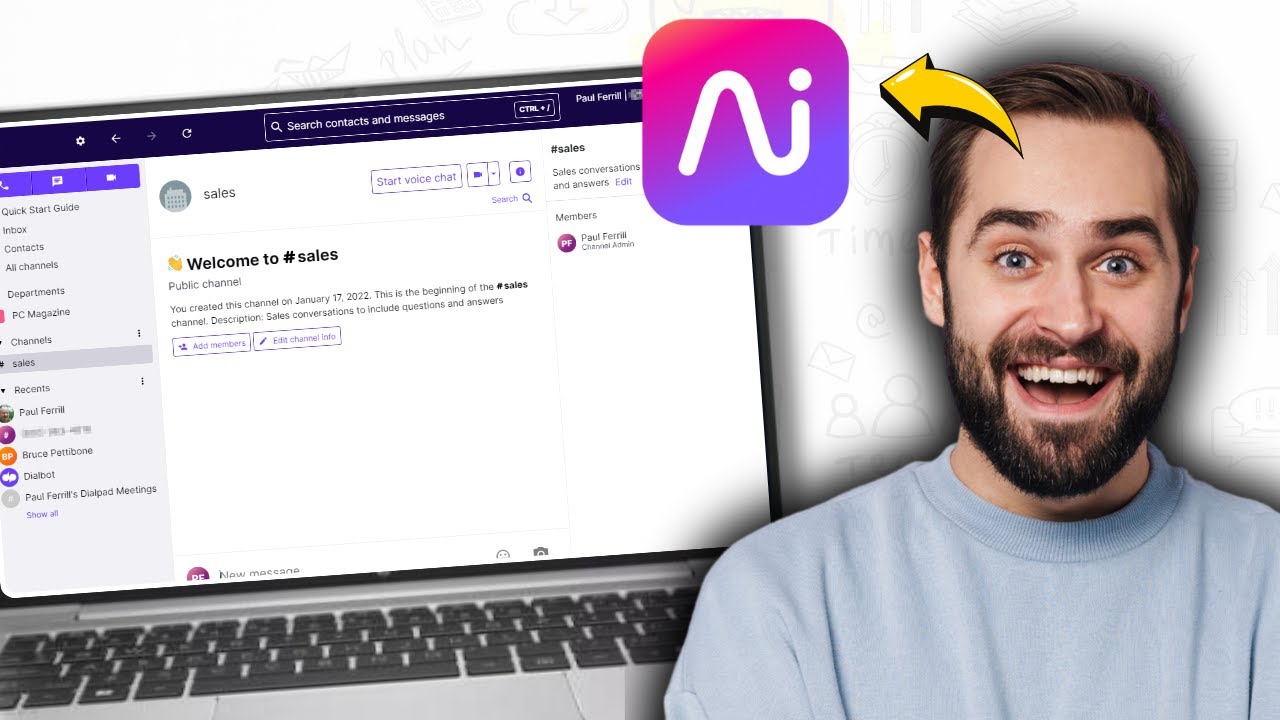
Dialpad is an AI-powered UCaaS platform that bundles phone calls, video meetings, and SMS into one interface, with real-time AI transcription and call summaries built into every plan from $15/user/mo (annual). Dialpad mainly targets businesses that want the collaboration features of Microsoft Teams but with native AI call coaching that doesn’t require a separate Copilot license.
Why Is Dialpad a Strong Teams Phone Alternative?
-
AI transcription and call summaries on all plansnot gated behind a $30/user/mo Copilot add-on. Every Dialpad user gets real-time transcription from day one.
-
No M365 subscription requiredDialpad is a standalone platform. Teams can migrate away from the Microsoft ecosystem without losing calling, messaging, or meetings.
-
Cleaner UI for non-IT usersDialpad is consistently praised for its fast onboarding compared to Teams Phone’s admin-heavy setup process.
What Are the Pros & Cons of Dialpad?
| Pros | Cons |
|---|---|
| Built-in AI transcription and summaries on all plans | CRM integrations require the Pro plan ($25/user/mo) |
| Intuitive setup without IT or partner involvement | No outbound Power Dialer: contact center features are a separate product |
| Unified calling, messaging, and video in one license | International number coverage narrower than pure VoIP platforms |
What Are Dialpad’s Plans & Pricing?
Dialpad pricing starts at $15/user/month (billed annually), but that’s just the Connect suite. Support teams have to go for contact center plans that start at $80/user/month.
Dialpad Contact Center Pricing Plans
| Plan | Price (annual billing) | Key Features |
|---|---|---|
| Essentials | $80/user/mo | AI transcriptions, call queues, call routing, agent status, call recording, integrations |
| Advanced | $115/user/mo | Everything in Essential + live coaching cards, CRM triggers, additional channels |
| Premium | $150/user/mo | Everything in Advanced + automated quality management, CSAT, advanced analytics, forecasting, WEM |
The Contact Center Product Trap:
Mind that advanced support queues, shared company hold lines, and deep analytics require buying specialized Dialpad Support or Dialpad Sell products, where single seats quickly cross $80 per month.
What Are Dialpad’s Customers Saying?
G2 users consistently highlight the built-in AI transcription as the product’s standout feature and the clearest advantage over Teams Phone. Negative feedback clusters around the steepness of the Contact Center pricing jump and the limited CRM access on the entry plan. Teams migrating from MS Teams for AI features tend to be happy with Dialpad; teams looking for an outbound dialer typically find the platform falls short.
How Do G2 Users Rate Dialpad?
Dialpad’s current G2 rating is 4.4/5, out of 4,100+ verified user reviews.

5. Nextiva: Best for Reliable Enterprise UCaaS Without the Microsoft Lock-In
What Is Nextiva?
Nextiva is a business communication platform that combines VoIP calling, video, team chat, and CRM tools in a single unified workspace starting at $15/user/mo (annual). It serves small businesses, mid-market teams, and enterprises that want a polished, reliable alternative to Teams Phone, with support that doesn’t require a Microsoft partner and pricing that stays predictable as headcount grows.
Why Is Nextiva a Strong Microsoft Teams Alternative?
-
Transparent three-tier pricingNextiva restructured to Core ($15), Engage ($25), and Power Suite CX ($75), with no hidden add-ons for basic calling, no Calling Plan stacked on top.
-
Built-in CRM tools on mid-tier plansThe Engage plan includes CRM integrations and call recording, features that Microsoft Teams Phone requires Copilot-level spending to match.
-
Strong G2 rating (4.5/5) with 3,400+ reviewsamong the highest satisfaction scores of any UCaaS platform for mid-market teams.
What Are the Pros & Cons of Nextiva?
| Pros | Cons |
|---|---|
| All-in-one UCaaS at a predictable price | No outbound Power Dialer on standard plans |
| 4.5/5 on G2 across 3,400+ reviews | Limited international number coverage |
| Responsive 24/7 support included | Advanced AI features locked to the Power Suite tier |
What Are Nextiva’s Plans & Pricing?
Nextiva pricing starts at $15/user/month (billed annually, US and Canada calling), with the following calling plans available:
Nextiva Pricing Plans
| Plan | Price (annual billing) | Key Features |
|---|---|---|
| Core | $15/user/mo | Unlimited calling, voicemail transcription, basic analytics, 100 SMS/user |
| Engage | $25/user/mo | Everything in Core + call recording, CRM integrations, AI assistant, 500 SMS/user |
| Power Suite CX | $75/user/mo | Everything in Engage + omnichannel contact center, AI workforce management, advanced routing |
The Nextiva Dialer Gap
For teams migrating from Teams Phone specifically to run outbound campaigns, Nextiva’s Core and Engage plans don’t include a dialer. The Power Suite CX at $75/user/mo does, but that’s a 5x step up from the entry price.
What Are Nextiva’s Customers Saying?
G2 reviewers consistently rank Nextiva among the best-supported UCaaS platforms. The most frequently cited strengths are reliability, support quality, and the clean three-tier pricing structure. Teams that switched from Microsoft Teams Phone highlight the absence of add-on stacking as the biggest relief. The main frustration is the jump in price required to access dialer and advanced AI features.
How Do G2 Users Rate Nextiva?
Nextiva’s current G2 rating is 4.5/5, out of 3,500+ verified user reviews.

6. Google Voice: Best for Google Workspace-Native Teams Needing a Simple Calling Upgrade

What Is Google Voice?
Google Voice is a VoIP phone system integrated directly into Google Workspace, starting at $10/user/mo (Starter, annual) on top of an active Google Workspace subscription. It is the most natural Microsoft Teams Phone alternative for organizations that have already moved from Microsoft 365 to Google Workspace, or for teams considering that migration. The interface is lightweight, setup takes minutes, and calling, voicemail, and SMS are all available from day one.
Why Is Google Voice a Strong Microsoft Teams Phone Alternative?
-
Simpler calling setup than Teams PhoneThere is no Operator Connect, no Direct Routing, and no PowerShell required. Admins assign numbers through the Google Workspace admin console in minutes.
-
Lower total cost for Google Workspace usersAt $10/user/mo, Google Voice is cheaper than the Teams Phone Standard add-on alone, with no additional Calling Plan fee.
-
Seamless Google Meet and Workspace integrationUsers flip between calling, Google Meet video, and Gmail in one ecosystem, similar to Teams Phone’s M365 cohesion, but for the Google side of the house.
What Are the Pros & Cons of Google Voice?
| Pros | Cons |
|---|---|
| Fast, frictionless setup for Google Workspace admins | Requires a Google Workspace subscription, not standalone |
| Lowest advertised starting price in the comparison group | No CRM integrations or outbound dialer |
| Tight integration with Google Meet and Gmail | Limited international coverage for global teams |
What Are Google Voice’s Plans & Pricing?
Google Voice pricing starts at $10/user/month (plus Google Workspace, billed annually), with the following plans:
Google Voice Pricing Plans
| Plan | Price (annual billing) | Key Features |
|---|---|---|
| Starter | $10/user/mo (+ Workspace) | Calling, voicemail, SMS, Google Meet integration |
| Standard | $16/user/mo (+ Workspace) | Everything in Starter + auto-attendants, ring groups, desk phone support |
| Premier | $30/user/mo (+ Workspace) | Everything in Standard + auto call recording, advanced reporting, BigQuery integration |
Google Voice vs CloudTalk for Sales Teams
Google Voice is a solid internal calling upgrade for Google Workspace teams, but it lacks a dialer, CRM sync, and analytics depth. If your team makes more than 20 outbound calls a day, you’ll quickly outgrow it.
What Are Google Voice’s Customers Saying?
G2 reviewers value Google Voice for its simplicity and tight Google Workspace integration. The most common complaint is that it’s limited for anything beyond basic inbound/outbound calling: no dialer, no analytics, no CRM depth. Teams that switched from Microsoft Teams Phone to Google Voice note the setup is dramatically simpler, but many add a second tool for sales workflows within months.
How Do G2 Users Rate Google Voice?
Google Voice’s current G2 rating is 4.1/5, out of 150+ verified user reviews.

7. Aircall: Best for Modern Customer Support Teams With Deep CRM Workflows
What Is Aircall?
Aircall is a cloud-based phone system designed for modern support and sales teams, starting at $30/user/mo (annual, three-user minimum). It integrates deeply with Intercom, HubSpot, Salesforce, and Zendesk out of the box and is popular with SaaS companies running high-volume inbound support. For teams leaving Microsoft Teams Phone that need immediate CRM connectivity without a complex setup, Aircall is a strong entry point.
Why Is Aircall a Strong Alternative to Microsoft Teams?
-
Deep CRM integrations from the entry planHubSpot, Intercom, and Zendesk are available on the Essentials plan without an upgrade. Teams Phone requires a Copilot license or third-party connector to get anywhere close.
-
Shared call inbox for support teamsAircall’s collaborative inbox model lets support managers see every live call, assign tickets, and coach in real time, a workflow Teams Phone doesn’t support natively.
-
Fast setup and intuitive agent UXAircall is consistently praised for onboarding speed. Teams that struggled with Teams Phone’s Admin Center setup find Aircall substantially simpler.
What Are the Pros & Cons of Aircall?
| Pros | Cons |
|---|---|
| CRM integrations (HubSpot, Zendesk, Intercom) on the entry plan | Three-user minimum on all plans |
| Collaborative inbox and live call monitoring | Higher entry price than most Microsoft Teams Phone alternatives |
| Clean agent UI with fast onboarding | Limited outbound dialer functionality |
What Are Aircall’s Plans & Pricing?
Aircall pricing starts at $30/user/month (Essential, annual billing, 3-user minimum), with the following plans available:
Aircall Pricing Plans
| Plan | Price (annual billing) | Key Features |
|---|---|---|
| Essential | $30/user/mo (3-user min) | Unlimited calls, IVR, call recording, basic analytics, HubSpot and Salesforce integrations |
| Professional | $50/user/mo | Everything in Essential + Power Dialer, live call monitoring, advanced analytics, Salesforce deep-sync |
| Custom | Quote-based | Everything in Professional + custom onboarding, dedicated support, SLA guarantees |
Aircall vs CloudTalk: Global Coverage Gap
Aircall’s Essential plan starts at $30/user/mo compared to CloudTalk’s $19/user/mo entry point. For teams that need virtual numbers across more than 100 countries, CloudTalk covers 160+ countries vs Aircall’s more limited global footprint. Support teams running international operations should evaluate country-specific number availability before committing.
What Are Aircall’s Customers Saying?
G2 users praise Aircall for its clean interface and CRM connectivity. Teams migrating from Teams Phone frequently note the simplicity of Aircall’s setup as the biggest relief. The recurring frustration is pricing. At $30/user/mo entry, it’s the most expensive option in this group for teams of fewer than 15 people, and Salesforce integration requires a $50/user/mo plan.
How Do G2 Users Rate Aircall?
Aircall’s current G2 rating is 4.4/5, out of 1,600+ verified user reviews.

8. JustCall: Best for Outbound Sales Teams With Auto Dialer and Automated SMS

What Is JustCall?
JustCall is a cloud phone system focused on outbound sales and SMS automation, starting at $29/user/mo (Team plan, annual, two-user minimum). It offers an auto dialer, power dialer, and multi-channel SMS sequences in one platform, making it a strong Microsoft Teams Phone alternative for sales-first teams that need more than a softphone. JustCall integrates natively with over 100 CRMs and helpdesks, including Salesforce, HubSpot, Pipedrive, and Zoho.
Why Is JustCall a Strong Microsoft Teams Phone Alternative?
-
Built-in auto dialer and power dialerJustCall makes auto dialers available on their base plans, something Teams Phone fundamentally lacks and requires a separate contact center license to approximate.
-
Automated SMS sequences alongside callingJustCall lets sales reps run voice and SMS follow-up campaigns from the same workflow. Teams Phone has no SMS campaign capability.
-
100+ CRM integrationsJustCall lets you in on some integrations at the entry plan level, far broader than Teams Phone’s app store-dependent approach.
What Are the Pros & Cons of JustCall?
| Pros | Cons |
|---|---|
| Auto dialer and power dialer included: no separate license needed | Two-user minimum on all plans |
| Automated SMS sequences alongside voice calling | Uptime and call quality issues flagged in G2 reviews |
| 100+ CRM and helpdesk integrations | AI features require a higher plan tier |
What Are JustCall’s Plans & Pricing?
JustCall pricing starts at $29/user/month (billed annually), with the following plans:
JustCall Pricing Plans
| Plan | Price (annual billing) | Key Features |
|---|---|---|
| Team | $29/user/mo | AI transcription, 100+ integrations, call recording, SMS |
| Pro | $49/user/mo | Everything in Team + Power Dialer, bulk SMS, advanced analytics |
| Pro Plus | $89/user/mo | Everything in Pro + AI Voice Agents, advanced coaching tools |
| Business | Custom quote | Enterprise SLAs, dedicated support, custom integrations |
JustCall vs CloudTalk for Outbound Sales
JustCall’s entry plan includes a power dialer, which CloudTalk gates to the Essential plan ($29/user/mo). For teams where SMS automation is as important as voice, JustCall has a stronger native workflow. For teams where CRM sync quality and call analytics depth are the priority, CloudTalk offers more granularity at a lower per-seat price.
What Are JustCall’s Customers Saying?
G2 users consistently highlight JustCall’s breadth of CRM integrations and the auto dialer as the top reasons for switching from Teams Phone. Call quality and occasional sync issues are the most common frustrations in negative reviews. Teams coming from Teams Phone appreciate the outbound workflow depth, though some note that international call quality can be inconsistent on certain routes.
How Do G2 Users Rate JustCall?
JustCall’s current G2 rating is 4.3/5, out of 2,300+ verified user reviews.

9. Vonage: Best for Developer-Centric Teams Needing Programmable Communication

What Is Vonage?
Vonage is a cloud communications platform owned by Ericsson, offering both a UCaaS business phone product (Vonage Business Communications) and a developer API layer (Vonage API / Vonage Communications Platform).
Vonage’s business communications product starts at $13.99/line/mo (Mobile, annual) and covers unlimited calling, SMS, and basic CRM integrations. For teams that need programmable calling APIs layered on a standard business phone system, Vonage offers a unique combination that Teams Phone’s closed ecosystem doesn’t match.
Why Is Vonage a Strong Microsoft Teams Phone Alternative?
-
Lowest starting price in the comparison group at $13.99/line/moVonage offers unlimited calling and SMS from the start, with no separate Calling Plan required.
-
Developer API access alongside business callingEngineering teams can build custom call flows, IVR logic, and CRM integrations that go beyond what any out-of-the-box UCaaS platform offers, including Teams Phone.
-
99.999% uptime SLA on Premium and aboveVonage runs on a highly reliable infrastructure, comparable to that of Teams Phone, just without the M365 dependency.
What Are the Pros & Cons of Vonage?
| Pros | Cons |
|---|---|
| Low starting price at $13.99/line/mo with unlimited calling included | CRM integrations and call recording locked behind the Premium plan |
| Powerful developer API for custom call flows | No outbound Power Dialer for sales teams |
| Standalone platform with 99.999% SLA on Premium | Ericsson acquisition has added some uncertainty for long-term roadmap direction |
What Are Vonage’s Plans & Pricing?
Vonage pricing starts at $13.99/line/month (billed annually), with the following plans:
Vonage Business Communications Pricing Plans
| Plan | Price (annual billing) | Key Features |
|---|---|---|
| Mobile | $13.99/line/mo | Unlimited calling and SMS, mobile and desktop apps, basic CRM integrations |
| Premium | $20.99/line/mo | Everything in Mobile + video meetings (up to 200 participants), 99.999% SLA, full CRM integrations |
| Advanced | $39.99/line/mo | Everything in Premium + call recording, voicemail transcription, on-demand call groups |
Vonage Pricing Is Per Line, Not Per User
Vonage’s pricing is per line, not per user, which can work out cheaper or more expensive than per-user pricing depending on how many lines your team needs. A 10-person team that shares five lines pays for five lines, not ten users.
What Are Vonage’s Customers Saying?
G2 users praise Vonage for its API flexibility and pricing at the entry level. The most common frustrations center on the CRM paywall on the Mobile plan and slower support responsiveness post-acquisition. Teams switching from Teams Phone cite the simpler setup and lower effective cost as the primary wins, but sales teams often hit the dialer gap quickly.
How Do G2 Users Rate Vonage?
Vonage Business Communications holds a 4.3/5 rating on G2, based on 500+ verified reviews.

10. 8×8: Best for Mid-Market Teams Wanting UCaaS and Contact Center in One Platform
What Is 8×8?
8×8 is a unified communications and contact center platform with UCaaS plans (X2–X4) starting at $24/user/mo (annual) and a contact center suite (X6–X8) from $140+/user/mo. The platform is built for mid-market organizations that want a single vendor to cover both business phone and contact center operations, a combination Microsoft Teams Phone requires extensive partner involvement and licensing to replicate. With operations in 55+ countries and a carrier-grade infrastructure, 8×8 is a credible Teams Phone replacement for established businesses.
Why Is 8×8 a Strong Microsoft Teams Phone Alternative?
-
UCaaS and contact center from one vendor8×8 covers both business phone (X Series) and full contact center (X6+) under one contract, with no separate Microsoft partner or Operator Connect vendor required.
-
Unlimited international calling in 40+ countries8×8’s higher UCaaS tiers are useful for multinational organizations that find Teams Phone’s Operator Connect approach complicated to manage across regions.
-
No M365 subscription prerequisite8×8 is a fully standalone platform. Organizations migrating away from the Microsoft ecosystem don’t carry any licensing dependency forward.
What Are the Pros & Cons of 8×8?
| Pros | Cons |
|---|---|
| Single vendor for UCaaS and contact center | Contact center features start at $140+/user/mo |
| Unlimited international calling included on X4 and above | Complex admin interface flagged in G2 reviews |
| Standalone platform with no ecosystem lock-in | Lower G2 review count than most competitors in this group |
What Are 8×8’s Plans & Pricing?
8×8 pricing starts at $24/user/month (X2, annual billing) for the UCaaS tier, with the following tiers:
8×8 Pricing Plans
| Plan | Starting Price | Key Features |
|---|---|---|
| X2 (UCaaS) | ~$24/user/mo | Unlimited calling (55+ countries), video meetings, team messaging, call recording |
| X4 (UCaaS) | ~$44/user/mo | Everything in X2 + supervisor analytics, call queues with priority routing |
| X6 / X8 (CCaaS) | ~$85+/user/mo | Everything in X4 + inbound/outbound contact center, predictive dialer, quality management |
8×8 Contact Center vs UCaaS Pricing Gap
8×8’s UCaaS X2 plan at $24/user/mo is competitive, but support teams that need a full contact center (routing queues, dialers, quality monitoring) must step up to X6 at $85+/user/mo. CloudTalk’s Expert plan delivers core contact center functionality at $49/user/mo without requiring a separate CCaaS license.
What Are 8×8’s Customers Saying?
G2 reviews for 8×8 highlight international calling depth and the single-vendor convenience as the main advantages over Teams Phone. Negative reviews focus on the admin complexity and the jump in cost between UCaaS and contact center tiers. Teams migrating from Teams Phone for global coverage tend to be satisfied; teams expecting a simple outbound workflow find the platform still requires significant configuration.
How Do G2 Users Rate 8×8?
8×8’s current G2 rating is 4.1/5, based on 250+ verified user reviews.

What Real Users Are Saying about Microsoft Teams Phone and Its Alternatives
Pricing pages and vendor websites tell you what a tool does. Real users tell you whether it actually works the way it claims. We reviewed hundreds of posts across Reddit, Quora, and G2 to surface what genuine Teams Phone users are experiencing in 2026, and why they switched to a Teams Phone alternative (or are planning to).
What Redditors Are Saying about Microsoft Teams Phone Alternatives
We reviewed threads from r/msp, r/VOIP, and r/MicrosoftTeams, where IT managers and contact center leads share their real-world Teams Phone experiences. Three threads stood out as most relevant to teams actively researching alternatives.
- Teams Phone licensing and true cost: In r/msp, a thread about Teams Phone plans drew MSPs sharing frustration with the three-layer pricing model (Microsoft 365 + Phone Standard + Calling Plan). One commenter captured it plainly: “Every time I try to explain what they’ll actually pay per user, they look at me like I’m wrong. Then they see the bill.” Teams that don’t need the full M365 stack pay for it anyway.
- Teams Phone setup and outbound limitations: In r/VOIP, a detailed review of Teams Phone flagged setup complexity as the main friction: Direct Routing configuration, limited outbound campaign support, and restricted analytics compared to purpose-built contact center platforms. The consensus was that Teams Phone works well for large enterprise internal calling, but sales and support teams outgrow it quickly.
- Teams Phone vs. a real contact center tool: In r/MicrosoftTeams, users in large M365-first organizations were generally satisfied with Teams Phone for internal calls. But teams using it as a contact center replacement cited consistent gaps: no native Power Dialer, limited queue analytics, and routing changes that require IT every time. One user put it plainly: “If you already live in Teams, it works. If you’re comparing it to a real call center tool, it doesn’t.”


What Quora Users Are Asking about Microsoft Teams Phone Alternatives
On Quora, questions about Teams Phone and its alternatives tend to come from IT managers, SMB owners, and sales leaders evaluating their phone stack. Three questions were especially relevant to understanding how buyers approach this decision.
- What’s new on Microsoft Teams Phone: A thread on Teams Phone updates drew IT managers and consultants who agreed that Microsoft has improved features in recent releases, but the underlying complexity remains. Smaller organizations still find the licensing structure prohibitive and often switch to standalone VoIP platforms once they realize a basic setup requires multiple active subscriptions.
- Best call center software to integrate with Zendesk: When someone asked which call center software integrates best with Zendesk, Teams Phone was absent from the top answers. Respondents recommended purpose-built platforms including CloudTalk, because Teams Phone requires a third-party connector for basic Zendesk sync, and even then the data flow is limited compared to native integrations. Other tips for Microsoft Teams replacement include Aircall, RingCentral, Twilio, and Talkdesk.
- Best VoIP with auto-dialer and CRM integration: A question on VoIP providers with auto-dialer and CRM integrations generated a clear community verdict: Teams Phone was not recommended for any outbound use case. CloudTalk was called out specifically for teams needing auto dialing and CRM sync in one platform, with one respondent noting Teams Phone “isn’t even in the same category” for sales teams.


How CloudTalk, Microsoft Teams Phone, Zoom Phone, and RingCentral Compare on G2
G2’s comparison tool lets you view verified reviews for multiple platforms side by side. Here’s what the data shows when you compare CloudTalk, Microsoft Teams Phone, Zoom Phone, and RingCentral directly.
- Ease of setup and ease of use: Teams Phone scores lower on Ease of Setup (7.9/10) and Ease of Use (8.3/10) than all three alternatives. CloudTalk leads both metrics with 9.1/10 (Ease of Use) and 8.9/10 (Ease of Setup), reflecting a simpler admin experience for non-IT teams.
- Overall G2 ratings: Zoom Phone holds the highest overall rating at 4.6/5. Teams Phone’s 4.4/5 is competitive at the surface level, but lower setup and usability scores reveal where real-world friction lives for SMBs and mid-market teams.
- Support and ease of doing business: CloudTalk outscores Teams Phone on quality of support and ease of doing business across G2’s verified review criteria. Teams Phone’s support model (requiring a Premier contract for priority response) is consistently flagged as a limitation in G2 reviews.

CloudTalk vs Microsoft Teams Phone: Head-to-Head Comparison
The core difference between MS Teams Phone vs CloudTalk is the scope. Microsoft Teams Phone is a communication suite with telephony bolted on. For teams where the phone is the primary revenue channel (sales, support, customer success), that difference matters from day one. CloudTalk, on the other hand, offers a different approach, one much more ideal for scaling international teams.
CloudTalk vs Microsoft Teams Phone: Feature-by-Feature Comparison
| Feature | CloudTalk | Microsoft Teams Phone | Winner |
|---|---|---|---|
| Entry Price (calling included) | $19 (Lite) or $25/user/mo (Starter) | ~$26+/user/mo (M365 + Phone Standard + Calling Plan) | CloudTalk |
| Subscription Requirements | None (standalone platform) | Requires active Microsoft 365 subscription | CloudTalk |
| Free Trial | 14 days, no credit card | No standalone trial: access via M365 trial only | CloudTalk |
| Outbound Power Dialer | Included from Expert plan | Not available natively | CloudTalk |
| CRM Integration (HubSpot, Salesforce) | Native two-way sync with 100+ apps from Essential plan | Requires Copilot or third-party connector | CloudTalk |
| AI Call Transcription | $9/user/mo (AI add-on) | ~$30/user/mo (Microsoft 365 Copilot) | CloudTalk |
| International Number Coverage | 160+ countries | Varies by Calling Plan region; Operator Connect required for custom carriers | CloudTalk |
| Setup Time | Hours: browser-based admin, no IT partner required | Days to weeks: Admin Center config, Calling Plan provisioning, or Direct Routing setup | CloudTalk |
| 24/7 Support | Included on all plans (phone on Expert) | Requires Microsoft Premier or Unified Support contract | CloudTalk |
| Video Meetings | Requires a separate tool | Native, fully integrated with Microsoft Teams | Microsoft Teams Phone |
| Microsoft 365 Ecosystem Integration | Not applicable | Native: SharePoint, Outlook, Azure AD, Intune | Microsoft Teams Phone |
| G2 Rating | 4.4/5 (1,800+ reviews) | 4.4/5 (19,000+ reviews) | Microsoft Teams Phone |
When Microsoft Teams Phone Wins
Microsoft Teams Phone is the better choice for one specific scenario: a large enterprise already running Microsoft 365 at scale with a dedicated IT department and a Microsoft partner managing the setup. If your team lives in Teams all day, calling volume is low to moderate, and video meetings are central to your workflow, the native M365 integration outweighs the added cost and complexity. Outside that scenario, CloudTalk delivers more calling features at a lower effective per-seat cost, with a setup that takes hours instead of weeks.
How to Choose the Right Microsoft Teams Phone Alternative
The best Microsoft Teams Phone alternative isn’t the same for every team. The right choice depends on what broke first with Teams Phone: pricing, setup complexity, missing features, or ecosystem lock-in. Here’s how to work through it.
Why Are You Looking to Leave Microsoft Teams Phone?
Your reason for switching narrows the field immediately. If Teams Phone costs too much because of Calling Plan fees, Zoom Phone ($16/user/mo) or Dialpad ($15/user/mo) will cut your per-seat cost. If you need a Power Dialer and CRM sync that Teams Phone doesn’t have, CloudTalk is the clearest upgrade path. If you want to stay in the Microsoft ecosystem but fix the telephony layer, RingCentral can power the calls behind the Teams interface. If you’re a Google Workspace shop, Google Voice is the most natural choice.
What Is the True All-In Cost Once You Stack Every Required Add-On?
Every platform in this list publishes a starting price, but the all-in cost is what matters. For Teams Phone, the floor is roughly $26+/user/mo once you stack Microsoft 365, Phone Standard, and a Calling Plan. For alternatives, watch for similar patterns: Google Voice requires a Google Workspace subscription on top, Aircall has a three-user minimum, JustCall requires a two-user minimum, and most platforms gate CRM integrations behind a second pricing tier.
Which MS Teams Phone Alternative Actually Fits Your Team’s Primary Use Case?
Different MS Teams Phone alternatives dominate in different use cases:
- High-volume outbound sales: CloudTalk (Power & Parallel Dialer, CRM sync) and JustCall (auto dialer, SMS sequences) are the strongest options.
- Customer support with deep helpdesk integration: Aircall and CloudTalk lead on Zendesk and HubSpot connectivity.
- Businesses replacing Teams Phone in a UCaaS context (video + calling + messaging): RingCentral, Dialpad, and Nextiva cover all three channels in one license.
- Organizations with global operations: CloudTalk (virtual numbers in 180+ countries) and RingCentral offer the broadest international coverage.
Does Your CRM Integration Work on the Plan You’ll Actually Buy?
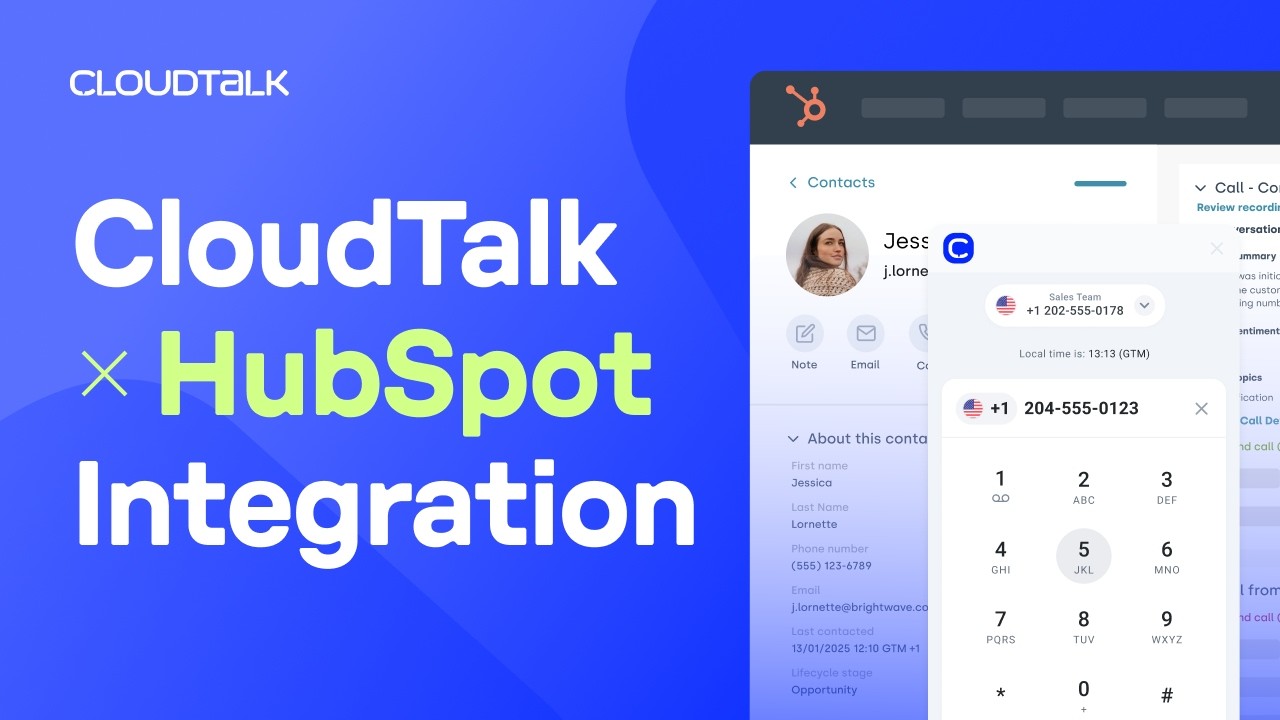
CRM connectivity is the feature most commonly gated behind a pricing tier. Before committing to any platform, verify that the integrations your team depends on are available on the plan you intend to buy. RingCentral gates CRM integrations to the $25/user/mo Advanced plan. Dialpad gates them to $25/user/mo Pro. Aircall gates Salesforce to the $50/user/mo Professional plan. CloudTalk includes HubSpot and Pipedrive on the Essential plan ($29/user/mo) and Salesforce on Expert ($49/user/mo). These differences can swing your effective per-seat cost by $10–20/user/mo.
How CloudTalk x HubSpot saved Revolut 40+ hours/week:
When global fintech Revolut expanded its outbound sales team, their previous VoIP provider lacked the agent oversight and deep CRM syncing they needed to grow. This is exactly where systems with limited global footprints or rigid routing fall short, and why scaling teams often choose CloudTalk over competitors like Google Voice.
Can You Test the Full Platform Before Signing a Contract?
Most platforms in this list offer a free trial. CloudTalk offers a 14-day trial with full feature access. Zoom Phone offers 30 days. Dialpad and RingCentral also offer trials on most plans.
Microsoft Teams Phone doesn’t offer a standalone calling trial. You’d need a Microsoft 365 trial and then provision calling on top of it. Use trials to test real workflows, not just the demo interface: make calls from the countries your team operates in, test CRM sync with a live contact, and run a mock support queue to check call routing behavior.
Does the Platform Include Real Human Support, or Just Ticket Portals?
If your team relies on real-time call troubleshooting (and support teams always do), the support model matters as much as the product feature set.
Microsoft’s enterprise support requires a Premier or Unified Support contract, adding significant cost for priority response. CloudTalk, Dialpad, Nextiva, and RingCentral include 24/7 human support via chat or email on their standard plans (CloudTalk also offers phone support on Expert).
What Is the Best Microsoft Teams Phone Alternative for Growing Teams?
CloudTalk is the best Microsoft Teams Phone alternative for growing businesses because it scales without the friction Teams Phone creates. No Microsoft 365 prerequisites, no carrier contracts to set up for new markets, and a clear upgrade path as your team’s needs grow. The Power Dialer handles increasing outbound volume natively, and CRM sync with HubSpot, Pipedrive, and Salesforce keeps every new rep’s activity logged from day one.
Test It Before You Sign It
Ready to Make the Switch from Microsoft Teams Phone?
Growing sales and support teams shouldn’t need three Microsoft licenses just to make a phone call, a separate Copilot subscription for AI, and a partner engagement every time they need to change a call route.
Here’s what you get from day one when you switch from Microsoft Teams Phone to CloudTalk:
-
A phone system that works without Microsoft prerequisitesNo M365 subscription. No Calling Plan stacking. No Operator Connect vendor. Calling, call recording, and call queues are included from the entry plan.
-
Outbound tools Teams Phone doesn’t haveA Power Dialer, smart call queues, and outbound call sequences built in on the selected plans. Microsoft Teams Phone has none of this without a separate contact center license.
-
AI call intelligence at a fraction of the Copilot costCall transcripts, summaries, and sentiment analysis at $9/user/mo. Microsoft Copilot charges $30/user/mo for the same layer.
-
CRM sync that logs every call automaticallyHubSpot, Pipedrive, Salesforce, and Zendesk sync every call, note, and contact update without manual logging or third-party connectors.
-
180-country coverage with no carrier contractsBuy local virtual numbers in 180+ countries without setting up an Operator Connect carrier per region.
See Why 5,500+ Teams Are Switching from Microsoft Teams Phone to CloudTalk
Frequently Asked Questions About Microsoft Teams Phone Alternatives
Find answers to the most common questions about Microsoft Teams Phone alternatives.


