TL;DR Comparison Table: 10 Best CloudCall Competitors
| # | Tool | Best For | Starting Price | G2 Rating |
|---|---|---|---|---|
| 0 | CloudCall (baseline) | Recruitment and sales teams that live inside Bullhorn, Salesforce, or Dynamics and want calls, texts, and notes logged on the record | $15/user/month (Starter, 5-seat min) | 3.9/5 (70+ reviews) |
| 1 | CloudTalk | SMB to mid-market sales, support, and recruitment teams that want reliable calling, CRM and ATS sync, dialers, and AI on one platform | $25/user/month (Starter) | 4.4/5 |
| 2 | Aircall | Support and sales teams wanting one-click helpdesk and CRM integrations from a 250+ app marketplace | $30/user/month (3-license min) | 4.4/5 |
| 3 | RingCentral | Multi-office and enterprise teams that want voice, video, and messaging in one suite | $20/user/month (Core) | 4.1/5 |
| 4 | JustCall | SMS-heavy outbound sales teams with two or more reps | $29/user/month (Team, 2-seat min) | 4.3/5 |
| 5 | Dialpad Connect | Teams wanting live AI transcription and in-call coaching at a low entry price | $15/user/month (Standard) | 4.4/5 |
| 6 | Ringover | UK and European teams that call many countries on one unlimited plan | $15/user/month (Talk, 3-user min) | 4.6/5 |
| 7 | Kixie | US sales teams that want a multi-line power dialer wired into HubSpot, Pipedrive, or Zoho | Quote-only (7-day trial) | 4.8/5 |
| 8 | 8x8 Work | Multi-location businesses that want a phone system and contact center from one vendor | $24/user/month (X2) | 0/5 |
| 9 | Nextiva | US small businesses that want calls, texts, video, and team chat on one bill | $15/user/month (Core) | 4.5/5 |
| 10 | Five9 | Large contact centers that need blended inbound and outbound with workforce management | $159/user/month (Core, 50-seat min) | 4.1/5 |
Eleven Rows Up There. One Live Call Tells You More.
What Are the Best CloudCall Alternatives?
The best CloudCall alternatives in 2026 are CloudTalk, Aircall, RingCentral, JustCall, and Dialpad. CloudTalk leads for sales, support, and recruitment teams that want the same Bullhorn, Salesforce, or HubSpot sync on a full business phone system with reliable calls, dialers, AI that answers the phone, and numbers in 160+ countries. Aircall wins on one-click helpdesk integrations, RingCentral on the all-in-one suite, JustCall on SMS-heavy outbound, and Dialpad on live AI transcription at a low entry price.
Why Are Teams Searching for a CloudCall Alternative?
CloudCall is a UK and US cloud phone system built to live inside a CRM or ATS. Recruitment agencies and sales teams buy it because the dial button, the screen pop, the text thread, and the AI call notes all sit on the Bullhorn, Salesforce, Dynamics, Vincere, or JobDiva record, so nobody types up a call. Its new o1 platform runs on desktop, web, and mobile, and reviewers on G2 rank ease of use and easy integration as its two best qualities. For a recruiter working a candidate list all day, that's a real advantage.
The CloudCall-related complaints cluster around everything else. The features you buy CloudCall for are spread across three tiers and a five-seat minimum, calling beyond your home region is a paid add-on, and the calls themselves are the most common complaint on every review platform. Add weekday-only support and AI that ends at transcripts and summaries, and a system that felt right for three recruiters starts to hurt at ten. That's when teams start comparing CloudCall competitors.
CloudCall's review base is thin, so we didn't lean on any one platform: 70+ reviews on G2 (3.9/5), 40+ on Capterra (4.0/5), and 60+ on Trustpilot (2.6/5, with 44% one-star). We cross-checked those against CloudCall's live pricing, feature, and support pages, and tested the alternatives ourselves. Based on that evidence, growing teams outgrow CloudCall for five main reasons:
5 Main Cons of CloudCall That Make Businesses Look for an Alternative
- Five seats before your first call, and the CRM sync on the second tierCloudCall's pricing page states that a 5-user seat minimum applies on every plan, so the $15 Starter price is really $75 a month, and Starter doesn't include the CRM or ATS integration most teams buy CloudCall for. That starts on Pro at $24, a $120 monthly floor for a team of two. Downgrades are only allowed when the contract ends. Platforms built for growing teams, like CloudTalk's per-seat plans, bill the seats you actually fill.
- The sales toolkit lives on the $35 planPower Dialer, voicemail drop, campaign management, and AI summaries that sync to the CRM are all Advanced-only features at $35/user/month, which is $175 a month for the five-seat minimum before a rep dials a list. Click-to-call is on every plan, but click-to-call is the thing an actual power dialer exists to replace.
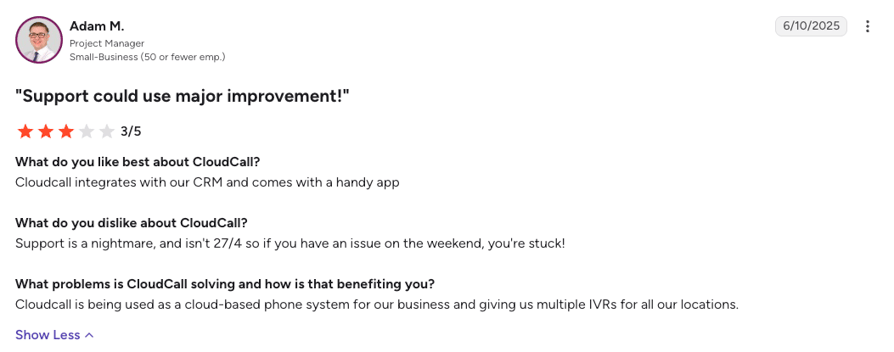
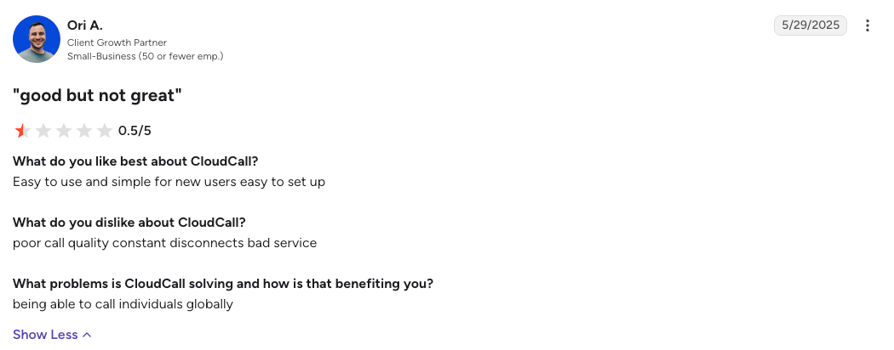
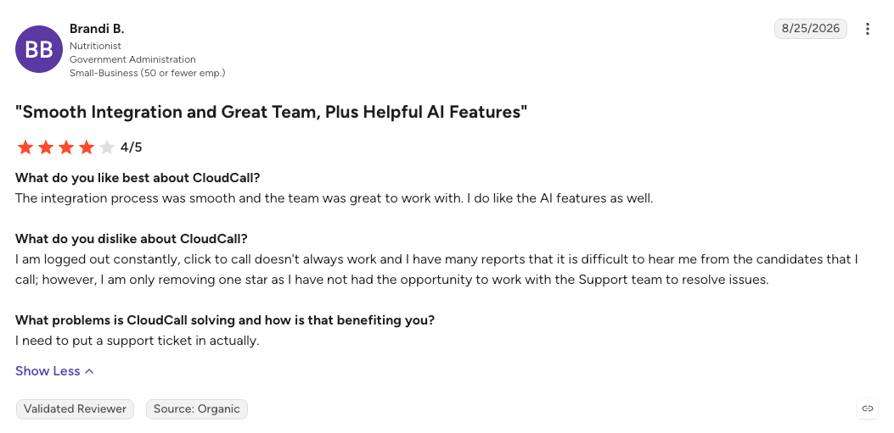
- Call quality and app stability are the most common complaintsPoor call quality is the top-mentioned con on G2, Capterra reviewers describe dropped calls and unexpected app closures, and recent 1-star Trustpilot reviews report a mobile app that won't connect and a Mac app that kept the microphone busy between calls. CloudCall's G2 score for product direction is 6.3 out of 10, the lowest of any platform on this page. A phone system built for volume, with carrier-grade call quality monitored on every route, is the fix.
- Calling reach and texts are sold by the bundleStarter covers unlimited calls to the US and Canada, or the UK and Ireland, and nothing beyond it. Pro adds 13 countries, Advanced adds 25, and calling the rest of the world is a $30/user/month Global Voice add-on. SMS bundles are capped per user and count inbound and outbound messages together. A recruiter placing candidates in Dublin, Dubai, and Denver pays for each region separately, where international numbers and calling on one plan would do.
- AI stops at the transcript, and support stops on FridayCloudCall's AI does transcription, AutoNote, and call summaries, and that's the list: there's no AI receptionist or voice agent to answer calls on any plan, and sentiment and call scoring are missing too. Support runs Monday to Friday only, until 23:59 GMT in the UK and 20:00 EST in the US, so a Saturday outage waits until Monday. Every platform on this list now offers at least one AI layer, and several answer calls with an AI receptionist on fixed monthly tiers.
Where CloudCall Shines
CloudCall earns its place for a recruitment agency of five or more that runs its day inside Bullhorn, Vincere, JobDiva, Tracker, or LaborEdge and wants every call, text, and note on the candidate record without leaving the ATS. The Local Presence dialing across US, UK, and Australian portals lifts pickup rates, the Microsoft Teams integration keeps calls inside Teams, and the project managers who run onboarding get real praise in reviews. If that's your business, you rarely call outside your home region, and you can live with weekday support, CloudCall does its job. For many other use cases, though, you should consider choosing a better VoIP alternative.
What Is the Best Alternative to CloudCall?
CloudTalk is the best overall CloudCall alternative for sales, support, and recruitment teams that want the CRM-connected calling without the five-seat floor. It syncs calls, recordings, notes, and AI summaries into Bullhorn, HubSpot, Pipedrive, Zoho, and Dynamics from Essential (Salesforce on Expert), runs on its own carrier network with a 99.999% uptime SLA, and sells numbers in 160+ countries from one dashboard.
Where software like CloudCall gives you a dialer inside your CRM, CloudTalk gives you the whole calling platform the CRM plugs into: automatic call recording from the first plan, IVR and smart routing from Essential, a Power Dialer on Expert or as a $15/user/month add-on, an AI receptionist that answers calls 24/7 in 70+ languages, and 24/7 chat and email support on every plan (+ phone on Expert), from $25/user/month with no seat minimum until Expert. And to clear up a frequent mix-up: despite the similar brand names, CloudTalk and CloudCall are two different companies, which we explain further down.
Why Do Teams Consider CloudTalk the Best CloudCall Alternative?
Teams leaving CloudCall usually want to keep the CRM logging and lose the fragility: same click-to-dial from the record, same notes on the candidate, but with calls that connect, a dialer they can switch on per rep, and a bill that matches their headcount. On G2, CloudTalk holds 4.4/5 from 1,900+ reviews against CloudCall's 70+, and outscores it in every category G2 tracks, from ease of setup (8.9 vs 7.8) to quality of support (8.7 vs 7.7). Here are the five reasons they switch, though read the individual breakdowns below too, because the right pick depends on how your team actually works.
5 Main Pros of CloudTalk and Why Businesses Switch from CloudCall
- Calls that connect, on infrastructure CloudTalk ownsCloudTalk runs calls on its own carrier network with a 99.999% uptime SLA, monitors call quality route by route, and protects outbound numbers with spam protection, so a recruiter in Leeds calling Dublin or Dallas sounds local and stays connected. That's the layer CloudCall reviewers say is missing.
- The same CRM and ATS sync, native, from Essential100+ integrations including Bullhorn, HubSpot, Pipedrive, Zoho CRM, Zendesk, and Microsoft Dynamics 365 log calls, recordings, notes, tags, and AI summaries on the record automatically, both ways, with no seat minimum on Essential. Salesforce ecosystem sync arrives on Expert (3-seat minimum), which is still two seats under CloudCall's floor.
- Dialers you can switch on per repThe Power Dialer (Expert plan, or a $15/user/month add-on on any plan), the Parallel Dialer ($39/user/month add-on on any plan), and Smart and Preview Dialers on Expert work through candidate and prospect lists automatically, with answering machine detection and voicemail drop so reps only speak to people.
- AI that answers and analyzes calls, not just transcribes themThe no-code AI Receptionist answers routine inbound calls 24/7 from $99/month, with 50 free minutes on every account, the sales-led AI Specialist screens candidates and books interviews, and Conversation Intelligence ($9/user/month) adds transcripts, summaries, sentiment, and call scoring on any plan.
- Per-seat plans, global reach, and support that doesn't clock offThree published plans from $25/user/month with no seat minimum until Expert, virtual numbers in 160+ countries on one account, and 24/7 chat and email support on every plan, plus phone on Expert. You budget the year upfront and get help on a Saturday.
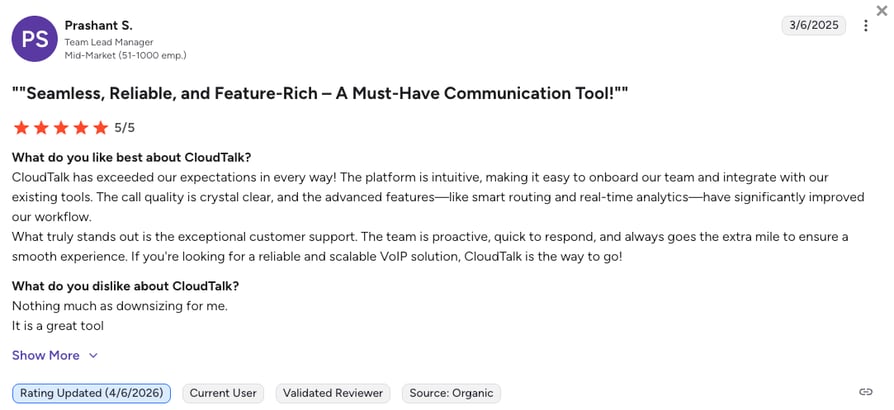
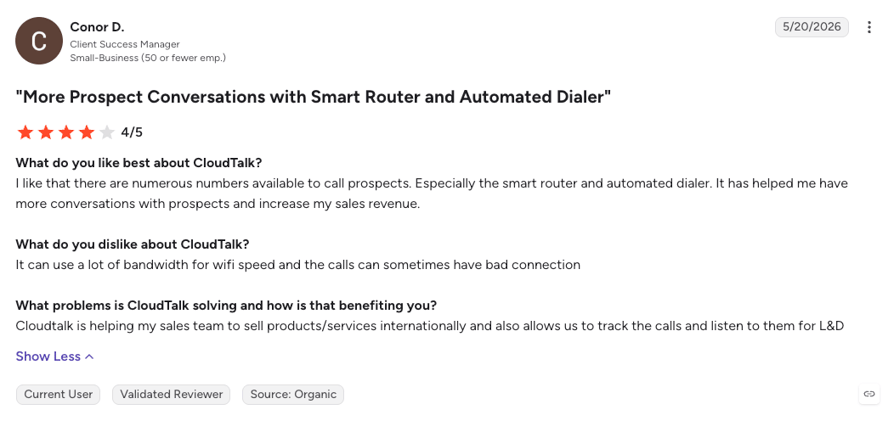
CloudCall Starts at Five Seats. CloudTalk Starts at One, Free for 14 Days.
How We Chose the Best CloudCall Alternatives and Competitors
We compared the CloudCall competitors on this list on the six things that decide a move from a CRM dialer to a full cloud phone system: call reliability on any connection, total cost once seat minimums and add-ons are counted, CRM and ATS integration depth, number coverage beyond your home region, support quality, and AI. Vendor pricing pages were checked live, and user sentiment came from G2, Trustpilot, Capterra, Reddit, and Quora.
- Call stability and reliabilityUptime commitments, how calls behave on Wi-Fi, mobile data, and desk phones, and what recent reviewers report about drops and audio.
- Total cost of ownershipThe real monthly bill once seat minimums, tier gates, add-ons, and international bundles are counted, not just the sticker price.
- CRM and helpdesk integration depthNative two-way sync that logs calls, recordings, and AI notes on the record automatically, versus a click-to-dial plugin that needs a second app.
- Global coverage and number availabilityHow many countries each provider sells local, mobile, or toll-free numbers in today, and what calling them costs.
- Support quality and availabilityWhether help is 24/7, how you reach it, and whether account changes need a rep or a dashboard.
- AI and automation capabilitiesNative transcription, summaries, AI receptionists, and voice agents, plus which plan actually includes them.
The Top 10 Alternatives to CloudCall for 2026
Before the full profiles, here's how CloudCall, CloudTalk, and the three platforms buyers weigh against it most often stack up on the features that matter when you're replacing a CRM dialer with a system that sells, recruits, and supports at scale.
CloudCall vs. CloudTalk, Aircall, RingCentral, and JustCall
| Feature | CloudCall | CloudTalk | Aircall | RingCentral | JustCall |
|---|---|---|---|---|---|
| Starting price | $15/user/month (Starter, 5-seat min) | $25/user/month | $30/user/month (3-license min) | $20/user/month (Core) | $29/user/month (Team, 2-seat min) |
| Free trial |  Not published Not published |  14 days 14 days | 7 days | 14 days | 14 days |
| Seat minimum | 5 seats on every plan | None (3 seats on Expert) | 3 licenses | None | 2 seats |
| Call recording | Included, stored 3 to 12 months by plan | From the start (1-month retention on Starter, unlimited from Essential) | Included (1-year retention on Essentials, unlimited on Professional) | On-demand on Core, automatic from Advanced | Included from Team |
| CRM and ATS integrations | Bullhorn, Salesforce, Dynamics, Vincere, JobDiva, and 20+ more, from Pro | 100+ tools including Bullhorn from Essential, Salesforce on Expert | 250+ integrations including Bullhorn from Essentials | 300+ integrations including Bullhorn from Advanced | 100+ integrations including Bullhorn from Team |
| AI features | Transcription, AutoNote, and call summaries (CRM sync on Advanced) | AI Receptionist answering calls 24/7 from $99/month (50 free minutes), Conversation Intelligence at $9/user/month | AI Assist transcription and summaries add-on, 50 free AI voice agent minutes a month | AI Assistant on all plans, AI Receptionist add-on from $39 | AI transcription on Team, scoring and sentiment on Pro Plus, AI Voice Agent add-on |
| Dialer type | Click-to-call on all plans, Power Dialer and voicemail drop on Advanced only | Power Dialer (Expert, or $15/user/month add-on), Parallel Dialer ($39/user/month add-on on any plan). Smart and Preview Dialer on Expert. Click-to-call from Starter. | Power Dialer on Professional | None in RingEX (sold separately in RingCX) | Sales Dialer from Pro, predictive on SalesPro |
| Number coverage | US, UK, and Australian portals, international numbers by region | 160+ countries | 100+ countries | International numbers and bundles on request | 70+ countries |
| Analytics and reporting | Reporting and live dashboards | Real-time dashboards, wallboards, call tags, and Conversation Intelligence scoring | Basic analytics on Essentials, advanced on Professional | Standard reporting, advanced analytics on Ultra | Call analytics on all plans, advanced on Pro |
| Customer support | Phone, email, and portal, Monday to Friday only | 24/7 chat and email, phone on Expert | Phone and email support, tiered by plan | Phone and chat support, tiered by plan | Chat and email, priority on Pro |
| G2 rating | 3.9/5 (70+ reviews) | 4.4/5 (1,900+ reviews) | 4.4/5 (1,650+ reviews) | 4.1/5 (1,450+ reviews) | 4.3/5 (2,300+ reviews) |
The Five-Seat Math
CloudCall's $15 headline is a five-seat headline. A three-person recruitment desk pays $75 a month on Starter with no CRM integration, $120 on Pro to get Bullhorn or Salesforce connected, and $175 on Advanced the day one recruiter wants a power dialer, plus $30 per user for the Global Voice add-on if a client is in Dubai. Two of those seats are empty chairs. CloudTalk's Essential plan bills three seats at $29/user/month with the Bullhorn and CRM integrations, IVR, and unlimited recording retention in the price, the Power Dialer is a $15/user/month add-on until you reach Expert, and the AI Receptionist from $99/month (+ 50 free minutes to try it) adds answering instead of headcount. But before you decide which platform to switch to, it's best to explore how much software similar to CloudCall actually costs.
1. CloudTalk: The Best CloudCall Alternative for SMB to Mid-Market Sales, Support, and Recruitment Teams That Want Reliable Calling, CRM and ATS Sync, Dialers, and AI on One Platform
What Is CloudTalk?
CloudTalk is an AI-powered, voice-first cloud phone and contact center platform for small-business to mid-market sales, support, and recruitment teams that need more than a dial button inside their CRM. It pairs numbers in 160+ countries with native two-way sync into Bullhorn, Pipedrive, HubSpot, Zoho, or MS Dynamics, outbound dialers, and AI voice agents that answer, screen, route, and log real calls, all from one seat price.
Against CloudCall, CloudTalk keeps the part you liked and replaces the part that let you down: the same click-to-dial from the candidate or contact record, the same notes and recordings landing there automatically, but on a carrier network CloudTalk owns, with a dialer you can switch on per rep and an AI that picks up when the team can't. What you give up is a $15 sticker price that only ever applied to five seats at once. What you get is a phone system priced for the seats you fill.
Why Is CloudTalk a Strong CloudCall Alternative?
- Calls that hold, on infrastructure CloudTalk owns: CloudTalk runs on its own carrier network with a 99.999% uptime SLA and monitors call quality on every route, so the dropped calls and audio problems CloudCall reviewers describe are the first thing a switching team notices is gone. Spam protection keeps outbound numbers from being flagged mid-campaign.
- Bullhorn, Salesforce, Dynamics, and 100+ more, synced both ways from Essential: The native Bullhorn integration logs call outcomes, duration, tags, notes, a link to the recording, and the AI summary on the candidate or client record automatically, and the same goes for HubSpot, Pipedrive, Zoho CRM, and Microsoft Dynamics 365. Salesforce ecosystem sync arrives on Expert.
- Every dialer mode, plus the tools around it: The Power Dialer (Expert plan, or a $15/user/month add-on on any plan) and the Parallel Dialer ($39/user/month add-on on any plan) replace click-and-wait dialing, with answering machine detection, voicemail drop, and a local presence dialer so candidates see a local number and reps only talk to people.
- AI that answers the phone, not just the notes: The no-code AI Receptionist answers routine inbound calls 24/7 from $99/month (50 free minutes on every account), while the sales-led AI Specialist for recruitment screens applicants, confirms availability, and books interviews, then hands complex calls to a recruiter with the transcript attached.
- Recording and coaching on every plan: Calls record automatically from Starter, and Conversation Intelligence ($9/user/month, on any plan) turns recordings into transcripts, summaries, call scoring, and sentiment after the call, a layer CloudCall doesn't offer beyond the summary itself.
- One account for every market you hire or sell in: Buy or port local, mobile, and toll-free international numbers in 160+ countries from one dashboard, with no regional add-on to unlock a new country, and keep the desktop app, the mobile app, and SIP desk phones on the same number.
What Are the Pros & Cons of CloudTalk?
| Pros | Cons |
|---|---|
| Carrier-grade calls on CloudTalk's own network with a 99.999% uptime SLA and numbers in 160+ countries | Voice-first by design: no native video meetings or omnichannel inbox |
| Native two-way Bullhorn, HubSpot, Pipedrive, Zoho, and Dynamics sync from Essential, with no seat minimum to unlock it | CRM and ATS integrations require the Essential plan, and Salesforce ecosystem sync sits on Expert |
| Power, Parallel, Smart, and Preview Dialers with answering machine detection, voicemail drop, and local presence | Parallel Dialer is a $39/user/month add-on, but works with any plan |
| AI Receptionist with 50 free minutes on every account, AI Specialist for screening and booking, and Conversation Intelligence on any plan | |
| 24/7 chat and email support on all plans (phone on Expert), and a 14-day free trial |
What Are CloudTalk's Plans & Pricing?
CloudTalk pricing starts at $25/user/month (Starter, billed annually), with the following plans:
CloudTalk Plans and Pricing
| Plan | Price (annual billing) | Key Features |
|---|---|---|
| Starter | $25/user/month | Unlimited inbound & internal calls, 500 outbound minutes (regional calling bundle), call queues, transfers, click-to-call, automatic call recording (1-month retention) |
| Essential | $29/user/month | Everything in Starter + IVR and smart routing, 100+ CRM/helpdesk integrations, workflow automation, unlimited recording retention |
| Expert | $49/user/month | Everything in Essential + Power, Smart & Preview Dialers, Salesforce integration, 24/7 phone support (3-seat min) |
| Conversation Intelligence (add-on) | $9/user/month | AI transcripts, call summaries, call scoring, sentiment analysis, and agent coaching insights |
| AI Receptionist (add-on) | From $99/month (200 min) | Inbound AI call answering, routing, logging; 50 free minutes on every account; tiers up to $699/mo (2,500 min) |
| AI Specialist (add-on) | From $349/month (1,000 min) | Sales-led custom AI voice agents for inbound and outbound workflows; plans scale up to $1,249/mo (5,000 min) |
CloudCall vs CloudTalk: Similar Names, Different Platforms
Keep in mind that search engines and AI assistants regularly blend the two, so here's the clean split to help you with your research. CloudCall embeds a phone and text tool inside recruitment and sales CRMs, bills five seats minimum, and prices its dialer, CRM sync, and international calling by tier and add-on. CloudTalk is a separate company that sells the whole calling platform: its own carrier network, numbers in 160+ countries, the Bullhorn and CRM integrations from Essential with no seat minimum, dialers, and AI voice agents that answer calls. In other words, in a CloudCall vs CloudTalk comparison, the first is a plugin for your CRM and the second is the phone system your CRM plugs into.
What Do CloudTalk's Customers Say?
CloudTalk reviewers keep landing on the same two things: setup that doesn't need an IT project, and CRM sync that actually holds. Across G2 and Capterra, ease of use and ease of setup are CloudTalk's highest-scoring categories, and teams calling across borders single out the call quality on international routes, which is the exact trip a recruiter makes when a client opens an office in another country.
The most common criticism is that deep Salesforce ecosystem sync needs the Expert plan, which is a real jump for a small Salesforce shop. Some CloudTalk reviewers also want richer native reporting out of the box, which is usually where the Conversation Intelligence add-on enters the picture.
CloudTalk Call Quality and Reliability in Action: Convergence's Story
Convergence shows what a recruiting operation gains when the phone system stops being the weak link. The company, part of the CommuniCare Health family, supports recruiting teams, remote nurses, and billing staff across more than 150 nursing homes in the US, and its previous provider kept letting them down on call quality and reliability.
On CloudTalk, calls simply connected, on desktop and mobile, for a distributed workforce spread across dozens of sites. That's the same complaint CloudCall reviewers raise most often, solved at a scale far beyond a five-seat desk. Eli Weissman, who runs IT at Convergence, puts it plainly:
“Call quality was a thousand times better. Reliability was a hundred times better.”
IT, Convergence

How Do G2 Users Rate CloudTalk?
CloudTalk holds 4.4/5 on G2 across 1,900+ verified reviews, with ease of use (9.1) and ease of setup (8.9) among its highest-scoring categories. CloudCall, by comparison, has 70+ reviews and scores 8.0 and 7.8 on the same two measures.
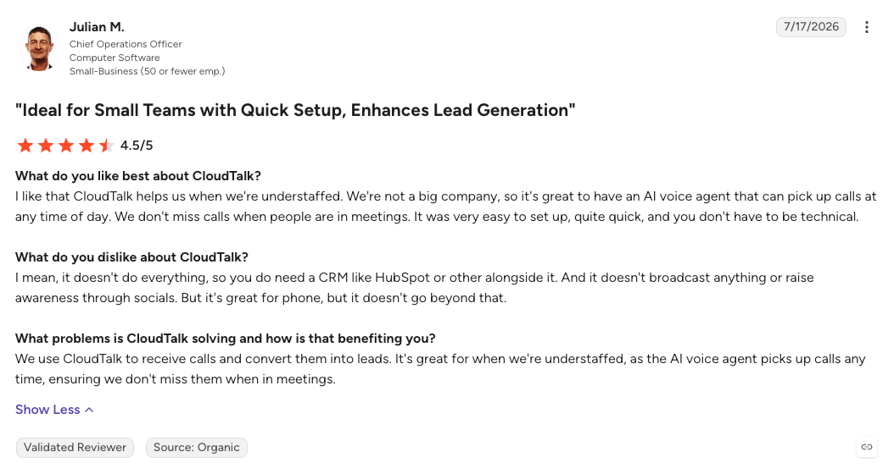
“Call Quality Was a Thousand Times Better.” Their Words. Test Them on Your Own Line.
2. Aircall: Best for Support and Sales Teams Wanting One-Click Helpdesk and CRM Integrations from a 250+ App Marketplace
What Is Aircall?
Aircall is a cloud business phone system for sales and support teams, sold from $30/user/month on annual billing with a three-license minimum. Its calling card is the integration marketplace: 250+ apps connect in a click, Bullhorn included, and its numbers cover 100+ countries, so a recruitment team can add a Paris or New York line without a second provider.
Against CloudCall, Aircall trades a CRM-embedded dialer for a phone system with a marketplace: Bullhorn, Salesforce, HubSpot, Zendesk, and Intercom all connect natively, calls and texts log to the candidate or ticket automatically with AI insight cards, and the Power Dialer and voicemail drop arrive on Professional. The trade is a $90 monthly floor for three licenses, which is still two seats fewer than CloudCall makes you buy.
Why Is Aircall a Strong CloudCall Alternative?
- 250+ native integrations from the entry plan: Bullhorn, Zendesk, Intercom, HubSpot, and Salesforce are one-click connections that match inbound and outbound calls to the contact and log them with AI-generated insights, where CloudCall's CRM integration only starts on its Pro tier.
- A three-license minimum instead of five: Essentials at $30 bills three seats, so a small desk pays $90 a month with integrations included, against CloudCall's $120 floor for Pro with the same CRM sync.
- Numbers in 100+ countries from the dashboard: Local and toll-free international numbers provision instantly, with no regional voice add-on to unlock a new country.
What Are the Pros & Cons of Aircall?
| Pros | Cons |
|---|---|
| 250+ integrations including Bullhorn, Zendesk, Intercom, and Salesforce from Essentials | Three-license minimum on every plan, so the real entry price is $90/month |
| Instant local numbers in 100+ countries | Power Dialer, voicemail drop, and Salesforce CTI sit on Professional at $50/user/month |
| Unlimited call recording on Professional, with AI Assist transcription and summaries and 50 free AI voice agent minutes a month | Reviewers flag call quality dips on weaker connections and inaccurate AI summaries |
What Are Aircall's Plans & Pricing?
Aircall pricing starts at $30/user/month (Essentials, annual billing, three-license minimum), with the following plans:
Aircall Plans and Pricing
| Plan | Price | Key Features |
|---|---|---|
| Essentials | $30/user/month | Unlimited inbound calls, 250+ integrations, IVR, call recording (1-year retention), click-to-dial, 50 free AI voice agent minutes a month |
| Professional | $50/user/month | Everything in Essentials + Power Dialer, voicemail drop, Salesforce CTI, unlimited recording retention, live monitoring, advanced analytics |
| Custom | Quote (25-license min) | Everything in Professional + unlimited outbound calls, SLA, SSO, dedicated support |
The Seat-Minimum Ladder
Seat minimums are where a CloudCall comparison gets interesting. CloudCall asks for five seats on every plan, Aircall for three, and the Power Dialer most sales teams want pushes Aircall users to Professional, so a two-person team pays for a third seat at $50 and one recruiter's dialer costs $150 a month. CloudTalk bills one seat at $29/user/month on Essential with the Bullhorn and CRM integrations included, and the Power Dialer is a $15/user/month add-on if you want it before Expert.
What Are Aircall's Customers Saying?
Aircall reviewers praise how quickly a new number and a Zendesk, HubSpot, or Bullhorn connection go live, and clean call-logging into the record is the single most-cited benefit. The recurring frustrations are call quality dips on weaker Wi-Fi, AI summaries that miss the point of the call, and the three-seat minimum that small teams only notice on the first invoice.
How Do G2 Users Rate Aircall?
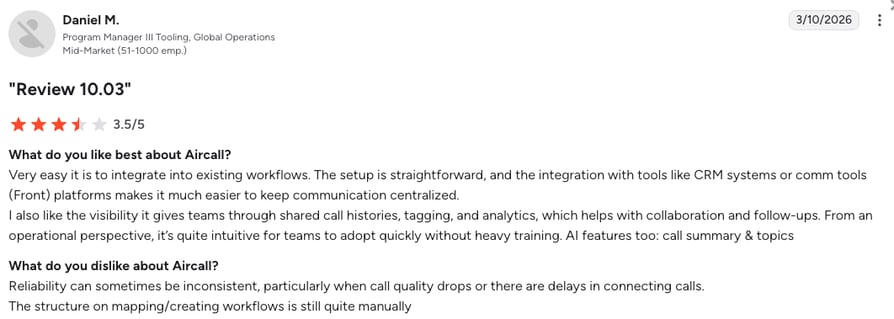
On G2, Aircall holds a 4.4/5 rating across 1,650+ reviews, with ease of use (9.2) and ease of setup (9.0) its highest categories. CloudCall scores 8.0 and 7.8 on the same two measures, from 56 and 35 responses.
3. RingCentral: Best for Multi-Office and Enterprise Teams That Want Voice, Video, and Messaging in One Suite
What Is RingCentral?
RingCentral sells RingEX, a unified communications suite that bundles calling, video meetings, and team messaging from $20/user/month on annual billing. It's built for organizations with several offices and an IT team, with 300+ integrations on Advanced, a Bullhorn app that adds click-to-call, screen pops, and call and SMS logging inside the ATS, and admin controls that go far beyond a small-business phone system.
Compared to CloudCall, RingCentral is the step from a CRM plugin to a company-wide communications platform: every employee gets a phone line, video, and chat in one app, and the recruitment desk connects Bullhorn on top. The trade is that outbound dialers live in a separate product, RingCX, and the AI receptionist is a $39 add-on, so a sales-heavy team ends up buying two systems.
Why Is RingCentral a Strong CloudCall Competitor?
- Voice, video, and messaging on one bill: Core includes unlimited domestic calling, 100-participant video meetings, team messaging, and IVR from $20/user/month, where CloudCall covers calls and texts only.
- 300+ integrations including Bullhorn on Advanced: The Bullhorn app embeds click-to-call, screen pop-ups, and call and SMS history inside Bullhorn, alongside Salesforce, HubSpot, Microsoft 365, and Google Workspace connections, with automatic call notes.
- Enterprise controls and a 14-day trial: Multi-site administration, device analytics on Ultra, and a published 14-day free trial for up to 20 lines, where CloudCall publishes no trial at all.
What Are the Pros & Cons of RingCentral?
| Pros | Cons |
|---|---|
| Calling, video, and team messaging in one suite from $20/user/month | Outbound dialers are sold separately in RingCX, not in RingEX |
| 300+ integrations including Bullhorn, Salesforce, and HubSpot on Advanced | AI Receptionist ($39) and Conversational Intelligence ($60) are paid add-ons |
| 14-day free trial and no published seat minimum | Reviewers describe support that slows once you're past onboarding and a heavier admin console than small teams need |
What Are RingCentral's Plans & Pricing?
RingCentral pricing starts at $20/user/month (Core, annual billing), with the following plans available:
RingCentral Plans and Pricing
| Plan | Price | Key Features |
|---|---|---|
| Core | $20/user/month | Unlimited domestic calling, video meetings (100 participants), team messaging, IVR, AI Assistant |
| Advanced | $25/user/month | Everything in Core + automatic call recording, 300+ integrations (Bullhorn, Salesforce, HubSpot), auto call notes |
| Ultra | $35/user/month | Everything in Advanced + unlimited storage, advanced analytics, device analytics |
A Real-World Cost Example
Say a 12-person recruitment agency wants a phone line for everyone, Bullhorn logging for eight recruiters, and a power dialer for four of them. On RingCentral that's 12 Advanced seats at $25 for the integrations, then a separate RingCX contact center license for the dialer, two products, two admin consoles. 8x8 splits the same way between 8x8 Work and its contact center tiers, so the question for a team of this shape is which suite's split hurts less.
What Are RingCentral's Customers Saying?
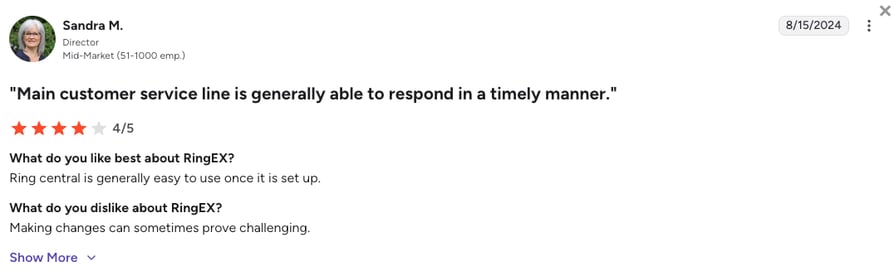
RingCentral reviewers value having calls, meetings, and messaging in one app and the reliability of the platform at scale, and the Bullhorn app gets steady mentions from staffing firms. The recurring complaints are billing surprises when add-ons stack, a support experience that slows after onboarding, and admin settings that feel built for IT departments rather than a recruitment desk.
How Do G2 Users Rate RingCentral?
On G2, RingCentral's RingEX holds a 4.1/5 rating across 1,450+ reviews, with meets requirements (8.8) its highest category and product direction (7.9) its lowest, still well ahead of CloudCall's 6.3 on the same measure.
4. JustCall: Best for SMS-Heavy Outbound Sales Teams with Two or More Reps
What Is JustCall?
JustCall is a cloud phone and SMS platform for sales and support teams, sold from $29/user/month on annual billing with a two-user minimum. It leans into texting: SMS campaigns, bulk messaging, and WhatsApp sit next to calling, and its 100+ integrations include a Bullhorn app that logs calls and texts, imports candidate lists into the Sales Dialer, and writes AI call summaries and scores back as notes.
Against CloudCall, JustCall is the pick for a team that texts candidates as much as it calls them: the SMS workflows run deeper, the Bullhorn integration covers both channels, and the two-seat minimum is less than half of CloudCall's five. The trade is that the Sales Dialer starts on Pro at $49 and AI call scoring and sentiment sit on Pro Plus at $89, so the outbound toolkit costs more per seat than it first appears.
Why Is JustCall a Strong Alternative to CloudCall?
- SMS built in, not bundled by the hundred: Text campaigns, bulk SMS, and WhatsApp on the same number, where CloudCall caps texts per user and counts inbound and outbound against the same allowance.
- A Bullhorn integration that covers calls, texts, and AI notes: Click-to-dial from Bullhorn, automatic logging of every call and SMS, AI summaries and call scores saved as notes, and candidate imports into dialer campaigns, all from the Team plan.
- Two seats to start, 14 days to test: A two-person team pays $58 a month with 100+ integrations included, and a 14-day trial needs no card, where CloudCall publishes neither a trial nor a plan under five seats.
What Are the Pros & Cons of JustCall?
| Pros | Cons |
|---|---|
| 100+ integrations including Bullhorn, HubSpot, and Pipedrive from the Team plan | Sales Dialer only starts on Pro at $49/user/month, predictive dialing on SalesPro |
| SMS and WhatsApp campaigns alongside calling, with numbers in 70+ countries | AI call scoring, coaching, and sentiment sit on Pro Plus at $89/user/month |
| 14-day free trial and a two-user minimum instead of five | Reviewers report inconsistent call quality abroad and slow support at busy times |
What Are JustCall's Plans & Pricing?
JustCall pricing starts at $29/user/month (Team, annual billing, two-user minimum), and it offers the following plans:
JustCall Plans and Pricing
| Plan | Price | Key Features |
|---|---|---|
| Team | $29/user/month | Calling and SMS, 100+ integrations, call recording, AI transcription, basic analytics |
| Pro | $49/user/month | Everything in Team + Sales Dialer, Salesforce CTI, call monitoring, advanced analytics, priority support |
| Pro Plus | $89/user/month | Everything in Pro + AI call scoring, coaching, sentiment analysis, WhatsApp inbox |
| Business / SalesPro | Quote (10-user min on Business) | Predictive dialer (10 lines), SSO, custom SLA, dedicated account manager |
The Dialer Stair-Step
JustCall and CloudCall gate the dialer the same way: on the second or third tier. On JustCall a rep who needs the Sales Dialer moves to Pro at $49, and the AI coaching that makes the dialer worth having moves them again to $89. CloudTalk's Power Dialer is included on Expert or a $15/user/month add-on on any plan, so a rep on Essential runs it for $29 plus $15, and Conversation Intelligence adds scoring and sentiment for $9/user/month on any plan.
What Are JustCall's Customers Saying?
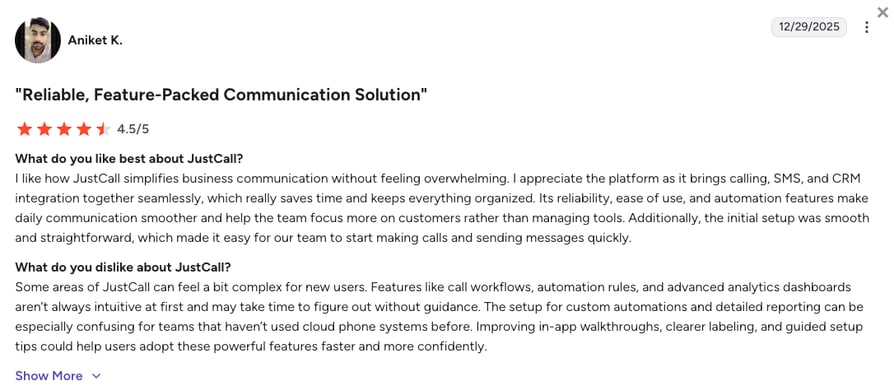
JustCall reviewers praise the SMS workflows, the speed of setting up a new number, and how much the Bullhorn and HubSpot logging removes from a rep's day. The complaints that recur are call quality on international routes, occasional CRM sync lag, and support that gets slow when the ticket queue fills up.
How Do G2 Users Rate JustCall?
On G2, JustCall holds a 4.3/5 rating across 2,300+ reviews, the largest review base of any tool in the head-to-head table above, and a long way from CloudCall's 70 or so.
5. Dialpad Connect: Best for Teams Wanting Live AI Transcription and In-Call Coaching at a Low Entry Price
What Is Dialpad Connect?
Dialpad Connect is an AI-first business phone system from $15/user/month on annual billing, and its whole pitch is what happens during the call: live transcription, real-time coaching cards, and AI recaps posted to the CRM the moment you hang up. CRM integrations, including a Bullhorn app that shows candidate profiles and logs calls inside Dialpad, unlock on Pro, and local numbers cover 50+ countries.
Against CloudCall, Dialpad is the upgrade for a team that wants the AI to work while the call is happening, not just summarize it afterwards. The trade is that the Bullhorn and CRM connections need the $25 Pro tier with a three-license minimum, and autonomous AI agents live in a separate Dialpad product with conversation-based pricing, so answering calls with AI is a different purchase.
Why Is Dialpad Connect a Strong CloudCall Alternative?
- Live transcription and coaching on every plan: Standard at $15 includes real-time call transcription, AI recaps, and in-call coaching cards, where CloudCall's AI summaries only start on Pro and sync to the CRM only on Advanced.
- A Bullhorn app inside the dialer: Candidate, contact, and lead records surface in Dialpad as the call comes in, and call activity logs back to Bullhorn automatically, with one Dialpad user mapped to one Bullhorn seat.
- A 14-day trial and a $15 entry price: Dialpad publishes both, two things you won't find anywhere on CloudCall's pricing page.
What Are the Pros & Cons of Dialpad Connect?
| Pros | Cons |
|---|---|
| Real-time AI transcription, recaps, and coaching from the $15 Standard plan | CRM integrations, including Bullhorn and HubSpot, need Pro at $25 with a three-license minimum |
| Bullhorn, HubSpot, Salesforce, and Zendesk integrations on Pro, with AI notes auto-posted to the record | Autonomous AI agents are a separate product with conversation-based, talk-to-sales pricing |
| 14-day free trial and local numbers in 50+ countries | Reviewers report HubSpot and Salesforce sync failures and drops at peak usage |
What Are Dialpad Connect's Plans & Pricing?
Dialpad pricing starts at $15/user/month (Standard, annual billing), and it lets you choose from the following plans:
Dialpad Connect Plans and Pricing
| Plan | Price | Key Features |
|---|---|---|
| Standard | $15/user/month | Unlimited calling, live AI transcription, AI recaps, SMS, voicemail, basic analytics |
| Pro | $25/user/month | Everything in Standard + CRM integrations (Bullhorn, HubSpot, Salesforce, Zendesk), 24/7 support, multi-office, international numbers (3-license min) |
| Enterprise | Quote | Everything in Pro + SSO, access controls, unlimited offices, 99.9% uptime SLA |
Two Products, or One Platform
Dialpad puts the live AI in the phone system and the autonomous AI in a separate product, Dialpad AI Agents, priced per conversation and sold through sales. CloudTalk splits the layer differently: a no-code AI Receptionist for inbound answering (50 free minutes on every account, then from $99/month) and a sales-led AI Specialist from $349/month for screening, booking, and outbound workflows, both running inside the same call flows as your human team. Matching the tool to the workflow keeps costs predictable and setup fast.
What Are Dialpad Connect's Customers Saying?
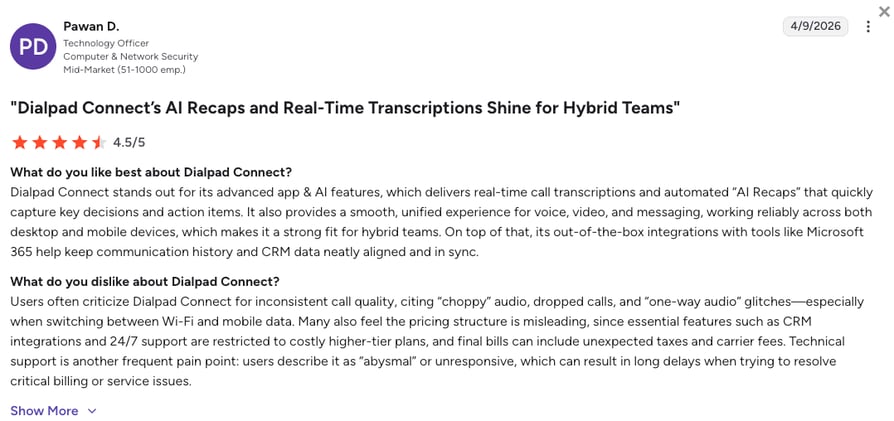
Dialpad Connect reviewers single out AI notes posting to the CRM after every call as the biggest time-saver, along with an intuitive app that unifies calls, messages, and video. The complaints cluster on integration reliability, with HubSpot and Salesforce calls that sometimes fail to attach to the record, dropped calls at peak usage, and settings that feel over-complex for a small team.
How Do G2 Users Rate Dialpad Connect?
On G2, Dialpad Connect holds a 4.4/5 rating across 4,200+ reviews, the largest review base on this list. The listing covers the Dialpad platform broadly, so read it for the Connect product with that in mind.
Halfway Down the List. Here's What the First Five Agree On.
6. Ringover: Best for UK and European Teams That Call Many Countries on One Unlimited Plan
What Is Ringover?
Ringover is a Paris and London based VoIP phone system built around one idea: unlimited calling to 110+ destinations on every plan, from $15/user/month on annual billing. It's a Bullhorn marketplace partner, with one-click dialing from the candidate record and calls, SMS, WhatsApp messages, notes, and tags synced back, and it shows up in the same recruitment threads as CloudCall for exactly that reason.
Ringover is another viable upgrade from CloudCall, as the platform swaps regional calling bundles for one flat unlimited plan, so a recruiter placing candidates in Dublin, Madrid, and Warsaw stops watching a country list. The trade is that the entry Talk plan is web-only with one number per company and no integrations, so the Bullhorn sync, Power Dialer, and per-user numbers all sit on Business at $47, with a three-user minimum and a 12-month commitment on both tiers.
Why Is Ringover a Strong CloudCall Competitor?
- Unlimited calls to 110+ destinations on every plan: One flat price covers the countries CloudCall sells as $14 and $30 per-user add-ons.
- A Bullhorn integration that syncs more than calls: Calls, SMS, WhatsApp, recruiter notes, tags, and conversation insights land on the candidate record, with two-way updates to candidate details.
- Numbers in 65+ countries per user on Business: Each recruiter gets a local number in the market they work, with AI transcription and summaries included on both plans.
What Are the Pros & Cons of Ringover?
| Pros | Cons |
|---|---|
| Unlimited calling to 110+ destinations from the $15 Talk plan | Talk is web-only with one number per company and no integrations |
| Bullhorn, HubSpot, Salesforce, and Pipedrive integrations with WhatsApp and SMS sync on Business | Three-user minimum and a 12-month commitment on Talk and Business |
| AI transcription and call summaries included on every plan | Power Dialer, coaching, and per-user numbers all sit on Business at $47/user/month |
What Are Ringover's Plans & Pricing?
Ringover pricing starts at $15/user/month (Talk, annual billing, three-user minimum), with the following tiers available:
Ringover Plans and Pricing
| Plan | Price | Key Features |
|---|---|---|
| Talk | $15/user/month | Unlimited calls to 110+ destinations, one number per company, web and mobile apps only, call recording, AI transcription, basic IVR |
| Business | $47/user/month | Everything in Talk + one number per user from 65+ countries, Power Dialer, coaching, advanced IVR, integrations including Bullhorn |
| Advanced | Quote | Everything in Business + unlimited integrations, call campaigns, SSO, custom SLA |
Who the Talk Plan Actually Suits
Ringover's $15 headline suits a team that mostly needs cheap international calling from a browser and can share one company number. The moment a recruiter needs Bullhorn logging, a personal local number, or a dialer, the real price is Business at $47 with three users and a year signed, which is $141 a month before a single add-on. Before committing to any plan built around unlimited minutes, it's worth understanding how to evaluate VoIP pricing on the total bill rather than the per-minute promise.
What Are Ringover's Customers Saying?
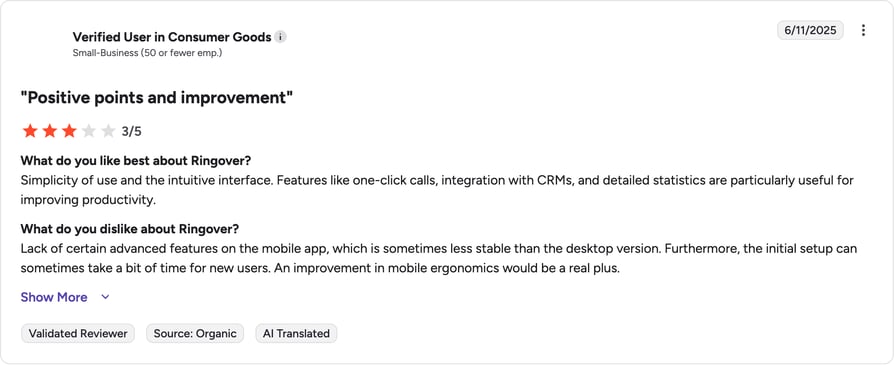
Ringover reviewers like the unlimited international calling, the clean interface, and support that responds quickly in English and French. The frustrations recur on the annual commitment when a team shrinks, call quality on some international routes, and the gap between what Talk promises and what Business actually unlocks.
How Do G2 Users Rate Ringover?
On G2, Ringover holds a 4.6/5 rating across 450+ reviews, the highest score of the European tools on this list and a full 0.7 above CloudCall's 3.9.
7. Kixie: Best for US Sales Teams That Want a Multi-Line Power Dialer Wired into HubSpot, Pipedrive, or Zoho
What Is Kixie?
Kixie (also known as Kixie Powercall) is a US sales dialer that, just like CloudCall, lives inside the CRM: a Chrome extension adds click-to-call, click-to-text, and a power dialer on top of HubSpot, Pipedrive, Zoho, and Salesforce, with bi-directional sync of every call and text. Its Multi-Line PowerDialer calls up to four numbers at once, and unlimited US and Canada minutes are included on every plan.
Compared to CloudCall, Kixie is what the CRM-embedded dialer looks like when it's built for sales volume first: multi-line dialing, AI human voice detection, local presence, and voicemail drop are the product, not an Advanced-tier add-on. The trade is that Kixie no longer publishes prices, so you're on a sales call to learn the seat cost, and the platform is US and Canada centric, with little to offer a recruiter placing candidates abroad.
Why Is Kixie a Strong Alternative to CloudCall?
- A dialer that calls up to four lines at once: The Multi-Line PowerDialer with AI human voice detection connects reps only to answered calls, where CloudCall's Power Dialer is single-line and Advanced-only.
- Bi-directional CRM sync on every plan: Calls, texts, dispositions, and recordings write to HubSpot, Pipedrive, Zoho, and Salesforce automatically, with SMS templates and automations included from the Professional plan.
- Unlimited US and Canada minutes and a 7-day trial: Every plan includes unlimited domestic calling, and the trial needs no card, while CloudCall's pricing page mentions no trial at all.
What Are the Pros & Cons of Kixie?
| Pros | Cons |
|---|---|
| Multi-Line PowerDialer (up to four lines) with AI human voice detection | No published pricing, every plan is quote-only |
| Bi-directional sync with HubSpot, Pipedrive, Zoho, and Salesforce on every plan | Built for US and Canada calling, with limited international numbers and coverage |
| Unlimited US and Canada minutes and a 7-day free trial without a card | No inbound routing, IVR, or contact center features beyond the sales dialer |
What Are Kixie's Plans & Pricing?
Kixie pricing is quote-only across three plans (Professional, Single-Line PowerDialer, Multi-Line PowerDialer), so the table below shows what each tier includes rather than a price:
Kixie Plans and Pricing
| Plan | Price | What's Included |
|---|---|---|
| Professional | Quote | Business phone service, CRM integration, click-to-call and click-to-text, SMS templates, voicemail drop, live call coaching, unlimited US/CA minutes |
| Single-Line PowerDialer | Quote | Everything in Professional + single-line PowerDialer and calling session management |
| Multi-Line PowerDialer | Quote | Everything in Single-Line + PowerDial up to 4 lines at once, AI human voice detection (premium add-on) |
A Buying Rule for Quote-Only Dialers
When a dialer vendor won't print a price, ask three things before the demo: the per-seat rate for the plan that includes the multi-line dialer, what the AI voice detection and ConnectionBoost add-ons cost on top, and what happens to the rate if you drop below your seat count. Kixie is a strong US-only dialer, but a recruitment or sales team that also needs inbound routing, international numbers, or a support queue usually ends up shopping the best auto dialers for small business that sit inside a full phone system instead.
What Are Kixie's Customers Saying?
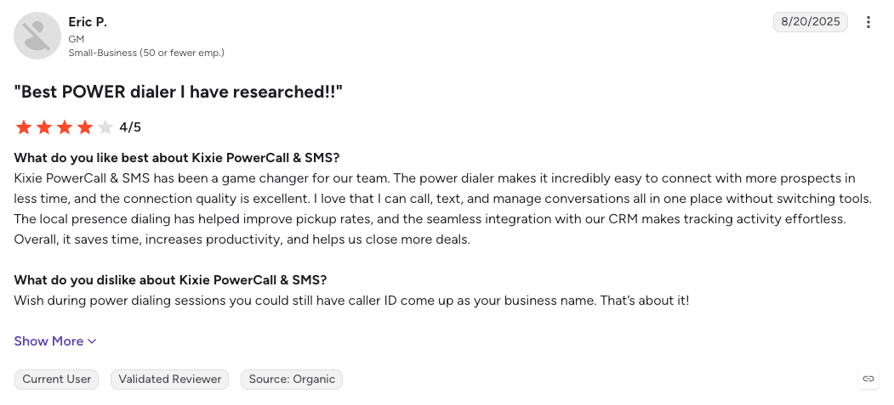
Kixie reviewers praise the speed of the PowerDialer, the reliability of the HubSpot and Pipedrive sync, and a support team that answers fast. The recurring gripes are the Chrome extension occasionally losing its connection, the cost once the AI and ConnectionBoost add-ons stack, and the lack of anything for teams that also take inbound calls.
How Do G2 Users Rate Kixie?
On G2, Kixie holds a 4.8/5 rating across 850+ reviews, the highest score on this list, earned almost entirely by outbound sales teams rating a dialer on dialer terms.
8. 8x8 Work: Best for Multi-Location Businesses That Want a Phone System and Contact Center from One Vendor
What Is 8x8 Work?
8x8 Work is the business phone half of 8x8's platform, sold from $24/user/month on annual billing for the X2 plan, with a contact center product on the X6 to X8 tiers from the same vendor. It bundles unlimited calling to 14 countries on X2 and 48 on X4, video meetings, and team chat, and it suits a business with several sites that wants one supplier for the front desk and the support floor.
8x8 wins over CloudCall when the phone system has to serve the whole company, not just the recruiters: every office gets calling, video, and chat, and the support team can grow into a contact center without changing vendor. The trade is the same split RingCentral has, where dialers and advanced routing live in the contact center tiers at a very different price, and 8x8 has moved most of its pricing behind a sales conversation.
Why Is 8x8 Work a Strong CloudCall Competitor?
- Unlimited calling to 14 or 48 countries in the plan: X2 covers 14 countries and X4 covers 48, where CloudCall sells calling beyond your home region as a $14 or $30 per-user add-on.
- Phone system and contact center from one vendor: A support desk can move from X4 supervisor tools to a full contact center on X6 to X8 without a second supplier, something a CRM-embedded dialer can't grow into.
- Video, chat, and analytics in the seat price: Team messaging, video meetings, and call analytics come with X2, with advanced analytics and supervisor tools on X4.
What Are the Pros & Cons of 8x8 Work?
| Pros | Cons |
|---|---|
| Unlimited calling to 14 countries on X2 and 48 on X4 | Most pricing has moved behind a sales conversation, so published rates are the last confirmed self-serve figures |
| Business phone and contact center on one platform for multi-site companies | Contact center features need X6 or above, which can push seats past $85/user/month |
| Video meetings, team chat, and call analytics included | Reviewers describe a dated interface and support that varies by region |
What Are 8x8 Work's Plans & Pricing?
8x8 pricing starts at $24/user/month (X2, annual billing), and you can choose from these plans:
8x8 Work Plans and Pricing
| Plan | Price | Key Features |
|---|---|---|
| X2 | $24/user/month | Unlimited calling to 14 countries, video conferencing, team messaging, call analytics |
| X4 | About $44/user/month | Everything in X2 + unlimited calling to 48 countries, supervisor tools, advanced analytics |
| X6 to X8 (Contact Center) | Quote | Skills-based routing, IVR, dialers, quality management, and omnichannel on the contact center tiers |
Where 8x8 and Nextiva Split the Same Way
Both 8x8 and Nextiva sell a phone system for the whole company and a separate, pricier tier for the team that actually runs a queue or a dialer. On 8x8 that means X2 or X4 for most staff and X6 or above for support, on Nextiva it means Core or Engage for most staff and Scale at $75 for blended inbound and outbound. A company weighing the two should price the split, not the entry seat.
What Are 8x8 Work's Customers Saying?
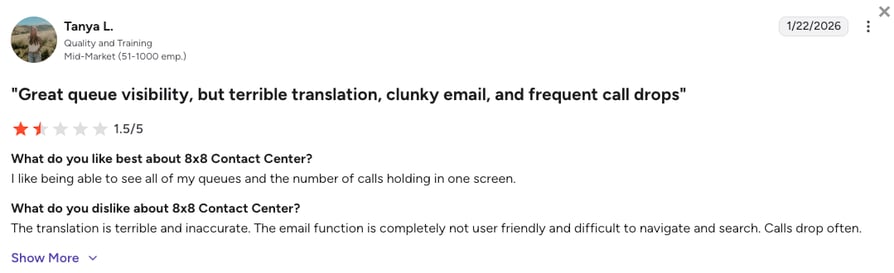
8x8 Work reviewers appreciate the international calling bundles and the convenience of one vendor for phones, meetings, and the contact center. The recurring complaints are an interface that feels older than the competition, support quality that varies by region, and pricing that's hard to pin down without a sales call.
How Do G2 Users Rate 8x8 Work?
On G2, 8x8 Work holds a 0/5 rating across 900+ reviews, a larger and steadier base than CloudCall's 70+.
9. Nextiva: Best for US Small Businesses That Want Calls, Texts, Video, and Team Chat on One Bill
What Is Nextiva?
Nextiva is a US business phone and customer experience platform for SMB to mid-market businesses, sold from $15/user/month on annual billing for the Core plan. It bundles voice, business SMS, video meetings, call routing, and team chat, and it's known for support that answers, with 24/7 phone, email, and chat on every tier.
Nextiva is a friendlier all-in-one for a US small business than CloudCall, especially because it isn't built just around a recruitment ATS: everyone gets a line, texts, and video on one bill, and the support desk is there on a Saturday. The trade is that CRM integrations and call recording are add-ons rather than plan features, the AI receptionist is a separate purchase from $99/mo, and there's no free trial, only a demo.
Why Is Nextiva a Strong Alternative to CloudCall?
- 24/7 support on every plan: Phone, email, and chat around the clock from Core, where CloudCall's support closes for the weekend in every region.
- Calls, texts, video, and team chat from $15: The Core seat covers the whole small-business communication stack, with toll-free numbers and an inbound call center on Engage.
- An AI receptionist from the same vendor: Nextiva's XBert AI Receptionist is available as an add-on on all three tiers, where CloudCall offers no AI answering at any price.
What Are the Pros & Cons of Nextiva?
| Pros | Cons |
|---|---|
| Voice, SMS, video, and team chat on one $15 seat with 24/7 support | CRM integrations (Salesforce, HubSpot, and others) are add-ons on all three tiers |
| Inbound call center, toll-free minutes, and advanced reporting on Engage | Call recording is an add-on on Core, and blended outbound only appears on Scale at $75/user/month |
| AI receptionist add-on available on every tier | No free trial, and reviewers flag a mobile app that can be unreliable |
What Are Nextiva's Plans & Pricing?
Nextiva pricing starts at $15/user/month (Core, annual billing on a 12-month term), with the following plans to choose from:
Nextiva Plans and Pricing
| Plan | Price | Key Features |
|---|---|---|
| Core | $15/user/month | Voice, business SMS, video meetings, call routing, team chat, mobile app (CRM integrations and call recording as add-ons) |
| Engage | $25/user/month | Everything in Core + call recording, customer-to-team SMS, toll-free number and minutes, advanced reporting, inbound call center |
| Scale | $75/user/month | Everything in Engage + blended inbound and outbound, AI transcription and summaries, skills-based routing |
Included vs. Add-On Is the Whole Comparison
Nextiva and Dialpad start at the same $15, and the difference is what that seat contains. Dialpad puts live transcription and AI recaps in the entry price and gates CRM integrations to Pro. Nextiva puts calls, texts, video, and 24/7 support in the entry price and sells the CRM connection and call recording as add-ons on every tier. A small team that lives in HubSpot or Bullhorn should price the seat plus the integration add-on, not the seat alone.
What Are Nextiva's Customers Saying?
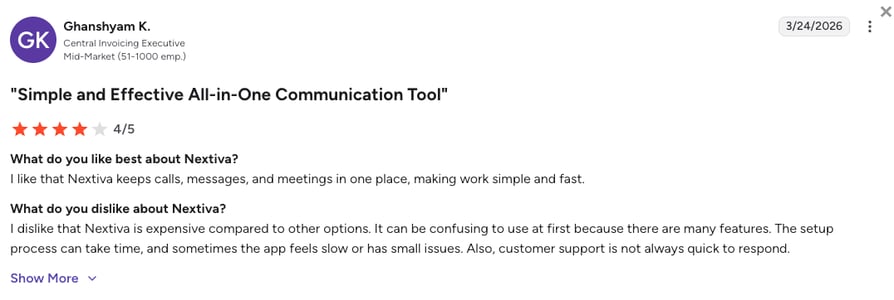
Nextiva reviewers consistently praise support responsiveness, with tickets handled within a day, and an onboarding that gets a small office live quickly. The complaints center on setup and integration complexity once add-ons enter the picture, a mobile app some reviewers call unreliable, and a bill that climbs once recording, CRM, and AI extras stack on the $15 seat.
How Do G2 Users Rate Nextiva?
On G2, Nextiva holds a 4.5/5 rating across 3,600+ reviews, one of the strongest scores on this page and a wide margin over CloudCall's 3.9.
10. Five9: Best for Large Contact Centers That Need Blended Inbound and Outbound with Workforce Management
What Is Five9?
Five9 is an enterprise cloud contact center platform priced per concurrent seat from $119/user/month on the digital-only plan and $159 on Core with voice, with a minimum of 50 seats. It's built for large operations that run blended inbound and outbound at scale, with predictive dialing, live transcription, agent assist, quality management, and workforce management options in one platform.
Against CloudCall, Five9 is the other end of the market: where CloudCall is a five-seat CRM plugin, Five9 is a 50-seat contact center with the compliance, routing, and forecasting an enterprise needs. It appears here for the recruitment or sales organization that has outgrown a plugin entirely, and the trade is obvious: a 50-seat, $159 floor that a mid-sized team can't fill.
Why Is Five9 a Strong CloudCall Competitor?
- Enterprise dialers and routing in one platform: Predictive and blended dialing, skills-based routing, and geo-redundant infrastructure, where CloudCall's Power Dialer is a single-line Advanced-tier feature.
- AI across the whole agent desktop: Live transcription, AI summaries, agent assist, and AI knowledge are included on both published plans, with quality and workforce management options on top.
- CRM and UC adapters for enterprise stacks: Salesforce, Microsoft, and other enterprise CRM adapters are built for large deployments, with omnichannel and analytics that a CRM-embedded dialer never reaches.
What Are the Pros & Cons of Five9?
| Pros | Cons |
|---|---|
| Predictive and blended dialing with skills-based routing and geo redundancy | 50-seat minimum on every plan, priced per concurrent seat |
| Live transcription, AI summaries, agent assist, and analytics on published plans | $119/user/month for digital channels only, $159 for voice |
| Quality management and workforce management options for large teams | No free trial, and reviewers describe a long, partner-led implementation |
What Are Five9's Plans & Pricing?
Five9 pricing starts at $119/user/month (Digital, annual billing, 50-seat minimum) with voice on Core at $159/user/month, and it offers the following plans:
Five9 Plans and Pricing
| Plan | Price | Key Features |
|---|---|---|
| Digital | $119/user/month | Chat, email, SMS/MMS, and social channels only, AI summaries, live transcription, agent assist, analytics, workflow automation |
| Core | $159/user/month | Everything in Digital + voice, blended inbound and outbound dialing, recording, CRM and UC adapters |
| Plus, Pro, and Enterprise | Quote | All channels with advanced AI and workforce engagement management |
Who Actually Needs 50 Seats
Five9's minimum is a filter, not a flaw: a contact center with 50 concurrent agents needs forecasting, compliance, and routing depth that no CRM plugin offers. Talkdesk, the other enterprise CloudCall alternative worth a look, chases that same 50-seat buyer, which is why it isn't profiled on a page for teams leaving a five-seat CRM dialer. A 15-person recruitment agency or a 30-seat sales floor sits below both and is better served by a platform that starts at one seat and adds dialers and AI as it grows.
What Are Five9's Customers Saying?
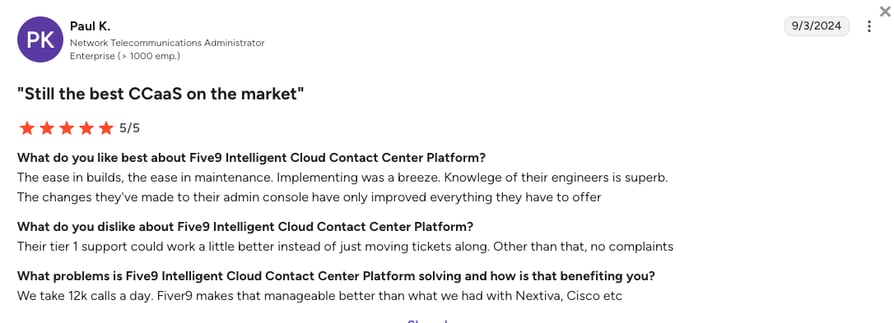
Five9 reviewers credit the platform's stability at high volume, the depth of the dialer and routing options, and the reporting that a large operation needs. The complaints are the ones that come with enterprise software: a long implementation, admin complexity, pricing that's hard to model before the contract, and support tickets that can take time to resolve.
How Do G2 Users Rate Five9?
On G2, Five9 holds a 4.1/5 rating across 600+ reviews, mostly from contact center managers rating it against other enterprise suites rather than against CRM dialers.
What Real Users Are Saying about CloudCall and Its Alternatives
Pricing pages tell you what a phone system claims to do. Real user threads tell you whether the call connects on a Tuesday afternoon when a candidate finally picks up. Here's what Reddit, Quora, and G2 say about CloudCall and the alternatives people actually shortlist.
What Redditors Are Saying about CloudCall Alternatives
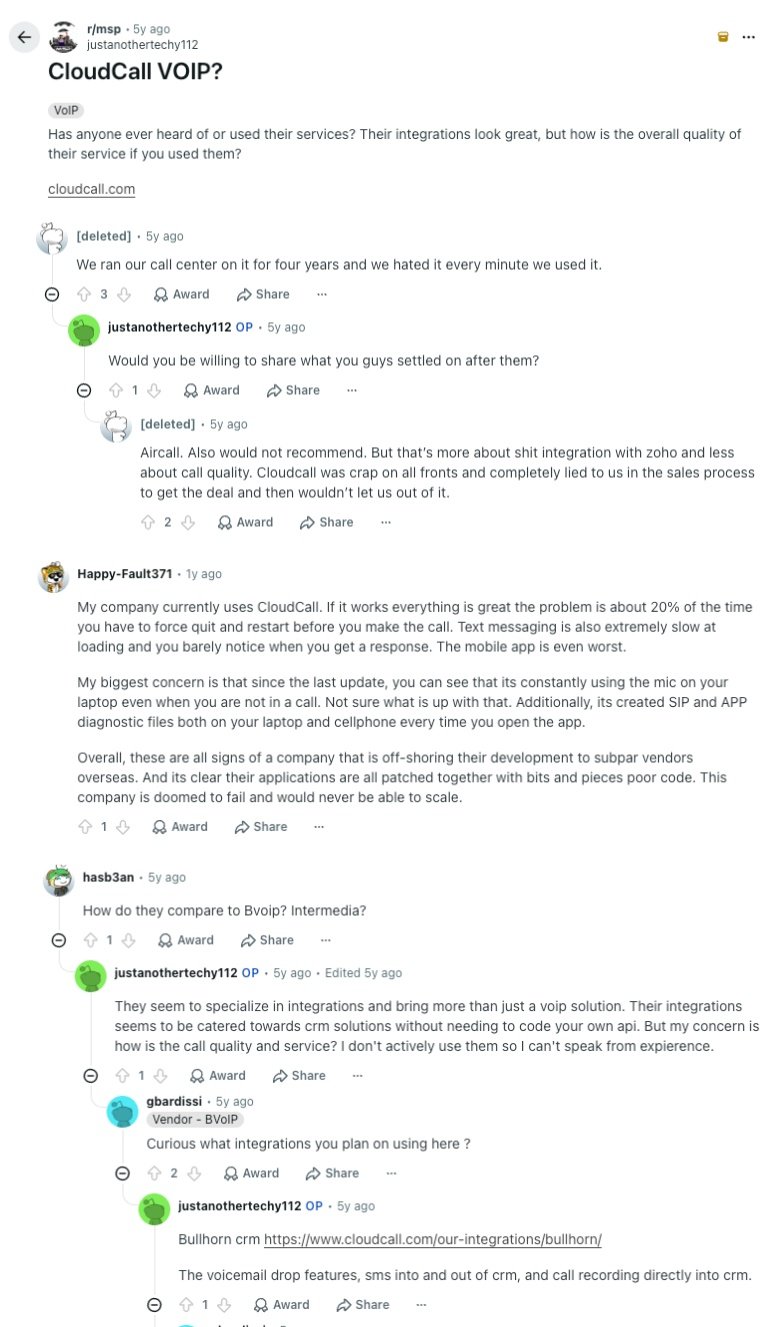
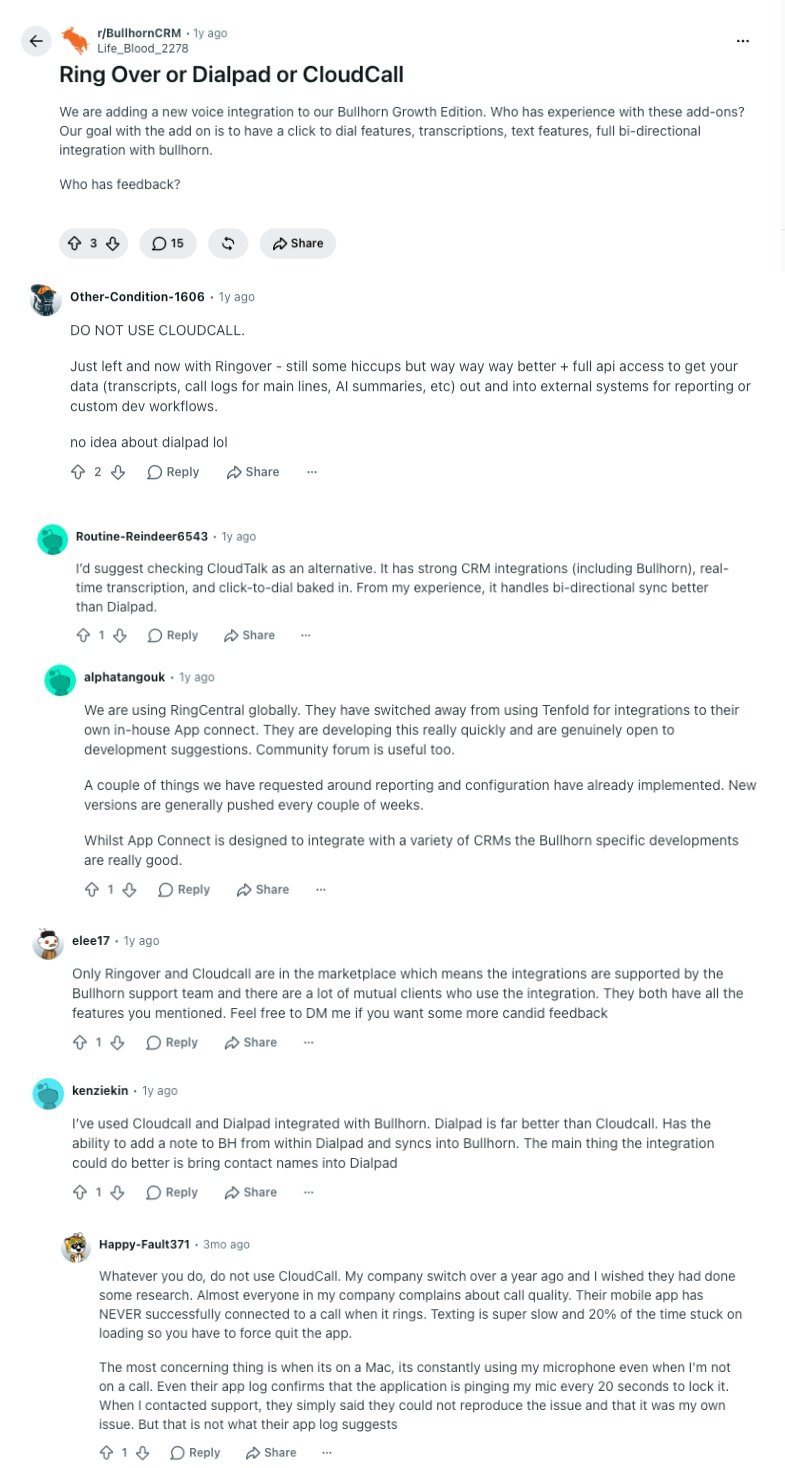
CloudCall comes up on Reddit in two types of threads: IT providers asking whether it's reliable enough to run a client's call center on, and recruiters in r/BullhornCRM comparing it with the other dialers in the Bullhorn marketplace. The two threads below are five years apart, and the complaints in them are the same.
- CloudCall VoIP reliability, five years and counting: A managed service provider in r/msp asked whether anyone had used CloudCall, because "their integrations look great" but they wanted to know about call quality. The top reply came from a team that ran its call center on it for four years and "hated it every minute," later moving to Aircall, which they didn't love either because of its Zoho integration. The telling part is the reply added a year ago, four years after the thread started: a current customer describing an app that needs a force-quit before roughly one call in five, slow texting, and a mobile app that's worse still. A thread that stays alive that long usually means the underlying VoIP call quality problem never went away.
- Ringover vs Dialpad vs CloudCall for Bullhorn: A recruiter in r/BullhornCRM adding a voice integration to Bullhorn Growth Edition wanted click-to-dial, transcription, texting, and a full two-way sync. The replies map the whole market: one team had just left CloudCall for Ringover and praised its API access for pulling transcripts and call logs into other systems, another suggested checking CloudTalk for its Bullhorn integration, real-time transcription, and click-to-dial, saying it handled two-way sync better than Dialpad, a third runs RingCentral globally and likes how fast its Bullhorn App Connect ships fixes, and a fourth found Dialpad "far better" than CloudCall for Bullhorn. The one recurring warning across the thread is about CloudCall itself, for call quality and a Mac app that kept using the microphone between calls. If Bullhorn is your ATS, the Bullhorn phone integration you pick decides whether calls log themselves or get typed up later.
What Quora Users Are Asking about CloudCall Alternatives
Search "tools like CloudCall" on Quora and you land in threads about call center software with a Zendesk integration and VoIP providers with an auto dialer plus CRM sync, and CloudCall isn't named in either. That's the pattern. When a business describes a real workflow instead of a CRM it already owns, CRM-embedded dialers don't make the shortlist. Here's what does.
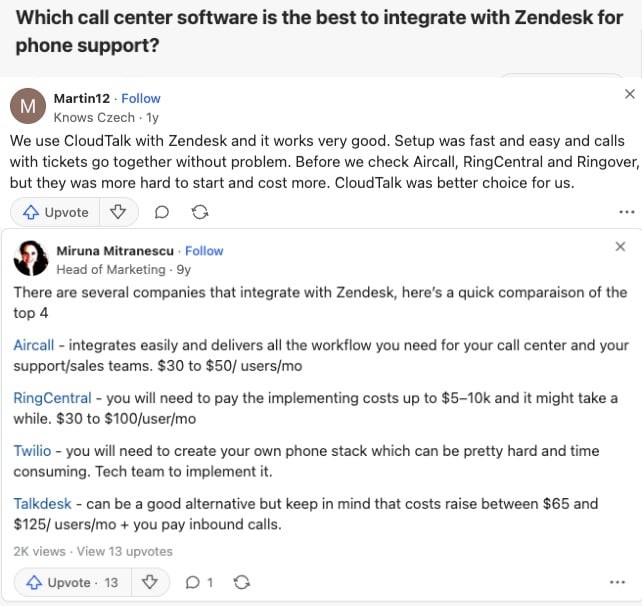
- Call center software with Zendesk integration: Asked which call center software integrates best with Zendesk for phone support, a user who runs CloudTalk with Zendesk says setup was fast and easy and calls and tickets "go together without problem," after finding Aircall, RingCentral, and Ringover harder to start and more expensive. An older answer compares Aircall ($30 to $50), RingCentral (with $5k to $10k implementation costs), Twilio (build it yourself), and Talkdesk ($65 to $125) for the same job. Zendesk sits outside CloudCall's recruitment-first integration list, which is why a support team never gets as far as comparing it.
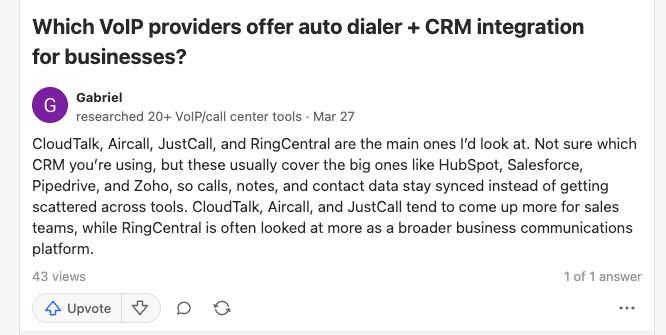
- Auto dialer plus CRM integration: Asked which VoIP providers offer an auto dialer with CRM integration, a reviewer who tested 20+ tools names CloudTalk, Aircall, JustCall, and RingCentral, noting that the first three come up more for sales teams while RingCentral reads as a broader communications platform, and that all four keep calls, notes, and contacts synced with HubSpot, Salesforce, Pipedrive, and Zoho. A power dialer synced to the CRM is the one sales requirement CloudCall only answers on its $35 tier.
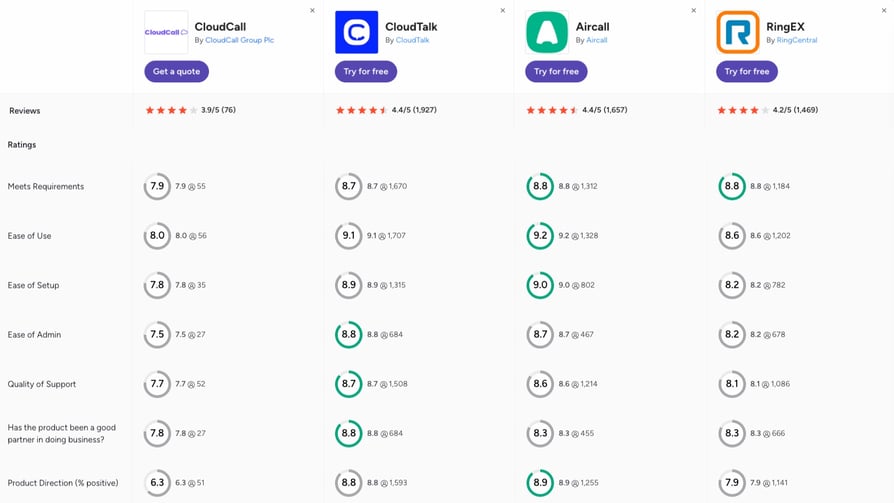
How Do the Best CloudCall Alternatives Compare on G2?
G2's side-by-side comparison makes one thing obvious before you read a single score: CloudCall has 70+ reviews, CloudTalk has 1,900+, Aircall 1,650+, and RingEX 1,450+. The scores that follow are consistent with that gap, and CloudCall trails on every one of the seven categories G2 tracks.
- Setup, use, and administration: CloudTalk scores 8.9 for ease of setup, 9.1 for ease of use, and 8.8 for ease of admin, Aircall 9.0, 9.2, and 8.7, RingEX 8.2, 8.6, and 8.2, and CloudCall 7.8, 8.0, and 7.5, with its admin score resting on 27 responses. The recruiters who praise CloudCall's ease of use on G2 are rating the dial button, and the admins who rate the portal are a different, less happy group.
- Support and partnership: CloudTalk leads quality of support at 8.7 on 1,500+ responses, Aircall follows at 8.6 and RingEX at 8.1, and CloudCall sits at 7.7 on 52. On "good partner in doing business" CloudTalk scores 8.8 against CloudCall's 7.8, which lines up with the weekday-only support hours and the contract-end-only downgrades on CloudCall's pricing page.
- Product direction is the widest gap: CloudTalk and Aircall score 8.8 and 8.9 for where the product is heading, RingEX 7.9, and CloudCall 6.3, its lowest category by a distance. Reviewers rating a platform on what's coming next are the ones who've watched it change, and on this page that number says more than any single complaint.
CloudTalk vs. CloudCall: Final Head-to-Head Comparison
The core split is simple, and it's worth stating because the two names get mixed up so often. CloudCall is a dialer that lives inside your CRM: click-to-call, texts, and AI notes on the Bullhorn or Salesforce record, sold five seats at a time. CloudTalk is the calling platform a sales, support, or recruitment team actually works from, with the same CRM sync built in, plus its own carrier network, every dialer mode, AI that answers the phone, and numbers in 160+ countries.
The table calls it straight. CloudCall wins three rows outright, and they matter to a specific kind of team. CloudTalk takes the rest.
CloudTalk vs. CloudCall: Final Head-to-Head
| Feature | CloudTalk | CloudCall | Winner |
|---|---|---|---|
| Starting price per seat | $25/user/month (Starter, annual) | $15/user/month (Starter, annual) | CloudCall |
| Minimum seats | None (3 seats on Expert) | 5 seats on every plan, so $75/month minimum | CloudTalk |
| Free trial | 14 days, no credit card | Not published | CloudTalk |
| Recruitment ATS coverage | Bullhorn native from Essential, plus 100+ CRMs and helpdesks | Bullhorn, Vincere, JobDiva, Tracker, LaborEdge, Salesforce, Dynamics, and 20+ more from Pro | CloudCall |
| CRM sync depth and tier | Two-way sync of calls, recordings, notes, tags, and AI summaries from Essential, no seat minimum | Click-to-dial, screen pop, notes, and SMS from Pro, AI summaries sync only on Advanced | CloudTalk |
| Auto call recording | From Starter, unlimited retention from Essential | Included, stored 3, 6, or 12 months by plan | CloudTalk |
| Outbound dialers | Power Dialer (Expert, or $15/user/month add-on), Parallel Dialer ($39/user/month add-on), Smart and Preview on Expert, answering machine detection, voicemail drop | Click-to-call on all plans, Power Dialer and voicemail drop on Advanced only | CloudTalk |
| AI features | AI Receptionist from $99/month (50 free minutes), AI Specialist for screening and booking, Conversation Intelligence at $9/user/month | Transcription, AutoNote, and summaries, with CRM sync of summaries on Advanced | CloudTalk |
| Bundled SMS | SMS, MMS, and WhatsApp available, with messaging charged separately | 500 to 2,500 texts per user included by plan, inbound and outbound combined | CloudCall |
| Global coverage | Numbers in 160+ countries on one account, international calling on every plan | Home region on Starter, 13 or 25 countries by tier, 200-country add-on at $30/user/month | CloudTalk |
| Call quality and reliability | Own carrier network, 99.999% uptime SLA, route-by-route quality monitoring | 99.99% uptime claimed, call quality the top complaint on G2, Capterra, and Trustpilot | CloudTalk |
| Customer support | 24/7 chat and email on all plans, phone on Expert | Phone, email, and portal, Monday to Friday only | CloudTalk |
| G2 rating | 4.4/5 (1,900+ reviews) | 3.9/5 (70+ reviews) | CloudTalk |
The Verdict
If you're a recruitment agency of five or more that lives inside Bullhorn, Vincere, or JobDiva, texts candidates by the hundred, and mostly calls within one region, CloudCall's ATS depth is real and you may be happy to keep it. The moment a call drops on a placement, a rep needs a dialer without a $35 tier, a client opens an office abroad, or you want an AI to answer at 7 p.m., you've outgrown a CRM plugin. CloudTalk is built for exactly that next step, with the same Bullhorn sync on a platform that scales with your team, and you can prove it on your own number before paying for a single seat.
How to Choose the Right CloudCall Alternative for Your Business
Choosing the right CloudCall alternative comes down to four questions: which CRM or ATS your calls should log into, how much of the dialing you want software or AI to handle, where your candidates and customers are, and how many seats you can actually fill. Match your situation to the questions below and jump straight to the pick.
Is CloudCall the Best Option for Integrating Phone Calls into Your CRM, or Are There Better Alternatives?
CloudCall is a good option for integrating phone calls into a recruitment ATS, and CloudTalk and Aircall are the better alternatives for almost every other CRM. CloudCall's strength is the breadth of staffing systems it plugs into. CloudTalk's 100+ integrations go for depth: native, two-way, and fast, so calls, recordings, notes, tags, and AI summaries land on the HubSpot, Pipedrive, Zoho, Dynamics 365, Zendesk, or Bullhorn record from Essential, Salesforce joins on Expert, and the AI voice agents write to the same records, so an AI-handled call looks like any other in the CRM. Aircall lists more apps, 250+ on its entry plan, and is the faster choice for a one-click Zendesk or Intercom connection if the three-license minimum doesn't bother you.
Both leave CloudCall's Pro-tier gate behind. Not sure which approach fits your stack? This quick comparison shows the difference:
Check out more options:
See which CRM and ATS platforms staffing firms pair with a phone system, and how the integrations differ.
Which CloudCall Competitors Are Strongest for Call Recording and Click to Dial?
CloudTalk is the strongest CloudCall competitor for call recording and click to dial, because both come with the first plan and neither expires. Every plan records calls automatically, Essential keeps the recordings for as long as you need, and click to call works from the CRM record, the browser, and the desktop app. CloudCall records on every plan too, but stores the files for 3, 6, or 12 months depending on the tier, and the click-to-dial runs through a Chrome extension that reviewers say slows the CRM down. Aircall (recording with one-year retention on Essentials, unlimited on Professional) and JustCall (recording from Team) are the runners-up, and call recording that syncs to the record is where all three separate from a plain VoIP line.
Here's how click to call and recording work together on a real call:
What's Better Than CloudCall for Outbound Sales Teams and Power Dialing?
CloudTalk is the best CloudCall alternative for outbound sales teams, because its dialers are something you switch on per rep instead of a $35 tier you buy for everyone. The Power Dialer (Expert plan, or a $15/user/month add-on on any plan) works through call lists automatically, the Parallel Dialer ($39/user/month add-on on any plan) dials several lines at once and connects the first person who answers, and the Smart and Preview Dialers on Expert handle CRM-driven lists, with answering machine detection and a local presence number so more people pick up. Kixie (four-line PowerDialer, US only, quote-only pricing) and JustCall (Sales Dialer from Pro) are the runners-up among CloudCall alternatives for outbound sales teams.
Here's what automated dialing looks like in practice:
My Mortgage Finder Went from 15 to 100+ Calls a Day
The UK mortgage brokerage's advisors were stuck at around 15 manual dials a day. On CloudTalk's Power Dialer they now make 100+ calls per agent per day and cut call review time by 50% with AI, and the team's own rule became "if an agent makes less than 100 calls a day, we're asking what happened."
Manual Dialing Kept My Mortgage Finder at 15 Calls a Day. The Power Dialer Took Them Past 100.
Which CloudCall Alternative Is Best for Recruitment Agencies Using Bullhorn?
CloudTalk is the best CloudCall alternative for recruitment agencies using Bullhorn, because it's the only pick on this list that pairs a native Bullhorn integration with an AI voice agent built for screening candidates. The Bullhorn integration syncs candidate and client details both ways and logs every call with its outcome, duration, tags, notes, recording link, and AI summary on the record, from Essential with no seat minimum. The AI voice agent for recruitment then calls new applicants within seconds, confirms availability and right-to-work basics, and books the interview, so recruiters spend their day on placements. Ringover (Bullhorn marketplace partner, unlimited European calling) and Aircall (Bullhorn insight cards, 250+ apps) are the runners-up for a "CloudCall Bullhorn alternative" search, and Dialpad, JustCall, and RingCentral all connect to Bullhorn too.
Whichever you choose, run the same test: place a call from a candidate record, hang up, and check what appears in Bullhorn without anyone typing. A VoIP phone system for recruitment firms earns its seat price on that one screen.
Hiredly Cut Its Sales Cycle from Two Months to Two Weeks
The Malaysian recruitment group had no central call recordings and no way to see which leads had really been worked. On CloudTalk, with calls, recordings, and transcripts synced to its CRM and a Power Dialer for the consultants, Hiredly reached 100% lead follow-up and shortened closing from over two months to two weeks.
Which CloudCall Alternative Is Best for Global Calling and International Numbers?
CloudTalk is the best CloudCall alternative for global calling, because it sells local, mobile, and toll-free international numbers in 160+ countries from one dashboard, runs the calls on its own carrier network with a 99.999% uptime SLA, and answers in 70+ languages when AI picks up. CloudCall covers your home region on Starter and sells the rest of the world as $14 and $30 per-user add-ons. Ringover (unlimited calls to 110+ destinations, numbers in 65+ countries on Business) and Aircall (numbers in 100+ countries) are the runners-up for a CloudCall alternative for global calling, and both sell those numbers from the dashboard.
Here's how a team takes its numbers global on one platform:
Revolut Scaled from 0 to 500+ SDRs on CloudTalk
The UK-founded fintech grew its sales development team to 500+ SDRs while preparing to enter the US, running its global numbers on CloudTalk and saving 40+ hours of sales ops time a month along the way. That's a scale no CRM plugin was designed for.
What Is the Best CloudCall Alternative for AI Calling, AI Receptionists, and AI Voice Agents?
CloudTalk is the best CloudCall alternative for AI calling, AI receptionists, and AI voice agents, because the AI and the phone system come as one no-code platform, without hiring a developer, signing with a separate carrier, or stitching three vendors together. The AI Receptionist is live on your number in minutes, answers every call 24/7 from $99/month (50 free minutes on every account), clears the routine questions, books meetings, and routes the rest by what the caller said instead of a press-1 menu. The sales-led AI Specialist runs longer inbound and outbound workflows like candidate screening, lead qualification, and reminders, and hands anything complex to a person with the transcript attached. AI takes the repetitive volume, and your team gets the conversations worth their time.
The market splits in two here. Dedicated AI agent builders such as Retell, Synthflow, and Vapi give you the voice agent but expect you to bring your own phone system and a developer. Phone platforms with AI built in are the other camp: Dialpad is the runner-up for live transcription and in-call coaching, JustCall sells an AI voice agent add-on, and RingCentral an AI Receptionist from $39. CloudCall's AI ends at transcripts, AutoNote, and summaries. Comparing the best AI phone systems for businesses comes down to one question: does the AI live inside the phone system your team already uses, or bolt onto it as a separate product?
Here's how an AI receptionist handles a real call before a human ever picks up:
What Is the Best CloudCall Alternative for Small Businesses on a Tight Budget?
CloudTalk is the best CloudCall alternative for a small business on a tight budget, because the bill follows your headcount: one seat at $25/user/month, the CRM integrations on Essential at $29, and a dialer added per rep for $15 when a rep needs it, against CloudCall's $75 minimum for five Starter seats before the CRM is even connected. Dialpad ($15, live AI included) and Nextiva ($15, 24/7 support included) match the entry price, though Dialpad gates CRM sync to a $25 tier with a three-license minimum and Nextiva sells the CRM connection as an add-on, so price the seat you'll actually buy. A small business VoIP setup should cost what your team costs, not what a vendor's minimum costs.
Which CloudCall Alternative Is Best for Inbound Support Teams?
CloudTalk is the best CloudCall alternative for inbound support teams, with call queuing, skill-based routing, a visual call flow designer, and a Zendesk, Intercom, or Freshdesk integration that pops the customer's record before the agent says hello, from Essential. When the queue backs up, the AI Receptionist takes the overflow so nobody hears a busy tone. Aircall is the runner-up for helpdesk-first teams, and RingCentral and 8x8 fit support desks that sit inside a larger suite, though both move you to a separate contact center product for advanced routing. CloudCall's queue callback and coaching panel serve a sales floor, and its integration list is built around recruitment systems rather than helpdesks.
Which CloudCall Alternative Is Best for Enterprises?
RingCentral, 8x8, and Five9 are the best CloudCall alternatives for enterprises that need voice, video, and messaging across many offices, or a 50-seat blended contact center with workforce management, 99.999% uptime commitments, and the admin controls a large IT team expects. CloudTalk sits alongside them for a different kind of large organization: sales, support, and recruitment operations that run on voice, want dialers and AI voice agents built into the same call flows as the human team, and need numbers in 160+ countries with a 99.999% SLA and 24/7 phone support on Expert, without paying for a suite of tools they won't open. Convergence runs recruiting and billing calls for 150 nursing homes on it, which is a long way past what a CRM plugin was built for.
What Is the Best CloudCall Alternative for Growing Teams?
CloudTalk is the best CloudCall alternative for growing teams, because the things that get expensive or awkward on a CRM-embedded dialer stay simple: seats are added from a dashboard at $25/user/month, the Bullhorn and CRM sync follows every new hire from Essential, dialers switch on per rep, numbers in 160+ countries open as new markets do, and AI answering scales on fixed tiers from $99/month instead of on headcount.
Growing teams also change shape, adding recruiters one quarter and support seats the next, so a plan you adjust yourself, with recording on every seat and AI you can add per workflow, is worth more than any single feature. Over 5,500+ growing businesses around the world run on it today, and a 14-day free trial proves the fit on your own call volume before you commit.
You Just Picked Your Scenario. Now Run It on Your Own Calls.
Ready to Make the Switch from CloudCall?
CloudCall earns its place for a recruitment agency that lives inside Bullhorn, Vincere, or JobDiva and wants calls, texts, and AI notes on the candidate record, with Local Presence dialing and a Teams integration thrown in.
But the reasons teams search for a CloudCall replacement are structural. A five-seat minimum on every plan, the CRM sync on the second tier and the dialer on the third, calling reach sold by the region, weekday-only support, AI that stops at the summary, and reliability complaints that span five years of threads mean the plugin stays a plugin while the calls it makes let the team down. For a team that wants its calls to connect, log themselves, and get answered by AI when nobody's free, the system has to be built differently from the start.
That's the CloudTalk case: a full calling platform from $25/user/month with no seat minimum until Expert, the same Bullhorn, HubSpot, and Dynamics sync from Essential, numbers in 160+ countries, recording on every plan, and an AI Receptionist with 50 free minutes on every account. While both bear a similar name, they're easy to tell apart by the level of productivity they deliver. And here's why CloudTalk is the superior choice:
- Calls that connect, on a network CloudTalk ownsCarrier-grade call quality monitored on every route, spam protection on outbound numbers, and a 99.999% uptime SLA.
- One seat to start, and the CRM sync on EssentialBullhorn, HubSpot, Pipedrive, Zoho, and Dynamics log calls, recordings, notes, and AI summaries both ways, with Salesforce on Expert.
- Dialers you switch on per repPower Dialer on Expert or as a $15/user/month add-on, Parallel Dialer as a $39/user/month add-on, and answering machine detection so reps only speak to people.
- AI and humans on one platformThe AI Receptionist answers routine calls from $99/month and the AI Specialist screens and books, handing the rest to your team with the transcript attached.
- 5,500+ businesses already run on itBacked by 4.4/5 on G2 across 1,900+ verified reviews, with 24/7 chat and email support on every plan.
Join 5,500+ Businesses That Stopped Paying for Empty Seats
Frequently Asked Questions about CloudCall Alternatives
Quick answers on how CloudCall works, what it costs, how it differs from CloudTalk, and how the alternatives compare.
CloudCall is a UK and US cloud phone system that embeds calling, texting, call recording, and AI call summaries inside a CRM or ATS, most often Bullhorn, Salesforce, or Microsoft Dynamics, for recruitment agencies and sales teams. Its o1 platform runs on desktop, web, and mobile, sells three plans from $15/user/month with a five-seat minimum, and gates the CRM integration to Pro and the power dialer to Advanced. Its main limits are the seat minimum, weekday-only support, and AI that stops at transcripts, which our full CloudCall review covers in detail.
No, CloudCall and CloudTalk are two different companies with two different products, even though Google search and AI assistants (like ChatGPT or Google AIOs) often blend them. CloudCall is a British company that sells a phone and text tool embedded in recruitment and sales CRMs, with a five-seat minimum and calling sold by region. CloudTalk is a separate company from Central Europe that sells a complete, AI-powered business phone system with its own carrier network, numbers in 160+ countries, 100+ CRM integrations including Bullhorn from Essential, dialers, and AI voice agents that answer calls, from $25/user/month with no seat minimum on Starter or Essential.
CloudCall costs $15/user/month on Starter, $24 on Pro, and $35 on Advanced with annual billing, or $20, $33, and $45 billed monthly, and every plan carries a five-user minimum, so the lowest real bill is $75 a month. CRM integration and AI summaries start on Pro, the power dialer and voicemail drop on Advanced, and calling beyond your home region costs $14 or $30 per user extra.
Businesses switch from CloudCall to another provider because the five-seat minimum bills empty chairs, the features they bought it for sit on higher tiers, and reviewers on G2, Capterra, and Trustpilot report dropped calls, audio problems, and an unstable mobile app. Support closes for the weekend, downgrades wait for the contract to end, and there's no AI receptionist to answer when the team is busy. Most switchers move to a full cloud phone system that keeps the CRM sync and fixes the calls underneath it.
The best CloudCall alternatives for small businesses are CloudTalk, Dialpad, Nextiva, and JustCall. CloudTalk suits small sales, support, and recruitment teams that want recording, CRM sync, and AI from $25/user/month with no seat minimum. Dialpad fits teams that want live AI transcription for $15, Nextiva fits US offices that want 24/7 support on one bill, and JustCall fits two-person outbound teams that text as much as they call. A phone system for a small business should never make you buy five seats to connect the CRM.
CloudTalk, JustCall, and Aircall offer better value than CloudCall for growing sales teams, because each lets you add dialers and CRM sync as the team grows rather than buying the top tier for everyone. CloudTalk adds a Power Dialer per rep for $15/user/month on any plan and includes 100+ integrations from Essential, JustCall starts its Sales Dialer on Pro with a two-seat minimum, and Aircall bundles 250+ integrations on a three-license entry plan. Comparing the best dialers for call centers on total seat cost, not sticker price, is where the value shows.
Yes, you can switch from CloudCall without losing your phone numbers, CRM data, or call history, as long as you sequence the move. Sign up with the new platform first, submit a porting request with a recent CloudCall invoice, and keep the old account live until the port completes. Your CRM data stays where CloudCall wrote it, in Bullhorn or Salesforce, and the new integration writes to the same records. Export any recordings you need before the contract ends. CloudTalk handles number porting from its dashboard, with routing set up before the port date.
CloudTalk, Aircall, and RingCentral offer better call quality and reliability than CloudCall, based on both user reviews and infrastructure. CloudTalk runs calls on its own carrier network with a 99.999% uptime SLA and monitors call quality on every route, RingCentral is rated for its stability at scale, and Aircall scores 8.8 for meeting requirements on G2 against CloudCall's 7.9. Poor call quality is the most-cited con in CloudCall's G2 reviews, and recent Trustpilot reviews describe a mobile app that fails to connect calls.
CloudCall reviews are split: 3.9/5 on G2 from 70+ reviews, 4.0/5 on Capterra from 40+, and 2.6/5 on Trustpilot from 60+, with ease of use and easy CRM integration praised and call quality, app stability, and support the recurring complaints. For outbound sales teams it's no longer the go-to product, because the power dialer and voicemail drop only appear on the $35 Advanced plan. Teams that dial all day now compare CloudCall against platforms that let them add an auto dialer per rep, the way CloudTalk offers its Power Dialer as a $15/user/month add-on on any plan, rather than moving the whole team to a top tier to get it.
Aircall is the best of the three for sales teams that want CRM-native calling, CloudCall for recruitment desks that live in Bullhorn, and 8x8 for companies that want a phone system and contact center from one vendor. Aircall puts its Power Dialer on the $50 Professional plan with a three-license minimum, CloudCall puts its dialer on the $35 Advanced plan with a five-seat minimum, and 8x8 keeps dialers in its contact center tiers. Teams that want the dialer per rep without a tier jump end up comparing all three against Aircall alternatives like CloudTalk, where it's a $15/user/month add-on on any plan.
The top alternatives to popular call center agent apps for a United Kingdom team are CloudTalk, Aircall, Ringover, RingCentral, and 8x8. CloudTalk offers UK local, national, mobile, and 0800 numbers next to numbers in 160+ countries, with unlimited UK and EU domestic calling on Essential and a UK virtual number live in minutes. Aircall and Ringover sell UK numbers from the dashboard, Ringover adds unlimited calling to 110+ destinations, and RingCentral and 8x8 suit UK offices that want video and messaging in the same suite. CloudCall is UK-founded, so the reason to leave is the seat minimum and reliability, not location.
CloudTalk, Aircall, JustCall, Dialpad, RingCentral, and Kixie all have native Salesforce integrations, and the difference is the tier that unlocks them. CloudTalk's Salesforce ecosystem integration sits on Expert and syncs calls, recordings, notes, and AI summaries both ways, Aircall and JustCall put Salesforce CTI on their $50 and $49 Professional and Pro plans, Dialpad on Pro, RingCentral on Advanced, and Kixie includes it on every quote-only plan. CloudCall connects Salesforce from its Pro tier, with the AI summary sync held back to Advanced.
The best CloudCall alternatives for VoIP and call tracking are CloudTalk, Aircall, and Dialpad, because each pairs a full VoIP phone system with analytics that show who called, from which number, and what happened next. CloudTalk adds real-time dashboards, call tags, and Conversation Intelligence scoring on top of its call logs, Aircall offers advanced analytics on Professional, and Dialpad includes AI recaps on every plan. CloudCall reports on calls and offers live dashboards, but keeps its AI summaries and CRM sync of those summaries on Pro and Advanced.
CloudTalk beats CloudCall for most recruitment agencies on three counts: it connects to Bullhorn natively from Essential with no seat minimum, it adds an AI voice agent for recruitment that screens applicants and books interviews around the clock, and it runs calls on its own carrier network with a 99.999% uptime SLA. CloudCall's edge is the breadth of staffing systems it plugs into, including Vincere, JobDiva, Tracker, and LaborEdge, and its bundled SMS allowances, so an agency on one of those niche systems should check the integration list first.
No tool on this list offers a free plan, but two things come close to a free CloudCall alternative. First, most of them are VoIP platforms you can test for free before paying, which CloudCall doesn't offer: CloudTalk, Dialpad, JustCall, and RingCentral give you 14 days, Aircall, Kixie, and Ringover 7. Second, every CloudTalk account comes with 50 free AI Receptionist minutes, kept separate from the 14-day trial that covers the phone system. If a $0 seat is the requirement, CallHippo sells a Basic tier where you pay only for numbers, and Google Voice also offers a free tier to test it out, although that one's just for personal use.